If you’ve already set up Instagram to Facebook crossposting and want to remove it, today’s guide can help.
Learn how to unlink Facebook from Instagram in minutes with step-by-step instructions on how to disconnect accounts via the Accounts Center on mobile or desktop.
Key Points:
How To Remove Sync Between Facebook And Instagram?
If you want to stop Instagram posts from being automatically published to your Facebook page, you’ll need to either turn off crossposting or unlink the two accounts via your Accounts Center or from the Facebook app.
How To Disable Instagram To Facebook Crossposting
To do this, open the Instagram app.
Navigate to your profile page and tap the three lines on the top right.
Scroll down to Who Can See Your Content and tap Crossposting.
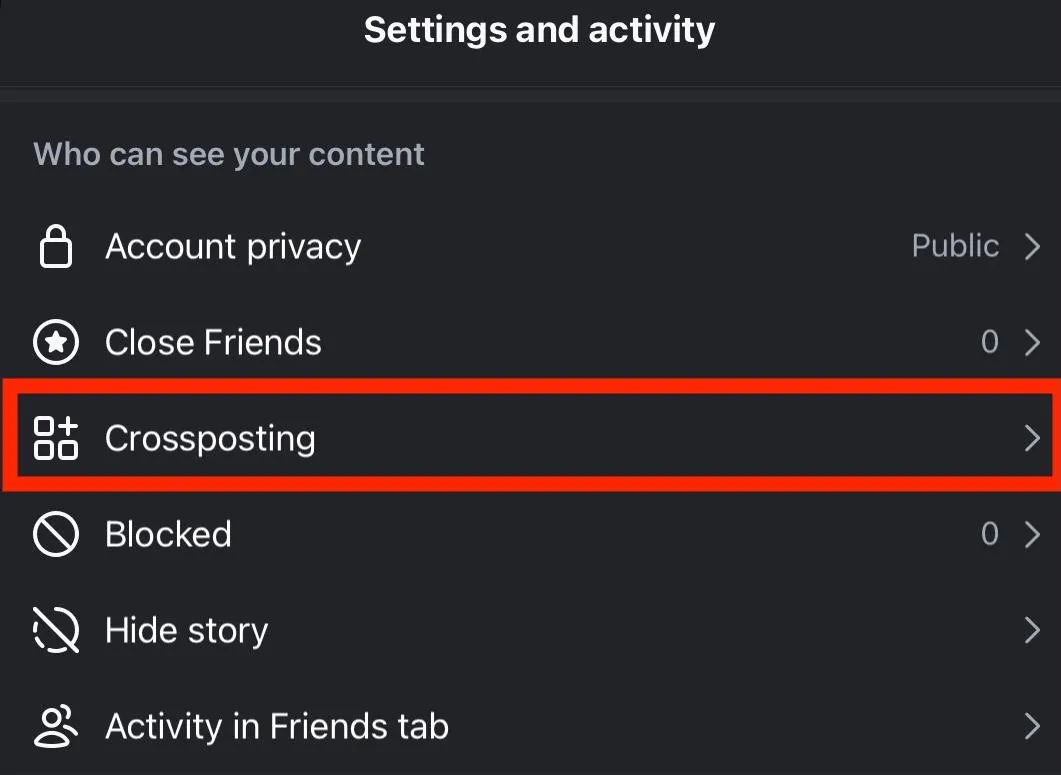
Toggle Your Story, Posts, and Reels to OFF.
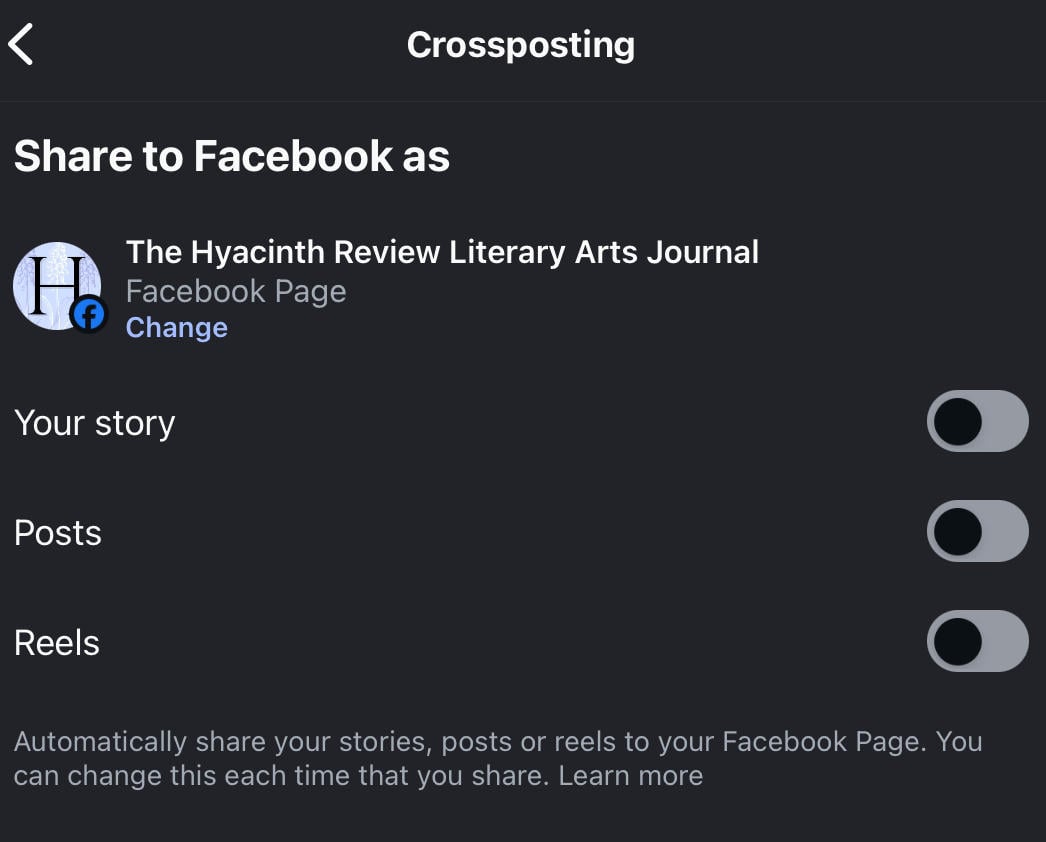
Your Instagram posts and Stories will no longer be shared to your linked Facebook page.
How Do I Unlink Facebook From Instagram In Accounts Center?
Unlinking your Facebook and Instagram accounts isn’t actually done via Accounts Center on the mobile app, but rather in the Edit Profile section.
To do this, open the Instagram app.
Navigate to your profile page and tap Edit Profile.
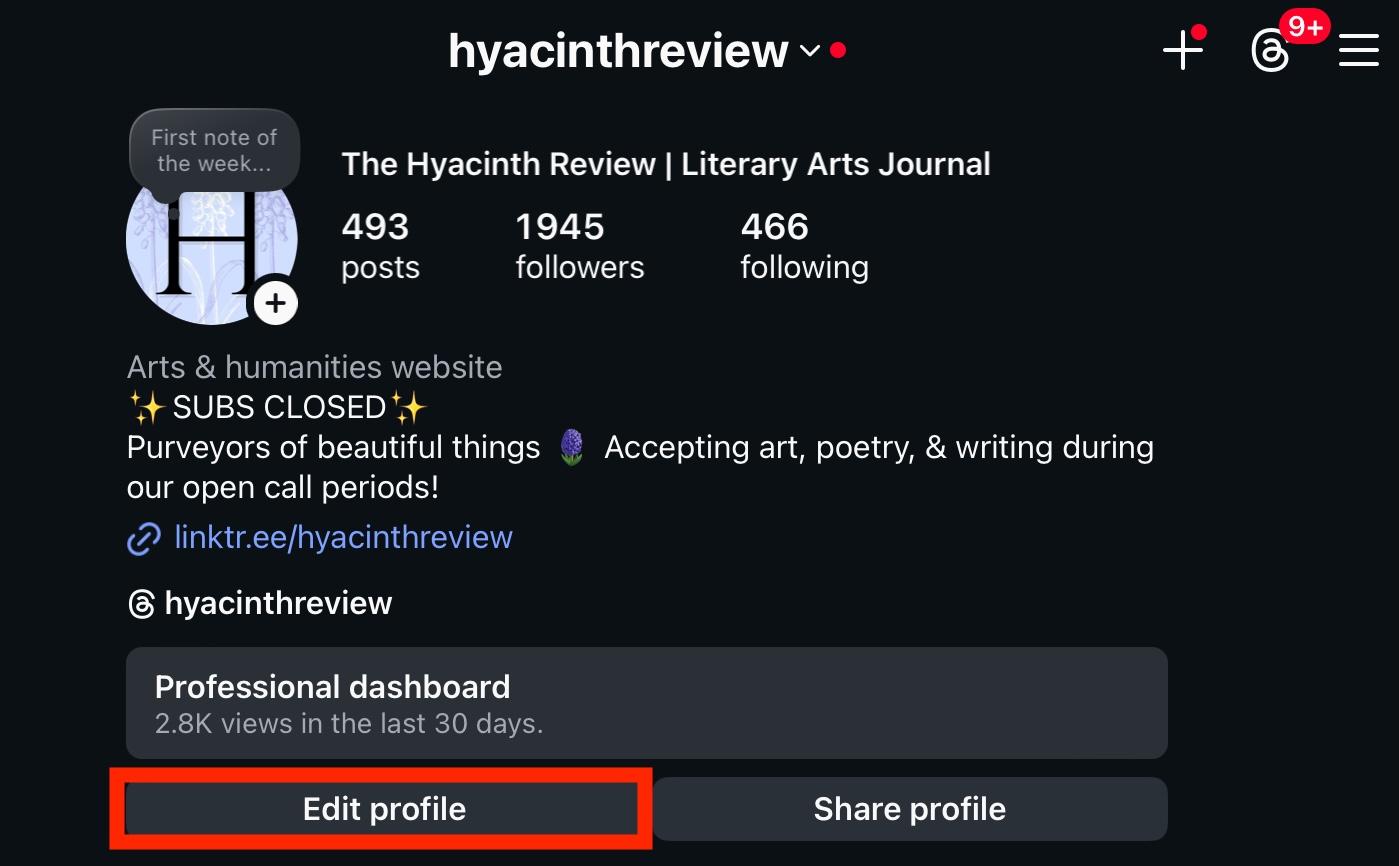
Scroll down to Public Business Information and tap Page.
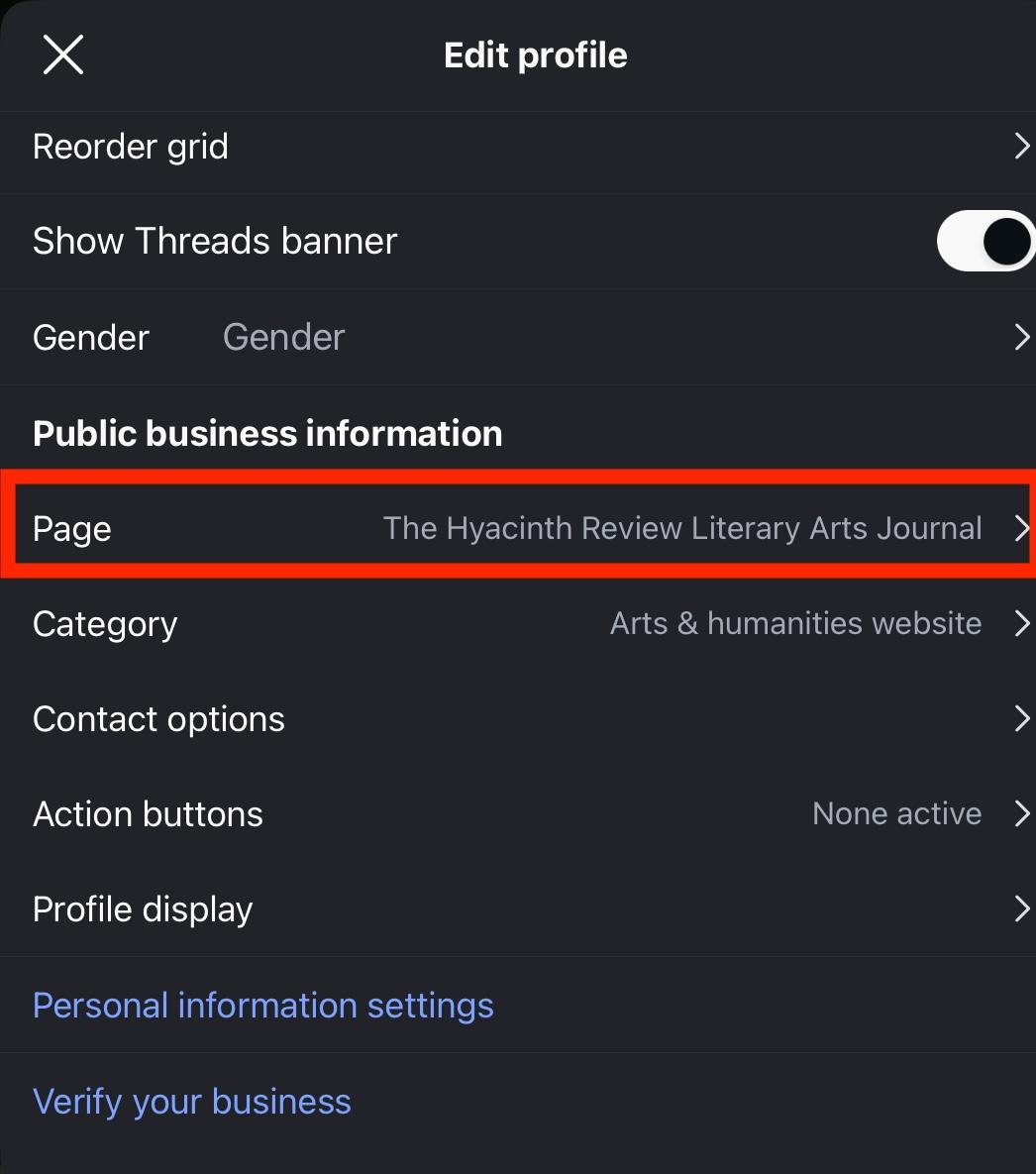
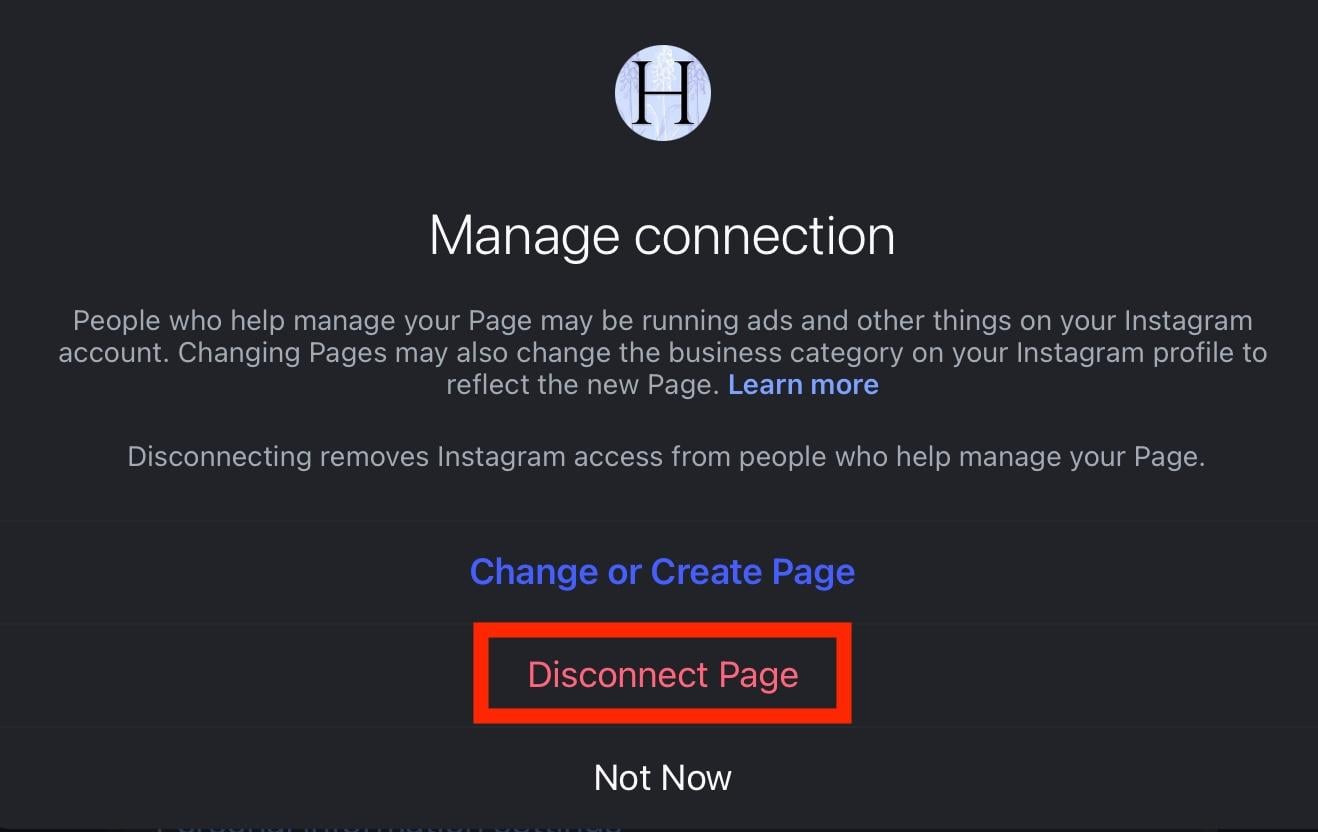
Tap Disconnect Page and confirm your choice.
Can I Unlink Facebook From Instagram On The Facebook App?
Yes you can!
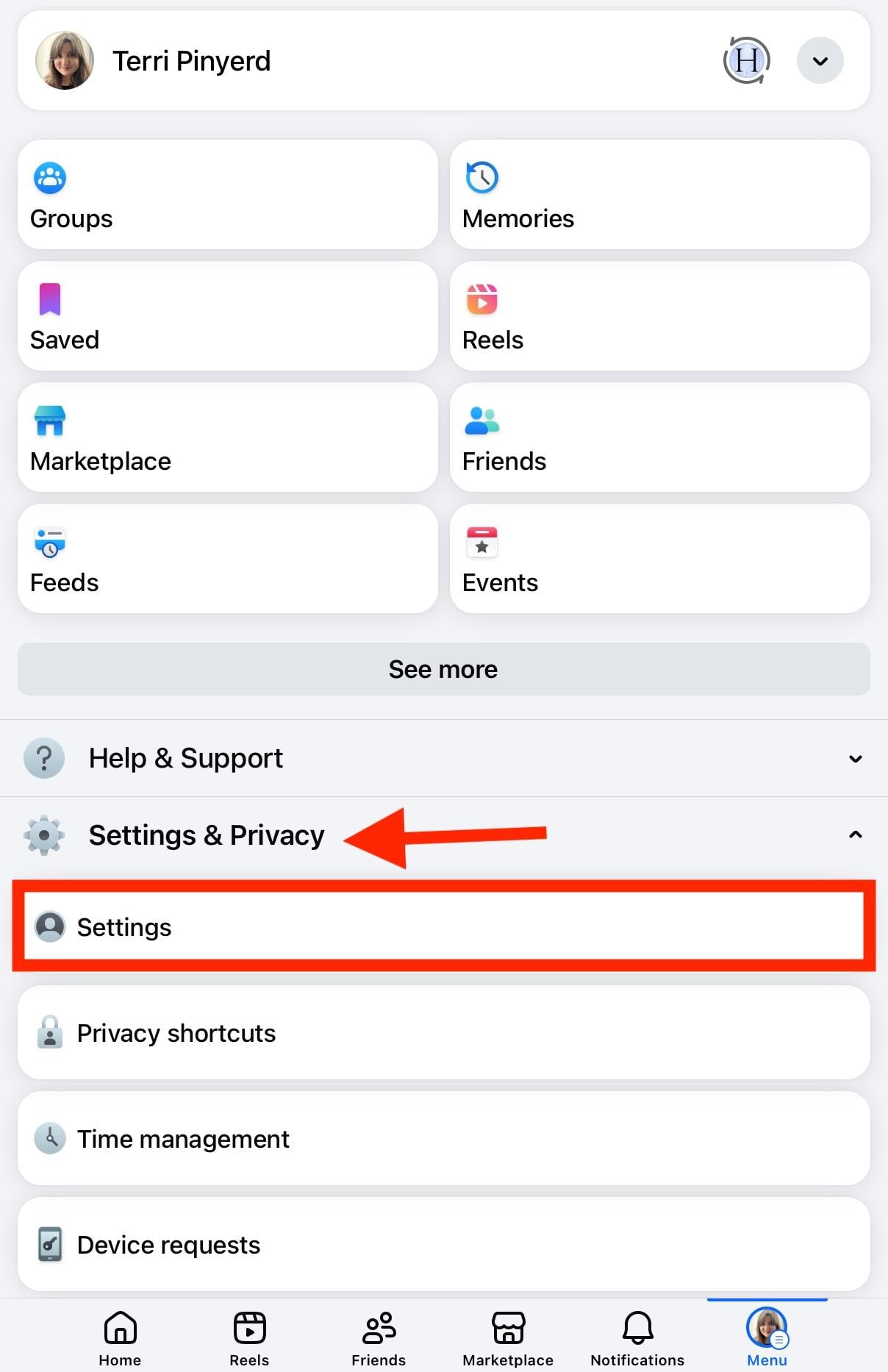
Open the Facebook app.
From the profile menu, tap Settings & Privacy > Settings.
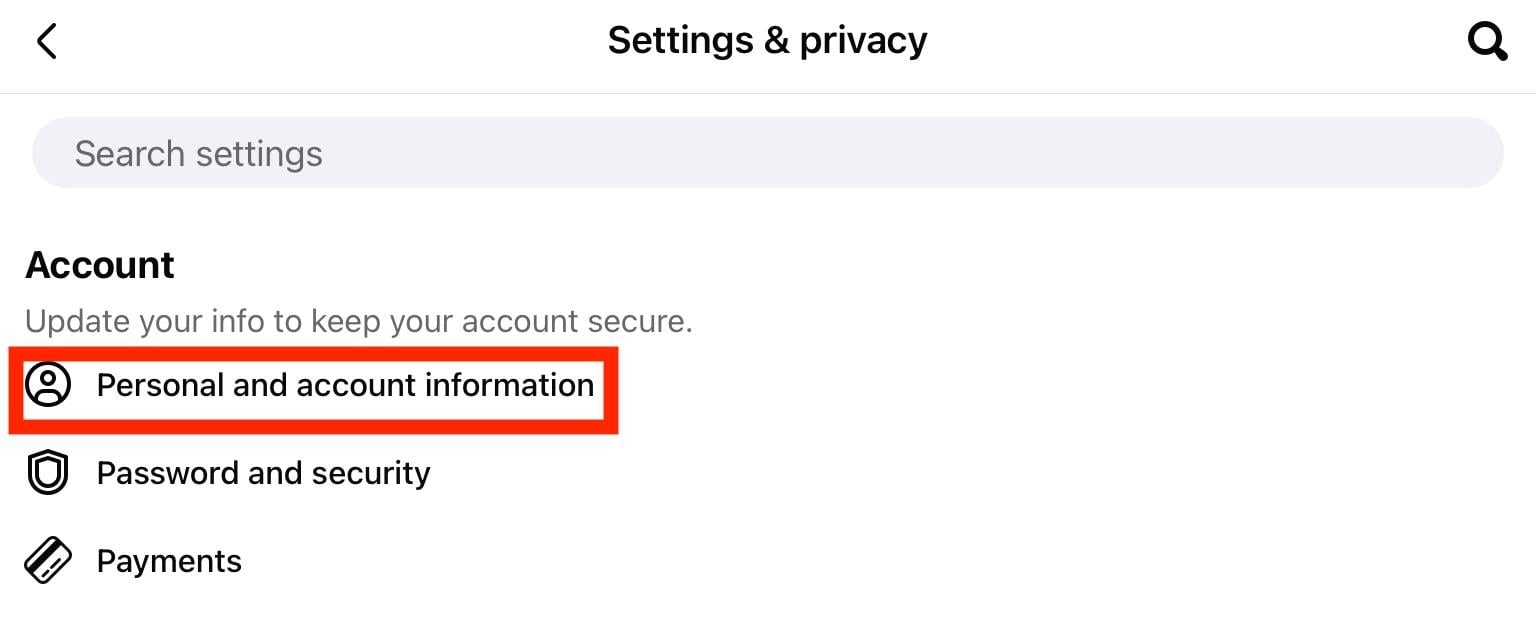
Tap Personal And Account Information.
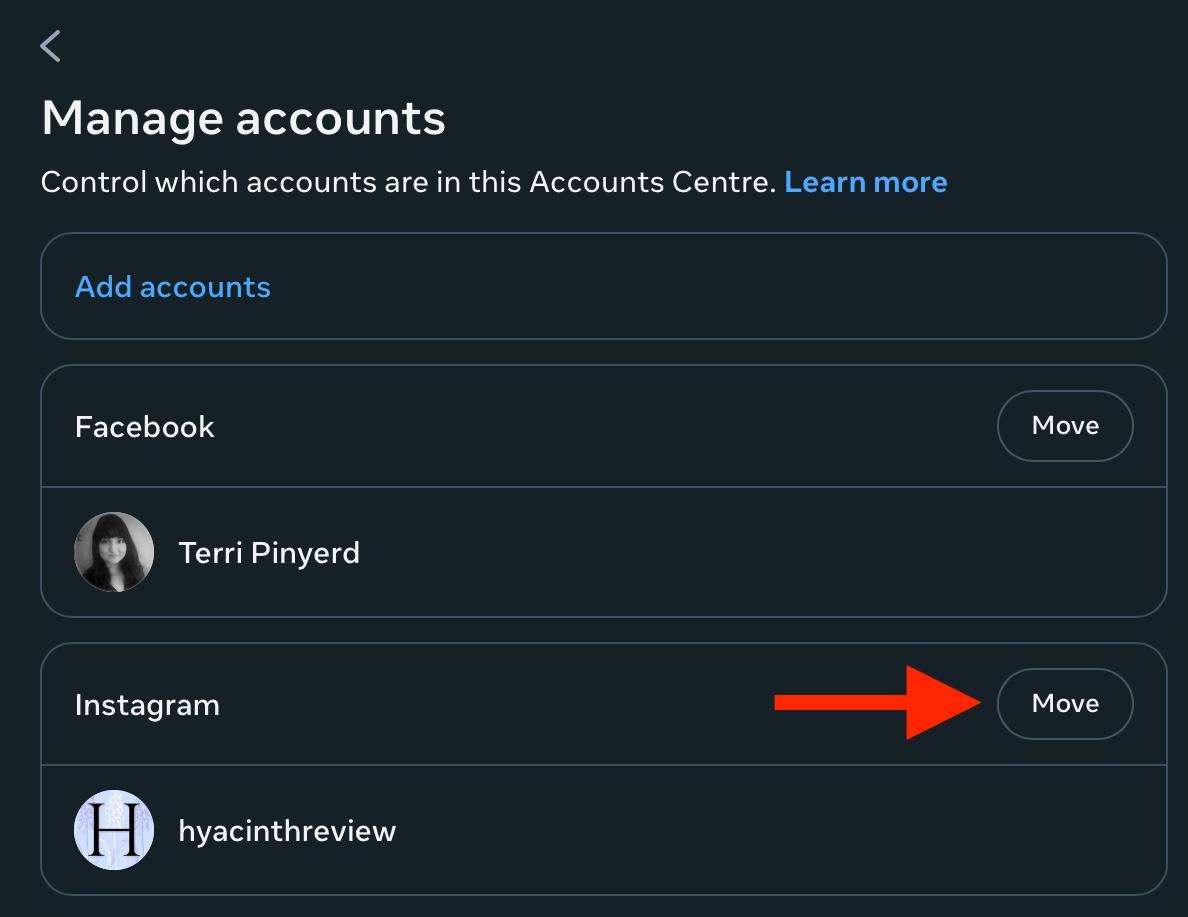
On the top right corner of the Instagram profile, tap Move.
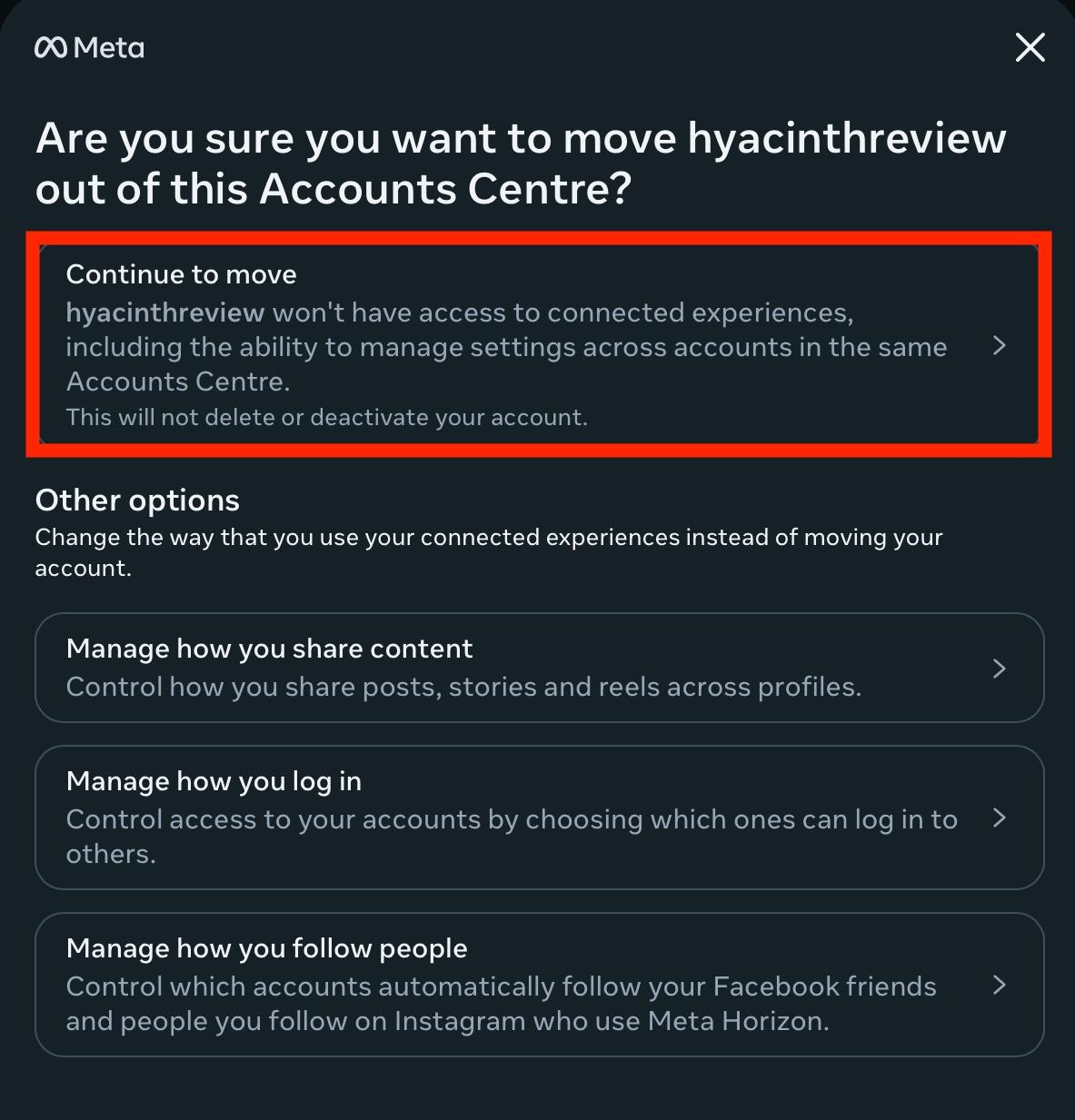
Tap Continue To Move and confirm your decision.
How To Unlink Instagram From Facebook Without A Phone
Currently it’s not possible to unlink Instagram and Facebook outside of the mobile apps.
Meta’s official instructions recommend accessing either Instagram or Facebook via their respective mobile apps in order to complete the unlinking process.
What Happens When I Unlink Facebook And Instagram?
When you unlink Facebook and Instagram, you’ll automatically stop cross-posting any content from one platform to the other.
You’ll also stop sharing login details and any ads that you had set up between platforms will be disabled.
How Do I Remove Linked Accounts On Instagram?
If you have linked accounts other than Facebook attached to your Instagram account, you can remove them via the App Connections section of the Accounts Center on either the desktop site or Instagram app.
On Mobile Devices (iPhone or Android)
Open the Instagram app and navigate to your profile page.
Tap the three lines on the top right corner.
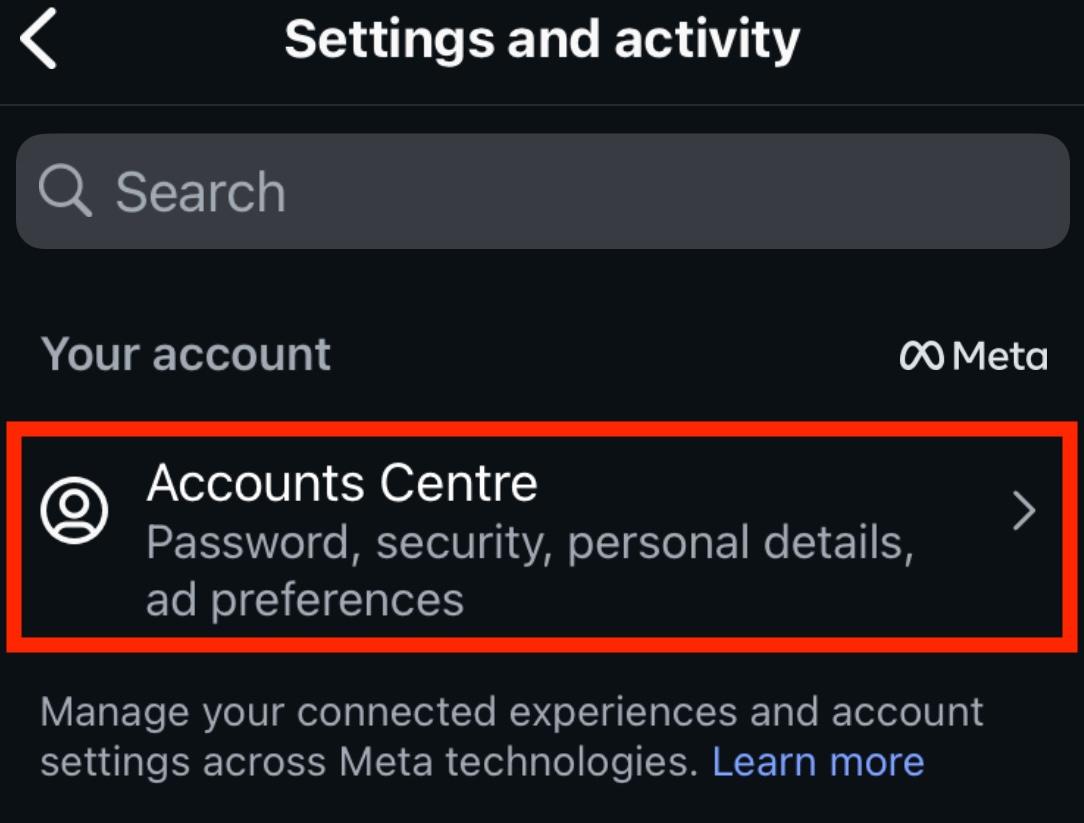
Tap Accounts Center.
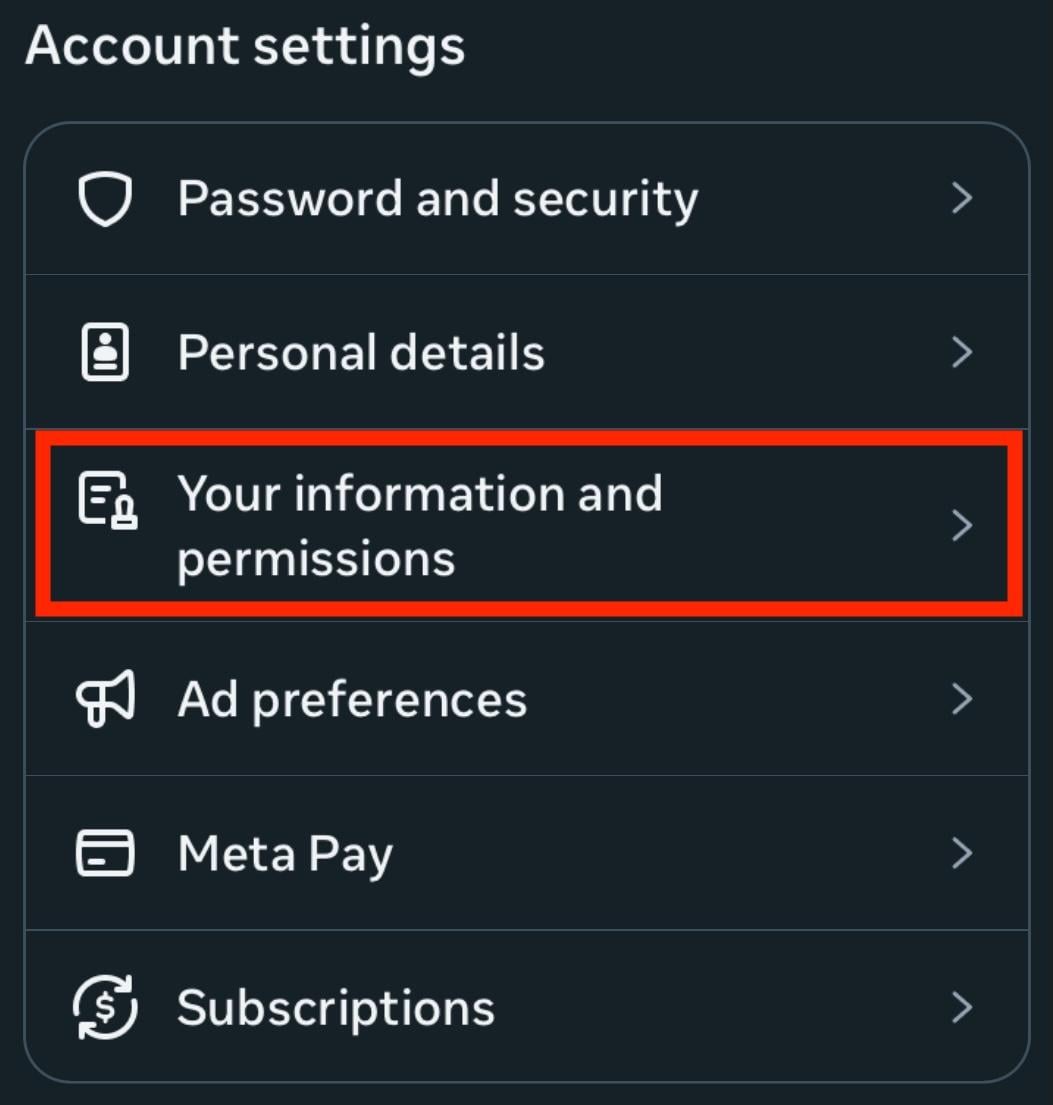
Tap Your Information And Permissions.
Tap App Connections.
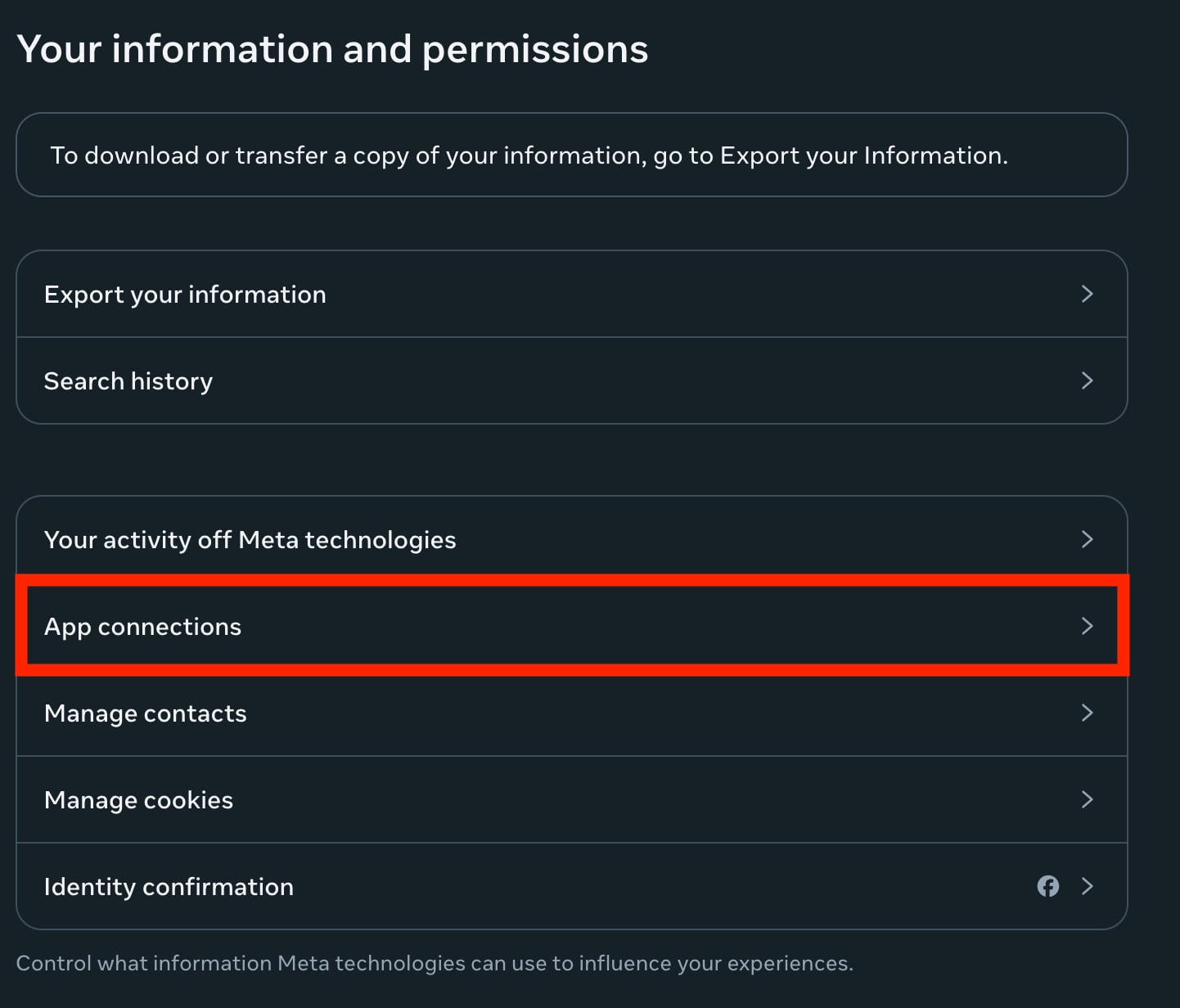
From here you can connect or disconnect any connected services.
On Desktop
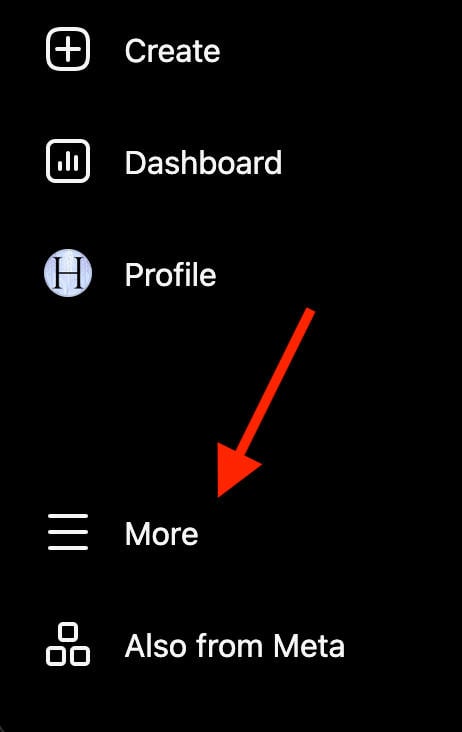
Click More > Settings on the bottom left.
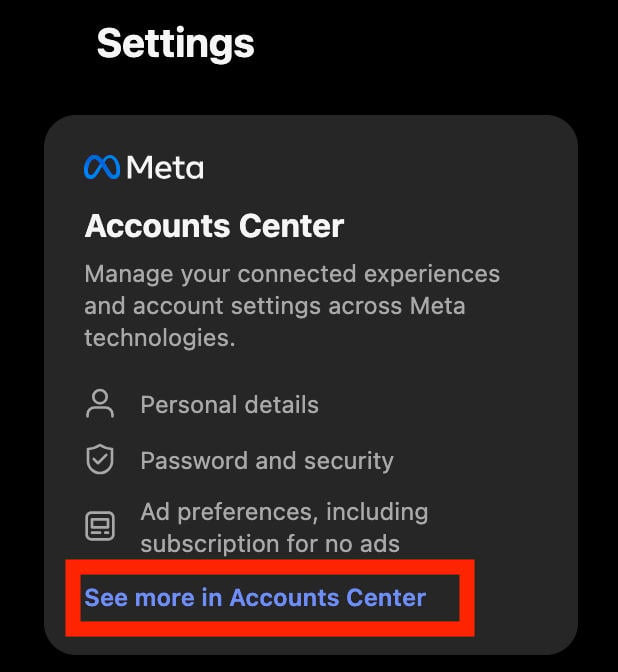
Click See More In Accounts Center.
Click Your Information And Permissions.
Click App Connections.
From here you can connect or disconnect any connected services.
How To Unsync Facebook And Instagram Profile Pictures
If you just want to prevent your profile pictures from being synced between your Instagram and Facebook profiles, you can do so without unlinking both accounts entirely.
Open the Instagram app and navigate to your profile page.
Tap the three lines on the top right corner.
Tap Accounts Center.
Tap Profiles.
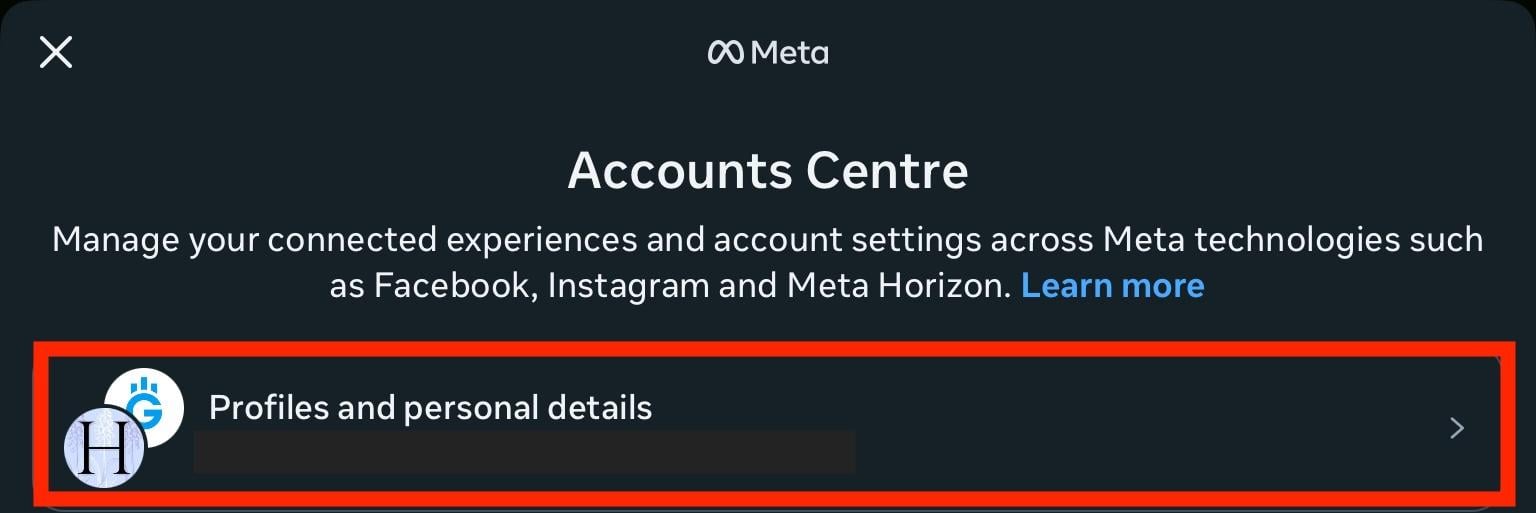
If you have synced profile pictures, you’ll see the two Facebook and Instagram profiles appear at the bottom of a single Profile, each with the same profile picture.
To unsync them, tap either the Facebook or Instagram profile.
Ensure that Sync Profile Info is toggled OFF.
Confirm by tapping Stop Syncing.
Can I Relink Facebook And Instagram Later?
Yes, you can reconnect your accounts at any point through the Accounts Center in either app.
First make sure you have a professional Instagram account.
Open your Instagram profile and tap the three lines on the top right corner.
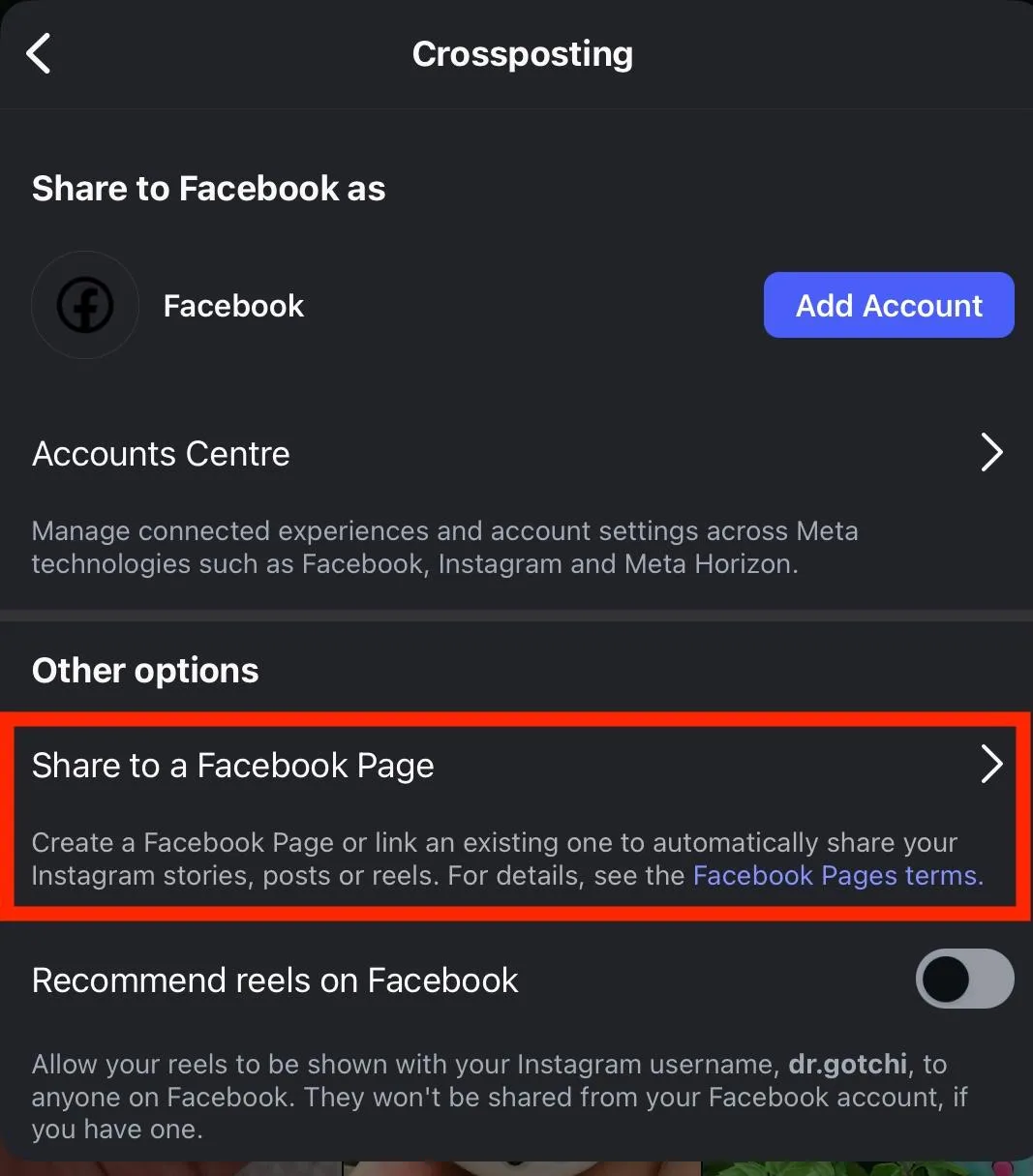
Scroll down to Who Can See Your Content and tap Crossposting.
Under Other Options tap Share To A Facebook Page.
Tap Next.
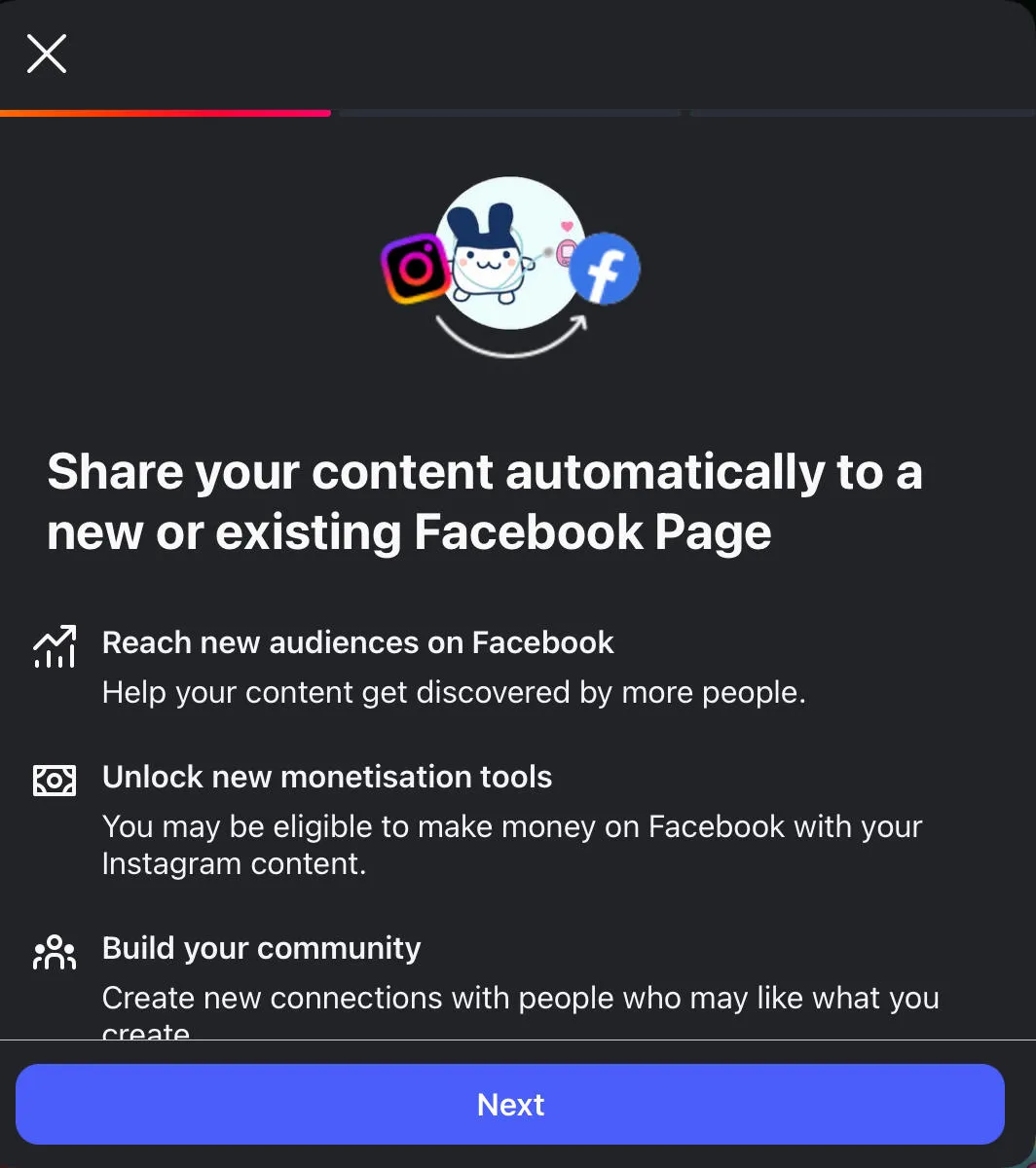
Follow the on-screen instructions to complete the process.
Why Can’t I Unlink My Facebook From Instagram?
This usually happens if your accounts are managed through Meta Accounts Center settings or if you don’t have admin access to a linked business account.
You can also try accessing your Instagram or Facebook account from the mobile app rather than the desktop site, since more often than not the mobile app allows access to additional settings.
Recommended Reading
Frequently Asked Questions
How do I stop Instagram from going to Facebook?
You can unlink your Instagram and Facebook accounts via the Edit Profile section from the Instagram mobile app.
How do I unlink my Facebook account?
You can learn how to unlink your Facebook from your Instagram account here.
How to unlink Facebook from Instagram on Android?
The settings for unlinking accounts are identical between iPhone and Android devices. Learn how to unlink your Facebook and Instagram accounts here.
Will unlinking Facebook delete my Instagram account?
No, unlinking your accounts just removes the connection and crossposting between the two, both accounts will stay active.
How do I unlink a business Instagram from Facebook?
Open Instagram and tap Edit Profile. Scroll down and tap Page, then select Disconnect and confirm your decision.
Does unlinking affect Facebook Ads?
Yes, if you run ads through Facebook Ads or Meta Business Suite, you may lose certain ad features after unlinking your accounts.
Will my messages still sync after unlinking?
No, message syncing between Facebook and Instagram will stop once you disconnect the two accounts.
Is unlinking the same as removing Facebook login?
Not exactly. Removing your Facebook login only changes how you sign in, but unlinking your accounts disconnects both account syncing and sharing features.



My account was locked, and I couldn’t access my own information until cyberspacetechexpert@gmail.com +447476618364 whats?app? helped me recover it. This lady hacker was kind and professional, but this experience showed me how risky account lockouts can be. If you’re facing the same problem, do not panic consult her A. S. A. P. Be careful with recovery agents outchea, and research their name, business, and reviews before sharing any details. Never send passwords, security codes, banking information, or copies of your ID unless you’ve confirmed who you’re dealing with. Be wary of promises that sound too good to be true, especially claims that require little information or guarantee instant access with outrageous fees.
My account was locked, and I couldn’t access my own information until cyberspacetechexpert@gmail.com +447476618364 whats?app? helped me recover it. This lady hacker was kind and professional, but this experience showed me how risky account lockouts can be. If you’re facing the same problem, do not panic consult her A. S. A. P. Be careful with recovery agents outchea, and research their name, business, and reviews before sharing any details. Never send passwords, security codes, banking information, or copies of your ID unless you’ve confirmed who you’re dealing with. Be wary of promises that sound too good to be true, especially claims that require little information or guarantee instant access with outrageous fees.