
Changing your Instagram handle is simple, whether you’re accessing the platform through the mobile app or desktop site.
Today we’ll walk you through each step needed to change your Instagram handle, display name, profile picture, and more.
Plus, how to view your previous username history and what to do if your preferred username has already been taken.
Key Points:
How To Change Your Instagram Handle
Instagram handles, also known as usernames, are the primary way that users can search up and discover new profiles.
On your profile, your handle will appear beneath your display name and above your bio.
Instagram handles have a limit of 30 characters and can include a combination of letters, numbers, periods, and underscores. Any additional special characters are not allowed.
Additionally, Instagram does not allow users to include URLs, profanity, hate speech, or graphic phrases their usernames.
How Many Times Can I Change My Instagram Handle?
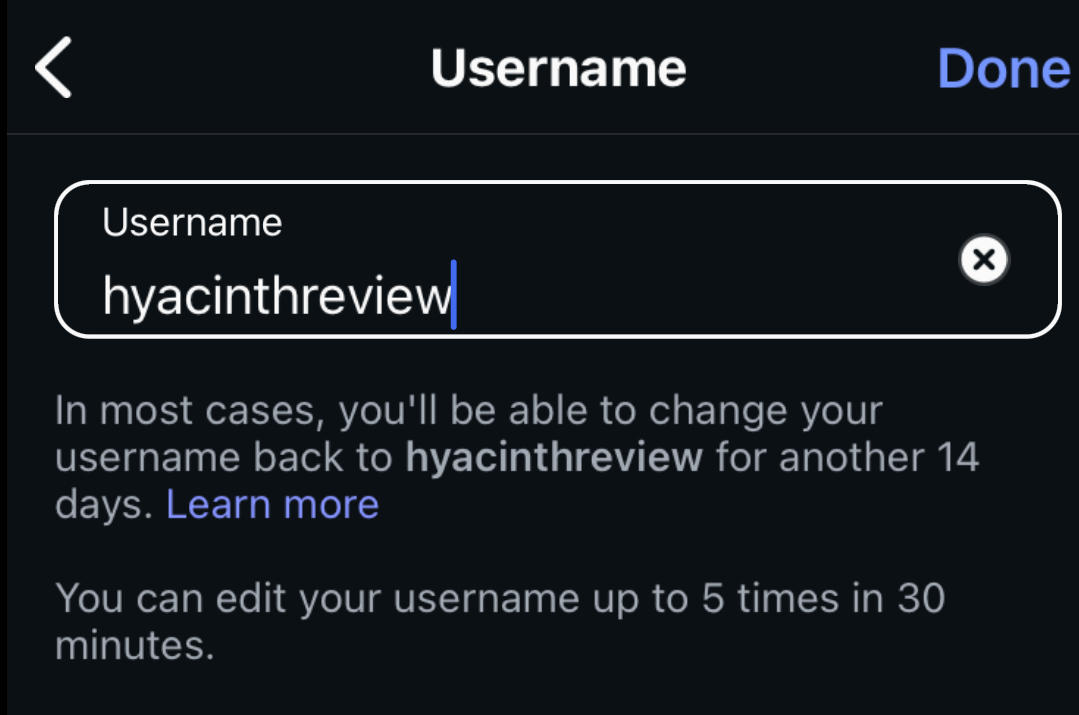
You can change your Instagram handle up to 5 times every 30 minutes. If you want to change it more than 5 times, just wait 30 minutes and try again.
After you change your handle, Instagram will hold on to your previous handle for 14 days just in case you change your mind. During this time, if someone else tries to change their handle to your old one, they won’t be able to.
What's The Difference Between Handle & Name?
Handles are also known as usernames, and are preceded by the @ symbol. These are used to search up profiles, tag users in posts or comments, and generally identify a profile.
Display names are separate from handles and can either be the same as a profile’s handle or something different. Additionally, two or more users can have the same display name - but not the same handle.
Does A Name Change Affect My Subscribers?
Changing your Instagram handle won’t necessarily affect your followers as long as the rest of your profile is still identifiable. For example, if you change your handle but retain the same display name and profile picture, your followers will still be able to tell that you’re the one posting content in their feed.
However, it’s best to avoid changing your handle too often as this can shift your brand identity and backfire on your overall presence in the long run.
How To Change My Instagram Handle On Desktop
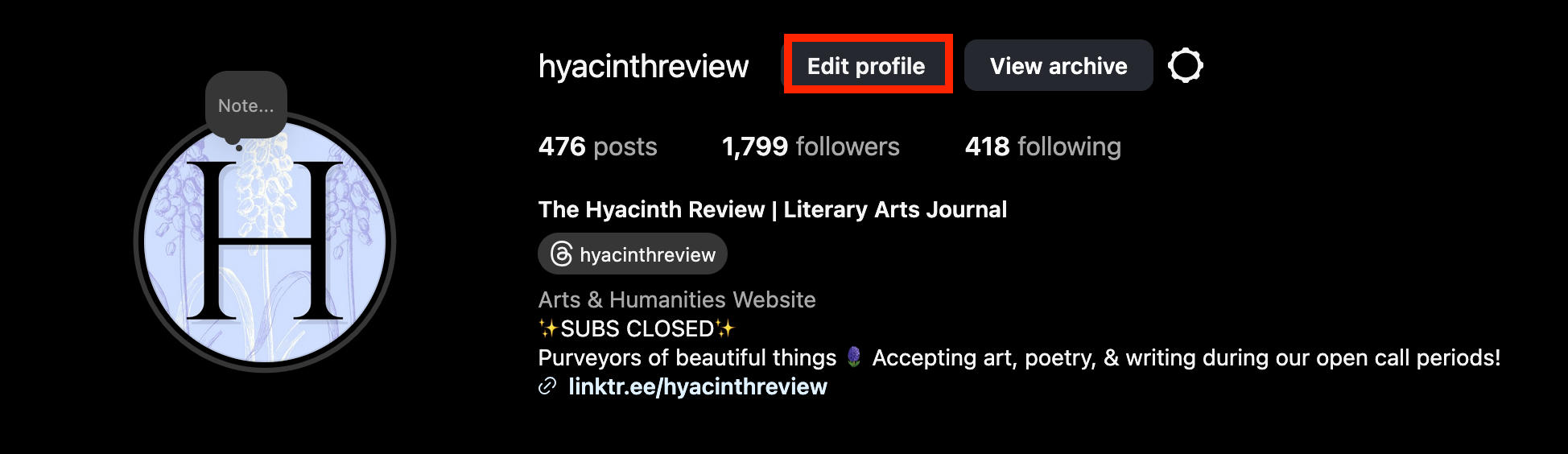
Open your profile page and click Edit Profile.
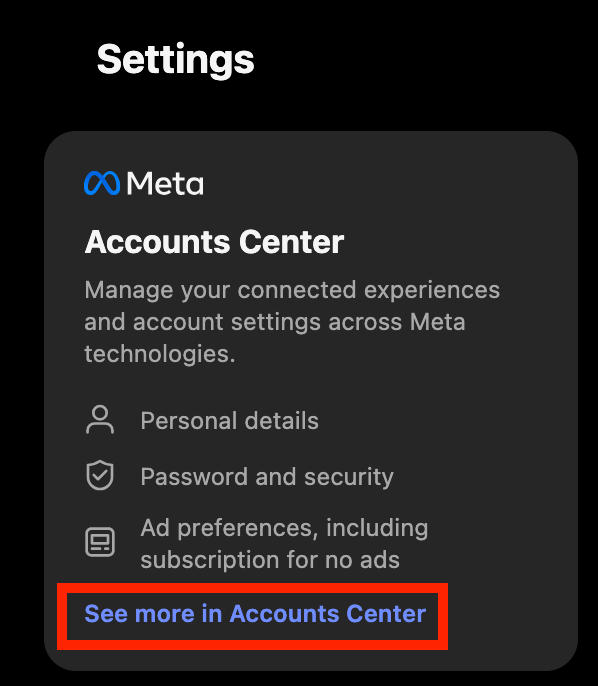
In the left menu under Settings click See More In Accounts Center.
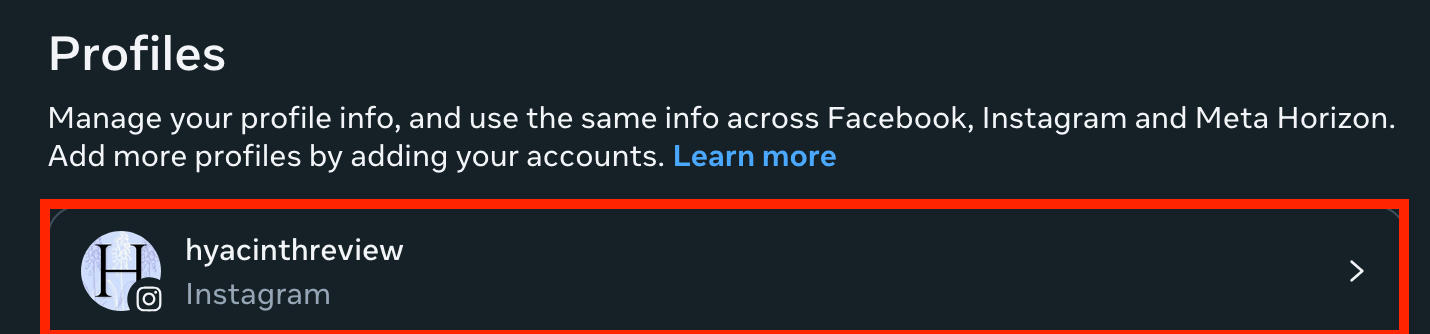
Click your profile.
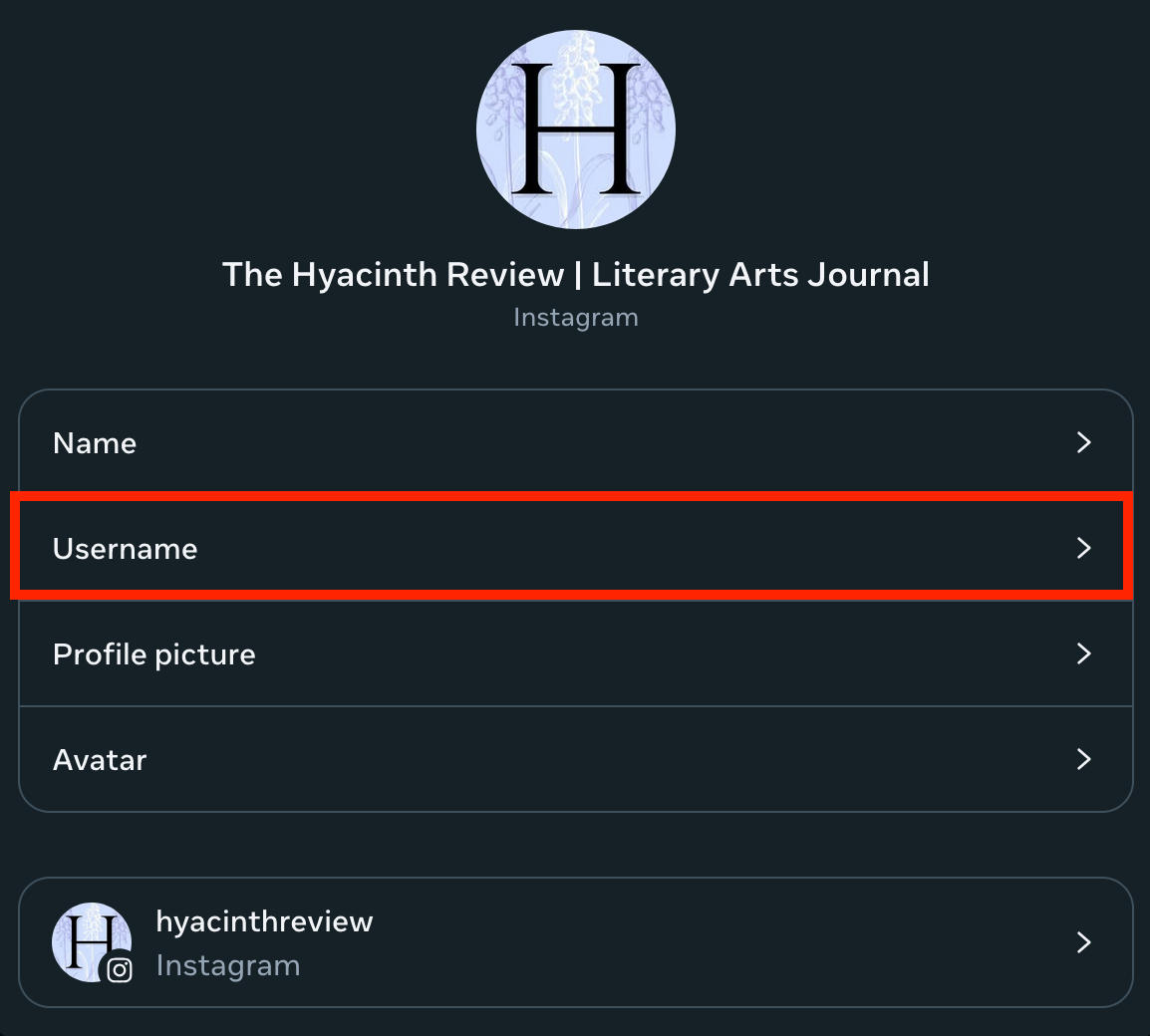
Click Username.
Fill in your new username, then click Done.
How Do I Change My Instagram Handle On The App?
Open your profile page and tap Edit Profile.
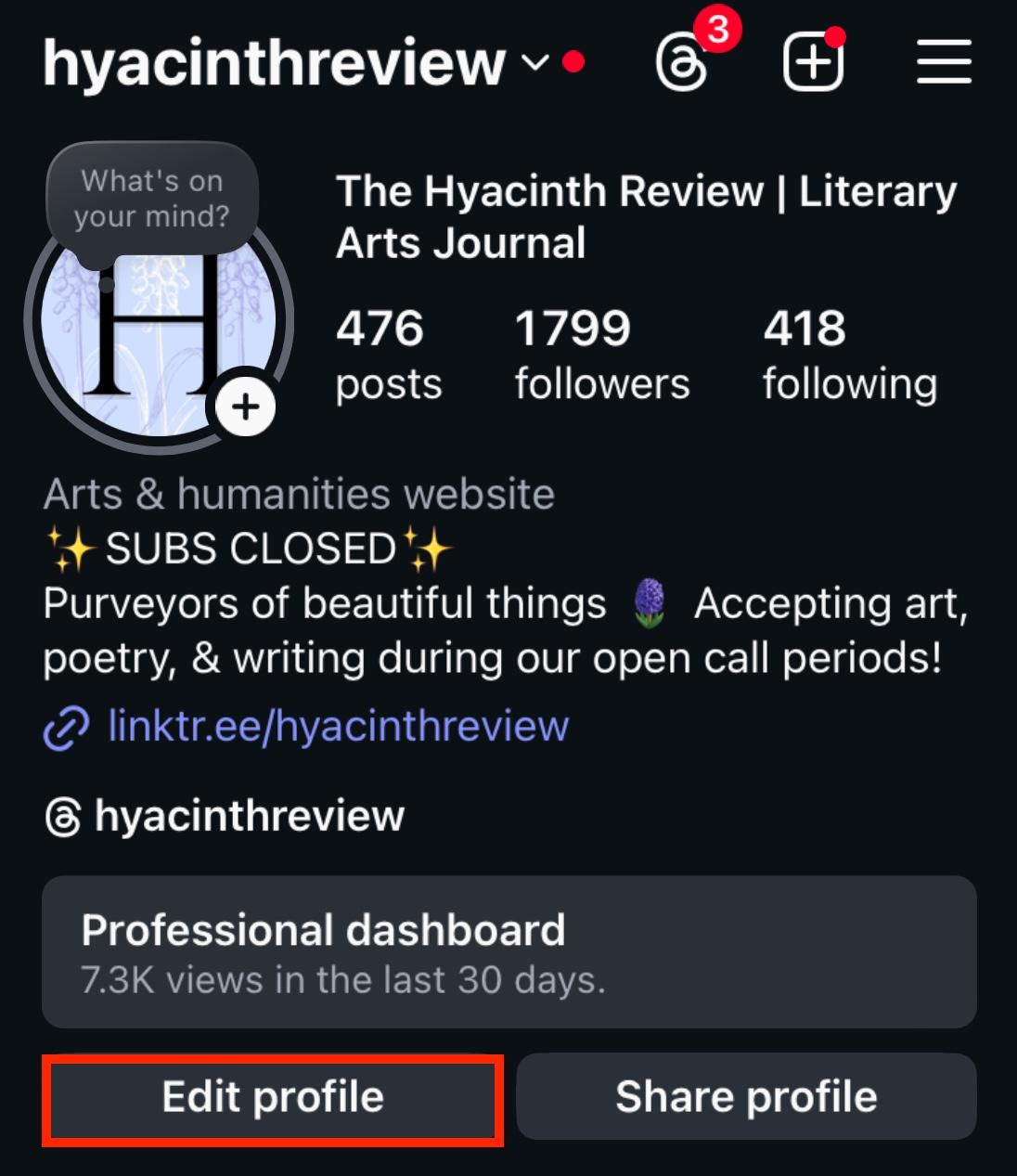
From here, tap Username.
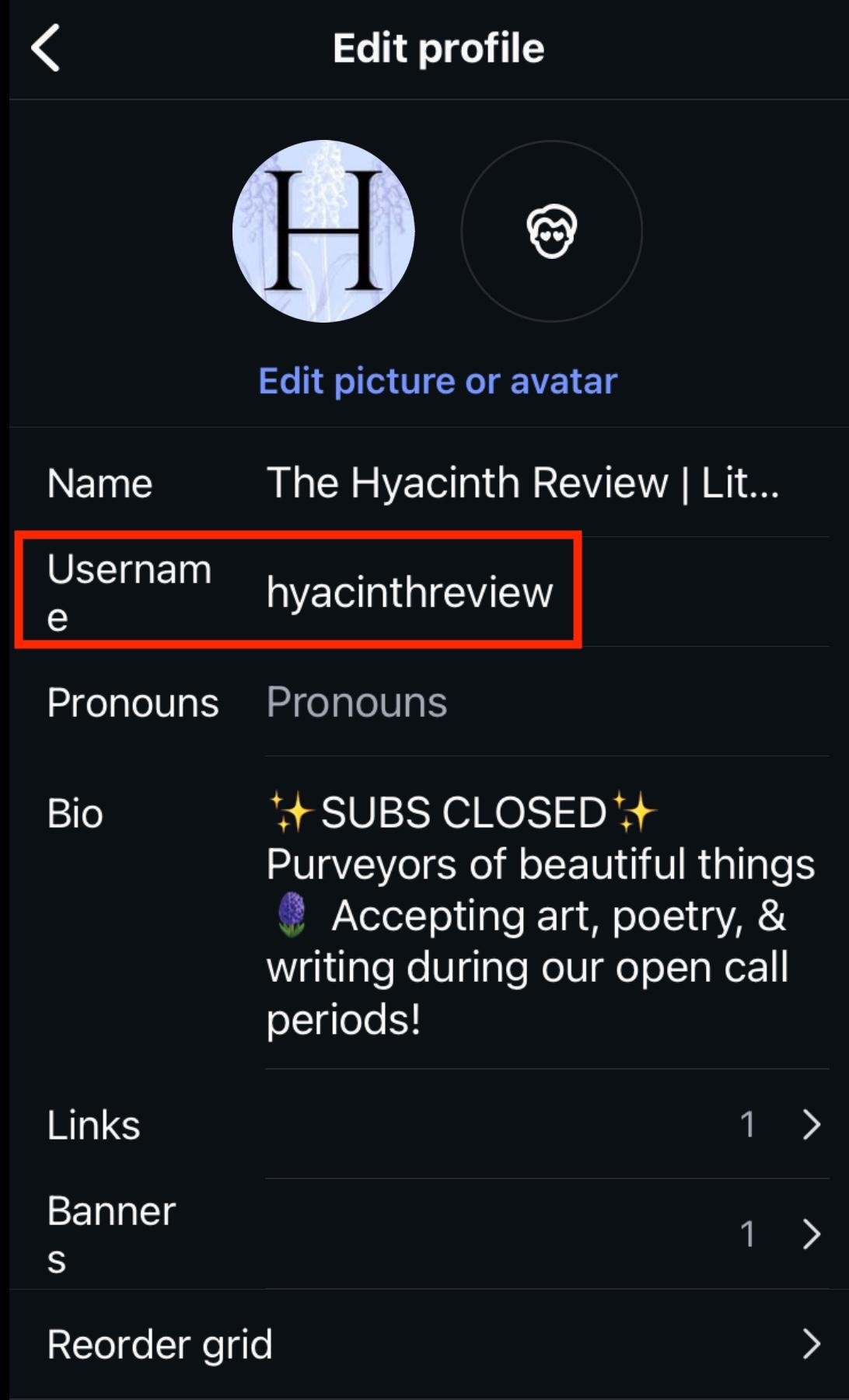
Fill in your new username, then select Done.
How To Change Your Instagram Display Name
Your display name is separate from your username and isn’t unique to your profile. That means more than one account can have the same display name, but the handle or username is what differentiates them.
You can change your display name twice every 14 days.
Changing Your Display Name On Desktop
Open your profile page and click Edit Profile.
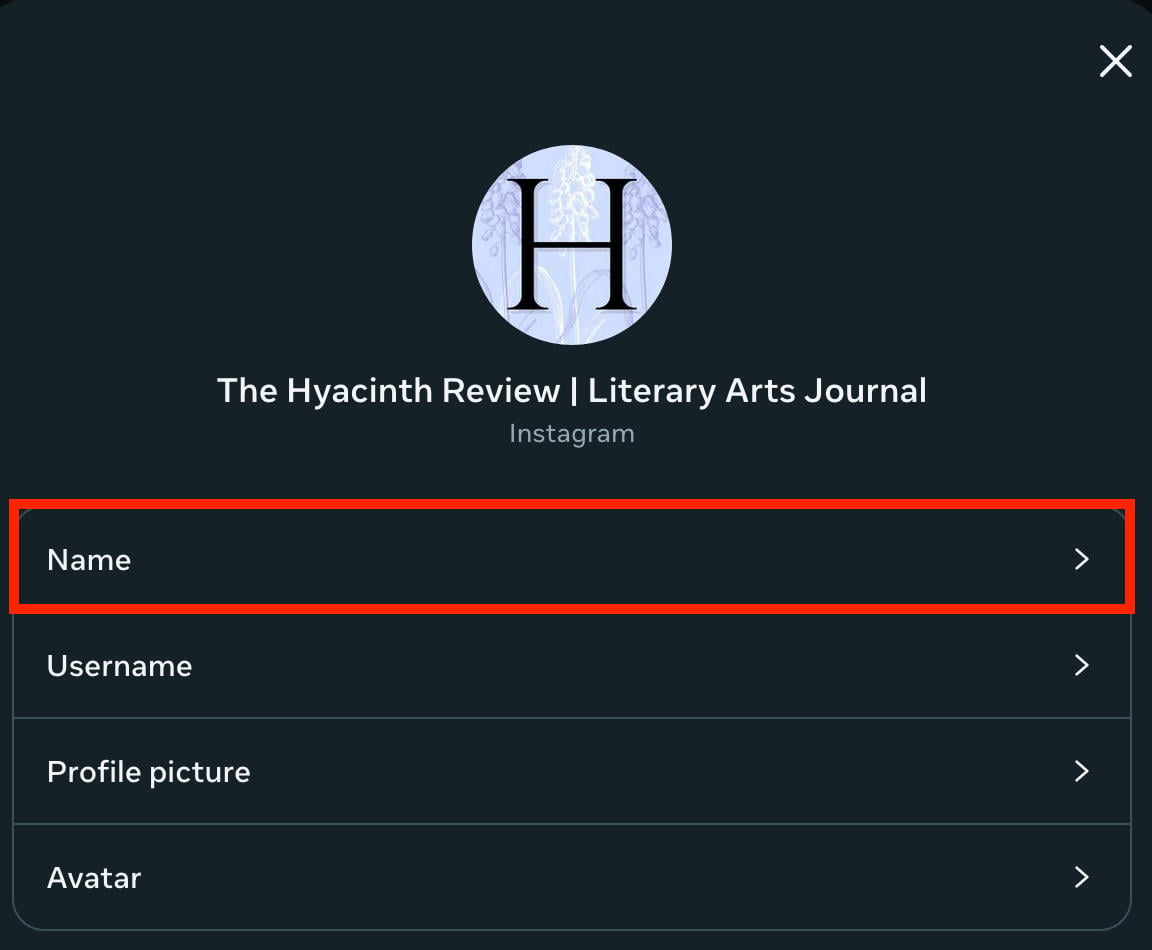
In the left menu under Settings click See More In Accounts Center.
Click your profile.
Click Name.
Changing Your Display Name On The App
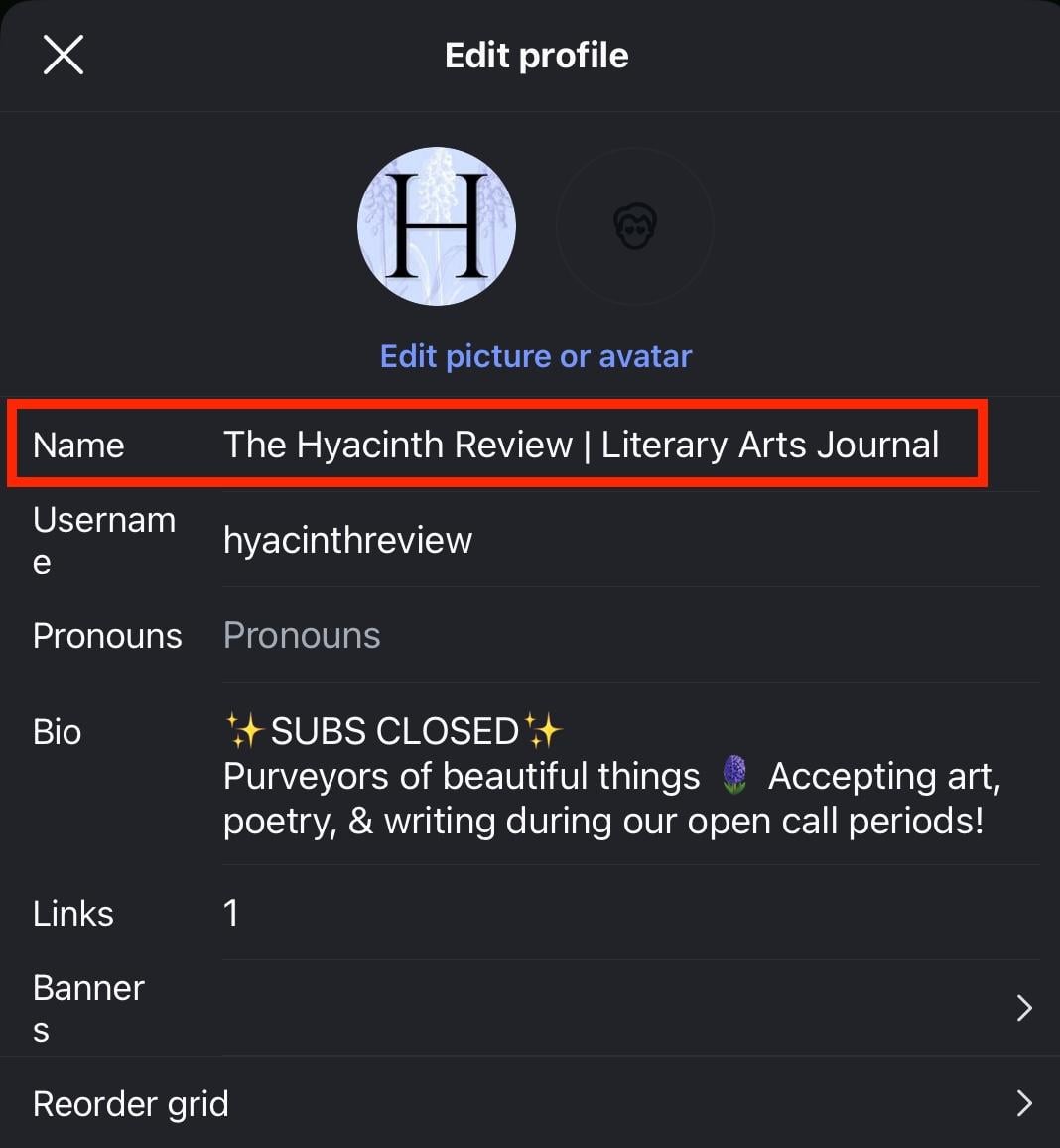
Open your profile page and tap Edit Profile.
From here, tap Name.
How To Change Your Instagram Bio
Your Instagram bio is where you can add useful information about your profile, such as the topics you post about, where you’re from, and more.
You can change your bio as many times as you like, from either the mobile app or desktop site, but it’s usually best to check the finished product from the app since this is where most people will view your profile and there are some minor layout differences between the two.
Instagram has a 150 character limit for Instagram bios, including emojis, but you can add as many lines within this character limit as you like.
Changing Your Bio On Desktop
Open your profile page and click Edit Profile.
Click Bio.
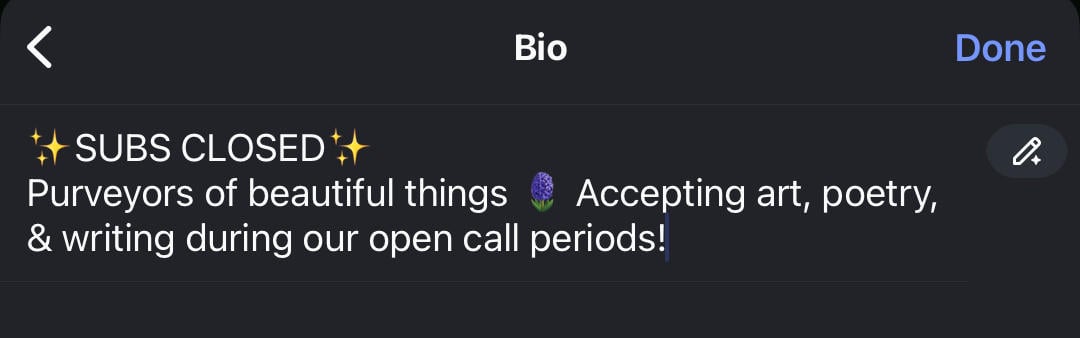
Edit your bio. When you're finished, click Done.
Changing Your Bio On The App
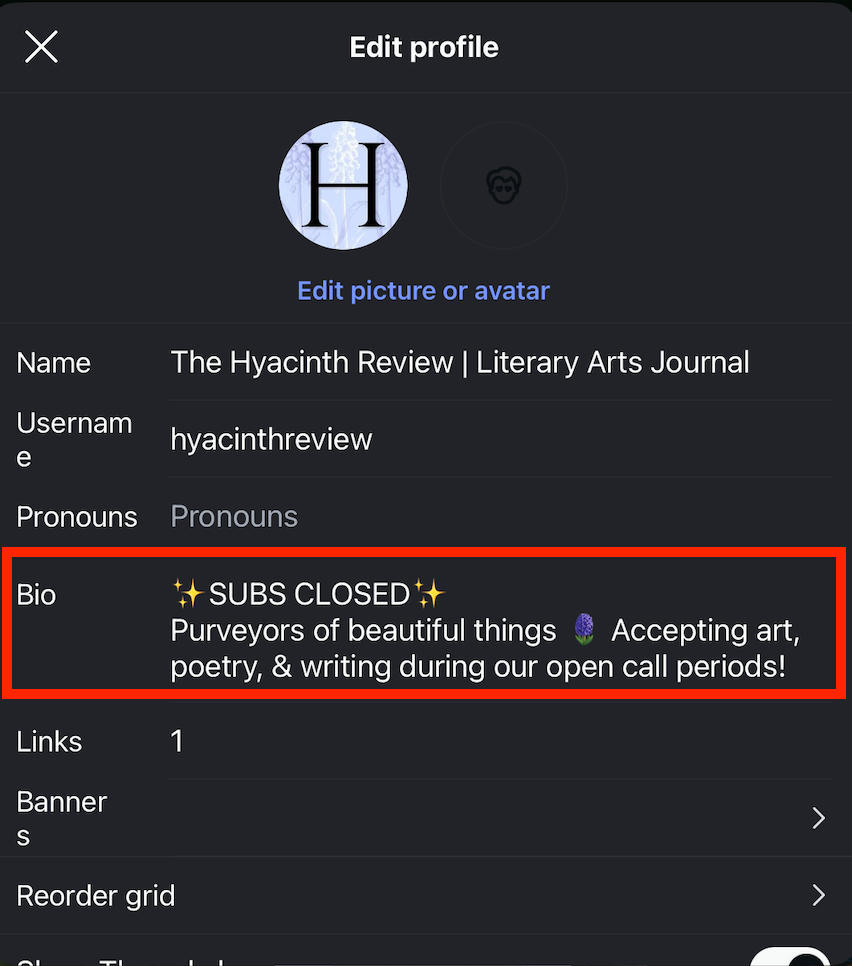
Open your profile page and tap Edit Profile.
From here, tap Bio
How To Add Multiple Lines To Your Bio
You can create an Instagram bio with line breaks using three methods:
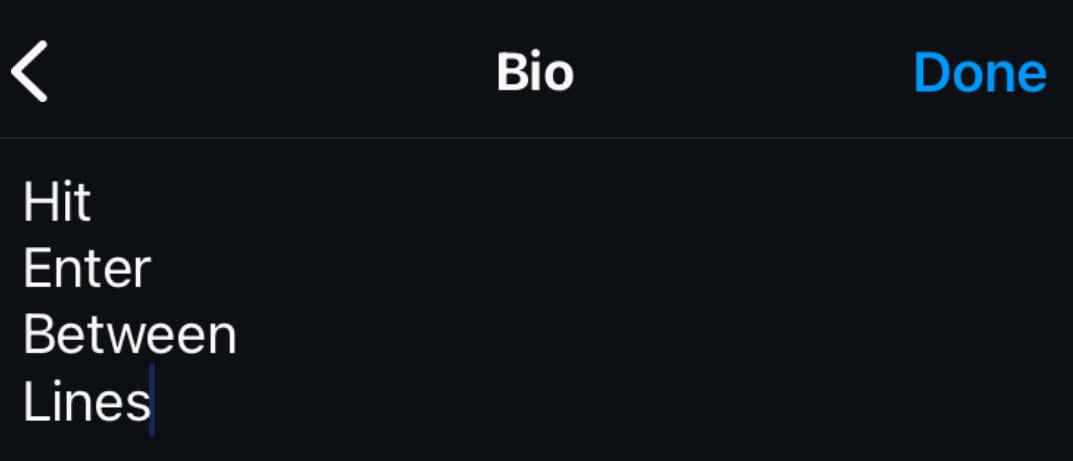
First, hit Enter on your device keyboard where you want the line breaks
You can also insert special characters (such as emojis) as line break placeholders
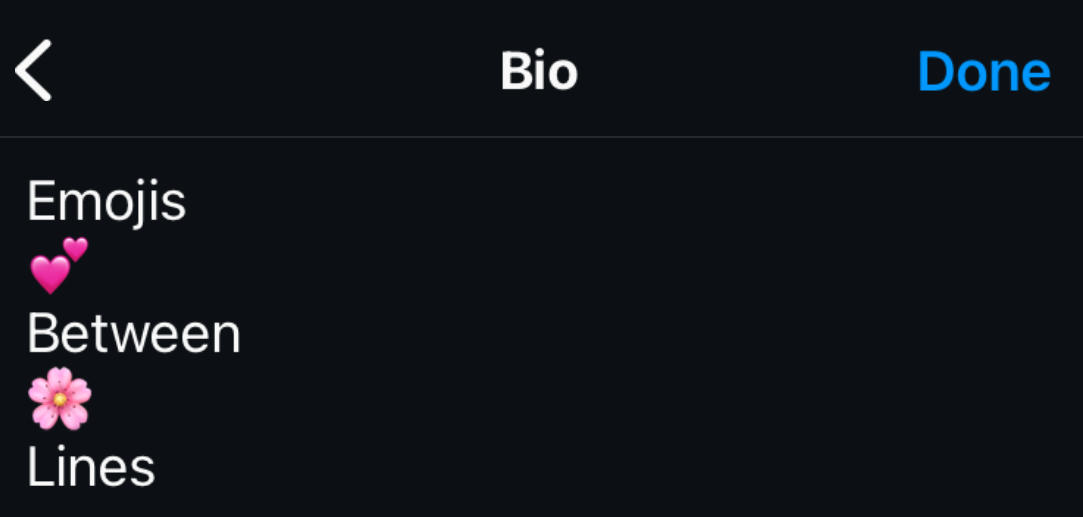
Finally, by using your phone's Notes app (or another text-based app) to write your text with line breaks, then paste it into your IG bio.
Check out our Instagram text formatting guide to learn how to include bold text, italics, and special characters.
How To Change Your Instagram Link
If you’d like to promote additional profiles, websites, or landing pages, you can add a link to your Instagram bio.
While Instagram previously limited this to one link, they’ve since integrated the option to add more than one.
Editing your Instagram link is only possible via the mobile app.
Open your profile page and tap Edit Profile.
Tap Links.
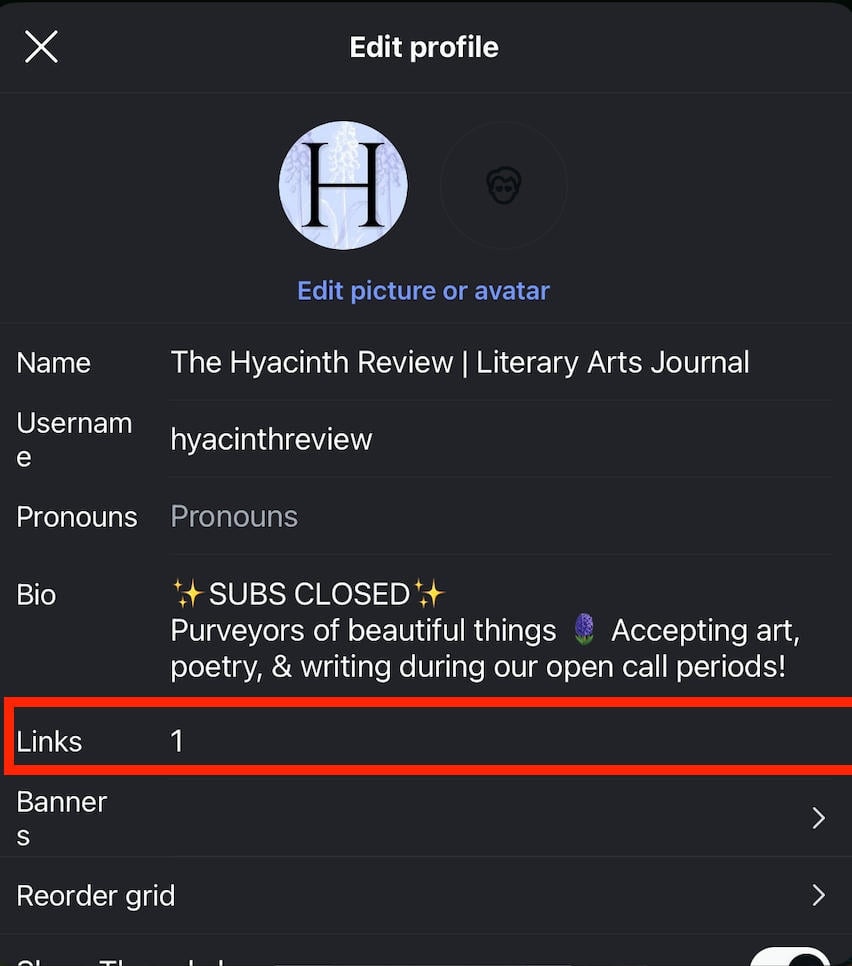
Tap Add Link and input the URL and title.
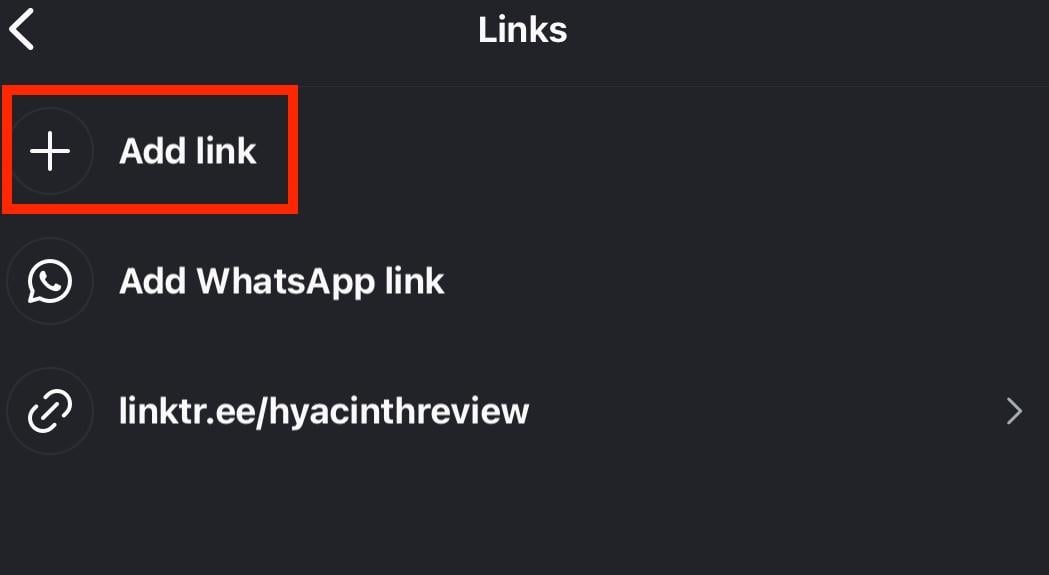
When you’re finished, tap Done to save your changes.
How To Change Your Instagram Profile Picture
Your profile picture is arguable more important than your handle or display name, since it can identify your profile at a glance.
Instagram profile pictures should measure 320 x 320 for best results.
You can change your profile picture via the Instagram mobile app or desktop site.
Change Your Profile Picture On Desktop
Open your profile page and click Edit Profile.
Click Change Photo on the top right.
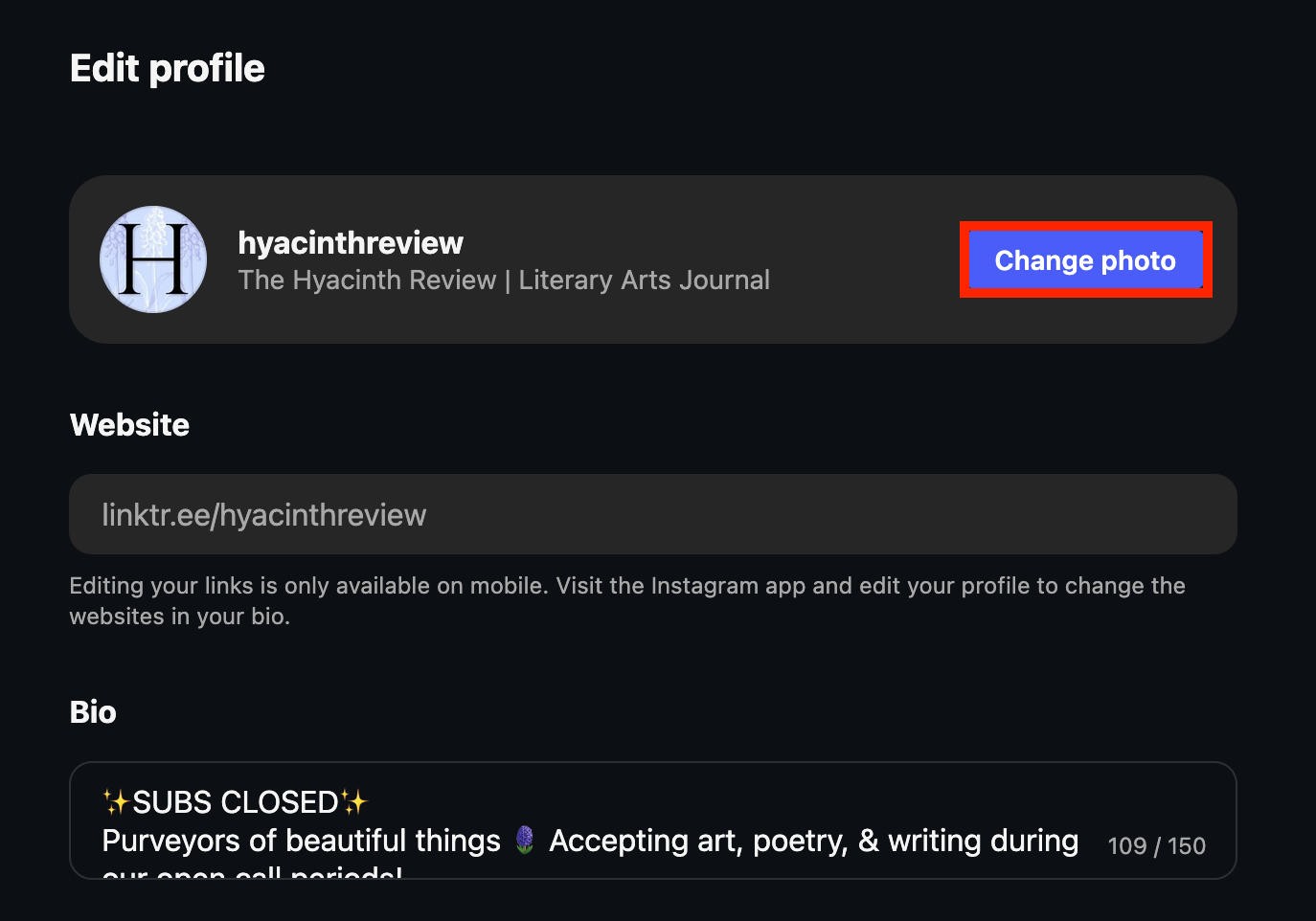
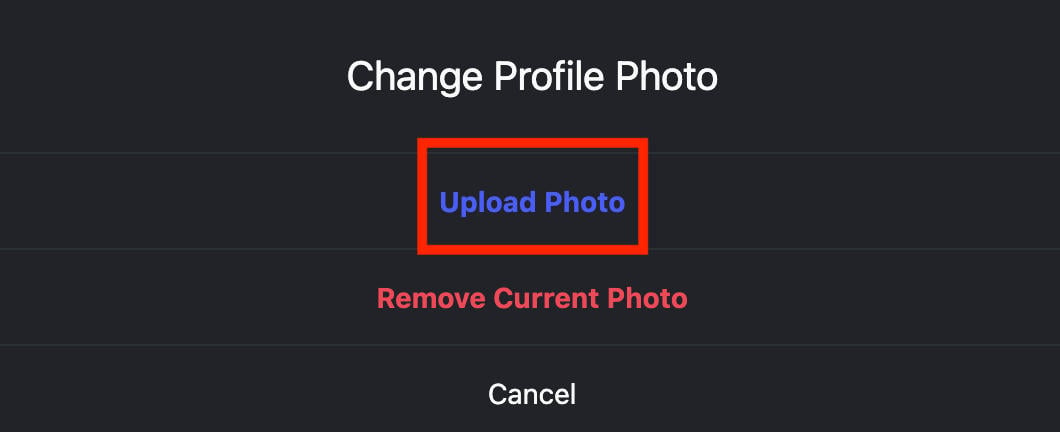
Click Upload Photo and select a photo from your computer.
Change Your Profile Picture On Mobile
Open your profile page and tap Edit Profile.
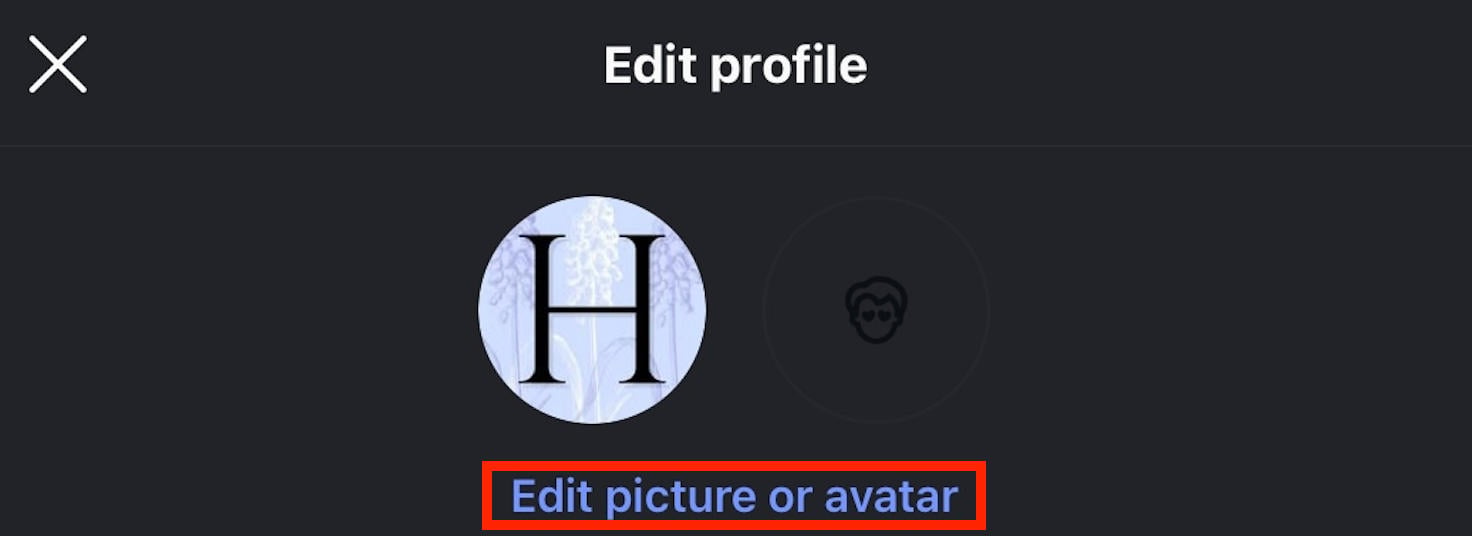
Tap Edit Picture Or Avatar.
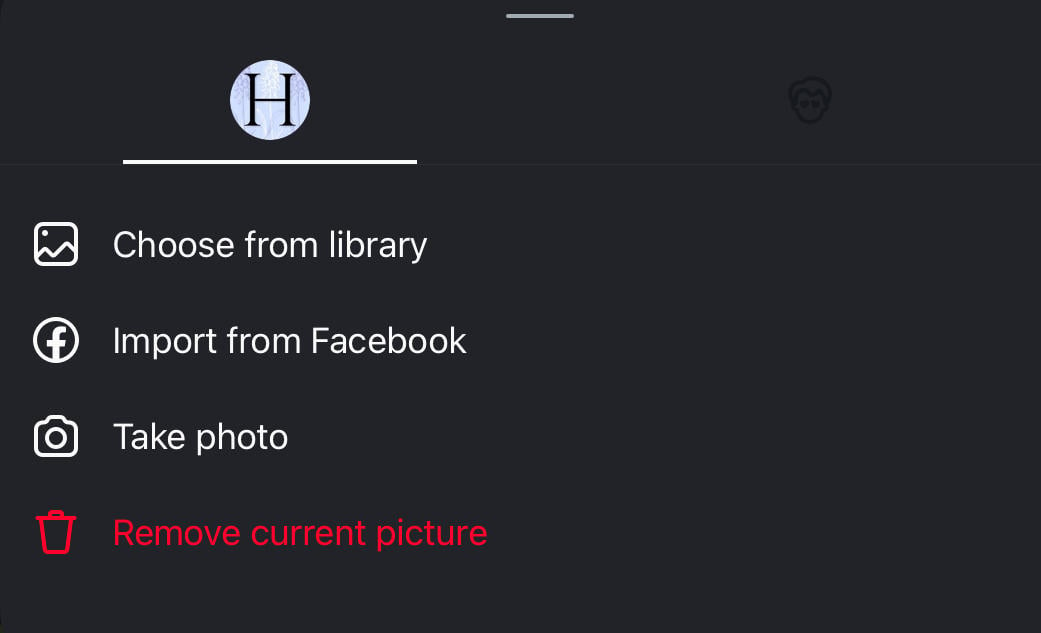
Choose your method and select your photo.
How To See Your Previous Username History
Did you know that you can see your past usernames? If you’ve been changing your handle frequently and aren’t sure what your original name was, there’s a simple way to locate it.
Tap the three lines on the top right corner.
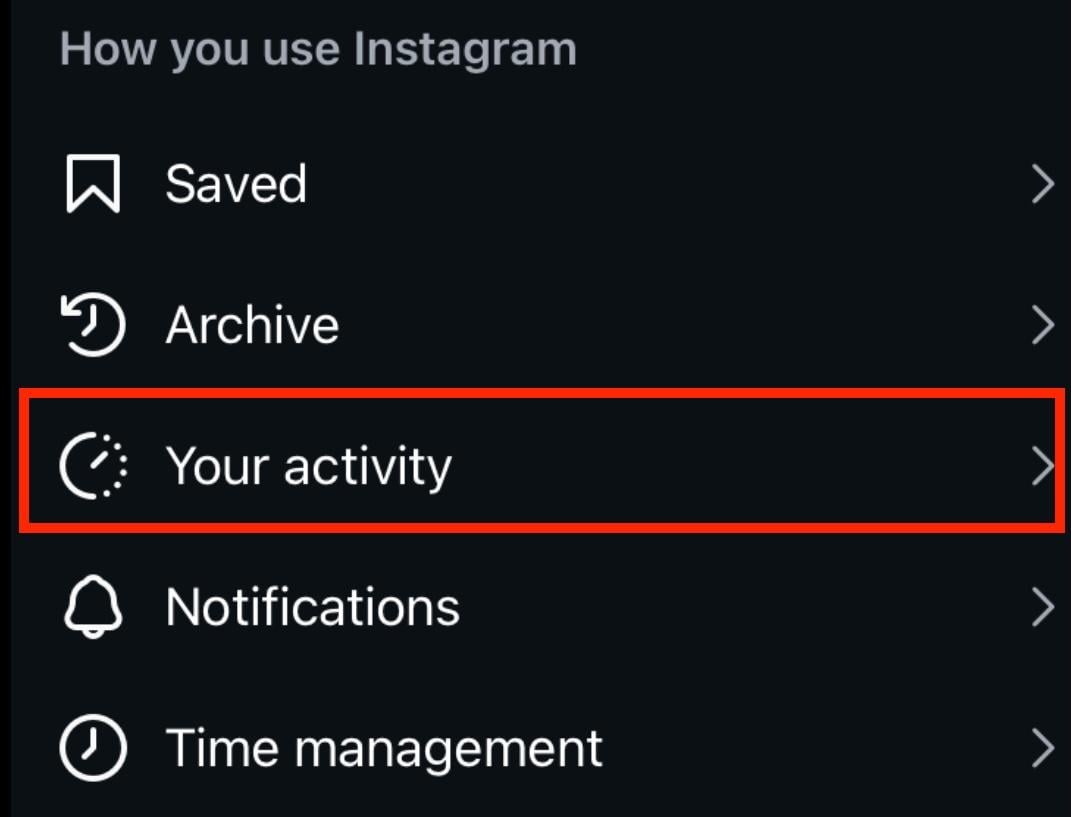
Under How You Use Instagram, tap Your Activity.
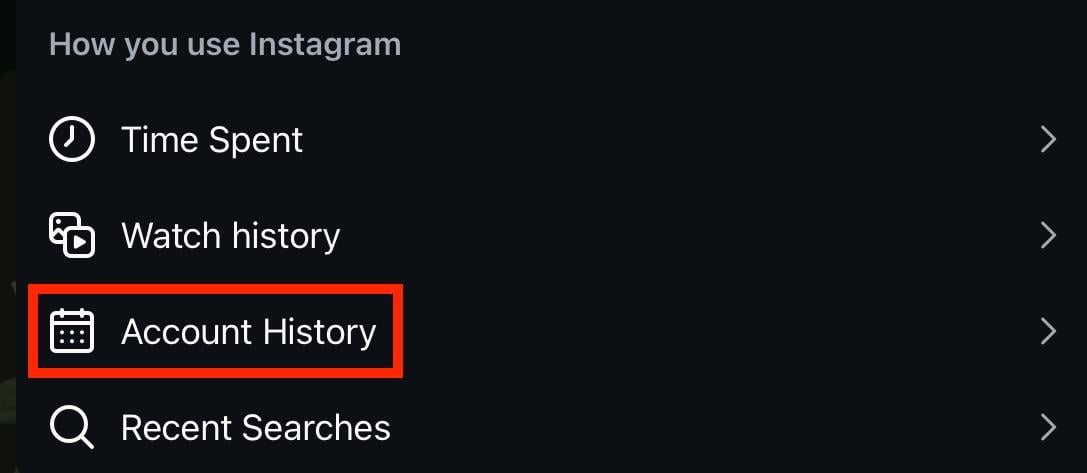
Scroll down to How You Use Instagram and tap Account History.
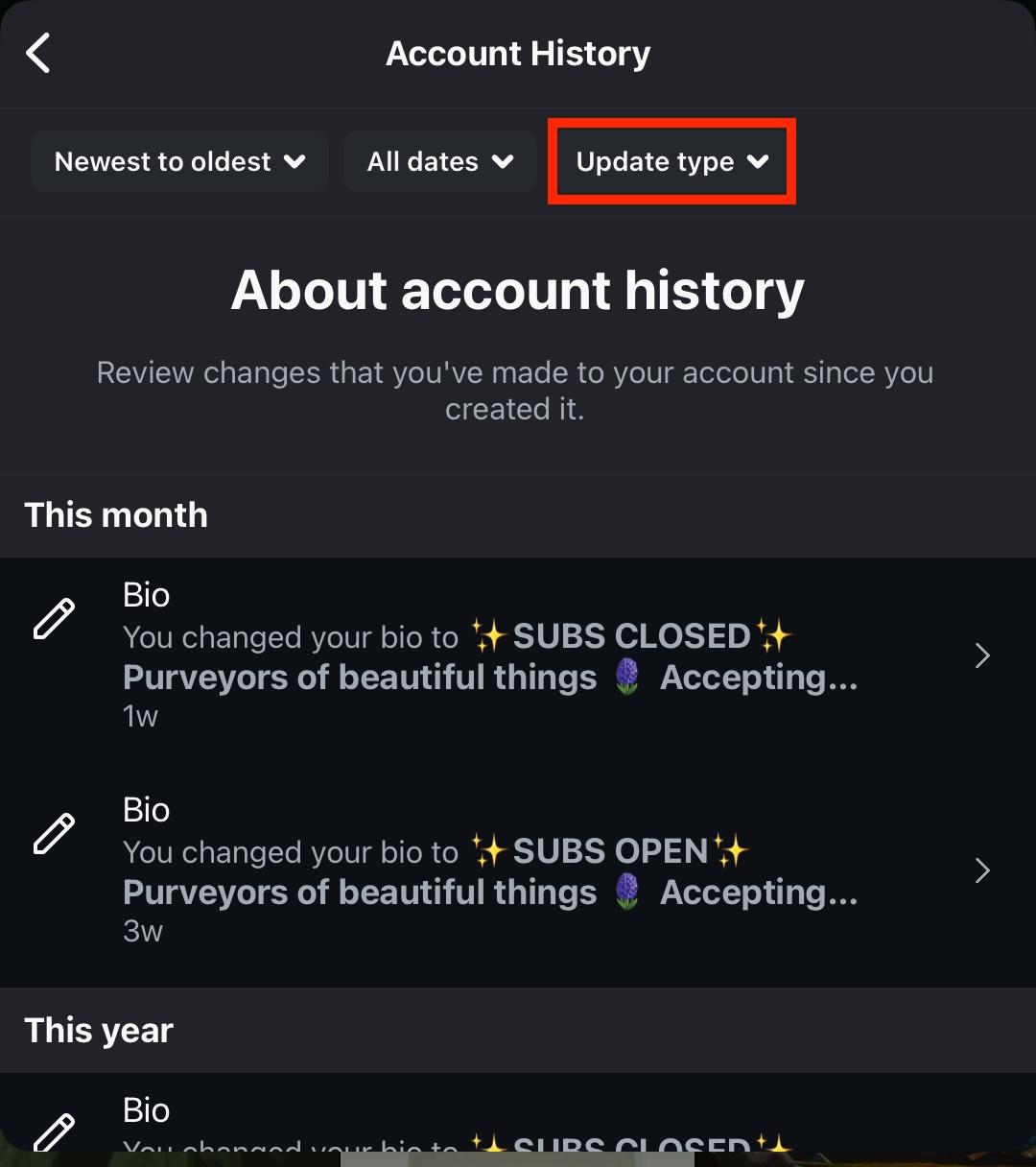
Tap Update Type on the top right.
Filter by Username and tap Apply.
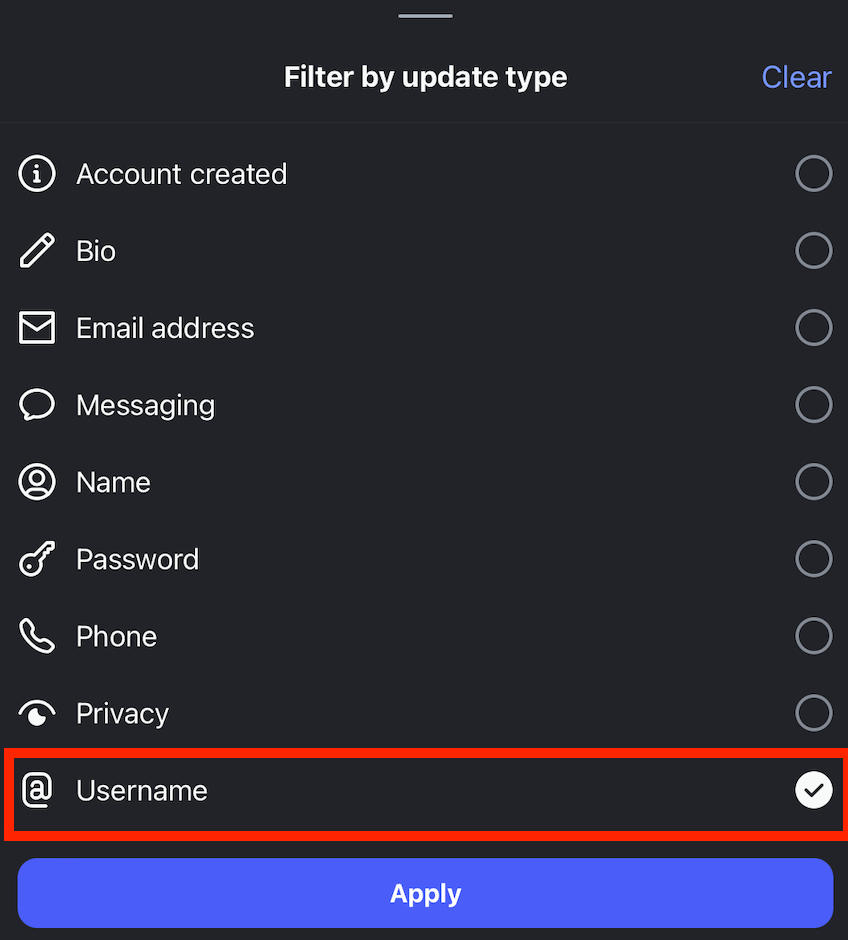
You’ll be able to see all instances where you changed your username in the past.
How To See Someone Else’s Old Usernames
While you can’t see the full history of another user’s account changes, you can see how many times they’ve updated their handle.
Visit the profile page and tap the three dots on the top right corner.
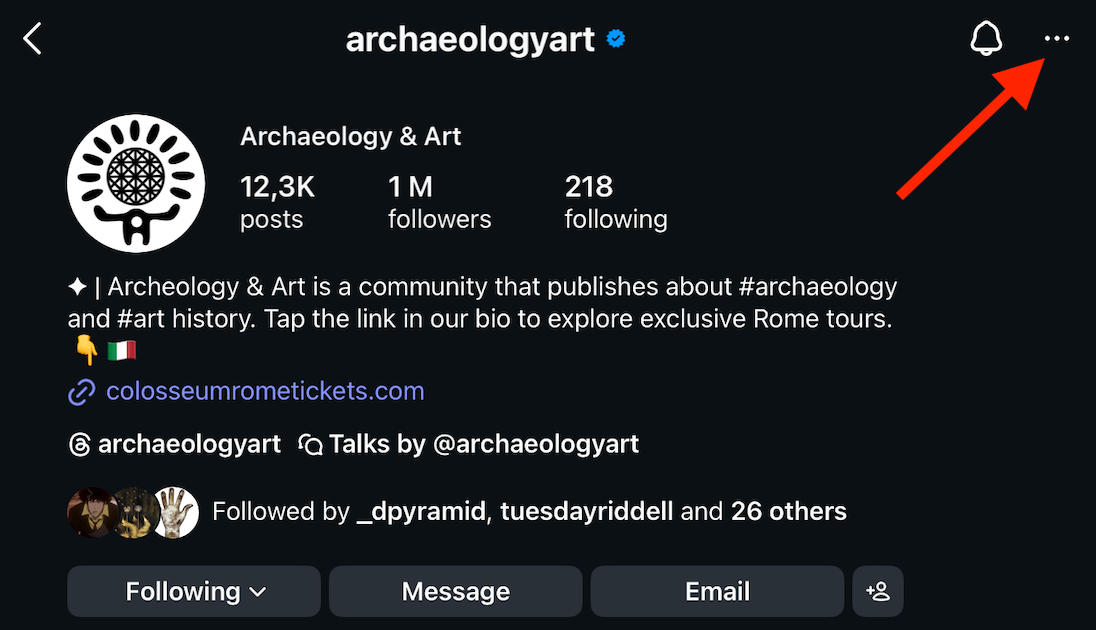
Tap About This Account.
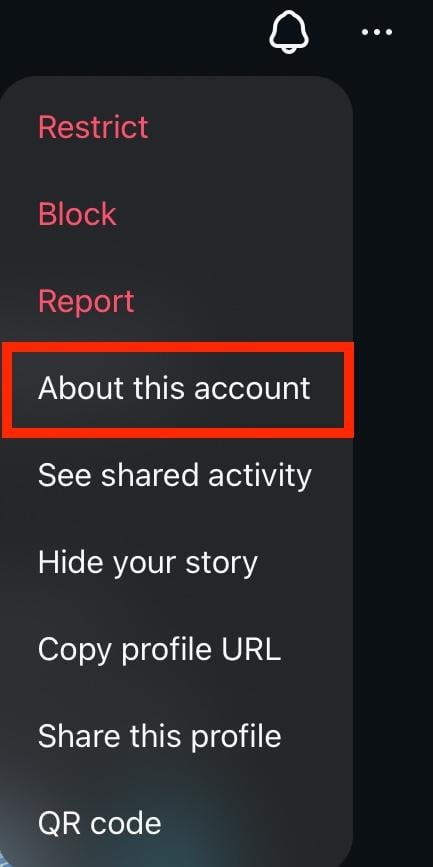
If the profile has changed their username at least once, you’ll see a Former Usernames section with a count.
If you don’t see this section, that means the user has never changed their handle.
Frequently Asked Questions
How do I change my handle name?
You can change your handle via the Edit Profile section on both mobile and desktop. Learn how here.
How to change Instagram name without changing username?
Changing your display name won’t affect your username/handle at all.
Is it better to have a short username?
Yes, but avoid needless abbreviations. Your username should be short but easy to spell and remember.
Is my display name same as my username?
No, your display name appears at the top of your profile and isn’t unique to your account (anyone can have the same display name). Your username is unique to you, and no one else can have the same one.
How to change Instagram handle to another account?
First, change your Instagram handle on the main account. Wait 14 days for the grace period to end, and then change the second account’s handle to the handle of the original account.
How to change name on Instagram before 14 days?
Your display name can only be changed twice every 14 days. If you’ve already changed it twice, you’ll have to wait 14 days from the first change to reset.
How to change name on Instagram when linked to Facebook?
You can change your Instagram name even when it’s linked to your Facebook account via the Instagram Accounts Center. Learn how here.
How to change username in Instagram when it is not available?
If your ideal username isn’t available, you have a few options. First, if you search up the username and don’t see any profiles associated with it, it could be that the username is still reserved after someone else made a change. In this case, wait a few days and try again in case the grace period runs out.
Alternatively, you can use a similar username with variations, such as periods or hyphens, or swapping letters for numbers.


