If you’re eager to clean up your newsfeed without eliminating anyone from your friends list, Facebook’s unfollow feature is exactly what you’re looking for.
Learn how to unfollow users without removing them from your friends list, plus what happens when you unfollow people, pages, and groups.
Key Points:
What Does It Mean If You Unfollow Someone On Facebook?
Unfollowing someone effectively removes their posts and status updates from your newsfeed. Their activity will also be removed from your feed, including pages they’ve liked and posts they’ve commented on.
Once you’ve unfollowed a friend, the only notification you’ll receive about them is their birthday (if their settings allow friends access to this) and any messages they’ve sent you (unless you’ve muted them).
Can I Unfollow Someone On Facebook Without Unfriending Them?
Yes, that’s the whole point of unfollowing. You’ll still remain friends with them but you won’t see their posts unless you manually visit their profile page.
Is It Better To Mute Or Unfollow?
Muting and unfollowing are two different things.
Muting is done on Messenger and prevents you from receiving a notification when that person messages you.
Unfollowing is done on the main Facebook platform and will prevent that users’ posts and activity from appearing in your newsfeed.
Can People See Who I Unfollowed?
No - there’s no way for other users to see which individuals you’re following or not following.
The only exception to this is the pages you’re following, which appear on the Following tab of your profile.
When You Unfollow Someone On Facebook Will They Know?
No, users aren’t notified when you unfollow them or even when you unfriend them.
When You Unfollow Someone On Facebook Will They Still See Your Posts?
Yes, unfollowing someone only affects your feed - they’ll still be able to see your content unless they unfollow you or if you restrict them.
If You Unfollow Someone On Facebook Will They See Your Story?
Yes, when you unfollow someone it’s one-way; they’ll continue seeing your content and just like regular feed posts, Stories are unaffected.
What Happens If You Unfollow Someone On Facebook And Then Follow Them Again?
They won’t be notified that you’ve unfollowed them or that you followed them again.
All that will happen is that you’ll be able to see their activity and post updates in your newsfeed again after refollowing them.
How To Unfollow Someone On Facebook
Not only can you unfollow users on Facebook, but you can also stop following Pages and Groups. This is great if you still want to support a Page by liking it, but would rather not see constant updates in your feed.
People
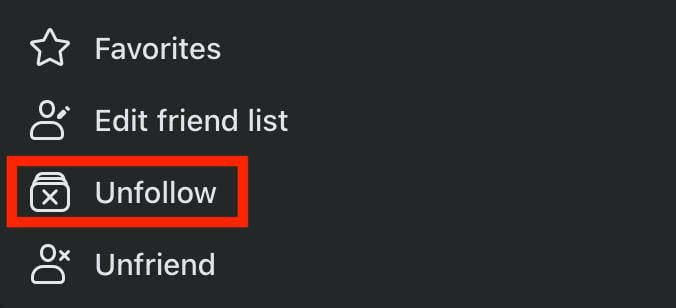
Visit the users profile page.
If you’re friends with them, click the Friends button. Otherwise click the Following button.
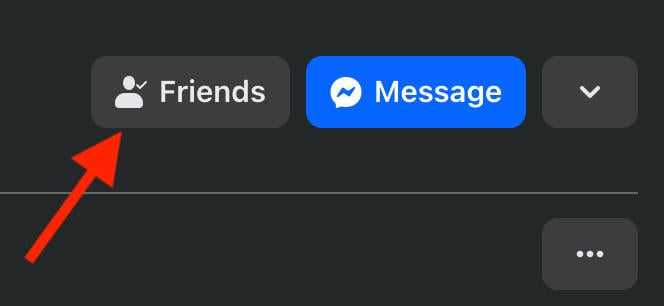
From here, click Unfollow.
Pages
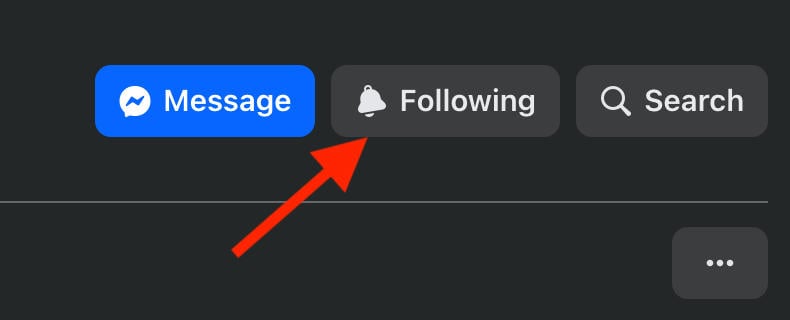
Visit the page you wish to unfollow.
Click the Following button.
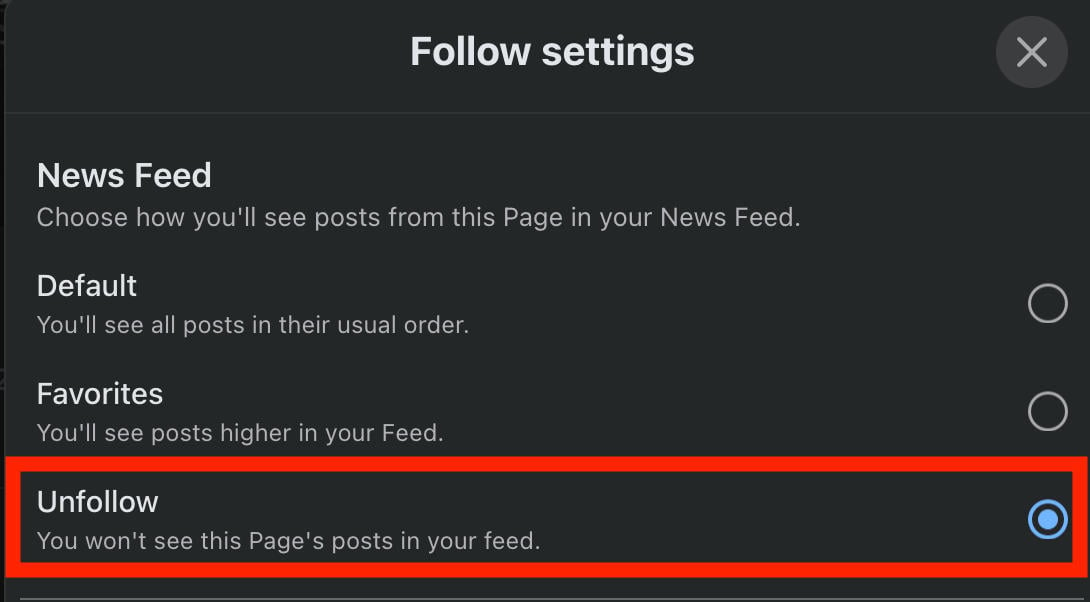
From here, click Unfollow and click Update to confirm your choice.
Groups
Visit the group page.
From here, click Joined.
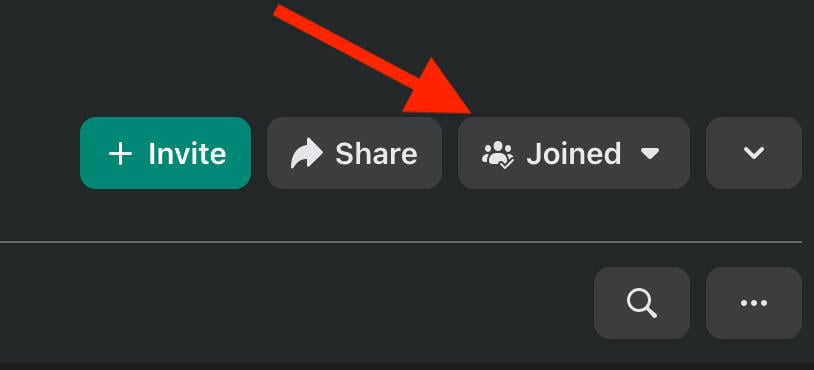
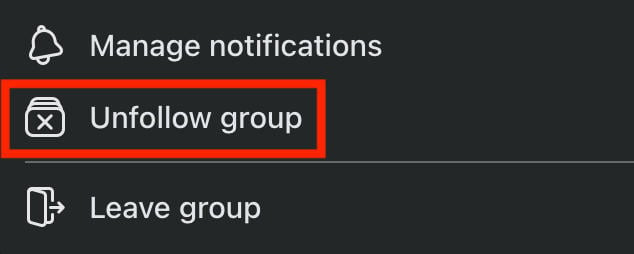
Click Unfollow Group.
Can You Tell Who Unfollowed You On Facebook?
Nope, unfollowing someone is totally anonymous which is good news for most users who want a way to gently cut ties with people without having to remove them from their friends list entirely.
How Do I Check If Someone Unfollowed Me?
There’s no definitive way to see if someone is following you or not, since Facebook won’t notify you of followers or unfollowers.
The only way you can glean this is if you notice someone is never engaging with your specific content, but is still active elsewhere on the platform. Still, that could be a total coincidence or a lack of good timing.
How Often Should I Check Unfollowers?
If you’re running a Page or professional profile and want to keep track of your follower count fluctuation, a good rule of thumb is to check your numbers once a month.
This can give you a good idea of what post content and schedule is impacting your following negatively or positively, without becoming an obsession.
And if you want more Facebook followers, check out QQTube's service options backed by real Facebook users!
How Do I Find Who I Recently Unfollowed?
You can see a list of people, pages, and groups that you’ve recently unfollowed on Facebook through your Activity Log.
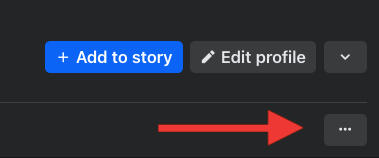
Open your profile page and click or tap the three dots on right.
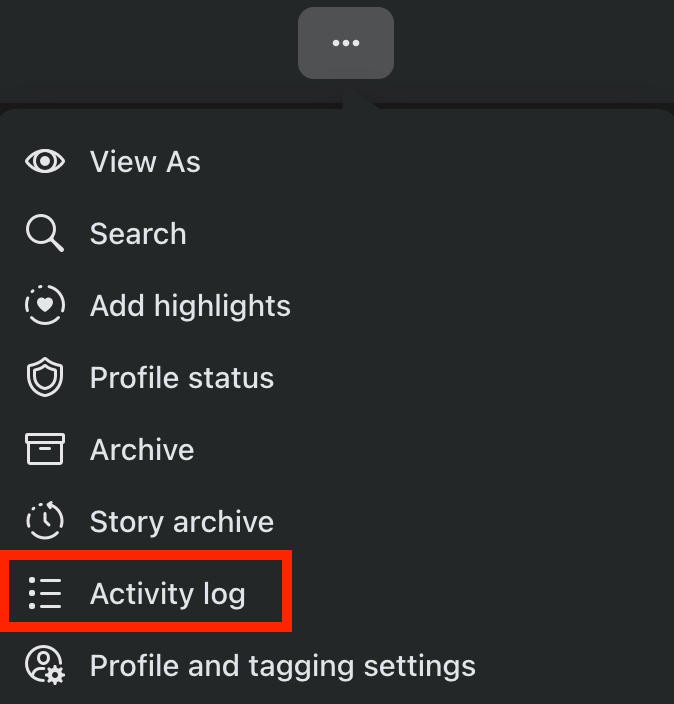
Select Activity Log.
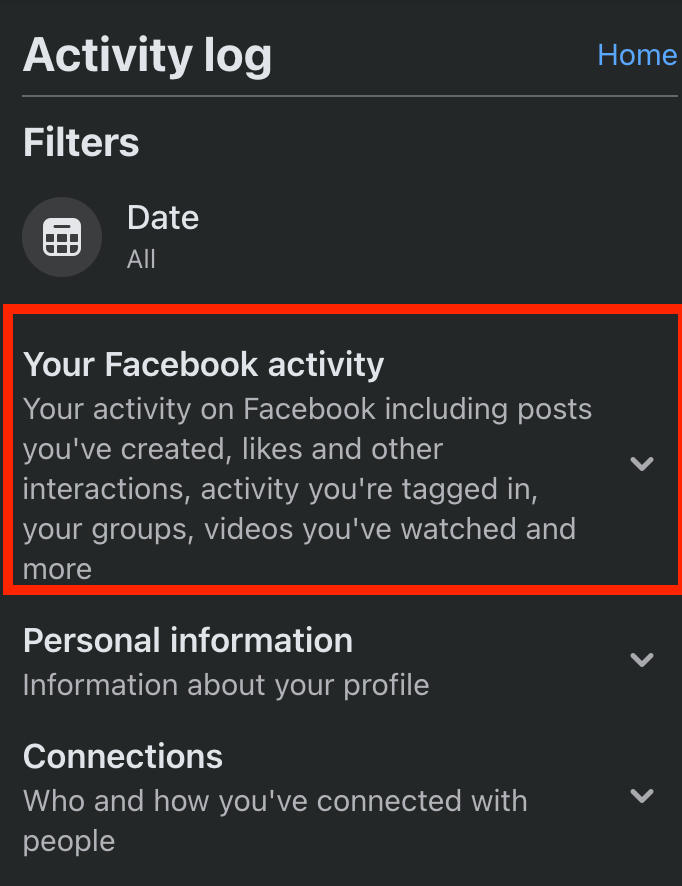
Click Your Facebook Activity.
Filter by Other Records.
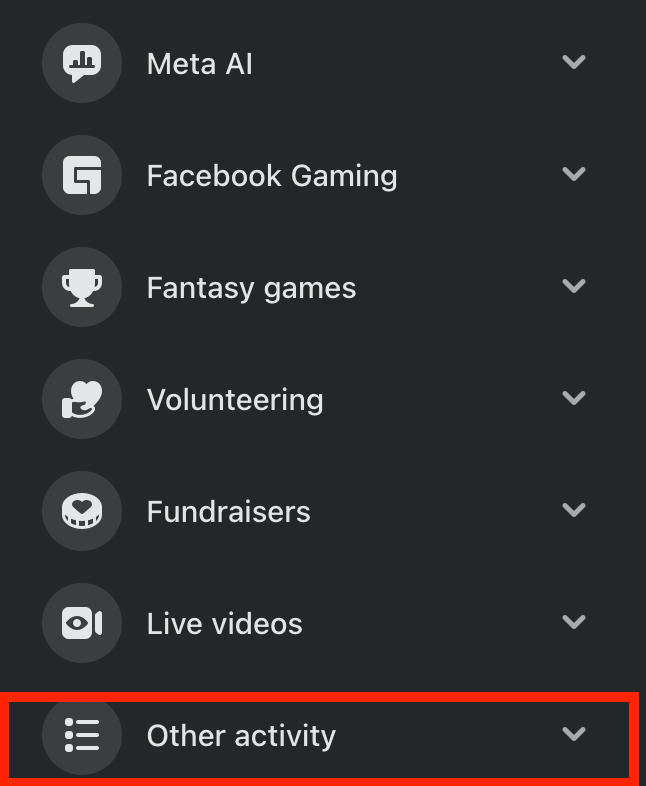
From here you’ll be able to see any people, pages, or groups you’ve unfollowed along with the date.

You can select View to visit that page or profile, or select the three dots to Delete this activity from your log.
How To Make Someone Unfollow You On Facebook
Let’s say someone has you added as a friend and you don’t want to see their content in your feed - but you also don’t want them to see your own content. What can you do?
While there’s no direct way to make someone unfollow you, you still have a few options.
Restricting A Friend
Your first option is to restrict the user. This will allow them to see your public info and any posts you’ve tagged them in, but not private posts or updates.
To restrict someone, visit their profile page and select the Friends button.
Select Edit Friend Lists.
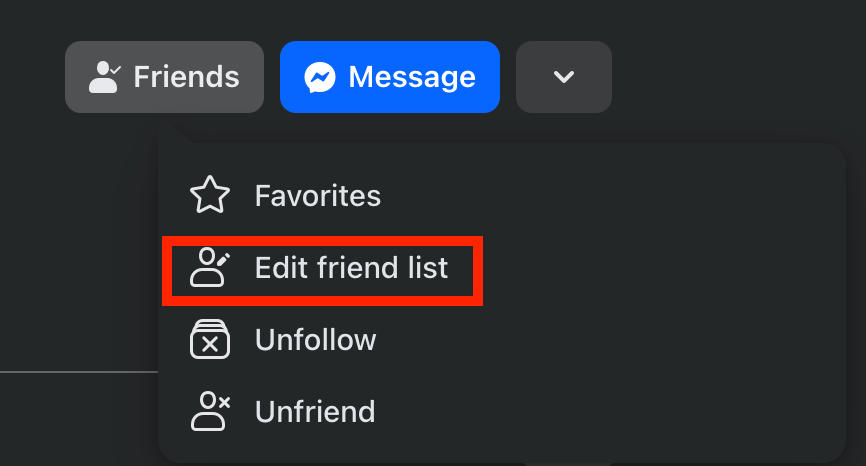
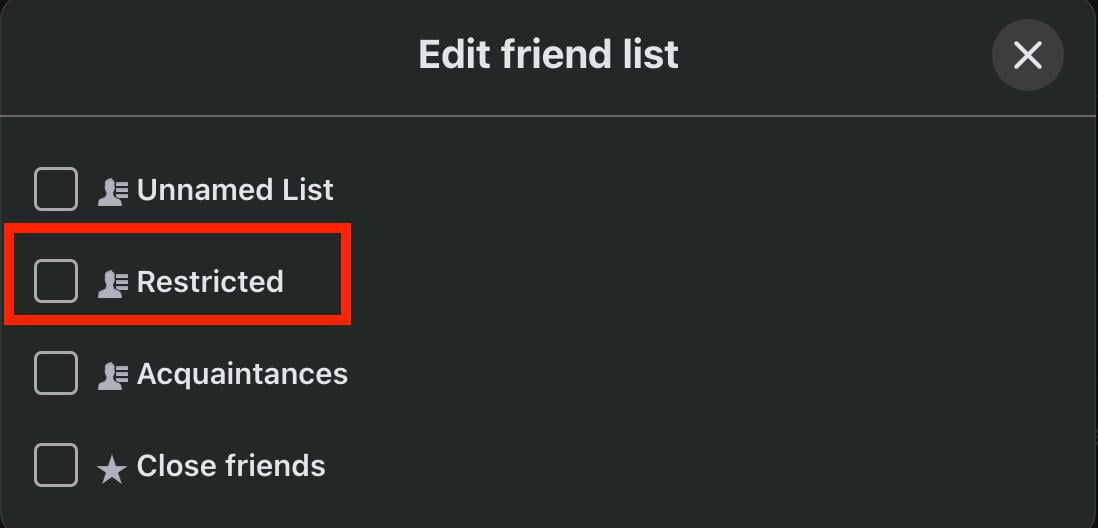
Select Restricted and choose Done to save your change.
Take A Break
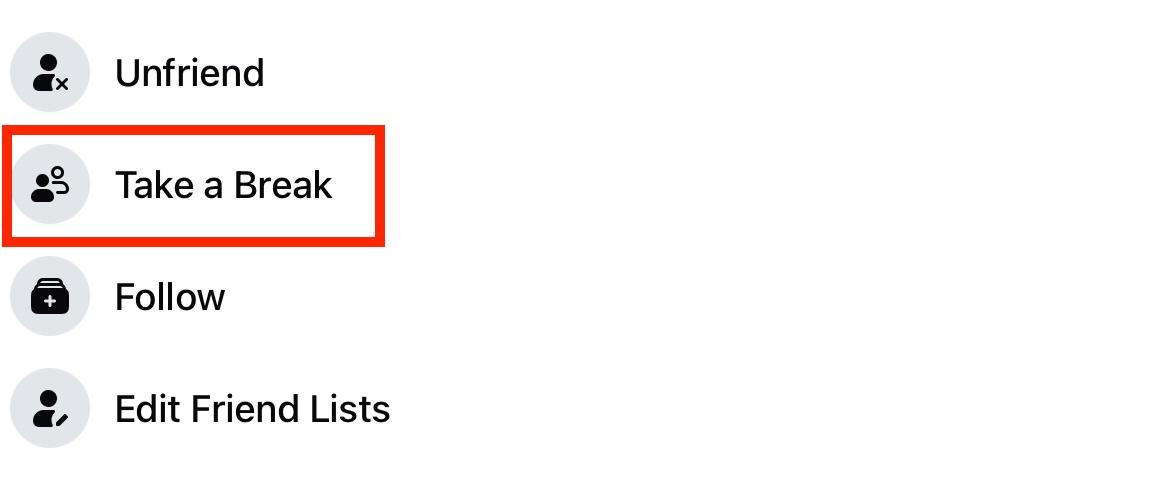
You can also opt to ‘take a break’ from a friend, which gives you the choice of seeing less of someone’s profile, limiting what that user can see, and editing whether or not they can see past posts.
This feature is only available via the Facebook mobile app.
Visit their profile page and select the Friends button.

Tap Take A Break.
Tap one of the three options to adjust your settings.
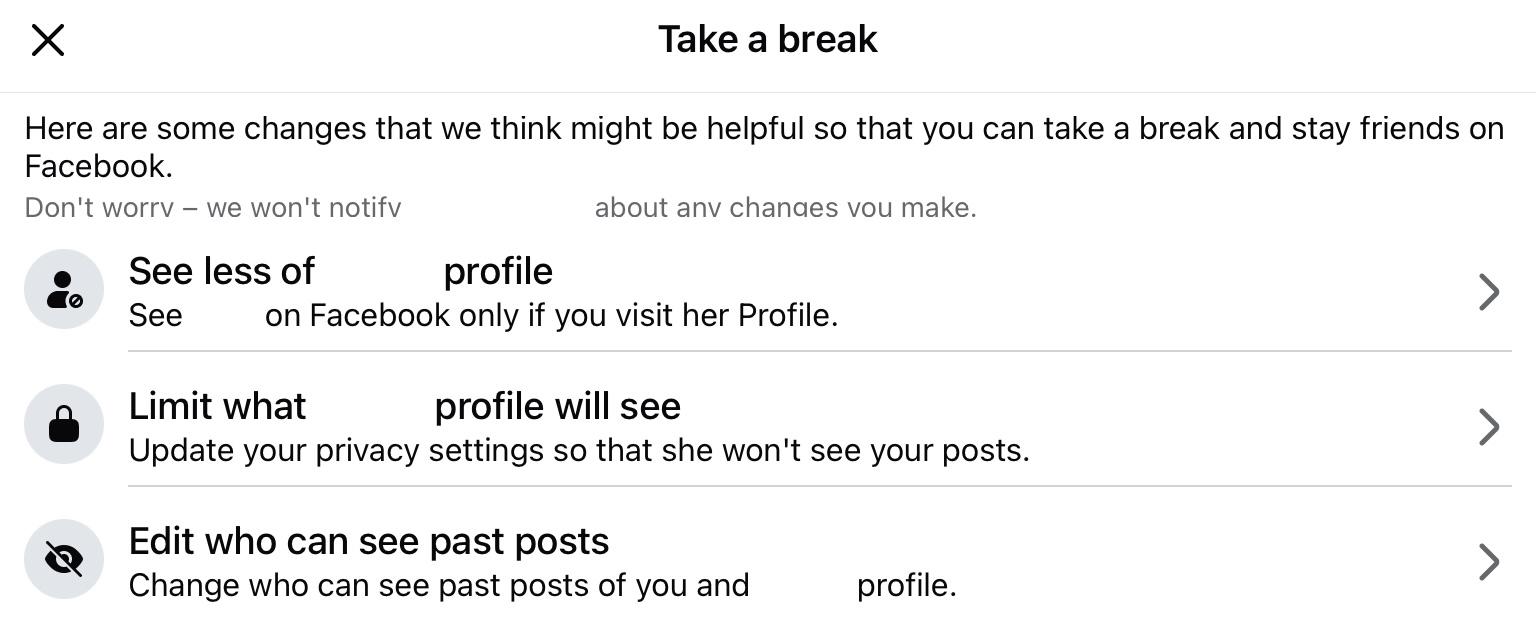
When you’re finished, tap Done to save your changes.
Creating A Close Friends List
Another method is to create a Close Friends list and share updates just with a select few individuals. Anyone not on this list won’t be able to see your updates.
Click the Friends menu icon from the top of the newsfeed or in the left-hand menu.

From here, click Custom Lists.
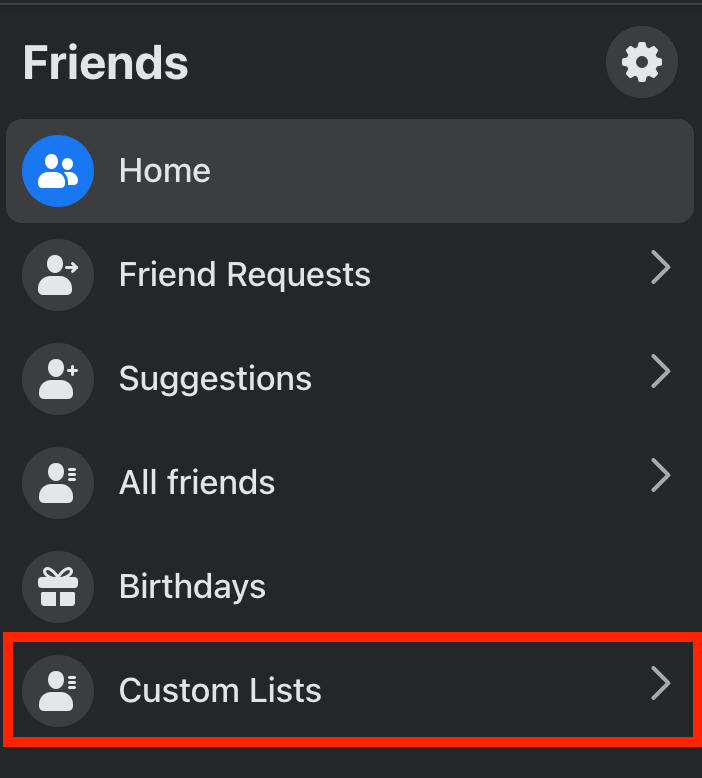
Click Close Friends.
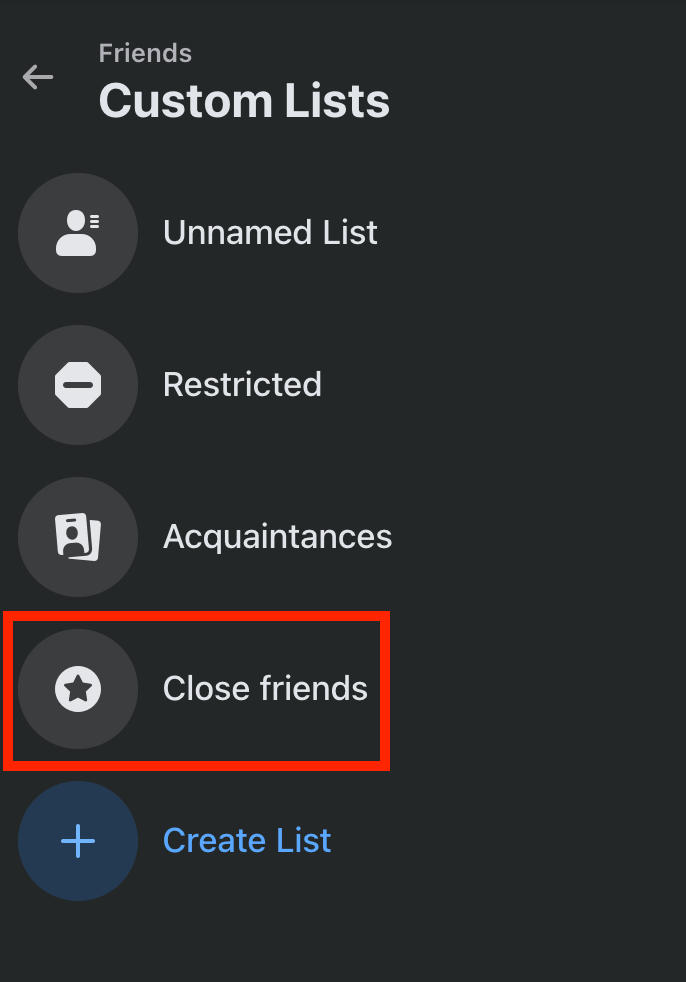
Click Add Friends if you haven’t added anyone yet, or Manage to edit the list.

The next time you create a post, click Friends beneath your name.
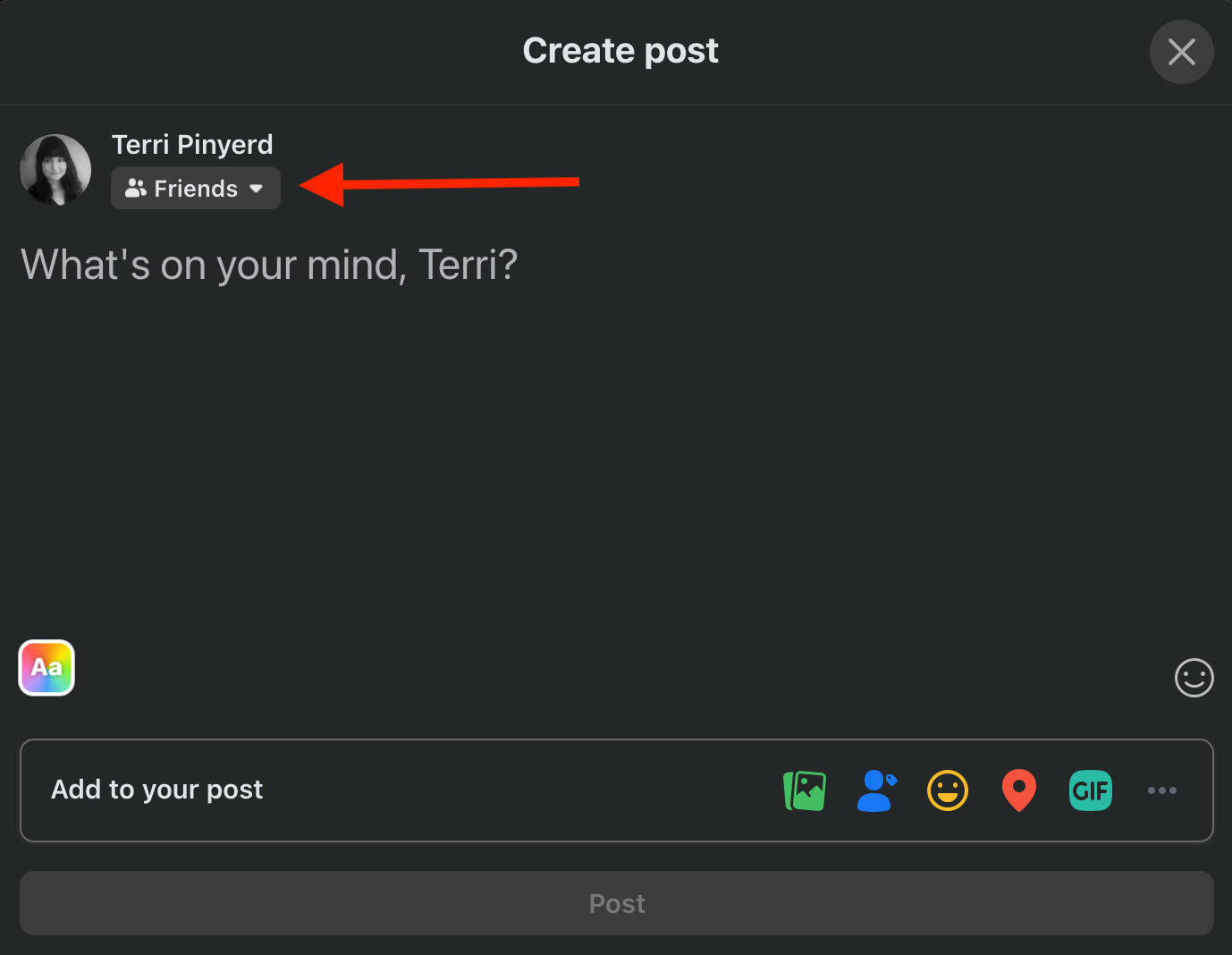
Scroll down and click Close Friends.
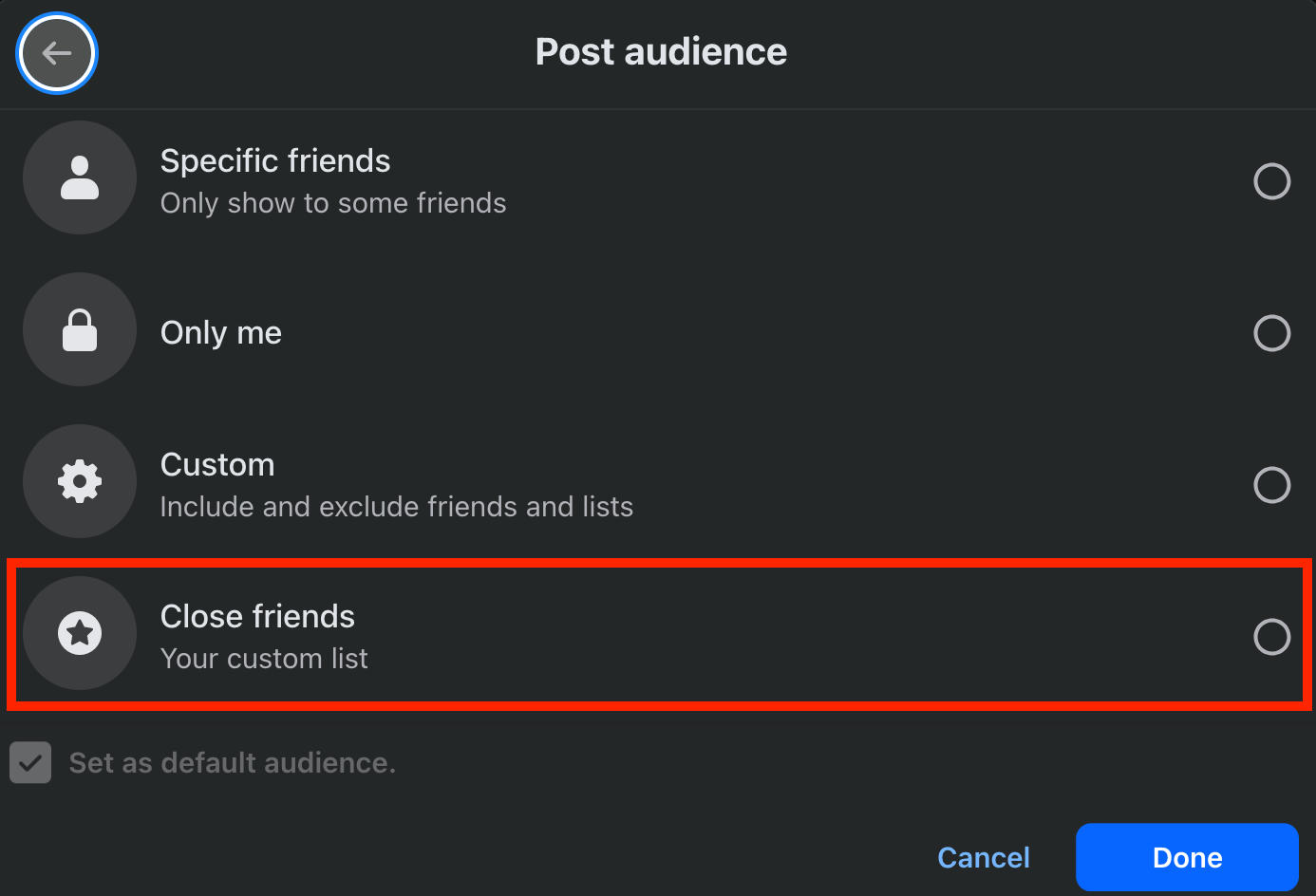
NOTE: The Close Friends option won’t appear in post audience settings until you’ve added users to the list. Users will not be notified when they’re added or removed from your Close Friends list.
How To Snooze Someone On Facebook
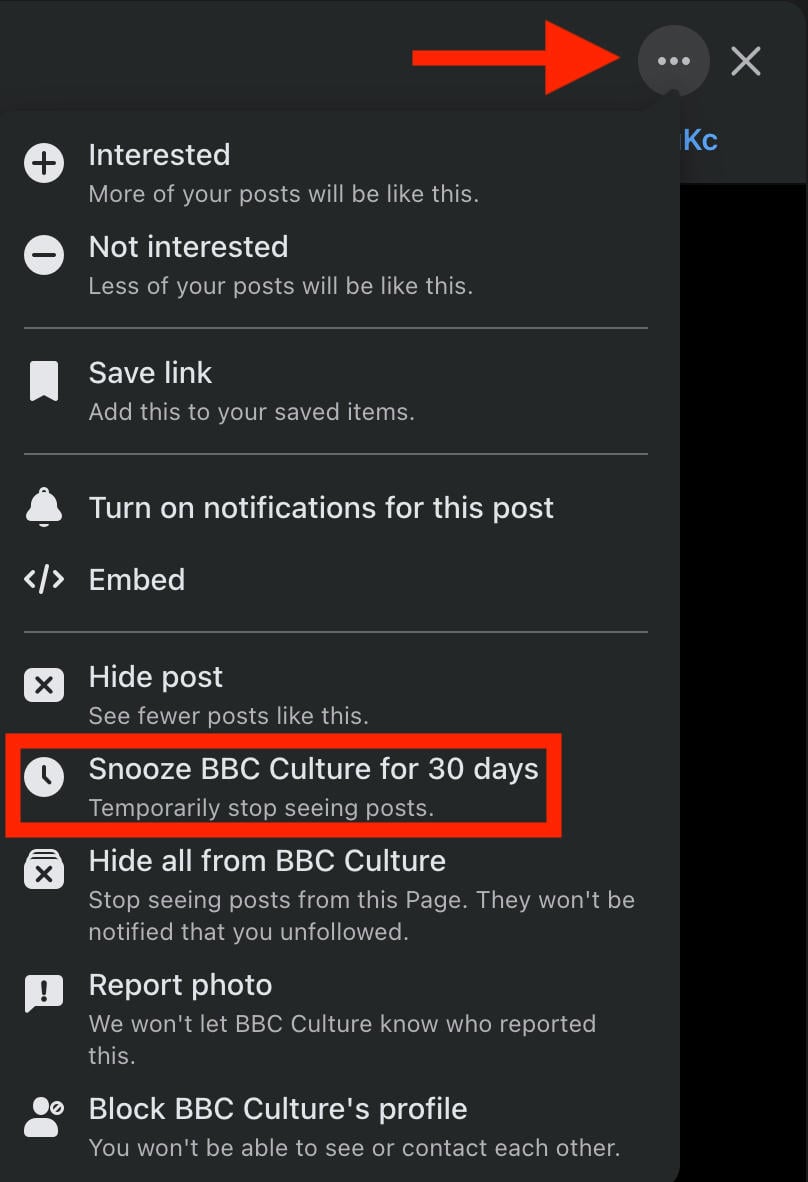
Snoozing someone will temporarily stop their posts from appearing in your newsfeed for 30 days.
You can snooze people, pages, and groups. You can also unsnooze someone before the 30 days are up.
To snooze someone, click the three dots on the top right corner of any post in your feed.
Click Snooze [User/Page/Group] For 30 Days.
What's The Difference Between Snoozing And Unfollowing?
Snoozing is temporary and only lasts 30 days, while unfollowing someone is permanent until you manually re-follow them.
Either way, no one will be able to tell if you’ve snoozed or unfollowed them.
Why Shouldn't You Snooze?
You shouldn’t snooze someone if you still want to see their posts in your newsfeed. If you snooze them, you’ll have to manually visit their profile to see any content updates.
Can You Tell If Someone Snoozed You On Facebook?
Nope, snoozing is totally anonymous just like unfollowing. There’s no way to tell whether or not you’ve been snoozed by anyone.
How To Mute Someone On Facebook
If you want to clean up your Messenger inbox, or just don’t want to keep getting notifications from the latest group chat you’ve been added to, muting is your best bet.
It’s similar to unfollowing on Facebook, but only applies to Messenger.
There are several ways to mute an individual or group chat.
On Mobile
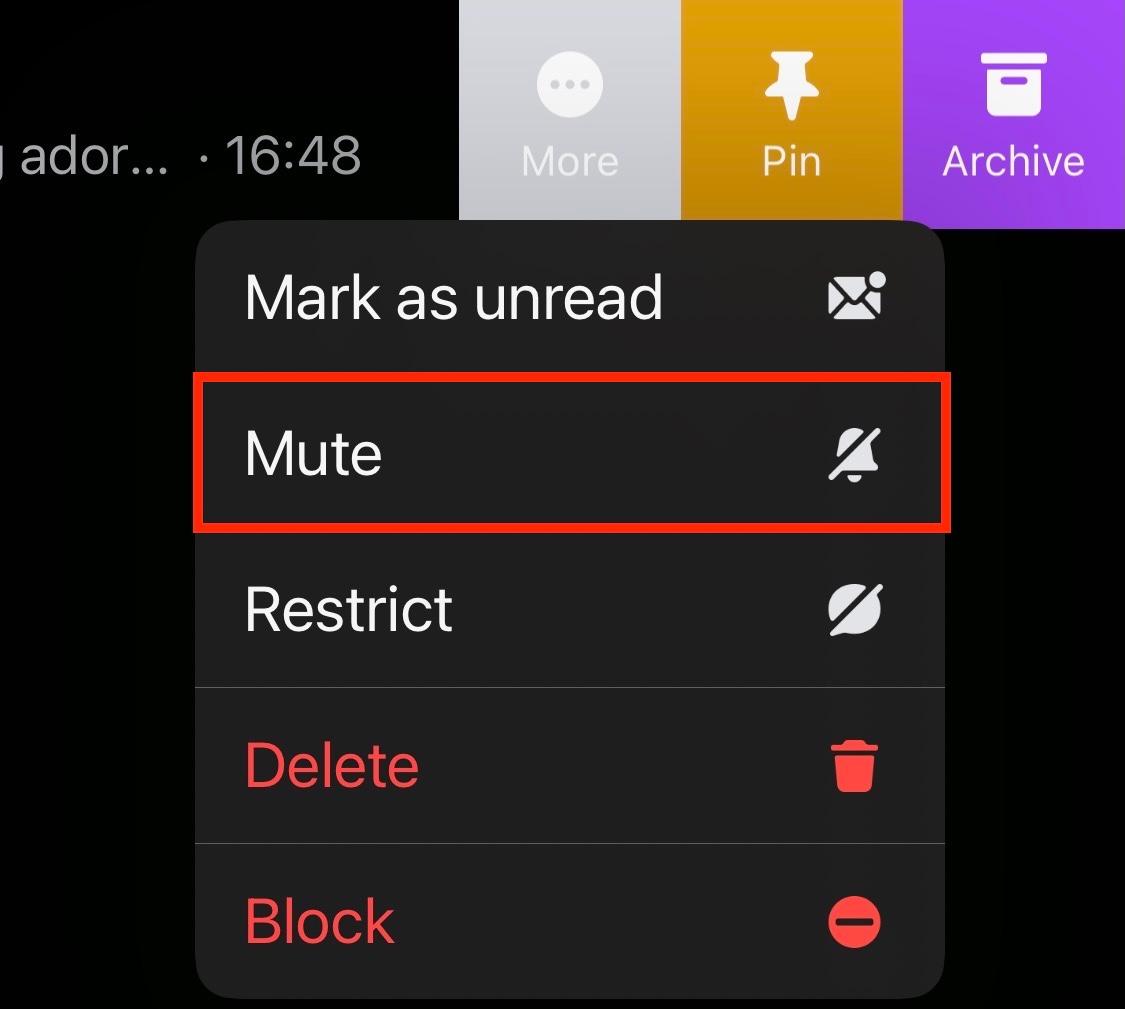
On mobile, you can swipe left on the chat and tap More.

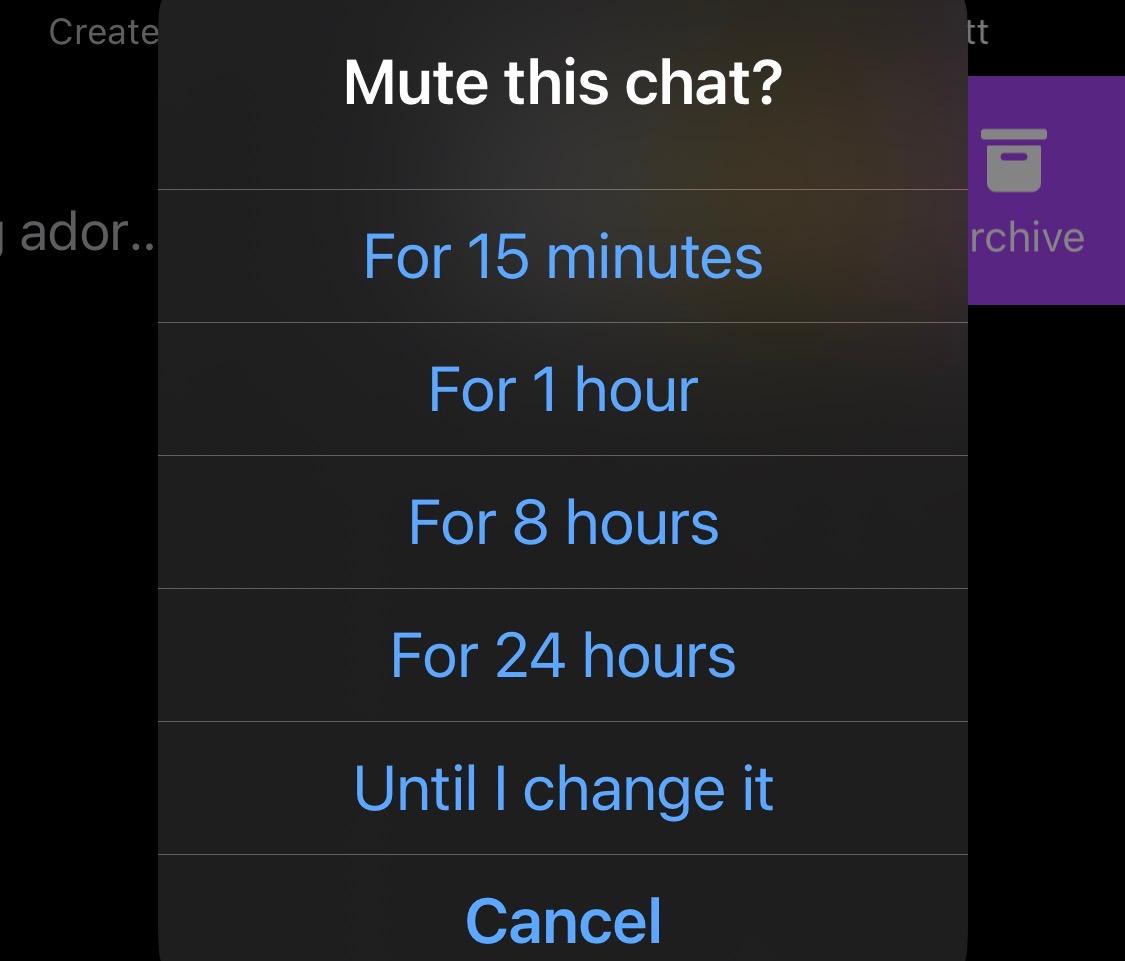
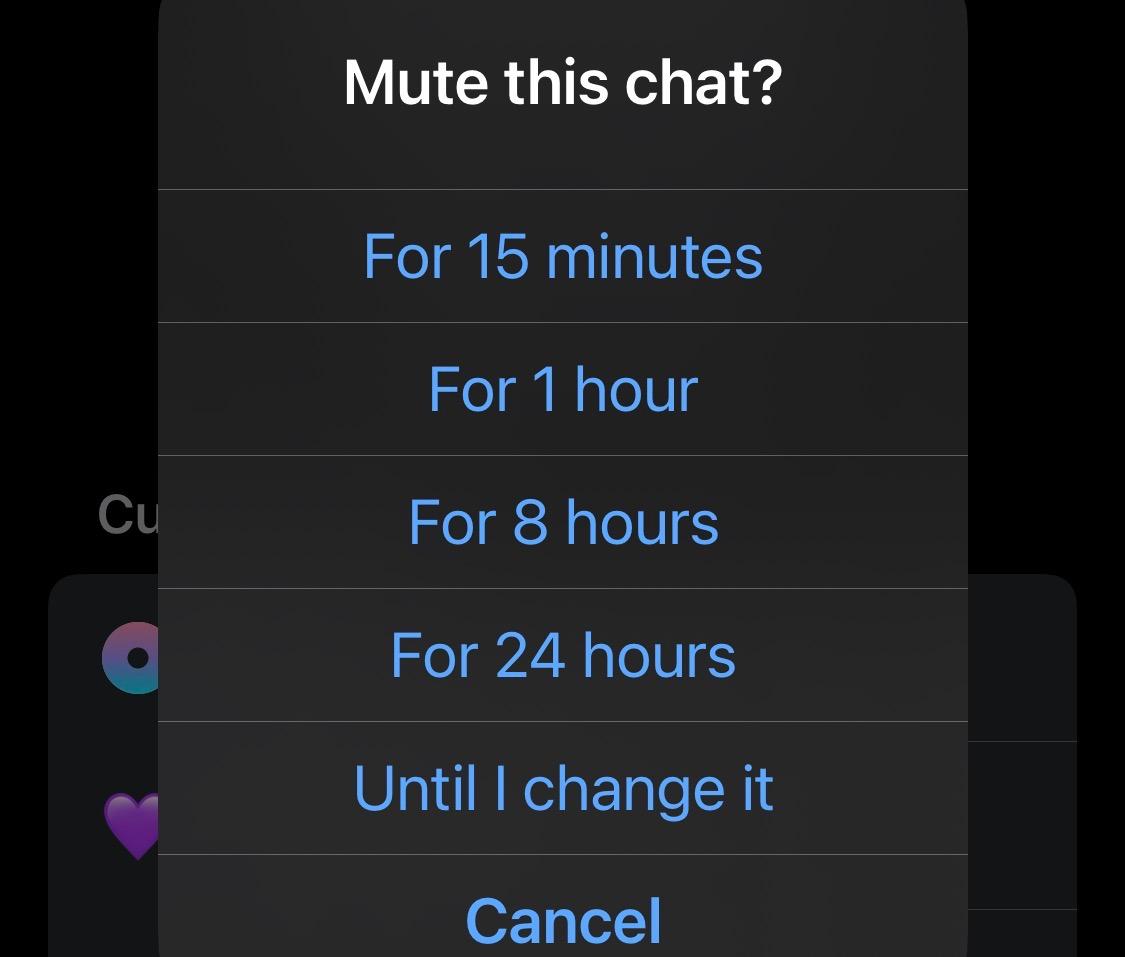
From here, tap Mute and select your timeframe.
Alternatively, open the chat and tap the user or group name.
Tap Mute.
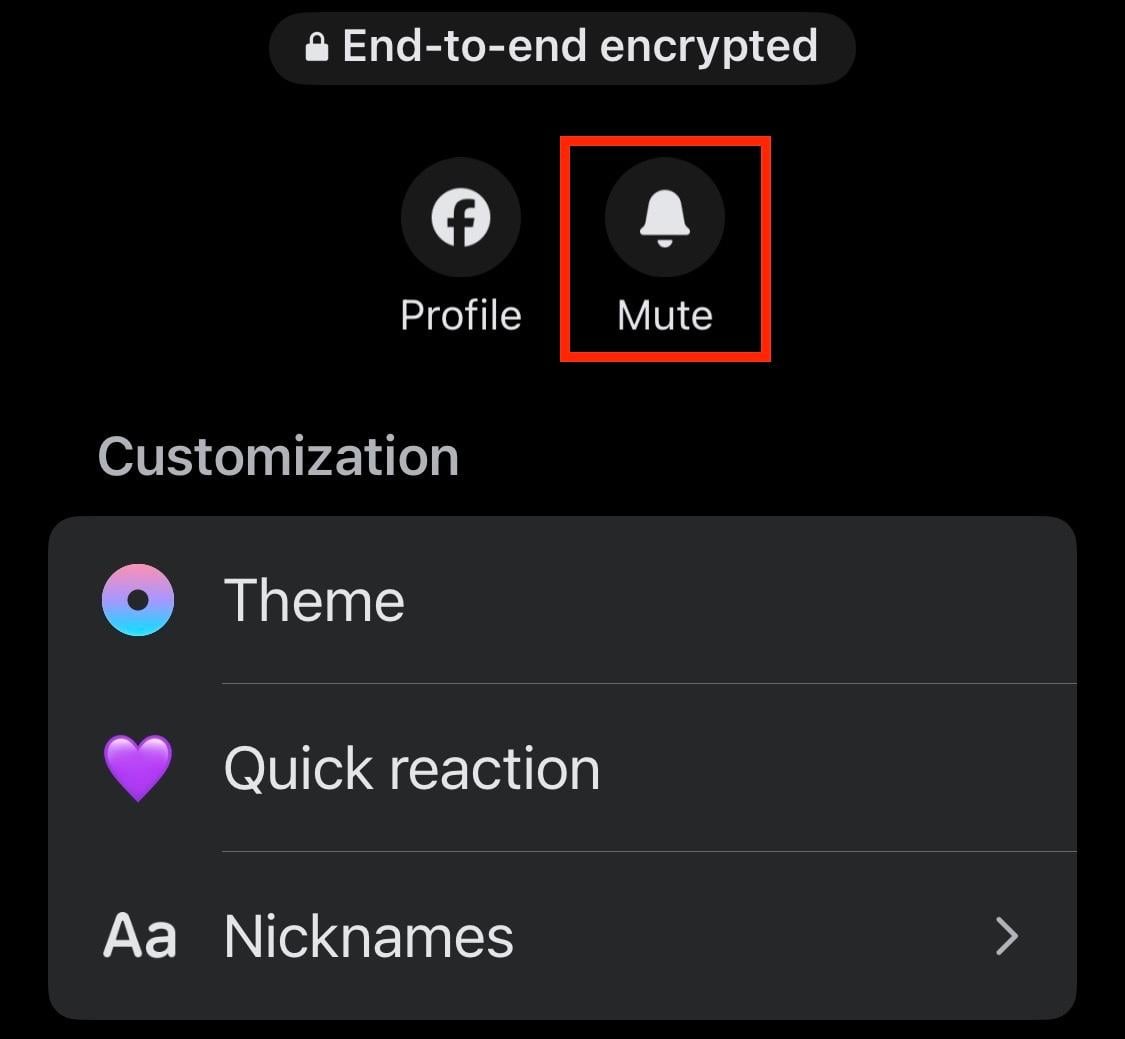
Select your timeframe and click Mute again to confirm.
On Desktop
Open the chat.
On the right-hand menu, click Mute.
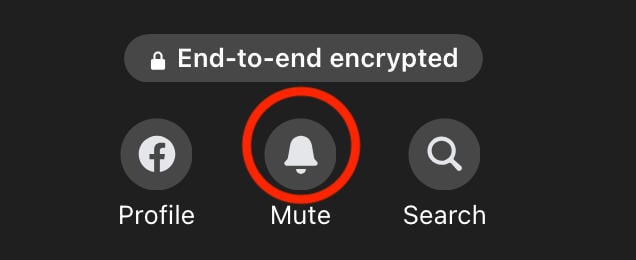
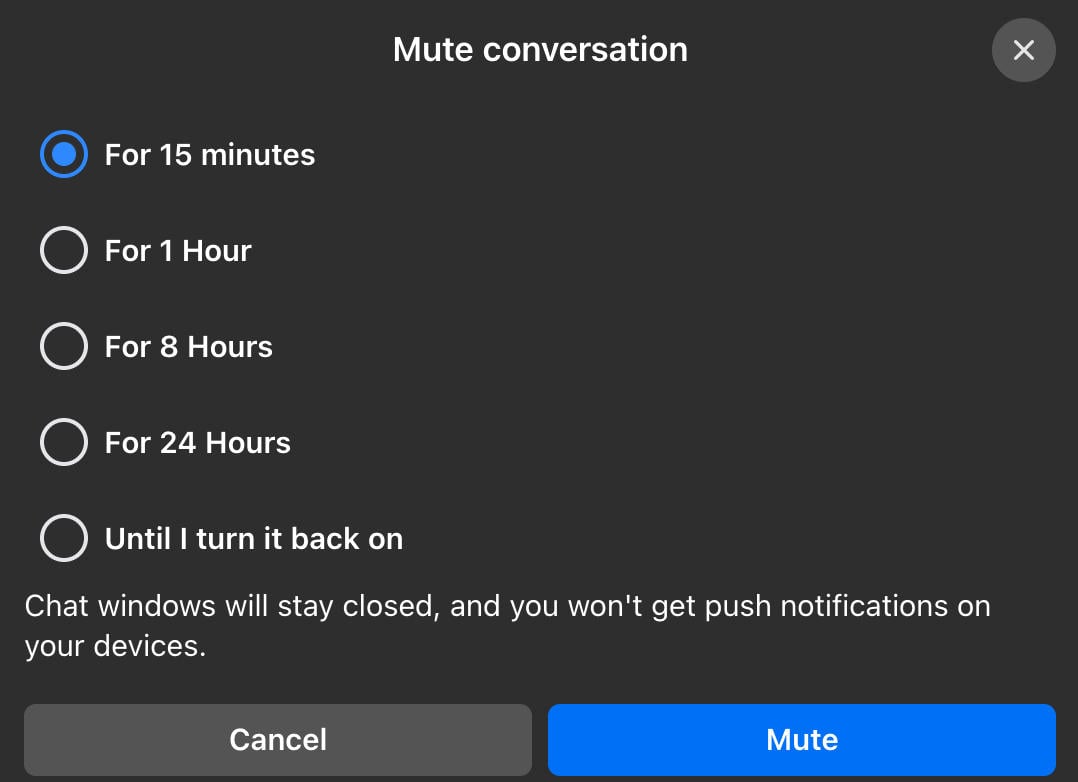
Select your timeframe and click Mute again to confirm.
What's The Best Way To Clean Up My Facebook?
Cleaning up your Facebook is a great way to maintain peace of mind and keep your feed clear from negativity and irrelevant content.
There are a few ways to go about this, unfollowing and snoozing included.
Let’s run through a few popular options to help you curate your Facebook account even further.
Unfriending People
Unfriending users that you no longer want to include in your circle should be your first step when it comes to cleaning up your Facebook experience.
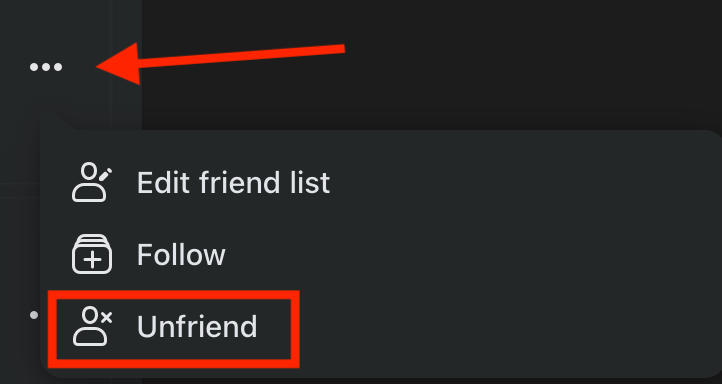
Open the user's profile page.
Click the three dots to the right of the user you want to remove.
Click Unfriend.
Unfollowing People, Pages, & Groups
For any people, pages, or groups that you still want to keep around but would rather not see updates from, you can unfollow them.
Learn how to unfollow someone here
Restricting Users
Restricting users is more about your own privacy than anything else.
However, if you unfollow someone and restrict them, you can effectively pretend they don’t exist while still keeping them on your friends list (which is perfect for dealing with people you have to connect with but don’t exactly like).
Learn how to restrict someone here.
Muting Messages
Next, clean up Messenger by muting messages from annoying group chats or chatty friends.
Learn how to mute messages here.
Adjusting Your Notifications Settings
Notifications on Facebook can get out of hand, especially if you’re following multiple pages and groups.
To adjust your notifications settings, select the notification bell on the top right.
Click the three dots and select Notification Settings.
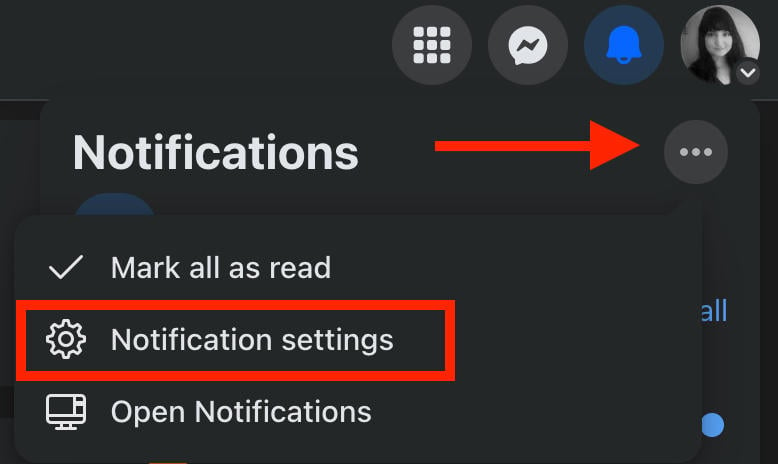
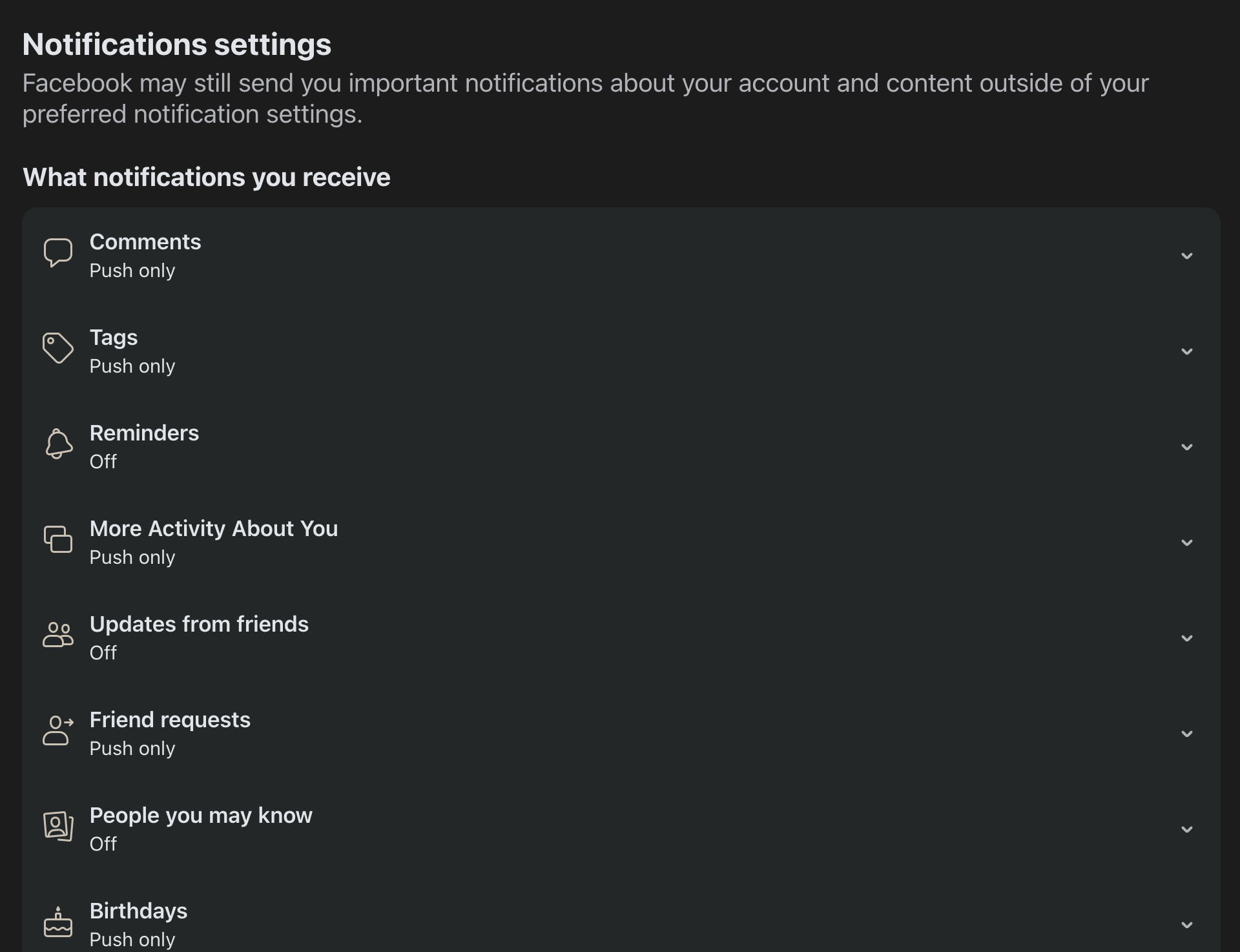
From here you can adjust what type of notifications you receive and where you receive them.
Adjusting Your Privacy Settings
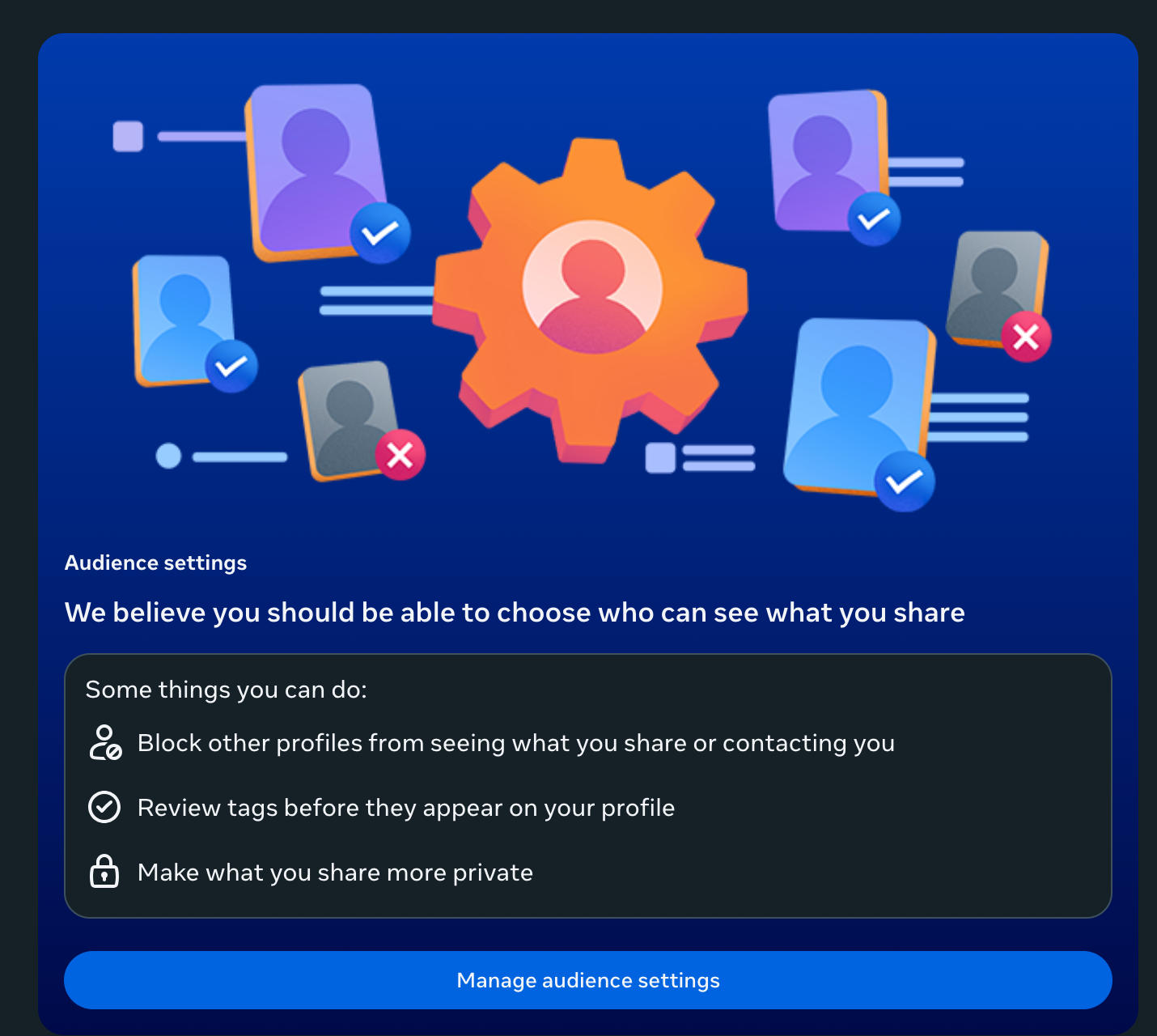
Making sure that random strangers can’t access your personal information is key. You can adjust your profile privacy settings to ensure that only yourself and your friends have access to your posts and bio information.
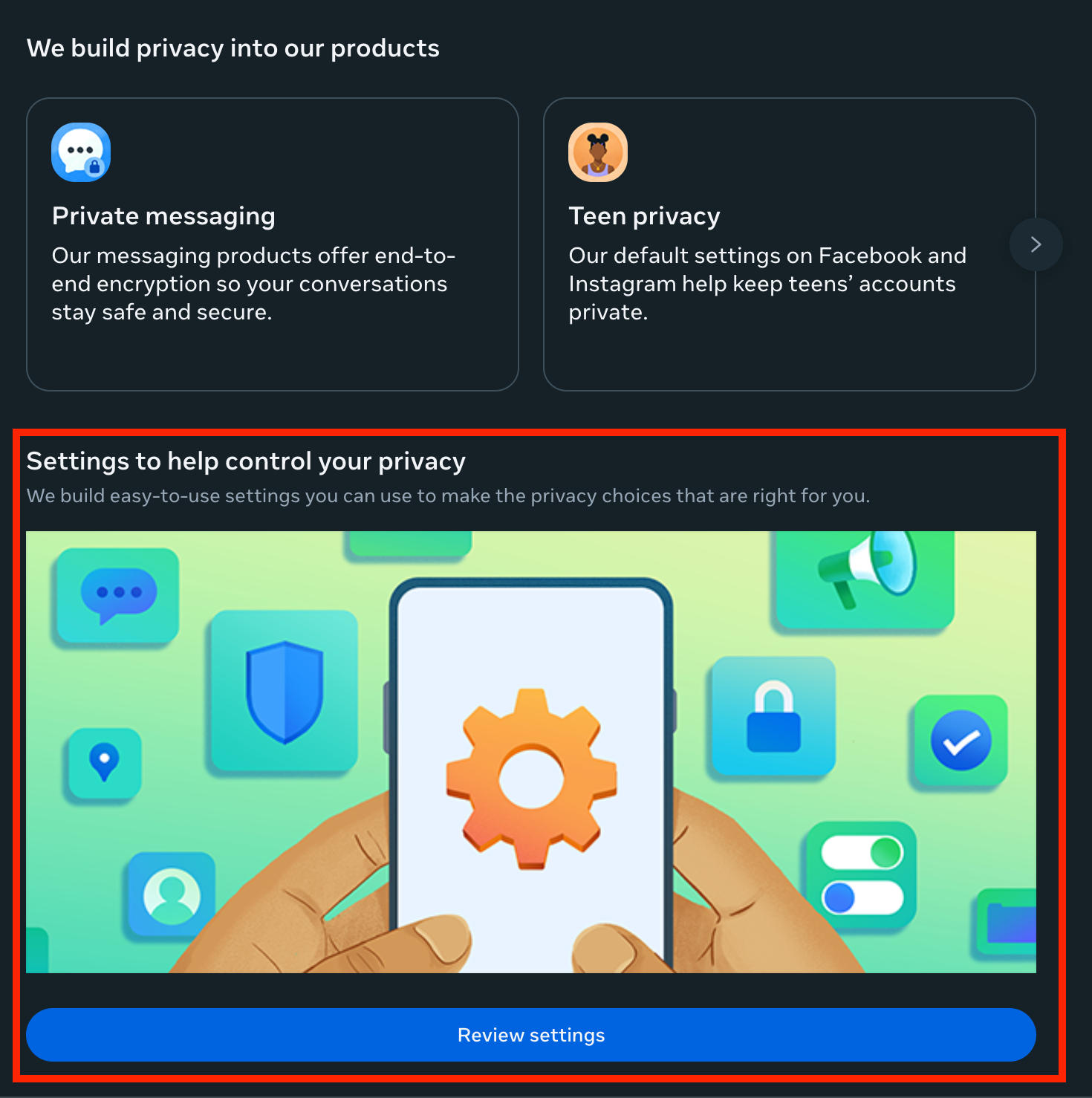
Go to Settings & Privacy > Privacy Center.
Scroll down and click Review Settings.
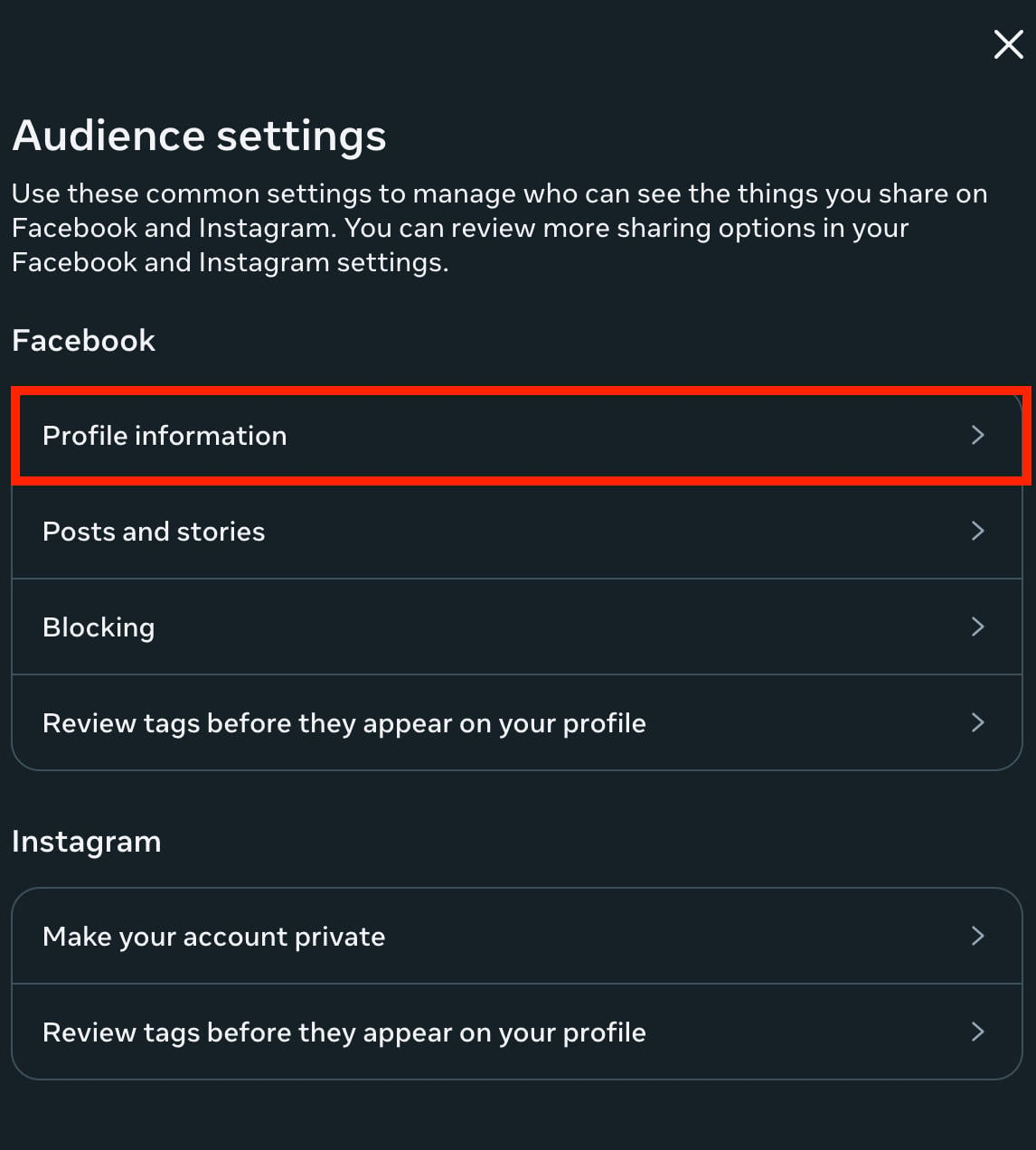
Scroll down and click Manage Audience Settings.
Under Facebook, click Profile Information and ensure each element is set to either Friends or Only Me for maximum privacy.
Limiting Old Posts
If you want to clear out your old posts without manually deleting them, limiting old posts is a great option.
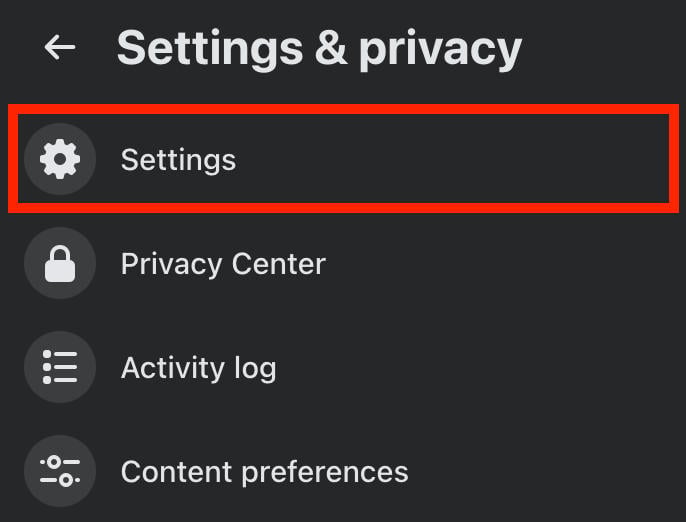
Go to Settings & Privacy > Settings.
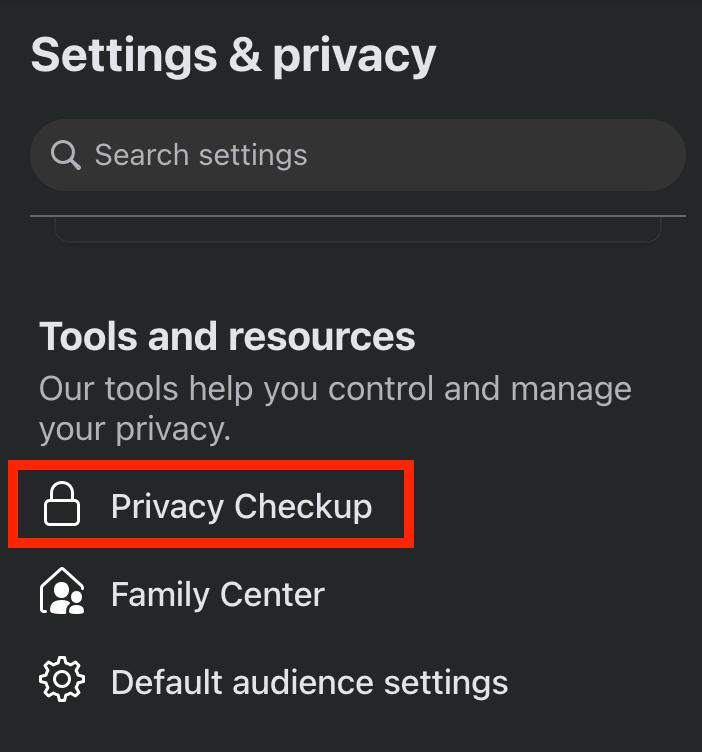
Click Privacy Checkup.
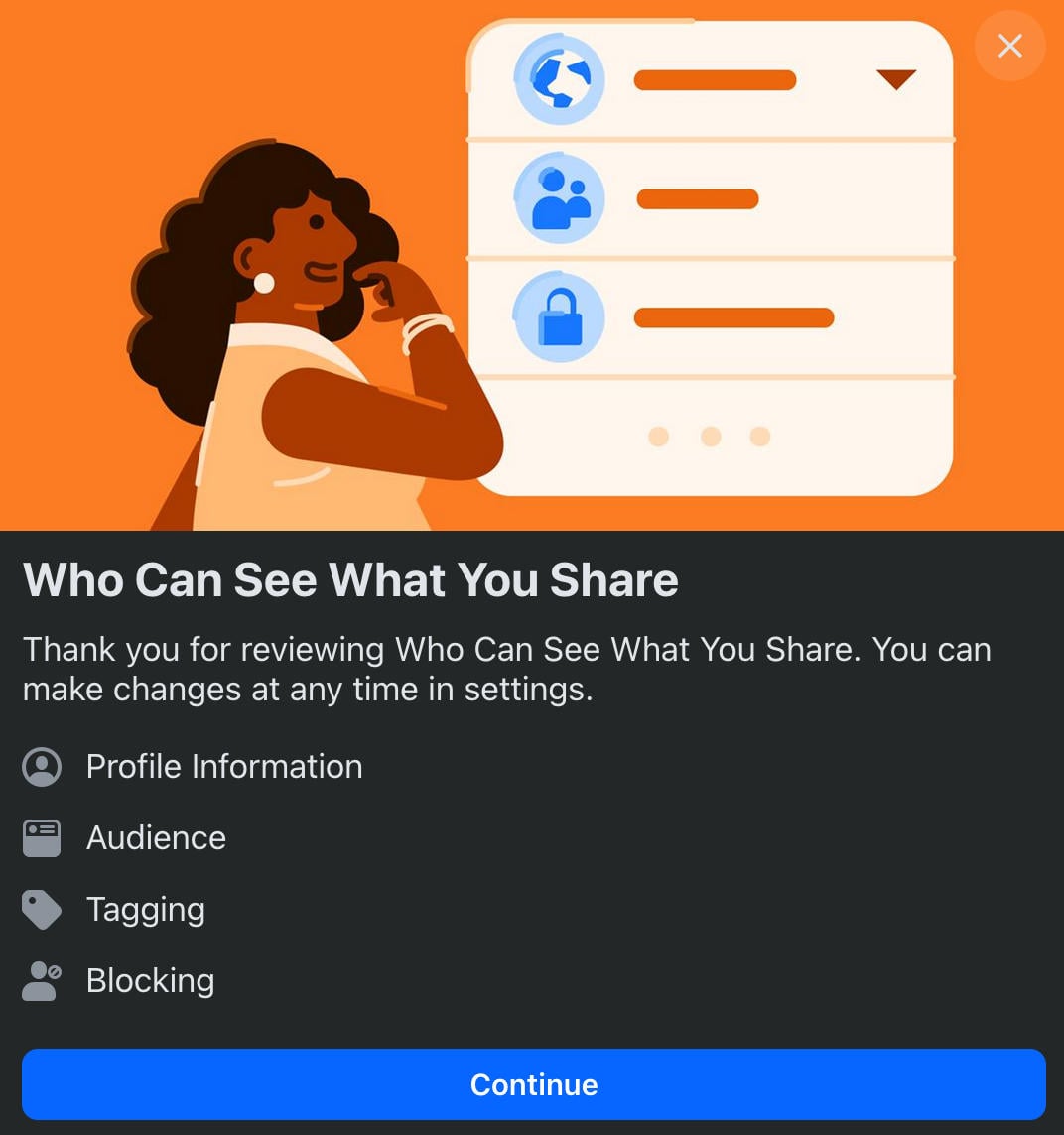
Click Who Can See What You Share.
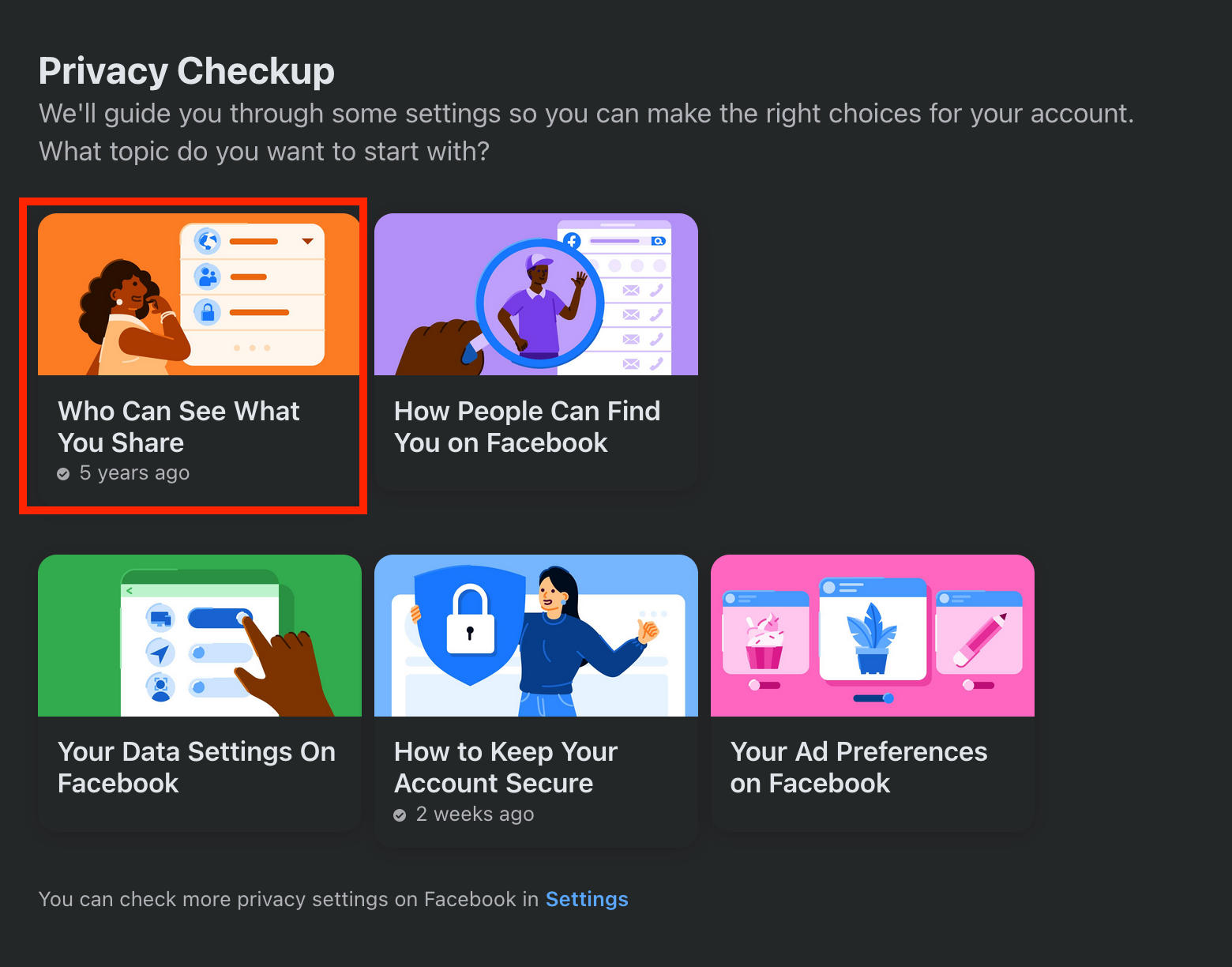
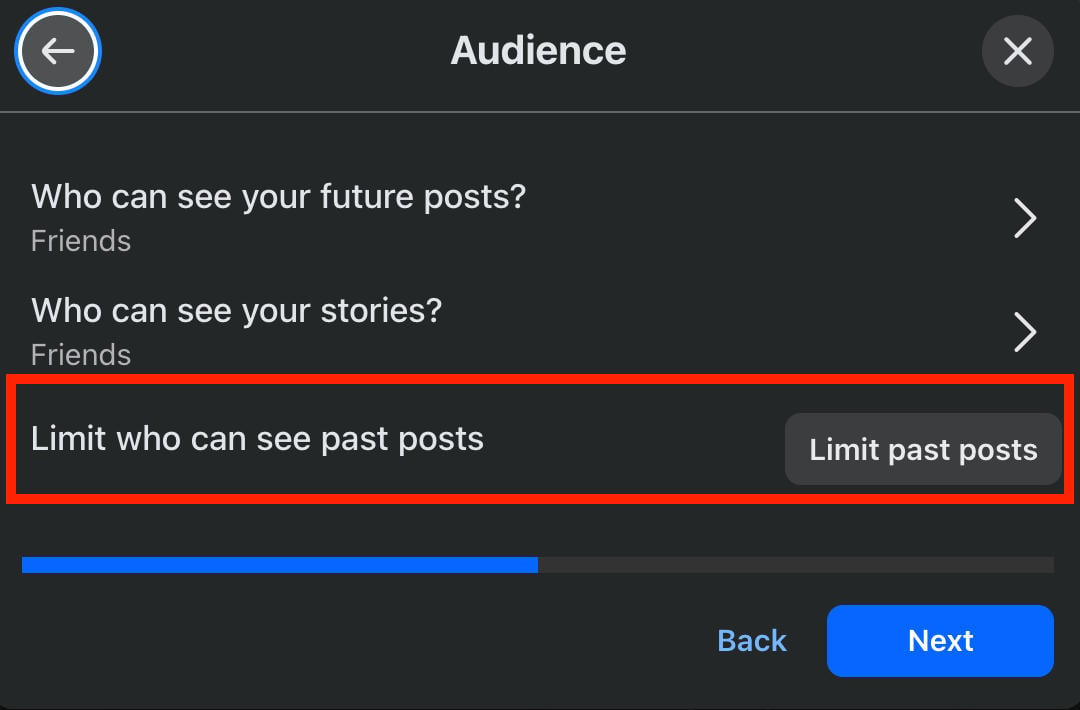
Click Continue, then click Next to see Audience settings.
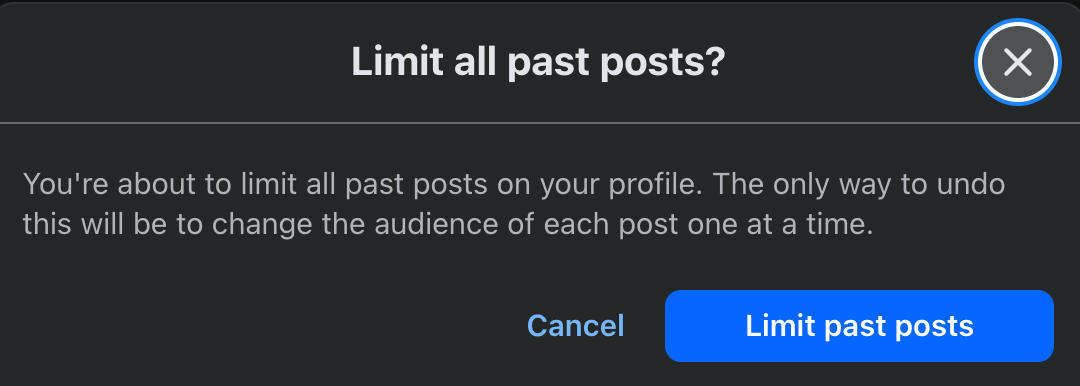
Click Limit Past Posts.
Click Limit Past Posts again.
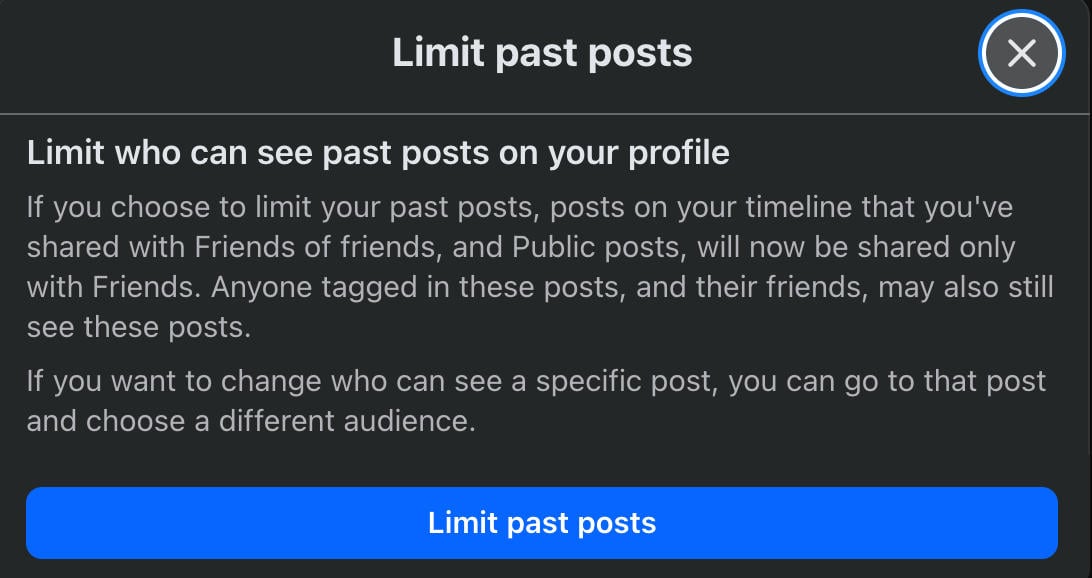
Click it again to confirm your change.
Frequently Asked Questions
What happens when you unfollow someone on Facebook Messenger?
There’s no unfollow option on Messenger, but there is a mute button. Muting someone simply prevents you from receiving a notification when they send you a new message, for the specific timeframe you choose. They won’t be able to tell that they’ve been muted.
What happens when you unfollow someone on your Facebook account?
Unfollowing someone just means you won’t see their activity updates in your feed. They won’t know you unfollowed them.
What happens when you unfollow someone on Instagram?
When you unfollow someone on Instagram, you’re removed from their followers list and you won’t see their posts or Stories in your newsfeed. They’ll be able to tell that you’ve unfollowed them if they check their followers list and don’t see you.
When you unfollow someone on Facebook, what do they see?
Nothing - unfollowing someone on Facebook is totally anonymous.
Is it better to unfollow or unfriend on Facebook?
That depends on your goals. If you still want to keep someone in your circle but just don’t feel like receiving updates from them, unfollowing is best. If you don’t want anything to do with them at all, unfriend them.
Is unfollowing disrespectful?
No, it’s totally up to you. The person you unfollow won’t have any idea you’ve done it.
Can someone still see your posts if you unfollow them?
Yes, unfollowing someone only affects your side of things; they’ll still be able to see your updates in their feed unless you restrict them.
What are the benefits of unfollowing?
Unfollowing means you won’t see someone’s posts or activity in your newsfeed, which can help clear up your feed and avoid annoyances. It’s a good way to stop seeing posts that annoy you without having to awkwardly explain why you unfriended someone.
How do people know you unfollowed them?
There’s no way for anyone to tell that you’ve unfollowed them on Facebook.
Is it rude to unfriend someone on Facebook?
No, your friends list is your business. However, if you’re worried about what someone might say - for example, a family member or coworker - you can simply unfollow them or restrict them to keep your content private.