Wondering if you can see who views your Instagram Reels?
Learn what Instagram shows, what it doesn’t, and tips to track Reel performance.
Key Points:
Does IG Show Who Saw Your Reels?
Instagram Insights will show you aggregate data on Reels views, but not the specific identity of who viewed your Reel.
In order to access Insights, you’ll need to swap to a Professional account (either Creator or Business). Personal Instagram accounts won’t be able to view Insights.
How To Switch Instagram Account Types
Tap the three lines on the top right corner of your Instagram profile.
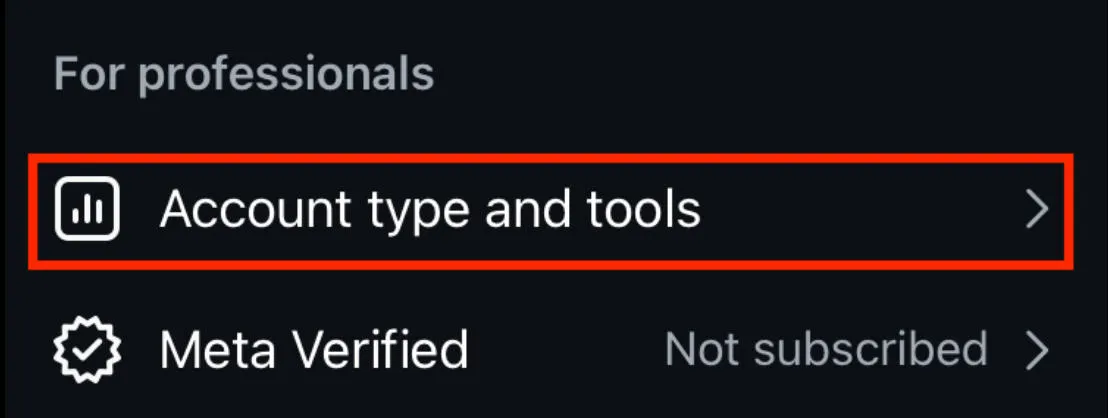
Scroll down to For Professionals and tap Account Type And Tools.
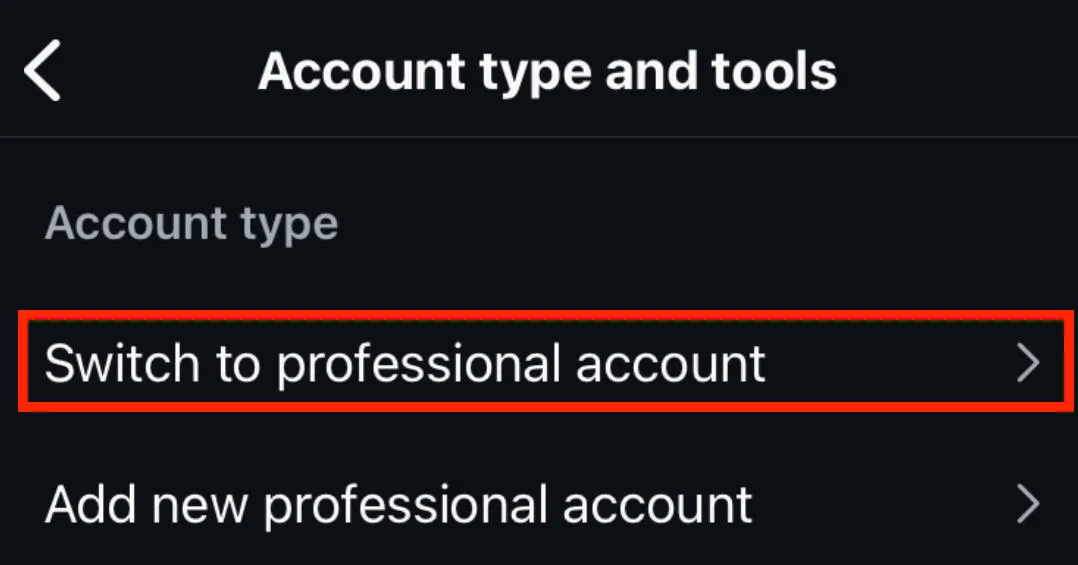
Tap Switch To Professional Account.
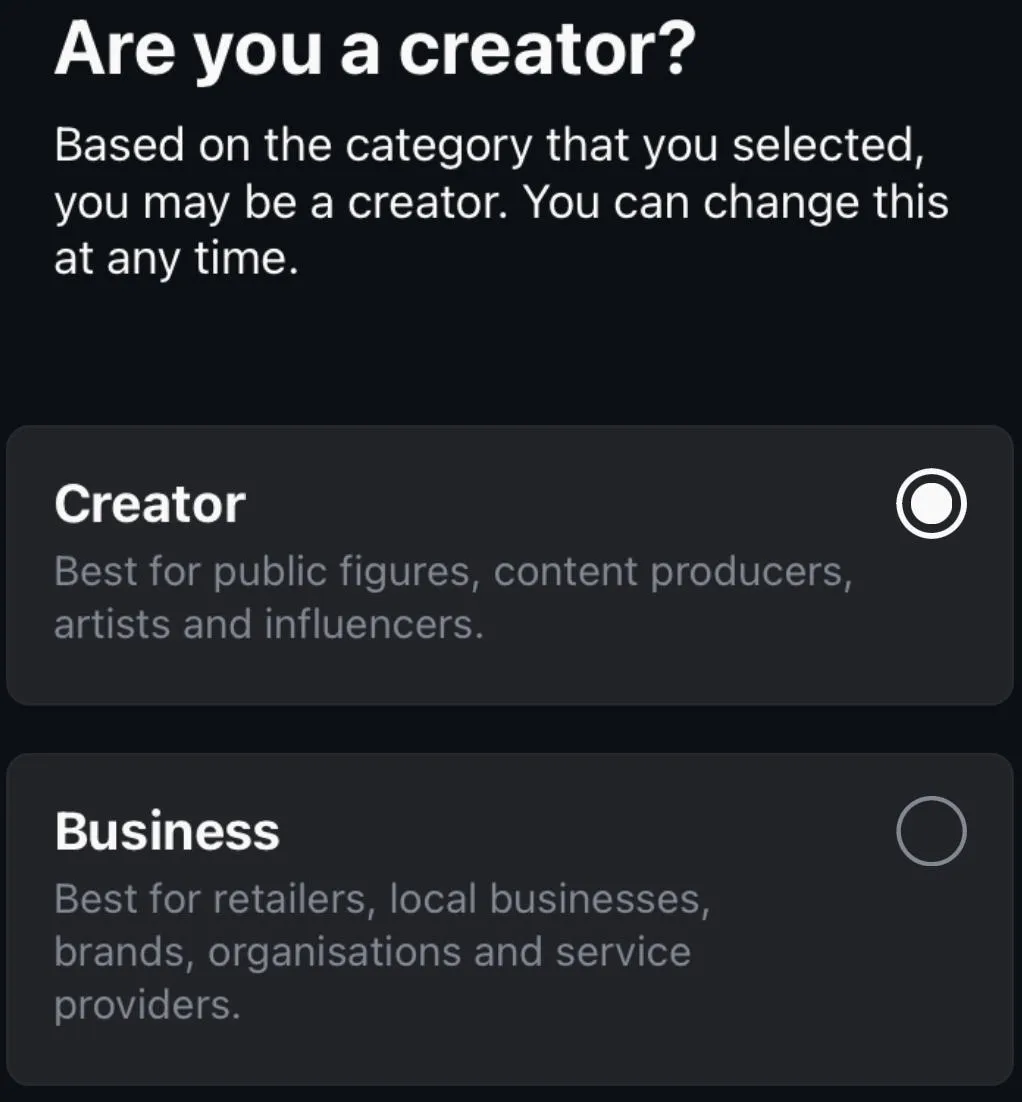
Follow the on-screen prompts depending on your account type.
Select either Creator or Business (either option will let you view insights).
Complete the on-screen prompts to finish set up.
How To View Reels Insights
There are two ways to view insights for Reels: via the Reel itself, or from your Insights dashboard.
To view Insights from the Reel itself, open the specific Reel you want to view Insights for.
Tap the three dot menu, then tap Insights.
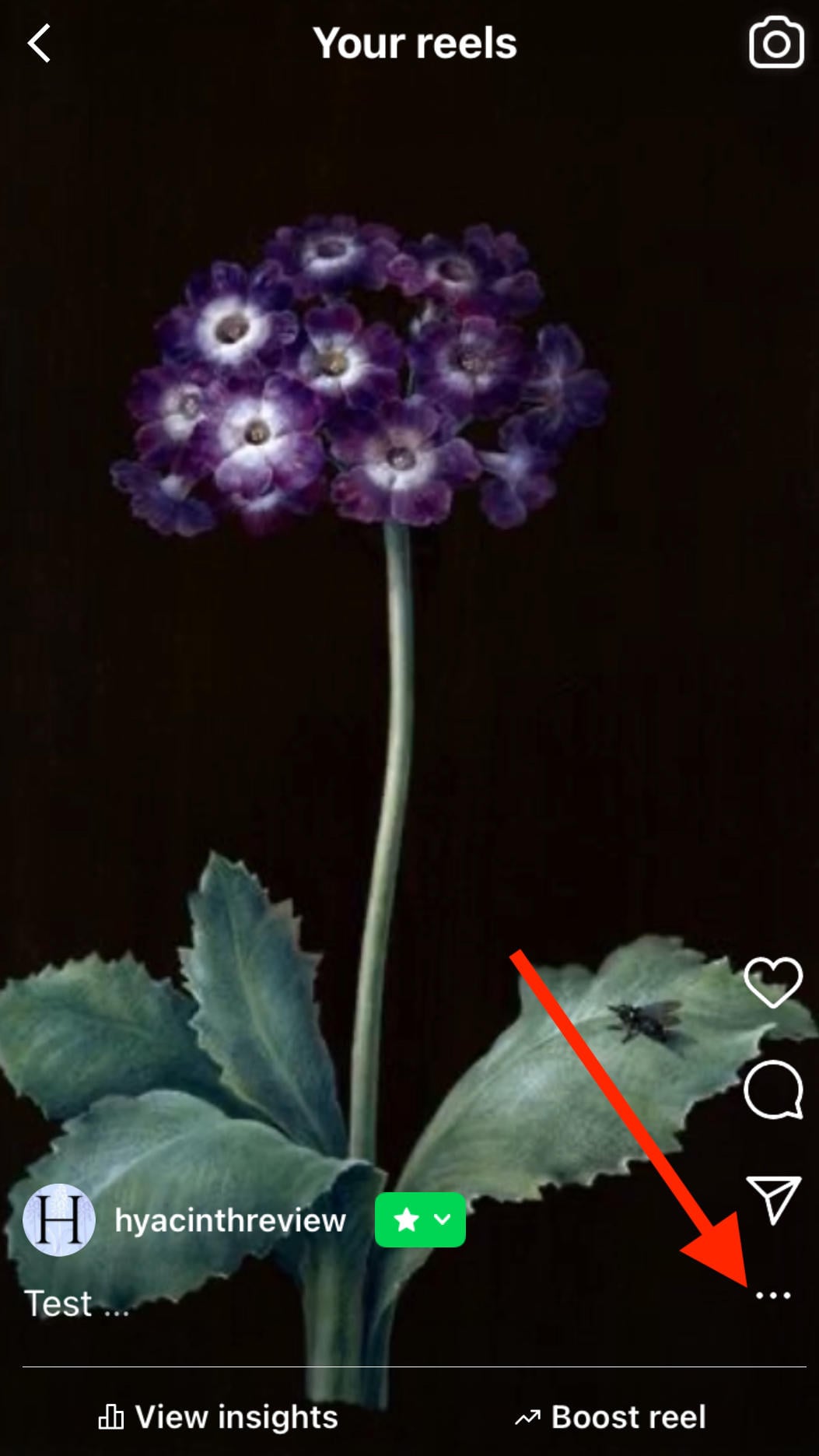
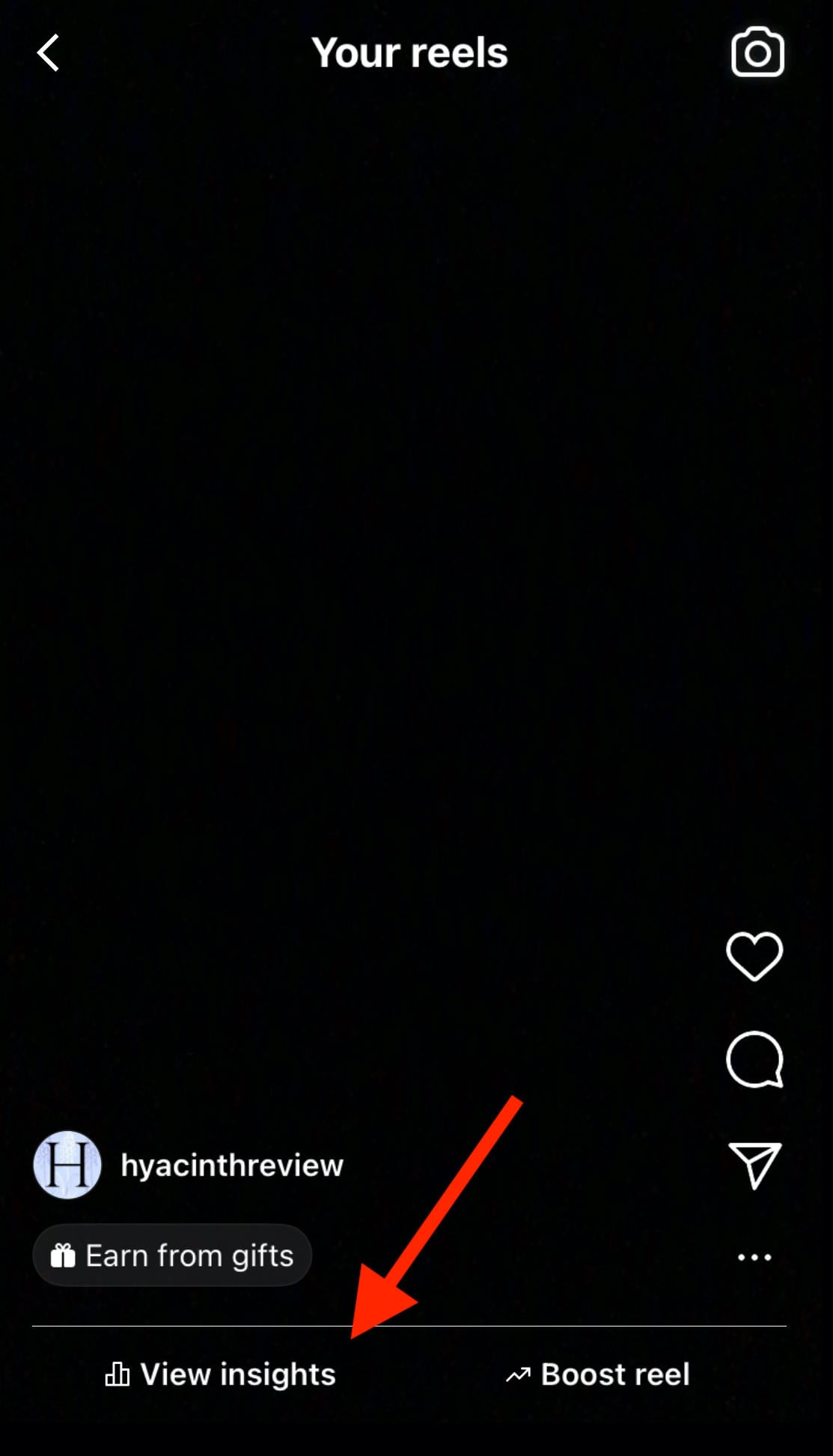
Alternatively, tap View Insights just above the caption.
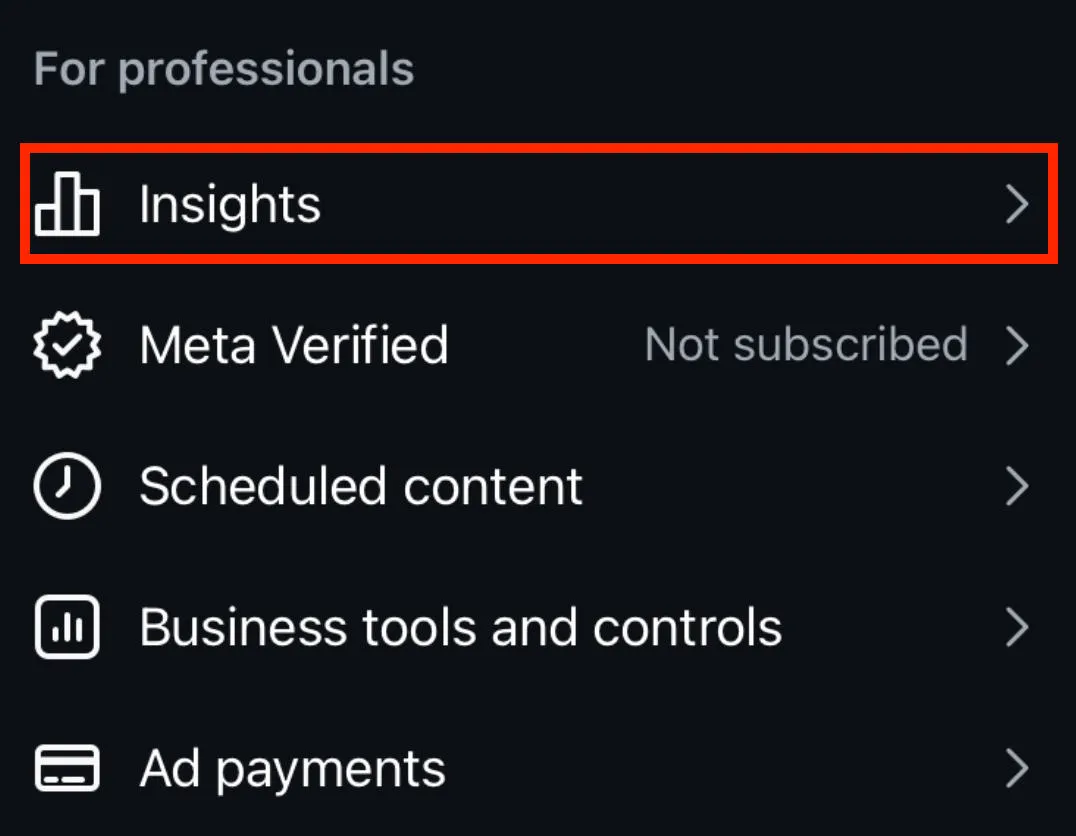
To view Reels insights from the Insights dashboard, tap the three lines on the top right corner of your Instagram profile.
Scroll down to For Professionals and tap Insights.
Tap Content You Shared.
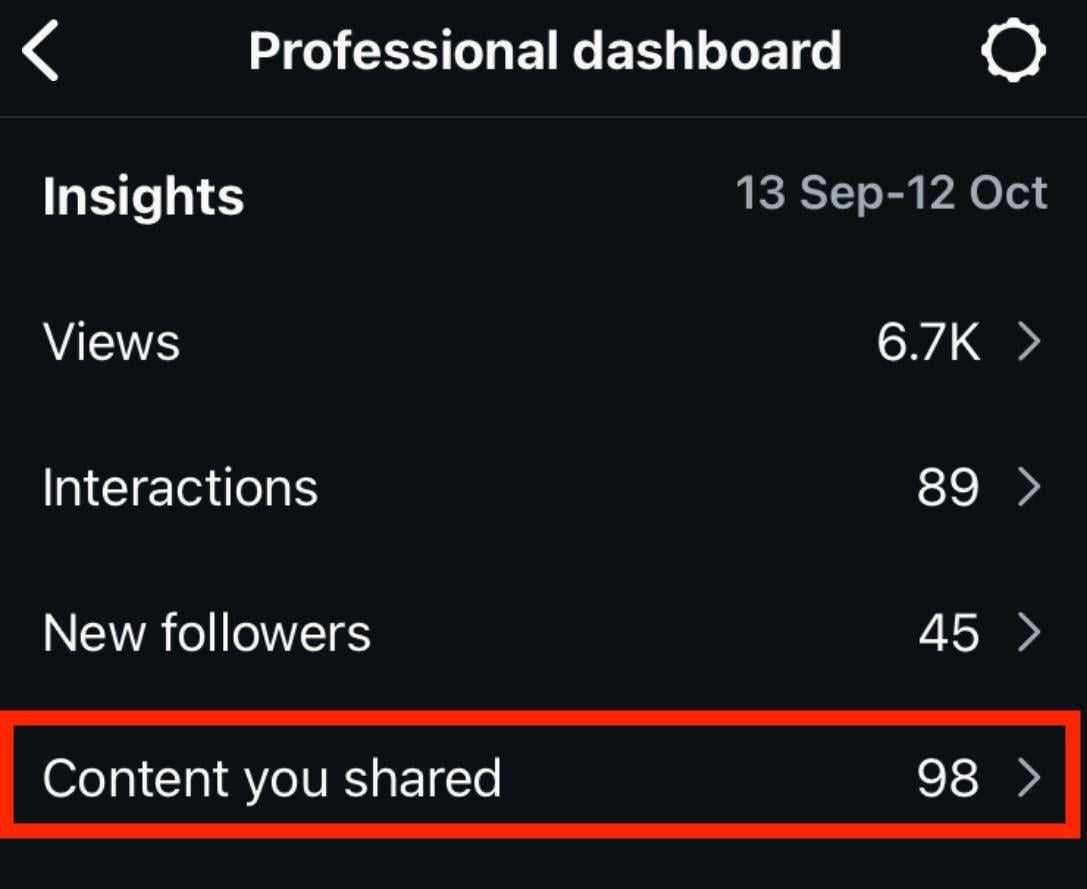
Tap All.
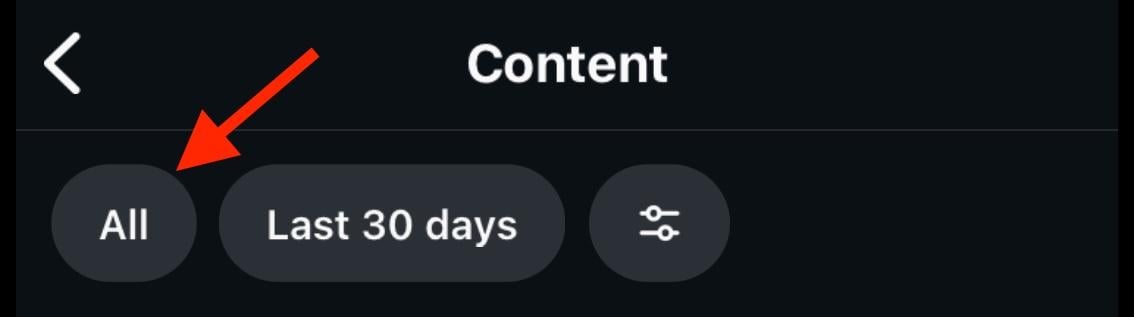
Select Reels.
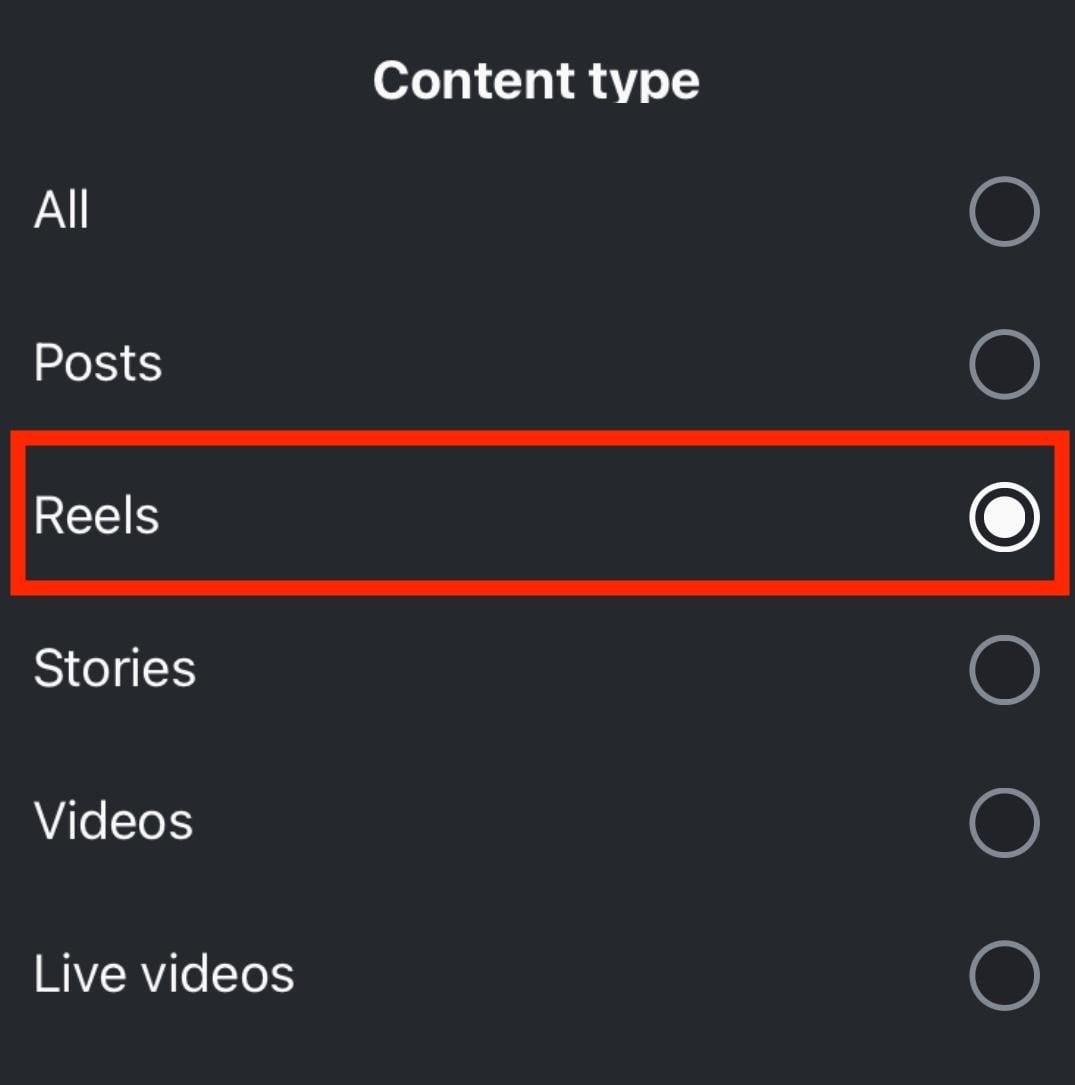
Tap the Reel you want to view analytics for.
What Instagram Does Show
Once you’ve accessed your Reel insights, you’ll be able to view the following metrics:
-
Likes
-
Comments
-
Shares
-
Saves
-
Views
-
Watch time (including replays)
-
Accounts reached
-
Average watch time
-
Follows (how many accounts started following you as a result of viewing your Reel)
Can Non-Followers See My Instagram Reels?
If you’re posting from a public Instagram account, even non-followers can see your Reels and engage with them.
Additionally, Instagram may recommend your Reels to users who aren’t following you which means they could appear in the following areas:
-
Homefeed recommendations
-
Explore page
-
Reels feed
Who Can See My Reels On Instagram If My Account Is Private?
If your Instagram account is set to private, only approved followers will be able to see your Reels.
Instagram will not recommend your content elsewhere on the platform.
How To Set Your Instagram Account To Private
Open the Instagram mobile app and visit your profile page.
Tap the three lines on the top right corner.
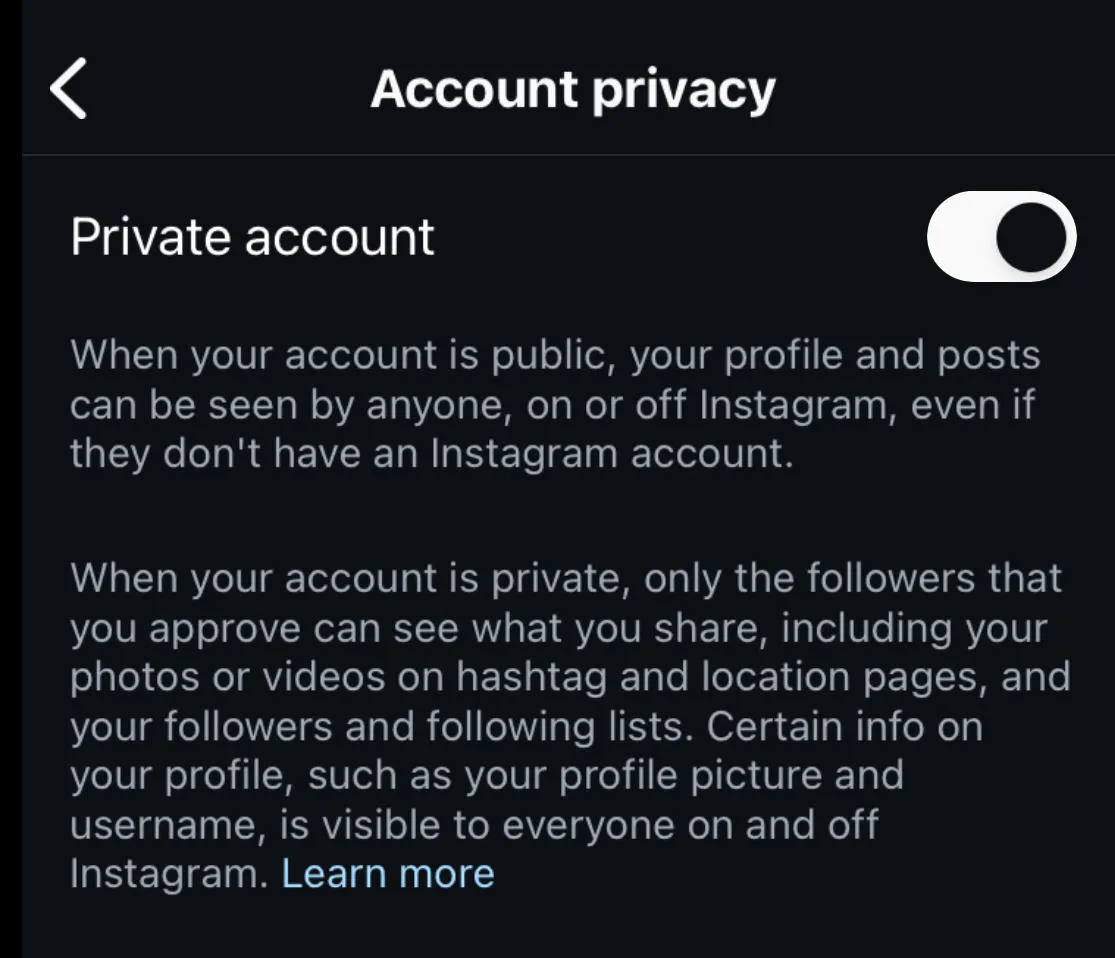
Scroll down to Who Can See Your Content and tap Account Privacy.

Toggle Private Account ON.
Can You Tell If Someone Screenshotted Your Reel?
No, Instagram won’t notify the original creator if someone takes a screenshot of their Reel.
The same applies to regular Instagram posts and Stories.
When Instagram Does Notify About Screenshots
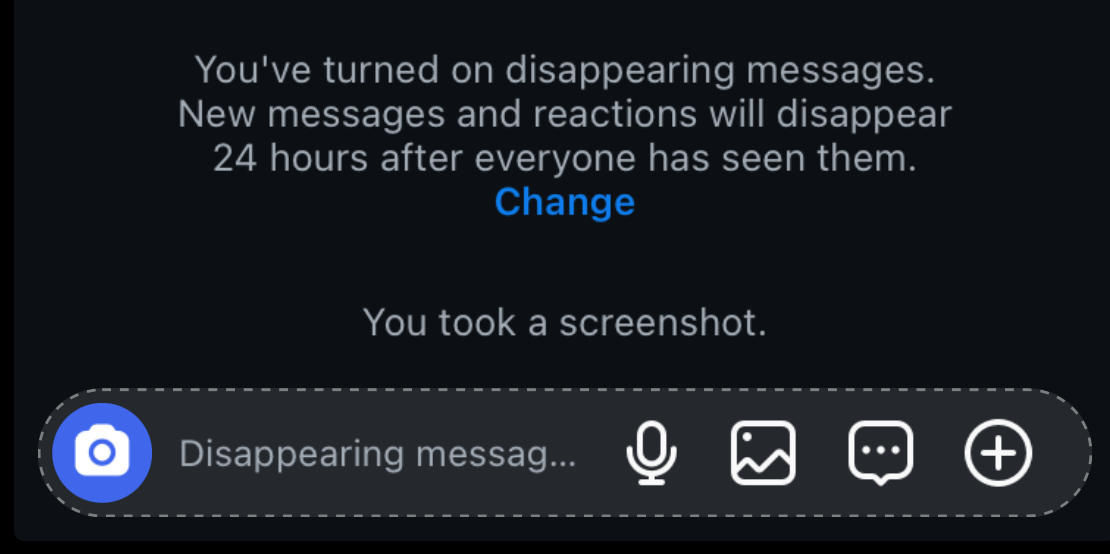
The only time Instagram will alert a user about a screenshot being taken is within a DM that has Vanish Mode enabled.
To enable vanish mode, swipe up on an existing chat.
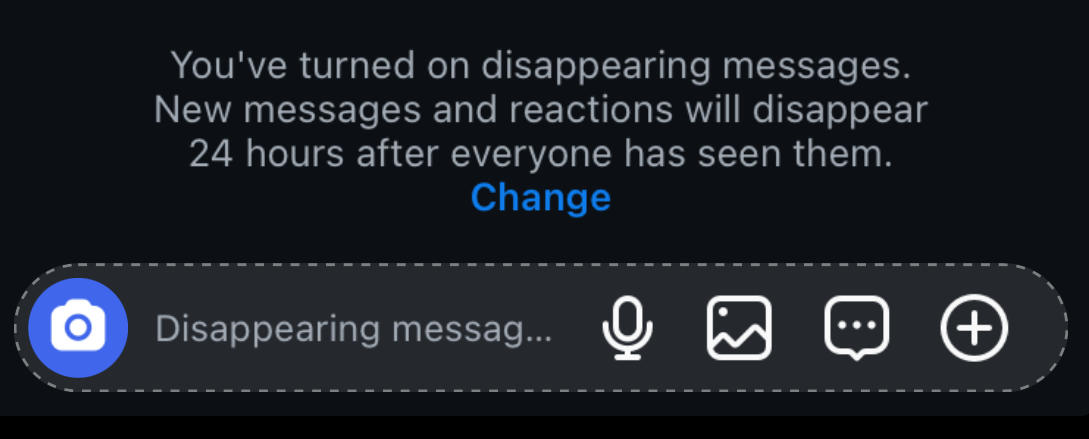
This will enable vanish mode individually (it doesn't apply to all messages sent from a specific account.)
While in vanish mode, Instagram will notify chat participants of any screenshots taken of the conversation.
Can People See Who Viewed Their Instagram Post If It Isn't A Reel?
Besides Reels, Instagram offers insights on other types of posts including photos, carousels, and Stories, as well as analytics on profiles as a whole.
However, with the exception of active Stories, Instagram does not provide specific user-based information on who viewed a post or profile.
What Instagram Does Show
Instagram Stories and Highlights are the only medium on the platform that provides specific user data when it comes to views.
Creators can see a list of the specific users who viewed their Story or Highlight for 48 hours from the time it’s posted.
To check your Highlight or Story view count, first open the Highlight or Story on either the Instagram mobile app or desktop site.
Tap the Activity or Seen By icon on the bottom left.
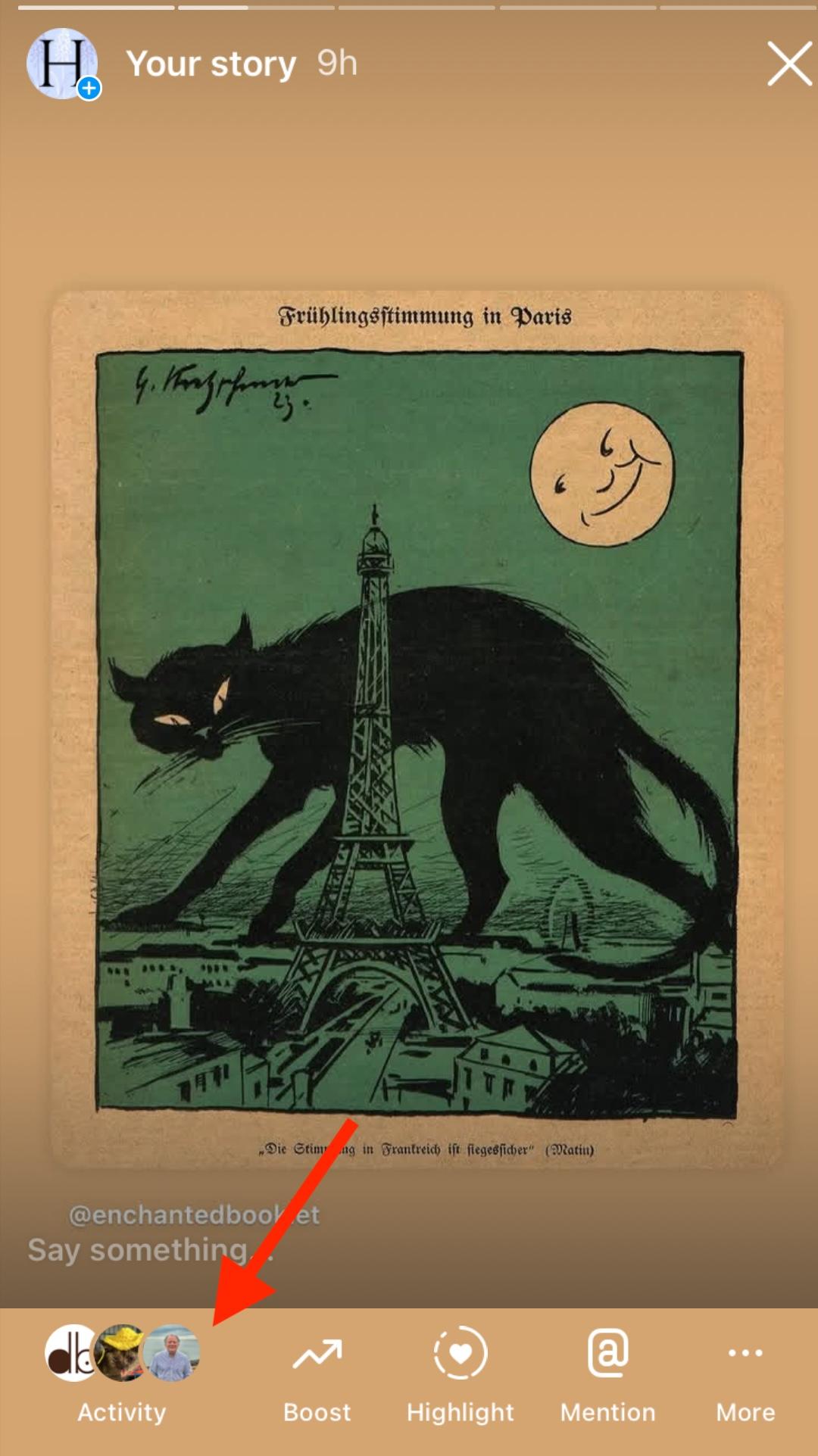
From here you’ll see a list of users who viewed your Story or Highlight, and whether they engaged with your content.
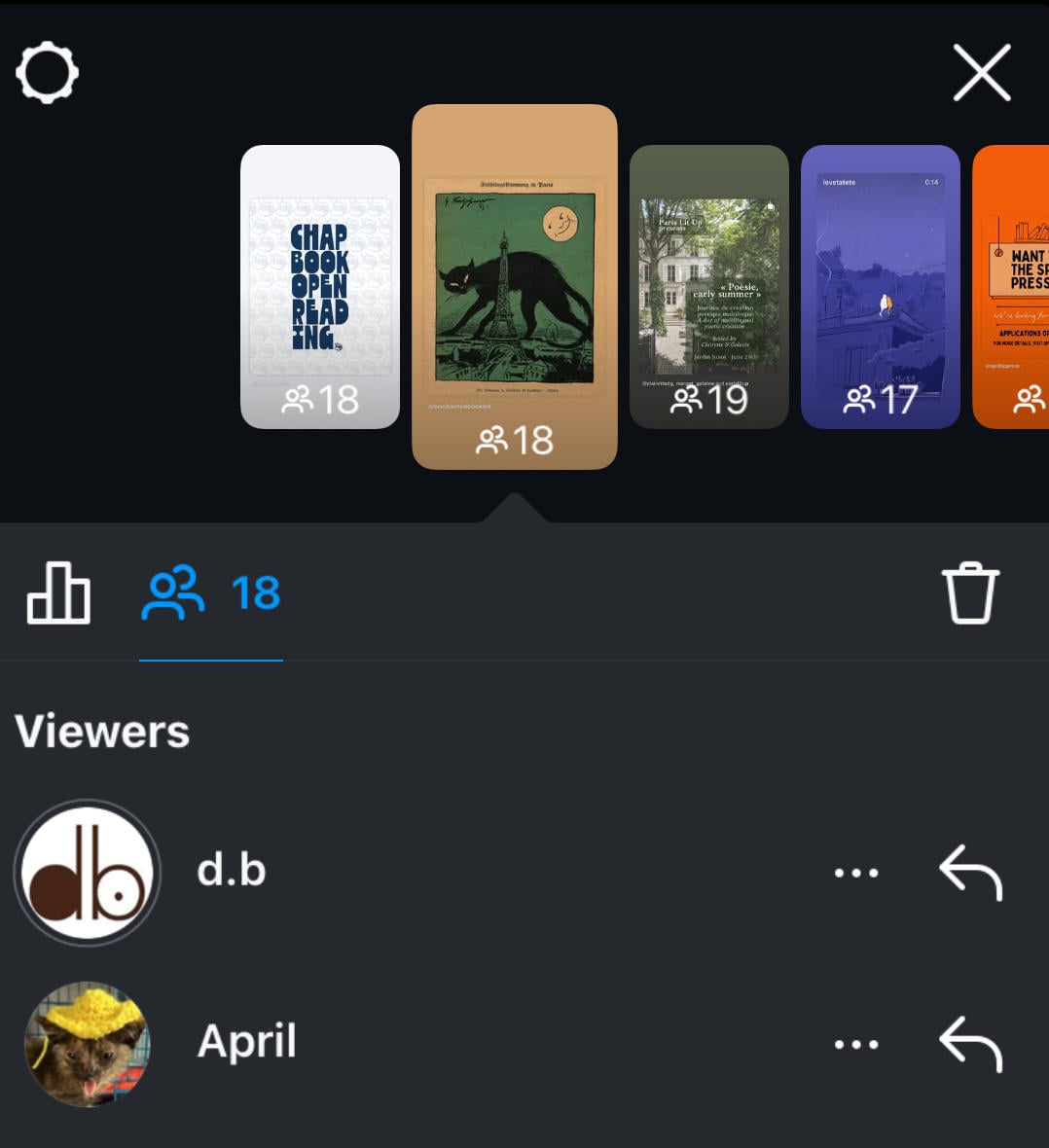
For regular posts and profiles, creators can see the total number of views but not the specific users behind the view count.
Check out our complete guide to Instagram Insights here.
Recommended Reading
-
The Best Time To Post Instagram Reels For Maximum Engagement
- Can People See What You Search On Instagram?
Frequently Asked Questions
Can someone see if I looked at their Instagram Reels?
No, they’ll be able to see the number of views their Reel received but not the specific user who viewed them. Your viewing history on Instagram is totally anonymous unless you engage with the post in some way.
Can someone tell if you watch their Instagram video?
Only if you engage with the post by liking or commenting on it. Otherwise, the creator will only see an aggregate view count.
Can you watch Instagram videos anonymously?
As long as you don’t engage with the post, your views are anonymous.
Can you see who views your Instagram Reels if they don't follow you?
Instagram viewer data is totally anonymous for Reels, whether the user follows you or not.
What are some common mistakes to avoid on Reels?
A few common mistakes with Instagram Reels include:
-
Posting at random times
-
Creating Reels that are too long (15 seconds to 2 minutes is ideal)
-
Not sharing your Reel on Stories after posting
Can someone see that I viewed their Instagram video if we are not friends?
No, Instagram views on videos are anonymous regardless of whether or not you follow the creator.
Can someone see who viewed their Reel if I am not following them?
Instagram Reels views are anonymous, so as long as you don’t like or comment on the post the creator will have no idea who viewed it.
Can someone see if you viewed their Reel on Facebook?
Facebook Reels views are anonymous just like Instagram Reels views. If you engage with the post by liking or commenting on it the creator can see your username, but otherwise your view is anonymous.


