TikTok offers users a few different ways to remove reposts, plus the ability to disable reposting for their content entirely.
Learn how to delete TikTok reposts super fast, plus how to remove all TikTok reposts, and disable (or enable) reposting for your profile.
Key Points:
How Do I Unpost A Repost On TikTok?
You can remove TikTok reposts quickly via the mobile app or desktop site in just two steps.
How To Undo Repost On TikTok iPhone or Android
Navigate to your profile and tap the Reposts tab.
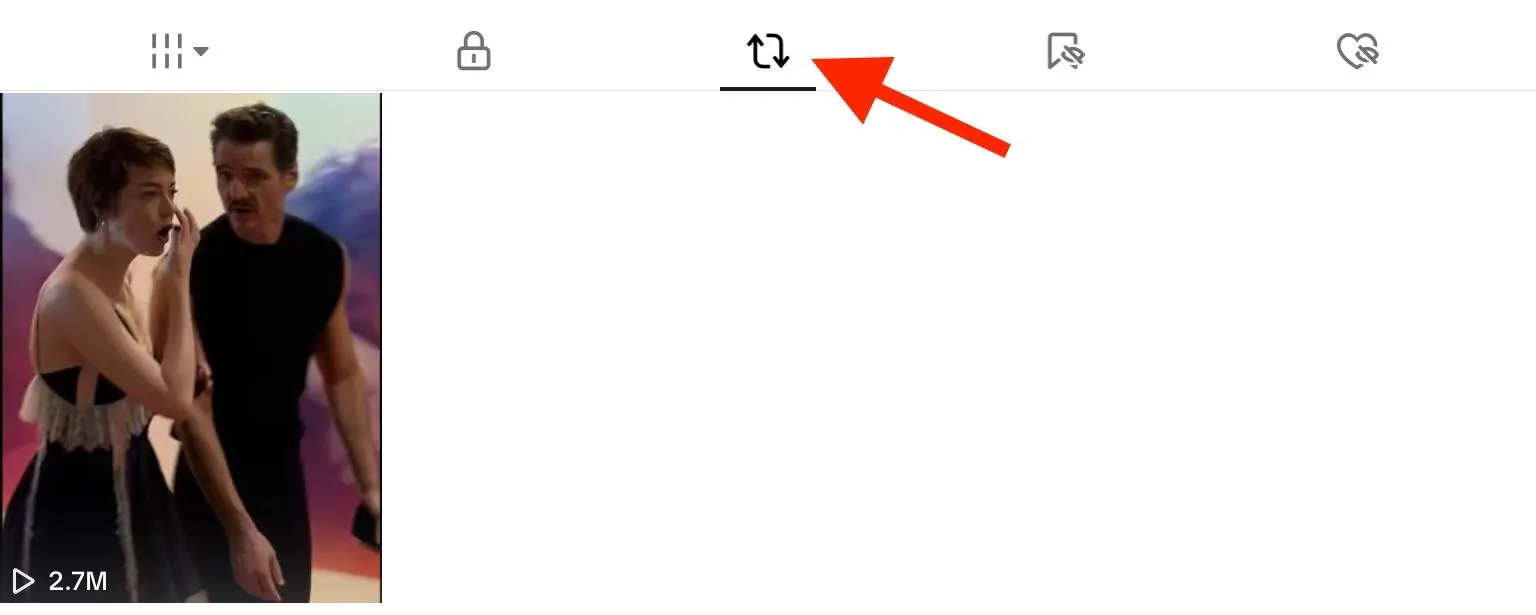
Tap the video you want to undo the repost on.
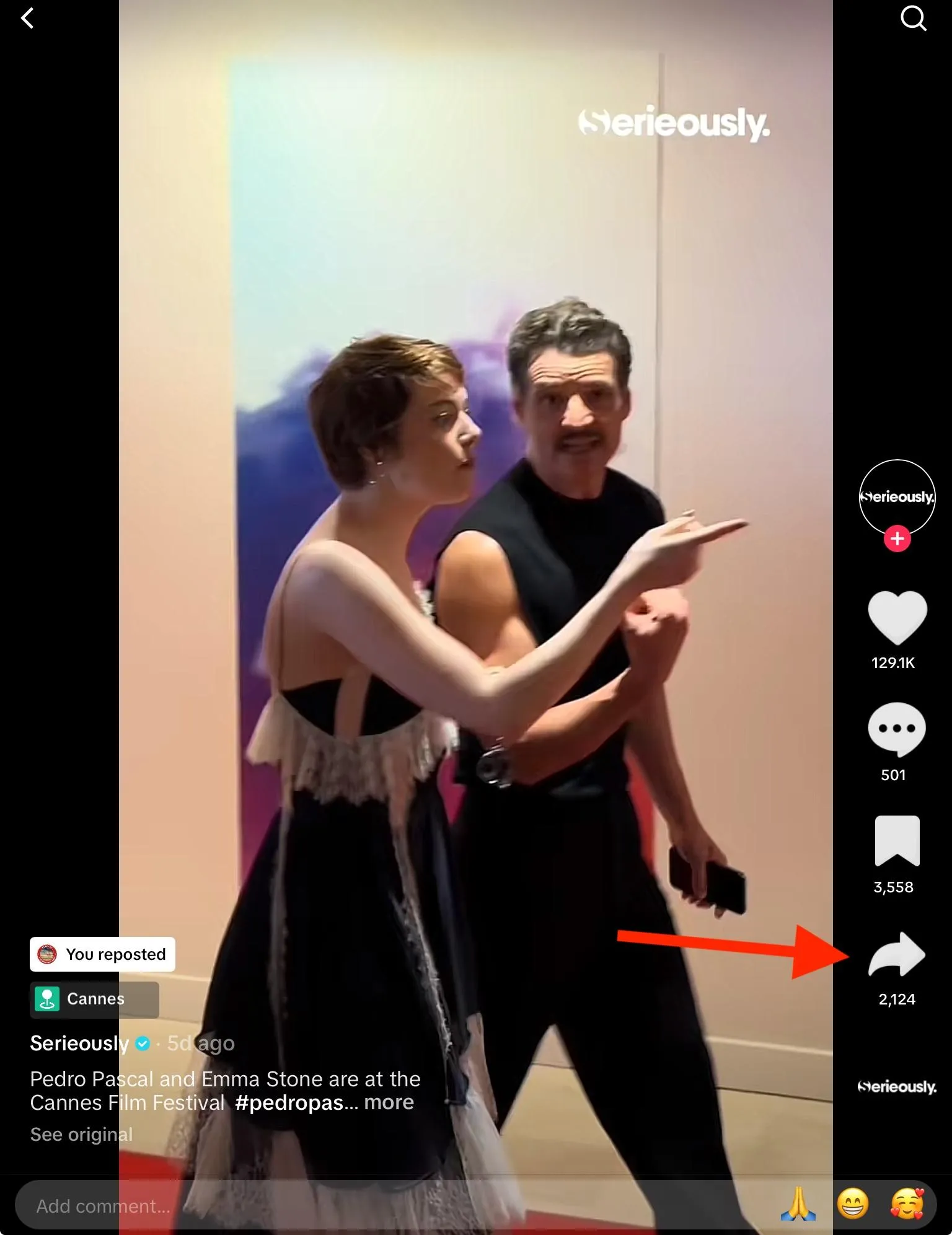
Tap the Share icon on the bottom right.
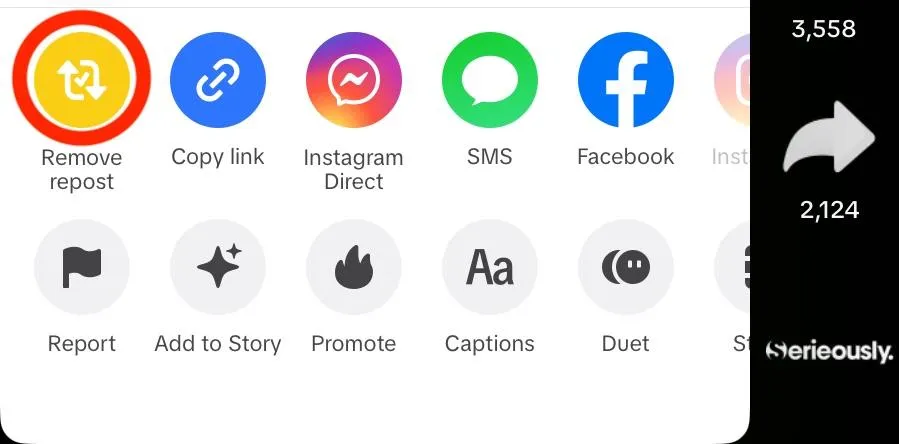
Tap Remove Repost.
How To Undo Repost On TikTok Desktop
Navigate to your profile page and click the Reposts tab.
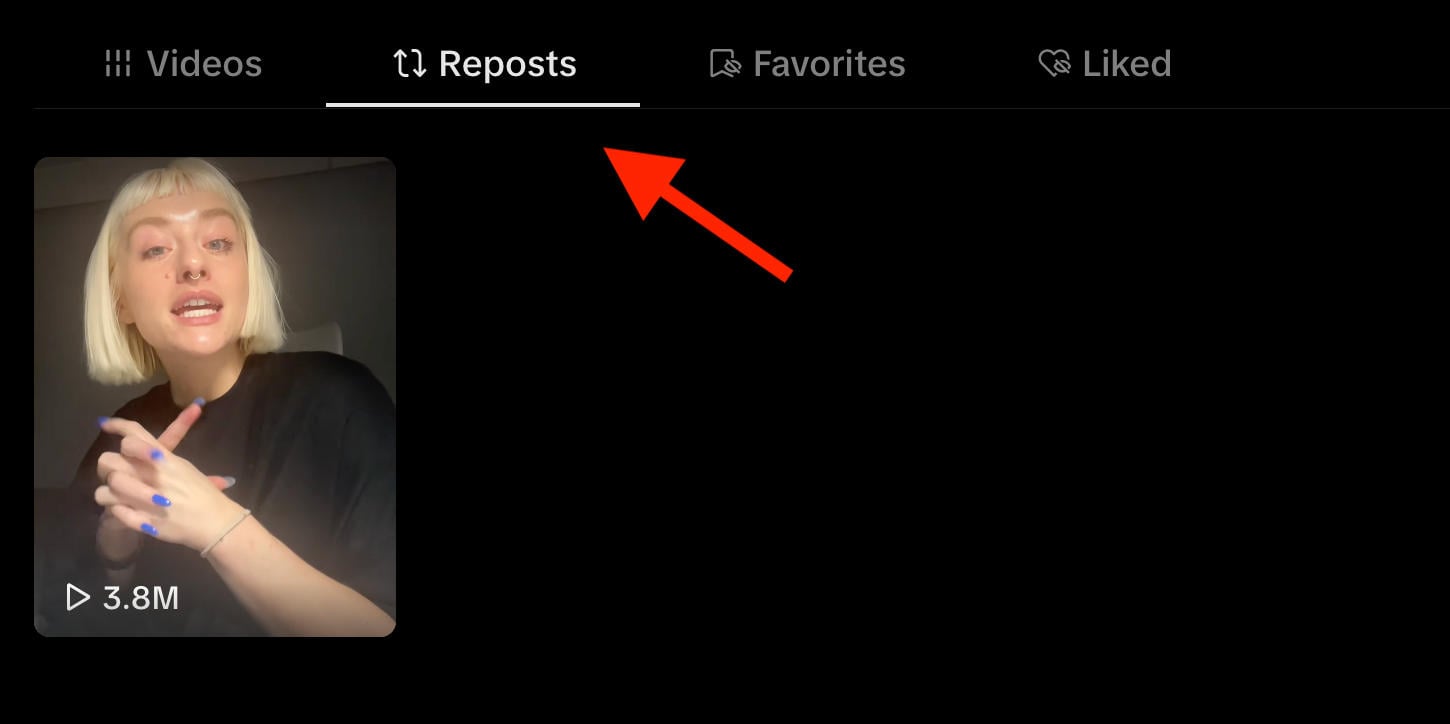
Open the video you want to undo the repost on.
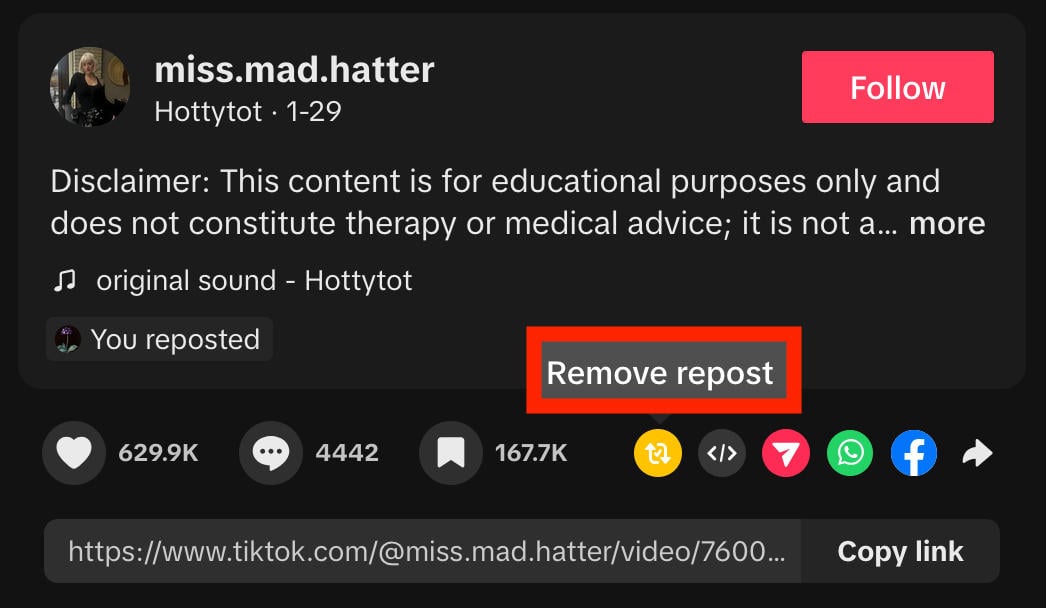
Click the yellow Remove Repost icon to the bottom right of the caption.

Is There A Quicker Way To Remove Reposts On TikTok?
While the above methods only take two clicks, there’s actually a quicker way to remove a TikTok repost.
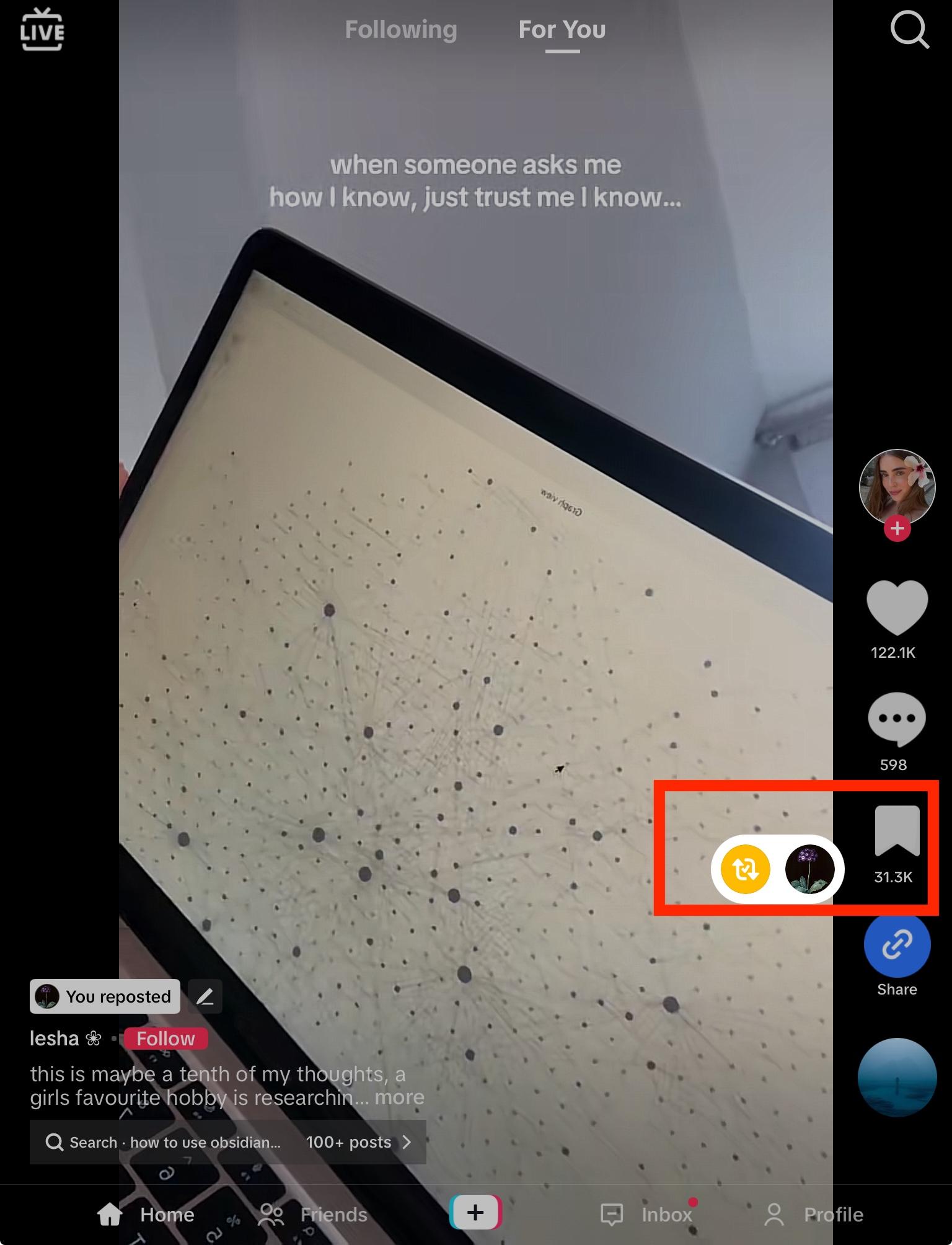
From the mobile app, open the video and long-press on the share icon.
Tap the Repost icon (it should have a checkmark within it if you reposted the video).
That’s it!
Keep in mind that this method only works from the TikTok mobile app.
How Do I Remove All Reposts On My TikTok?
If you have a ton of TikTok reposts to delete, you might be wondering if there’s a way to remove them all at once.
Third Party TikTok Post Removers
While there are a variety of TikTok post remover options out there, like Chrome extensions and iOS apps, most of them require access to your TikTok login information.
Because of this, it’s best to avoid using anything outside of the TikTok app itself.
The best method would be to remove your TikTok reposts manually via the mobile app using the fast method outlined here.
Contacting TikTok Support
Some users also claim that you can contact TikTok support through the Report A Problem form and request that they remove your reposts for you.
Unfortunately, there’s no evidence that this is actually effective and many users have reported that TikTok support states it isn’t possible to do on their end.
Can You Unpost A TikTok Without Deleting It?
When you unpost a reposted TikTok video, it doesn’t delete the video itself, it just removes it from the Reposts section of your profile. The video will still remain on the original poster’s profile.
Hiding Your Own TikTok Posts Without Deleting
If you want to hide your published TikTok videos without removing them entirely, you can do so by making them private.
On Mobile
Open the video and tap the three dots on the bottom right corner.
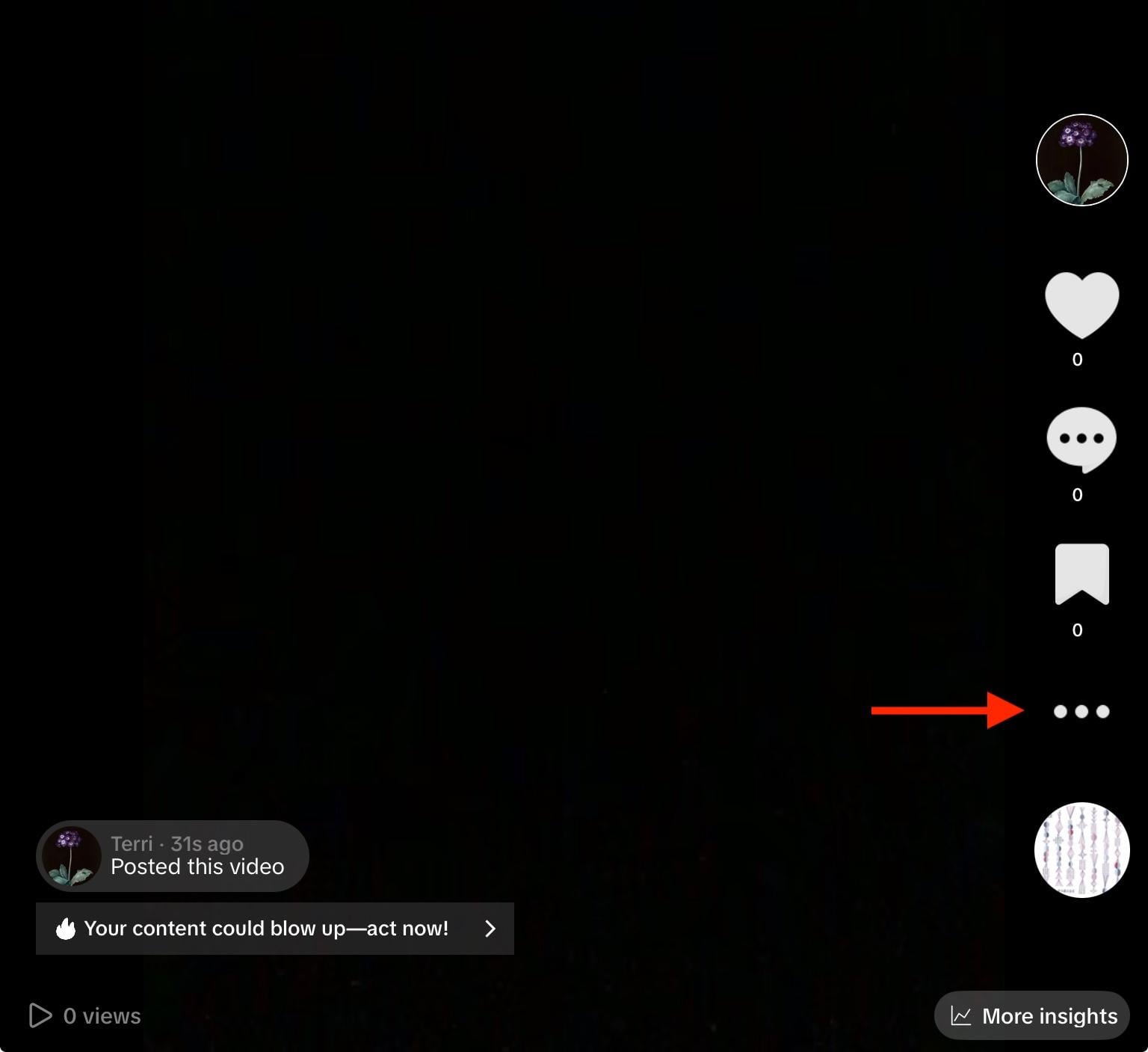
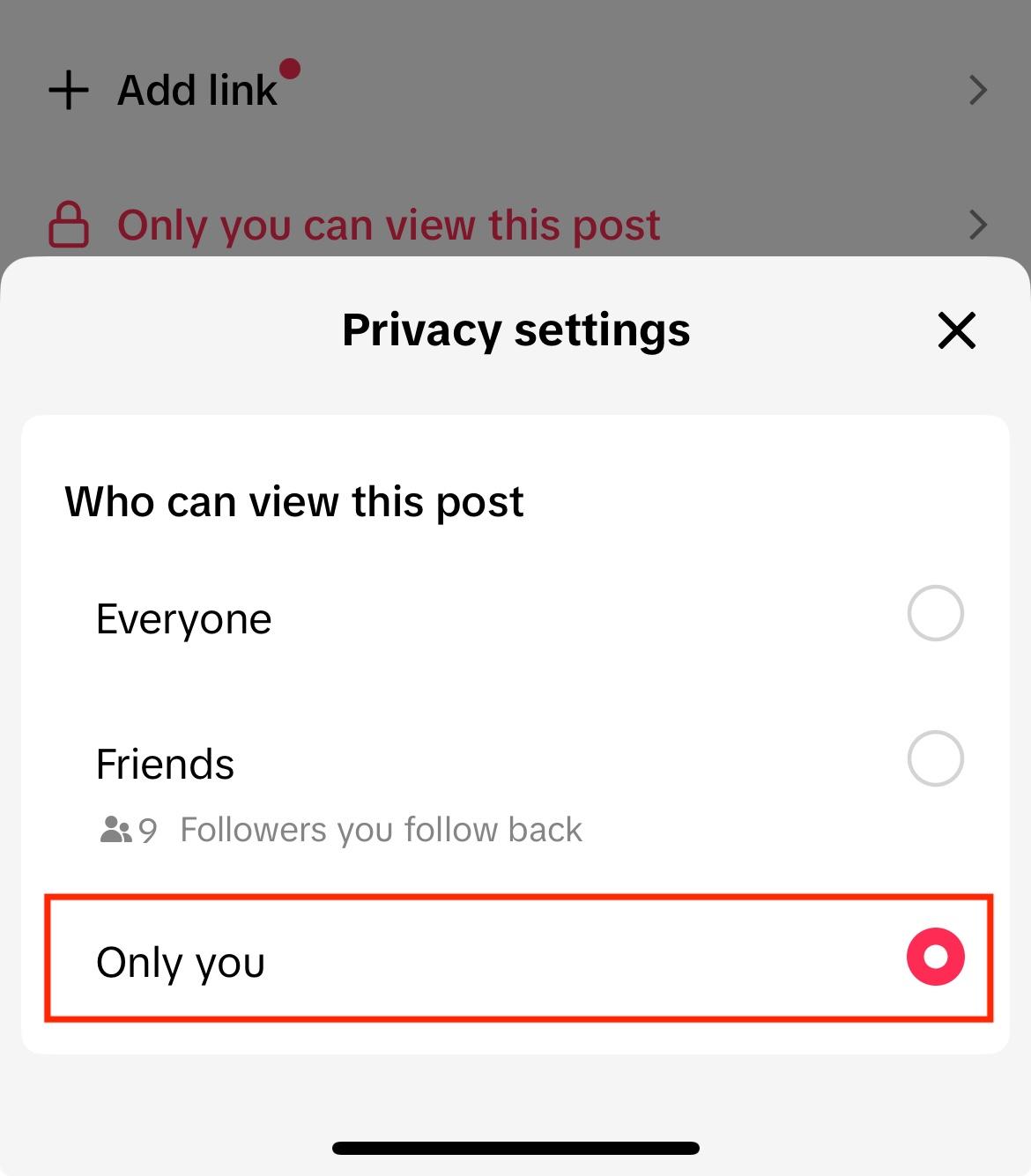
Swipe to the left and tap Privacy Settings.
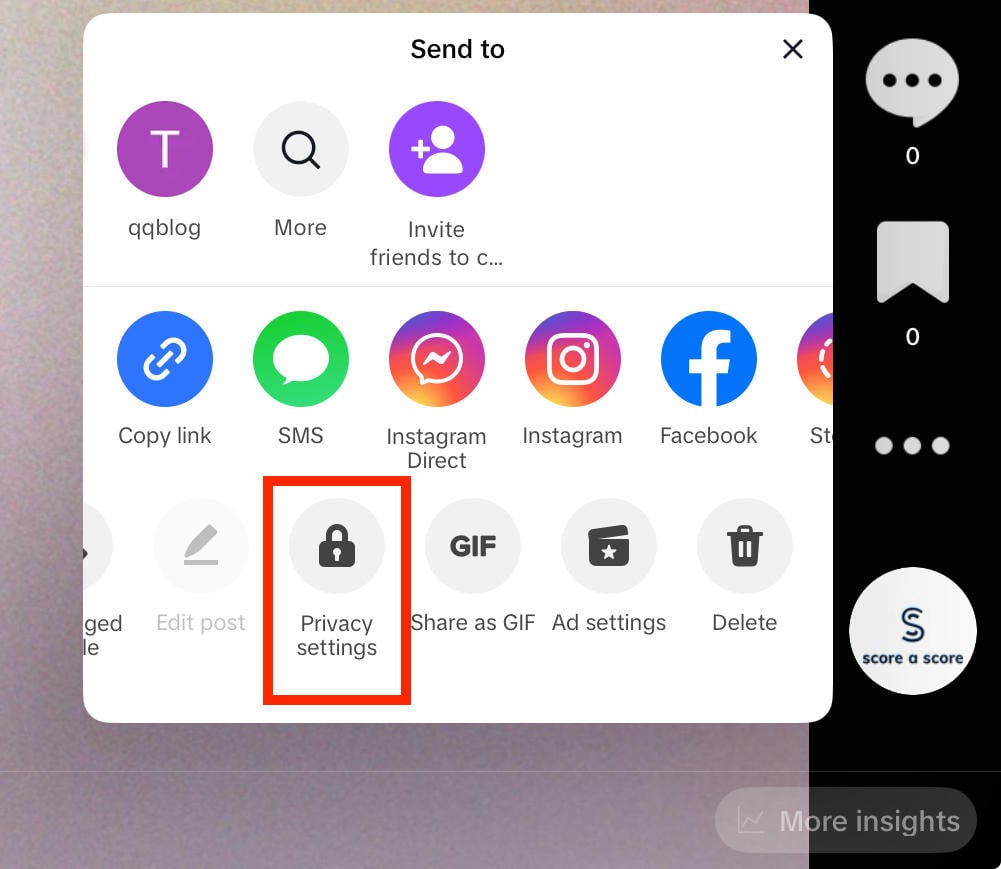
Under Who Can Watch This Video, tap Only You.
On Desktop
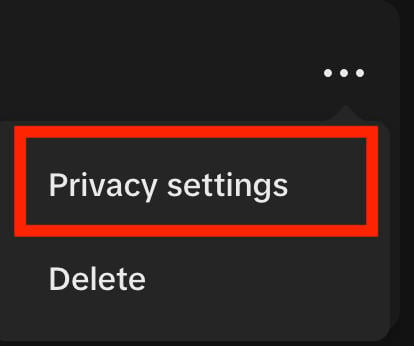
Open the video and click the three dots on the top right corner.

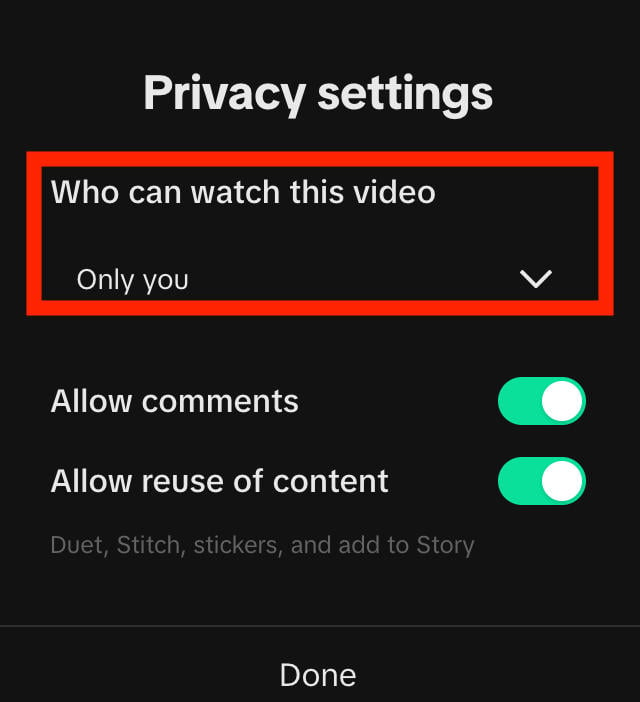
Click Privacy Settings.
Under Who Can Watch This Video, select Only You.
Troubleshooting Steps
While removing TikTok reposts is pretty straightforward, there are a few issues that can arise.
Why Can't I Delete My TikTok Reposts?
When you remove a repost, usually you’ll see a popup confirming the removal.
However, if you’re not seeing that or if the video itself still has the repost icon with the checkmark inside it, the first thing you should do is view your Reposts tab to make sure the video has actually been unposted.
Make sure you swipe down or refresh the page to see the most recent version.
If the repost is still there, try again from a different device. You can access both mobile and desktop instructions here.
Quick Steps:
-
Refresh your app or webpage
-
Ensure you have a strong internet connection
-
Try removing the repost from a different device
-
Check Downdetector in case TikTok is experiencing issues
Why Don't I Have A Repost Button On TikTok?
If you’re not seeing the yellow repost button on a specific video, it’s likely because the creator of that post disabled reposts.
Check out our full guide to getting the TikTok repost button back.
How Do I Remove A Post I Accidentally Shared On TikTok?
Following the steps outlined here to remove a repost depending on your device type.
Keep in mind that even if you remove a repost, the original creator may still receive a notification that you’ve reposted their content. However, they won’t receive a notification that you’ve removed the repost.
How To Enable Or Disable Reposts On TikTok
If you don’t want other users to have the ability to repost your videos, you can disable the feature in your account settings.
Open your profile page.
Tap the three dot menu icon (or three lines, depending on your device), on the top right corner.
Tap Settings & Privacy.
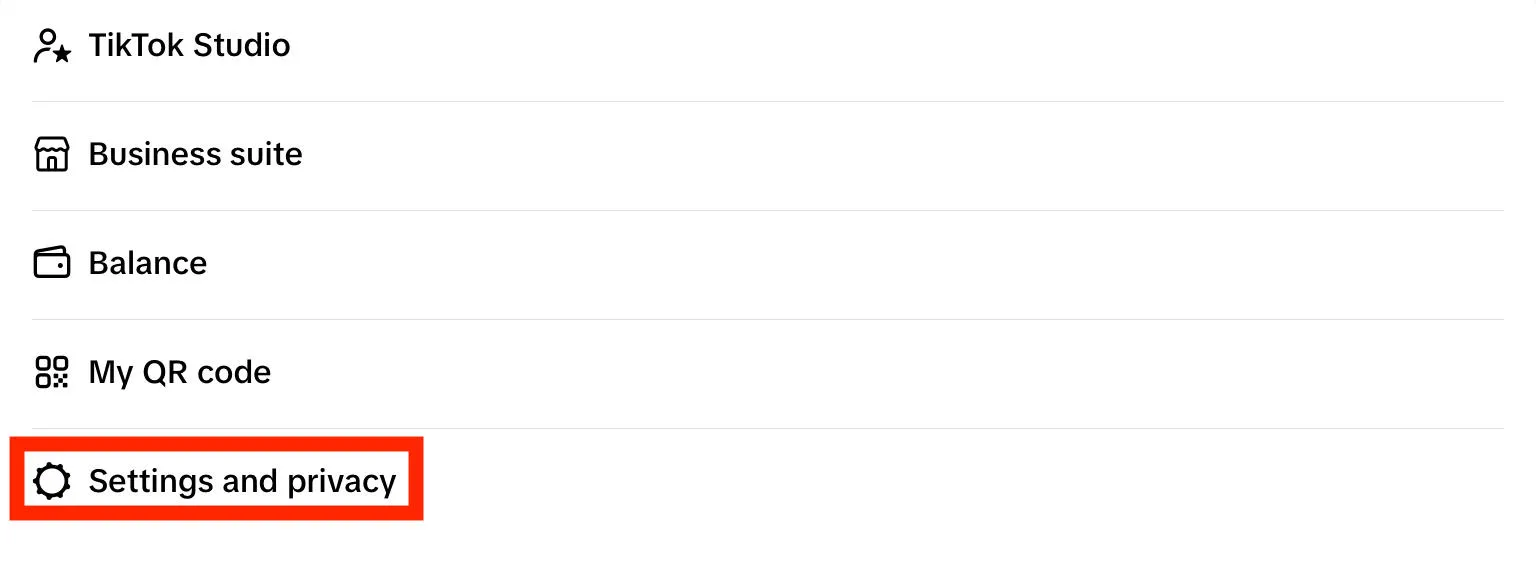
Tap Privacy.
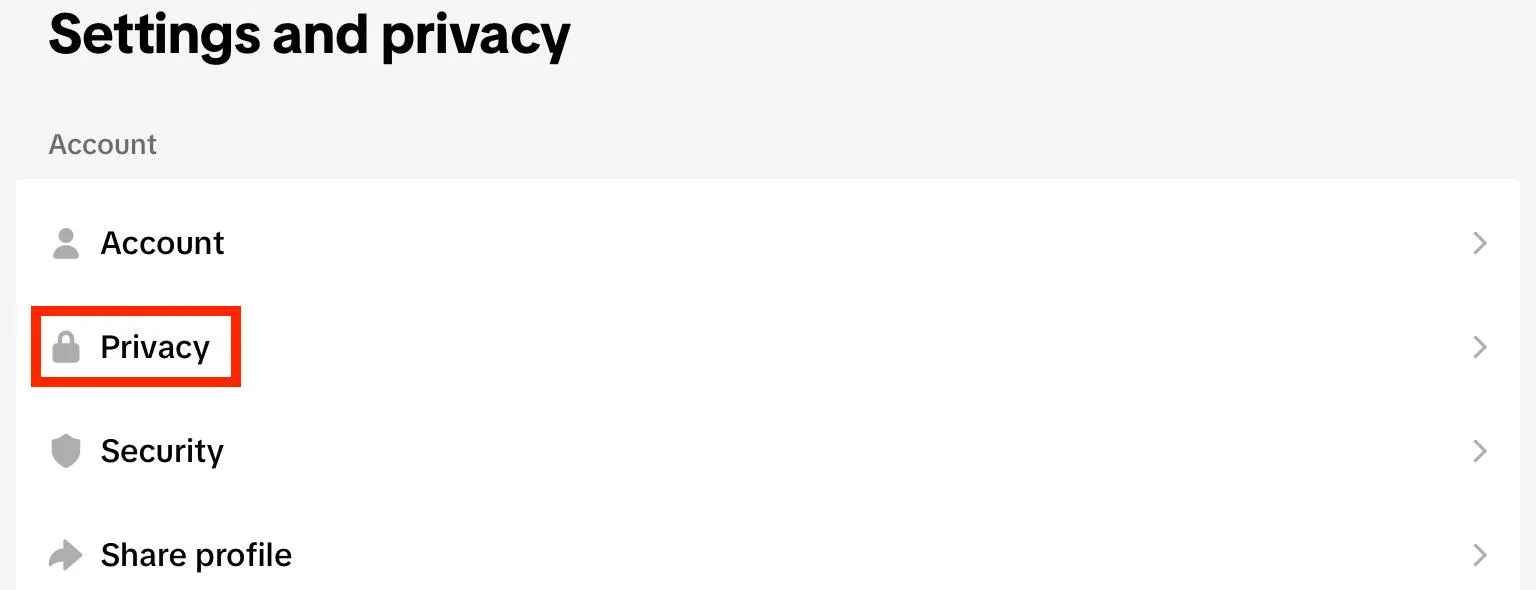
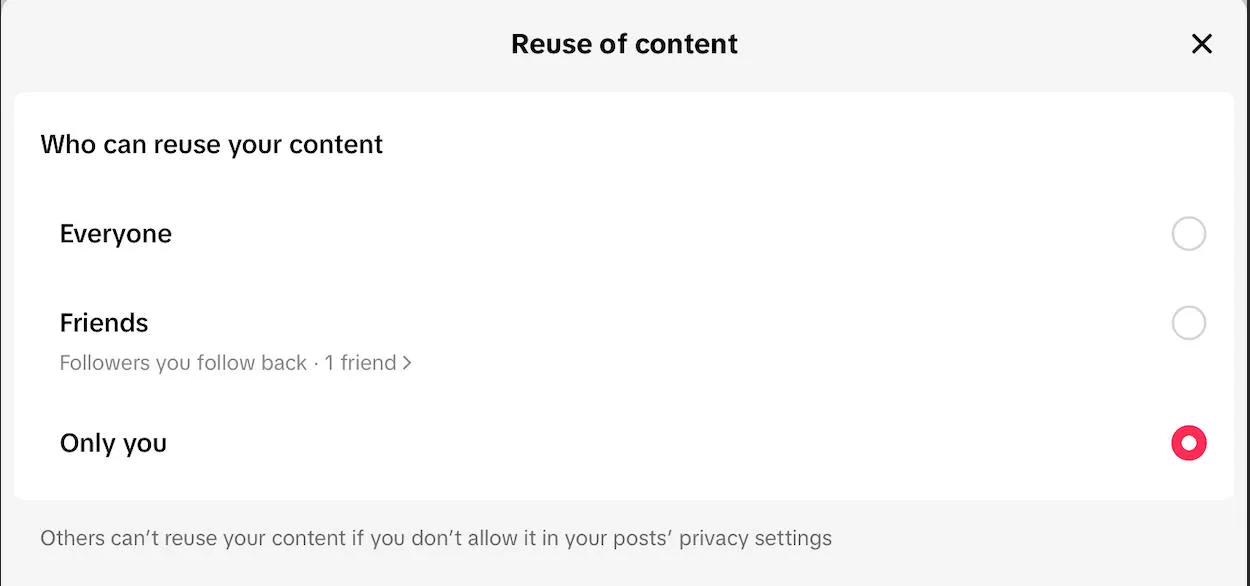
Scroll down to Interactions and tap Reuse of Content.
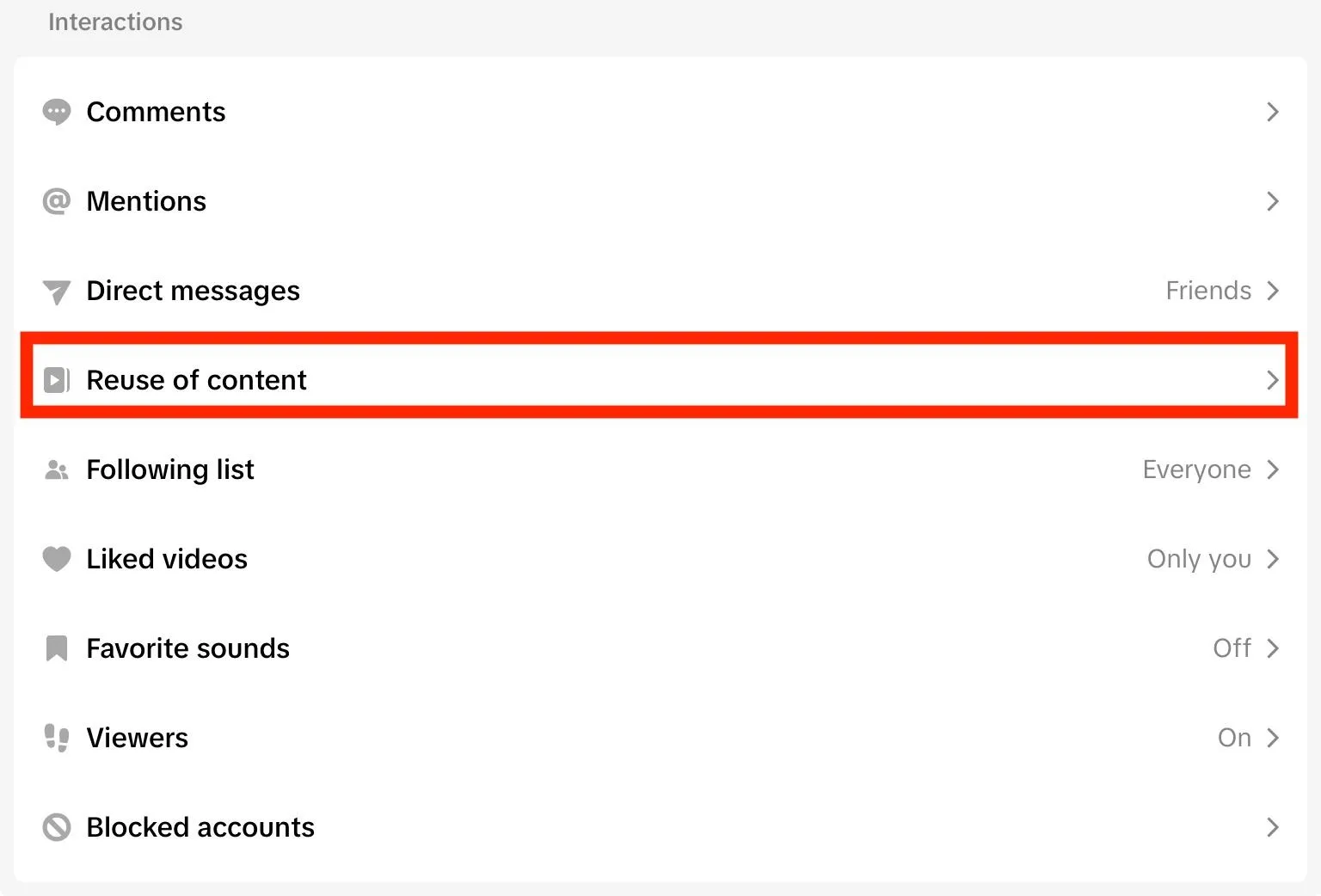
Tap Allow Reuse of Content From.
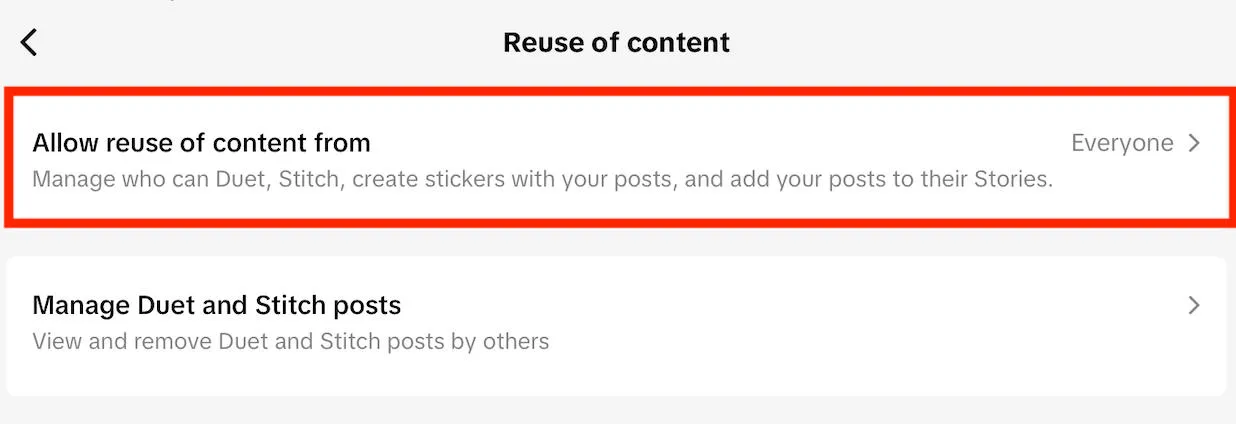
To disable reposts, select Only You.
How To See Reposts On TikTok
Not sure which videos you’ve reposted?
You can view your TikTok reposts from either the mobile app or desktop device in just a few steps.
On Mobile
Navigate to your profile page.
Tap the Repost tab.
On Desktop
Navigate to your profile page.
Click the Repost tab.
Who Can See Your Reposts On TikTok?
That depends on your TikTok account privacy settings.
If your TikTok account is public, anyone who visits your profile can see your reposts.
If your account is private, only approved followers can see your reposts tab.
Learn more about how to hide TikTok reposts.
How To Turn Off TikTok Repost Notifications
If you have reposts enabled but don’t want to be notified whenever another user reposts your videos, you can disable repost notifications via the mobile app.
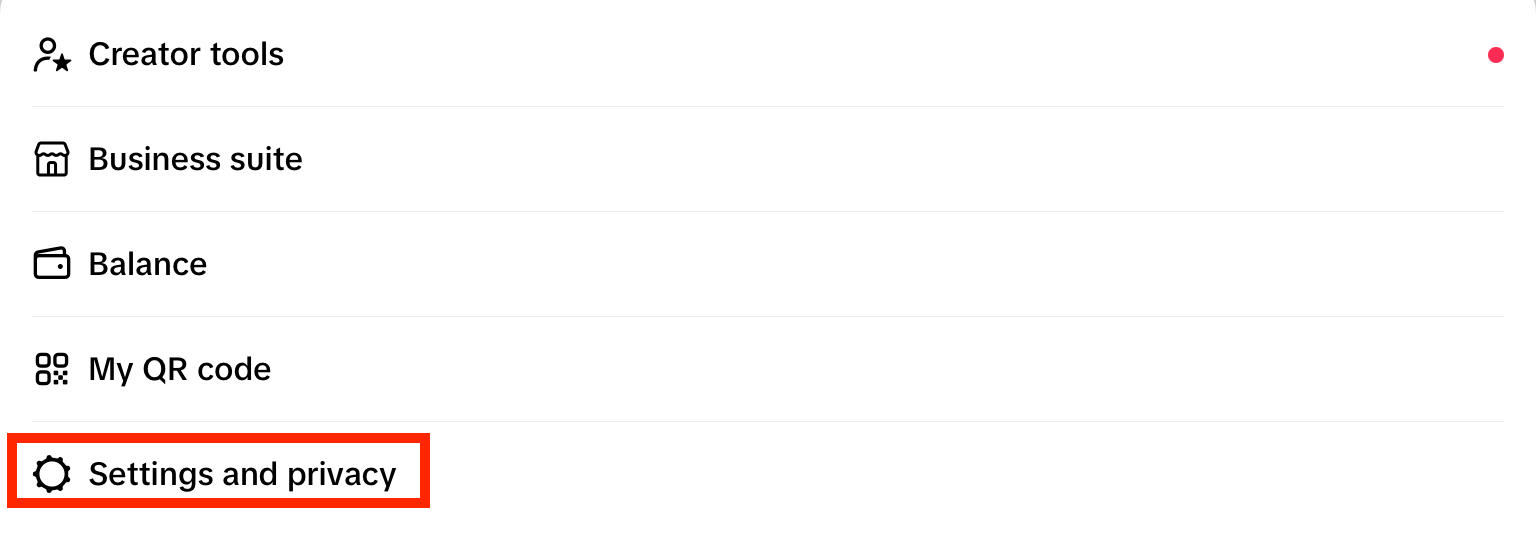
Visit your profile page and tap the three lines on the top right corner.
Tap Settings and Privacy.
Tap Notifications.
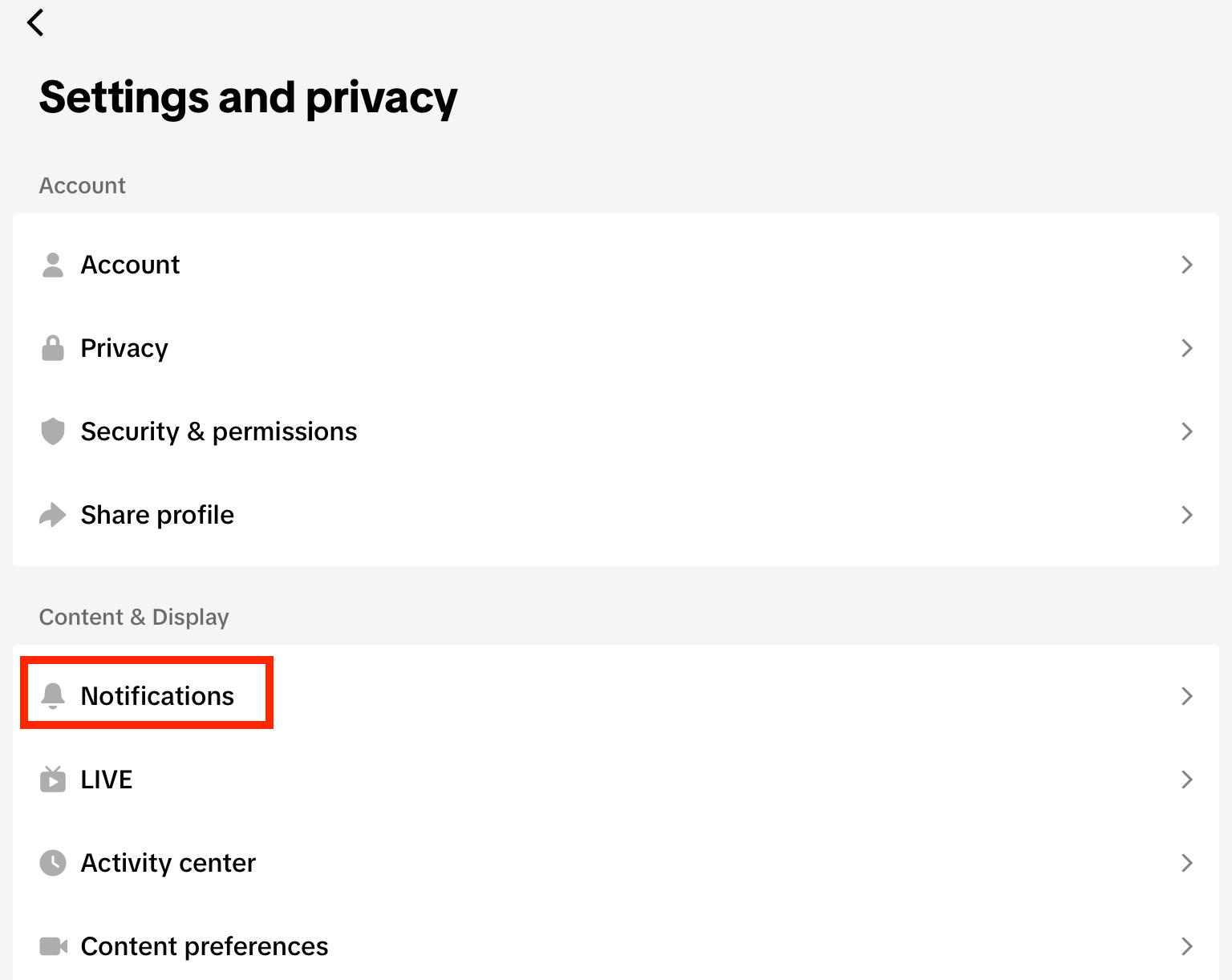
If push notifications are ON, toggle off Reposts individually.
Alternatively, turn push notifications OFF to toggle off all types of notification.
Frequently Asked Questions
How do reposts work on TikTok?
When someone reposts a video, the video is shared to their followers. It will appear in their profile under the Reposts tab, separate from their original content. If the original creator has repost notifications turned on, they’ll be notified whenever someone reposts their video.
Can I un-repost something from TikTok?
Yes, you can remove a repost from any video that you’ve reposted via the mobile app or desktop site by following the same steps you followed to repost it, and tapping the repost icon again.
Can you unpost a TikTok without deleting it?
Unposting a TikTok that you’ve reposted won’t delete the original video. If you want to hide a video that you posted originally, you can hide it by adjusting the privacy settings to Only Me.
How do I remove all reposts on my TikTok extension?
There are a variety of browser extensions claiming to be able to remove all TikTok reposts, but oftentimes they require access to your TikTok login information. Because of this, it’s best to avoid using any third party programs.
Is reposting the same as retweeting?
Yes, reposting a TikTok video is similar to retweeting a post on Twitter/X.
Can I un-repost something from TikTok?
Yes, you can remove a repost by tapping the repost button again.
Can you accidentally repost something on TikTok?
It would be difficult to accidently repost a video since you have to click the share icon and then tap the repost icon again.
Can you get sued for reposting content?
If you use the built-in TikTok repost feature, you’re not violating any rules. However, if you download someone’s content and post it as if it were your own, you could be violating copyright.
What steps do I follow to undo a repost on TikTok?
You can undo a repost by tapping the repost icon again on either the mobile app or desktop site.
I reposted a video by mistake - how can I reverse it?
Just tap or click the repost icon again. Keep in mind that the user might still receive a notification about your repost depending on how quickly you removed it, and whether or not they have push notifications active.
Is there a way to take back a repost on TikTok after sharing it?
Yes, just tap the repost icon again and the repost will be removed.
How do I un-repost a TikTok video so it stops showing to followers?
Tap the share icon and then tap Repost again until you see a popup confirming that the repost was removed.
Where do I find the option to remove a repost on TikTok?
You can remove your reposts via the Repost tab on your profile. From there, tap the Share icon then tap Repost again.
Why can't I undo a repost on TikTok?
There might be a glitch on the app or an issue with your internet connection. Try removing the repost from another device, and double check your Reposts tab to make sure it really went away.
What's the quickest way to cancel a repost on TikTok?
Long-press the Share icon and tap the yellow repost icon again.


