Currently, there is no way to hide your reposts from your TikTok profile, however, you can make your account private so that only your approved followers can access this feature, and you can also turn off repost notifications.
Key Points:
- How To Make Your TikTok Account Private
- How To Turn Off Repost Notifications
- Frequently Asked Questions
How To Make Your TikTok Account Private
When you make an account private, only approved users and viewers can access your latest video content, use the share button on your content, and view your profile tabs.
You can make your account private via either the TikTok desktop platform or the app by following the steps below:
On Mobile
Visit your profile page and tap the three lines on the top right corner.
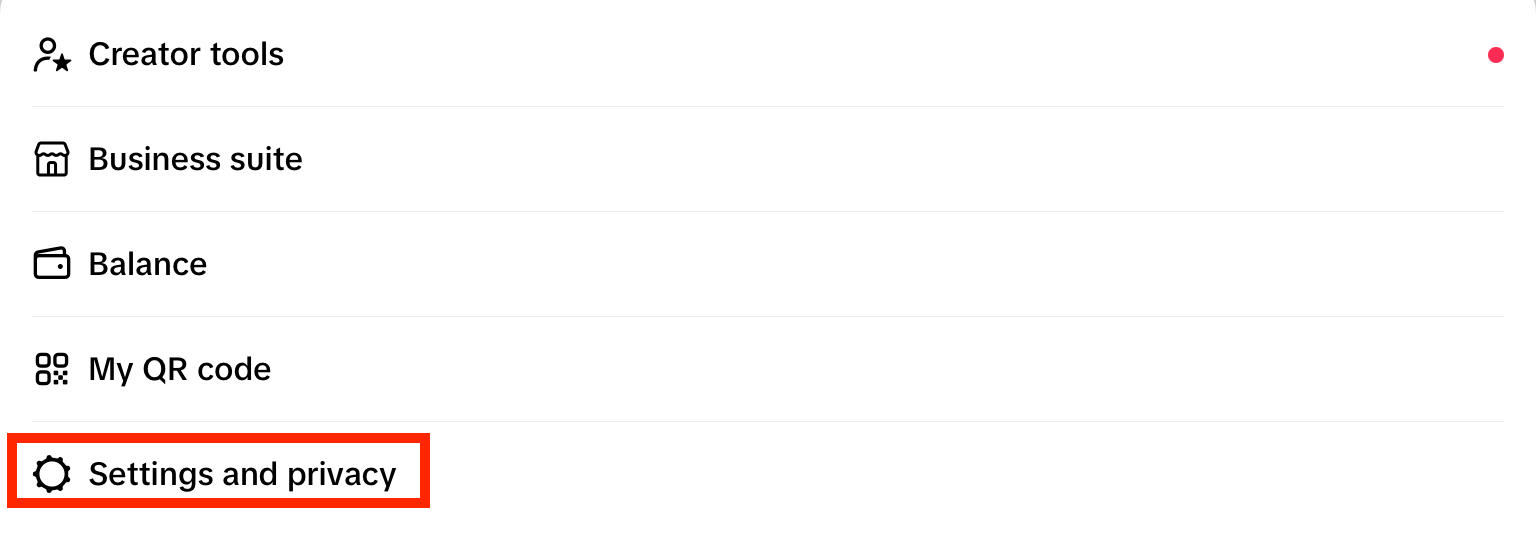
Tap Settings and Privacy.
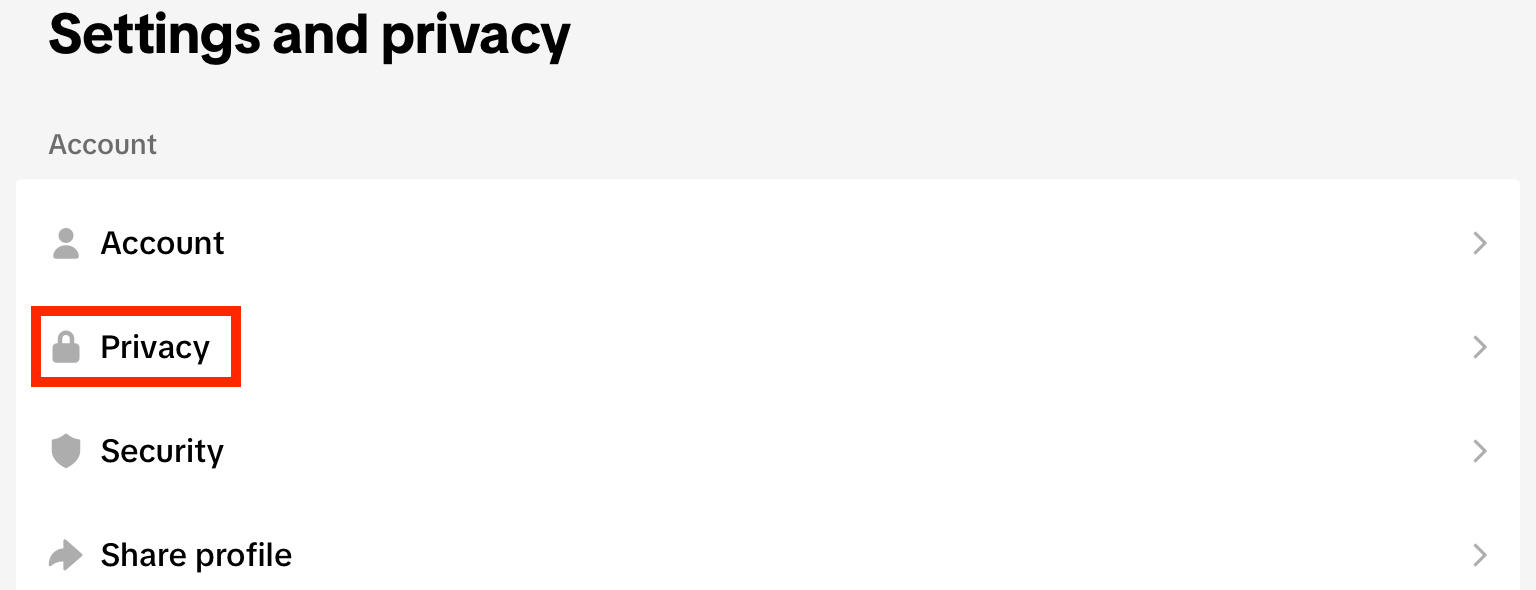
Tap Privacy.
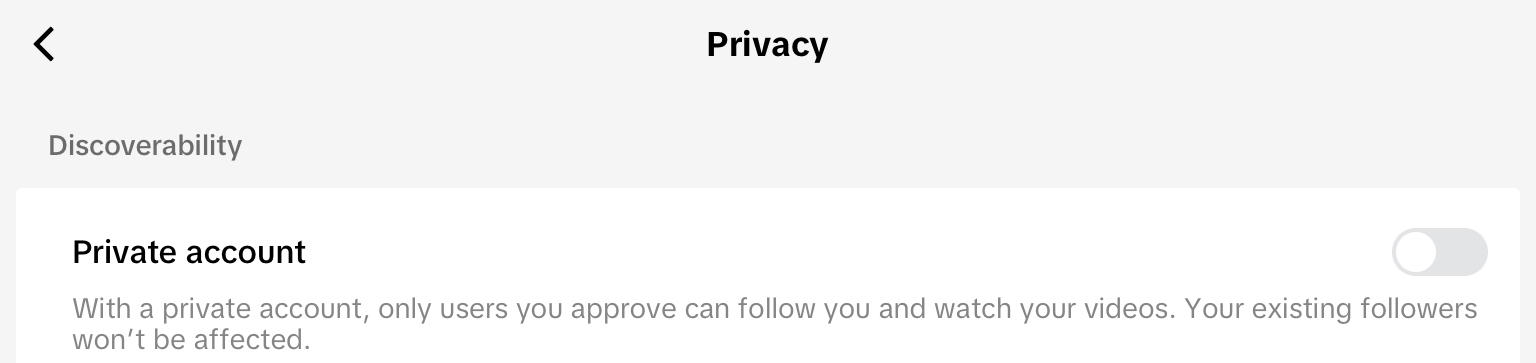
Toggle on Private Account.
On Desktop
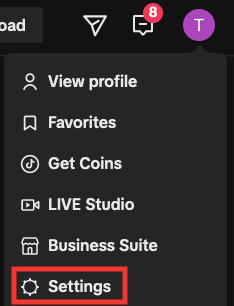
Click your profile photo on the top right corner.
Click Settings.
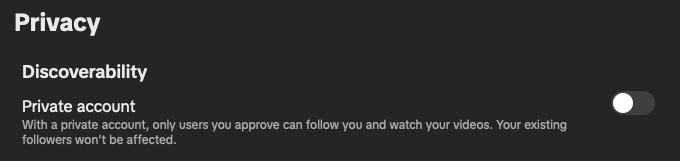
Under Privacy, toggle on Private Account.
How To Turn Off Repost Notifications
You can toggle your notification settings via the TikTok app.
Visit your profile page and tap the three lines on the top right corner.
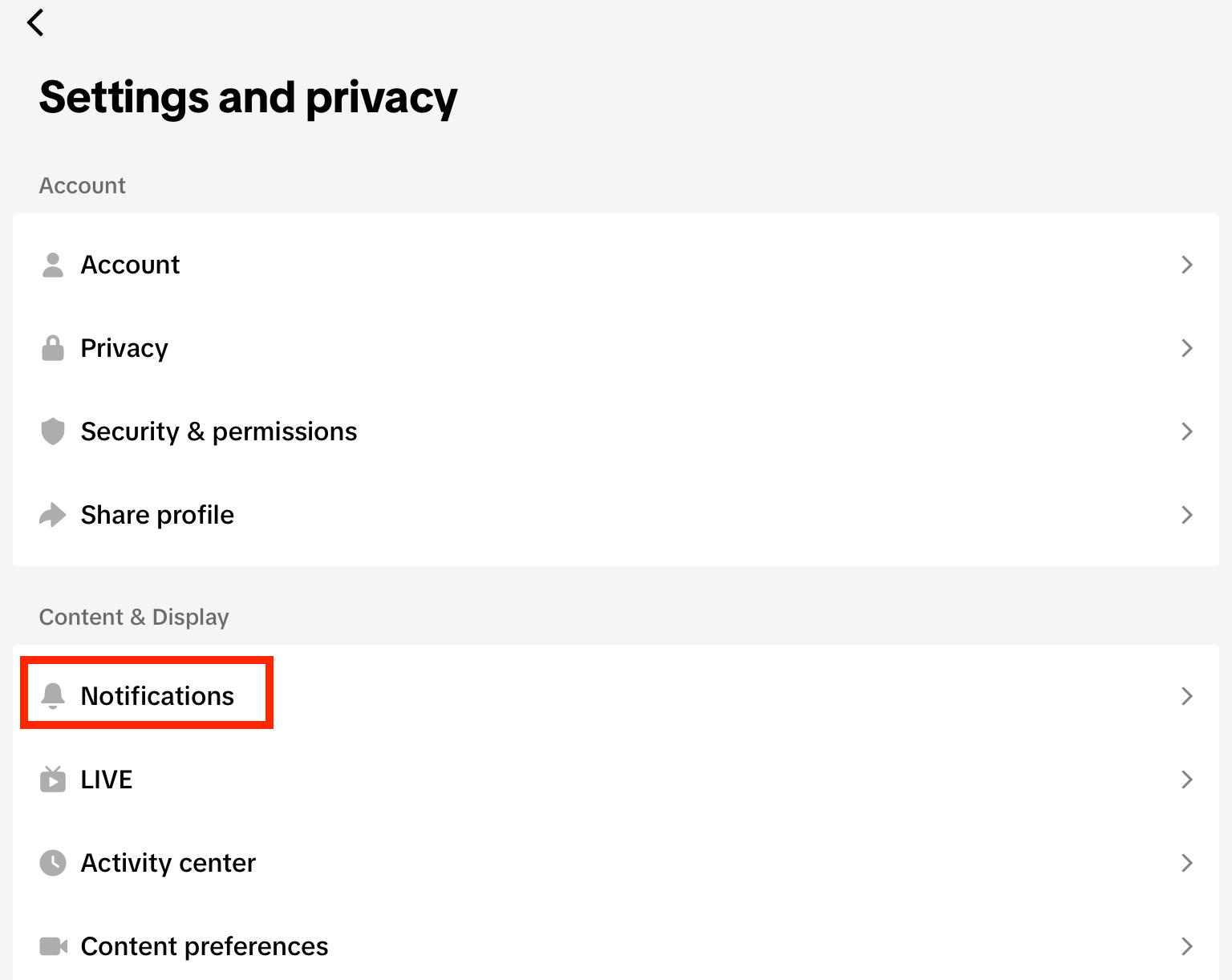
Tap Settings and Privacy.
Tap Notifications.
If push notifications are ON, toggle off Reposts individually.
Alternatively, turn push notifications OFF to toggle off all types of notification.
Frequently Asked Questions
Can you select who sees your reposts?
Only if your account is private - but in this case only approved followers can see your reposts tab.
How do I change the repost settings on TikTok?
You can turn off repost notifications by following the steps outlined here.
Can anyone see my reposts if I'm private?
Yes, only approved followers.
How do I manage TikTok reposts?
You can keep your reposts private to the public by changing your TikTok account to private. Learn how here.
What's the 3 second rule on TikTok?
The 3 second rule states that you should try to capture your audience's attention within the first 3 seconds of your video, otherwise you risk losing interest.


