Comments are a great way to build a vibrant community around your content, but sometimes you might not want to open things up for discussion.
In today’s guide, you’ll learn how to hide comments on TikTok, whether you’re hiding a specific comment or want to disable comments across all videos on your profile.
Let’s get started…
Key Points:
How Do You Hide Comments On TikTok?
You can hide comments by adjusting the settings on your videos or on your entire profile to disable comments.
You can also choose to delete a comment, or multiple comments, if you just have an issue with specific engagements.
These settings only apply to videos that you post on your profile.
You can’t hide comments across other users’ content, including individual comments.
If you have an issue with a specific comment someone made on another users’ video, your best bet is to report it.
Reporting TikTok Comments
Open the video and long-press the comment.
Tap Report.
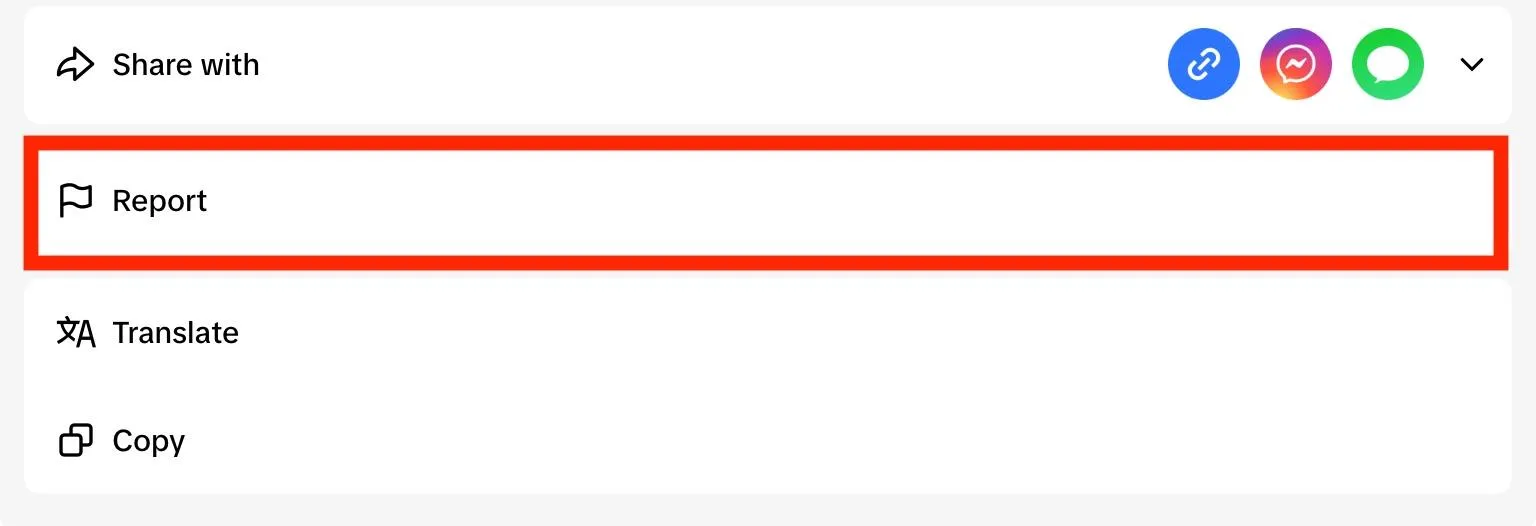
Select the reason for your report.
Input any additional details and tap Submit to complete your report.
How Do You Turn Off Comments On A Video?
If you’d like to hide all of the comments on a specific video, you can disable comments for that video by following the steps below.
Open the video you want to turn off comments for.
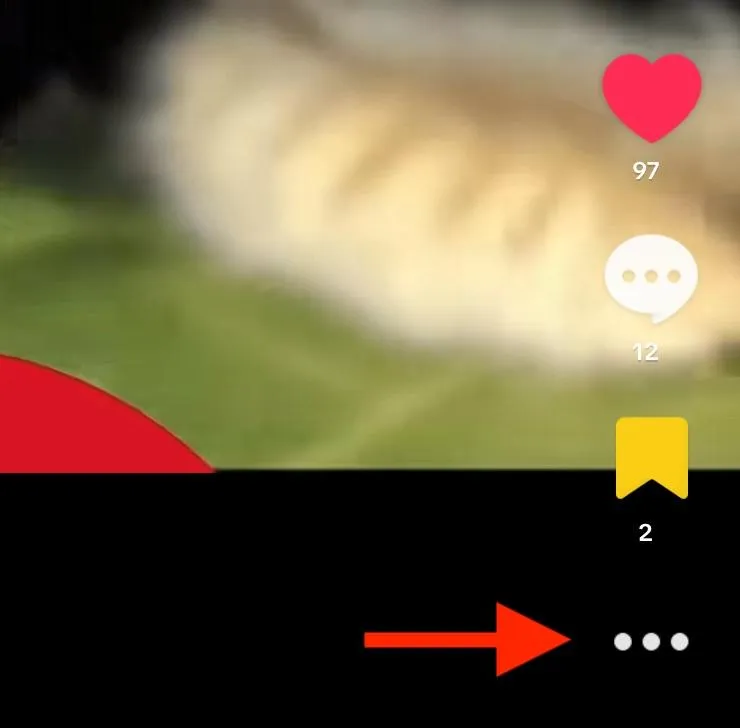
On mobile, tap the three dots on the bottom right corner.
Swipe left and tap Privacy Settings.
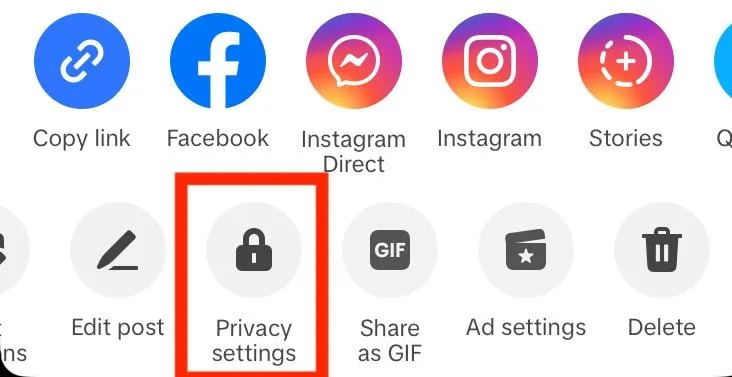
Toggle Allow Comments to OFF.
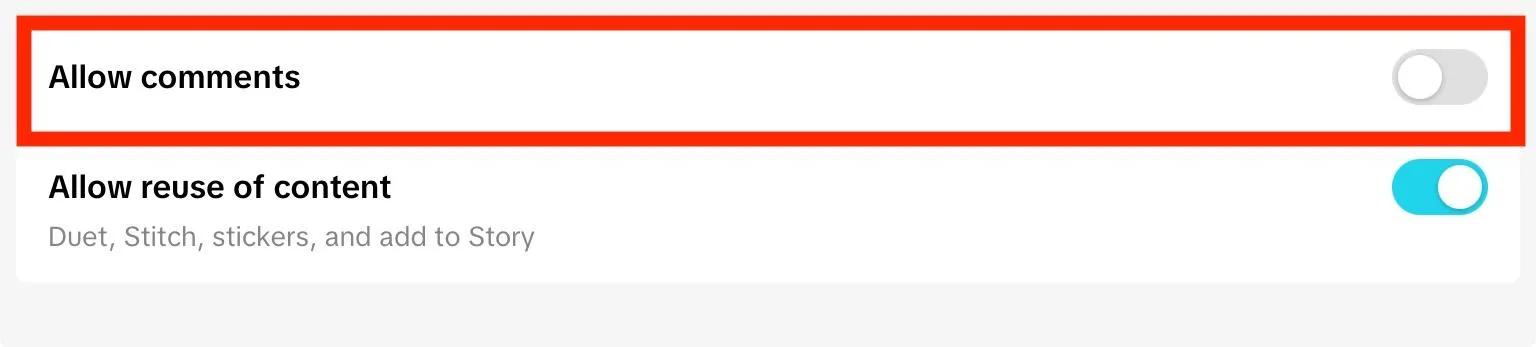
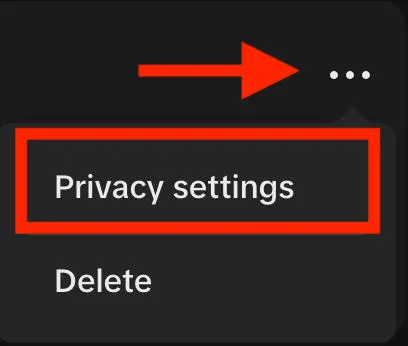
On desktop, click the three dots on the top right corner.
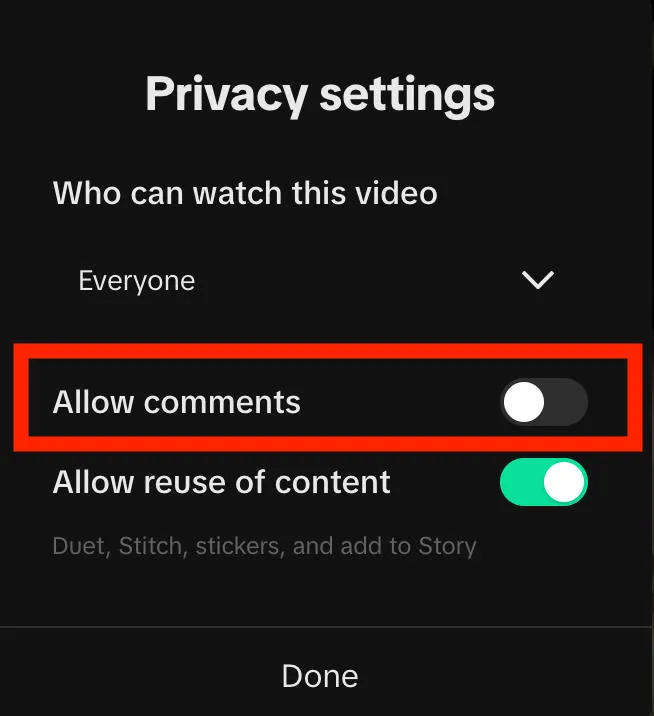
Click Privacy Settings.
Toggle Allow Comments to OFF.
How To Turn Off Comments On All Videos
From your profile page, tap the three lines on the top right corner.
Tap Settings & Privacy.
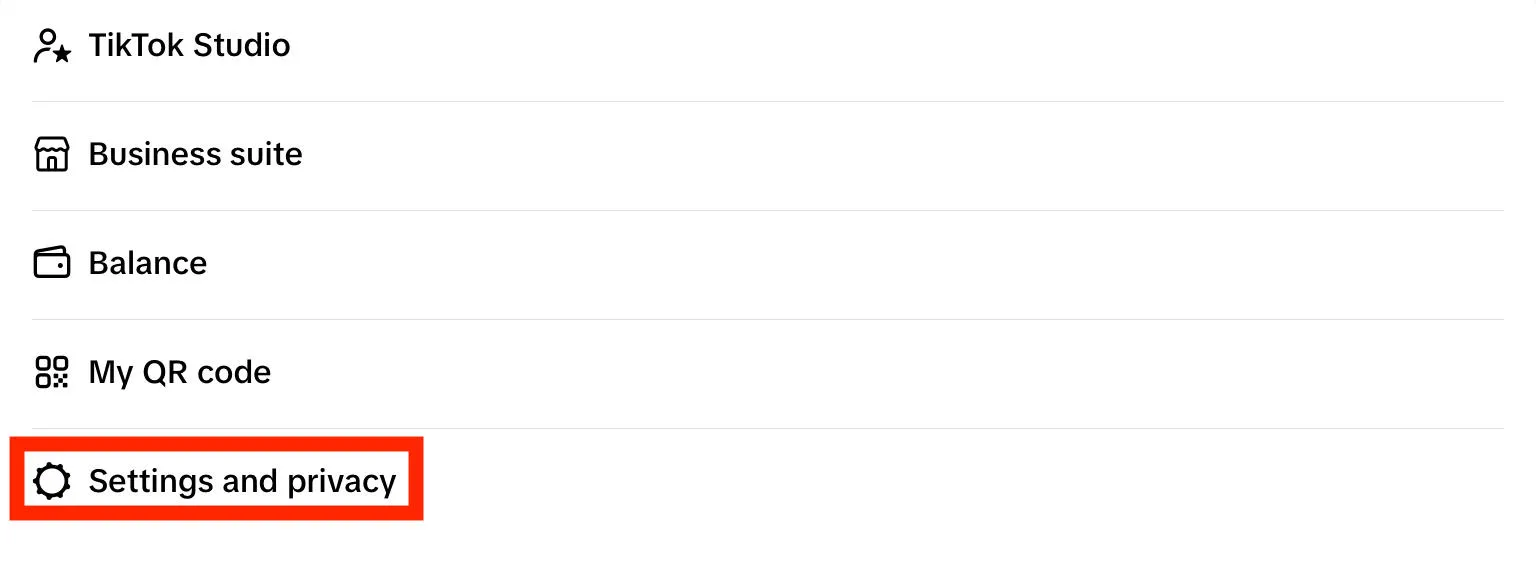
Tap Privacy.
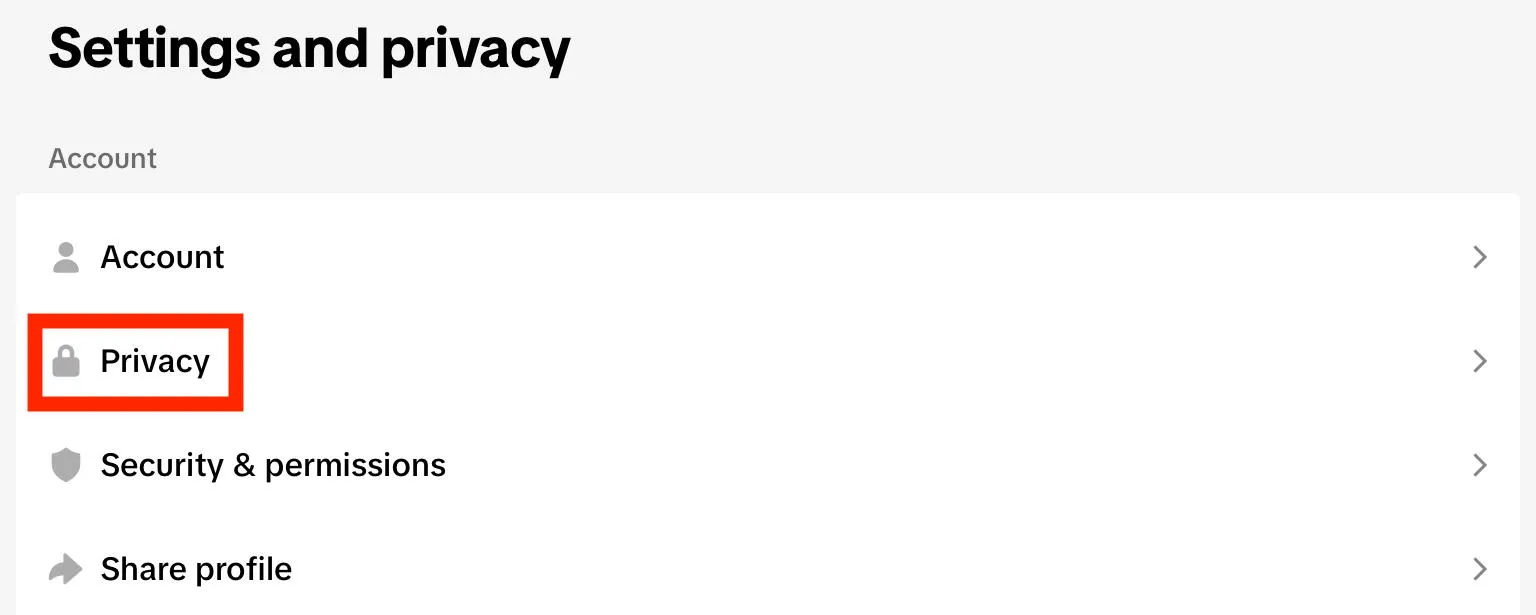
Under Interactions, tap Comments.
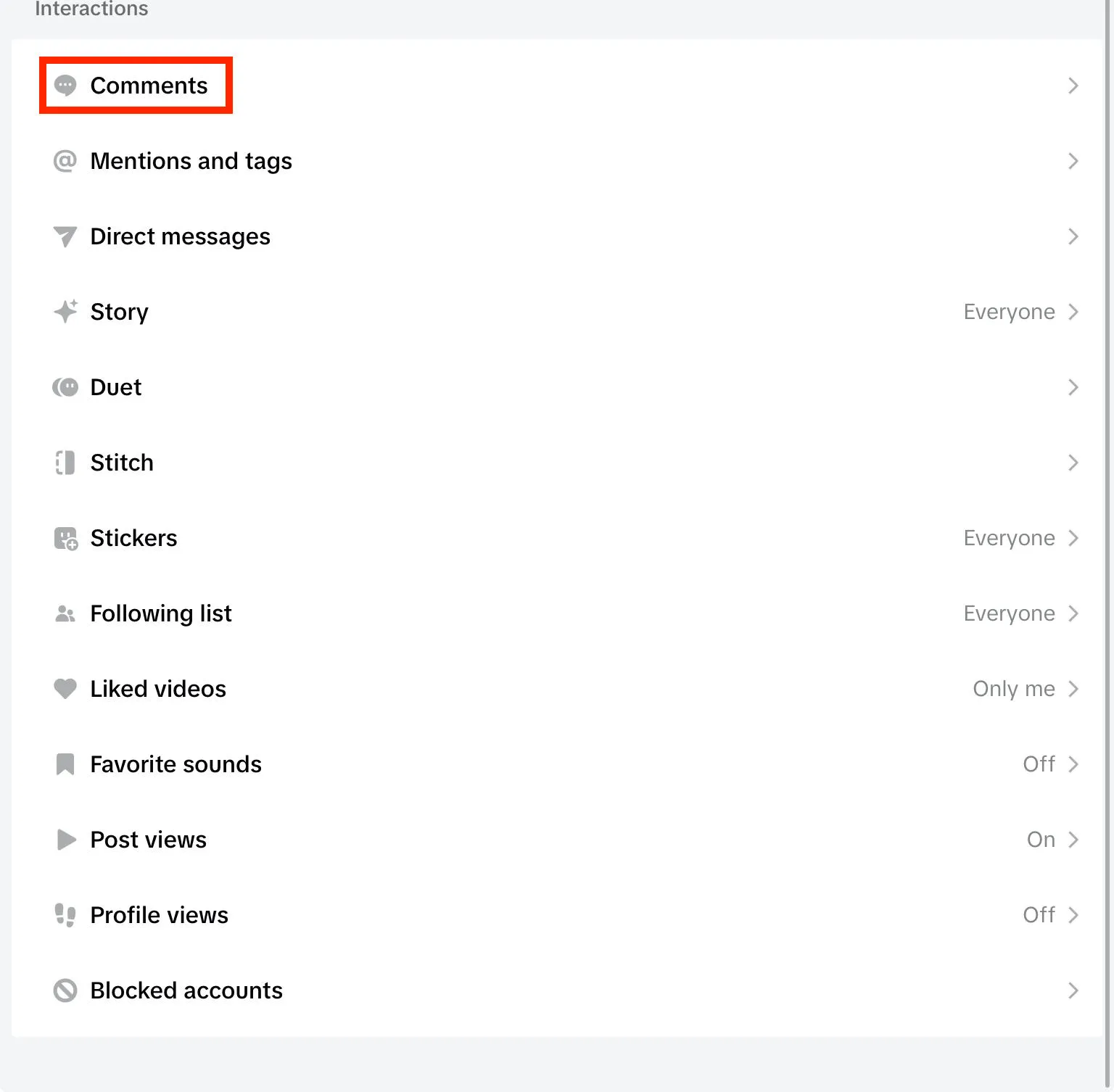
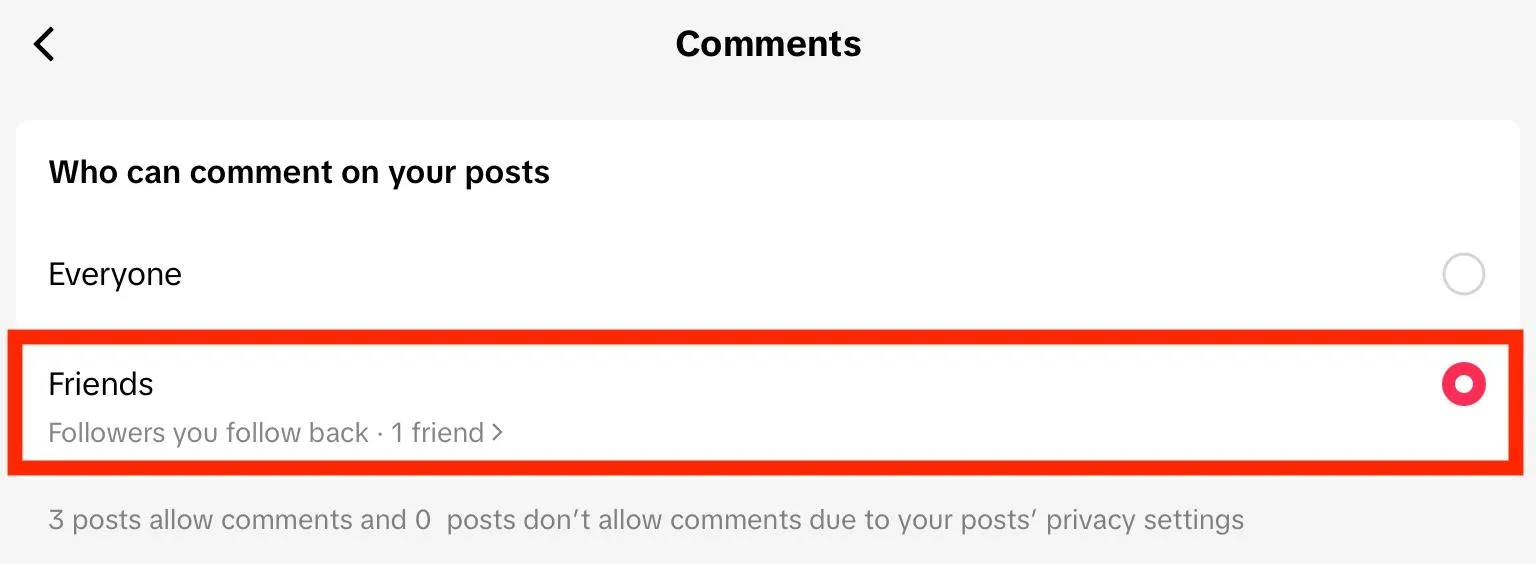
Tap Allow Comments From.

Change it to Friends. These are followers who you follow back, which means that the general public won’t be able to comment on your videos by default.
Finally, follow the instructions outlined here to disable comments entirely for each specific video.
How To Turn Off TikTok Comments On LIVE
If you’d rather not allow users to comment while you livestream, you can choose to disable comments on TikTok LIVE.
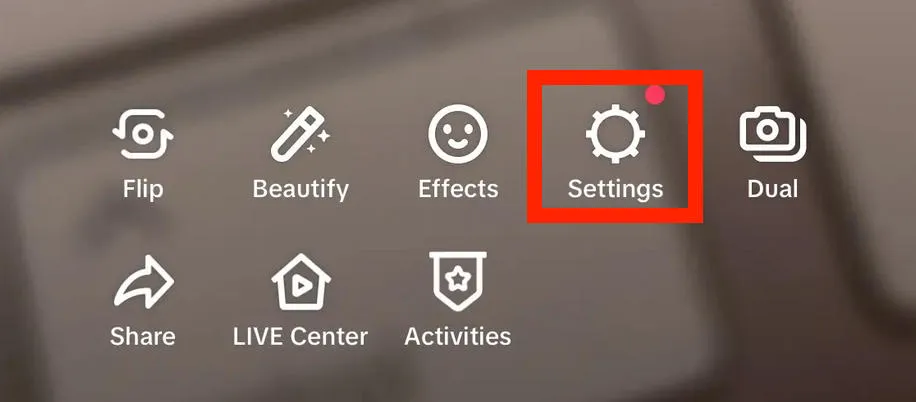
Tap the plus sign at the bottom of your screen, then swipe to LIVE.
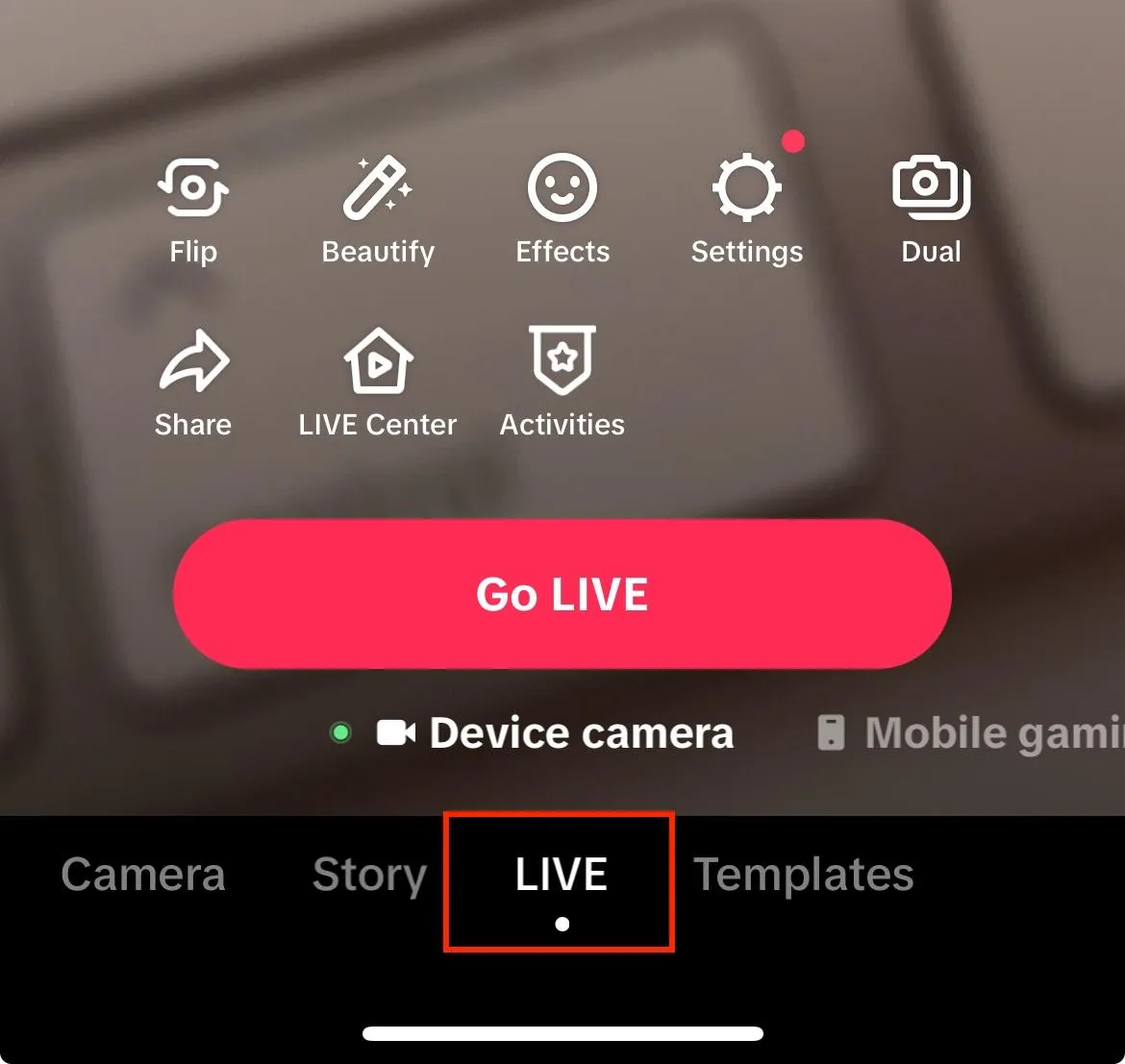
Tap Settings.
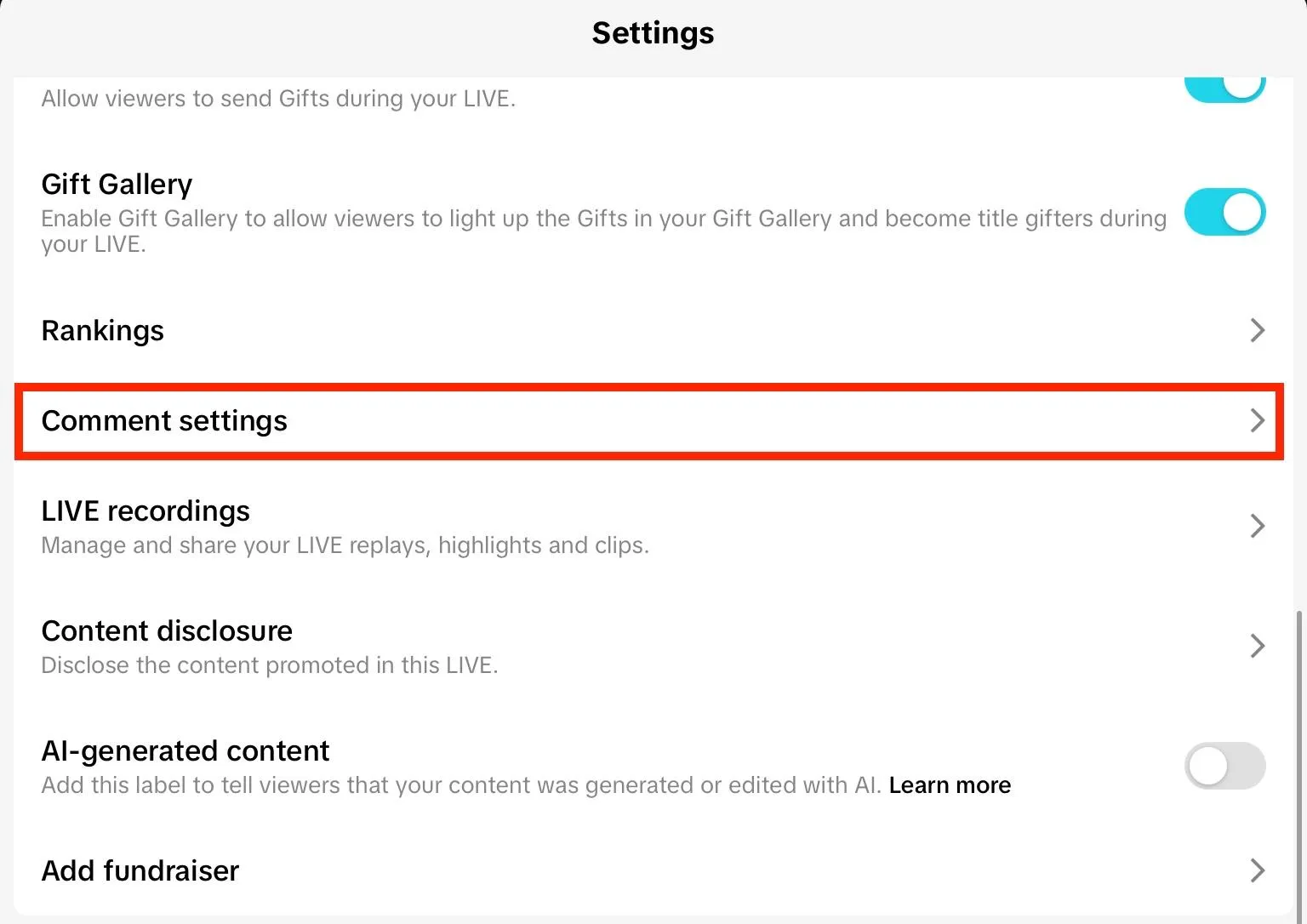
Scroll down and tap Comment Settings.
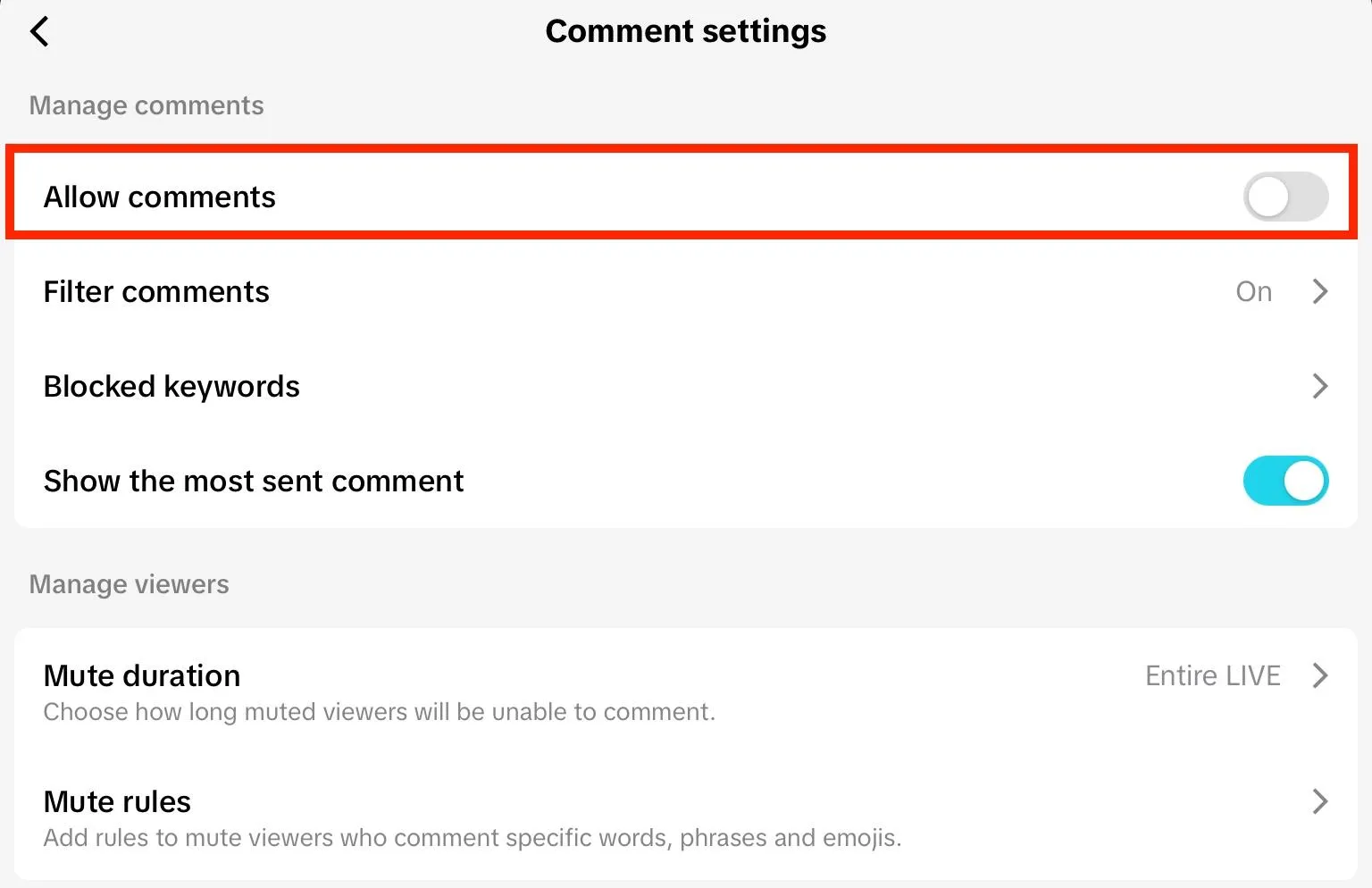
Toggle Allow Comments to OFF.
How Can I Hide My Comments From My Followers?
Users have no way of seeing a specific profile’s comment history. This is only available within your own account settings.
If you want to restrict a specific follower from being able to see when you comment, your best bet is to block them.
How To Prevent Someone From Commenting On TikTok
Tired of seeing comments from a specific user? You can prevent them from commenting or viewing your content at all by blocking them or by adjusting your video’s audience settings.
Blocking Users On TikTok
To block someone, tap their username to visit their profile page.
Tap the Share icon on the top right corner.
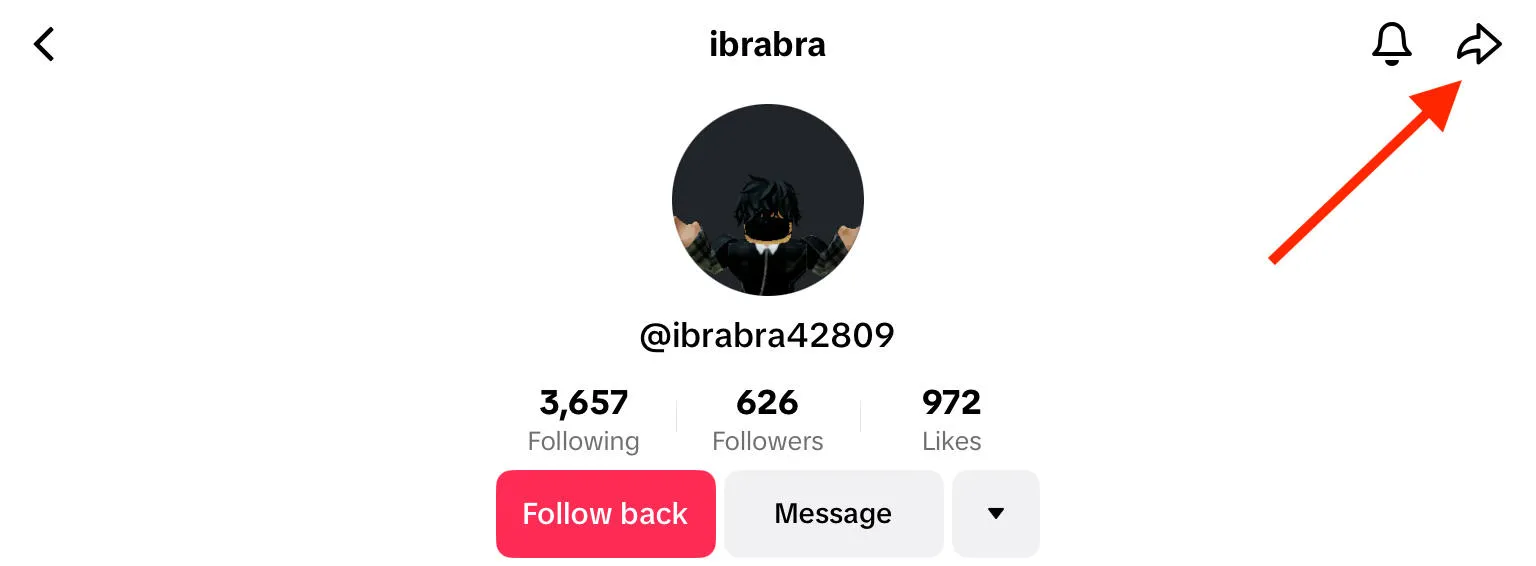
Tap Block.
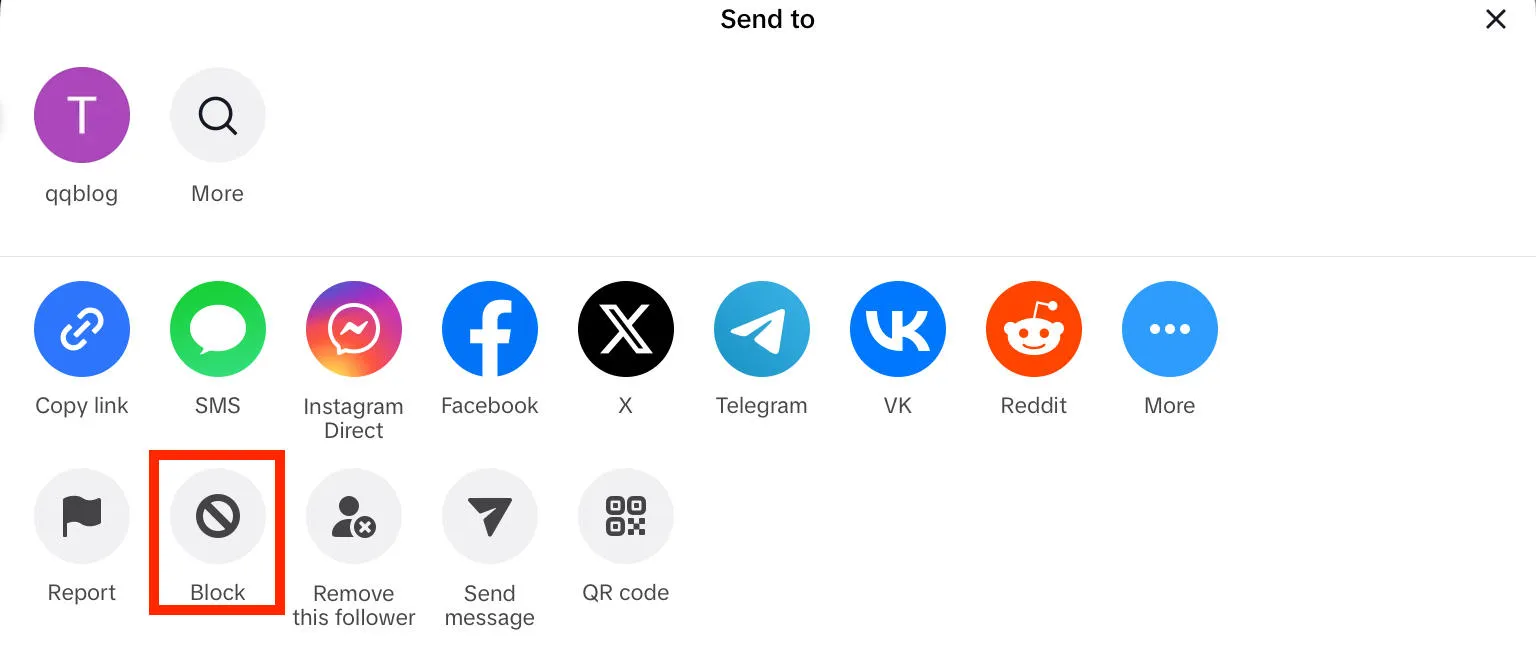
Confirm your decision.
Adjusting TikTok Video Audience Settings
Open the video and tap the three dots on the bottom right corner.
Tap Privacy Settings.
Under Who Can Watch This Video choose Friends or Only You.
How To Make An Invisible Comment On TikTok
Invisible comments, also known as ‘blank comments’, are comments that don’t include any text but rather several lines of white space.
To create an invisible comment, first copy an invisible character from a site like Editpad.
Then, open the video of your choice and paste the character into the comment field.
Post your comment - it will appear as a blank line.
Can You Turn Off Comments On TikTok As A Viewer?
No, there’s no way to turn off comments across the entire app as a viewer.
The only way to disable comments is on your own content, either for individual videos or across your entire profile.
Why Are Some TikTok Comments Not Showing?
If you see an engagement count on a video, but the comments aren’t showing, run through the following troubleshooting steps to resolve it.
Restart The App
First, close TikTok and reopen it. Sometimes simple glitches can be resolved by doing this.
Check Your Connection
Make sure your WiFi or data connection is strong. If it is, test TikTok from another device to see if the comments are still not appearing.
Make Sure TikTok Isn’t Down
Check TikTok’s status page to make sure there aren’t any widespread issues happening with the platform. If there are, your best bet is to just sit it out until it’s been resolved.
Uninstall & Reinstall
Next, delete the TikTok app from your device and reinstall it. This can help clear cache and refresh app performance.
If It’s Just Your Comments…
If you’re having trouble seeing your specific comments, first make sure that you haven’t been blocked or restricted by the specific account.
Try to view your comments from another profile, or while logged out, to see if they’re appearing for others.
It’s also possible that the creator disabled comments for that video or for their entire profile, either during creation or after posting it.
How To Buy TikTok Comments
You can also add more TikTok comments by purchasing high-quality TikTok engagement from a provider like QQTube.
By doing this, you can increase the total number of comments on your videos making your content appear more popular and increasing the chances of your profile being recommended to more users.
Additionally, it helps grow your online community and maintain conversations between viewers.
To get started, create your free QQTube account by clicking Sign Up here.

Once you’re logged in, click Go To Account.
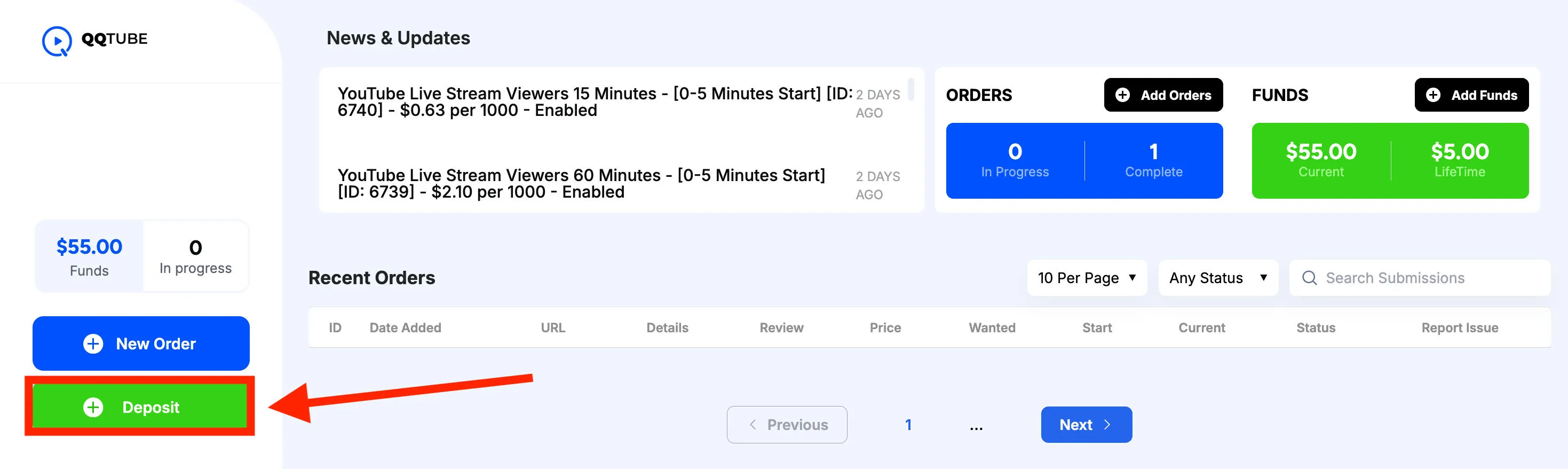
From your customer dashboard, click Deposit to add funds to your account.
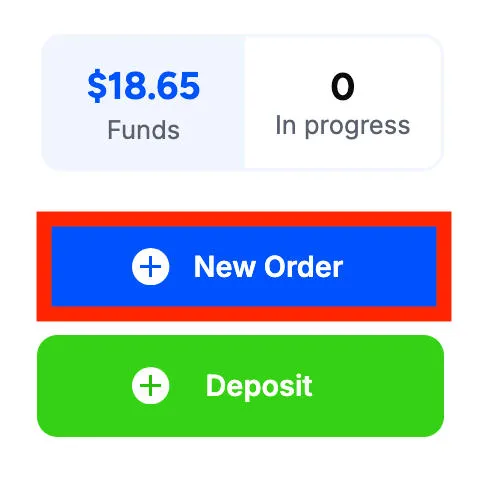
Then click New Order.
In the first drop-down menu, select TikTok Comments.
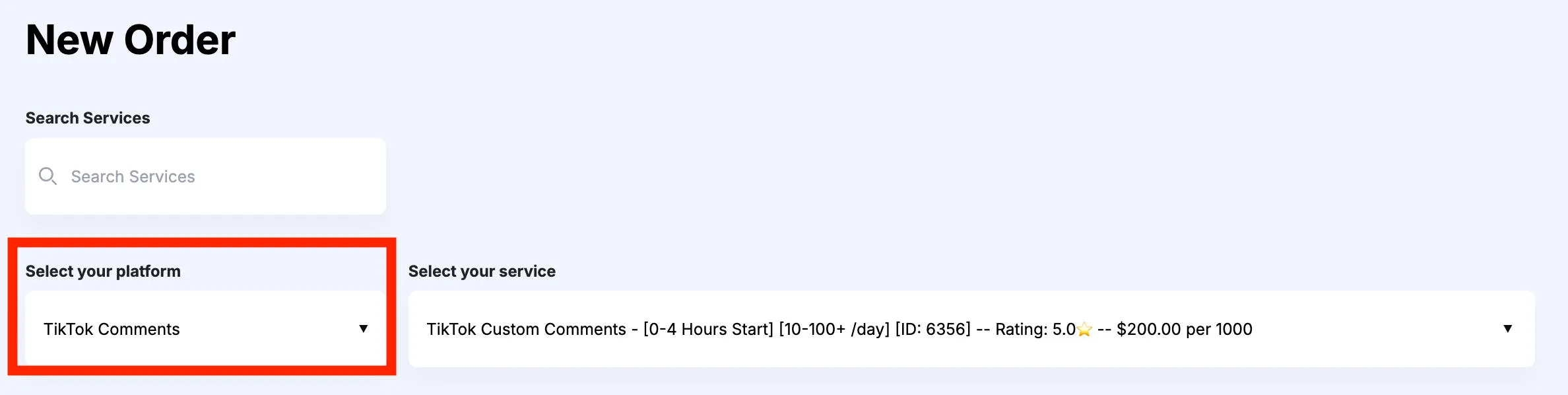
In the second drop-down menu, select the specific service you wish to browse.
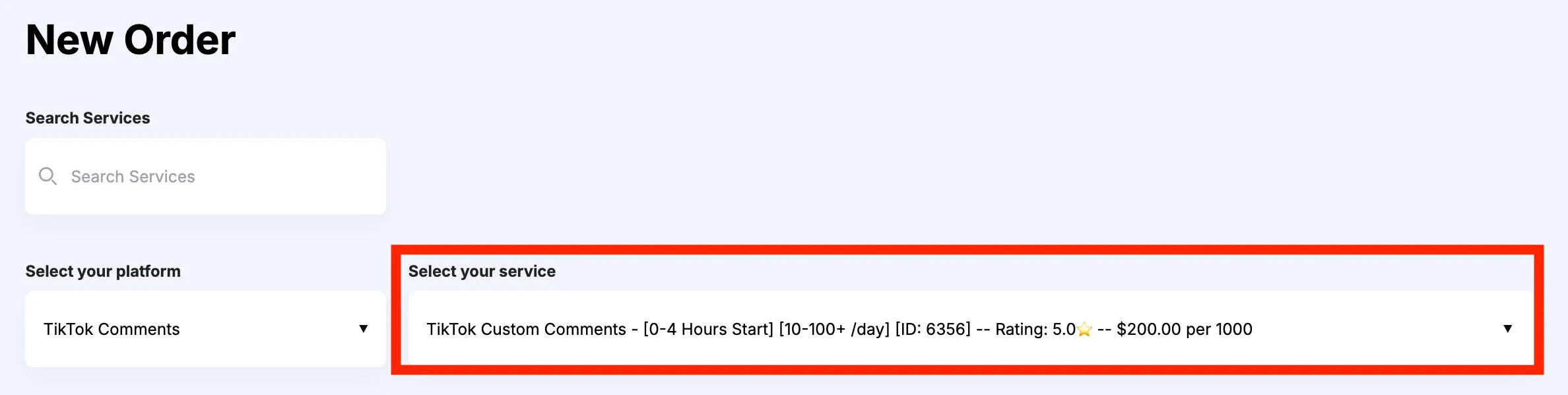
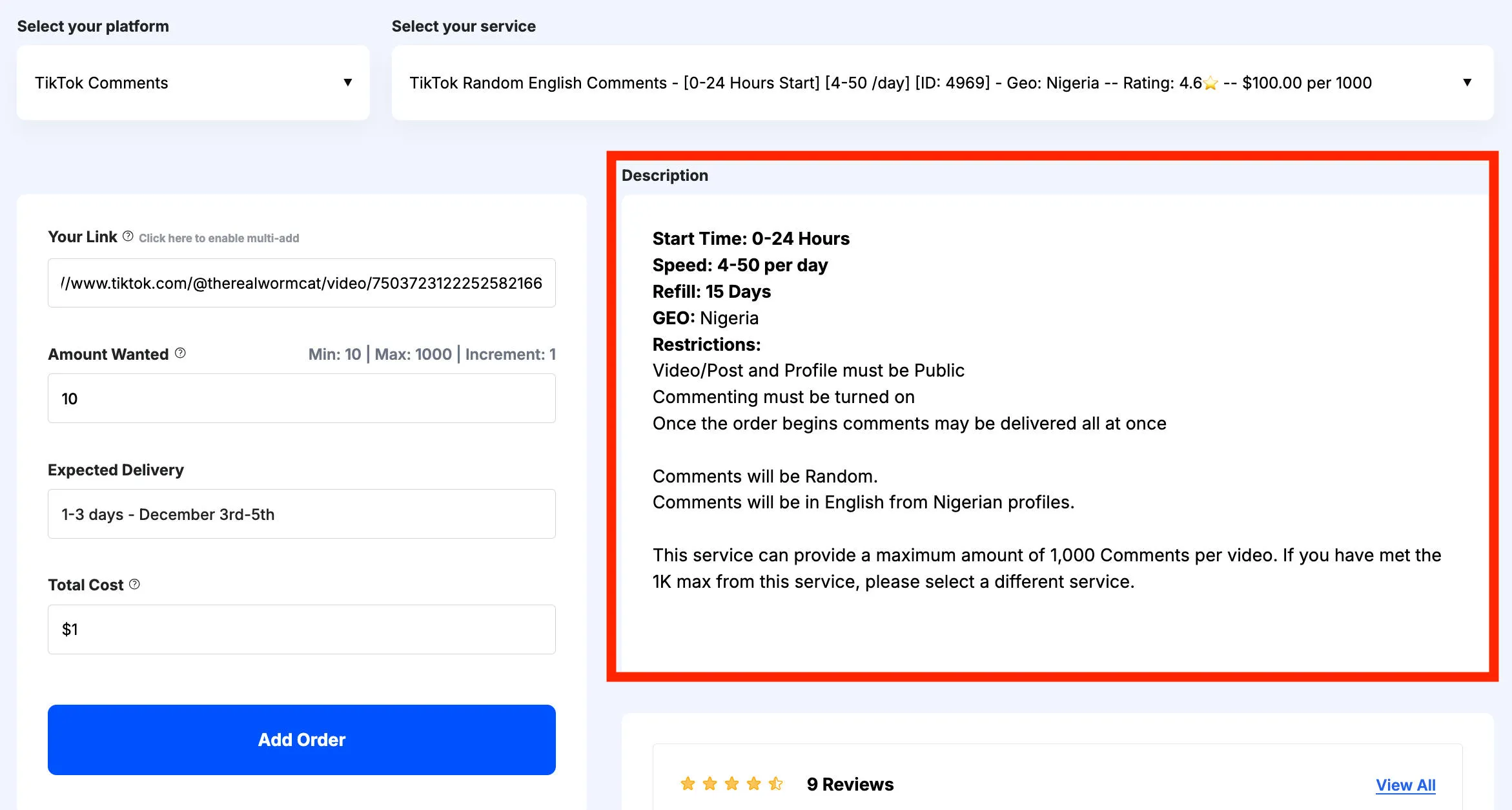
You can compare services by customer review, start time, delivery speed, price, and more.
The service description box will provide additional information about each service.
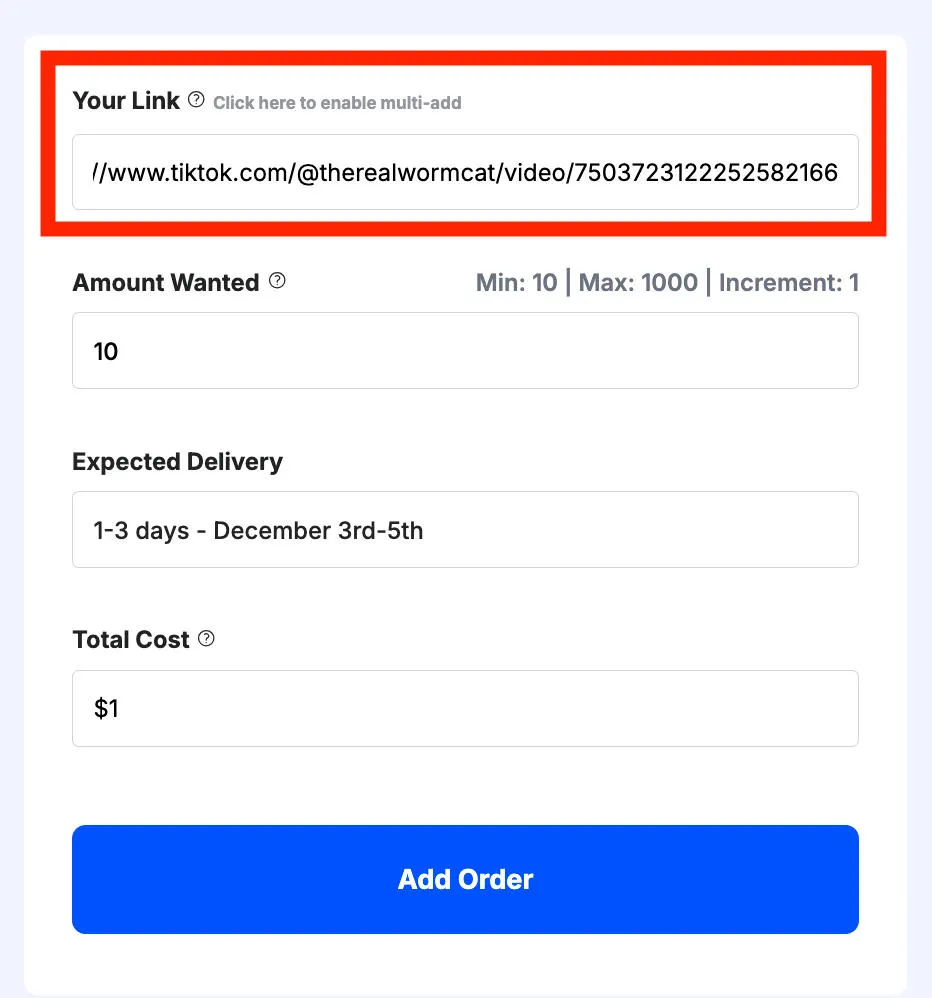
When you’re ready, input the link to your TikTok video in the URL box.
Then input the desired quantity of comments.
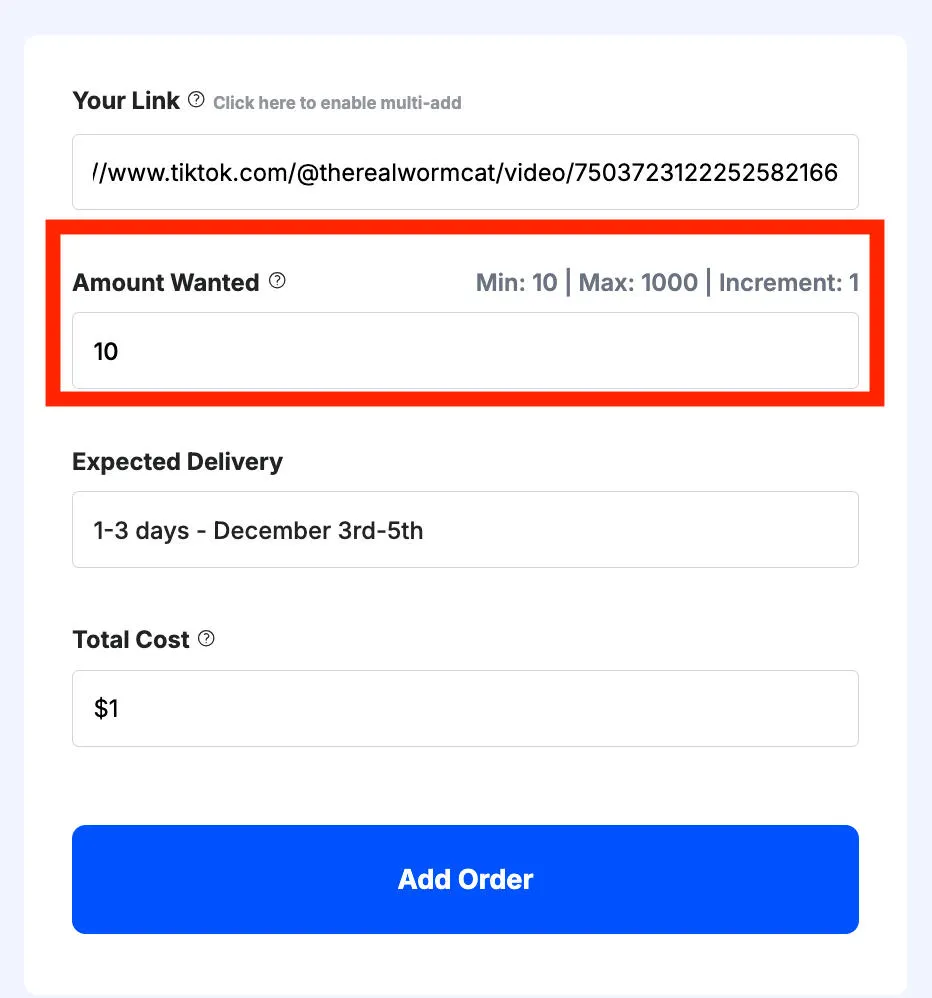
Your price will be automatically calculated for you before you submit your order.
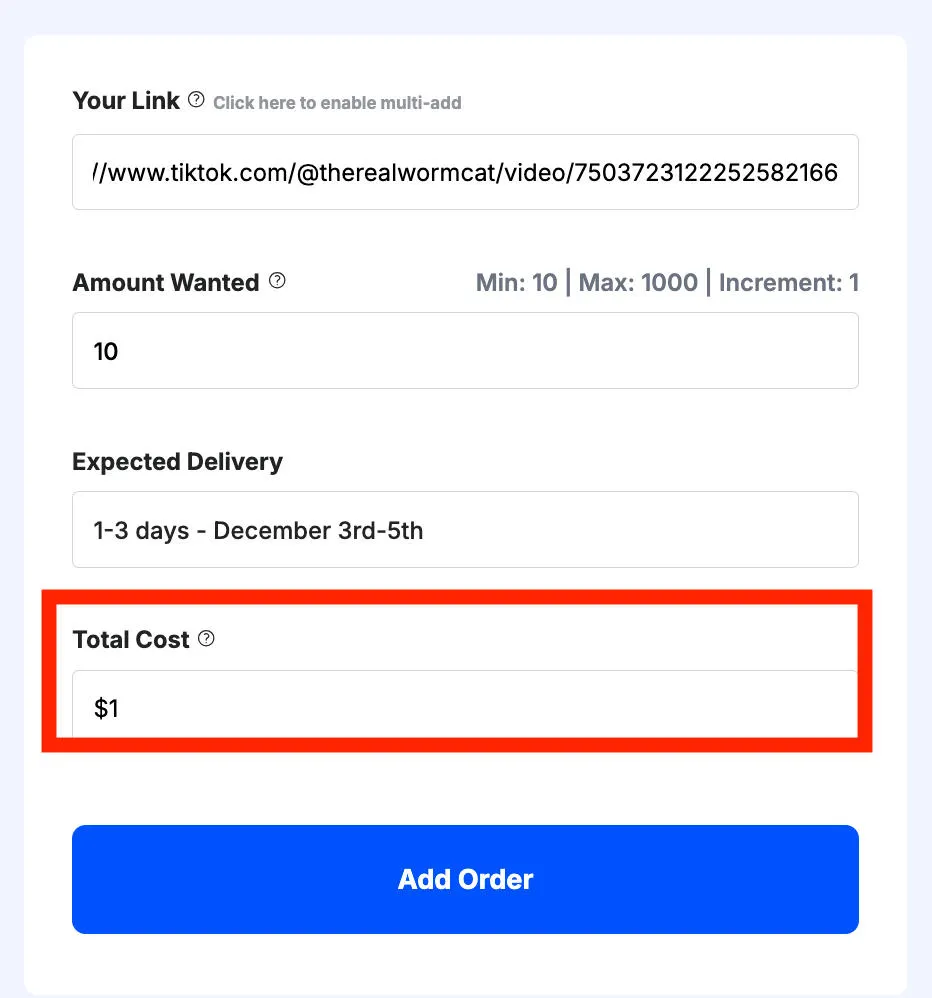
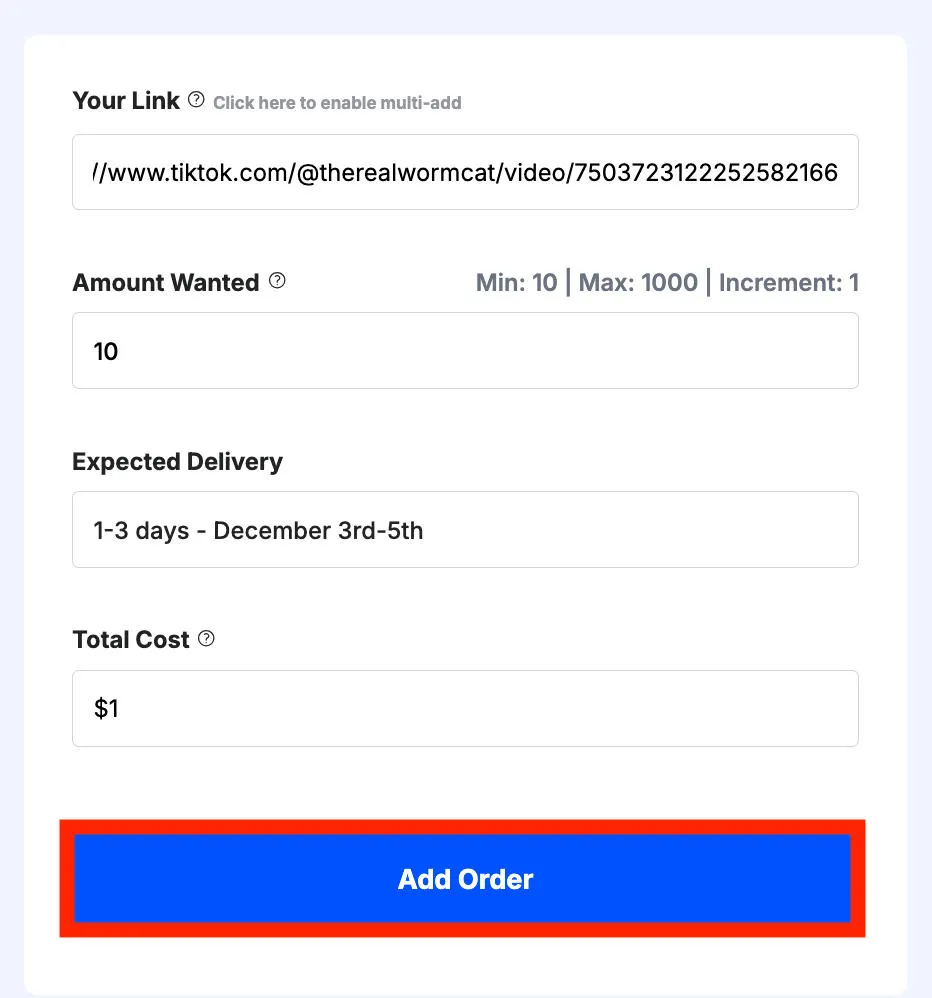
Once you’re satisfied with the order information, click Add Order.
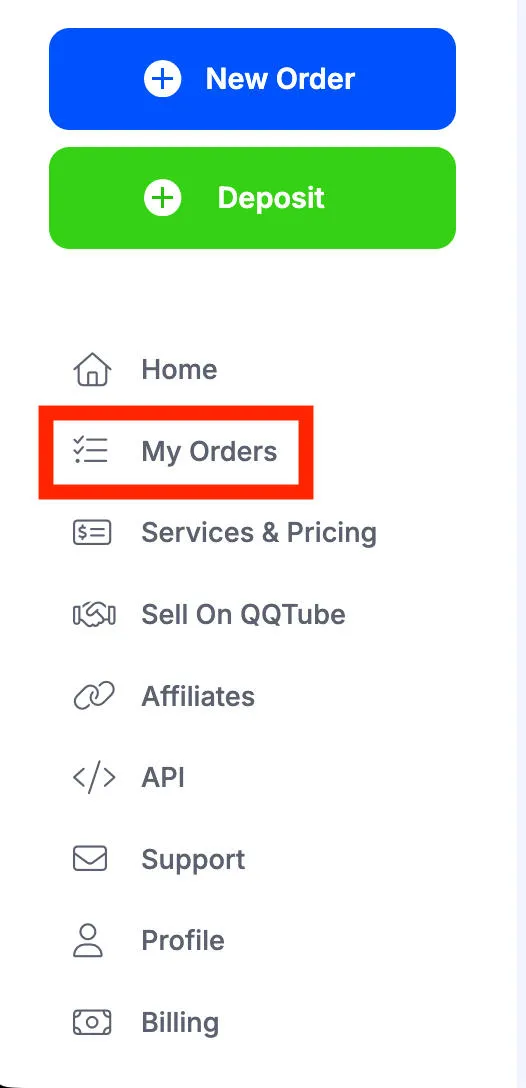
You can monitor and manage your full order history from your dashboard by clicking My Orders in the left-hand menu.
Frequently Asked Questions
How can I hide my comments from friends?
You can either block the user directly, or change the video’s audience settings to Only You. Tap the three dots on the bottom right of the video, then tap Privacy Settings. Under Who Can Watch This Video change it to Only You.
How to change comment settings on TikTok?
You can adjust the comment settings for specific videos here, or across your entire profile here.
How do I stop my followers from seeing my comments on TikTok?
You can prevent specific followers from engaging with your content by blocking them. Or, you can adjust the audience settings of your video. Tap the three dots on the bottom right of the video, then tap Privacy Settings. Under Who Can Watch This Video change it to Friends or Only You.
Can you hide comments on your post?
Yes, you can disable comments on a specific TikTok video by following the steps outlined here.
Can my followers see comments I hide?
No, once you remove a comment or disable comments on your videos no one can see them.
Can you restrict someone from seeing your comments on TikTok?
You can restrict someone from seeing comments on your own videos by adjusting the audience settings. Tap the three dots on the bottom right of the video, then tap Privacy Settings. Under Who Can Watch This Video change it to Friends or Only You.
Can you hide a TikTok from a certain person?
Yes, if you adjust your audience settings and they’re not part of that audience they won’t be able to view the video. Tap the three dots on the bottom right of the video, then tap Privacy Settings. Under Who Can Watch This Video change it to Friends or Only You.
Can a creator hide your comments on TikTok?
Yes, the video’s creator can remove comments from their content and disable commenting on individual videos or across their entire profile.
How to hide comments on TikTok from friends?
Your best bet would be to adjust the audience settings to Only You. To do this, tap the three dots on the bottom right of the video, then tap Privacy Settings. Under Who Can Watch This Video change it to Only You.
Why can’t I hide comments on TikTok Live?
Only the person streaming can hide comments. If you’re a viewer you won’t be able to do this.
How to turn off comments on TikTok for a specific video?
Learn how to disable commenting on a specific TikTok video here.


