
Whether you regret a comment you left on a TikTok video, or you’re just not a fan of a comment someone else left on your own content, today’s guide will teach you how to manage and delete comments on TikTok in just a few simple steps.
Plus, learn how to get more TikTok comments to help boost your videos with positive conversation.
Key Points:
How Do I Find A Comment I Made On TikTok?
You can view your TikTok comment history via the TikTok mobile app. These instructions will not work on the TikTok desktop site.
Open the TikTok app and navigate to your profile page.
Tap the three lines on the top right corner.
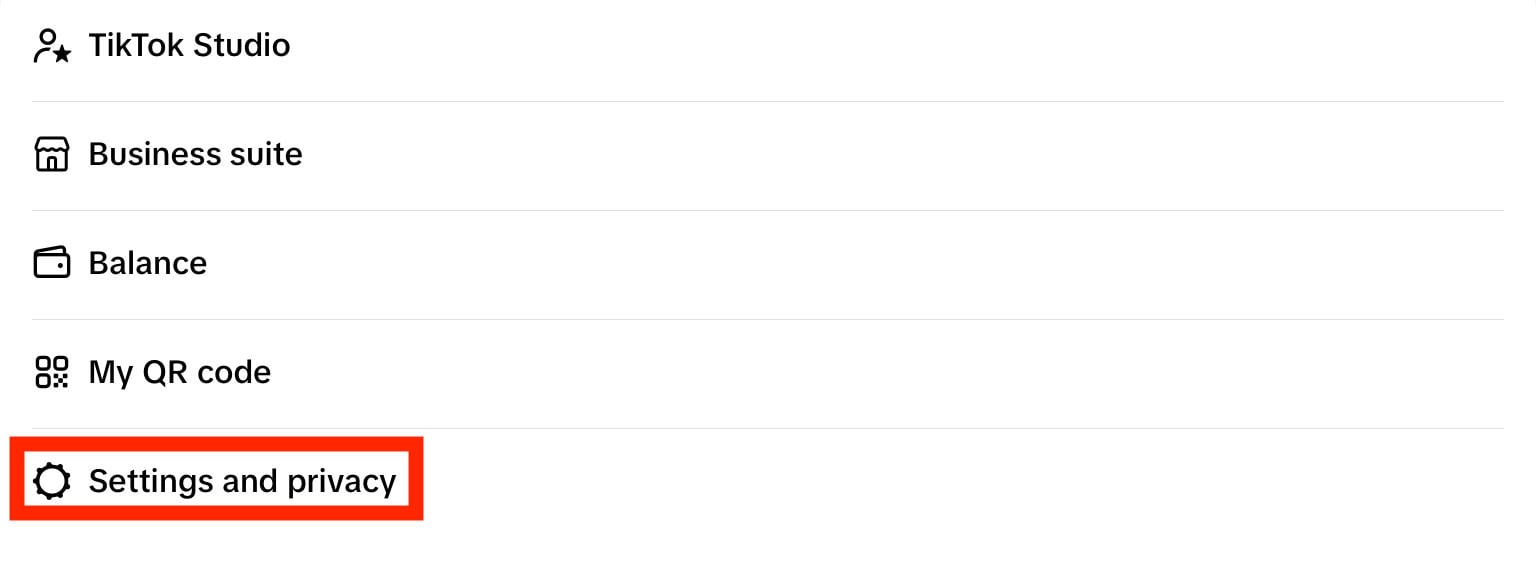
Tap Settings & Privacy.
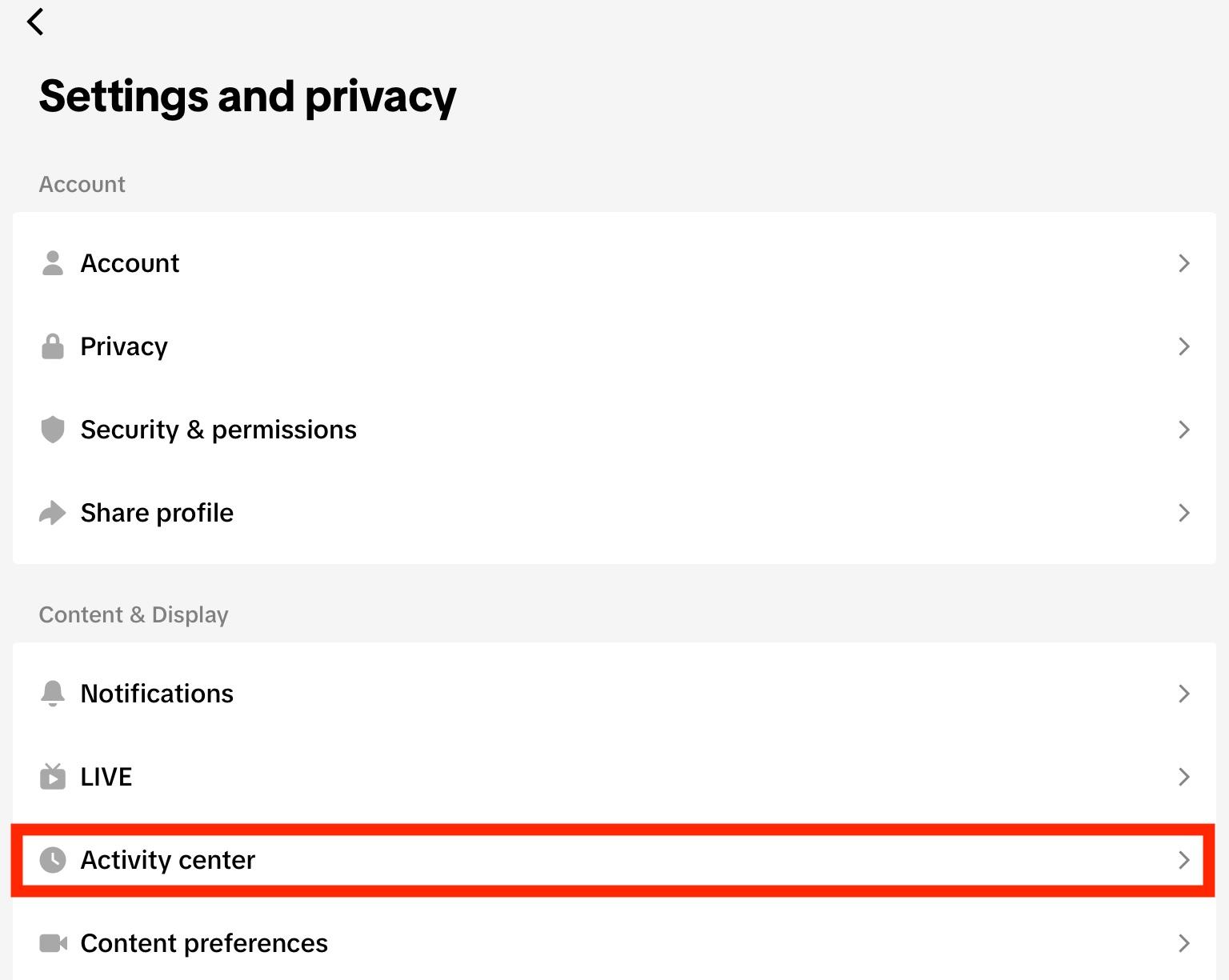
Tap Activity Center.
Tap Comment History.
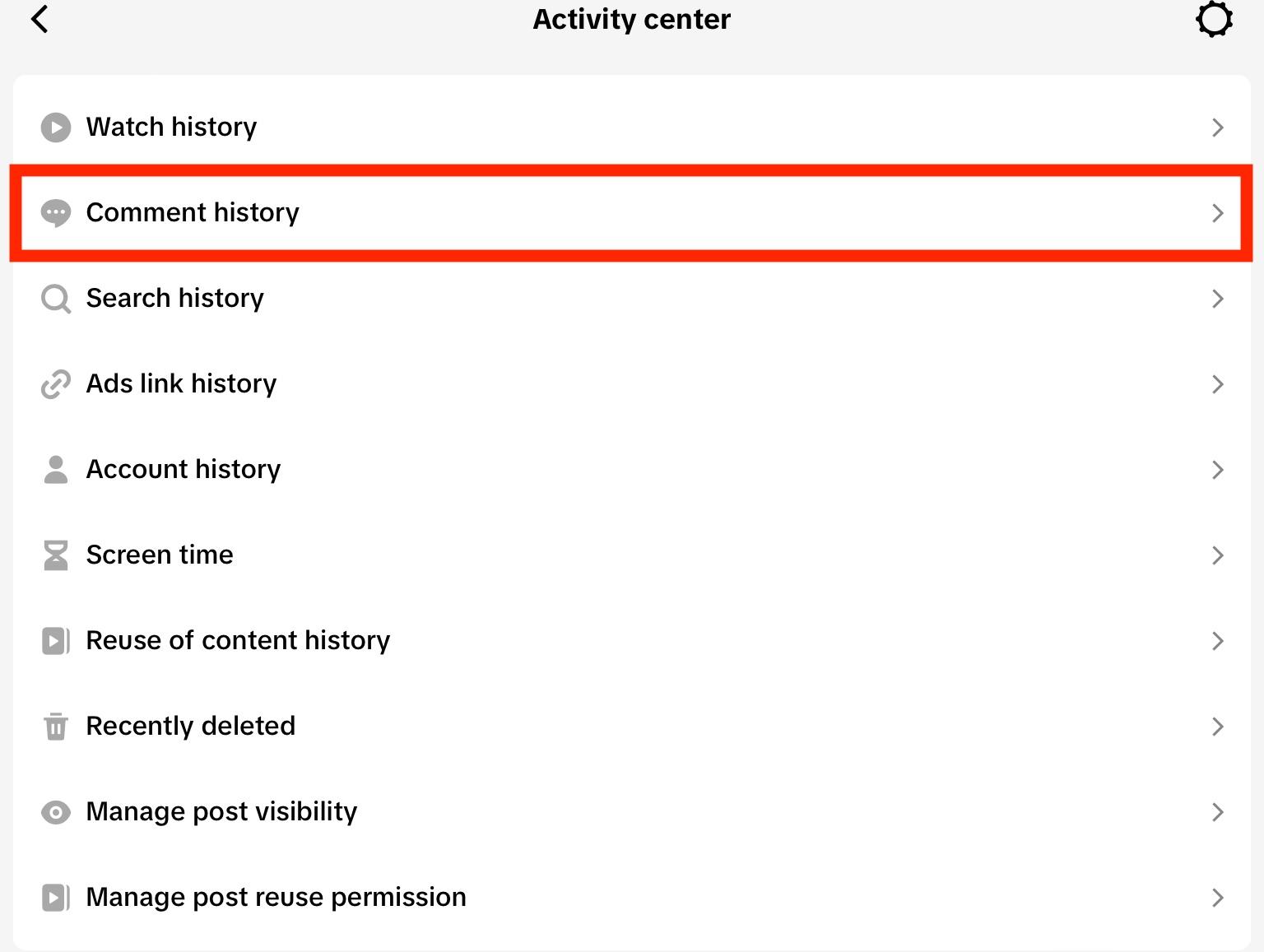
From here you can see every comment or comment reply you’ve left on a video. You can filter from newest to oldest or vice versa using the drop-down menu on the top left.
Tapping the comment will open up the video, where your comment will be highlighted in light blue.
Can You See Comment Like History On TikTok?
There’s no specific section for comment likes in the Activity Center, but you can use the Watch History section to browse videos you’ve viewed and find the comment you liked.
Open the TikTok app and navigate to your profile page.
Tap the three lines on the top right corner.
Tap Settings & Privacy.
Tap Activity Center.
Tap Watch History.
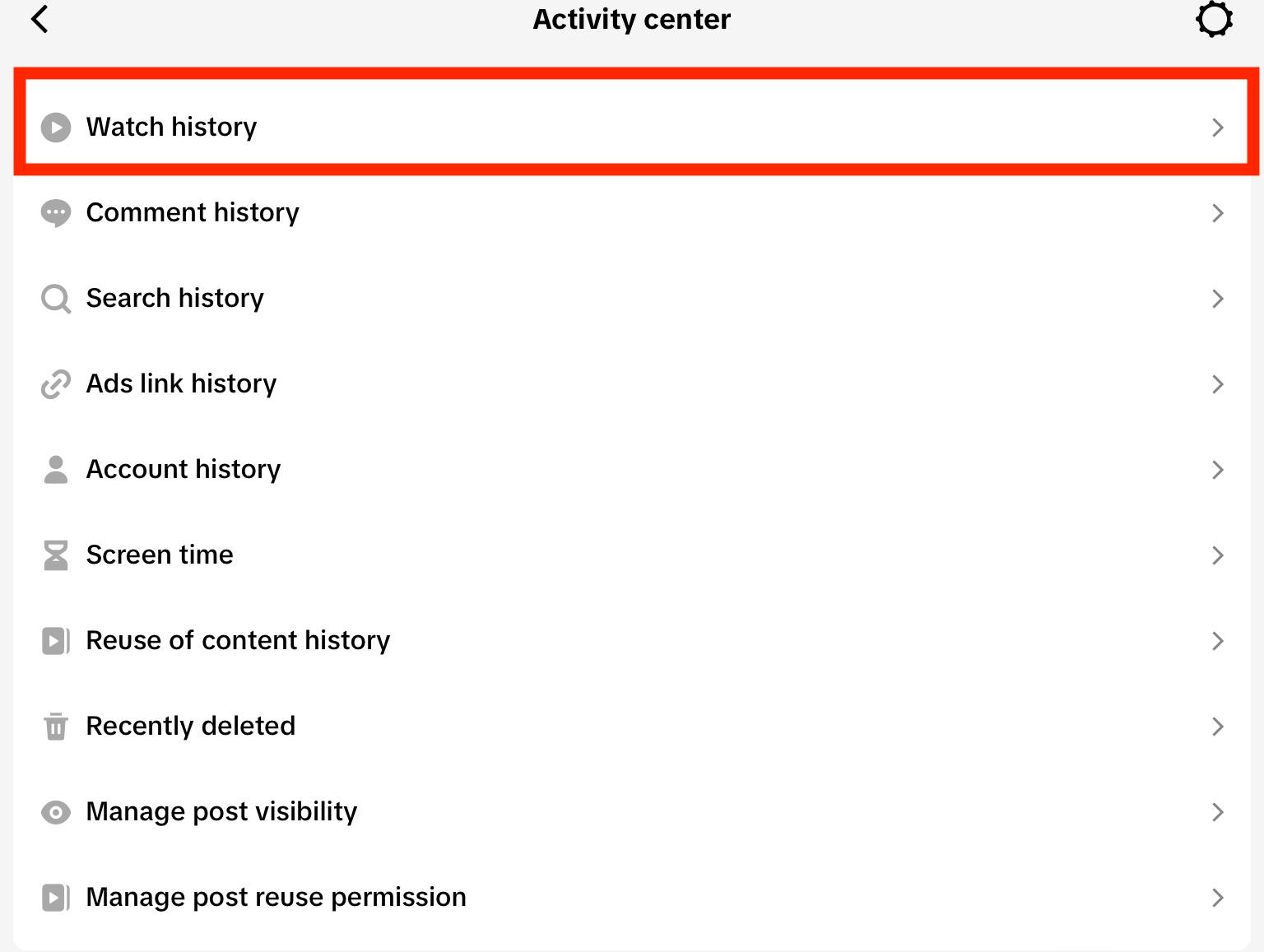
From here you’ll see every video you’ve viewed in reverse chronological order, grouped by date.
How Do I Delete A Comment I Made On TikTok?
If you want to remove a specific comment that you personally made on either your own video or someone else’s, you can easily do so from either the TikTok mobile app or desktop site.
On Mobile
Open the video that has the comment you want to delete. If you’re not sure where the video is, you can locate it by browsing your comment history here.
Long-press the comment you made.
Tap Delete.
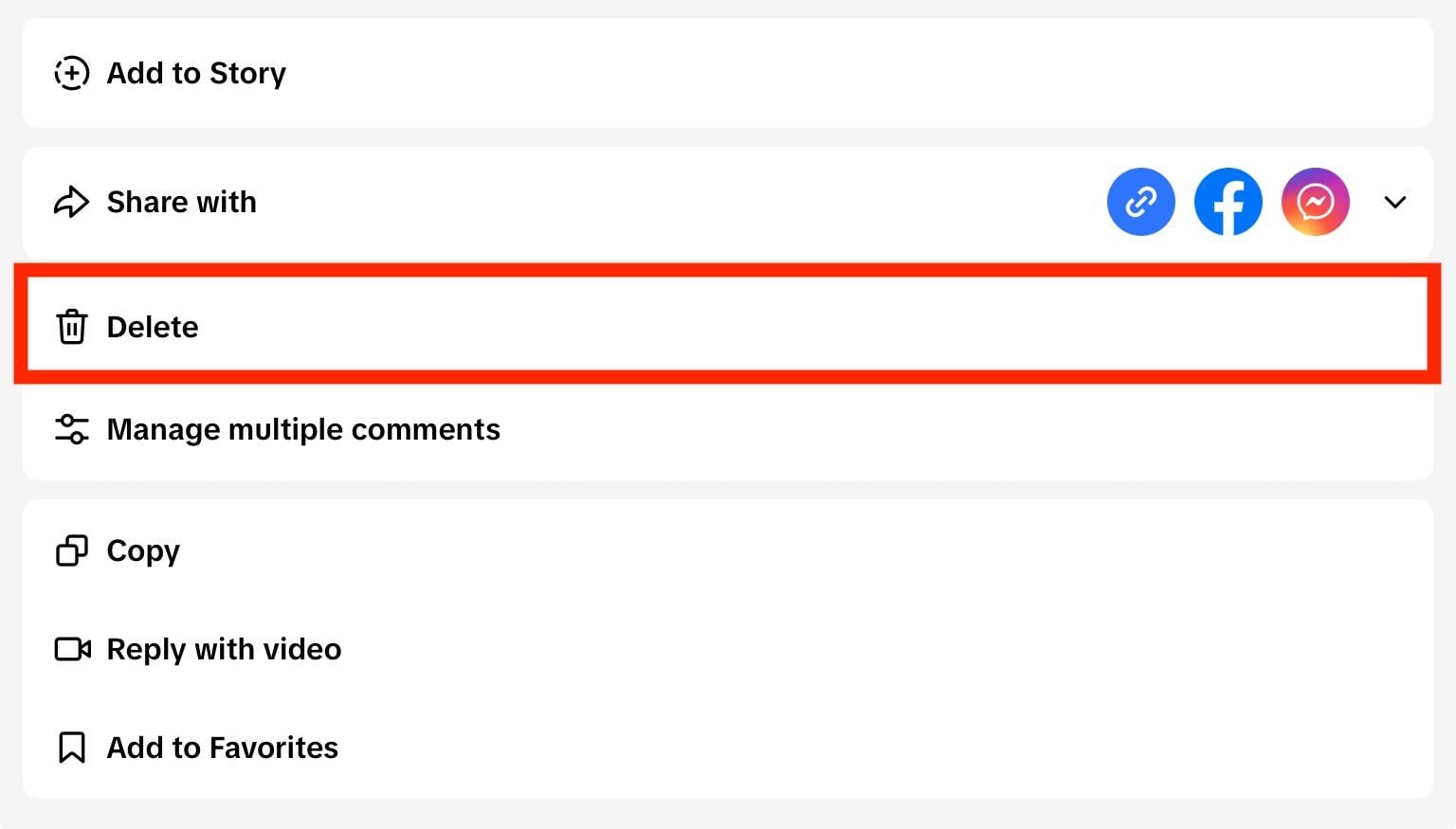
That’s it!
On Desktop
Open the video that has the comment you want to delete. If you’re not sure where the video is, you can locate it by browsing your comment history via the mobile app here. Then copy the link to the video and open it on the desktop site.
Hover over the comment you made and click the three dots on the right.
Click Delete.
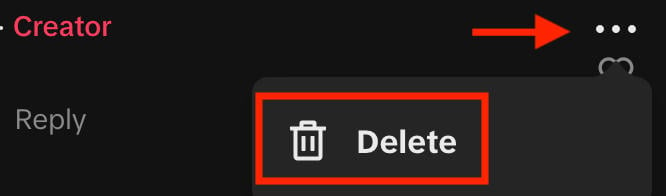
That’s it!
How Do I Remove A Comment On TikTok LIVE?
The comment section on TikTok LIVE is unique, because it’s more of a chat than a static comments section.
Because of this, there’s no way to delete a comment that you’ve posted to a TikTok LIVE.
Long-pressing your own comment will only allow you to reply to it. If you do the same to someone else’s comment in a LIVE chat, you’ll have the ability to either reply to it or report it.
How Do I Edit A Comment On TikTok?
There’s currently no way to edit a comment that you’ve posted on TikTok, whether it’s on your own video or someone else’s.
The best solution would be to delete your comment, then repost a corrected version.
How Do You Know If Your Comment Was Deleted On TikTok?
If you remember posting a comment on someone’s video, but aren’t seeing it when you visit their page anymore, there’s a chance it was deleted.
However, it might not always be the case. Here are a few reasons why your comment might not be appearing, and what to do in each case.
Your Comment Got Filtered
Sometimes innocent comments can get picked up by TikTok’s spam filters, or by specific filters set by either the creator or yourself.
If this is the case, all you can do is try commenting again with a different phrase and see if your comment actually appears this time.
Your Comment Never Got Posted
If your internet connection is laggy, your comment might not have been submitted when you posted it.
Try posting it again from a different device or stronger connection.
Your Comment Was Actually Deleted
Let’s say your comment was actually deleted - now what? First, reflect on why this might be the case. Did you use words that TikTok might consider inappropriate? Was your comment needlessly negative?
If you’re certain that none of the above are true, maybe the creator simply removed all comments or turned them off for their video.
How To Delete Someone Else's Comment On TikTok
Not only can you delete your own comments on TikTok, but you can also delete someone else’s - as long as the comments appear on your videos.
Deleting Individual TikTok Comments
Open your video on either the desktop site or mobile app.
On mobile, long-press the comment and tap Delete.
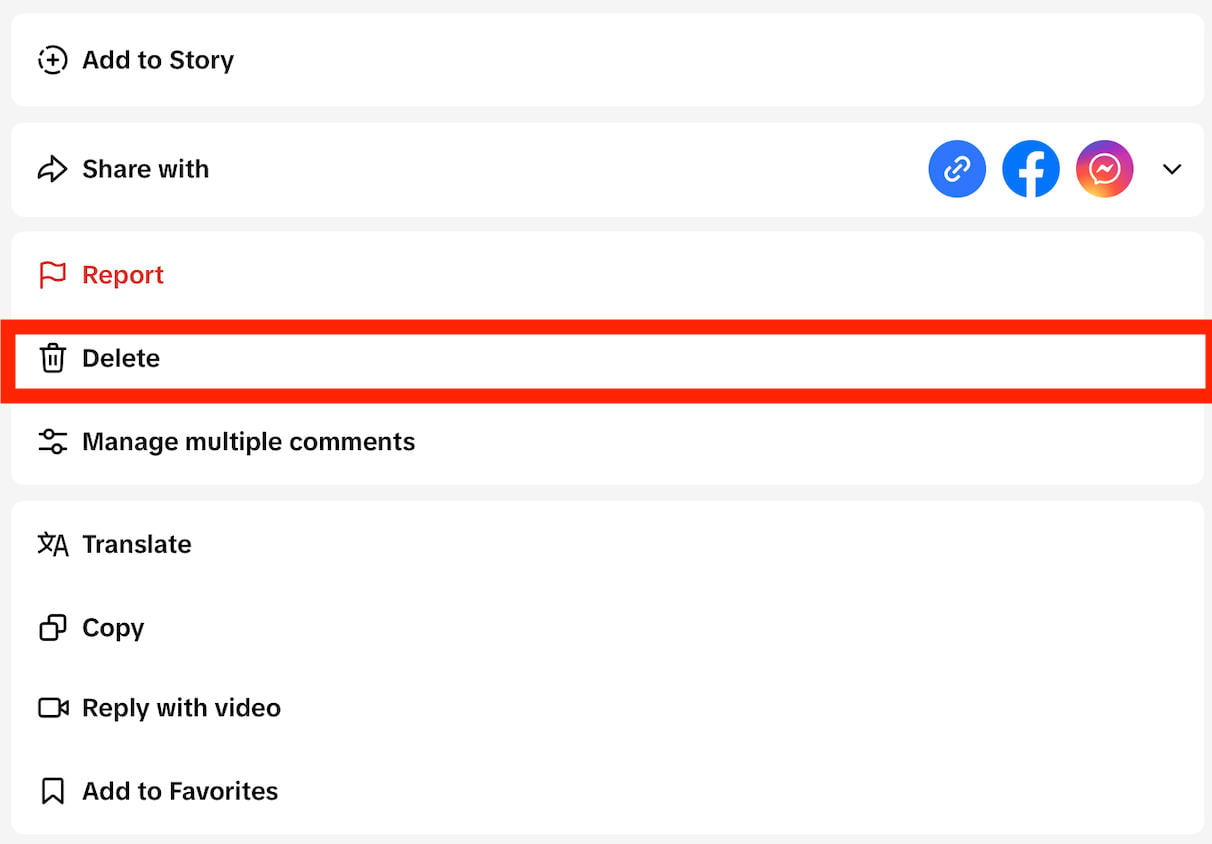
On desktop, hover over the three dots to the right of the comment and click Delete.
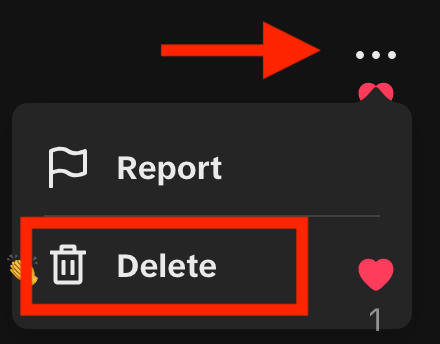
Mass-Deleting TikTok Comments
You can only mass-delete comments via the TikTok mobile app.
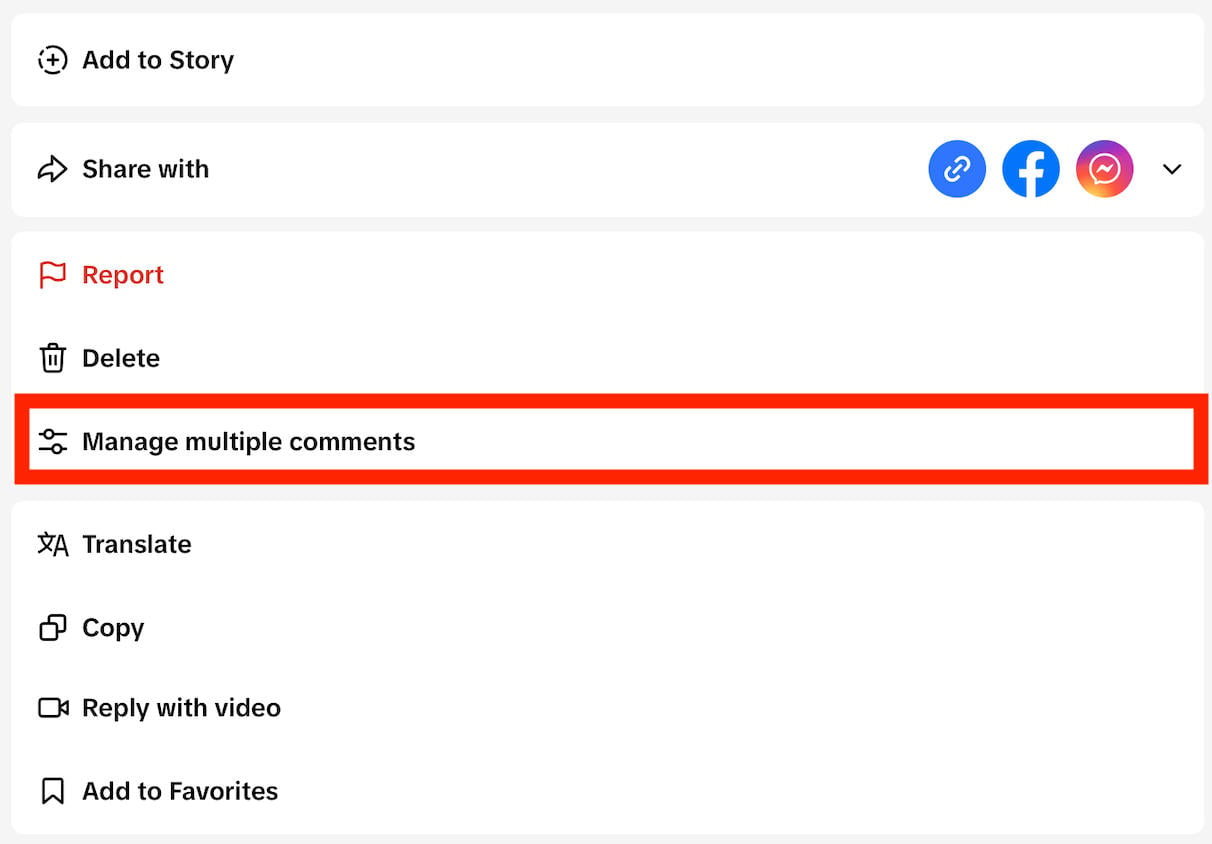
To do this, open your video and tap the settings icon on the top right or long-press any comment.
Tap Manage Multiple Comments.
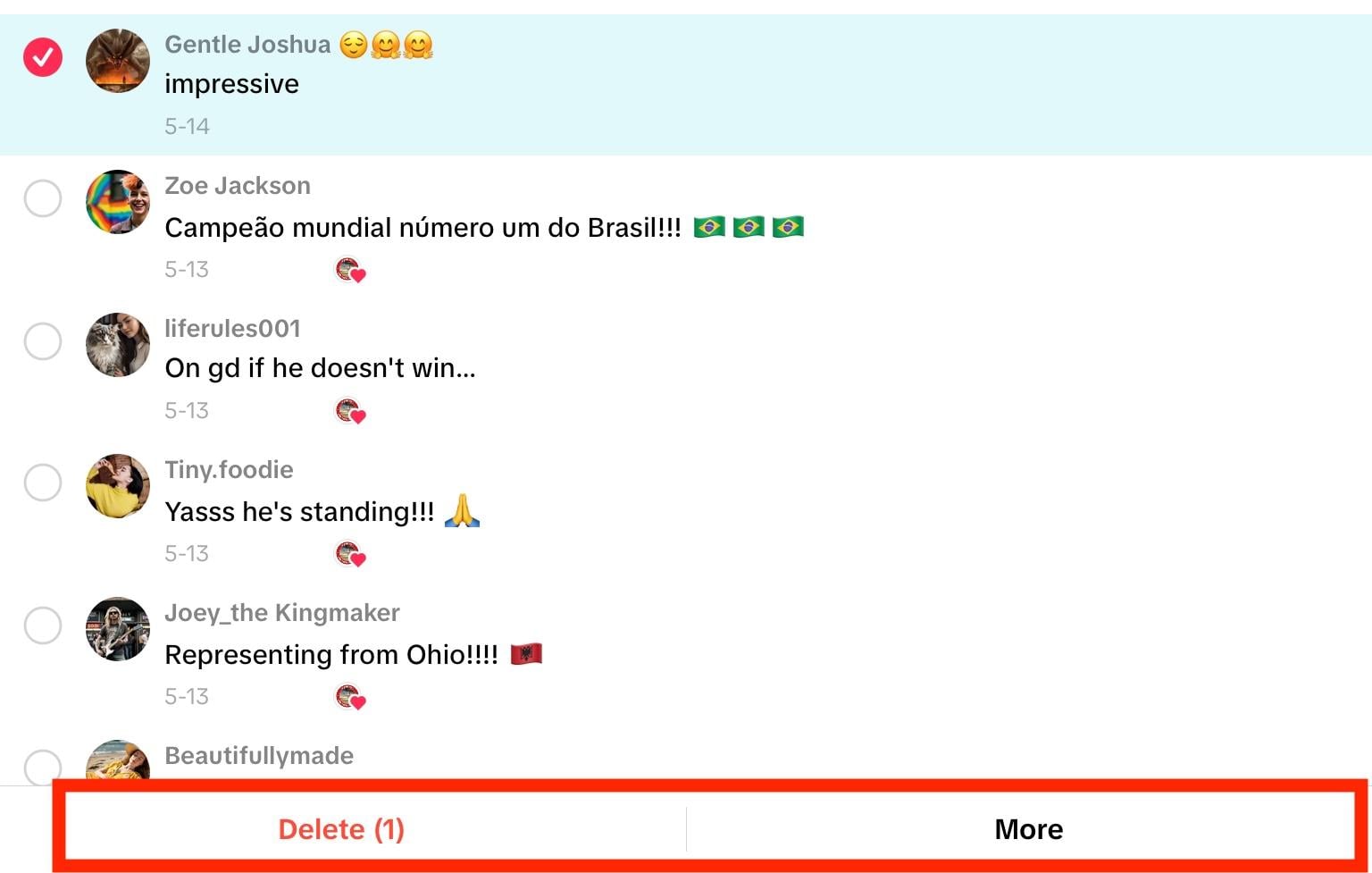
Select the comments you want to delete.
Tap Delete on the bottom. You can also tap More to report the comments or block the accounts associated with them.
On Someone Else’s Video
There is no way to delete someone else’s comment on someone else’s video. If you see an inappropriate comment on someone else’s video, your best bet is to report it.
- On mobile, long-press the comment and tap Report.
- On desktop, hover over the three dots to the right of the comment and click Report.
How To Get Rid Of The Comments On TikTok
Tired of seeing comments on TikTok? While you can’t turn off comments across the entire app, you can disable comments on your own videos.
How To Turn Off Comments On TikTok For A Specific Video
Open the video you want to turn off comments for.
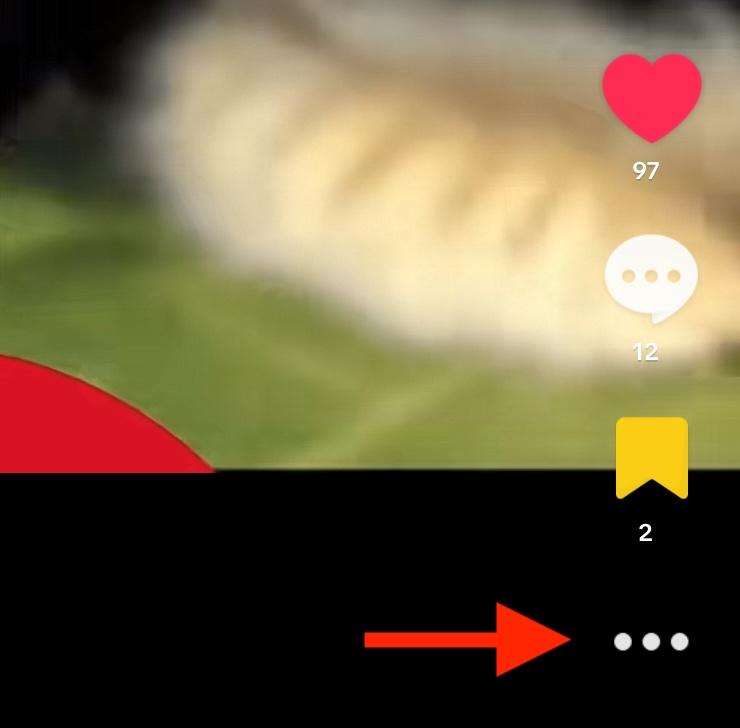
On mobile, tap the three dots on the bottom right corner.
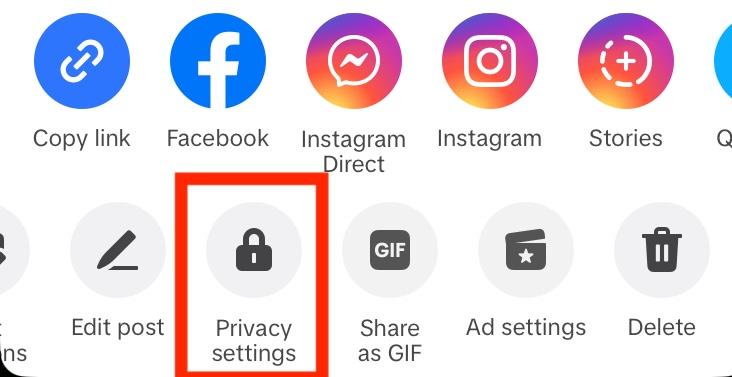
Swipe left and tap Privacy Settings.
Toggle Allow Comments to OFF.
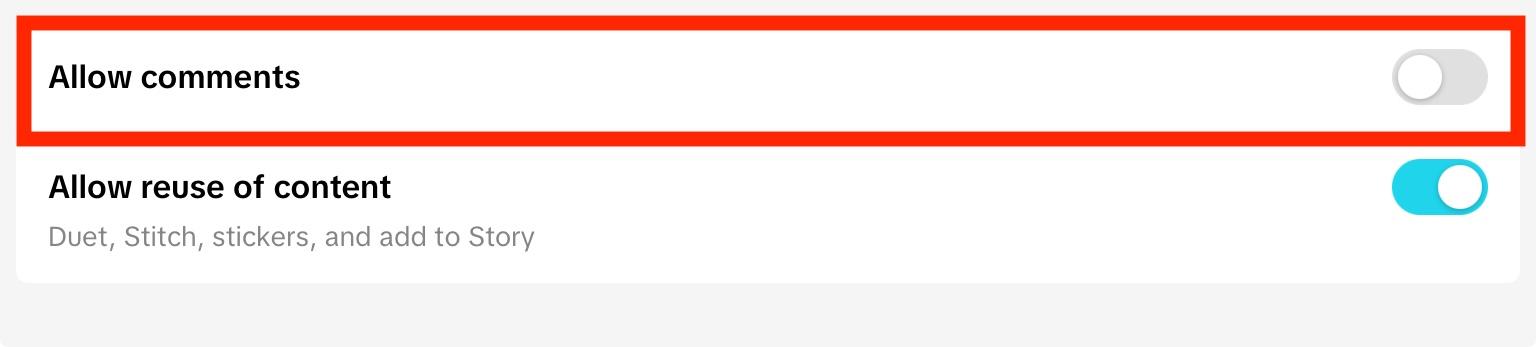
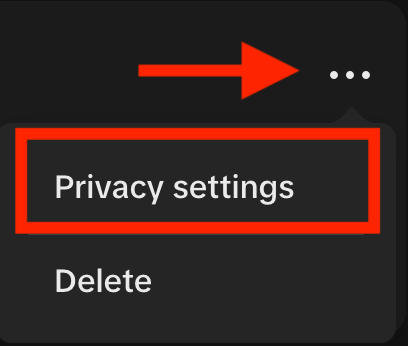
On desktop, click the three dots on the top right corner.
Click Privacy Settings.
Toggle Allow Comments to OFF.
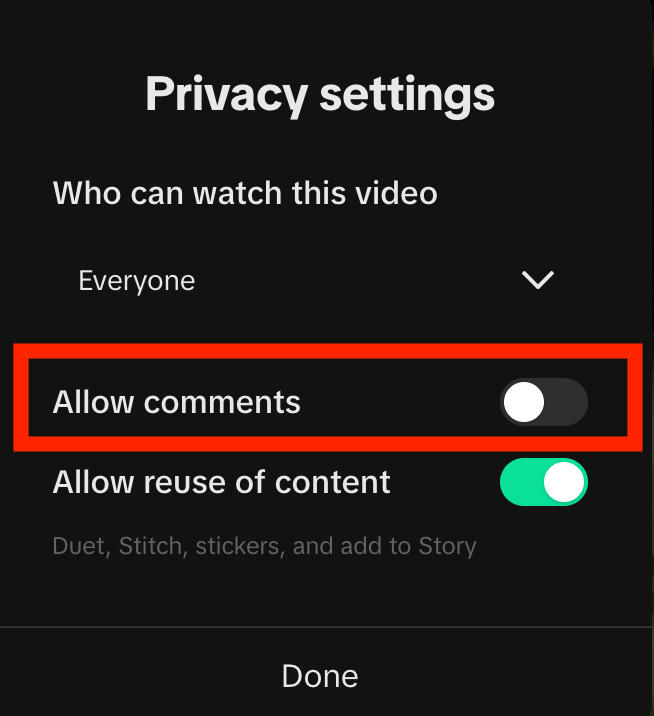
How To Turn Off Comments On All Videos
You can also turn off comments across your entire profile.
From your profile page, tap the three lines on the top right corner.
Tap Settings & Privacy.
Tap Privacy.
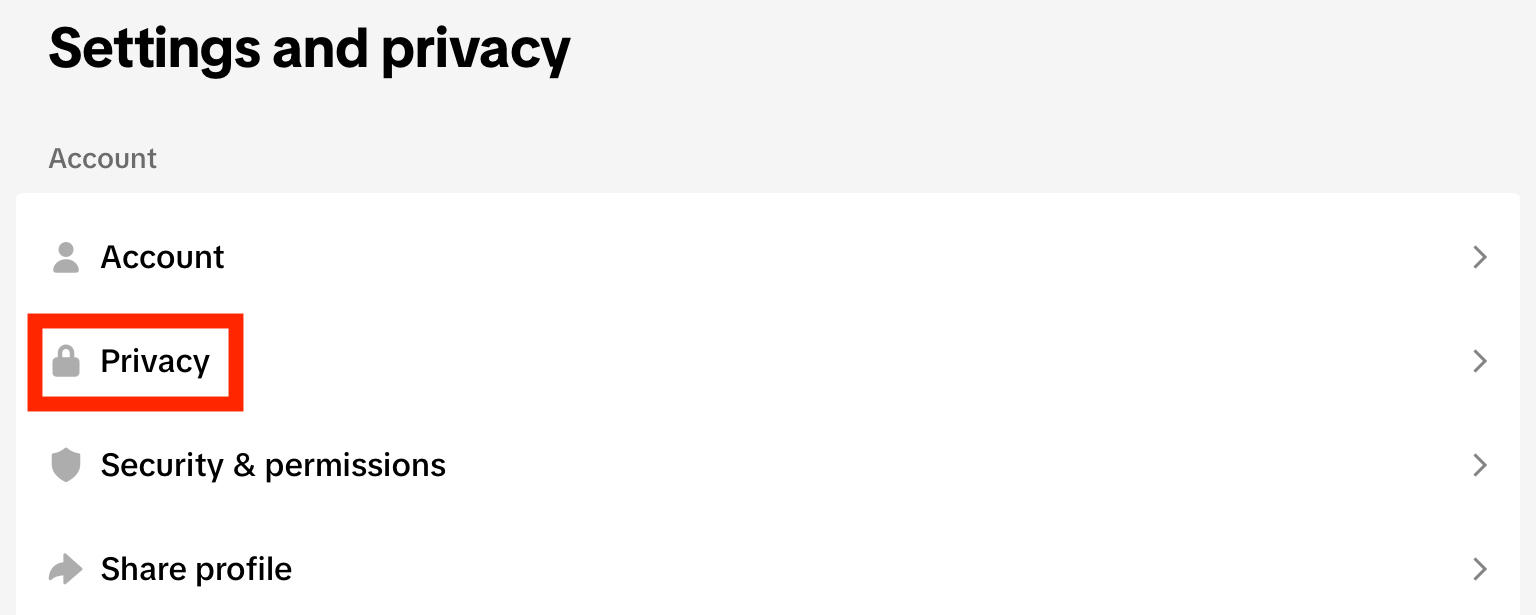
Under Interactions, tap Comments.
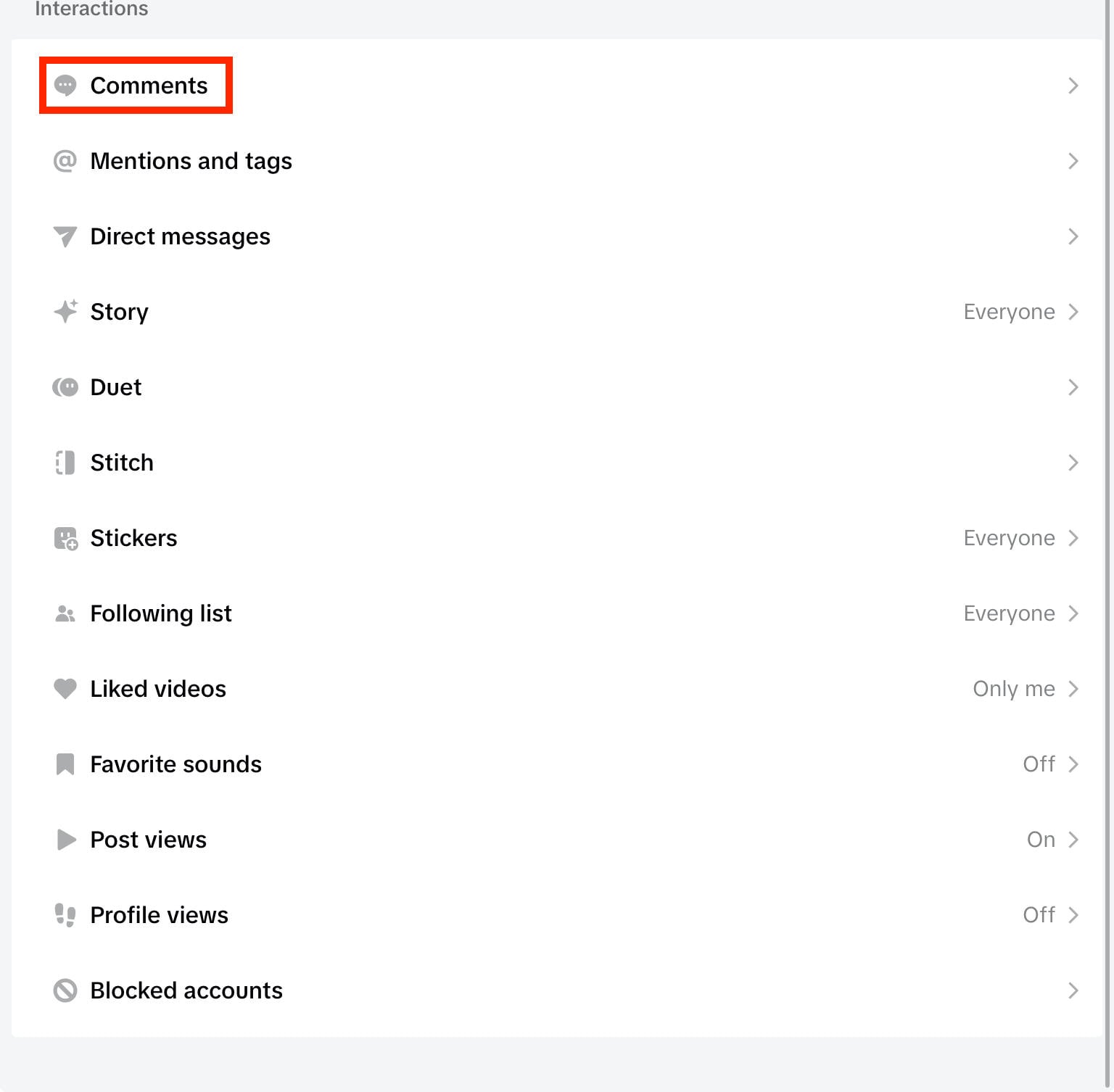
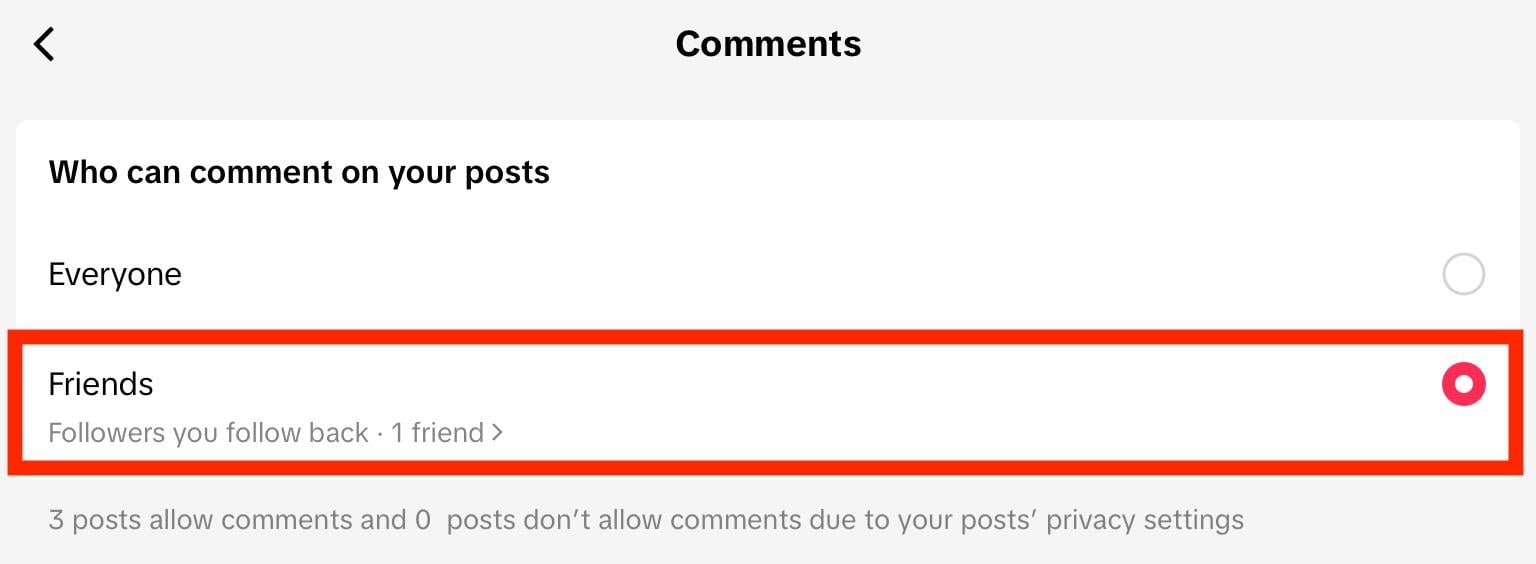
Tap Allow Comments From.

Change it to Friends. These are followers who you follow back, which means that the general public won’t be able to comment on your videos by default.
From there, you can disable comments entirely for each specific video using the instructions outlined here
How To Turn On Comments On TikTok If Restricted
If your TikTok account has been restricted, chances are you won’t be able to comment on anyone’s videos. Keep in mind that this is different from your account being on Restricted Mode, which is a parental control setting.
In this case, all you can do is wait until the restriction has been lifted by following TikTok’s Community Guidelines. Activity restrictions usually lift within 24 hours to several weeks, but if you’re not sure why your account was restricted you can always contact TikTok support.
How Do I Delete A TikTok Post?
If your videos are drowning in negative or unwanted comments, you might opt to just delete the video entirely.
You can do this via the desktop site or mobile app by following the instructions outlined below.
On Mobile
Open the video you wish to delete.
Tap the three dots on the bottom right corner.
Swipe left and tap Delete.
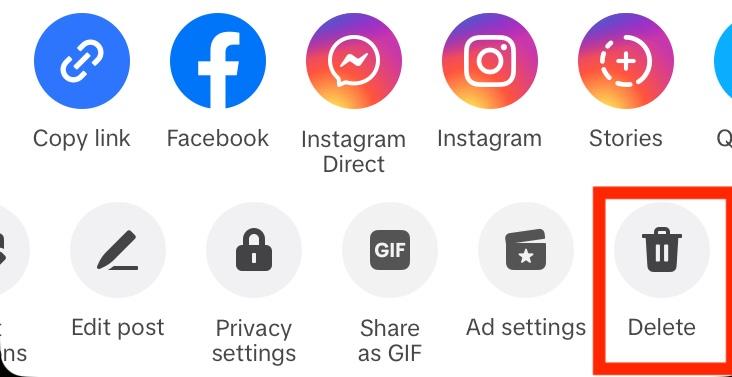
Confirm your decision.
On Desktop
Open the video you wish to delete.
Click the three dots on the top right corner
Click Delete.
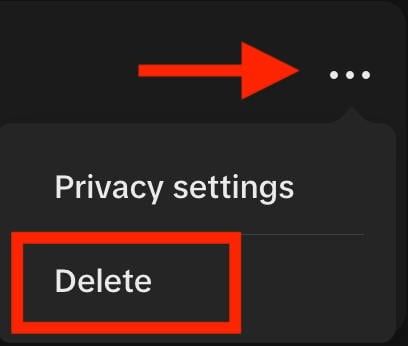
Confirm your decision.
How To Get More TikTok Comments
Whether you’re struggling with negative comments or just want to get more comments in general, buying high quality TikTok comments from QQTube can help you boost activity on your videos fast.
To get started, create your free QQTube account by clicking Sign Up here.

Once you’re logged in, click Go To Account.
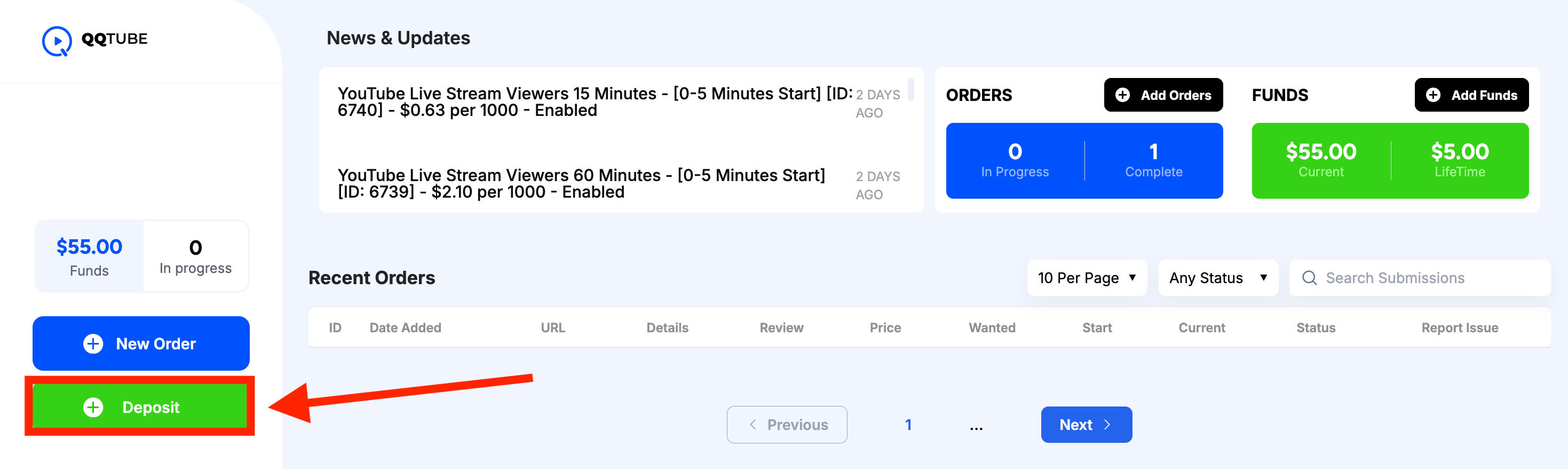
From your customer dashboard, click Deposit to add funds to your account.
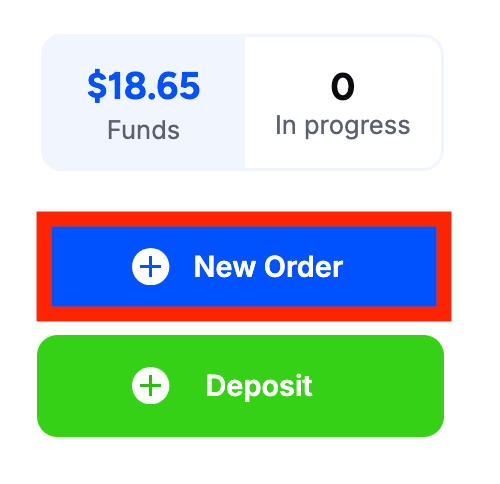
Then click New Order.
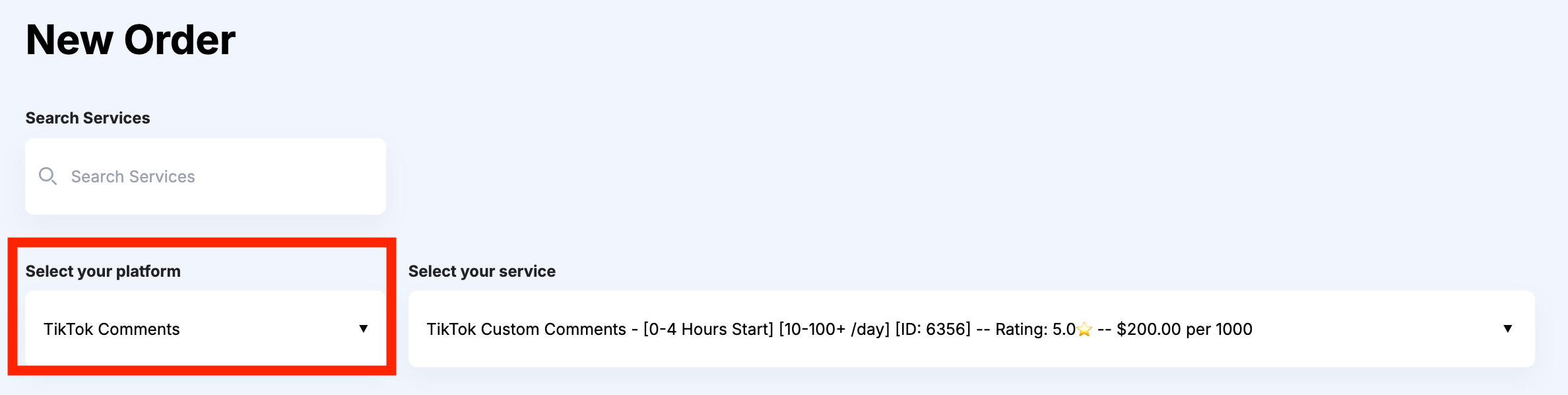
In the first drop-down menu, select TikTok Comments.
In the second drop-down menu, select the specific service you wish to browse.
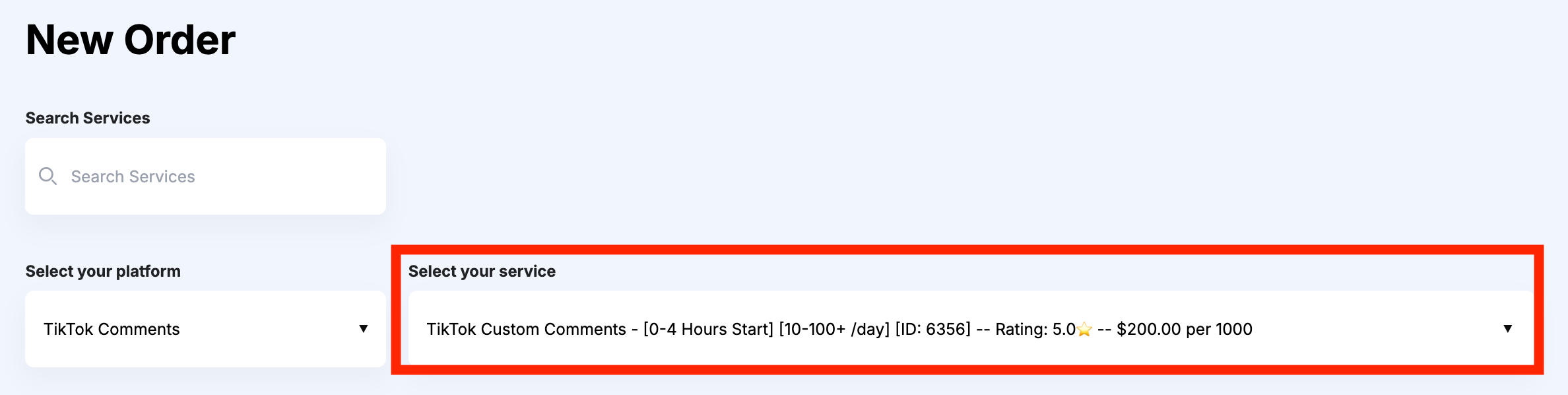
You can compare services by customer review, start time, delivery speed, price, and more.
The service description box will provide additional information about each service.
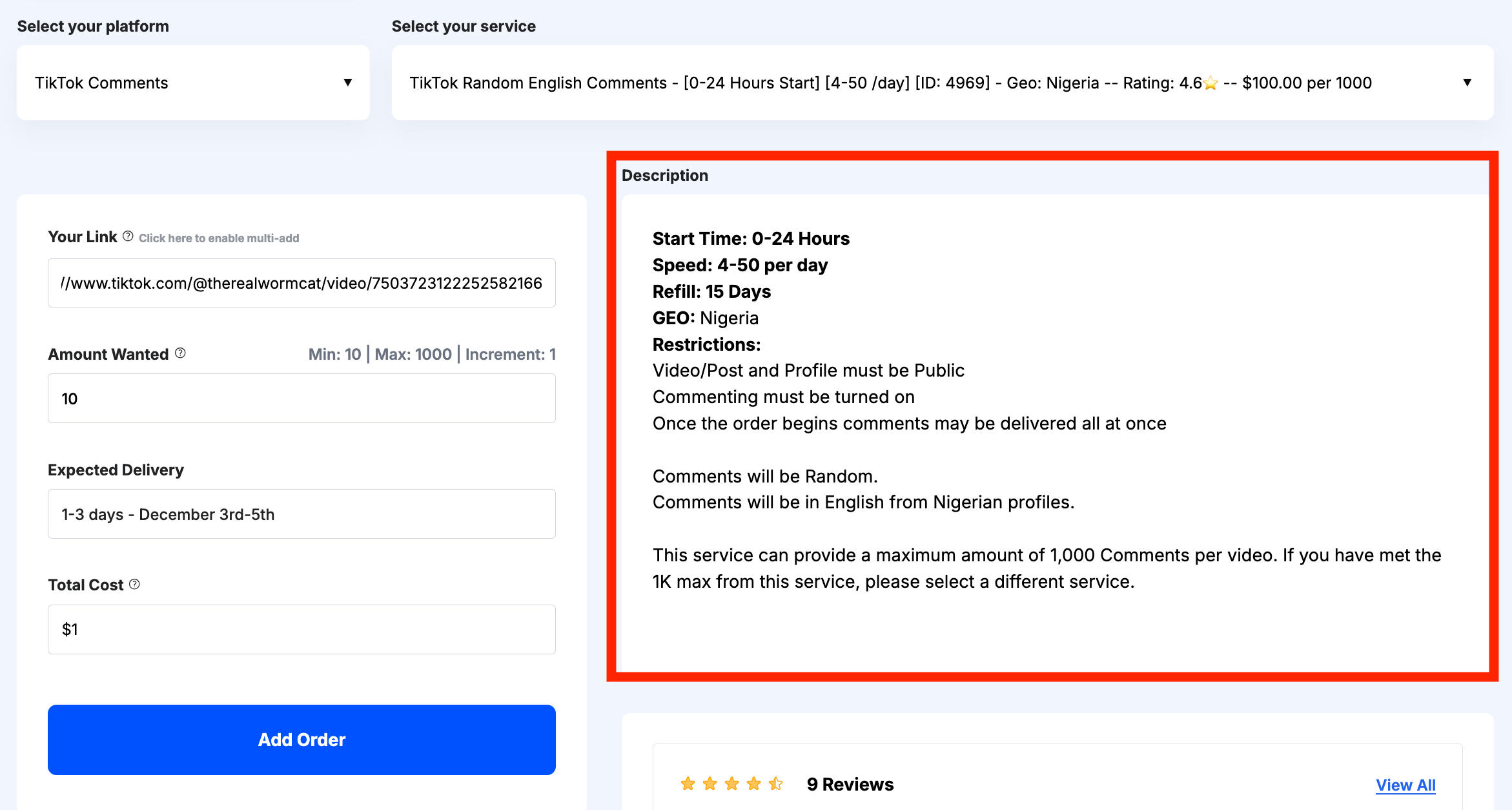
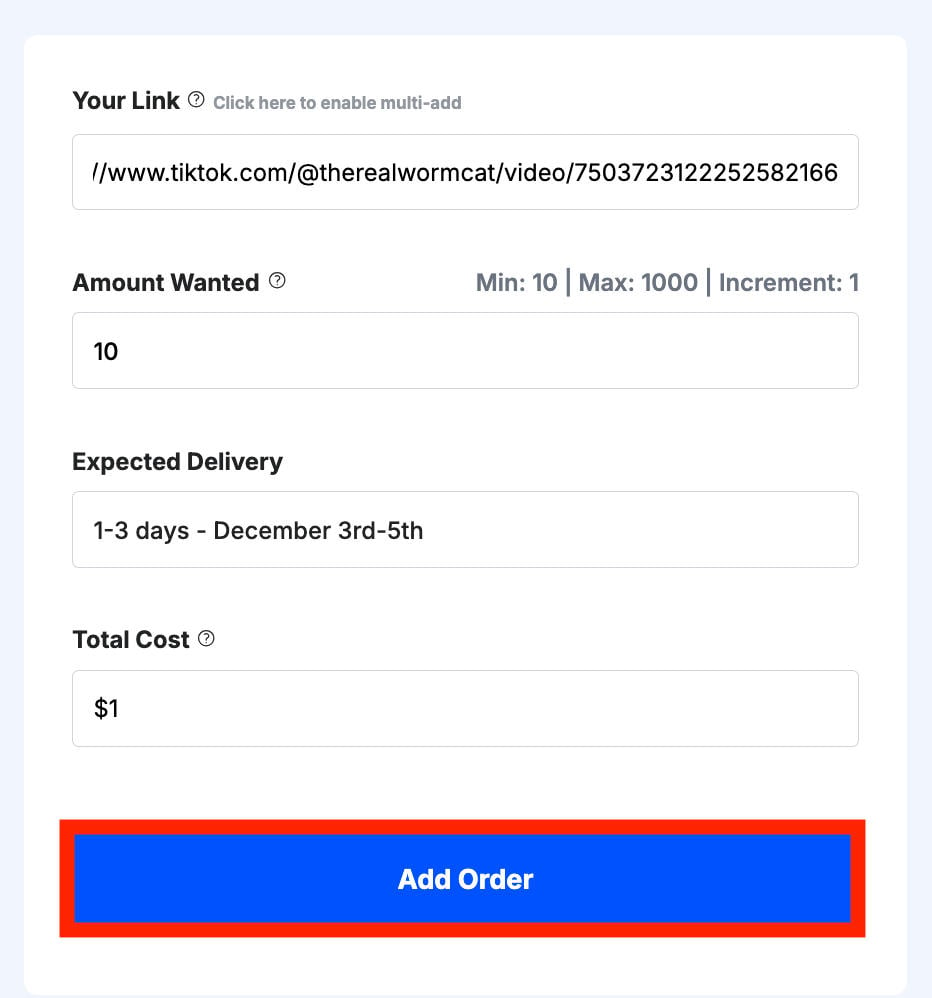
When you’re ready, input the link to your TikTok video in the URL box.
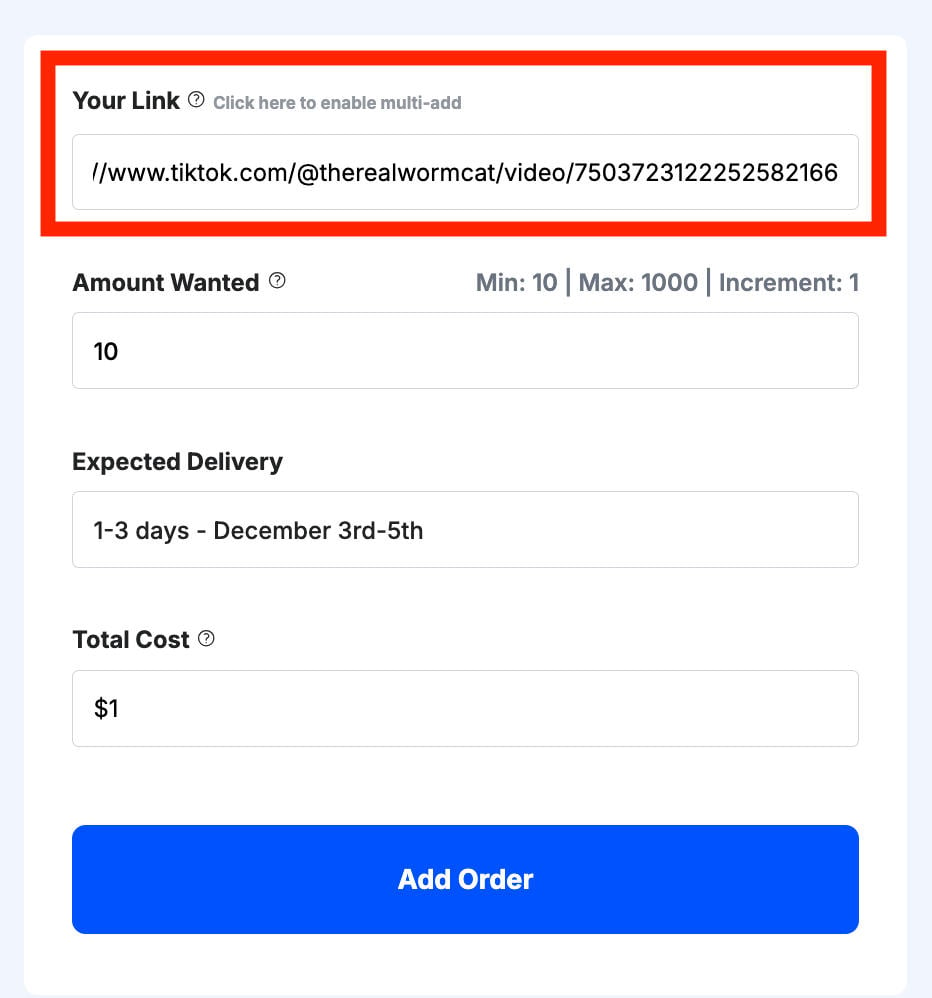
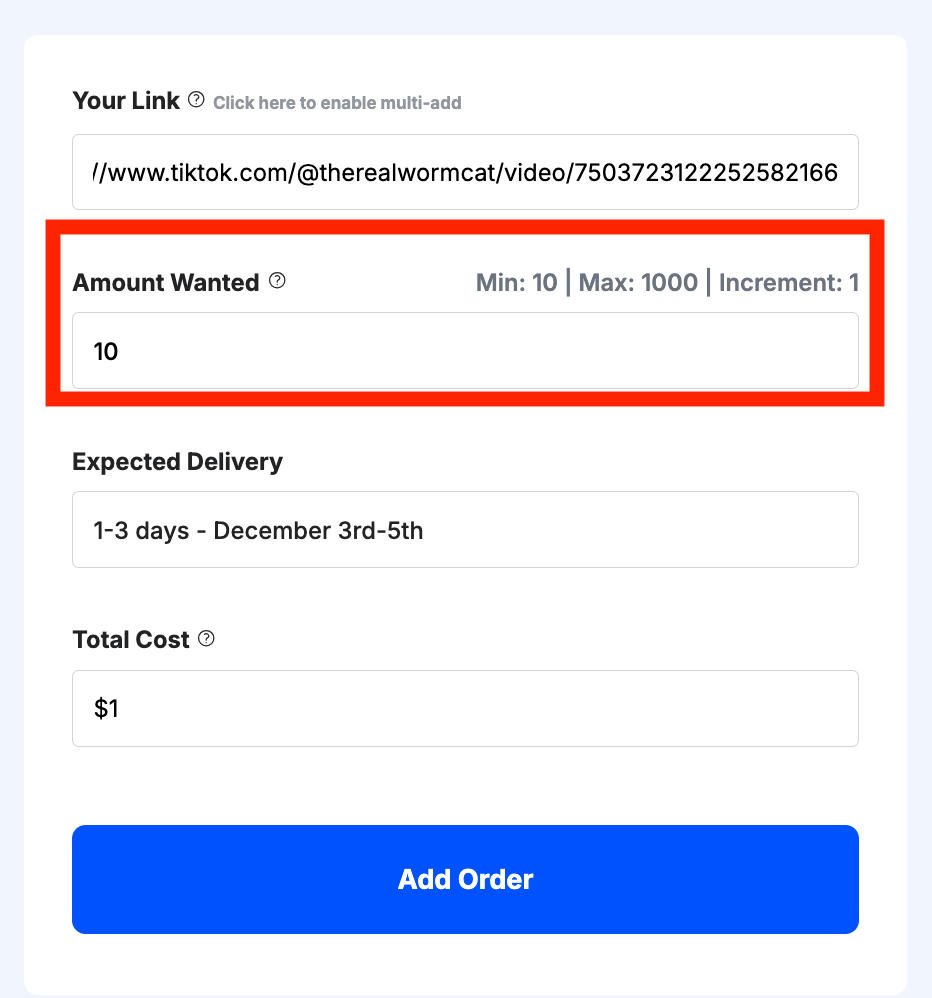
Then input the desired quantity of comments.
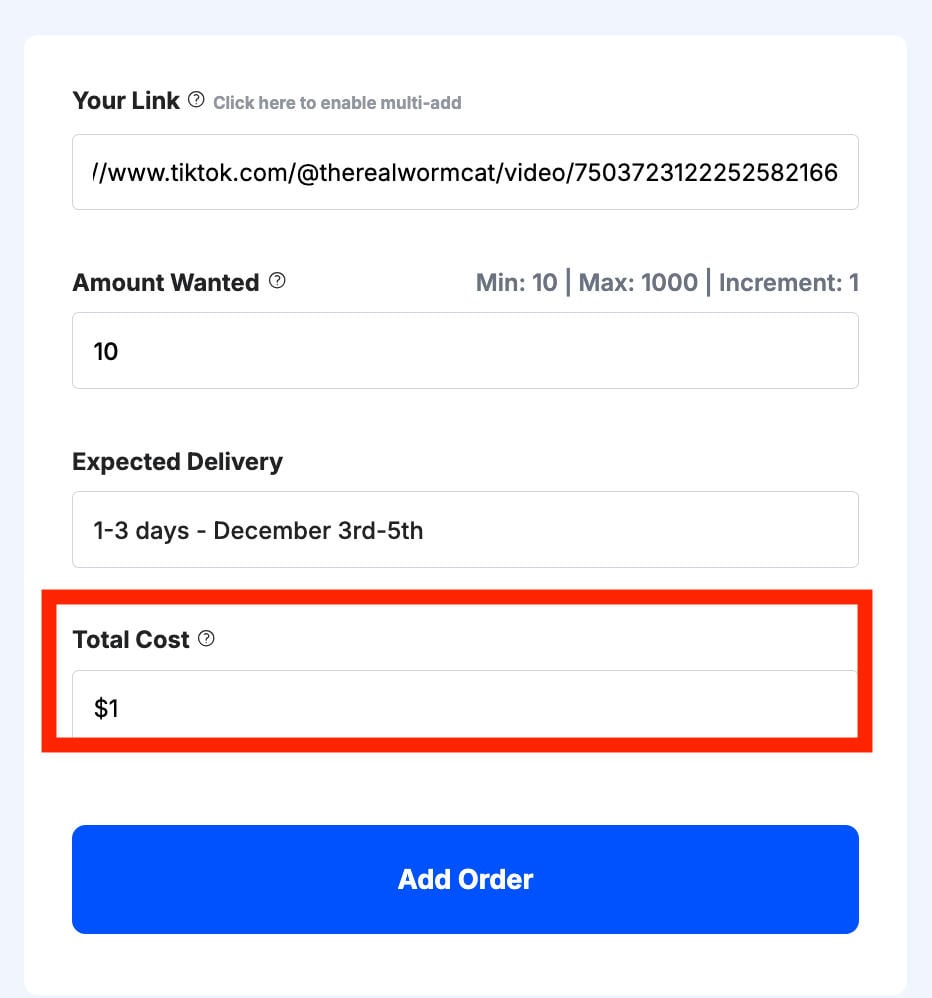
Your price will be automatically calculated for you before you submit your order.
Once you’re satisfied with the order information, click Add Order.
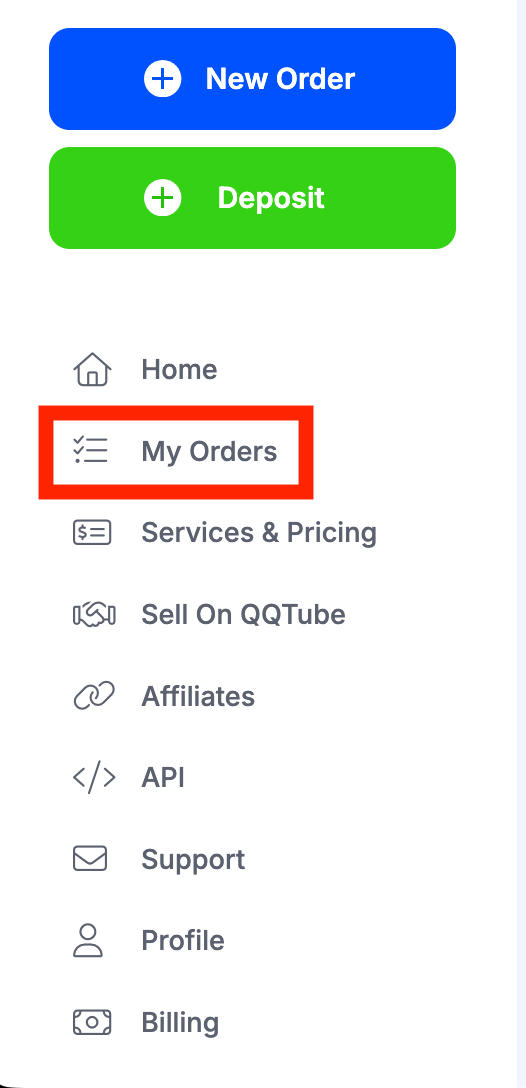
You can monitor and manage your full order history from your dashboard by clicking My Orders in the left-hand menu.
Frequently Asked Questions
How do I remove a comment tag on TikTok?
There’s no way to remove mentions on TikTok, but you can adjust you has the ability to mention you via your settings. From your profile page tap the three lines on the top right corner. Tap Settings & Privacy > Privacy > Mentions & Tags > Mentions. Choose your preference.
Can you see old TikTok messages?
As long as you haven’t deleted them, you can view old TikTok messages in your inbox at any time.
Is there a delete history on TikTok?
You can view and manage your watch history, comment history, and search history on TikTok by following the steps outlined here.
How do you make comments disappear on TikTok?
You can turn off comments for individual videos by following the steps outlined here.
How to delete comment history on TikTok at once?
You can view and manage your comment history on TikTok by following the steps outlined here.
How to delete my comment on TikTok LIVE?
There’s no way to delete a comment on TikTok LIVE. Once a comment has been posted, it’s there forever unless a mod removes it.
How to delete TikTok comment history on Private Videos?
If the comment is on someone else’s video that has been made private, you won’t be able to delete it until you regain access to that video.
How do you find your history on TikTok?
You can view and manage your watch history, comment history, and search history on TikTok by following the steps outlined here.
Why can't I see my comment?
There are several reasons why your comment might not be visible. Learn more here.
Can I delete all my comment history at once?
You can view and manage your comment history on TikTok by following the steps outlined here.
Can I have a copy of all comments made since my TikTok account was created?
You can view your comment history on TikTok by following the steps outlined here.


