Instagram allows users to integrate audio to posts, Stories, and Reels on the app, but sometimes this feature bugs out.
If you’re experiencing issues adding music to your Instagram post, today’s guide has all the troubleshooting steps you need to get things working again - plus insider tips on how to increase engagement on any type of Instagram post.
Key Points:
Can All Instagram Accounts Add Music?
No, certain types of Instagram business accounts and certain types of Instagram posts won’t have the ability to add music. This is to ensure that Instagram’s royalty-free music library isn’t used for commercial purposes.
Why Do Some Instagram Accounts Not Have Access To Music?
If you’re running an Instagram business account, you may not have access to using certain songs on certain types of posts since they’re not available for commercial purposes.
Can Business Accounts Use Instagram Music?
That depends. While it’s not guaranteed, some Instagram business accounts don’t have access to Instagram’s royalty-free music library since those tracks are only available for non-commercial use.
How Do I Enable The Music Option On Instagram?
Your best bet is to swap to a Creator or Personal account. Creator accounts still have access to Insights and other useful features, like the Creator Marketplace.
Why Is My Instagram Not Letting Me Use Music?
If you’re not able to use the music feature on Instagram, there are a few troubleshooting steps you can run through to resolve it.
Make Sure You’re Using The App
Instagram’s music feature isn’t always available on the desktop site, so make sure you’re accessing the platform via the mobile app.
Update The App
If you’re using the app and still can’t access the music feature, make sure your app is up to date. Open your device’s app store and search for Instagram, then tap Update if available.
Clear App Cache
Another important step is ensuring your app cache is cleared. This can resolve any temporary glitches, like features not appearing.
The simplest way to do this is to uninstall and reinstall the Instagram app.
Switch To A Personal Account
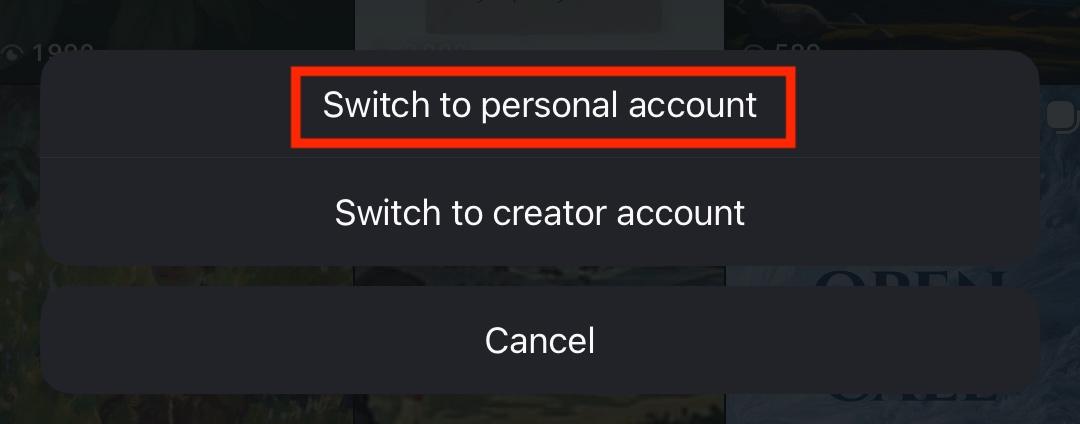
Next, try swapping from an Instagram Business account to a Personal account. Certain Business accounts won’t have access to the Instagram music library since it’s only available for non-commercial use.
To swap account types, tap the three lines on the top right corner of your profile page.
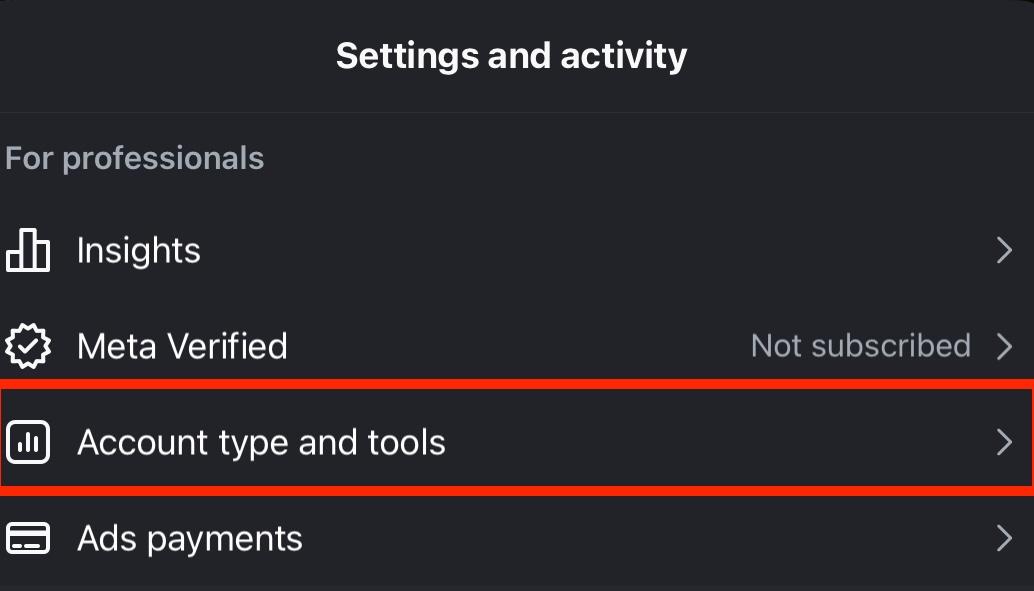
Scroll down to For Professionals and tap Account Type And Tools.
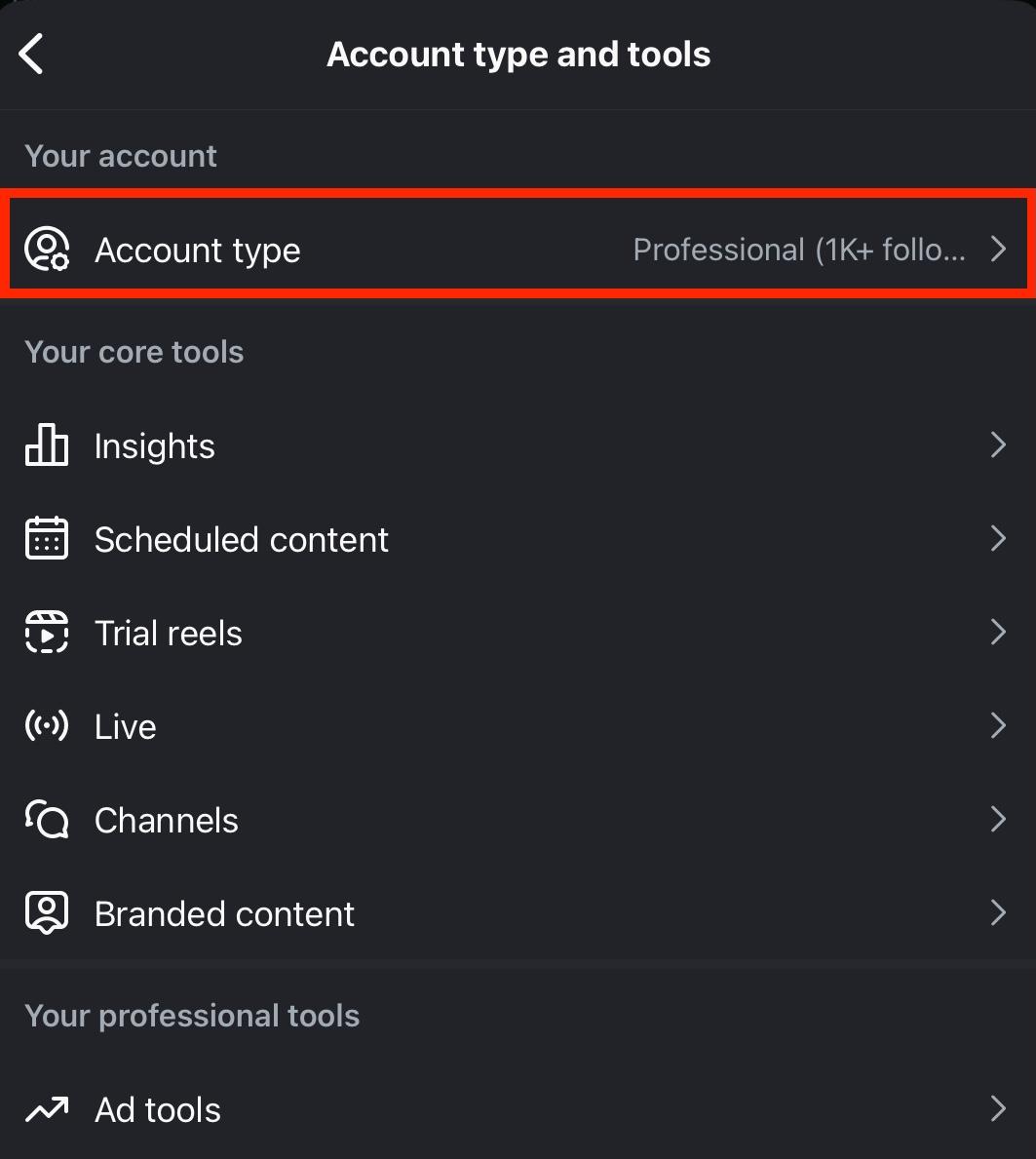
Tap Account Type.
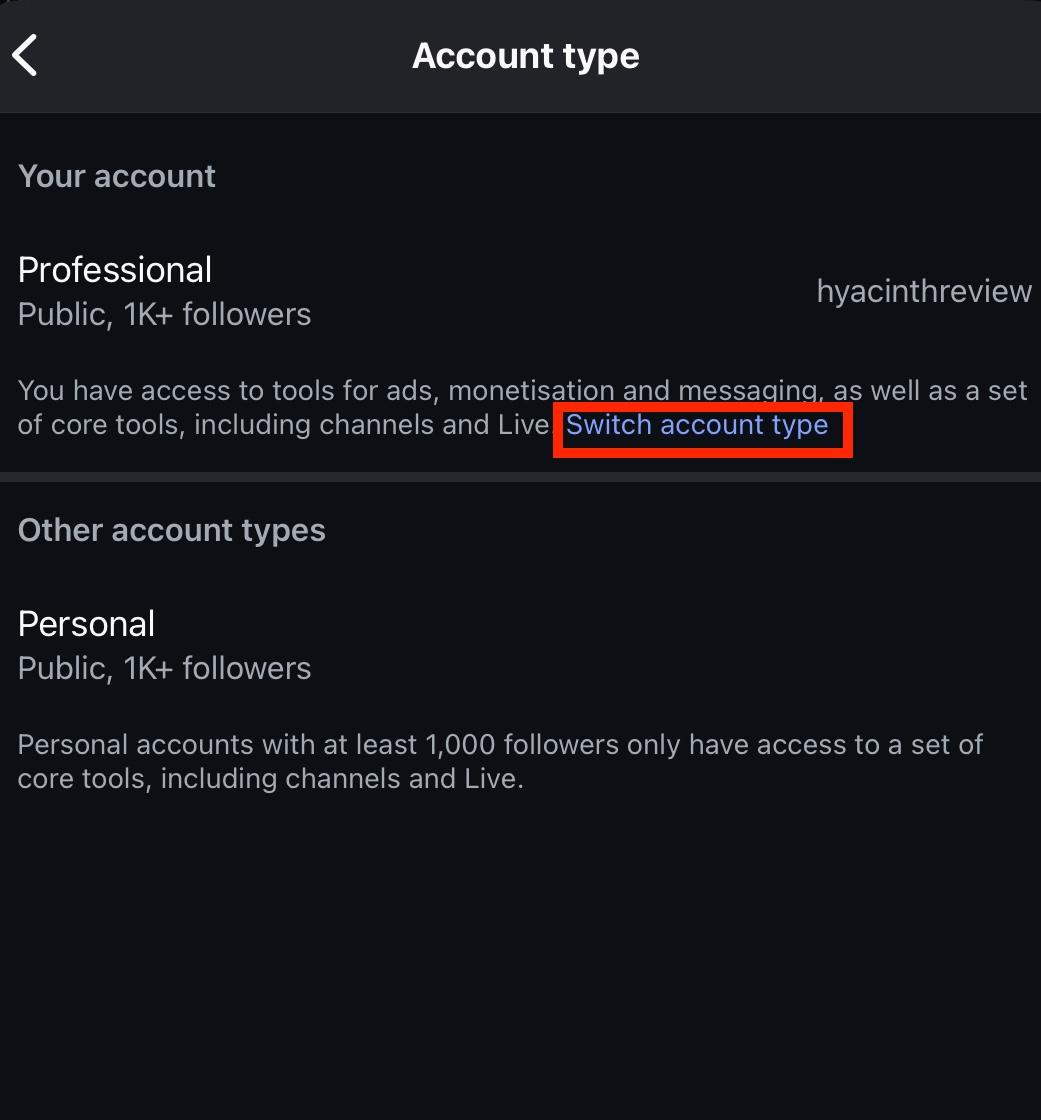
Tap Switch Account Type.
Tap Switch To Personal Account.
Try A Different Track
Sometimes it’s just the specific track that isn’t available on your account. Try using a different song and see if that helps things.
The Feature Or Track Isn’t Available In Your Region
The music library, and certain tracks within the music library, aren’t available to all regions. If you’ve run through all of the steps above and still can’t see the music feature, it might not be available in your country.
Use Meta’s Sound Collection
For users who aren’t qualified to use Instagram’s music library, the Meta Sound Library is a viable alternative. These tracks can be used across all Meta platforms, including Facebook and Instagram.
Types Of Instagram Posts That Allow Music
Almost every type of Instagram post can include music from Instagram’s sound library, but some of them have specific restrictions.
Instagram Photo Posts
Regular Instagram photo posts can include audio.
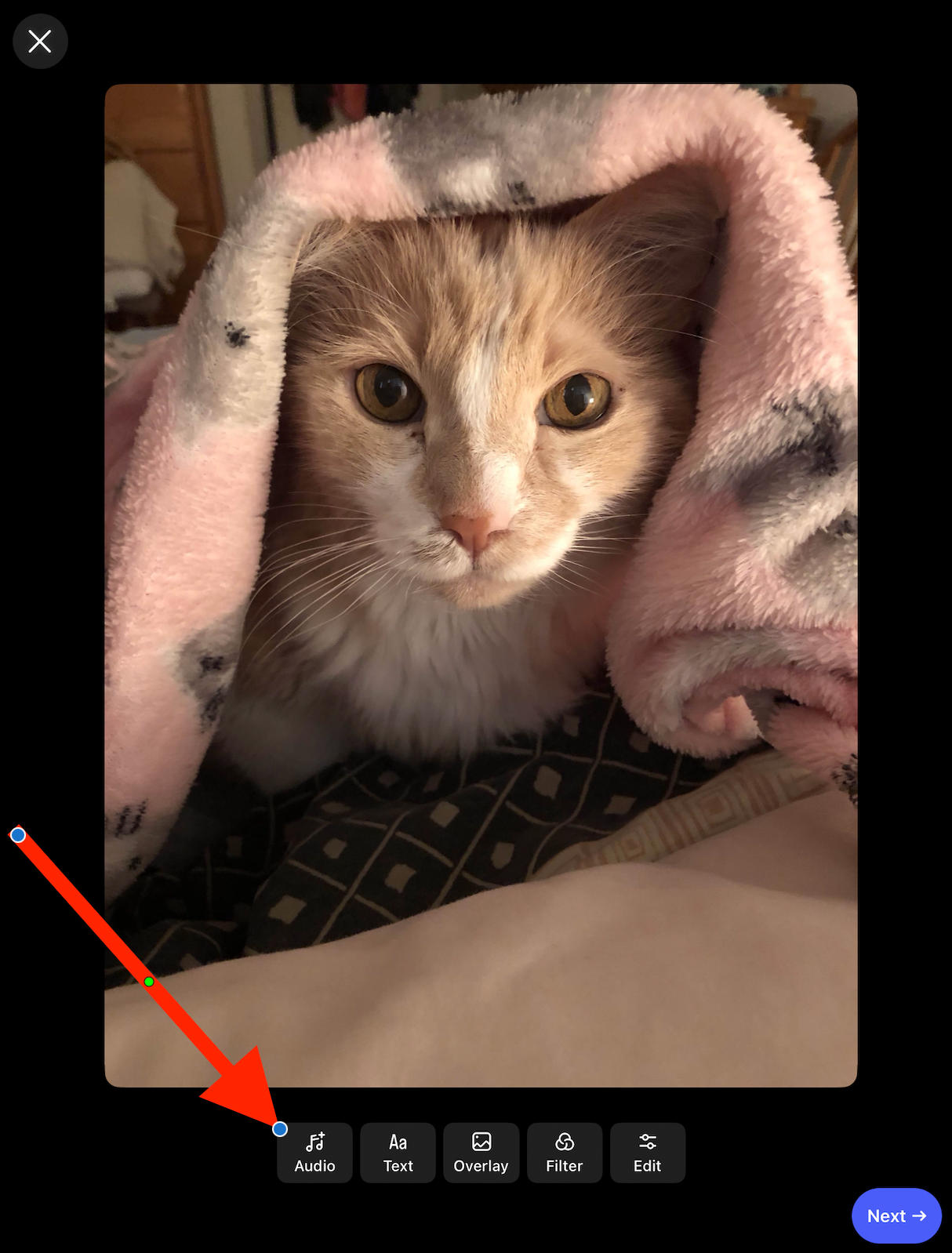
To add audio to a regular post, select your image then tap Audio.
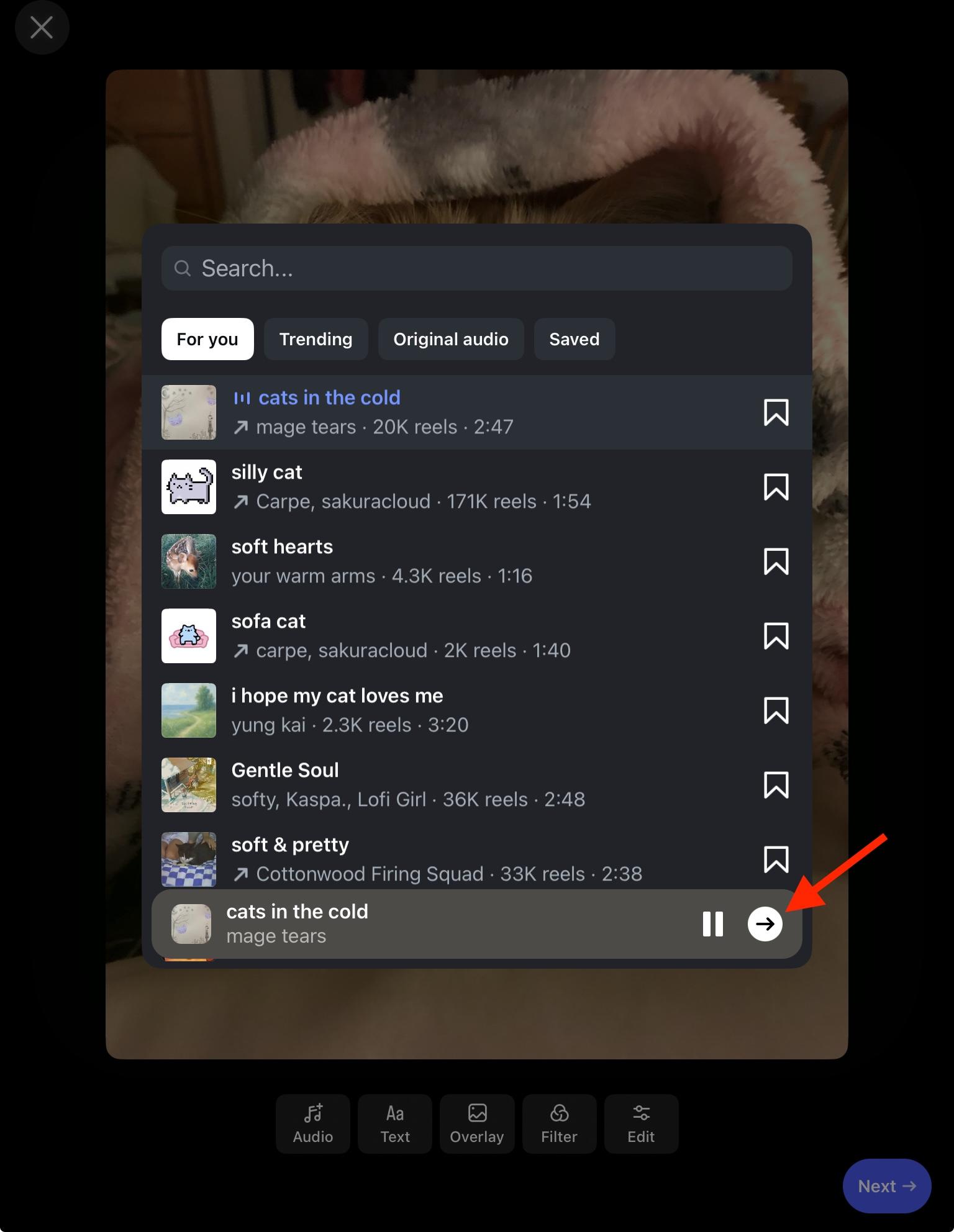
Choose your track then tap the arrow to confirm.
When these posts are shared to Instagram Stories, the Story will automatically include this track.
Instagram Carousels
Instagram Carousels can also include audio, however the one exception to this is Carousels that include video slides.
Just like photo posts, when Carousels are shared to Stories, the Story will automatically include the audio track.
Instagram Reels
Instagram Reels can also include audio, which will be played during the duration of the Reel unless otherwise edited.
To add audio to a regular post, select your image then tap Audio.
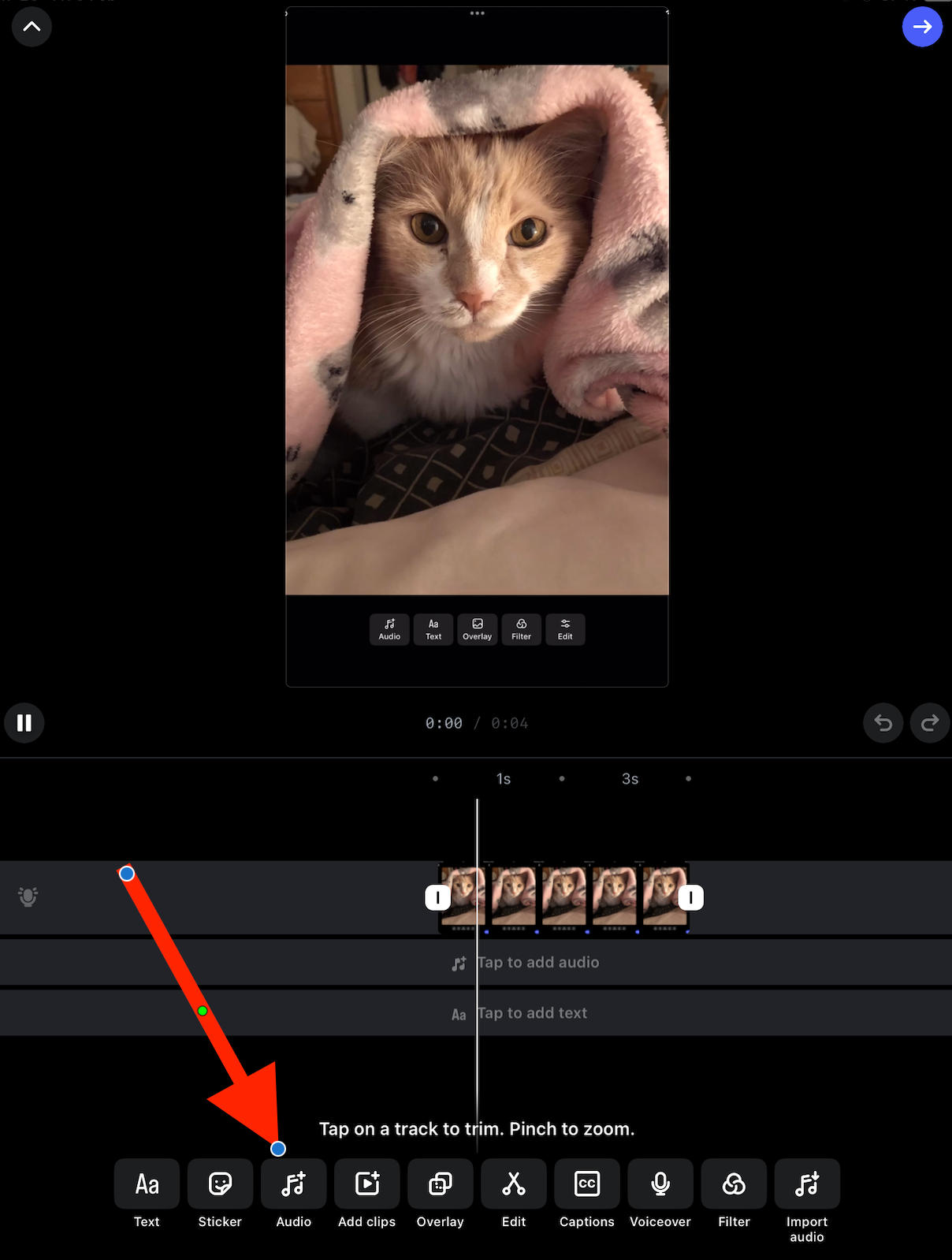
Choose your track then tap the arrow to confirm.
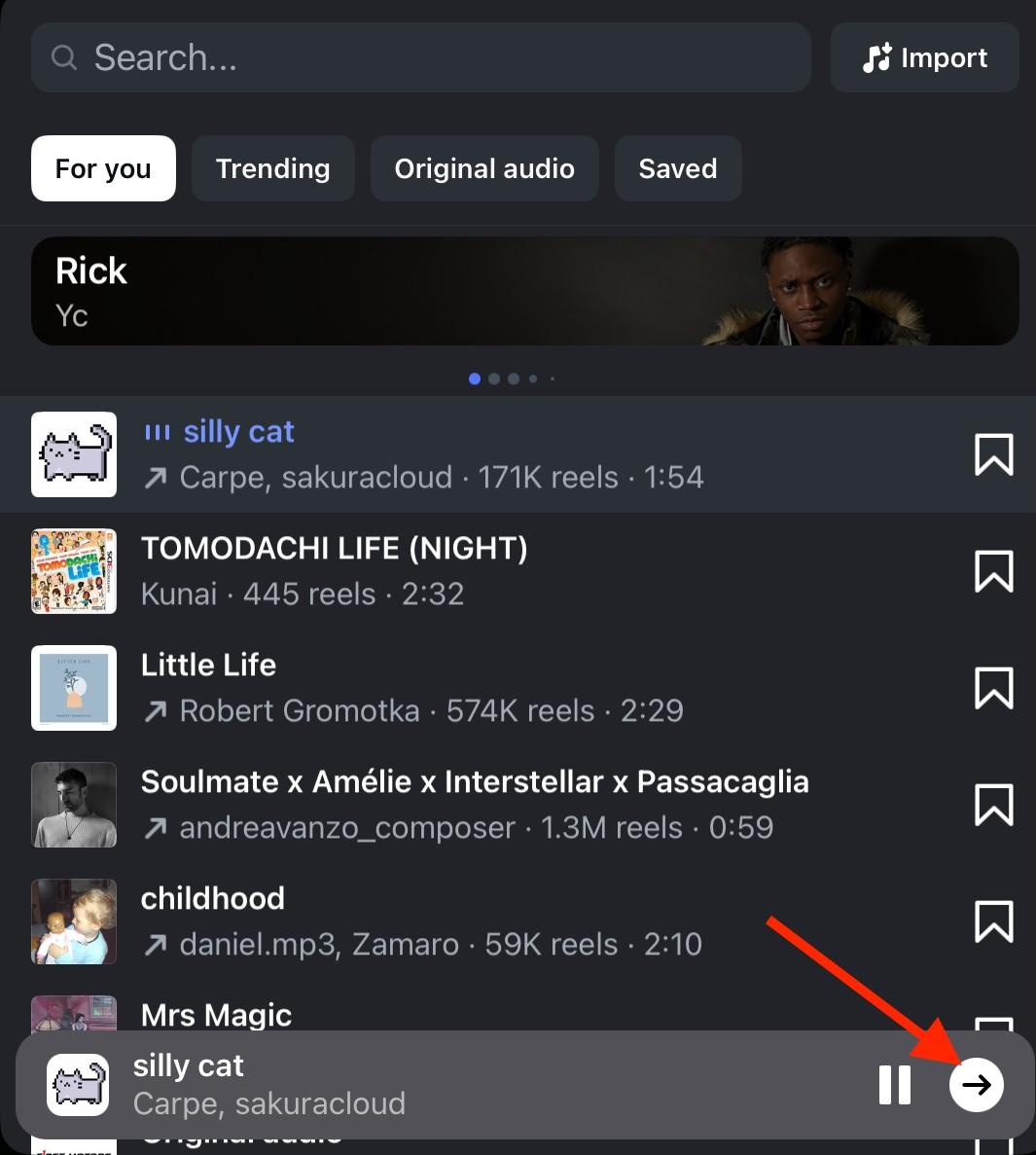
Select the part of the audio you wish to include, then tap Done.
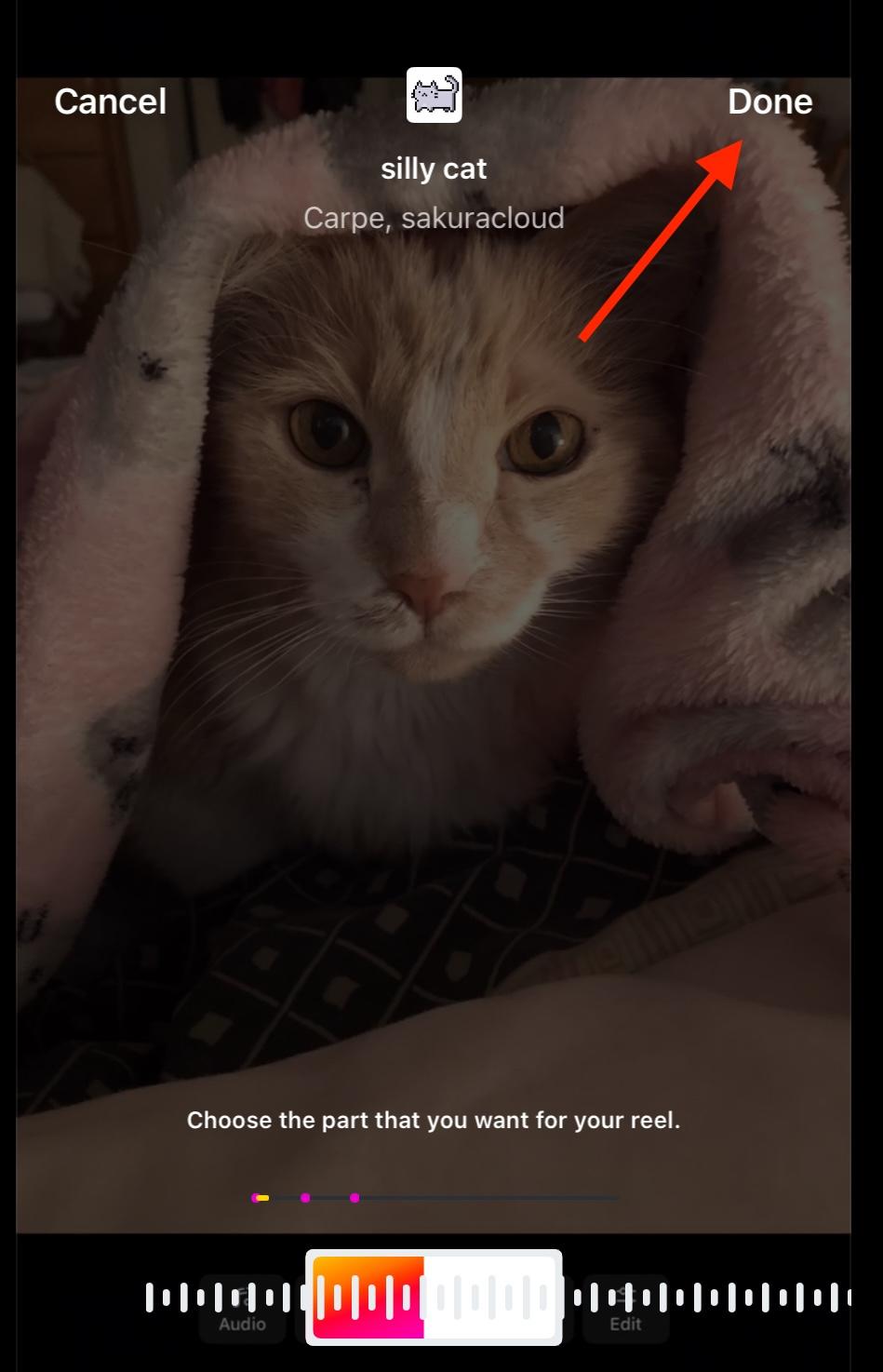
Like photo posts and Carousels, when a Reel is shared to Stories the Story will automatically include the chosen audio.
Instagram Stories
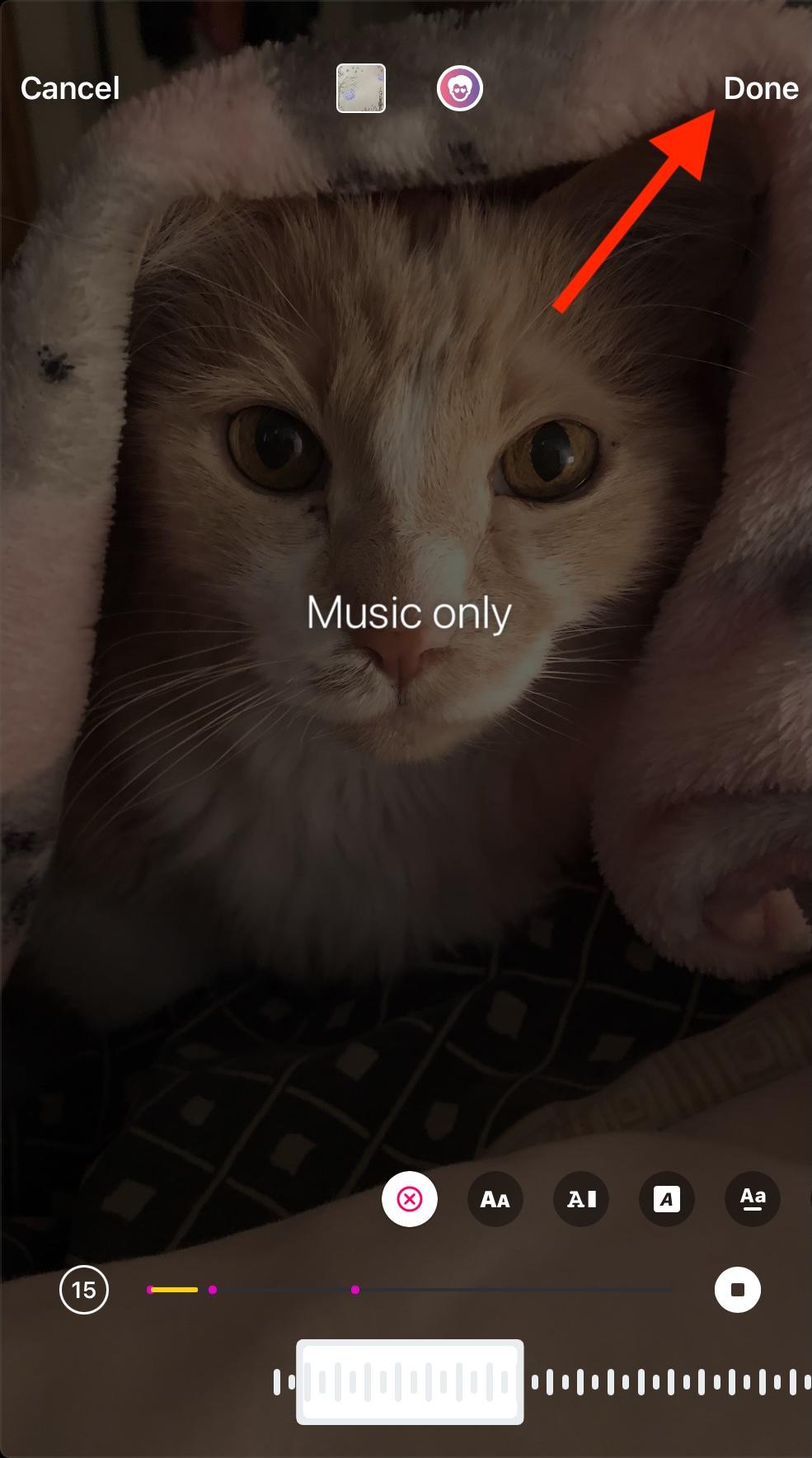
Instagram Stories can include audio by selecting the music feature at the top right.
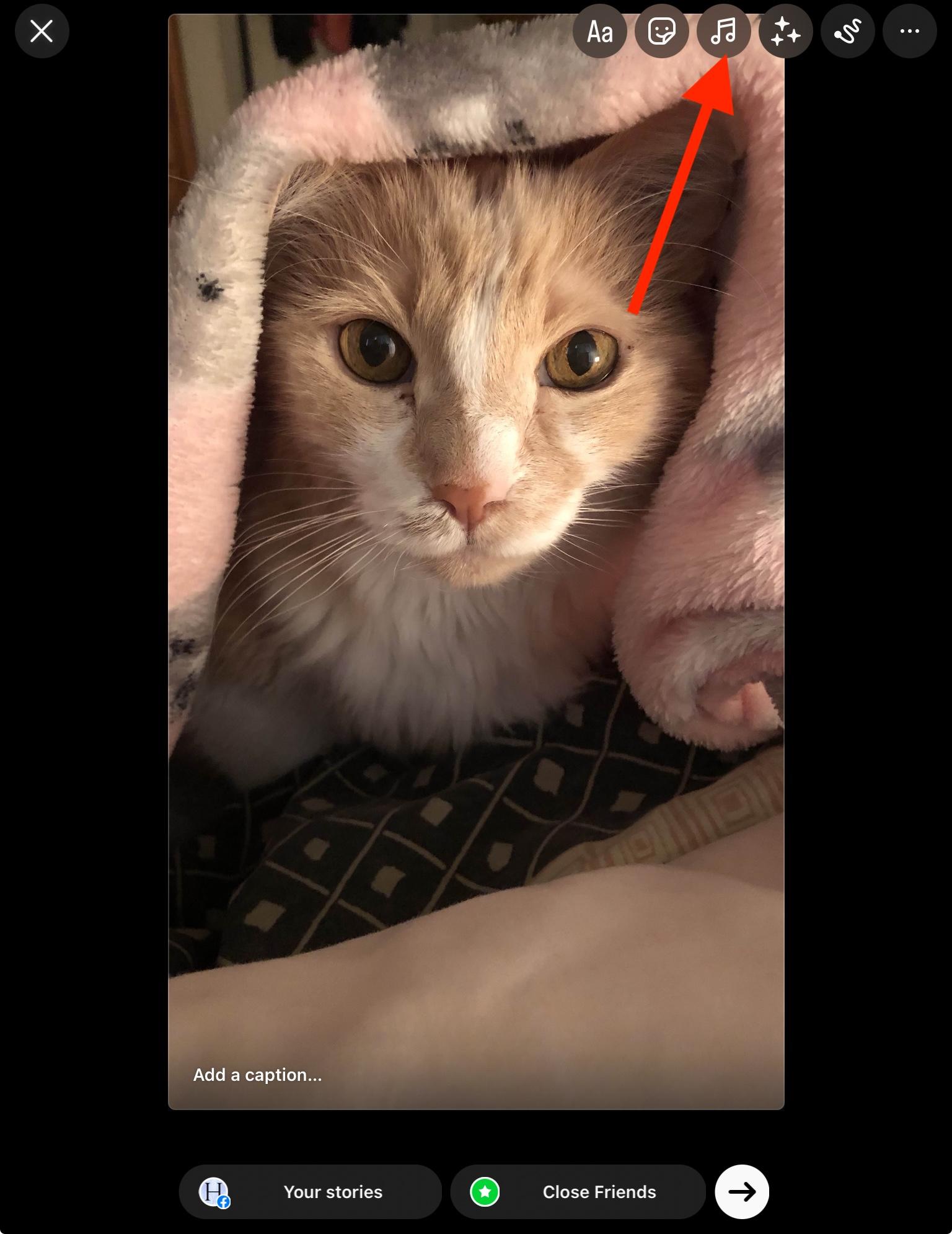
From here, select the track, then tap the arrow to confirm.
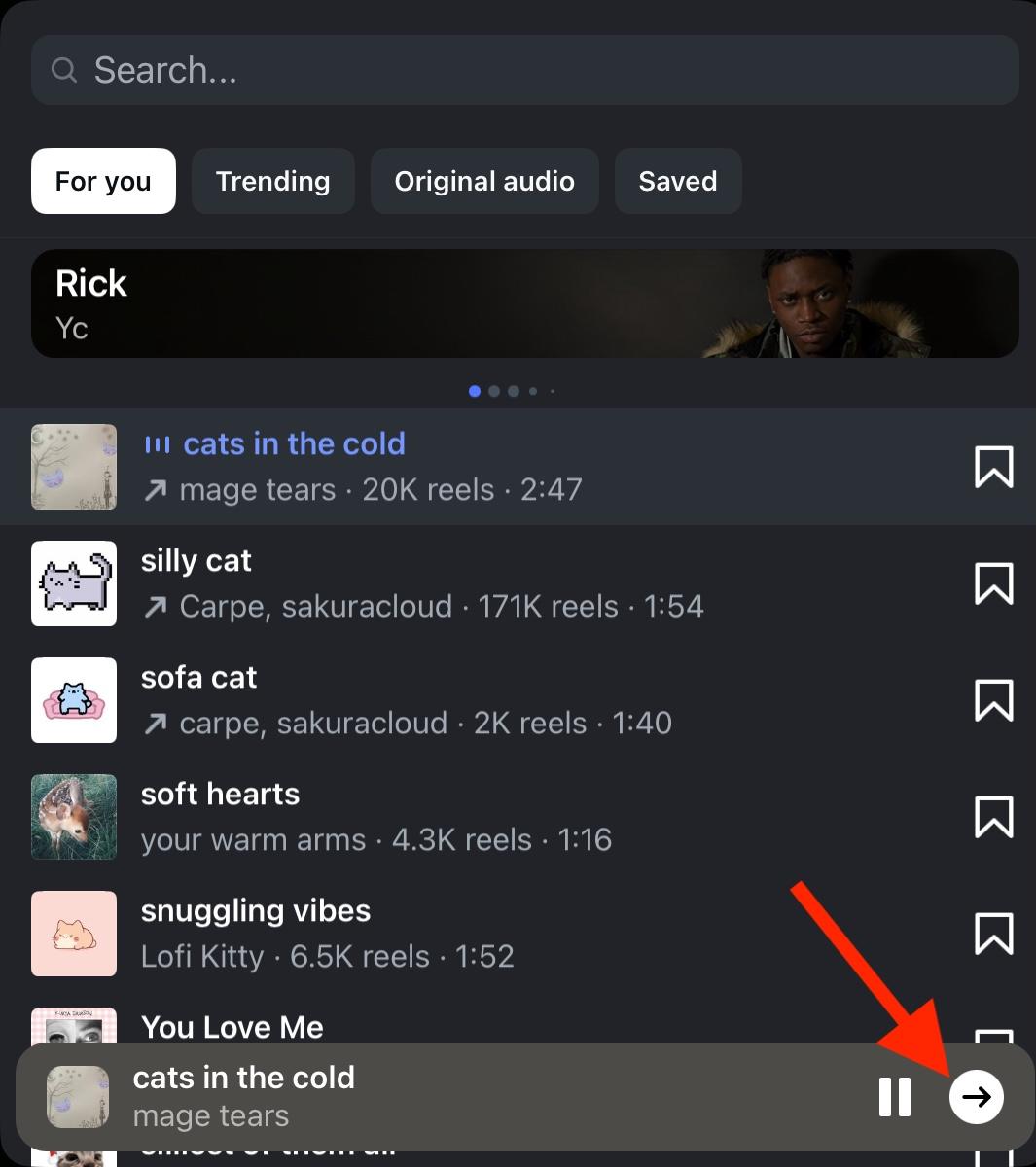
Select the part of the audio you wish to include, then tap Done.
How Do I Add Music To An Instagram Post That Isn't On Instagram?
If you want to include audio from outside of Instagram, the only way to do this is to add the audio to video content during the editing process.
Then, post your video as a Reel or share it to your Story.
Keep in mind that audio from outside of Instagram is still subject to copyright law and could result in a copyright strike if you don’t have the appropriate permissions to post it.
How To Fix Instagram Music Copyright Issue
If you’re trying to use copyrighted music on Instagram, stop.
There is no length of audio that can be used legally if the track is copyrighted, no matter what certain online users may say.
Stick to using Instagram’s music library, the Meta Sound Library, or royalty-free music libraries like Epidemic Sound. These libraries ensure the legality of the tracks being used, so you don’t have to worry about dealing with a copyright strike.
How To Get More Engagement On Instagram Posts
Adding music to a post is a great way to make it more enticing to users scrolling by, but if you’re still struggling to get engagement on your Instagram content, QQTube.com has everything you need.
From Instagram likes, comments, Reels views, and even saves, you can increase your engagement in just a few clicks, making it more likely that the IG algorithm will recommend your content to a wider range of users.
All you need is the URL to your Instagram post, no login info required! We also have a bot-free guarantee, which means all your Instagram engagement is coming from real, active Instagram users.
Sign up and get started for free at QQTube.com today!
Frequently Asked Questions
Can I add music to an Instagram post with multiple photos?
Yes, carousel posts allow audio but only for photo carousels. Video carousels won’t have the audio option available.
How do I add a song to a posted Instagram post?
If you’ve already posted an Instagram photo, you won’t be able to add audio to it after it’s been published.
How can I add music to my photo?
During the publishing process, tap Audio then select your track. Complete the remaining steps and publish as usual.
How to unlock music on Instagram?
All accounts should have access to Instagram’s music library, with the exception of certain Business accounts and users in specific regions. Learn more here.
Has Instagram removed music from posts?
No, the music feature is still available on Instagram, but some regions may not have access to it.
How do I add multiple photos with music?
Create a carousel post as usual, then tap the Audio option and select your track.
How do I fix music not available on Instagram?
Run through our troubleshooting steps here.
How do I add music to an Instagram carousel?
Just like any other post, as long as there are no video slides in your carousel. Learn how here.
Why can't I add music to my Instagram?
Run through our troubleshooting steps here.
Why isn't Instagram allowing music?
Run through our troubleshooting steps here.
Why is Instagram music unavailable in my region?
Some regions don’t allow Instagram music. However, you may still be able to use Meta’s Sound Library.
Why can't I use music on Instagram Reels or Stories?
That might be due to your account type or region. Run through our troubleshooting steps here.


