
On Facebook, tagging is a way to include a user or Page in a specific photo or post while mentions allow you to include someone in a post, comment, or message.
Today's guide will show you how to tag or mention someone, what to do if you've been tagged, the different places you can mention users on Facebook, how to adjust your tagging settings, and much more.
Key Points:
What Does Tag Mean On Facebook?
Tagging someone on Facebook allows you to include a direct link to their profile page within a photo or status update on the platform.
As long as the user’s privacy settings allow tagging, you will be able to tag them on any photo you post or status update that you share. When other users view the post or photo they can click the tag and be redirected to the tagged user’s profile.
You can tag up to 50 individual users or pages in a photo or post, but Facebook business pages and groups have the ability to use the @everyone tag which will notify every follower of that page or member of that group that they've been mentioned in a post or comment.
What Is The Purpose Of Tagging?
Tagging is a way to label photographs based on who is present with them, or include a friend in a status update.
For example, if you attend a concert with a friend, you can tag them in a status update about it. This way, their friends will also see that they've participated in this event.
Where Can You Tag Someone On Facebook?
You can tag someone on photographs as well as individual posts on Facebook.
However, the mention feature is available in more areas within the platform, which you can learn about here.
What Happens When You Tag Someone?
When you tag someone on Facebook, you generate a link to their profile.
If you tag someone in a photo, those images will appear in their albums as photos they've been tagged in.
If you tag someone in a post, that post will appear in their friends' newsfeeds. These posts may also appear in the tagged users’ timeline.
What Happens When Someone Tags You In A Facebook Post?
When someone tags you in a Facebook post, depending on your privacy settings, you may receive a notification prompting you to confirm that you would like to be tagged
If you accept, or if your privacy settings allow anyone to tag you, the post or photo will generate a link directly to your profile page that can be clicked by anyone who has access to that post.
Additionally, if you were tagged in an image, the image will appear in the photos of you album.
If you were tagged in a post, that post will be visible to your friends and the friends of the person who tagged you within their individual newsfeeds. Posts you've been tagged in may also appear on your timeline.
How To Tag Someone On Facebook
There are two places to tag someone on Facebook: in photos and in posts.
This can be done on both the Facebook mobile app and desktop site.
In A Photo
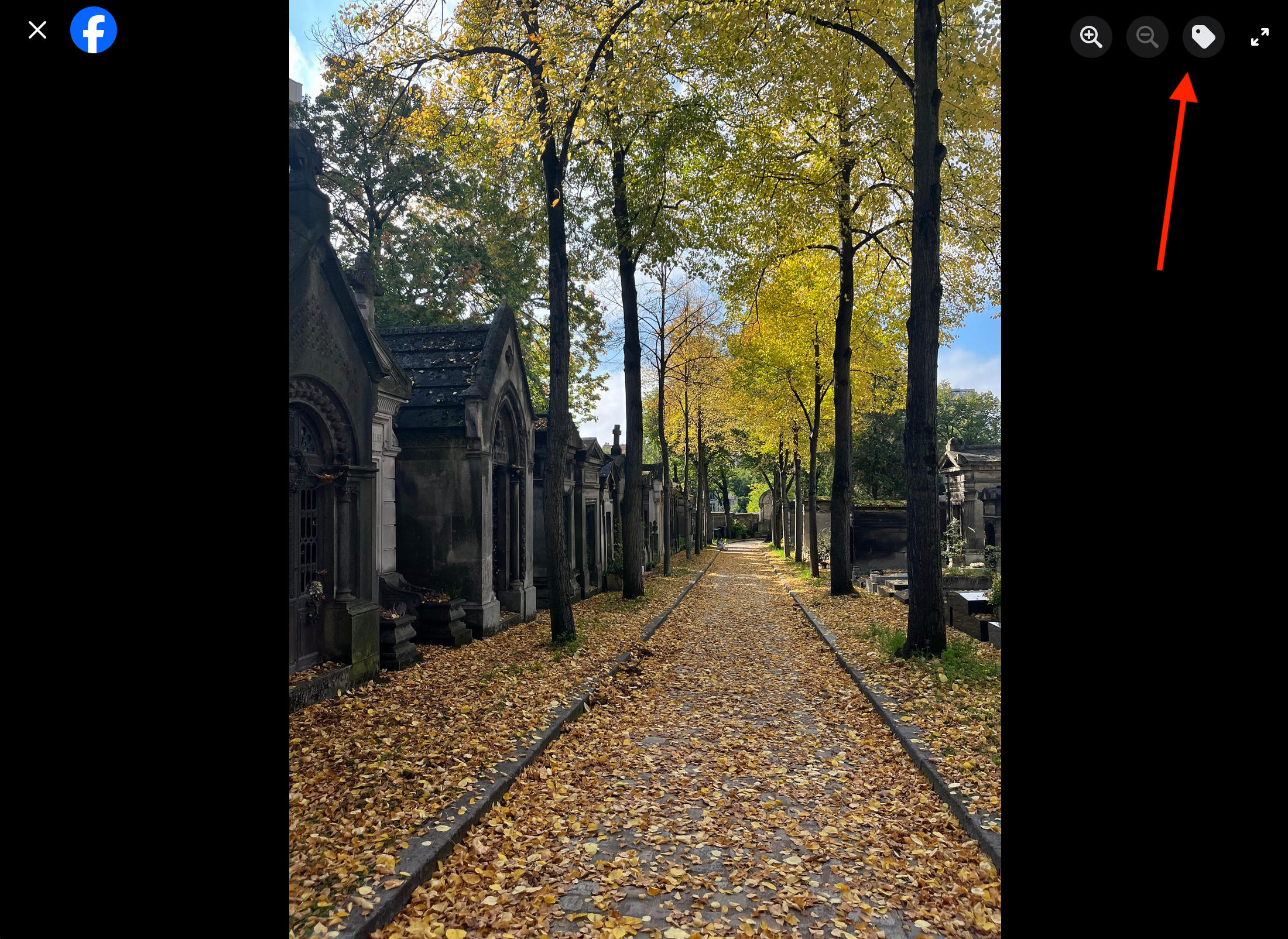
To tag someone in a photo, click or tap the tag icon on the top right corner.
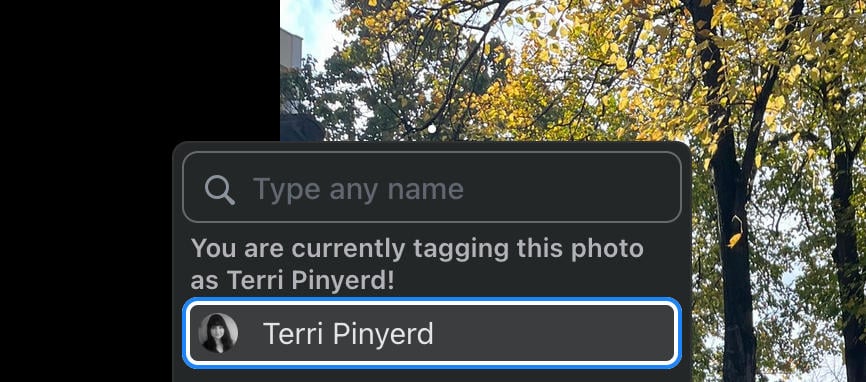
Click on the photograph to tag someone. You can either click directly on where the person appears, or just click anywhere to tag several people in a photo that you want them to be notified about.
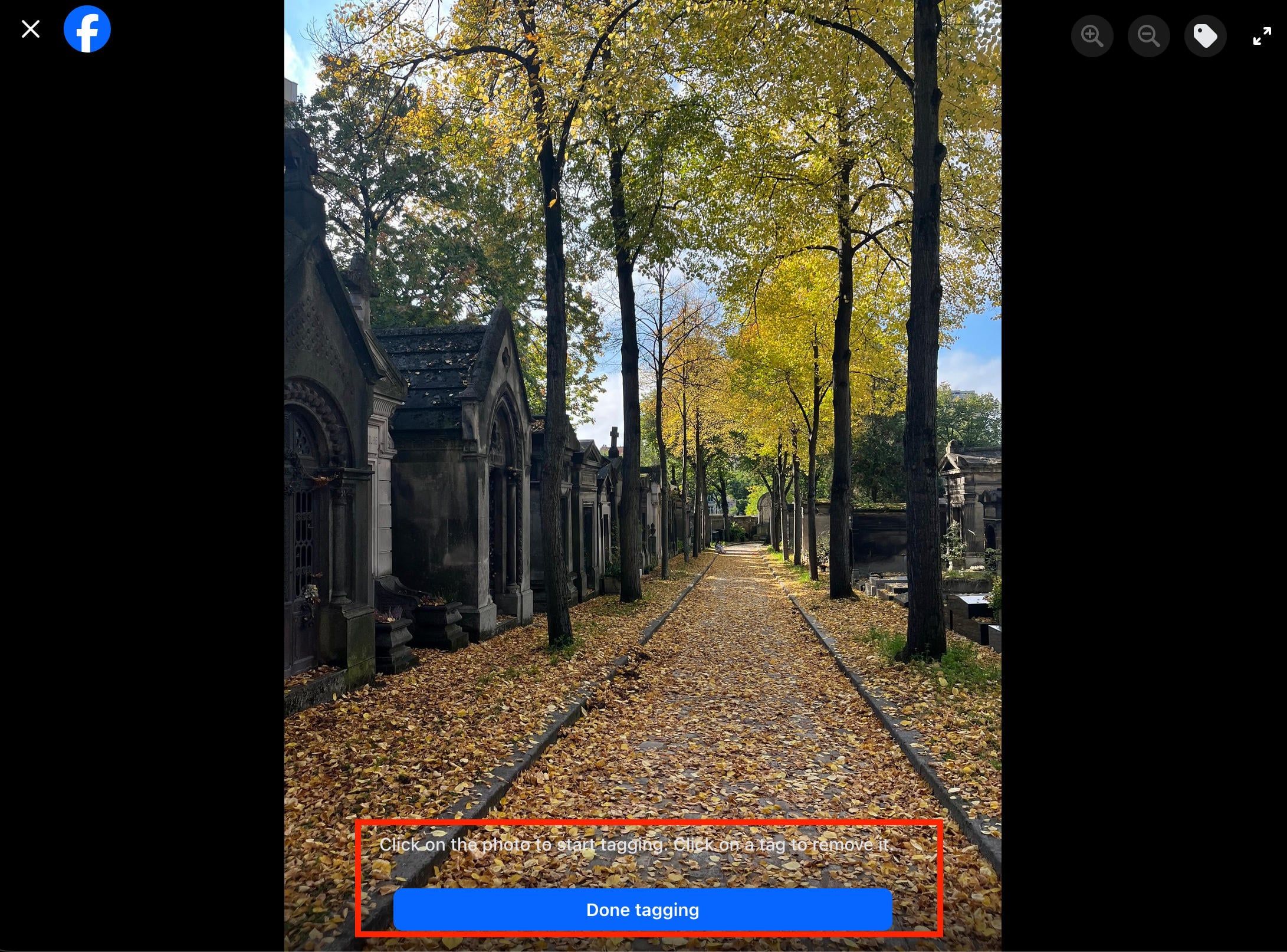
Select Done Tagging to save your changes.
In A Post
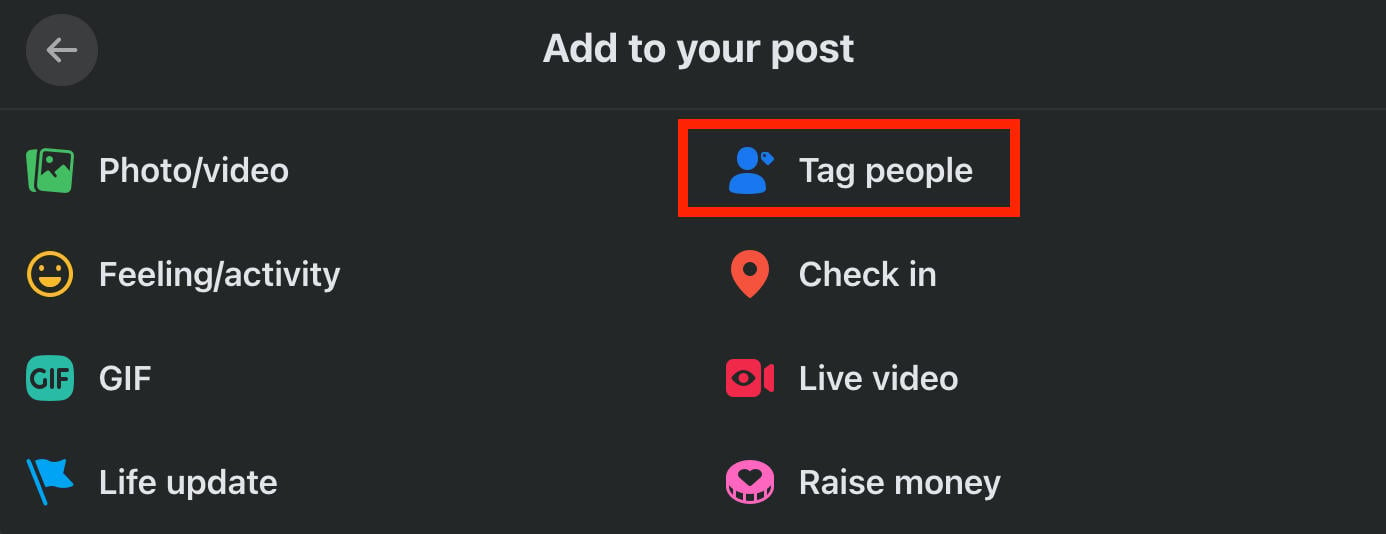
To tag someone in a post, create a new post then click the three dots on the bottom right corner.
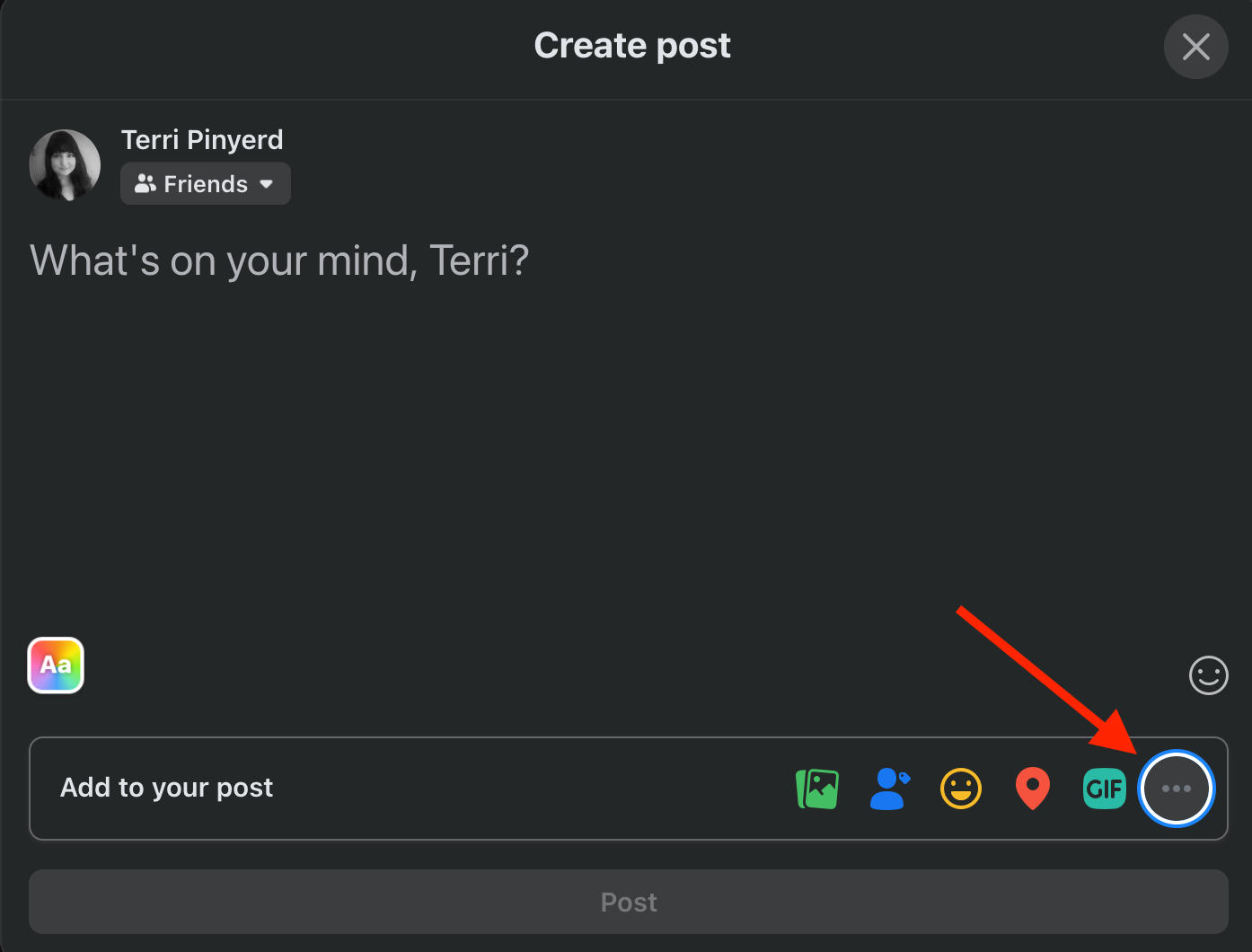
Select Tag People.
Type in the name of the person you wish to tag. Your friends will appear at the top of the results.
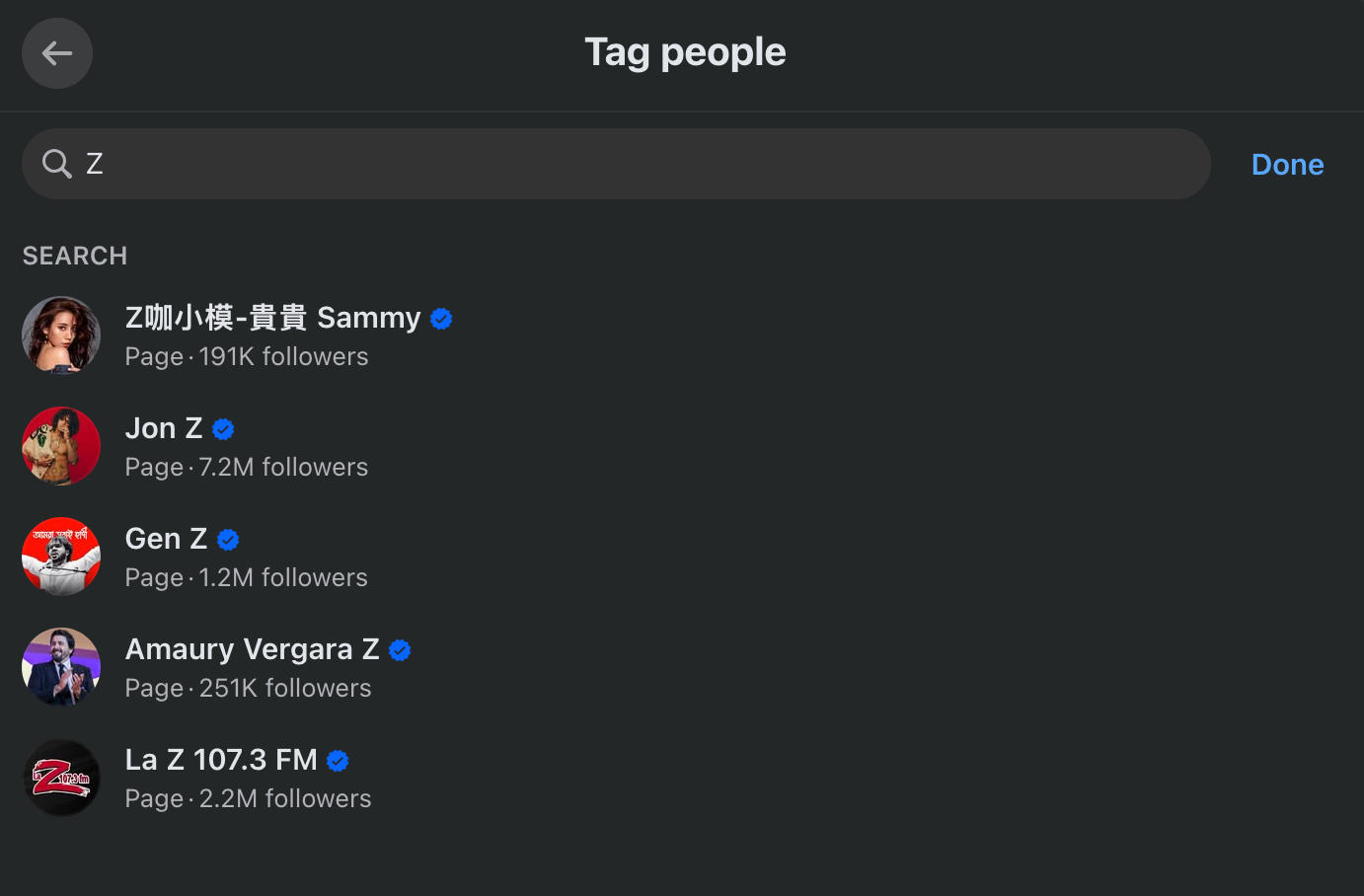
When you're ready click Done.
The users or pages that you've tagged will appear to the right of your name within the post.
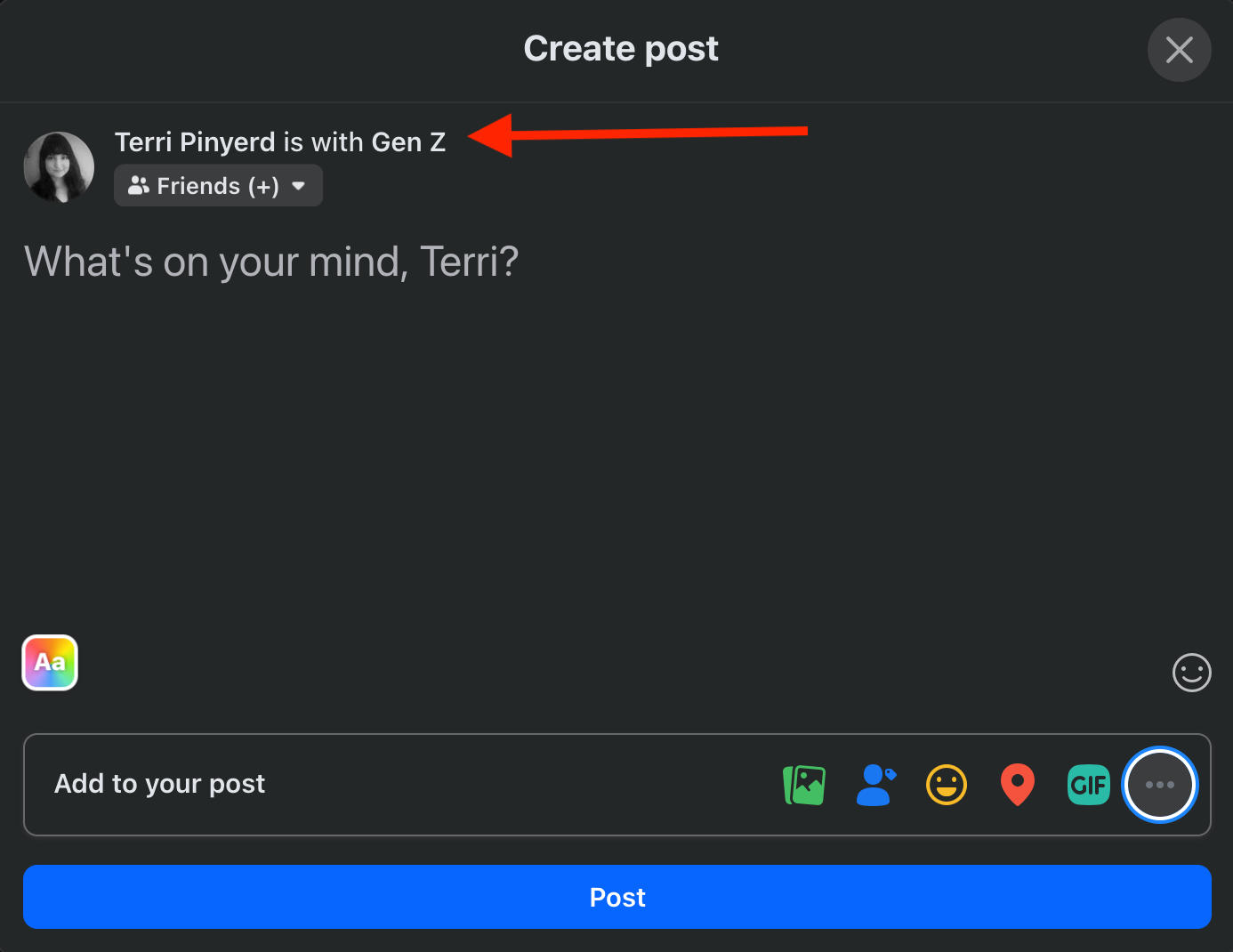
Click Post to publish as usual.
How To Adjust Your Tagging Settings
If you would prefer not to be automatically tagged in photos or posts, you can adjust your privacy settings. This will allow you to review any attempted tags and approved or deny them before they appear on your timeline.
Click your profile picture and navigate to Settings & Privacy > Privacy Center
Scroll down and click Review Settings.

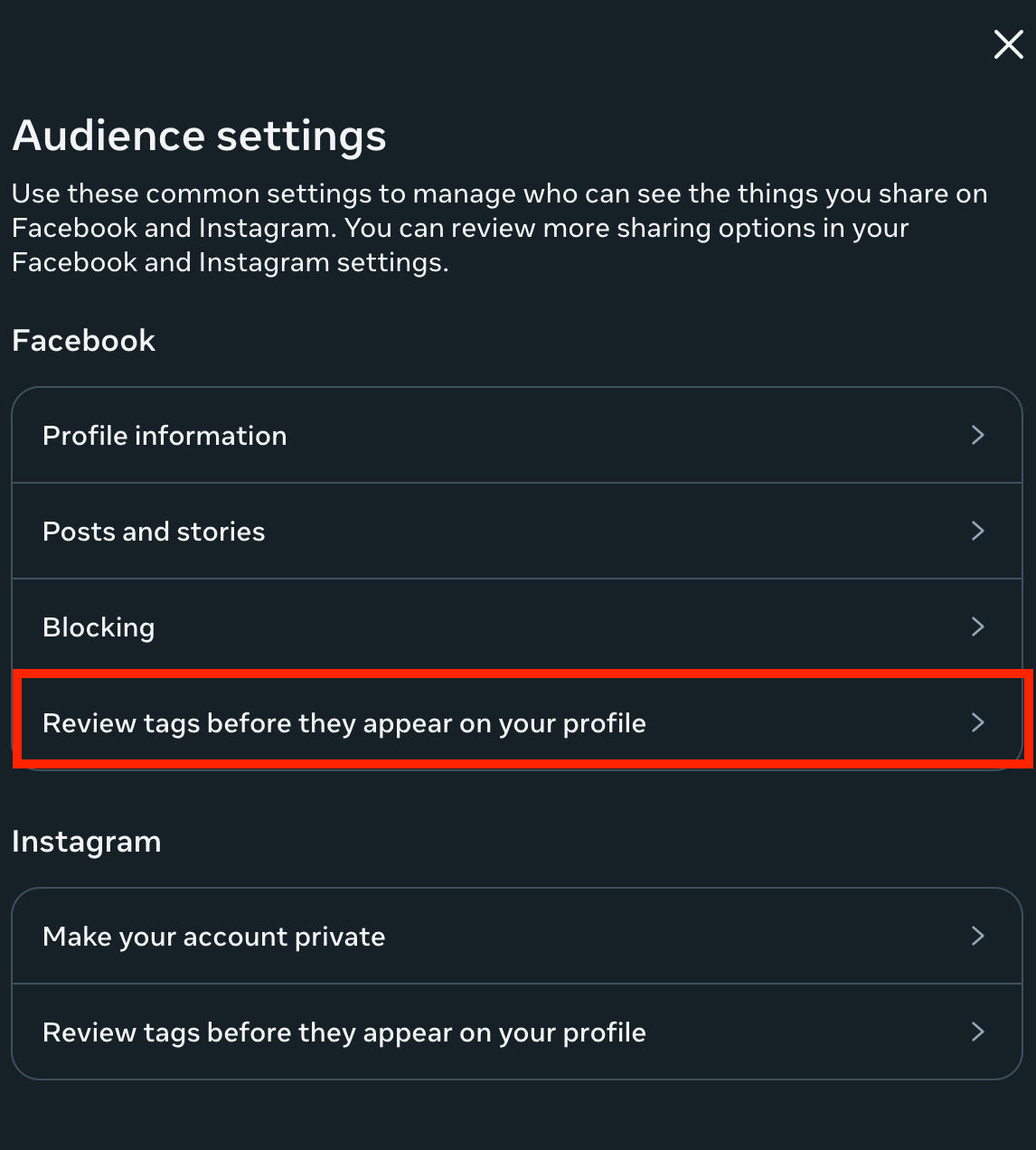
Scroll down and click Manage Audience Settings.
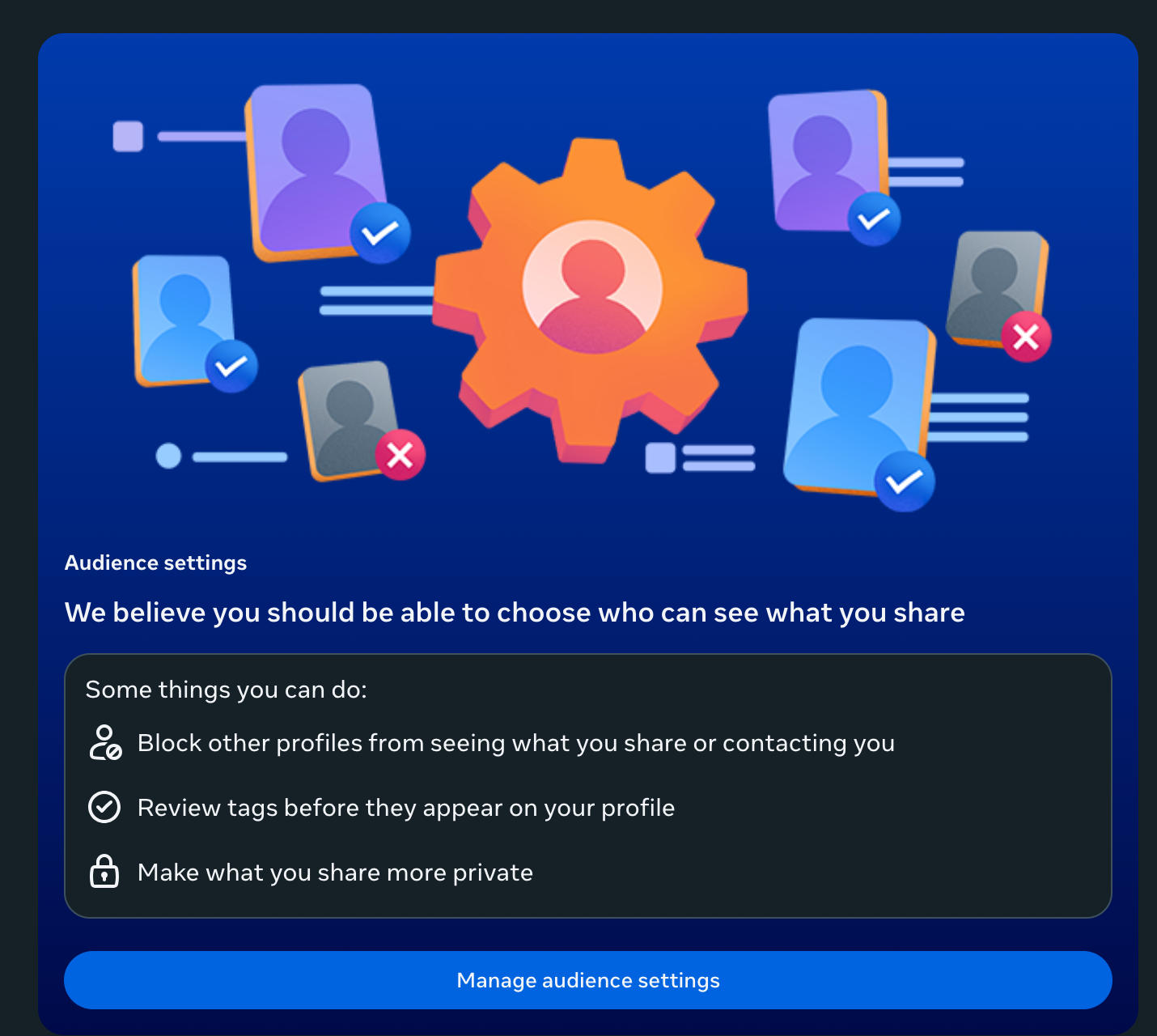
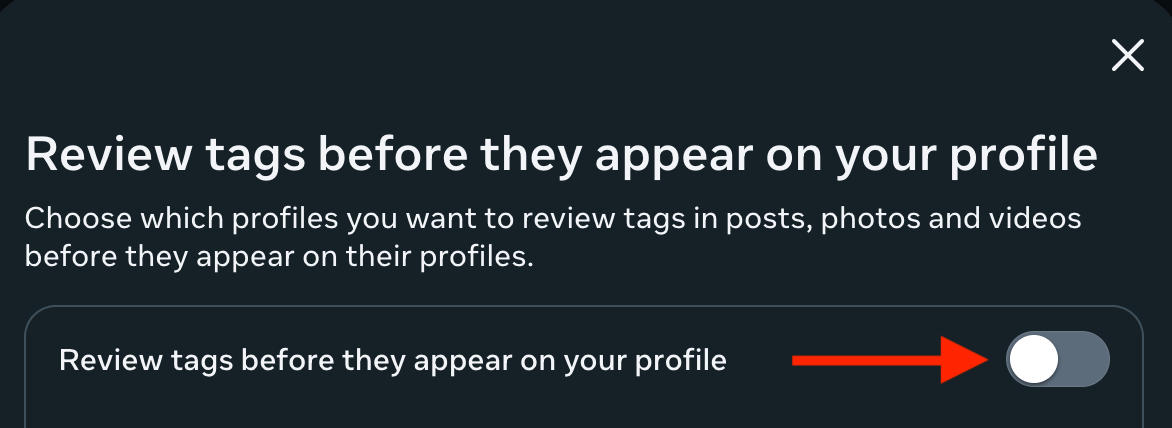
Click Review Tags Before They Appear On Your Profile.
Toggle it to ON and click Done.
What's The Difference Between A Tag And A Mention?
While tags and mentions are often used synonymously, they're technically two different features within the Facebook platform.
Where Can You Tag Someone On Facebook?
Tags involve linking a specific user or page and can be used on photographs or status update updates. They generate a notification to the user and content they've been tagged in will appear in their timeline and within their friends' newsfeed.
If a user has their privacy settings adjusted, they will need to approve a tag before it can be published.
Where Can You Mention Someone On Facebook?
Mentions are similar to tags but can be done within the body text of a post, a comment, a direct message, a group, or even a page.
You can mention up to 50 users or pages within a post or comment.
What Happens When You Mention Someone
When you mention someone on Facebook, their display name preceded by the @ symbol will appear where the mention was made. Their name will be hyperlinked and will redirect anyone who clicks it to their profile page.
You do not need someone's permission to mention them.
A mention will always generate a notification to that specific user.
How To Mention Someone On Facebook
Unlike tags, users do not have to approve a mention. Additionally, you can mention users in more places than you can tag them.
The mention process is the same on both the Facebook mobile app and the desktop site.
In A Post
To mention someone in a post, simply type in the @ symbol and begin typing their display name.
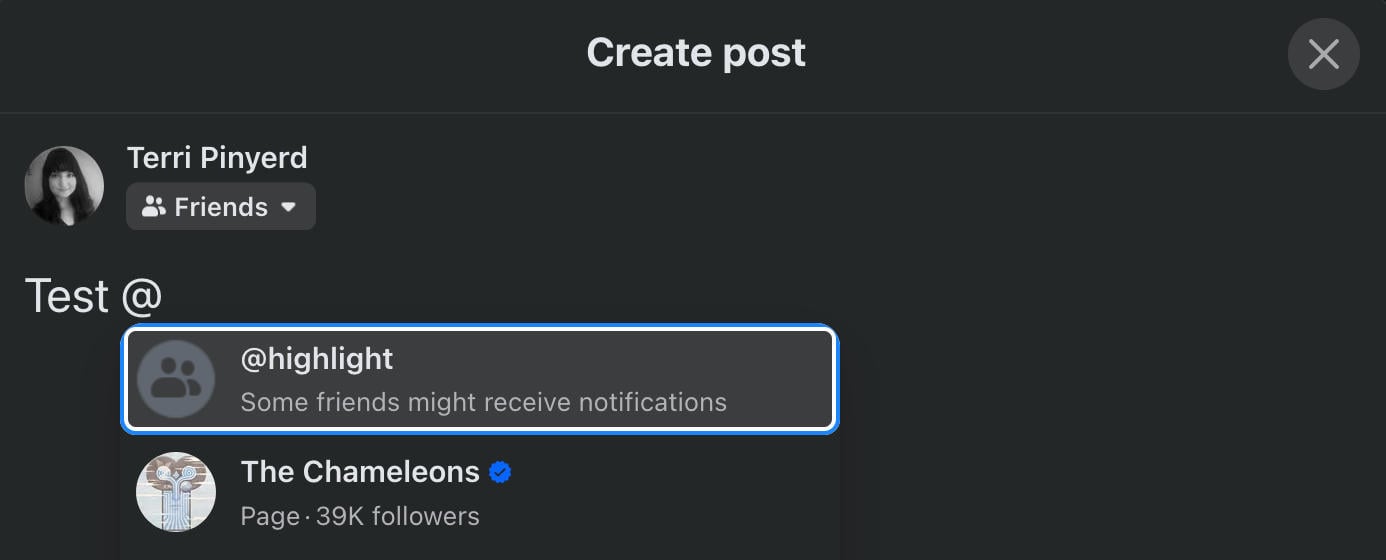
Once you see their name appear in the results, click it.
Publish your post as usual.
In A Comment
To mention someone in a comment, write your comment as usual, then type in the @ symbol and type in the display name of the user you wish to mention.
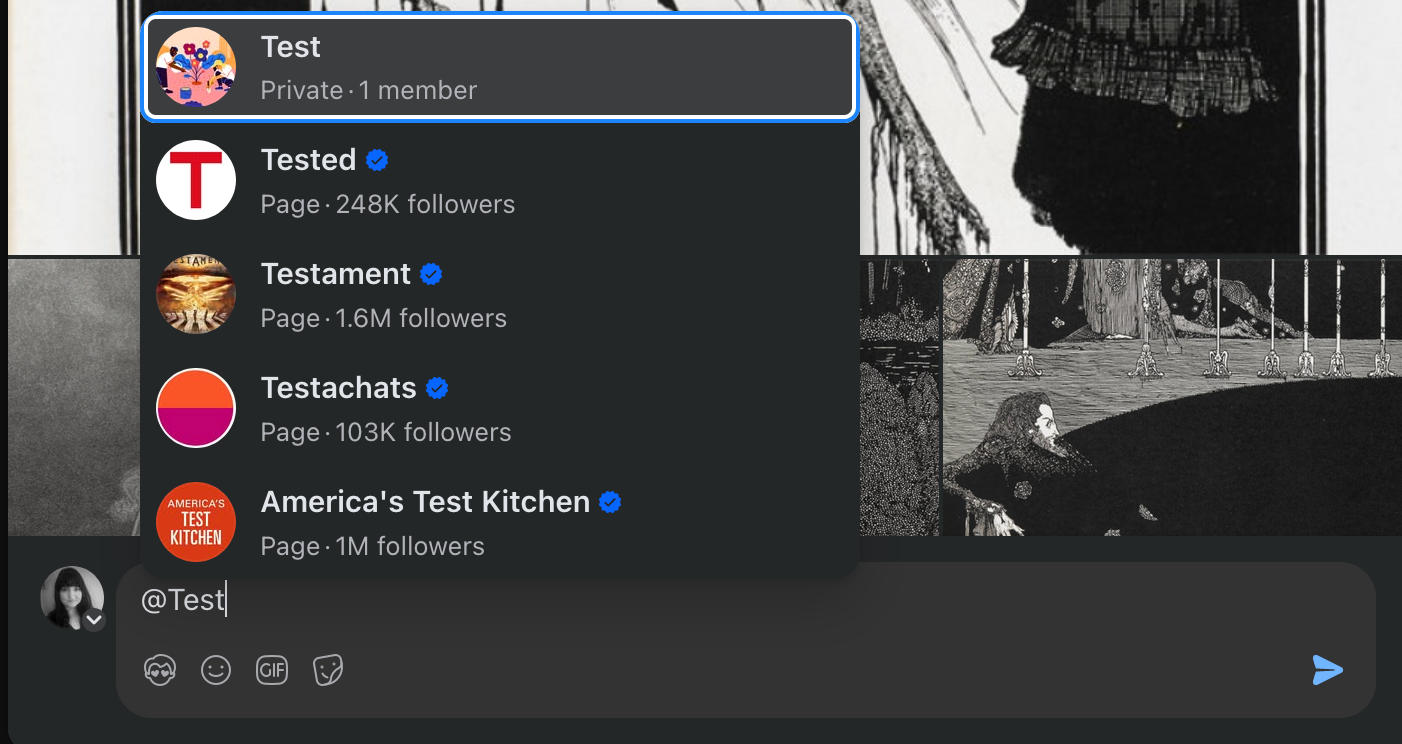
Select the user or page from the pop-up results.
Publish your comment as usual.
On Messenger
You can also mention individual users within a direct message.
To do this, type in the @ symbol before or after your message. Select the user you wish to mention or choose @everyone to tag all members, and send your message as usual.
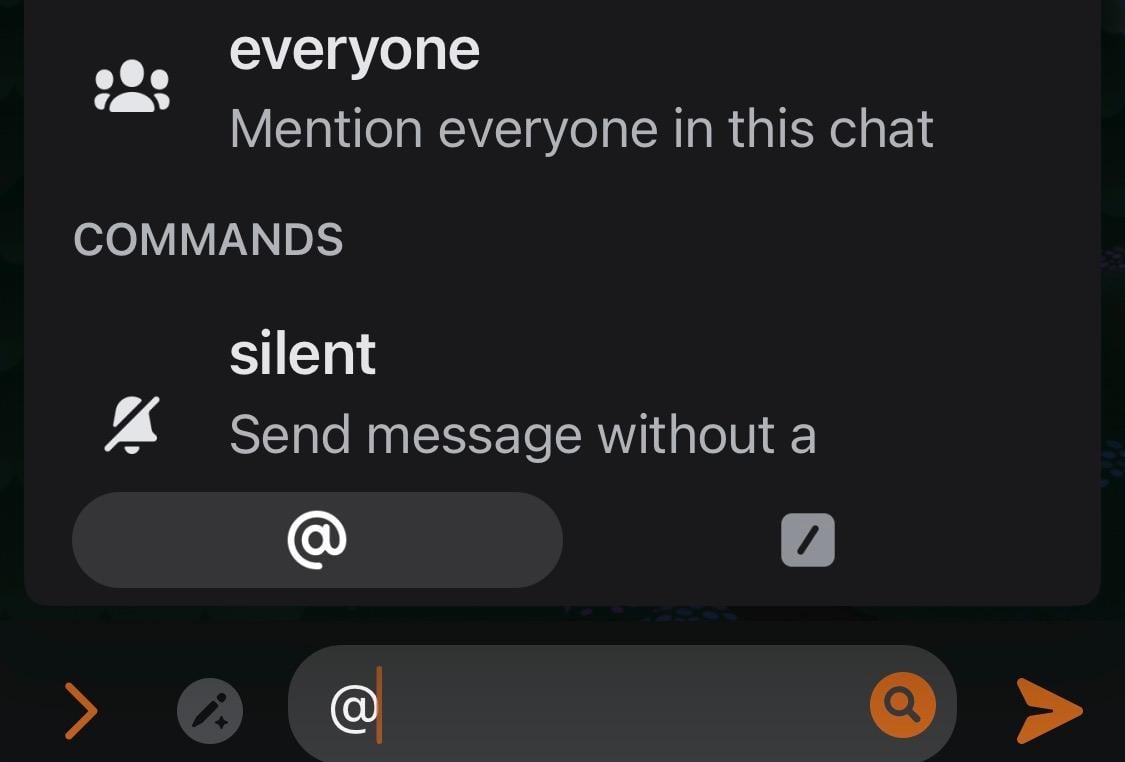
This only works for group messages. If you try to tag someone in a single person direct message, you will be prompted to send a silent message instead.
In A Group
You can mention individual users within a post or comment on a Facebook group by following the instructions above, or you can use the @everyone tag to notify everyone within that group. Keep in mind that use of this feature depends on the group permissions.
From the desktop site, visit the Facebook group and create a new post.
Type in @everyone and select it from the pop-up menu.
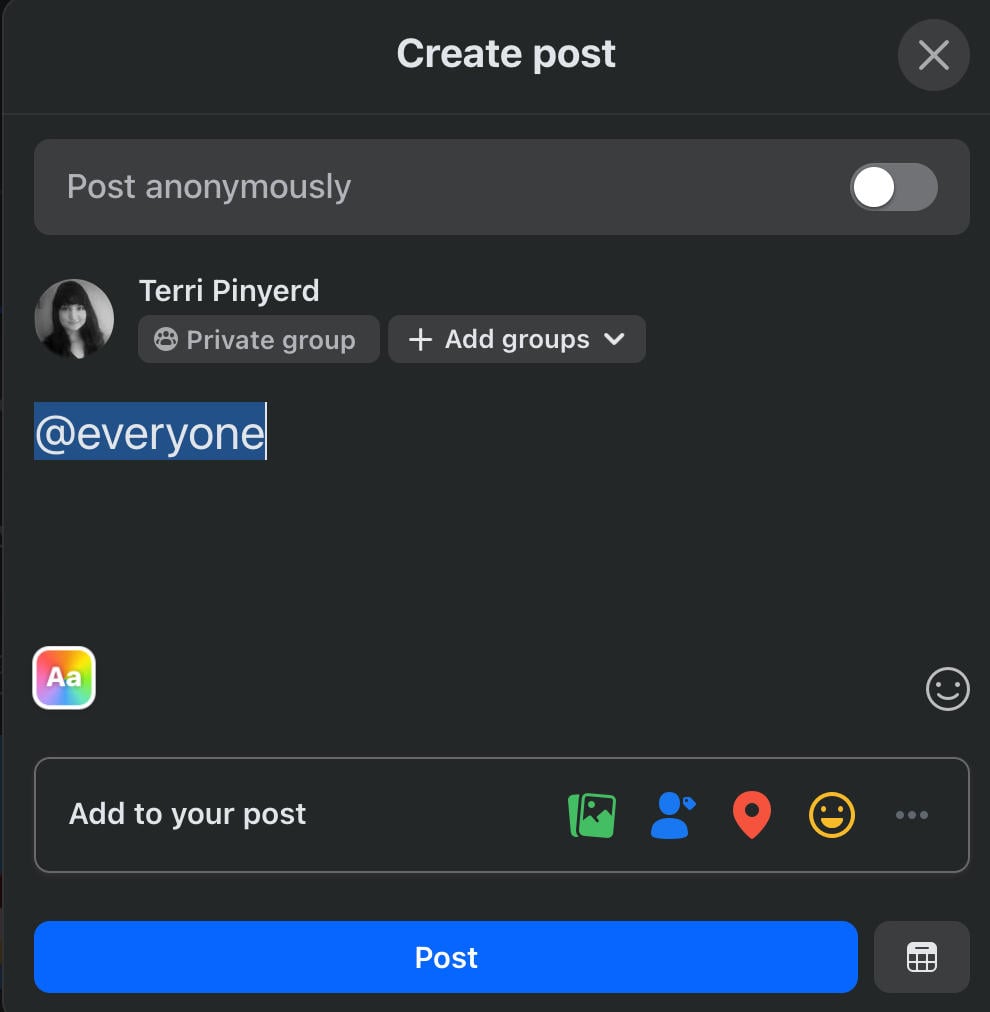
Complete your post and publish it.
From the mobile app, visit the group and create a new post.
Tap the @ symbol on the bottom right corner.
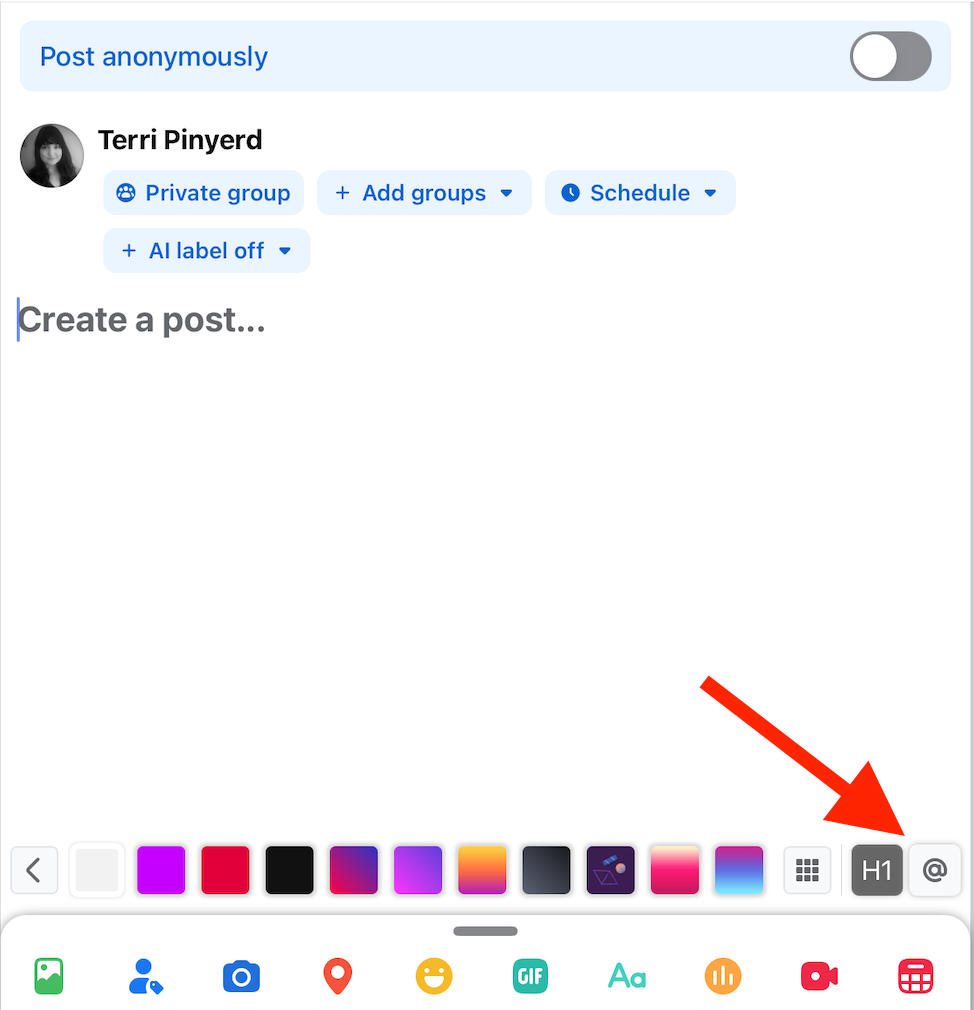
The pop-up menu should include @everyone at the top, otherwise type it in and select it.
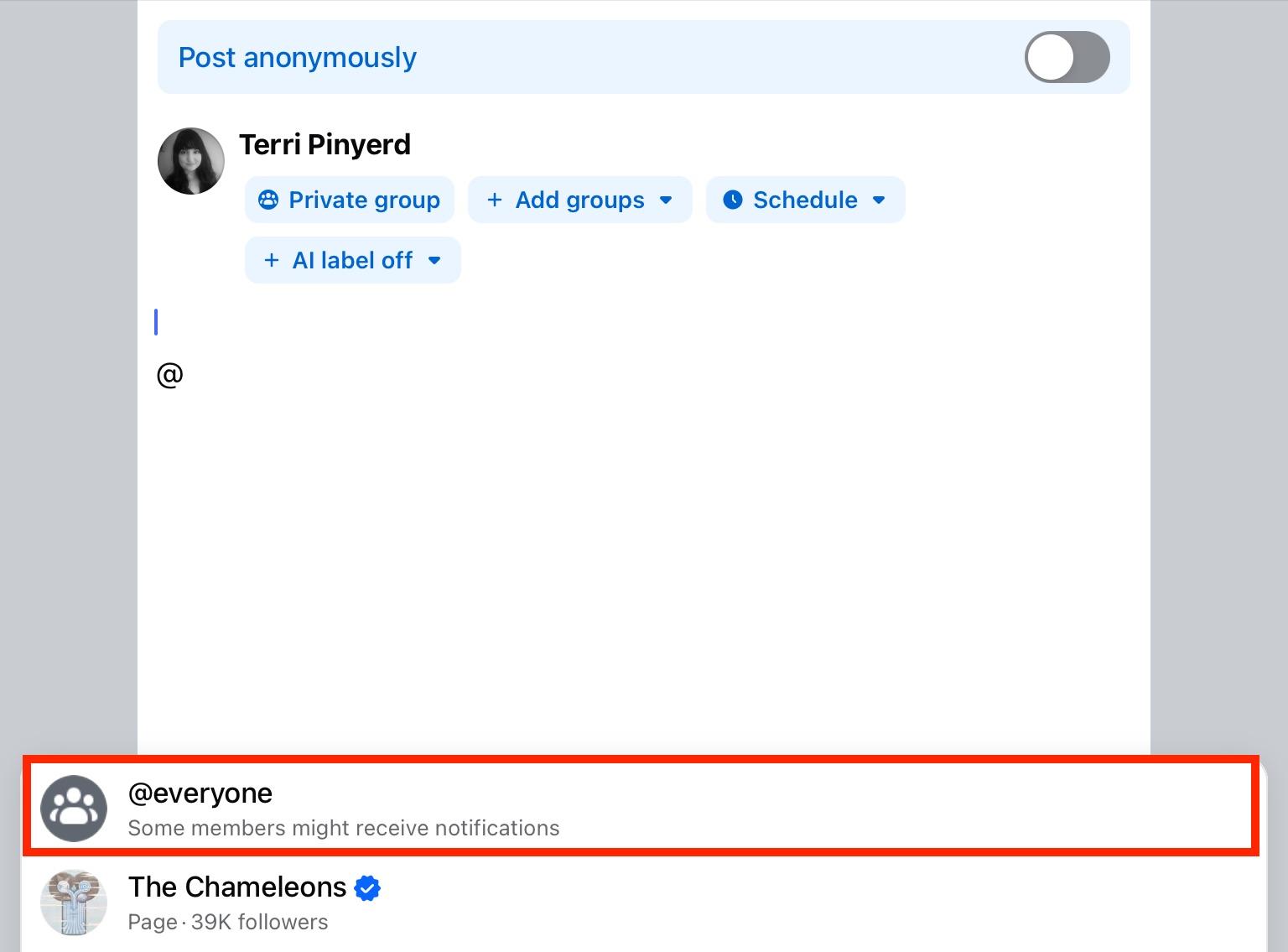
Complete your post and publish it.
In A Page
You can mention individual users within a post or comment on a Facebook page by following the instructions above, or you can use the @followers tag to notify everyone who is currently following that page.
Only page administrators or moderators may be able to use this feature.
To tag all of your followers, visit your Facebook page from the desktop and create a new post. You won't be able to do this from the mobile app.
Type in @followers and select it from the pop-up menu.
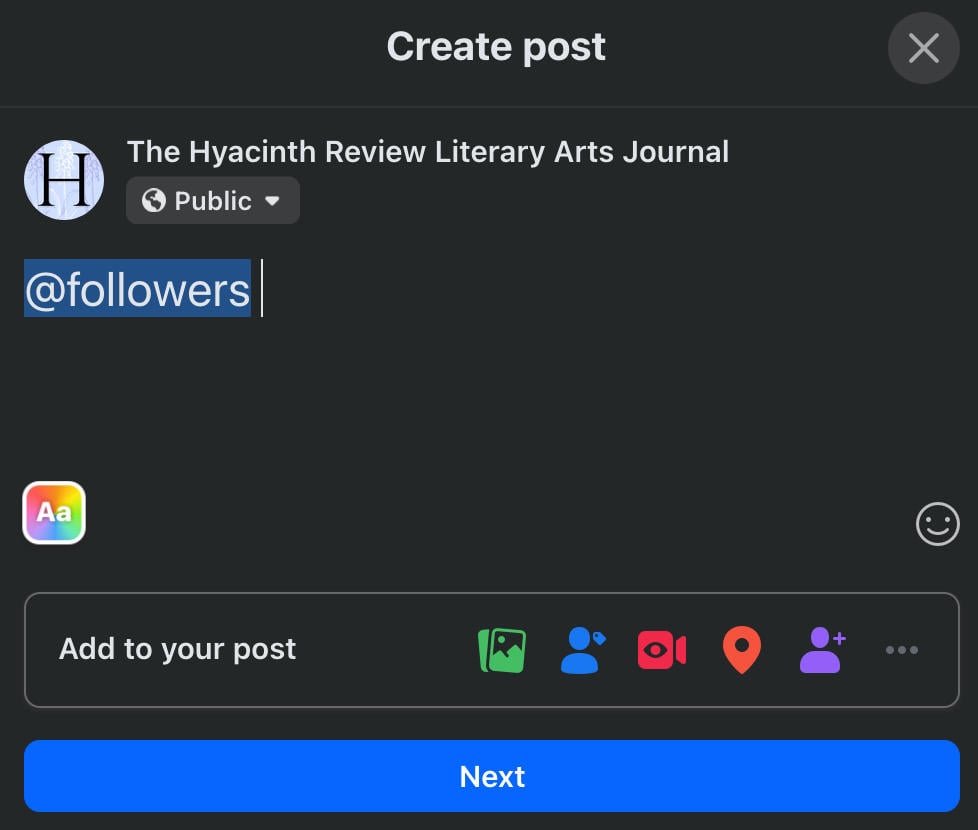
Complete your post and publish it.
What’s The @highlight Feature?
When tagging or mentioning friends, you may have noticed the @highlight feature.
When using this feature, a select number of friends may be notified that you've mentioned them in a post or comment. This is random and depends on how active these users are on Facebook.
Keep in mind that this feature is not very popular, and is often viewed as a nuisance. When in doubt it's always best to mention a user directly.
Frequently Asked Questions
When you tag someone on Facebook, who can see it?
When you tag somebody on Facebook, their friends can see the post or photo that they have been tagged in within their newsfeeds. Additionally, anybody who has access to their profile timeline will be able to see the tagged content.
Why would someone be tagged?
Users are tagged either because they are present within a photo, were present at a specific event with a user, or because the poster wants to draw attention to this user within their content.
What does the tag symbol mean on Facebook?
The tag symbol on Facebook appears as a small tag like you would see on a gift.
The symbol for mentions is the @ symbol.
What's the point of tagging someone in a picture?
Tagging someone in a photo is a way to highlight that they were present in the image. Some users also use the tagging feature to highlight who was present during a specific event, even if they were not in the image.
What are the disadvantages of tagging people on Facebook?
Some users prefer not to be tagged for privacy reasons. In these cases, they might have their privacy settings adjusted so that they can approve or deny tags.
What happens if you click the tag icon on someone's Facebook photo?
Clicking the tag icon on someone else's Facebook photo will allow you to tag users or pages. Keep in mind that this will need to be reviewed by the original poster.
What is the main purpose of tags?
Tags are used as a way to keep things organized and to link users and photographs or events.
What is the purpose of tagging someone on social media?
On social media tagging is a way to include somebody in a post.
What are the disadvantages of tagging people on Facebook?
When you tag someone on a photo or post, the post becomes visible on that user's timeline or in their photo albums. If you’re privacy conscious and don't want to increase the audience of your content you may opt to not tag users.
What does tag mean on Facebook Messenger?
Tagging someone on Facebook Messenger means you mention them within a message. They'll receive a notification about this DM.
How to tag someone on Facebook when sharing a post?
Select the three dots on the bottom right corner and choose Tag People. Search for the person you wish to tag then publish your post as usual.
What is the tag icon on Facebook?
The tag icon on Facebook looks like a gift tag.
How to tag someone on Facebook in a comment?
Type in the @ symbol then type the user’s name to mention them in a comment.


