
There’s nothing worse than opening your playlist to find that a few of your favorite videos have been deleted by the original creator. Luckily, there are a few ways you can recover these videos!
Today you’ll learn how to view deleted YouTube videos, how to view deleted YouTube channels, and much more.
Key Points:
How Can I See Old Deleted YouTube Videos?
If you’re trying to view deleted YouTube videos that another creator posted, there are a few methods. However, this all depends on whether or not you still have the URL that leads directly to that video.
Without the video’s URL, there’s no way to view a deleted YouTube video.
How To Find Deleted YouTube Videos On Wayback Machine
The first, and simplest, method for viewing deleted YouTube videos is by using the Wayback Machine.
This is a free tool from Archive.org that allows users to view captured content from the past as long as they have the direct link. For example, if you want to see how a website has changed over time, you’d input the link and select the specific date to see what it looked like at that point.
Keep in mind that this will only work if someone captured the specific video page while it was still public.
For deleted YouTube videos, open the Wayback Machine and input the video URL in the search bar.

From the timeline at the top, select a point in the past where you’re certain the video was still available.
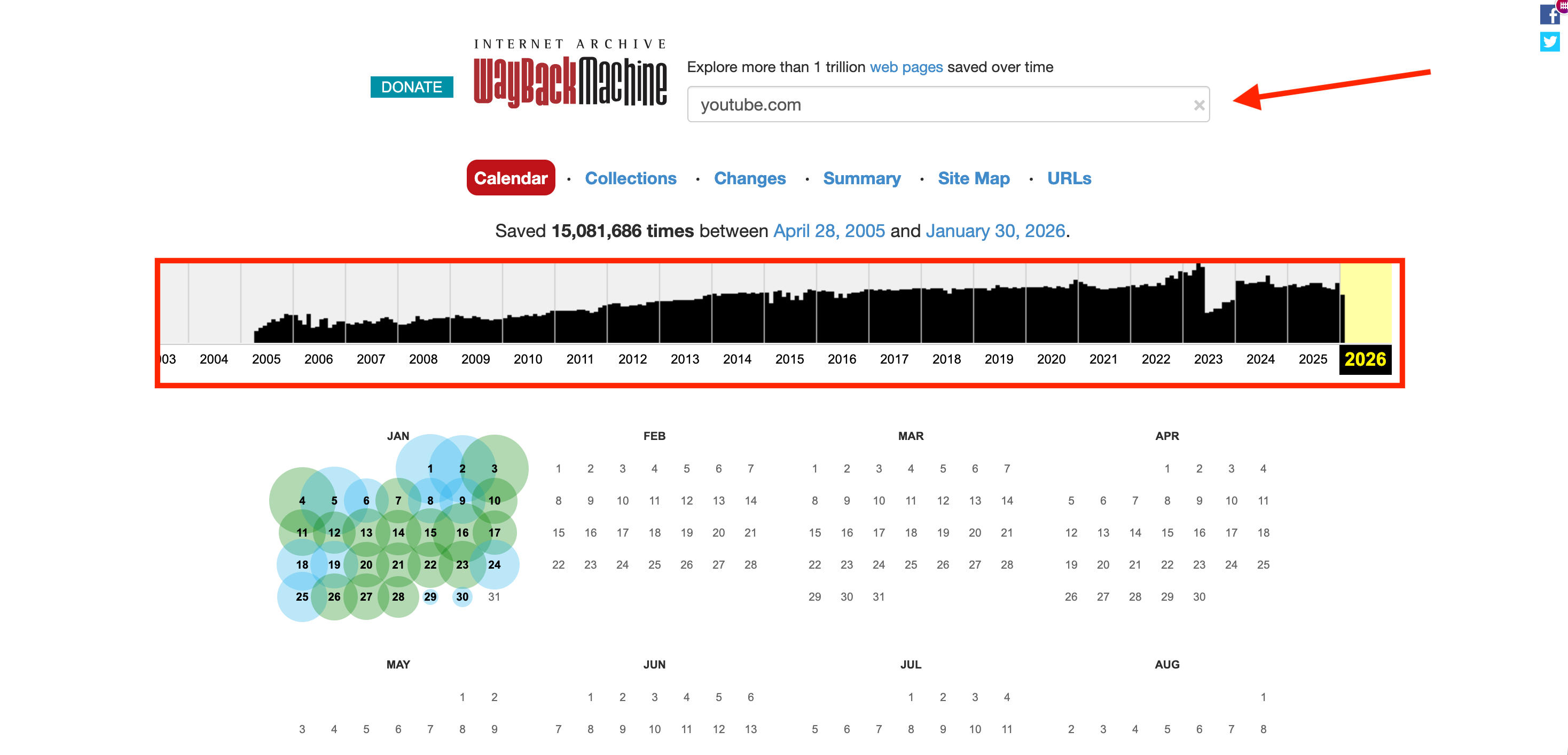
The calendar below the timeline will show instances where the page was captured using the Wayback Machine tool.
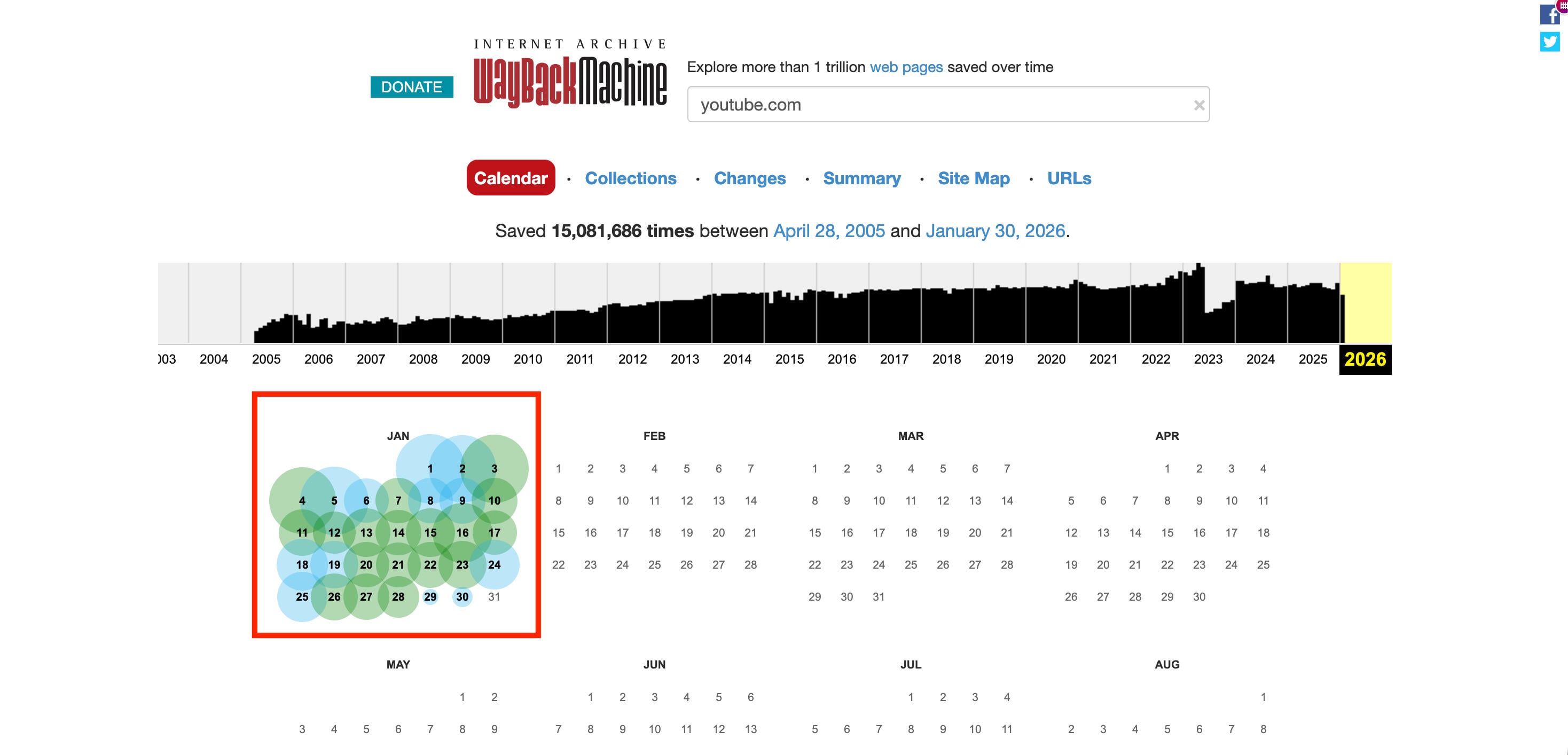
Hover over one of these bubbles and select a timestamp.
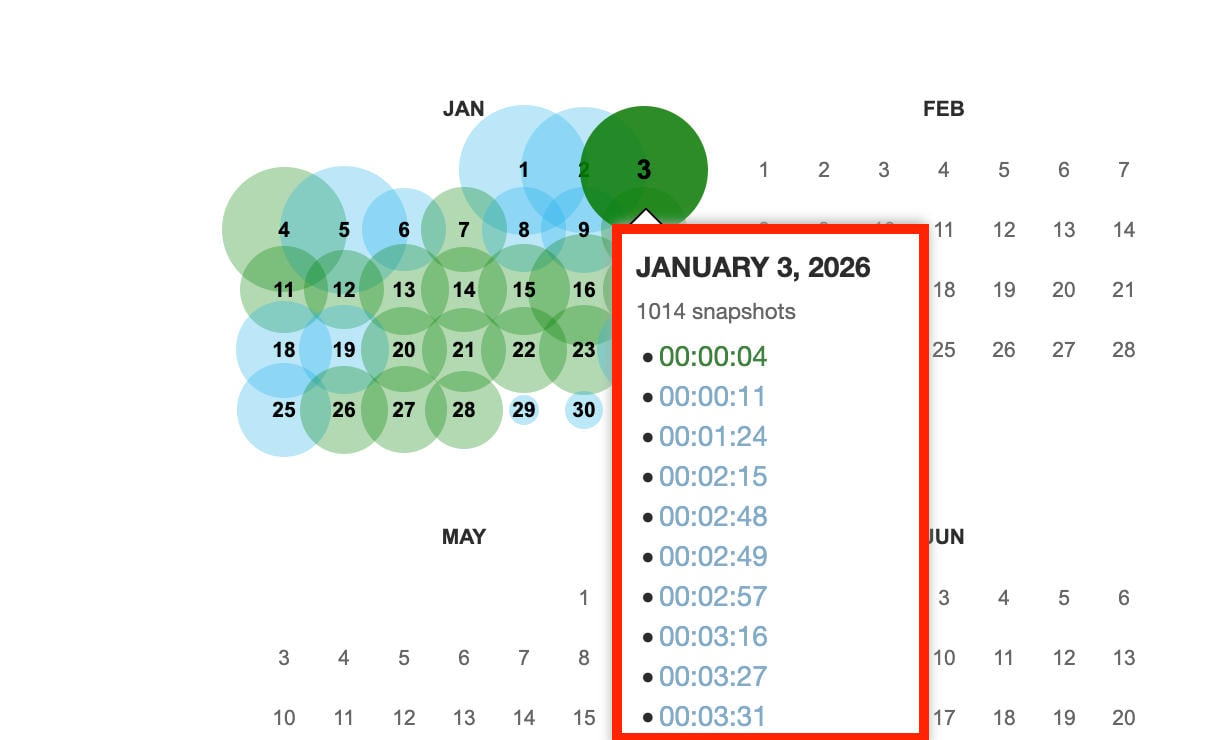
You’ll be redirected to the past version of the video page, and if the video was captured you’ll be able to watch it as if it was never deleted.
How To Watch Unavailable Hidden Videos On YouTube
If a video is simply listed as unavailable, it might be deleted or it might be hidden/unlisted by the creator.
In this case, you may still be able to view it if you saved it to a playlist such as your Watch Later list, before the creator took it down.
Alternatively, you can try using the Wayback Machine using the steps outlined here.
Other than these two options, your best bet is to contact the creator directly but it’s not likely that they’ll be willing to republish a video if they removed it for a good reason.
Third Party Extensions & Software
A quick Google search will bring up all sorts of third party sites and extensions promising to restore deleted YouTube videos for you.
The problem is, aside from sites that capture web pages like the Wayback Machine, there’s no legitimate way to recover a deleted YouTube video. Deleted videos are deleted, and YouTube doesn’t store them or keep backups for security purposes.
On the other hand, there are extension that allow you to keep track of which videos in your playlists have been deleted, and offer ways to find alternatives.
Regardless of which site or extension you choose, proceed with caution and make sure you know what you’re granting them access to. Never hand over your personal information or YouTube login credentials; not only does it a pose a risk to your own safety, but many times it’s against YouTube’s Terms of Service and can risk your account standing.
How To See Deleted YouTube Videos On Your Channel
Even if you’re the channel owner, there’s no way to recover deleted YouTube videos.
Once you delete a video on YouTube, it’s gone and there’s no way to recover it. For security reasons, and for the practicality of their storage limitations, YouTube doesn’t keep backups of deleted content.
Your best bet would be to check any storage devices you use to keep video content, or video editing software that you use. Many times these programs will keep backups of recent projects, so you may be able to relocate the video and publish it again.
Alternatively, you can run through the Wayback Machine steps here to see if someone captured your video while it was public.
How To Watch Deleted YouTube Channels
So what happens if an entire YouTube channel was deleted?
Much like videos, a deleted channel is gone for good - unless it was captured using the Wayback Machine at some point.
In that case, you’ll be able to view the channel page using the steps outlined here.
Keep in mind that you’ll only be able to watch certain videos on the deleted channel if they were individually captured as well.
How To View Deleted YouTube Videos In Playlist
One of the most annoying occurrences on YouTube is seeing the message appear at the top of your playlist informing you that unavailable videos have been hidden.
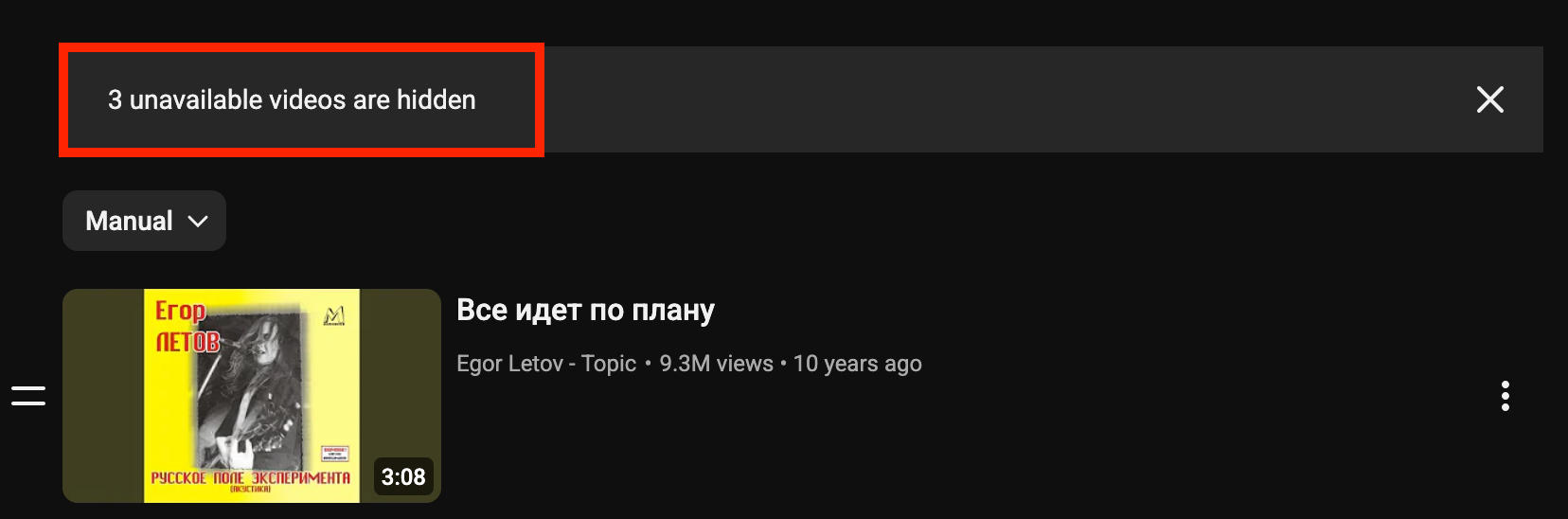
So how can you figure out which videos these are?
Show Unavailable Videos
The first step is to toggle on the Show Unavailable Videos option.
Open the main playlist page.
Click the three dots on the left hand menu.
Click Show Unavailable Videos.
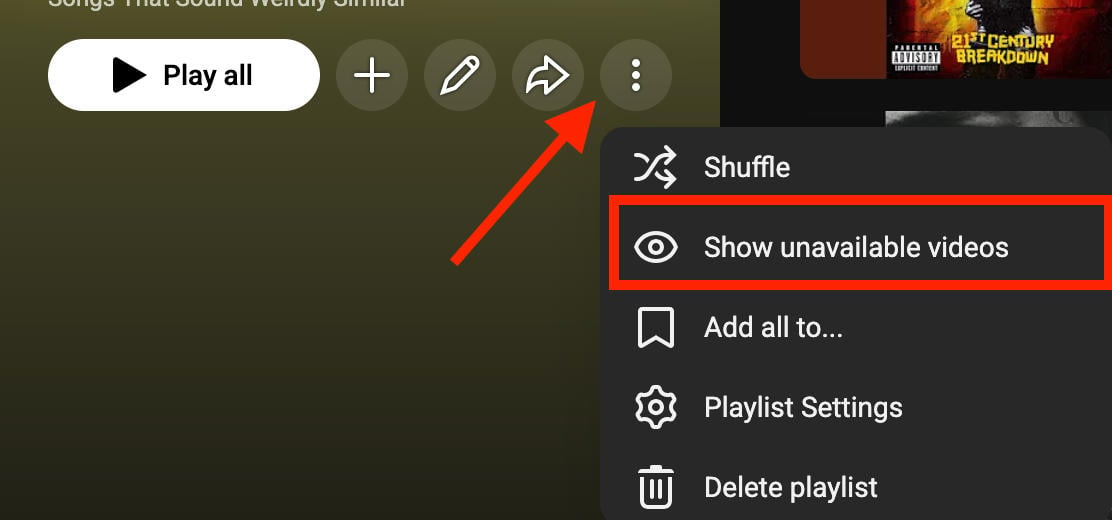
The playlist page will refresh and you’ll see which videos are hidden or deleted.
In most cases you’ll be able to see the titles of the hidden videos.
If not, move on to the next step below.
Quite A Playlist Tool

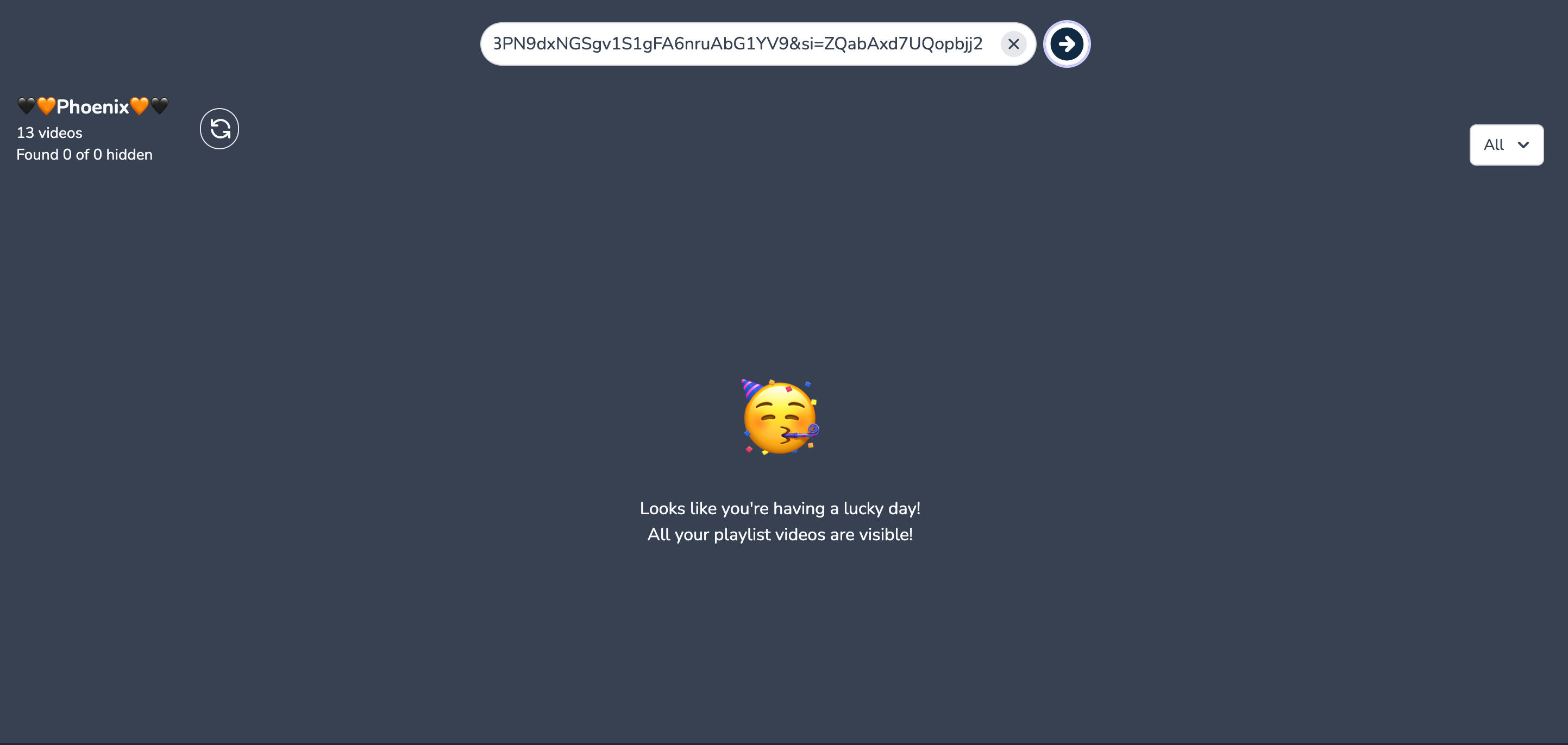
If you’re still unable to see the title of the missing videos, you can use a tool like Quite A Playlist to help you figure it out.
Your playlist will have to be public or unlisted - private playlists won’t work with this tool.
Input your playlist URL in the search bar and hit enter.
The tool will show you the videos that are hidden or deleted.
Does YouTube Ever Restore Deleted Videos?
No - YouTube doesn’t keep backups of deleted videos, so even if you deleted a video and immediately contacted YouTube support they’d have no way of restoring your content.
That’s why it’s so important to keep backups of your videos before and after you publish them.
You can also unlist videos instead of deleting them outright, to prevent them from being lost for good.
How To Make A YouTube Video Unlisted
Open YouTube Studio.
Click Content in the left-hand menu.

Click the pencil icon beneath the video.

On the right-hand side you’ll see the Visibility drop-down menu.
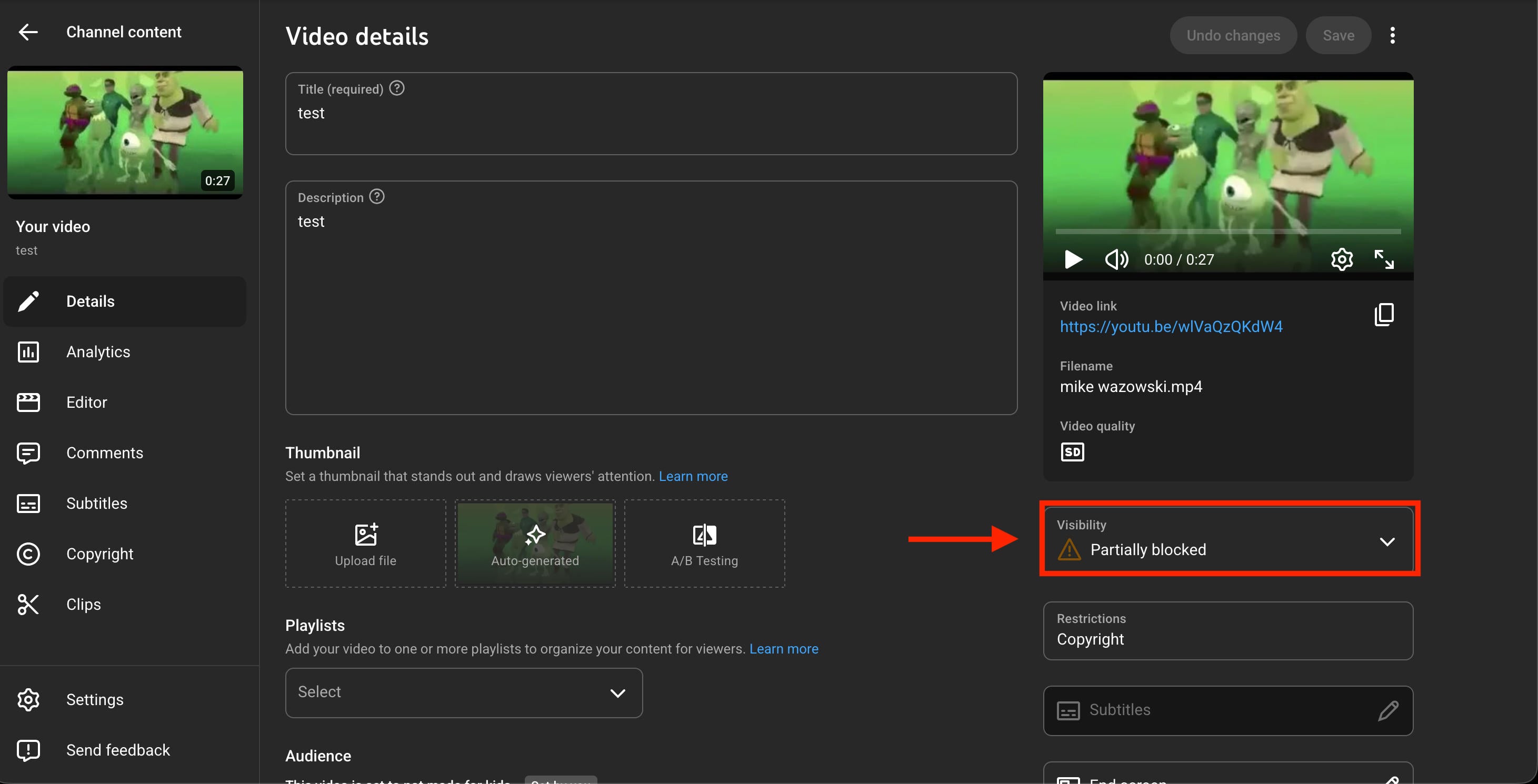
Click this and choose Unlisted.
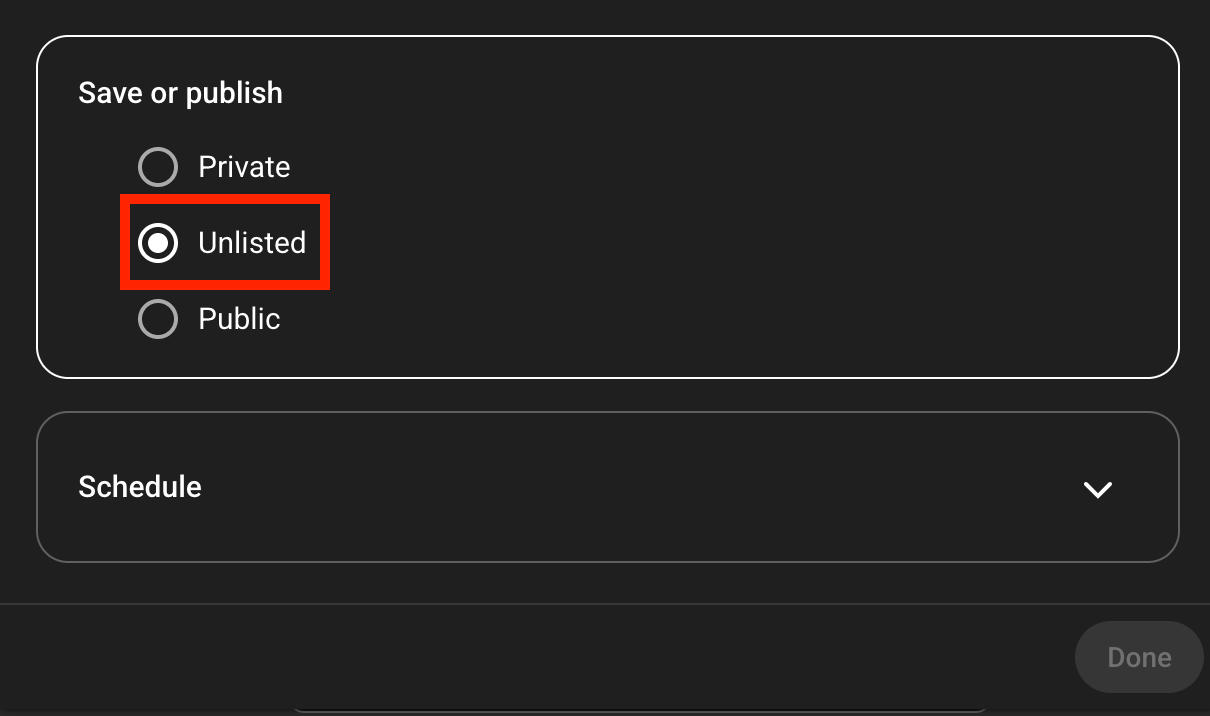
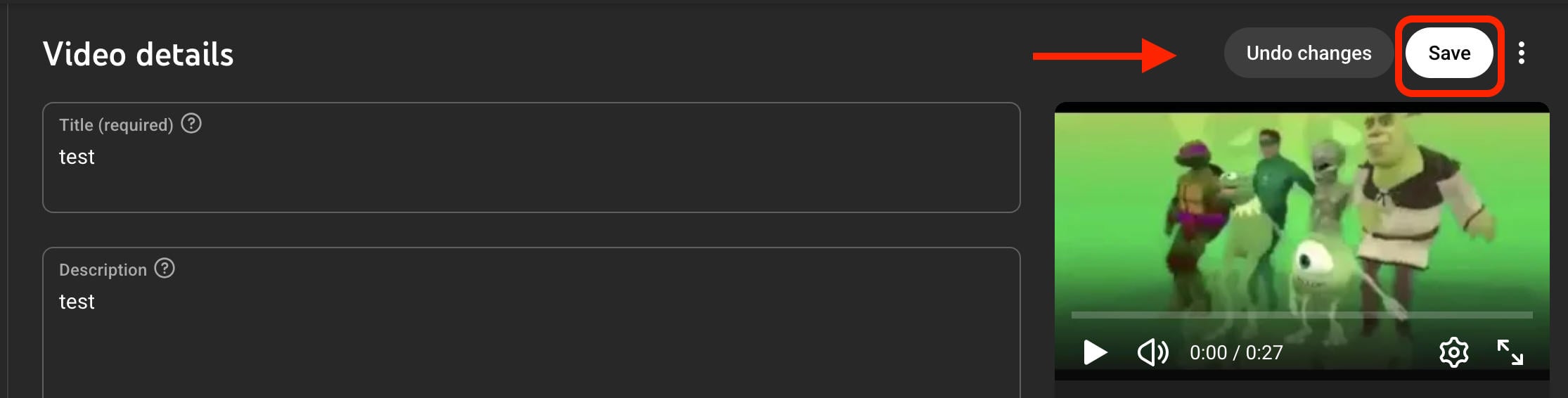
Click Save on the top right corner.
When You Delete A YouTube Video Where Does It Go?
When you delete a YouTube video, it’s permanently deleted and removed from YouTube’s servers.
YouTube (and by extension, Google), does not keep a backup of deleted content and they have no way of restoring videos or channels that have been removed by their creators.
Frequently Asked Questions
Are deleted YouTube videos stored somewhere?
Nope, once they’re deleted YouTube videos are gone for good.
Are YouTube videos deleted forever?
Yes, YouTube videos are deleted permanently, with no way to restore them.
How to access YouTube videos that aren't available anymore?
You can use the Wayback Machine as outlined here.
How to recover permanently deleted YouTube history?
Your YouTube history is wiped when you choose to delete it. They don’t keep a backup of this information, so think twice if you want to have access to it in the future.
How to recover deleted YouTube videos on your account?
If you delete a video from your YouTube channel, it’s permanently deleted. There’s no way to get it back from YouTube directly.
Is YouTube watch history permanently deleted?
Only if you choose to delete it. If you do, it’s permanently removed.
How to regain deleted YouTube history?
There’s no way to restore deleted YouTube watch history.
How do you download a deleted YouTube video?
If you have access to it via the Wayback Machine, you can use a YouTube to MP4 downloader to download it. Keep in mind that this may be in violation of YouTube’s terms of service and copyright law, so proceed with caution.
What is the alternative to Urlebird?
Urlebird allows users to watch TikTok videos without having to create a TikTok account. Currently there are no major alternatives to this site.


