Whether you’re on the Facebook mobile app or desktop site, you can use the tagging feature to alert every group member or page follower about your recent post.
Today we’ll explore Facebook’s tagging features for groups and pages, plus how to tag users in your personal Facebook posts.
Key Points:
What Happens When You Tag Everyone On Facebook?
When you tag everyone in a Facebook group, or use the @followers tag on a Facebook Business page, every member of that group or page will be notified of the post you used the tag in.
There are limitations, however, depending on the size of the group or page.
For small groups, anyone (including regular members) can use the @everyone tag as long as group permissions allow it.
For groups with fewer than 200,000 members, but not considered “small”, only admin and moderators can use the @everyone tag.
For groups with more than 200,000 members, the tag is not available.
Facebook doesn’t list any limitations when it comes to tagging followers in a Facebook page, but they do have a 50 tag limit for the number of individual tags you can include in a post.
How To Tag Everyone In A Facebook Page
While Facebook pages don’t have an @everyone tag, they do include an @followers tag which will tag everyone who followers your page as long as they have notifications enabled for your page.
On Desktop
To tag all of your followers, visit your Facebook page and create a new post.
Type in @followers and select it from the pop-up menu.
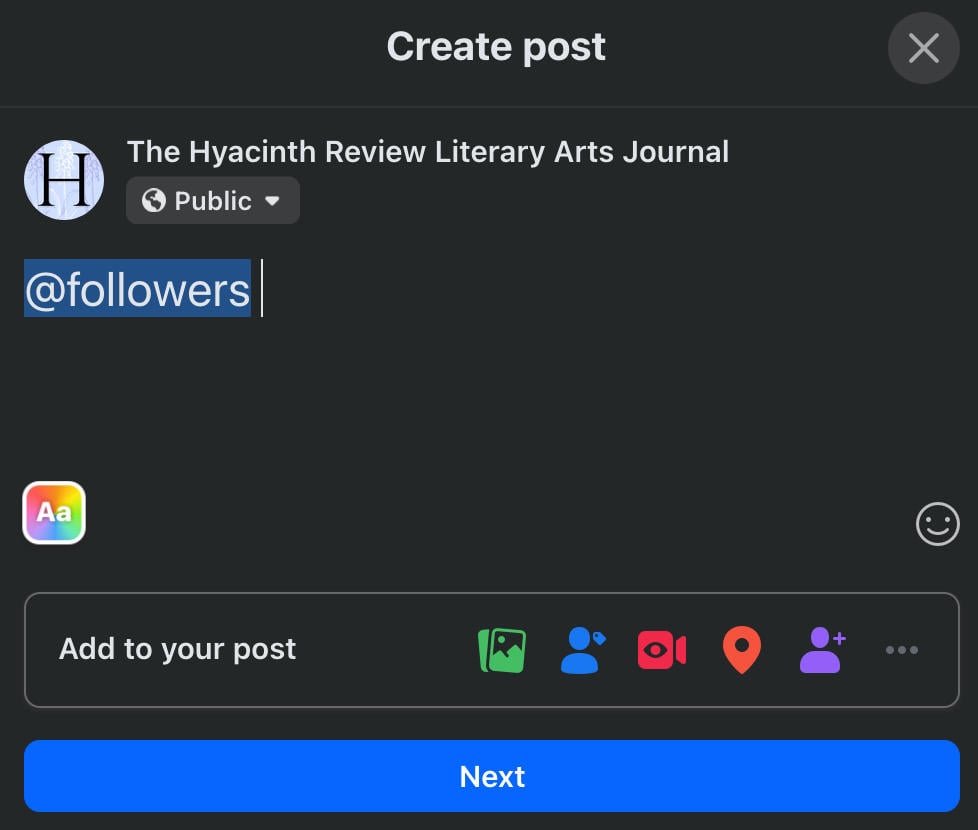
Complete your post and publish it.
On Mobile
Currently there is no way to use the @followers tag from the Facebook mobile app. You’ll have to open your page from the desktop site to tag all of your followers.
How To Tag Everyone In A Facebook Group
For Facebook groups, you can use the @everyone tag to alert every group member.
Limitations
As outlined previously, anyone (including regular members) can use the @everyone tag in a small group as long as group permissions allow it.
For medium sized groups with fewer than 200,000 members, only admin and moderators can use the @everyone tag.
For groups with more than 200,000 members, the tag is not available to anyone.
On Desktop
Visit the Facebook group and create a new post.
Type in @everyone and select it from the pop-up menu.
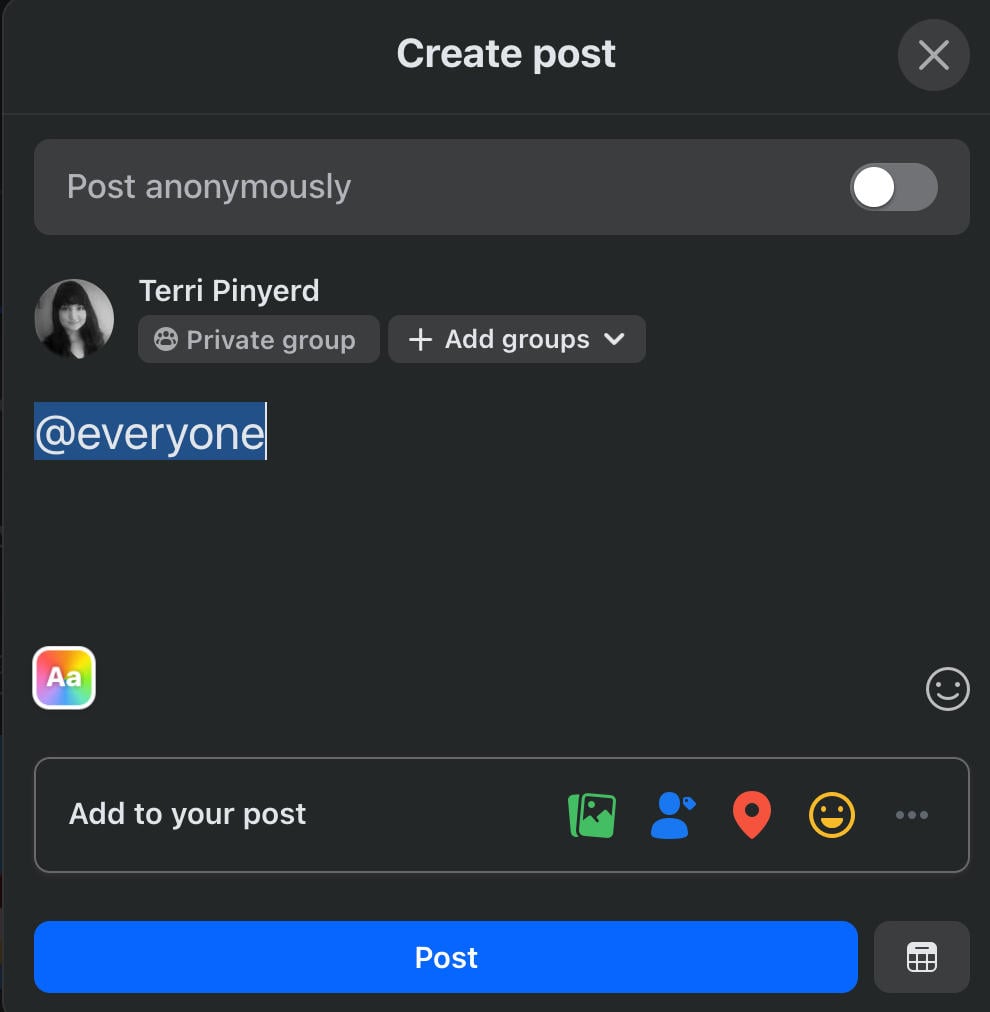
Complete your post and publish it.
On Mobile
Tap the @ symbol on the bottom right corner.
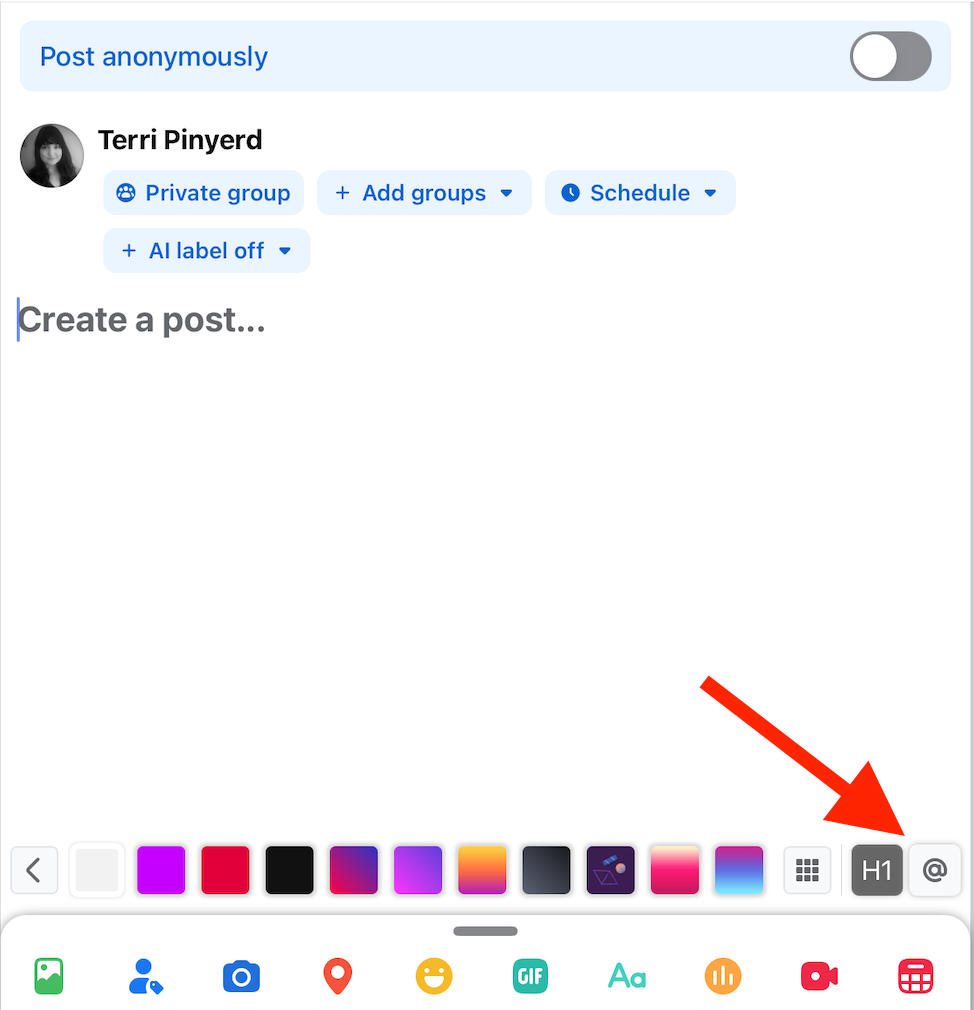
The pop-up menu should include @everyone at the top, otherwise type it in and select it.
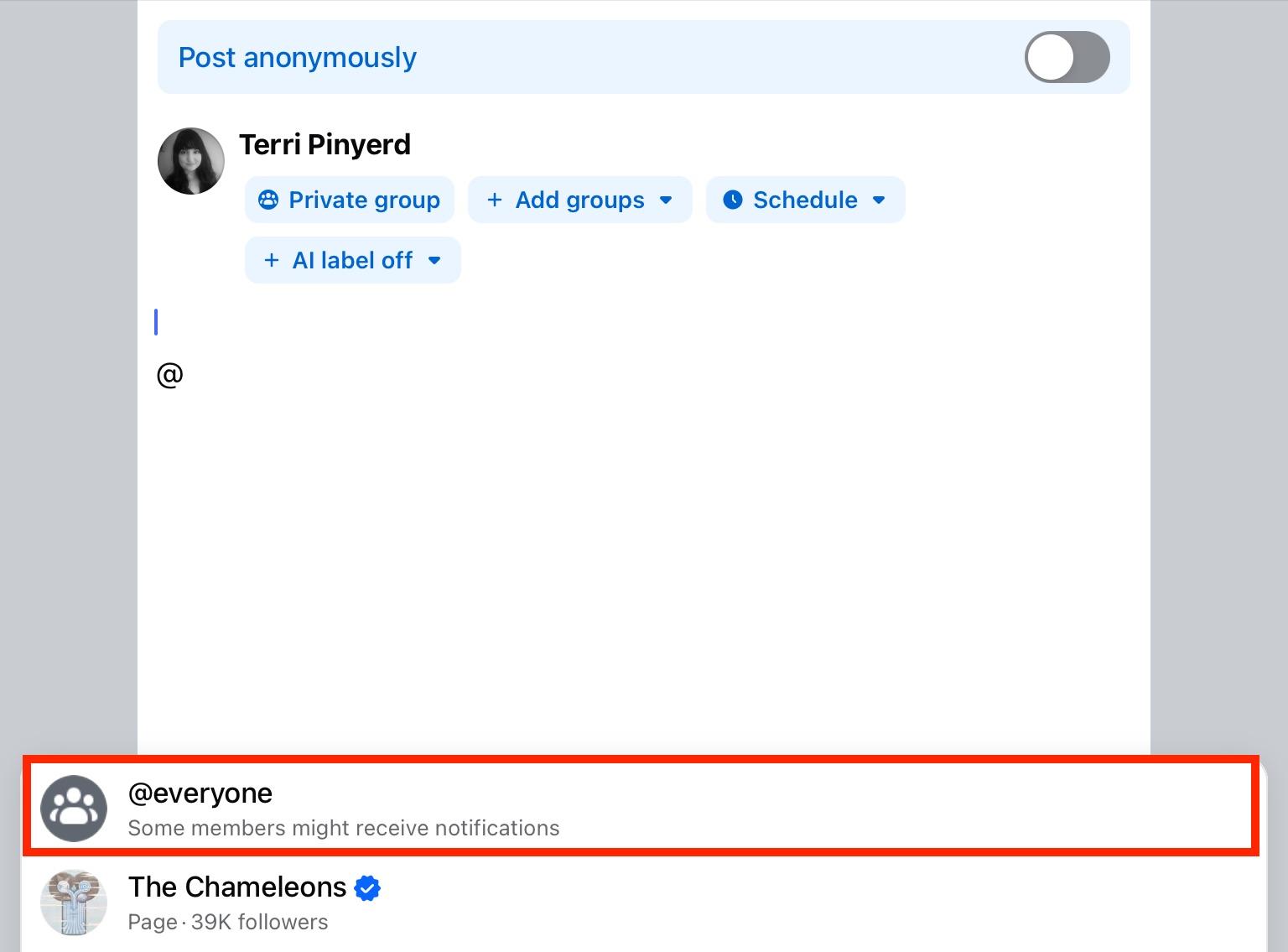
Complete your post and publish it.
How To Tag Everyone On Facebook That Said Happy Birthday
Did you know that there’s a way to create a mass thank-you post for everyone who wished you a happy birthday on Facebook?
Just wait until your birthday is over and visit your profile page.
Scroll down to the section that says “# friends posted on your timeline for your birthday”.
Below this, you should see the option to create a thank you post.
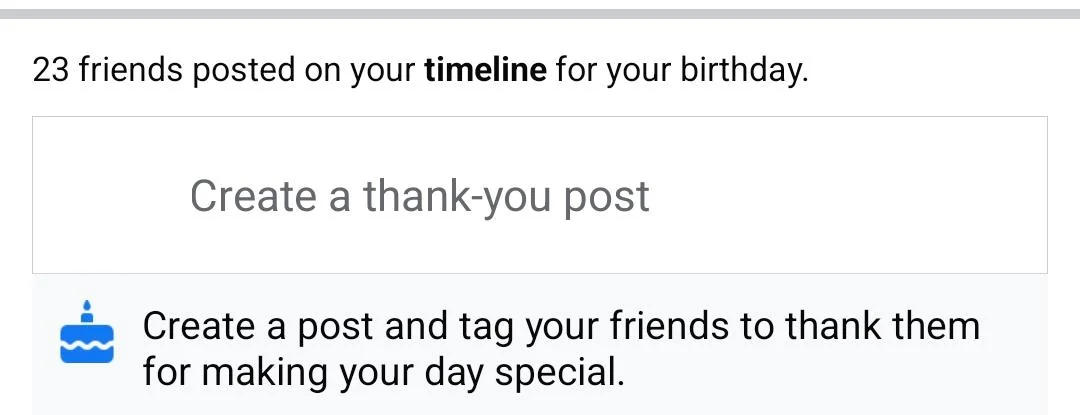
Click this to create a post that automatically tags every user who posted on your timeline.
How To Mention Everyone In The Comment Section
You can also use the @everyone or @followers tags in the comments section of a group or page.
On Desktop
You can mention everyone in the comment sections of both pages and groups on the desktop site.
To do this, click the comments section and type in @everyone (for groups) or @followers (for pages).
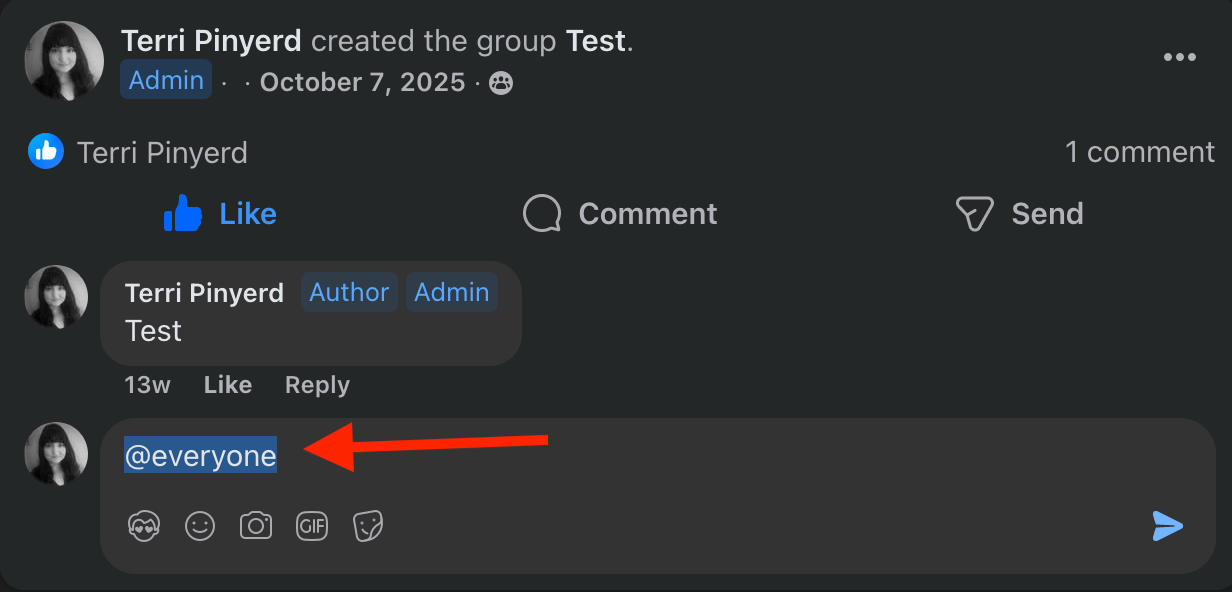
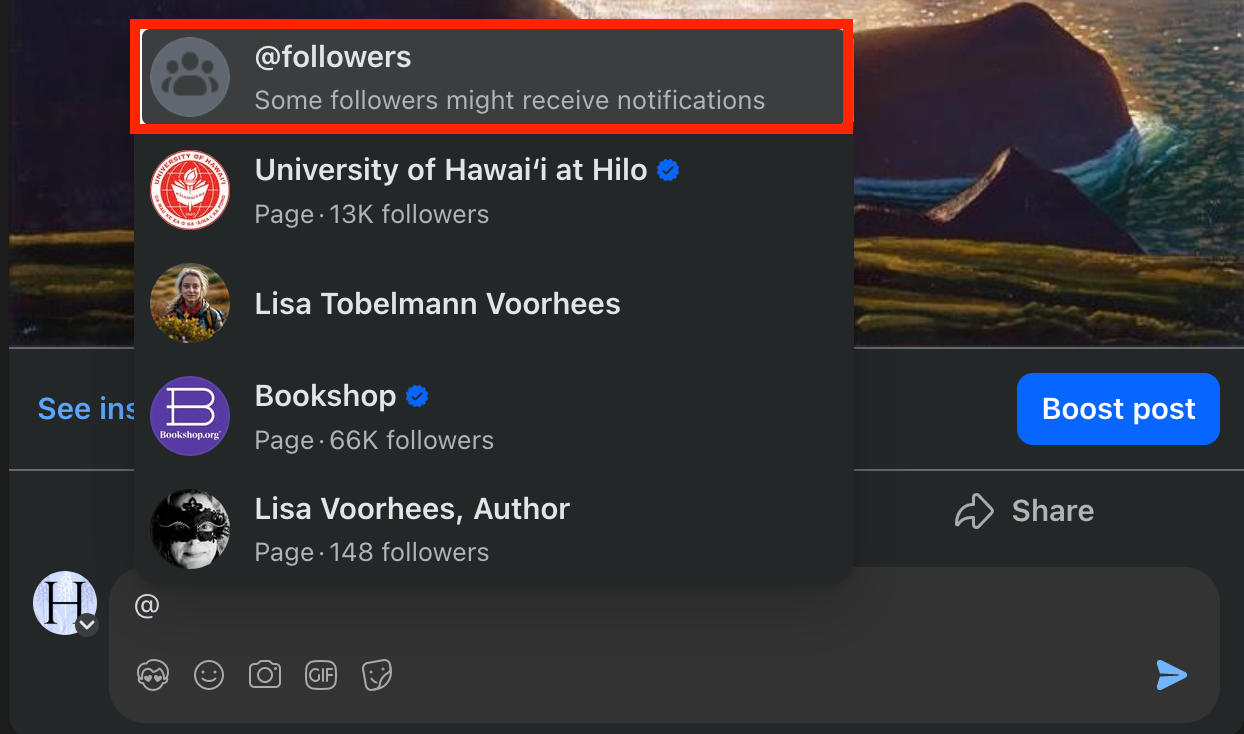
Hit enter and post your comment.
On Mobile
You can only mention everyone on groups via the Facebook mobile app. You won’t be able to tag followers on a Facebook page from a mobile device.
To do this, tap the comments section and type in @everyone.
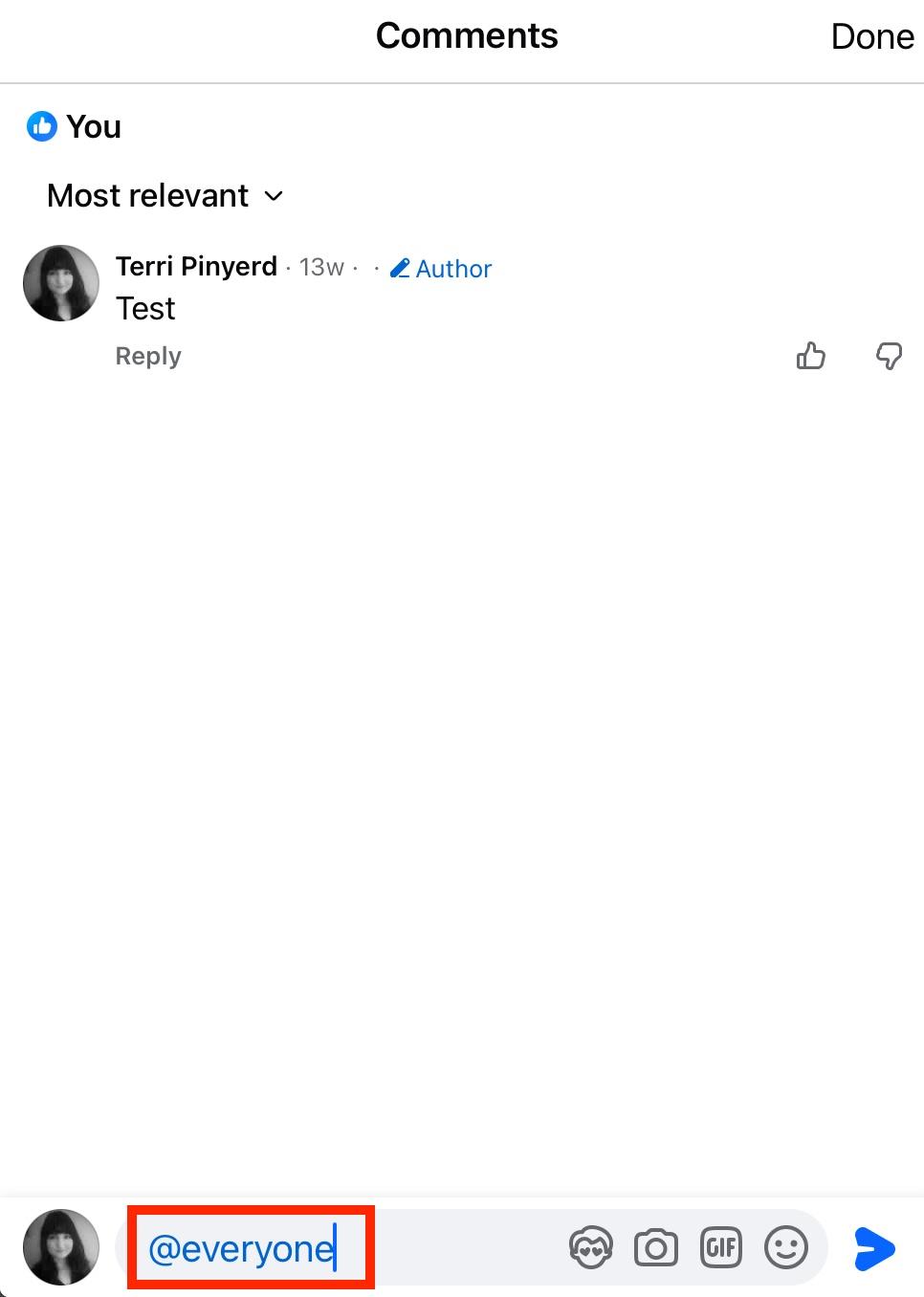
Hit enter and post your comment.
Does @everyone Work On Facebook Messenger?
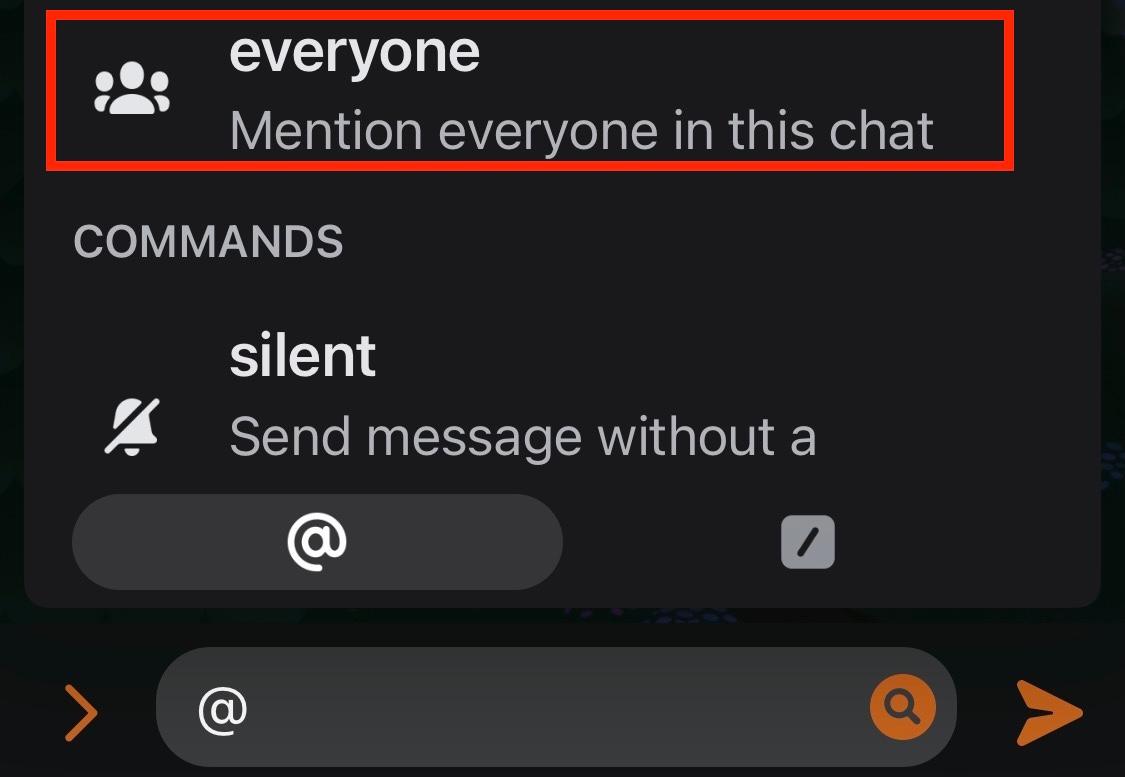
Yes! If you’re in a group chat on Facebook Messenger, you can tag individual members or tag everyone by using the @everyone tag.
This works on both the Messenger mobile app and desktop site.
To do this, just type in the @ symbol. You should see the @everyone option appear in the pop-up menu.
Troubleshooting Tips For Tagging
Having a hard time tagging users on Facebook? Here are a few common problems and how to resolve them.
Why Can’t I Tag All Followers On My Facebook Page?
Make sure you’re accessing your Facebook page via the desktop site. Currently the @followers tag for Facebook pages doesn’t work via the mobile app.
Why Can’t I Mention My Followers On A Facebook Page?
While you can’t use the @followers tag via Facebook mobile, you can still tag individual users.
If you’re unable to tag a specific person on your Facebook page, first try it from a different device.
Next, make sure that the user is actually following your page - you might not be able to tag outside users on a Facebook page post.
Why Can’t I Tag Everyone In My Facebook Post?
The @everyone tag only works in groups and for Messenger group chats. If you’re trying to use it on your regular Facebook profile, it won’t work.
How To Get More Facebook Page Followers
Building a following on a Facebook page or group can be tricky, but thankfully there’s an easier way.
With QQTube’s selection of Facebook engagement services, you can buy members for a Facebook group or page followers in just the click of a button. No passwords needed, and no bots used. Every bit of engagement we offer is backed by actual social media users with active accounts.
Just input the link to your Facebook page or group, add your desired quantity, and submit your order to watch your group grow faster than ever!
Get started by signing up for a free QQTube account here.
Frequently Asked Questions
Does @everyone work in a Facebook group?
Yes, but it depends on the size of the group and your status within the group. For small groups, anyone can use the @everyone tag but for larger groups only admin and moderators can.
How to fix Facebook tagging?
Run through our troubleshooting guide here to learn more.
Can you make a Facebook group without being friends?
Yes, you can invite users to a Facebook group without being friends with them. Just click the invite button and select Invite With Email or Invite With Link, and send the invite to anyone.
Who controls a Facebook group?
A Facebook group is controlled by its creator and admin users.
What's the difference between a page and a group?
A Facebook page usually represents a business, group, or individual and posts can only be created by the page administrators.
Facebook groups are community oriented, and any member can create a post.
What is a secret Facebook group?
Secret Facebook groups are groups that have been made private by the owner and can only be accessed with an invitation. You won’t be able to search for these Facebook groups.
How to tag all your followers on Facebook business page?
You’ll have to access your page from the desktop site. Just use the @followers tag and hit enter.
Can I tag all friends on Facebook at once?
Only using the birthday thank you post feature. Otherwise you’d have to individually tag each friend in a post, and there’s a limit of 50 per post.
How to reply to everyone on a Facebook post?
Learn how to reply to everyone here.
Is there a limit to how many people you can tag on Facebook?
Yes, you can only tag 50 users per post or comment at a time.
How many times a day can you tag someone on Facebook?
You can only use the @everyone tag once a day if you're a group admin. Regular users can tag up to 50 people in a post or photo at a time, but there's no current limit to how many photos you can tag people in.
Can you tag someone you don't know on Facebook?
That depends on their tagging settings. If they allow tagging, the user will receive a notification that you've attempted to tag them in your photo, which they can then approve or reject. You can also tag users within a group or page in your post or comments without requiring approval.


