
Did you know that you can download TikTok videos to your device, along with saving them to your profile for future reference?
Today’s guide will include tips on how to save videos on TikTok, plus what you need to know about third party TikTok video downloaders before you commit to using them.
And if you’re a content creator who wants more engagement (including saves), we’ve got exactly what you need - so read on until the end!
Key Points:
How To Save TikTok Videos Without Posting
On TikTok, reposting and saving videos are two separate features. That means you can save TikTok videos without posting them - either to your device or within the app as a bookmarked video.
To save a video directly to your device, open the TikTok mobile app.
These instructions will not work on the TikTok desktop site.
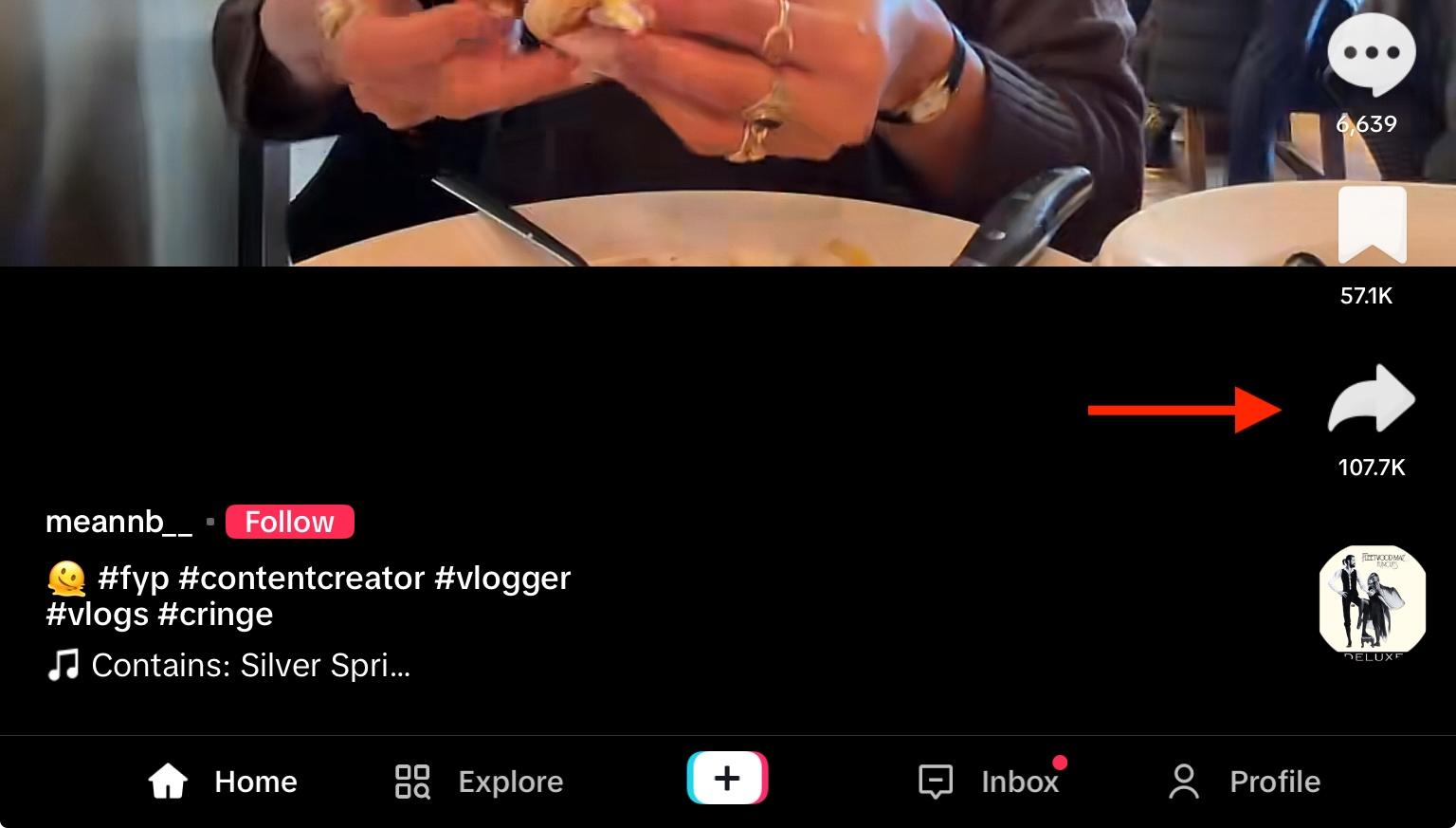
Open the video you wish to save and tap the Share icon on the bottom right.
From here, tap Download.
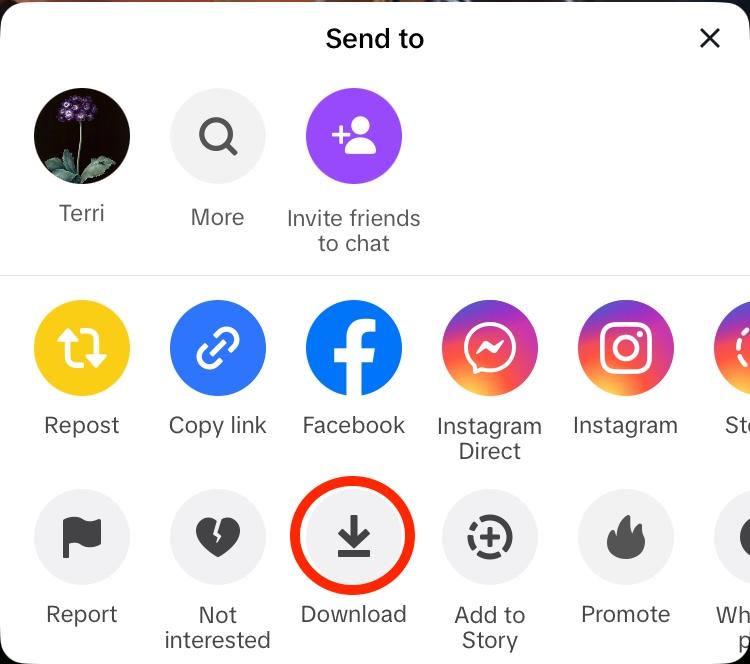
If you don’t see the download option, it means the creator disabled downloads for that video.
How To Bookmark TikTok Videos
Another way to save videos for later viewing is to bookmark them.
You can use the bookmark feature on both the TikTok mobile app and desktop site.
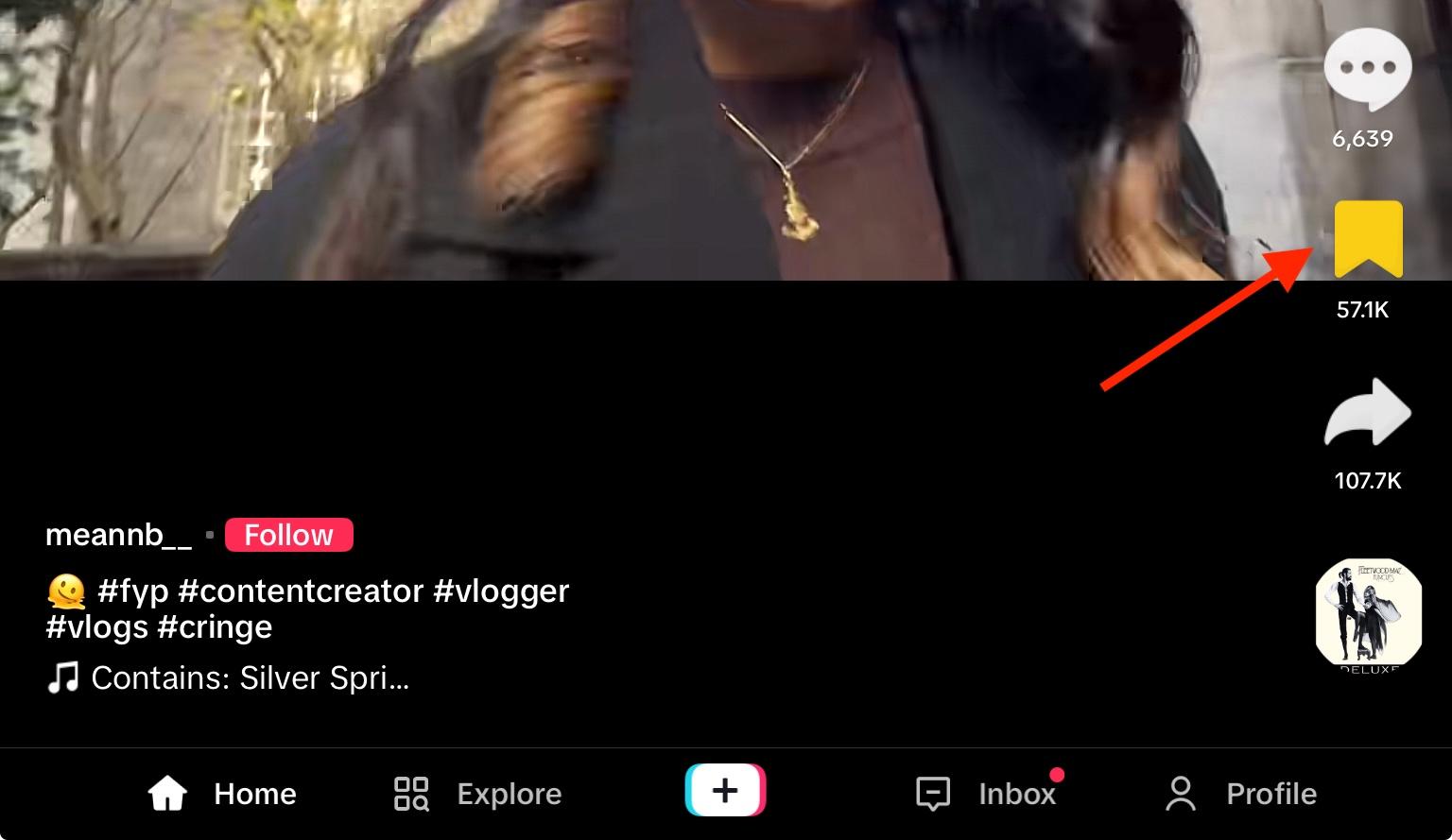
To bookmark a video, open it up and tap the Bookmark icon on the right side.
How To See Saved Videos
You can access your saved videos from the app as long as you used the bookmark feature. If you downloaded them to your device, they’ll appear in your device’s camera roll.
To view bookmarked videos, open your profile page via the app or desktop site.
Select the Favorites tab that appears beneath your bio. On mobile this will show up as the bookmark icon.
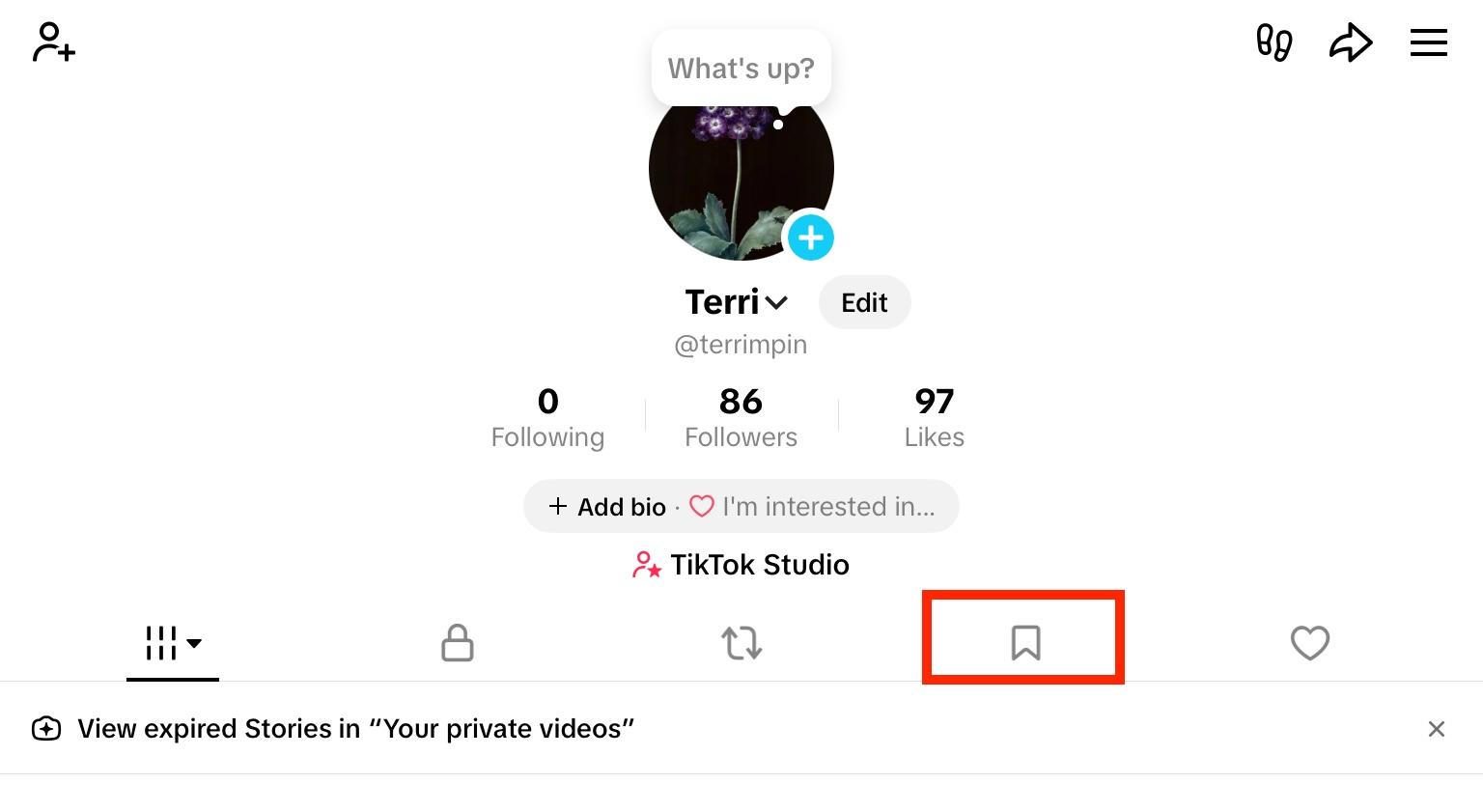
You’ll see all of your saved posts here.
How To Remove Saved Videos
To remove a saved video, open it from your Favorites tab.
Tap the Bookmark icon again to deselect it.
Return to your Favorites tab - the video will no longer appear there.
How To Create Collections
You can organize saved videos within collections. This is a great way to organize similar content for future viewing, whether you’re planning a project or just want a playlist of videos.
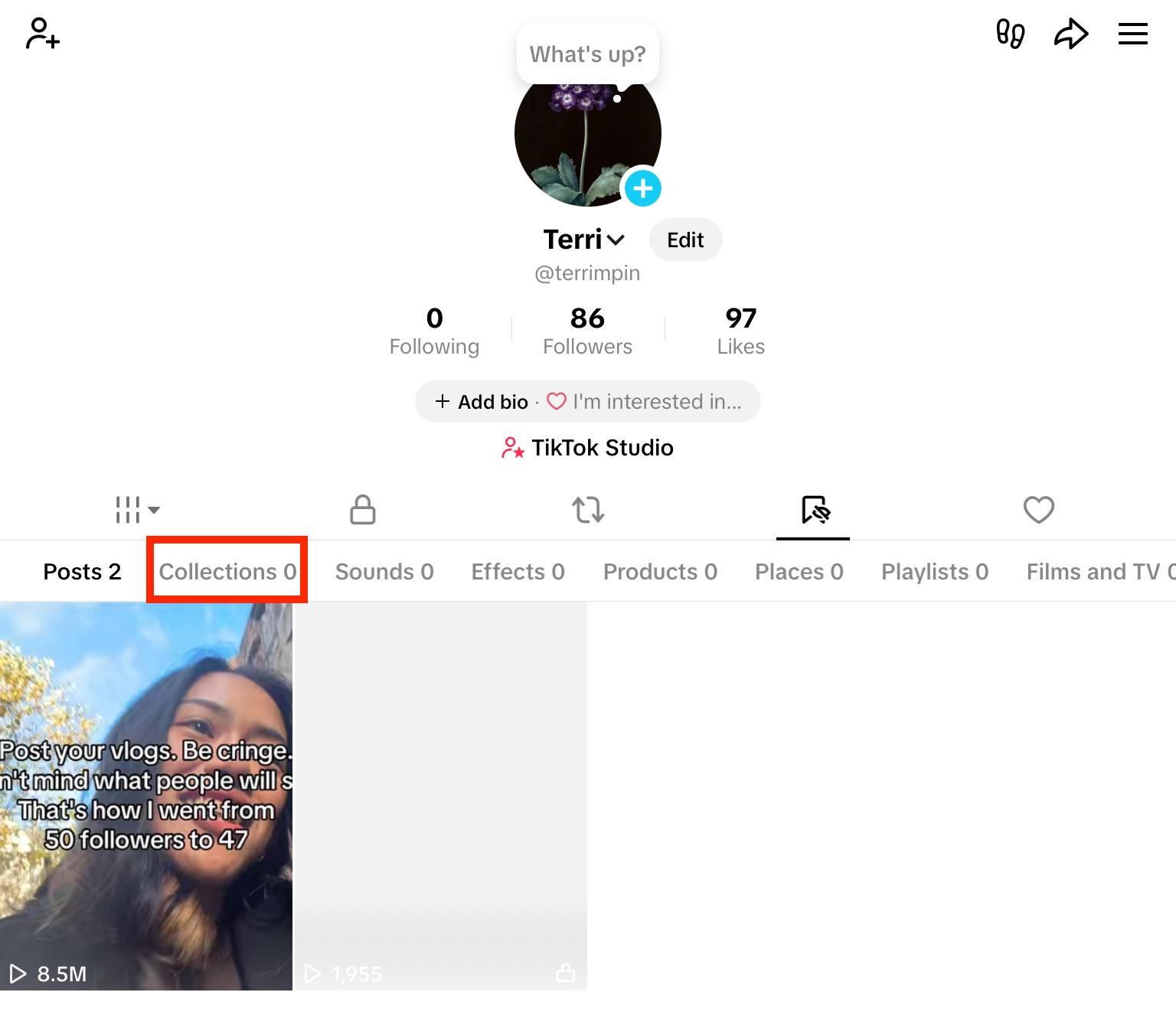
To create a collection, open the Favorites tab on TikTok.
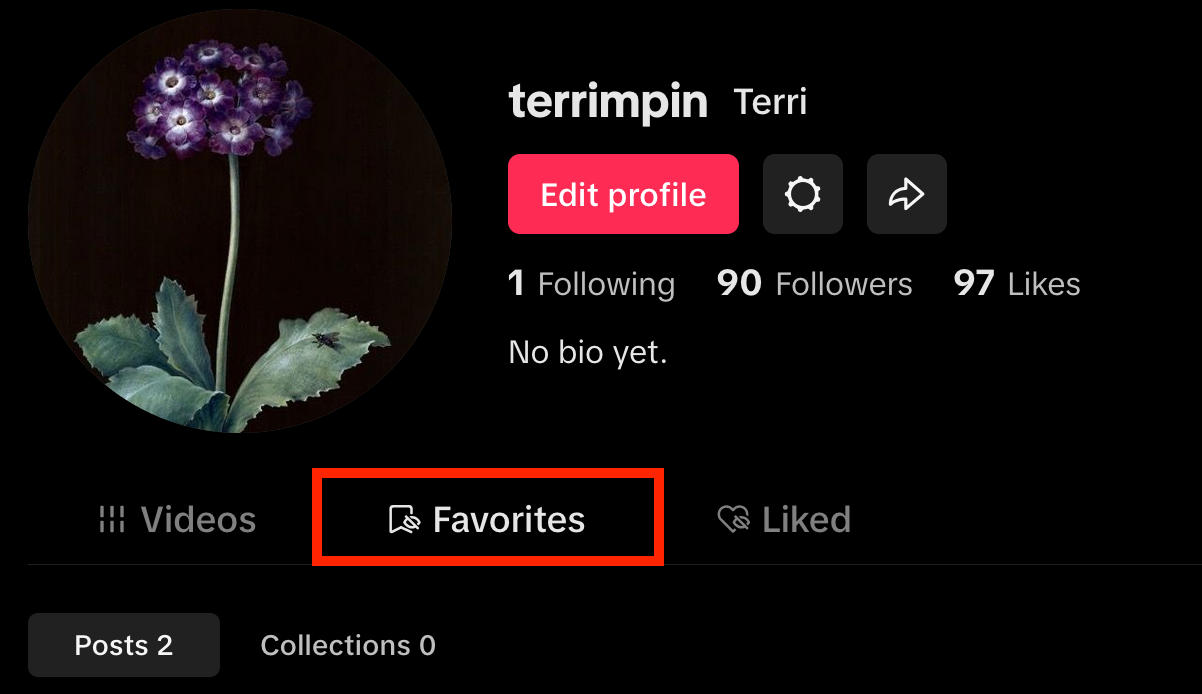
On the mobile app, tap Collections and select Create New Collection.
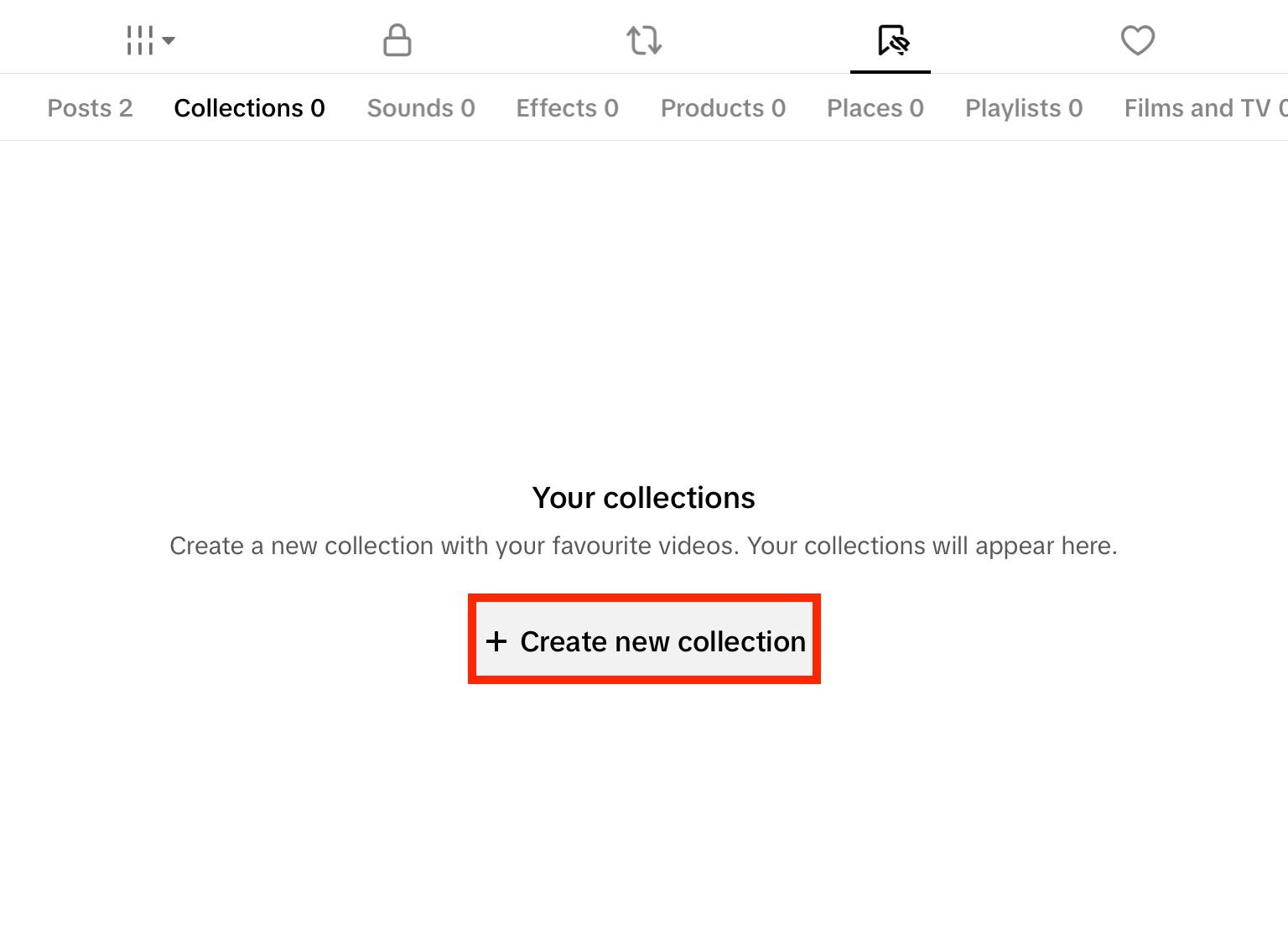
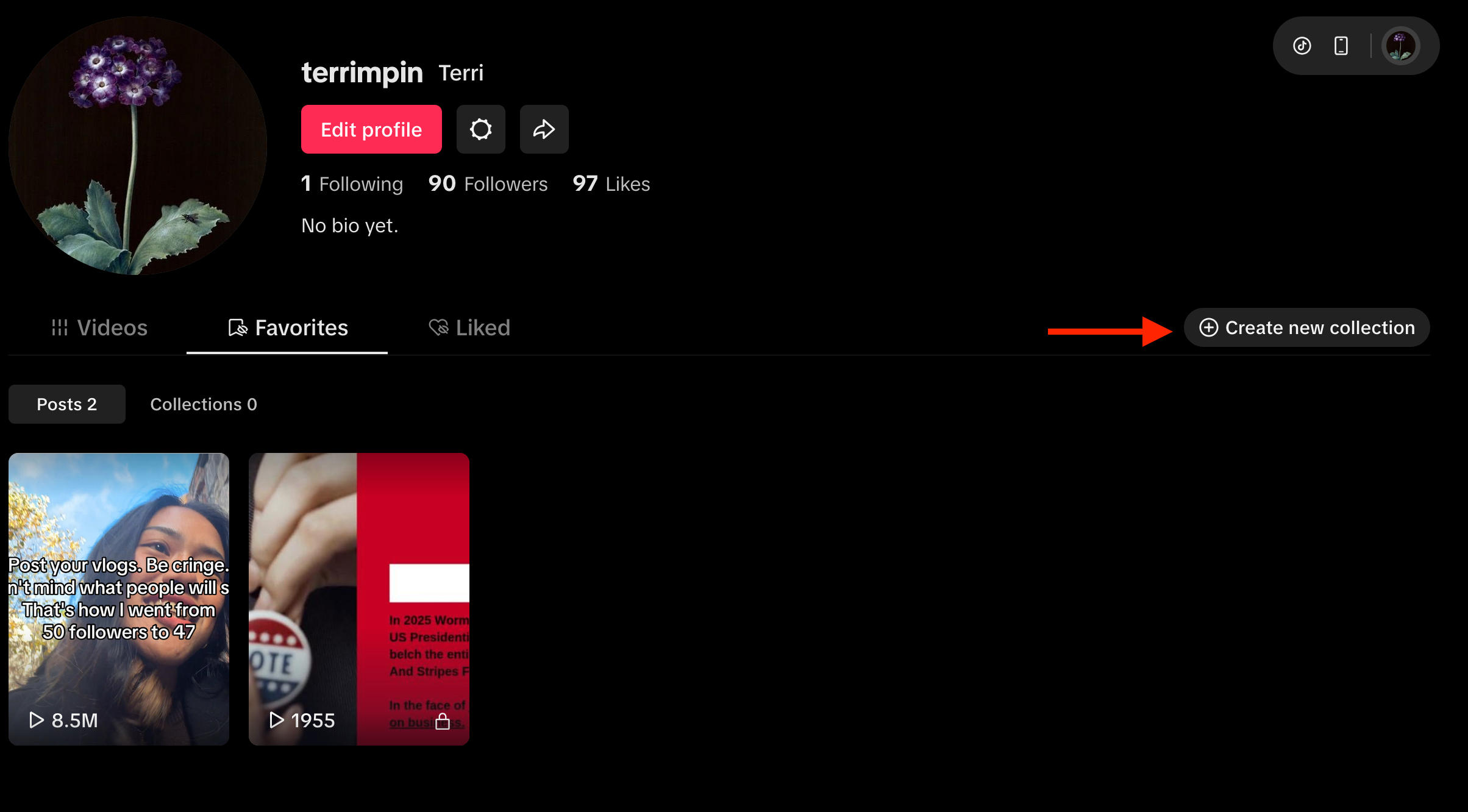
On the desktop site, click Create New Collection on the top right.
Input the collection name and choose your privacy settings, then click Next.
Collections are private by default.
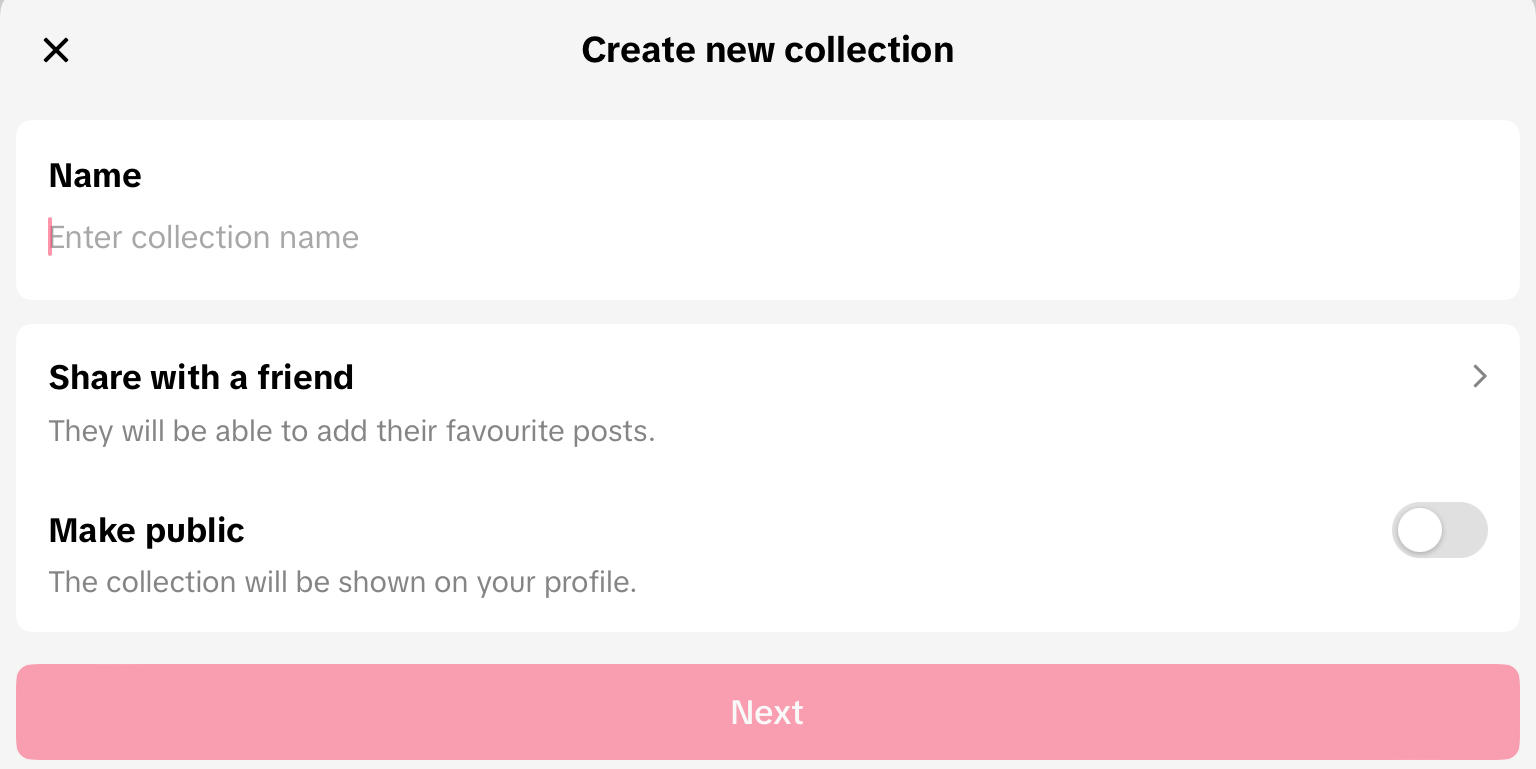
Select the videos you wish to add to the collection, then click Done.
How To Download A Video On TikTok Without Watermark
One thing you might notice when saving TikTok videos to your device is that they’re saved with the TikTok watermark, usually on the left side of the video.
Videos are automatically watermarked to protect the intellectual property of TikTok’s creators, and to avoid users taking credit for content and reposting it either within the app or off-platform.
Currently there is no way to save someone else’s TikTok video directly from the app without the TikTok watermark.
Saving Your Own Videos Without A Watermark
The only exception to this is saving your own videos. Learn how to do this here.
Third Party Sites
While there are a variety of third party sites that claim to remove the TikTok watermark from videos, whether or not they’re effective is up for debate.
Additionally, these third party sites violate TikTok’s terms of service and in many cases violate copyright laws. Not to mention they can often pose a risk to your personal data and account security.
Overall, it’s a good idea to avoid working around watermarks, and instead credit creators whenever you share their content.
How To Save Draft Videos On TikTok
Because TikTok allows creators to generate videos within the app and use a variety of editing tools, many creators wonder how they can save draft videos to their devices for cross-posting on Instagram Reels or YouTube Shorts.
There are two ways to save your own videos on TikTok, with and without a watermark.
Saving With A Watermark
To save your draft videos with a watermark, tap the plus sign to create a new video.

When you’re finished, don’t tap Next - instead, tap the Share icon on the top right.
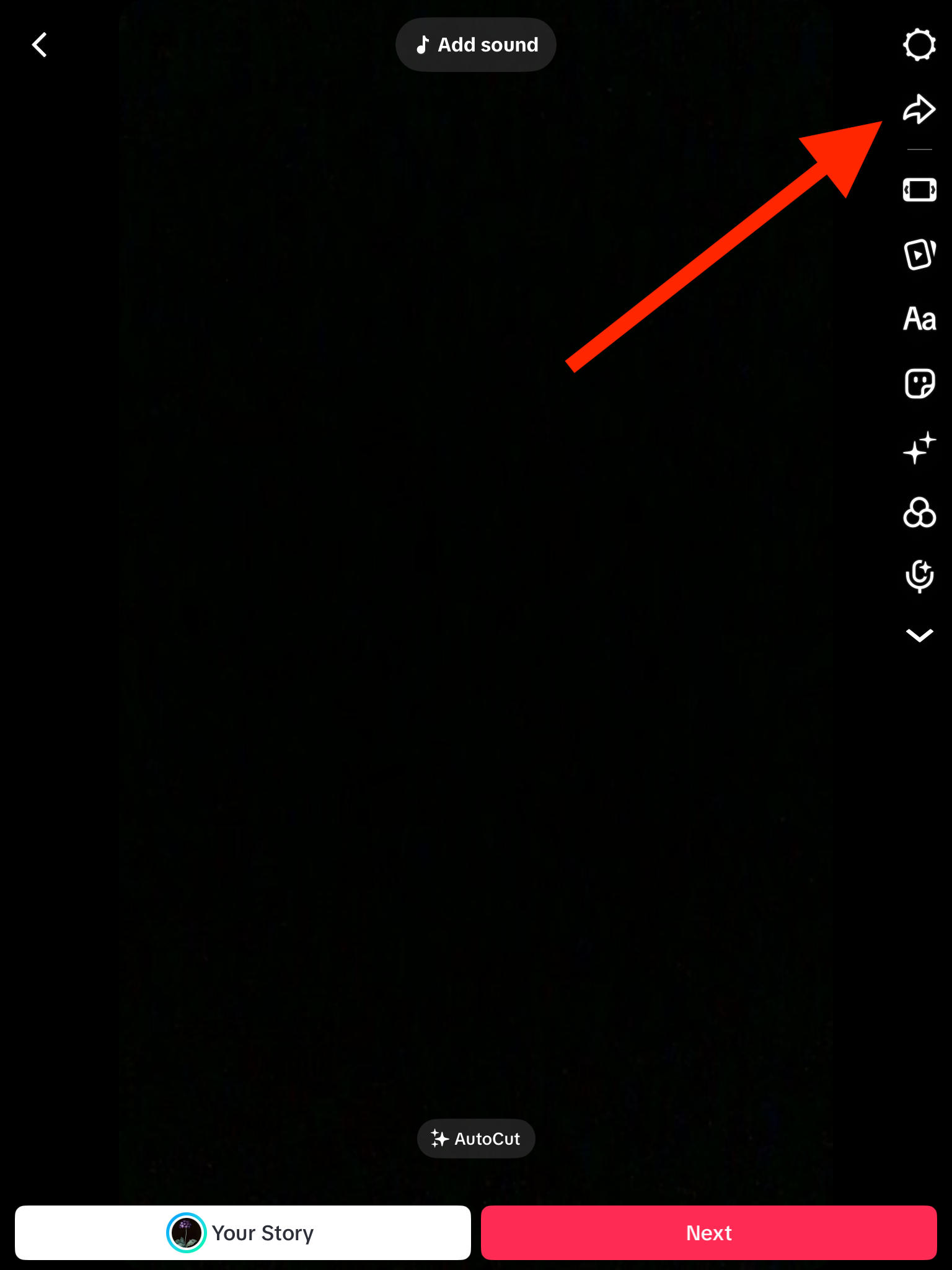
Tap Save With Watermark.
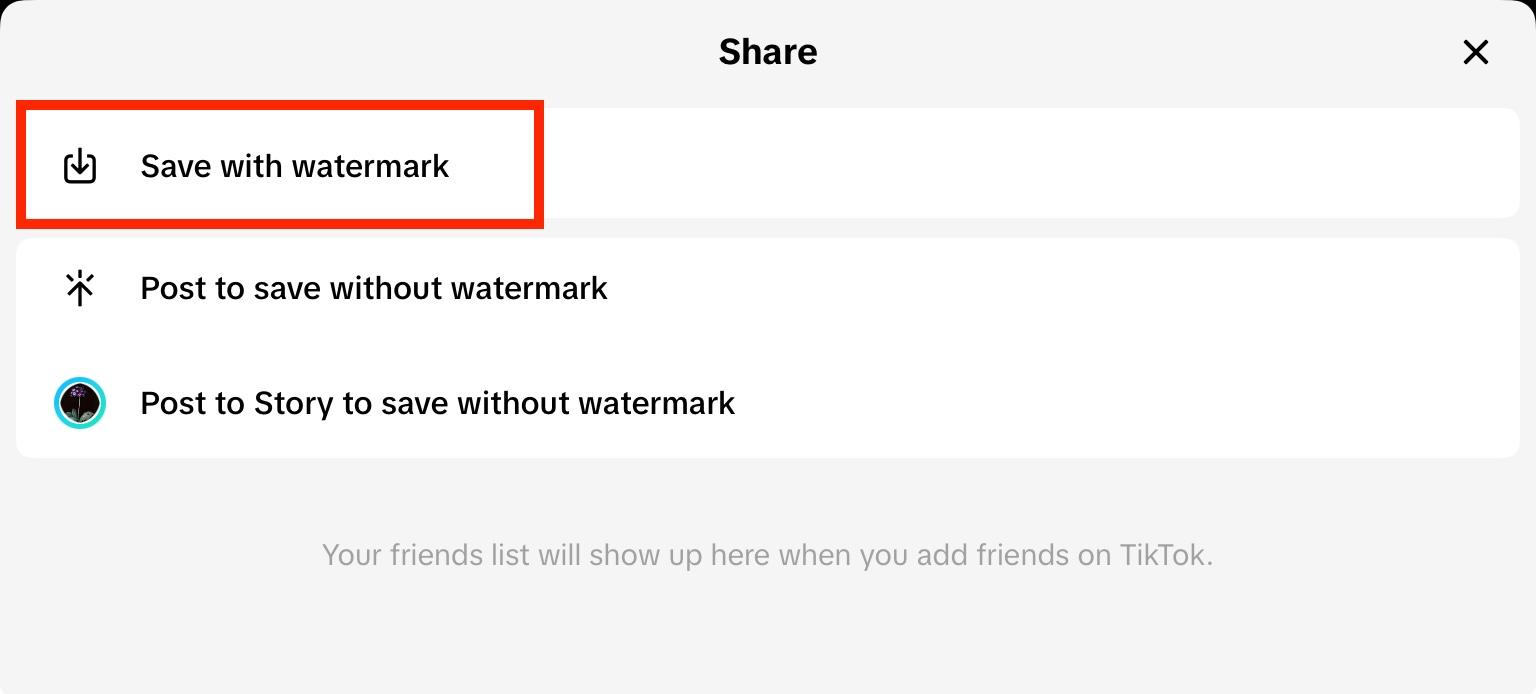
Your video will be downloaded to your device with the TikTok watermark on the left side.
Saving Without A Watermark
To save your own content without a watermark, tap the plus sign to create a new video.
When you’re finished, publish it to your profile as usual.
Navigate to the video and tap the three dots on the bottom right corner.
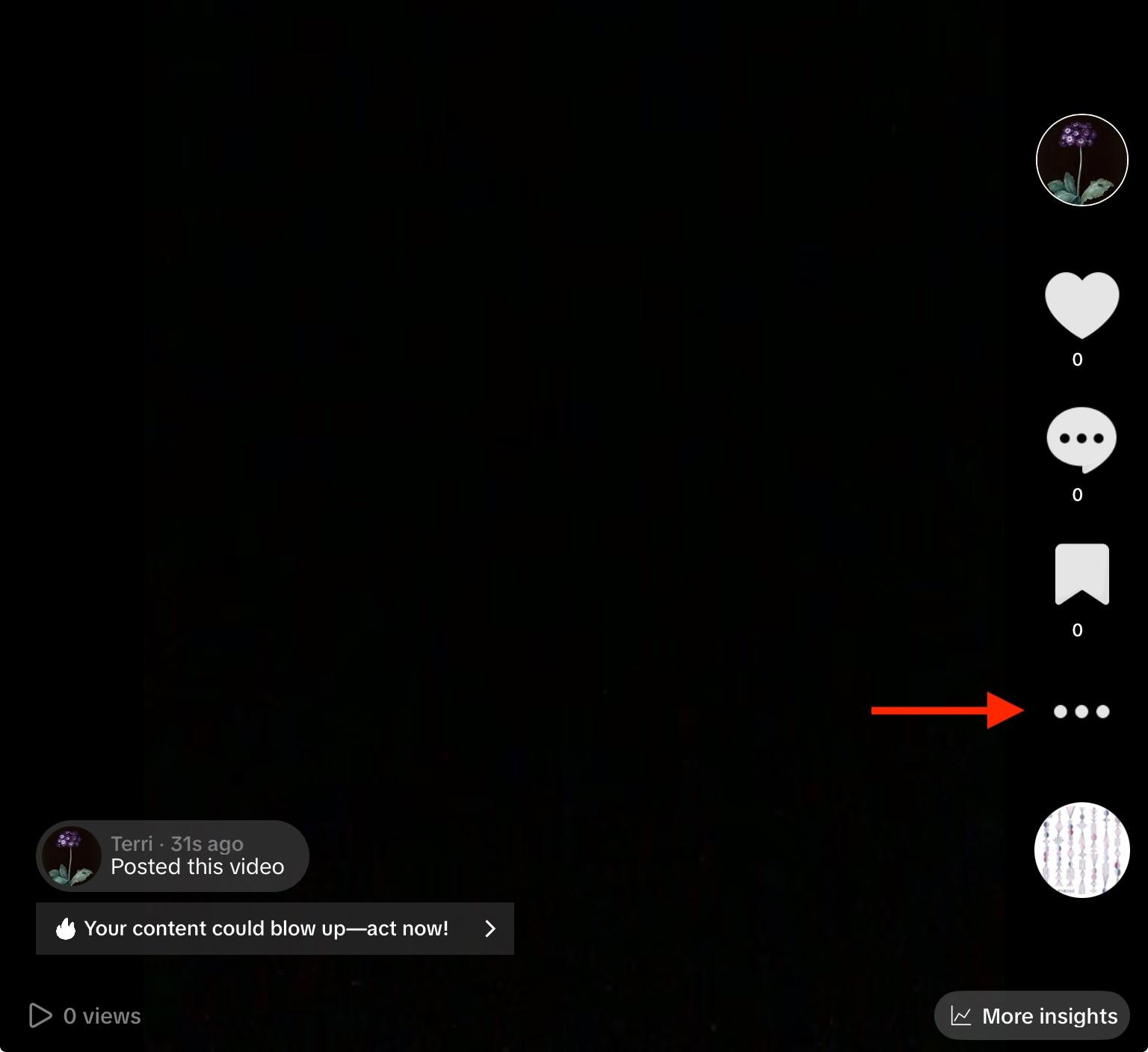
Tap Download.
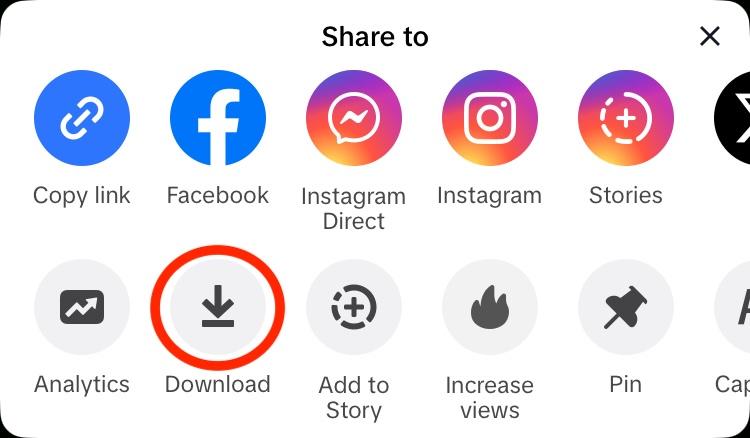
Your video will be saved to your device without the TikTok watermark, so you can cross-post it freely.
How To Get More Saves On TikTok
On TikTok, and most other social media platforms, the most important metrics for engagement aren’t views or likes - they’re saves and shares.
Why? Because saves and shares show the algorithm that users not only enjoyed your content, but they found it valuable. Because of this, they’re more willing to share your content with friends and family, either within the app or off-platform.
This in turn makes the algorithm view your content as high-value, which increases the chances of your videos and profile appearing in the For You page and other content recommendations.
So how can you get more saves on TikTok without waiting months for users to finally notice you?
With QQTube’s selection of TikTok engagement services, you can buy TikTok saves, shares, comments, and much more all in just a few clicks and for less than a dollar. The best part is, every bit of engagement is backed by real TikTok users, never bots, and there are no passwords needed.
You don’t even need to be the creator of the video to buy engagement for it!
So whether you’re a social media marketing specialist managing clients, or a content creator trying to make it big, choose quality with QQTube and take the first steps towards going viral today.
Frequently Asked Questions
How to avoid watermarks on TikTok?
You can save your own published TikTok videos without a watermark. Learn how here.
How do I remove a watermark from a saved video?
You can’t remove watermarks from other people’s TikTok videos, even if you saved them. Not only is this against TikTok’s terms of service, but in certain cases it’s illegal.
How do I remove the TikTok watermark when saving my own video?
As long as you publish your video to your profile first, the watermark will not appear when you download your video. Watermarks only show up on other people’s content, or on drafts that you’ve downloaded.
How to save TikTok videos without posting?
Learn how to save TikTok draft videos here.


