
The birthday feature is one of Facebook's oldest and most useful features, allowing users to be notified when friend's birthdays have come around.
Whether you want to know how to find birthdays on Facebook or how to reply to all birthday wishes on your Facebook timeline at once, this guide has everything you need to get started.
Key Points:
How To Reply For Multiple Birthday Wishes
If you’ve got a ton of friends on Facebook, chances are you’ve received a large number of happy birthday posts - so how do you thank everyone at once for birthday wishes on Facebook?
The trick is to wait until your birthday has ended, after which Facebook will give you the option to thank all friends at once from your timeline. Here’s how:
Visit your profile page and scroll down to the section that says “# friends posted on your timeline for your birthday”.
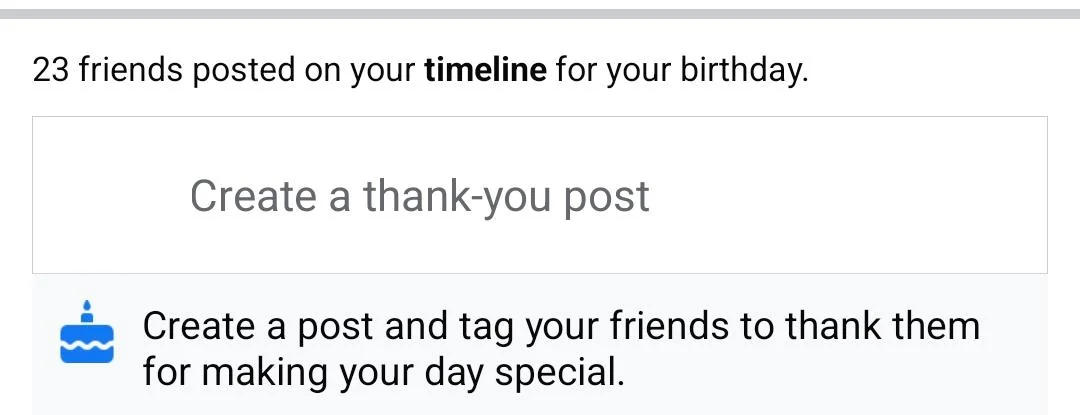
Below this, you should see one of two options:
-
“Create a thank-you post”
-
“Create a post and tag your friends to thank them for making your day special.”
Click this to create a post that automatically tags every user who posted on your timeline.
If You Don’t See This Option…
You can also manually create a post thanking those who posted on your timeline and tag each user individually within the post. While this might take some time, it’s less work than replying to each birthday wish individually.
How Do I View Upcoming Birthdays?
While the feature provides Facebook birthday notifications the day of a birthday, many users prefer to receive a bigger heads up. Luckily, you can access a list of all your friends birthdays through the Events menu.
Where To Find Birthdays On Mobile
Unfortunately there is no way to view the full list of birthdays via the Facebook mobile app, but you can still learn how to see upcoming birthdays on Facebook mobile by following the steps below:
Open Facebook.
Tap the search bar at the top and type in birthdays.
Tap the Birthdays icon result that appears.
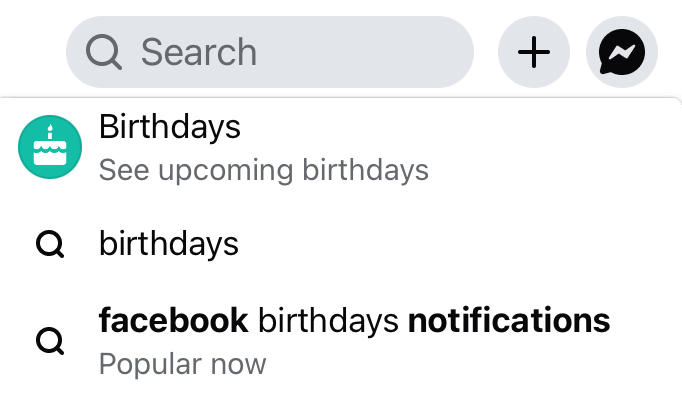
You will be redirected to the Events section.
If you do not see any birthdays listed here, that means there are no upcoming birthdays in the near future.
Where To Find Birthdays On Desktop
On the desktop version of the site, you can access a full list of all Facebook friends birthdays organized by month. Here's how:
Open Facebook.
In the left sidebar menu, click Birthdays (you might have to click See More to find the option).
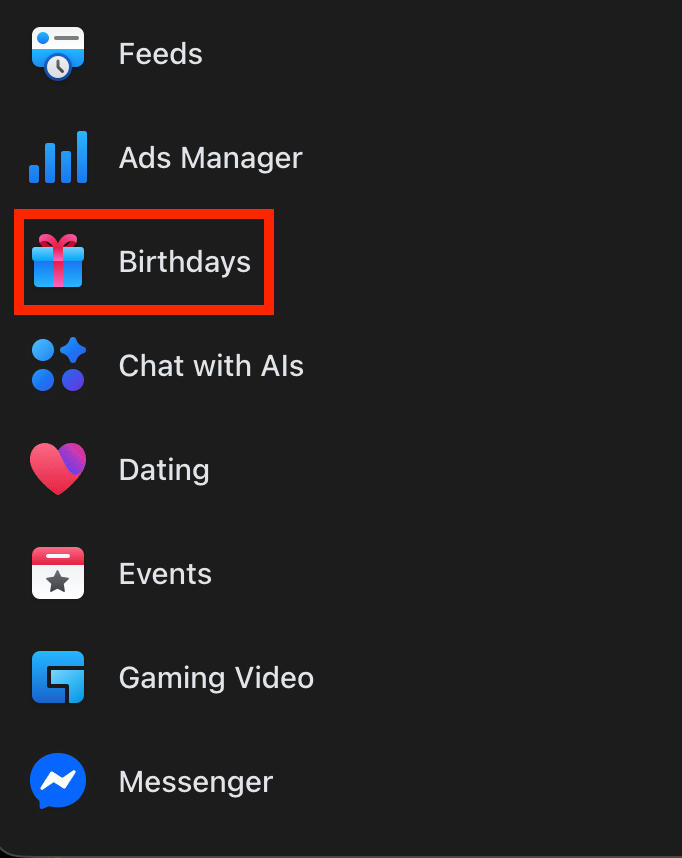
You will see the full list of all birthdays in chronological order, starting with the current month.
How To Find Someone's Birthday On Facebook Without Being Friends
If you’re curious about someone’s birthday but you don’t have them on your friends’ list, you can still see their birthday via their About info on their profile.
On Mobile
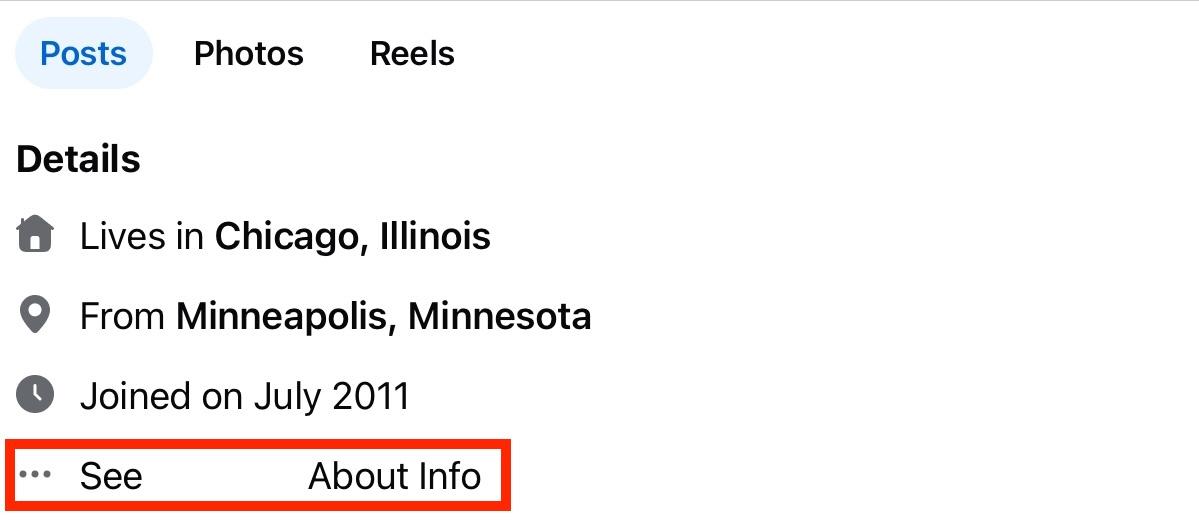
Visit the user’s profile.
Under Details, click See User’s About Info.
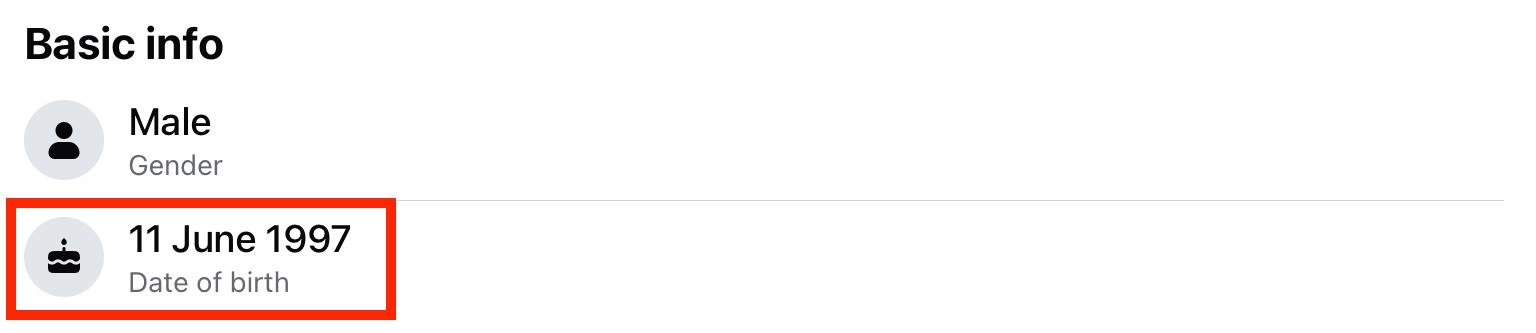
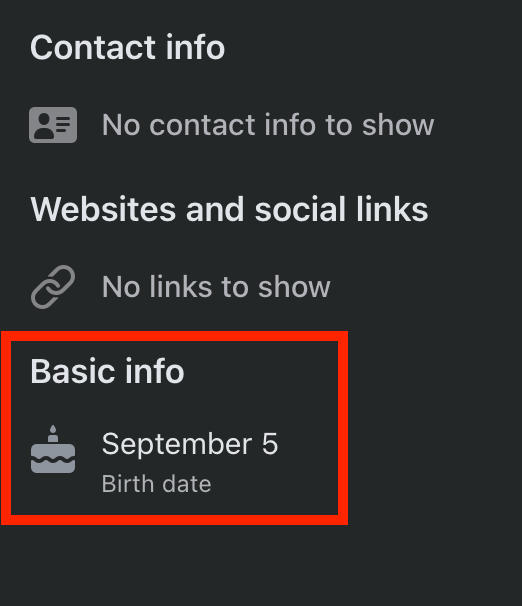
Under Basic Info, you’ll see their birthdate. Depending on their privacy settings, you may only see the month and day, not the year.
On Desktop
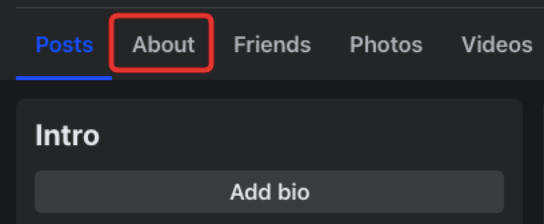
Visit the user’s profile and click the About tab that appears below their cover photo.
Click Contact And Basic Info.
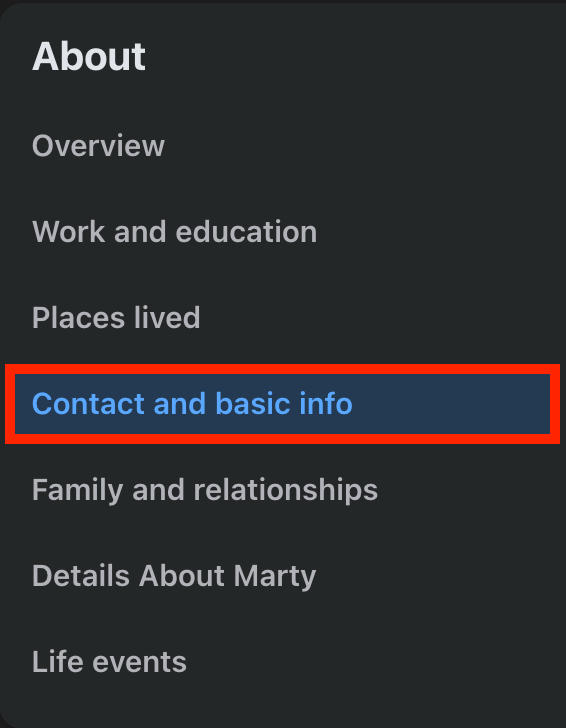
Under Basic Info, you should see their birthdate. Depending on their privacy settings, you may only see the month and day, not the year.
How To Wish Happy Birthday On Facebook Timeline
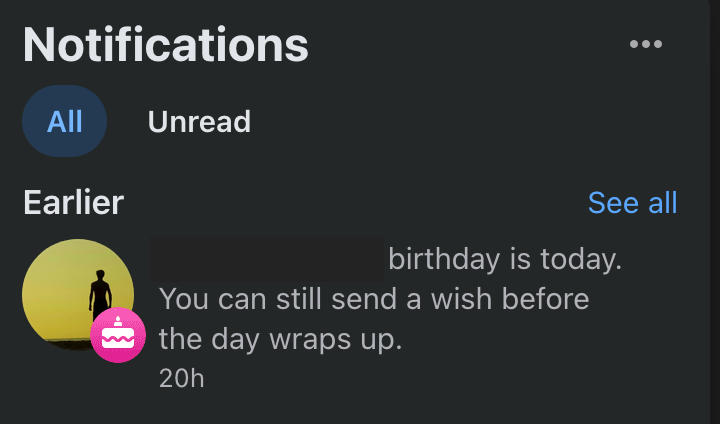
When it’s time to wish a friend happy birthday on Facebook, you’ll receive an in-platform notification. Even if you don’t, you can still wish them a happy birthday as long as their privacy settings allow other users to post to their timeline.
From Notifications
Open your notifications and tap the birthday notification.
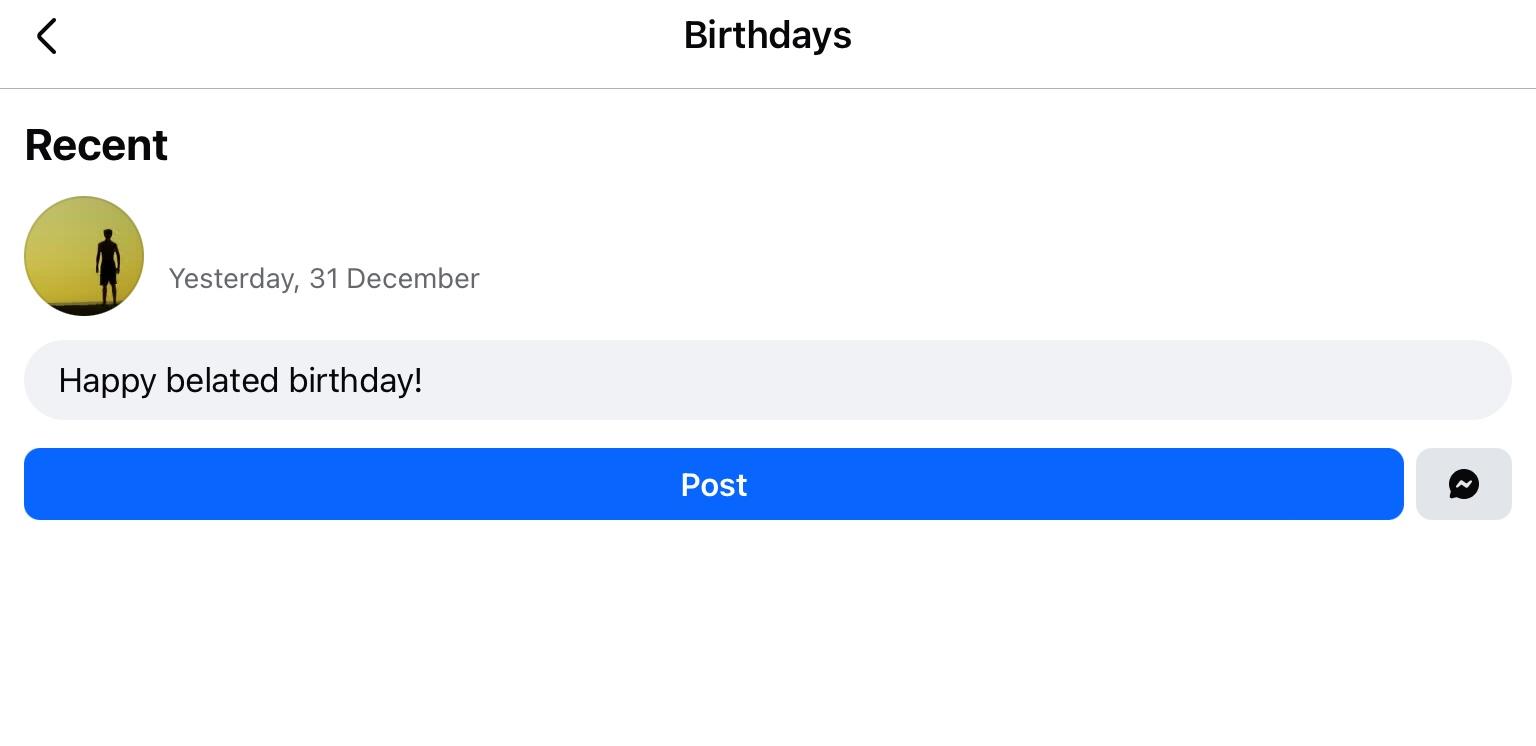
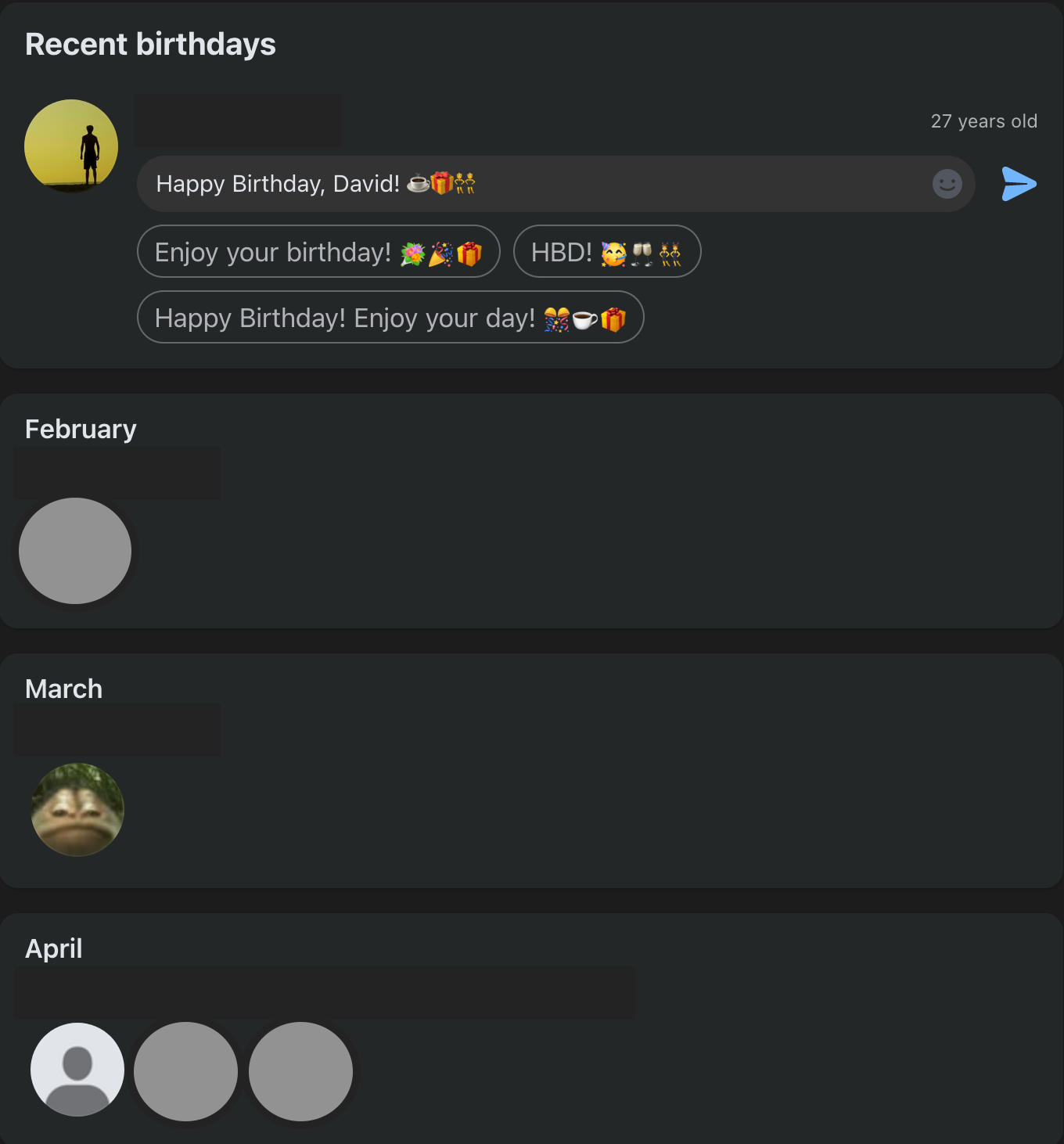
You’ll be redirected to the Recent Birthdays page where you’ll see an automatic birthday message written for you.
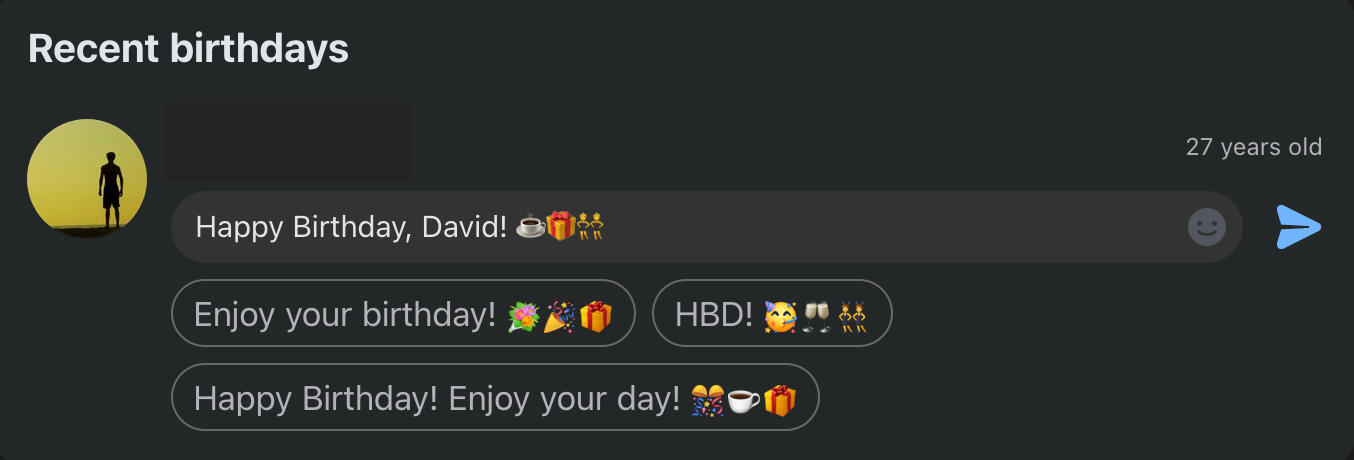
You can either edit this, or tap Post to publish it directly to their timeline.
From Their Timeline
Visit their profile page and tap or click the Write Something To User field.

From here, input your birthday wish and select Post when you’re ready to publish it.
How To Turn Off Birthday Notifications
If you'd rather not receive birthday notifications, or don't want your Facebook friends to receive notifications about your birthday, we've got you covered.
Stop Receiving Friend’s Birthday Notifications
To turn off all birthday notifications, you'll have to access the Facebook from the desktop site.
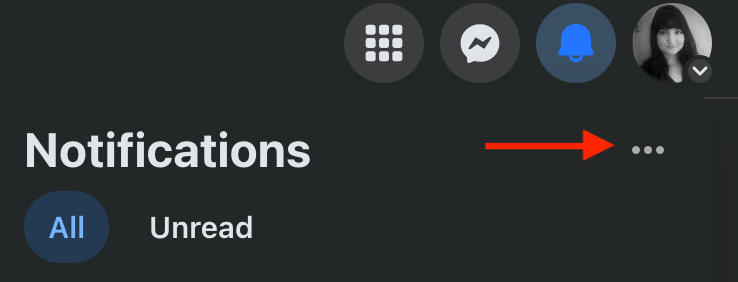
Click the notification bell on the top right. Click the three horizontal dots.
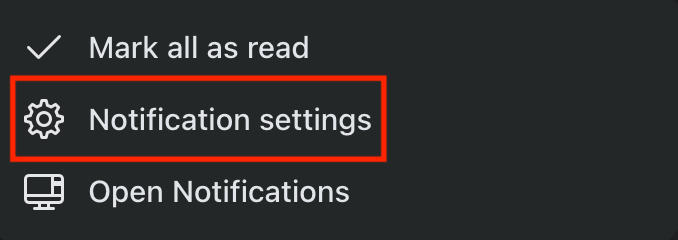
Click Notification Settings.
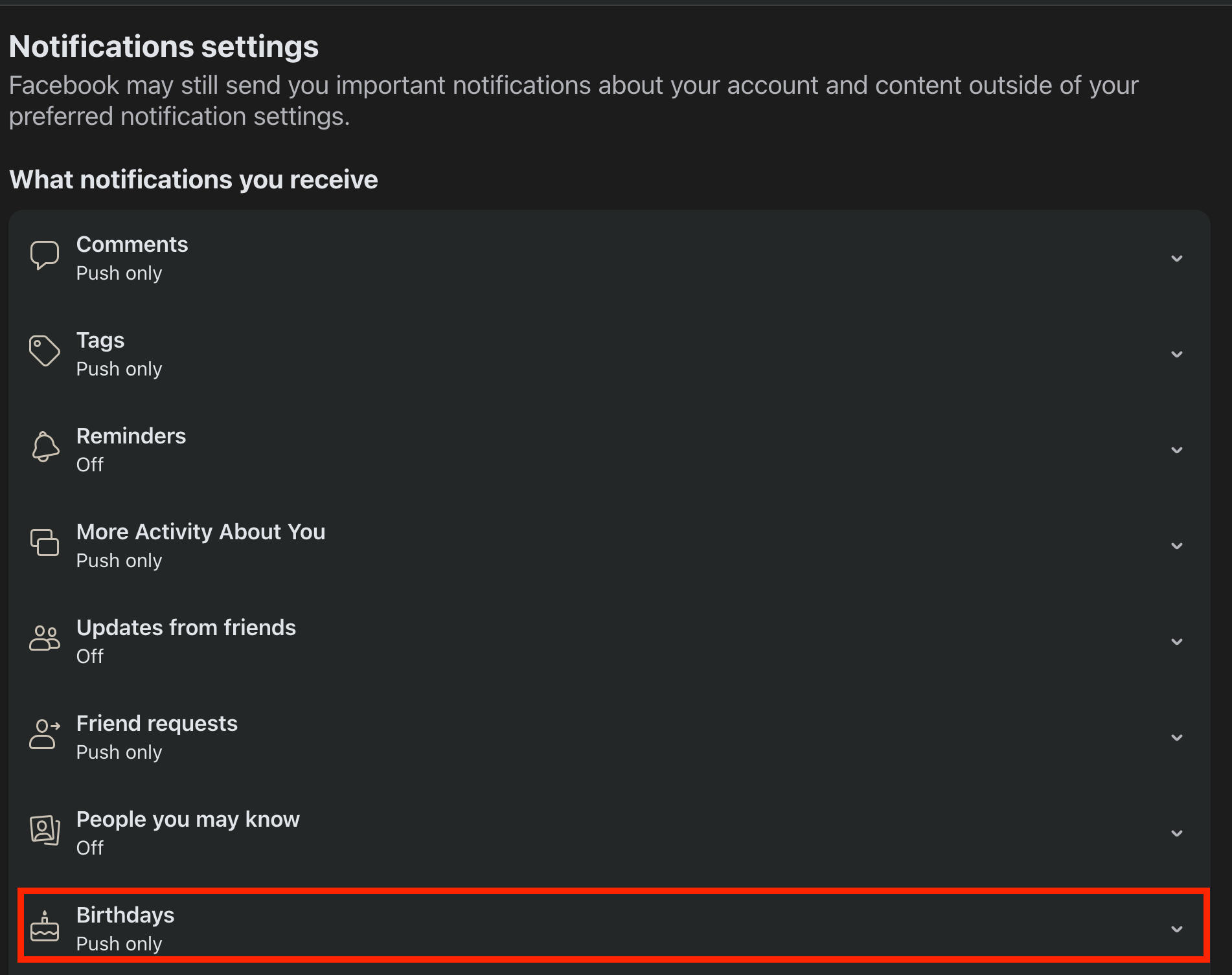
Scroll down and click Birthdays.
Toggle notifications OFF.

Your settings will be saved automatically.
Turn Off Notifications About My Birthday: Mobile
If you don't want your friends to be notified when your birthday comes around, follow the steps below via the Facebook app:
Open Facebook and navigate to your profile.
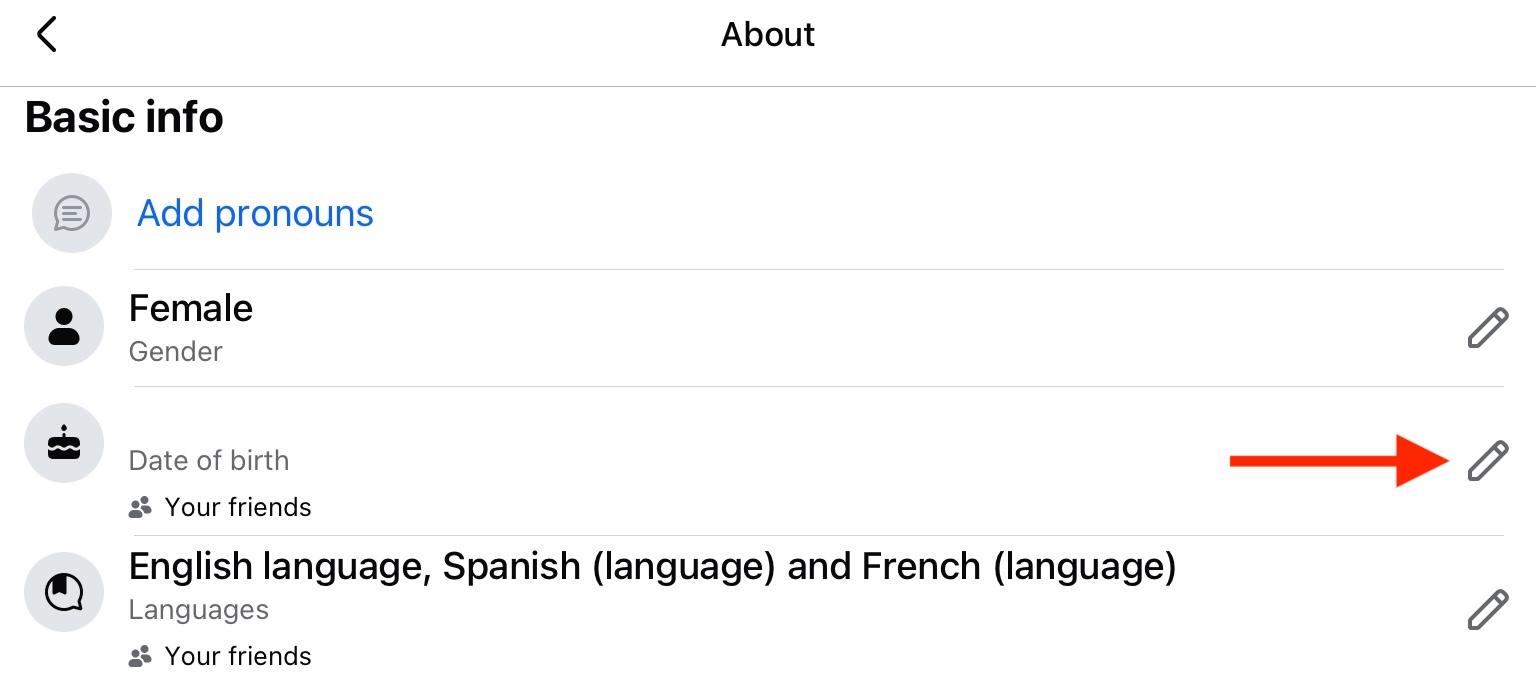
Beneath your profile picture in the Details section, tap See Your About Info.
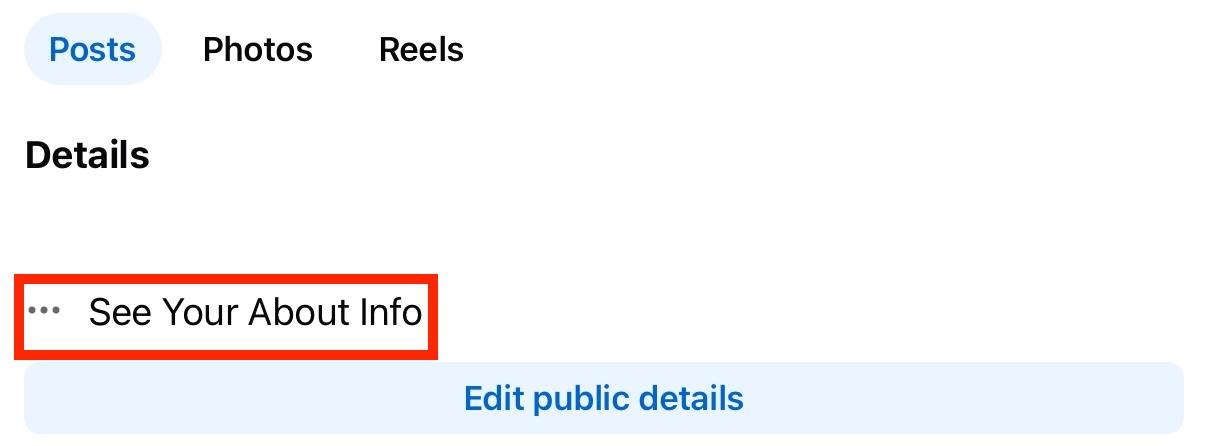
Scroll down to Basic Info.
Tap the pencil icon to the right of your birthday.
For your birth day and month change the audience to Only Me.
For your birth year change the audience to Only Me.
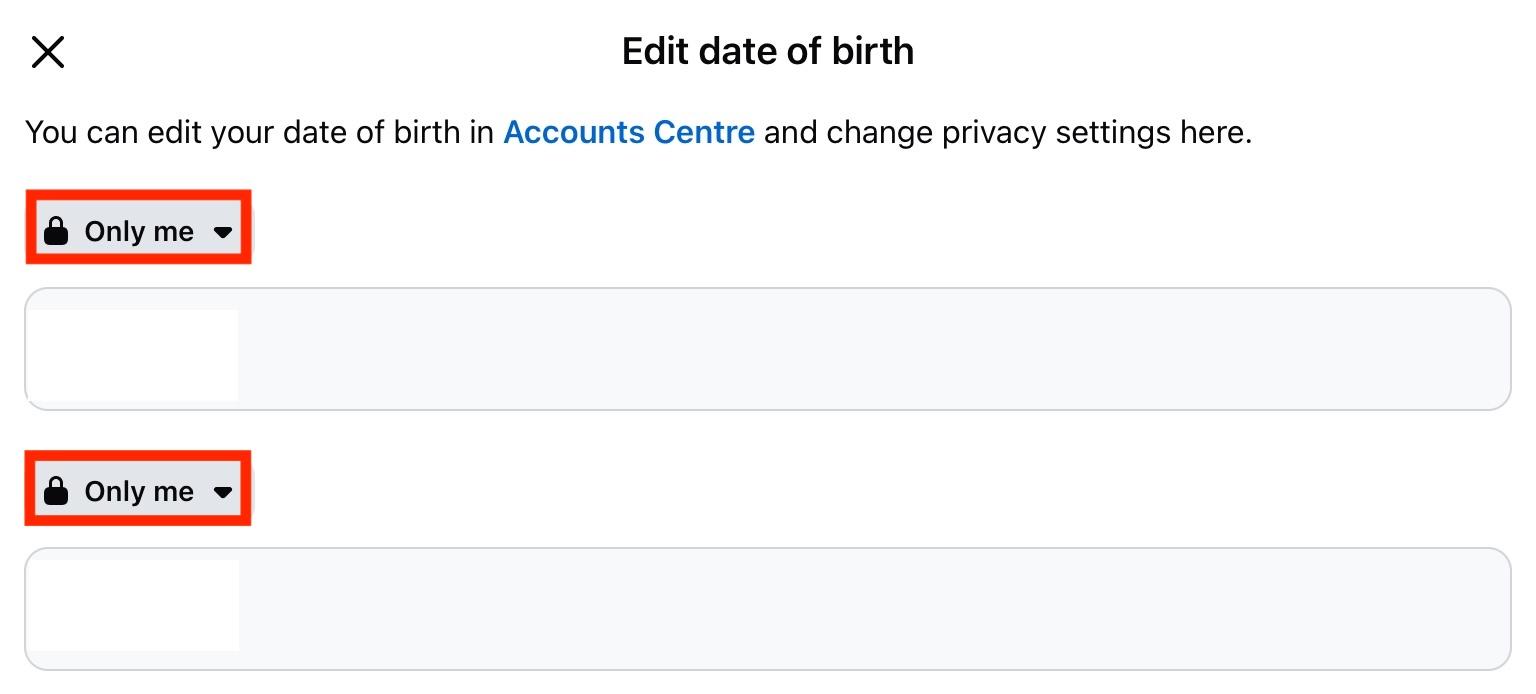
Your settings will save automatically.
Your friends will no longer receive notifications about your birthday.
Turn Off Notifications About My Birthday: Desktop
If you don't want your friends to be notified when your birthday comes around, follow the steps below:
Open your Facebook profile.
Click the About tab.
Click Contact And Basic Info and scroll down to your birth date.
Click the icon that appears to the left of the pencil icon (this might look like an Earth or two people by default).
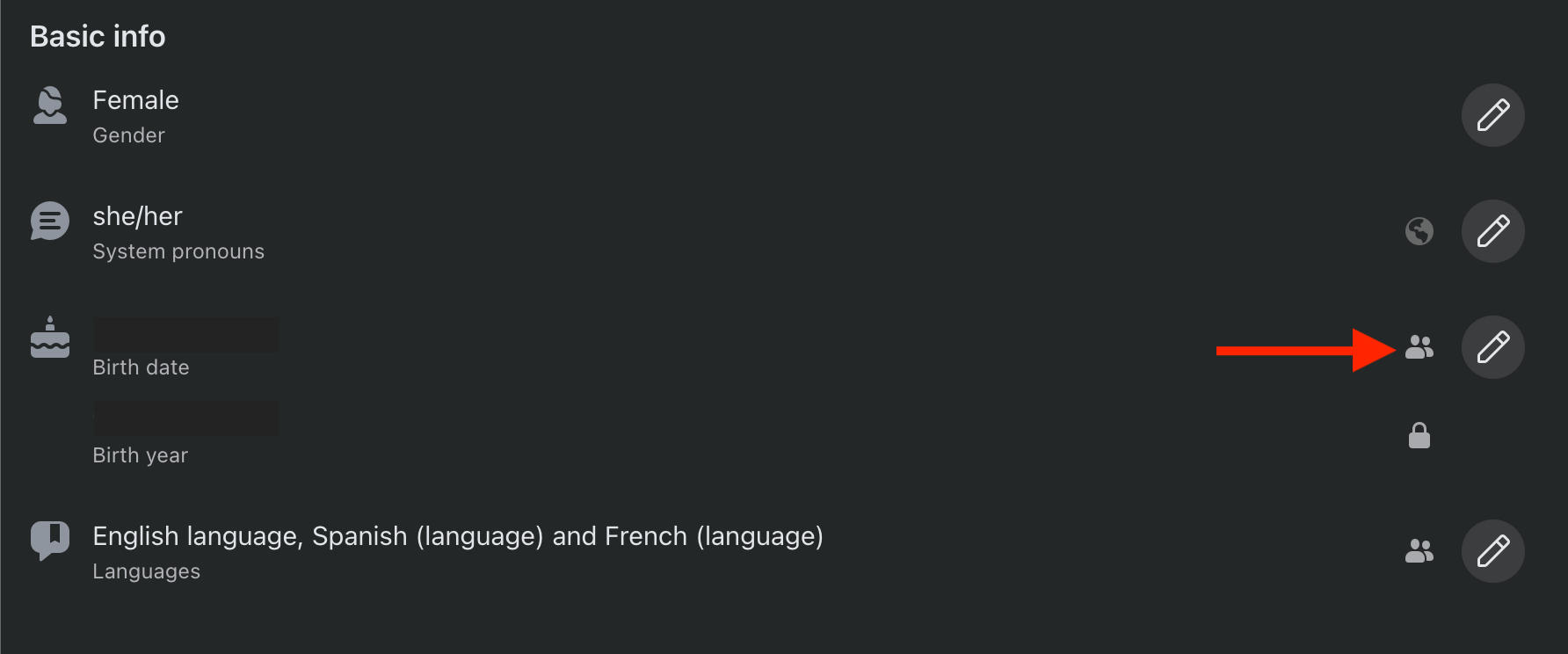
Choose Only Me.
Repeat the steps above for the birth year that appears below your birth month/day.
Your friends will no longer receive notifications about your birthday.
How To Change Your Birthday On Facebook
If your birthdate is incorrect, you can change it via your profile settings.
Keep in mind that you can only change your birthdate 3 times total.
On Mobile
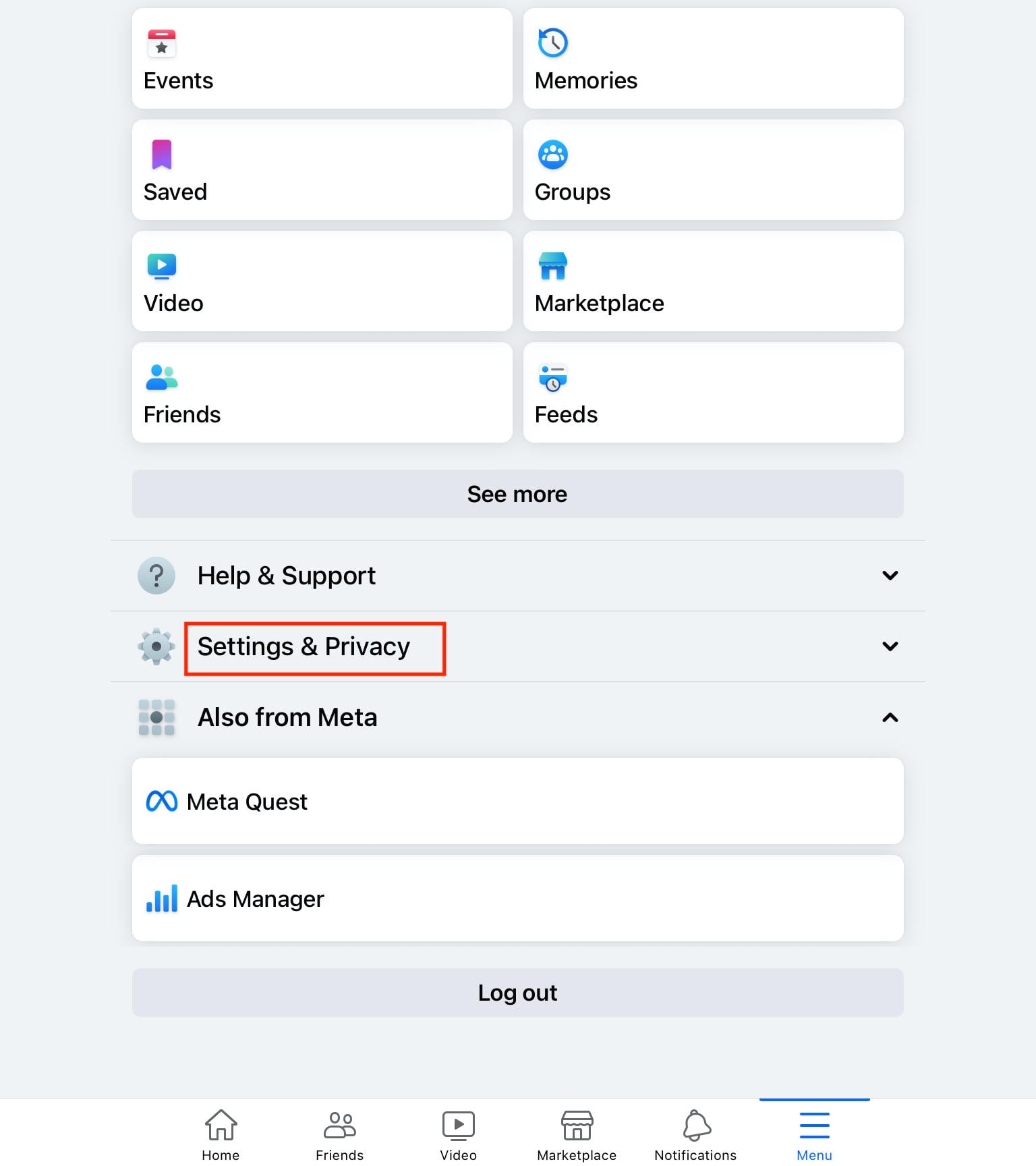
Tap the menu icon.
Tap Settings & Privacy > Settings.
Under Account, tap Personal And Account Information.
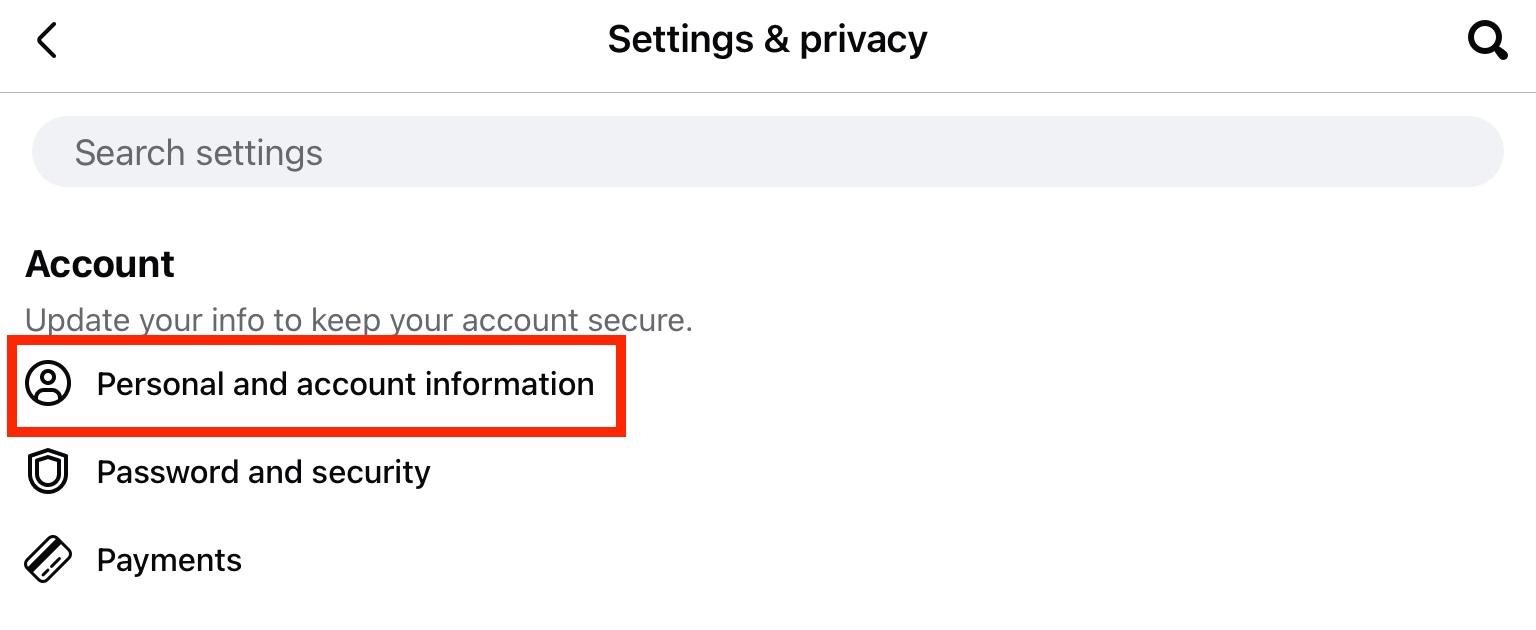
Tap Profiles And Personal Details.
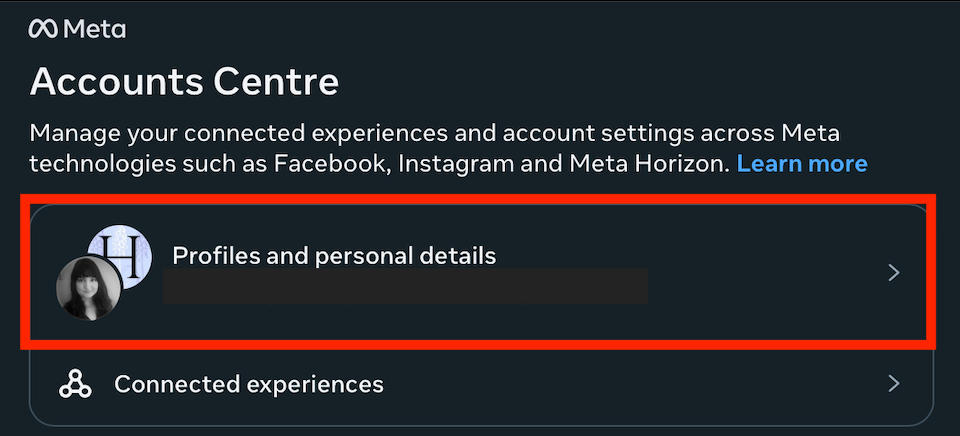
Under Personal Details, tap Date Of Birth.
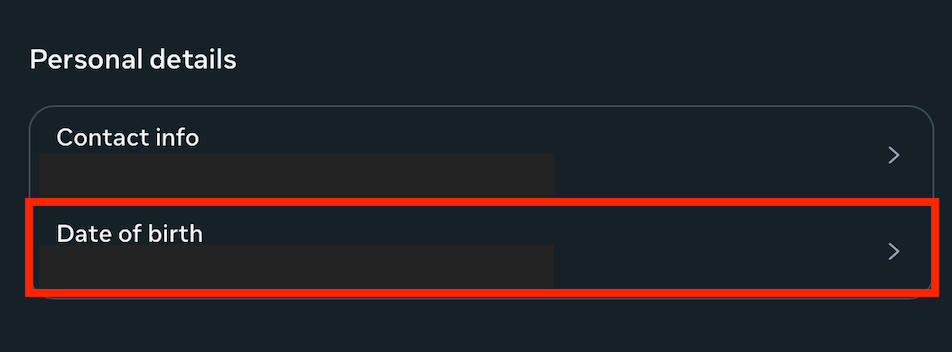
Tap Edit to the right of your birth date.
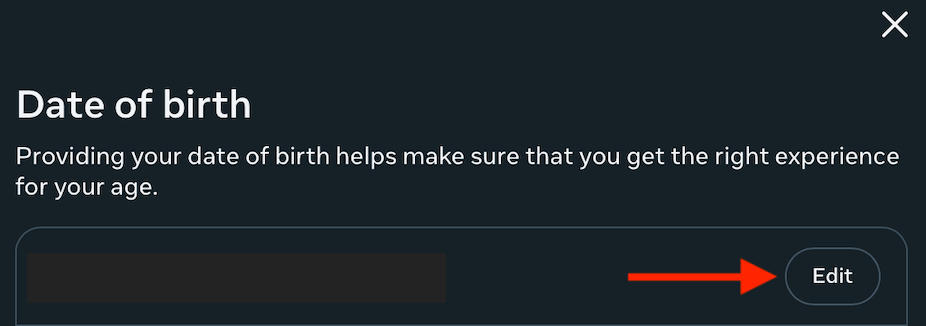
Edit your date of birth, then tap Save.
On Desktop
Open your Facebook profile.
Click the About tab.
Click Contact And Basic Info and scroll down to your birth date.
Click the pencil icon to the right of your birth date. This will open a new tab.
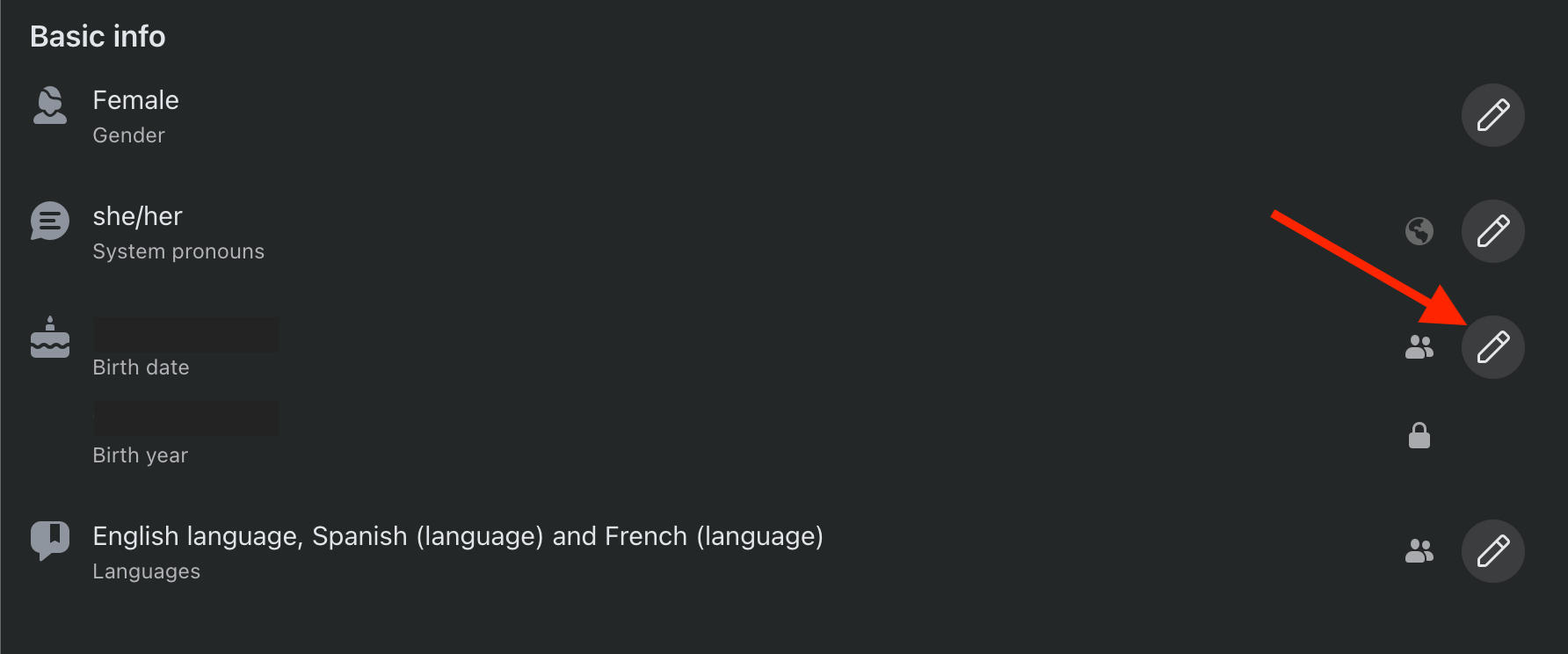
From here, click Edit to the right of your birth date.
Input your new birthday and click Save.
Frequently Asked Questions
Can I schedule a birthday wish for a friend in advance?
No - Facebook doesn't offer any scheduling options for personal messages or posting on a friend's timeline.
Why can't I see a friend's birthday even if it's today?
If you're not seeing certain Facebook birthdays, it could be that the user has their birthdate details set to private.
Why didn't I get a notification for my friend's birthday?
Your friend likely has their birthdate hidden on Facebook. Facebook notifications for birthdays only apply to publicly available birthdate information.
How do I see all the birthday wishes posted on my timeline?
Visit your Facebook profile to see all the friends who have wished you a happy birthday. Click See All beneath the visible selection to view more.
Why is there a restriction on how young I can set my birthday on Facebook?
You must be at least 13 years of age to use Facebook, according to their terms of use. Therefore, if you attempt to set a birthday that identifies you as younger, you will not be able to.
How often can I change my birthday on Facebook?
You are only allowed to change your Facebook birthday three times total. This can be done once every two weeks within the overall limit.
Why can't I change my birthday on Facebook?
If you're unable to change your birthday, you may have already reached the limit of changing it three times. Or, you have changed it recently within the last two weeks.
I missed a friend's birthday. Can I still see past birthday notifications?
You can access a list of all birthdays, including belated birthdays, by following the instructions provided here.
Who can see my birthday on my Facebook profile?
That depends on your privacy settings. Learn how to adjust them here.
How to tag everyone for birthday wishes on Facebook on iPhone?
Learn how to reply to multiple birthday wishes using our instructions here.
How to create a thank you post on Facebook?
You can either create a regular post and manually tag users, or create a thank you post by following the instructions here.
How do I tag and thank everyone for birthday wishes on Facebook?
Learn how to use Facebook’s thank you post feature here.
How to find birthdays on Facebook Android?
You can access a full list of your friends’ birthdays via the Facebook mobile app by following our instructions here.
How to find birthdays on Facebook messenger?
Facebook Messenger won’t show birthdays. The only way to view birthdays is by accessing the Events section on Facebook here.
How to see friends' birthdays on Facebook in Calendar?
Facebook’s birthday calendar can be accessed by following the instructions outlined here.


