When you post on YouTube, you have three visibility options: public, private, and unlisted. Each offers its own pros and cons, as well as limitations.
This guide will be exploring each visibility option in depth, so you can learn how to post an unlisted YouTube video and when you should be using the unlisted option.
And for creators who are hesitant to go public due to low view counts, we have a simple solution for you - so stick around until the end.
Key Points:
Unlisted Vs Private YouTube Videos: What's The Difference?
Anyone who’s tried to upload a video on YouTube has noticed that there are three visibility options: public, unlisted, and private. But what’s the difference?
What Does Private Mean On YouTube Videos?
Private videos on YouTube are completely private. That means the creator is the only one who has access to them, and even if someone else has a link that leads to that video they won’t be able to view it.
The only way to share a private YouTube video is by using the Share Privately option and inputting user emails. Once users sign into their associated Google accounts they’ll be able to watch the private video, but they won’t be able to share it with anyone else.
What Does Unlisted Mean On YouTube Videos?
Unlisted videos on YouTube are slightly more versatile than private videos. Creators can copy and share the link to an unlisted video and distribute it to as many users as they wish.
As long as someone has the link of an unlisted YouTube video they can watch it and share it freely.
Can Anyone See An Unlisted YouTube Video?
Only if they have the direct link. Otherwise, the unlisted video will be essentially private and invisible to anyone viewing that channel or searching for that keyword.
How Do I Upload An Unlisted Video On YouTube?
You can set a video to unlisted while you initially upload it, or after it’s already been published as either public or private.
To upload a video as unlisted, open YouTube Studio.
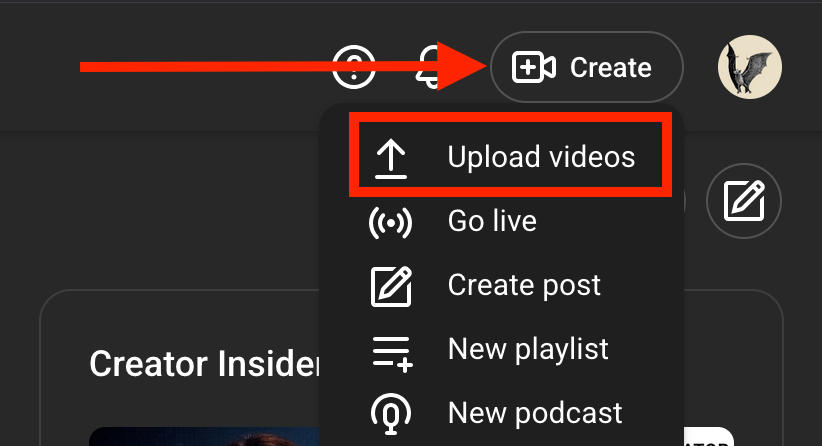
Click Create on the top right.
Click Upload Videos.
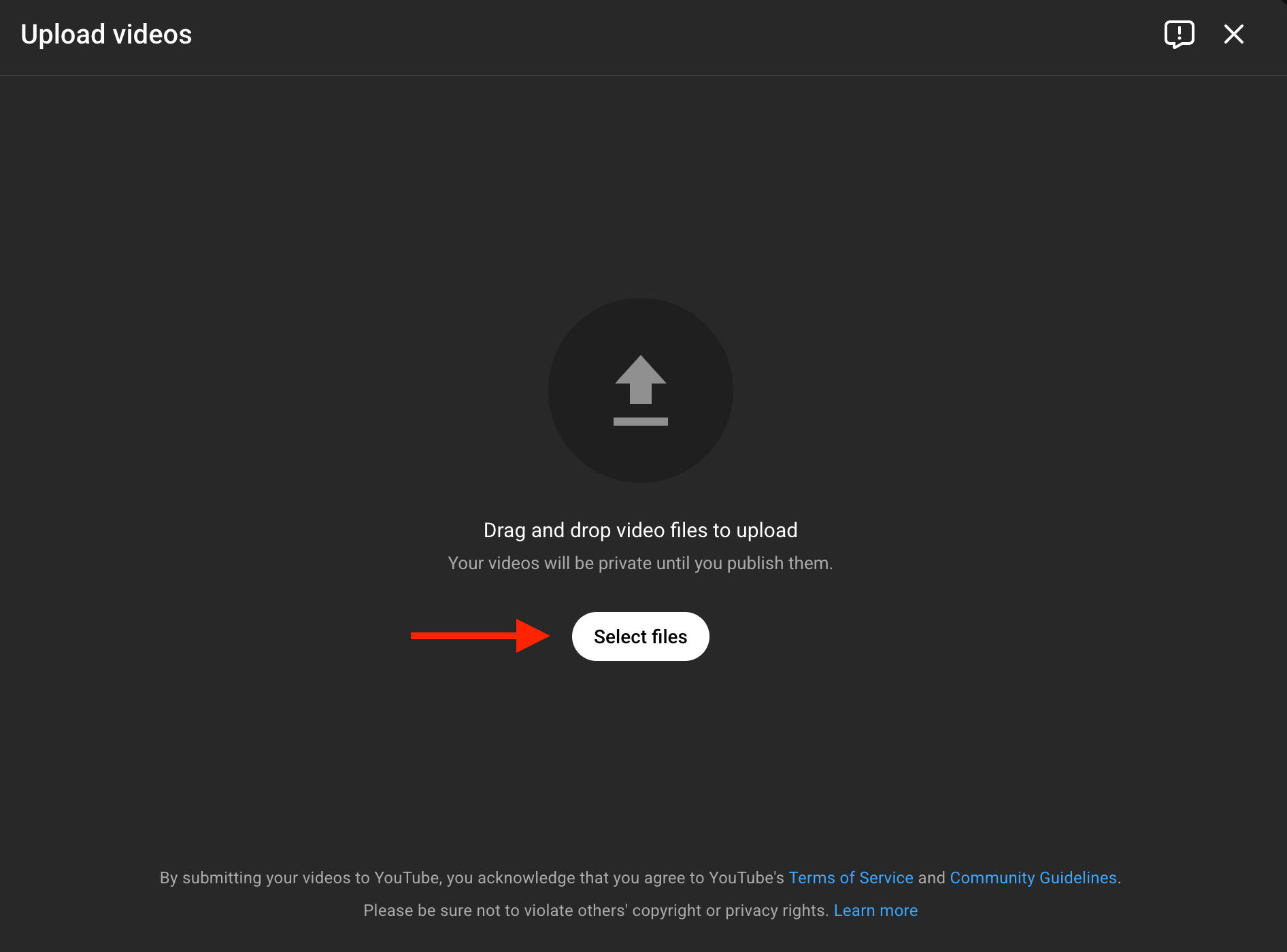
Click Select Files and choose your video.
Fill in the video details, choose additional elements, and complete the checks.
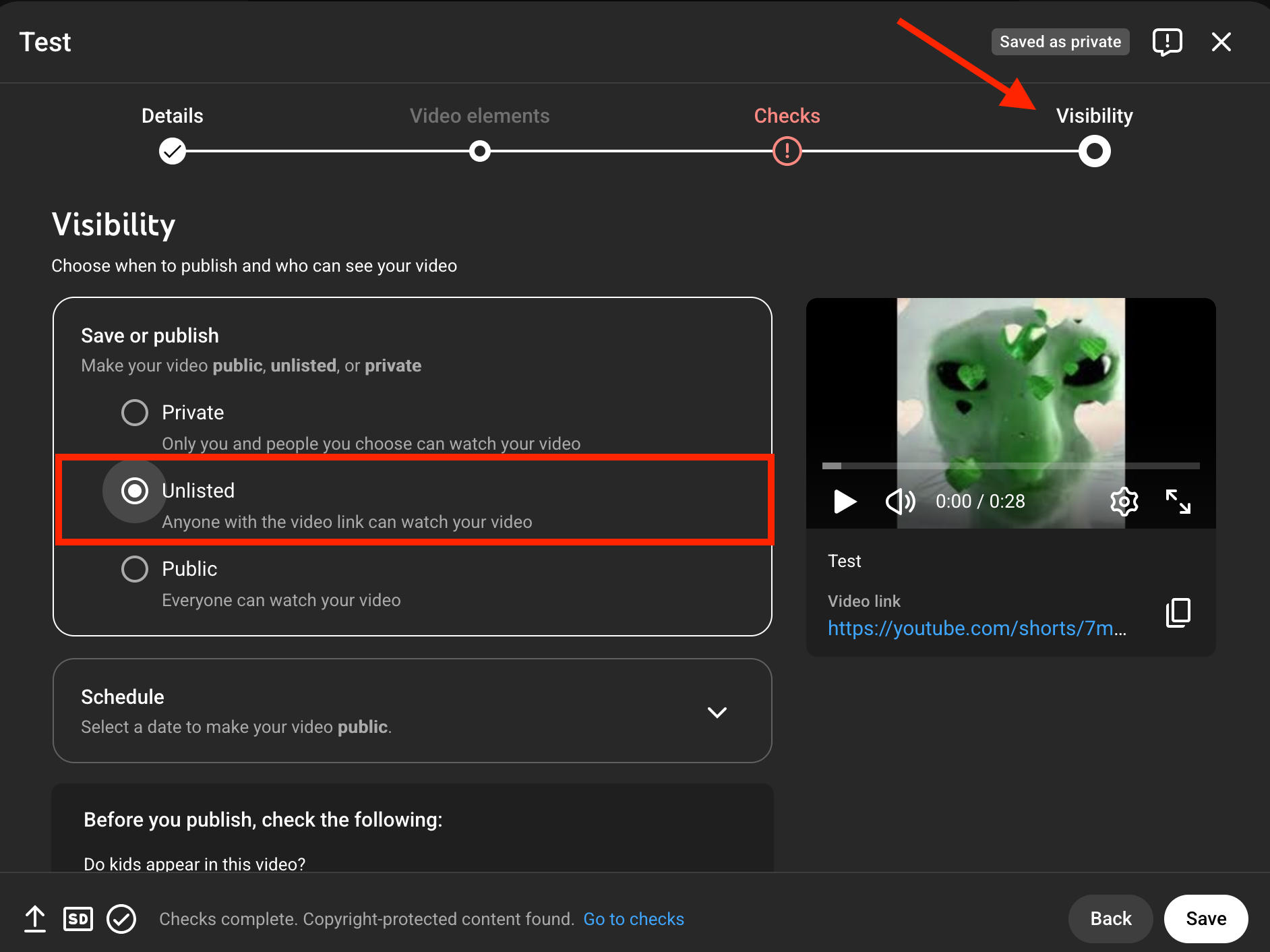
At the end, you’ll see the Visibility page.
From here, click Unlisted, then click Save to upload your video.
How Do You Make A YouTube Video Unlisted After Posting?
To change an existing video to unlisted, open YouTube Studio.
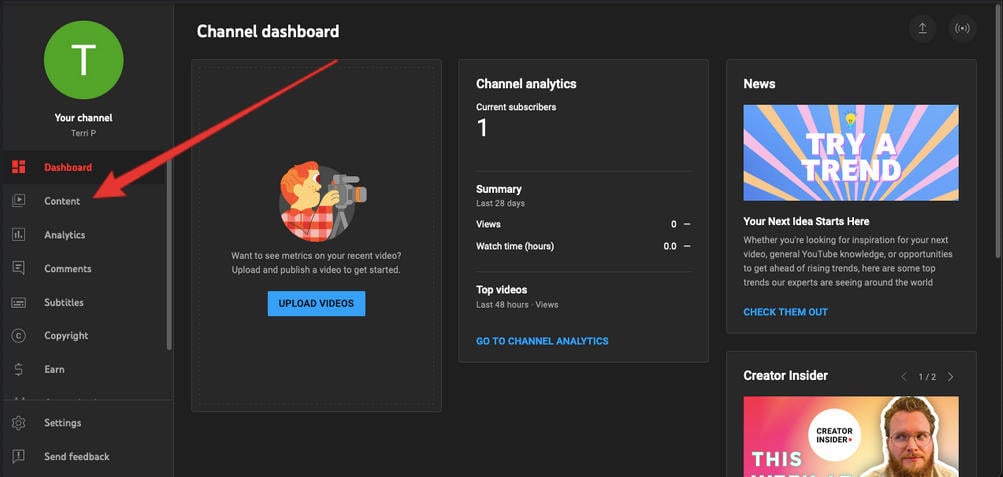
Click Content in the left-hand menu.
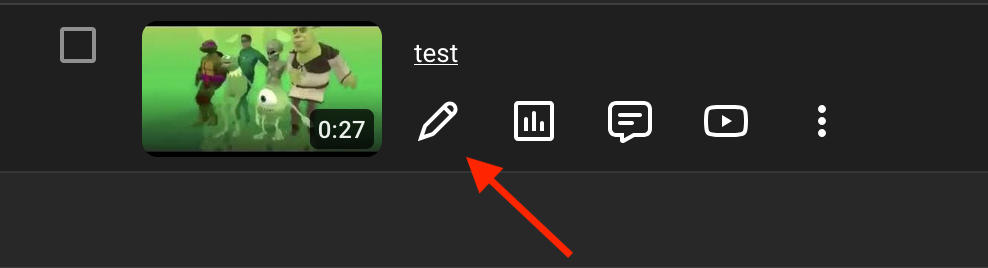
Click the pencil icon beneath the video you want to edit.
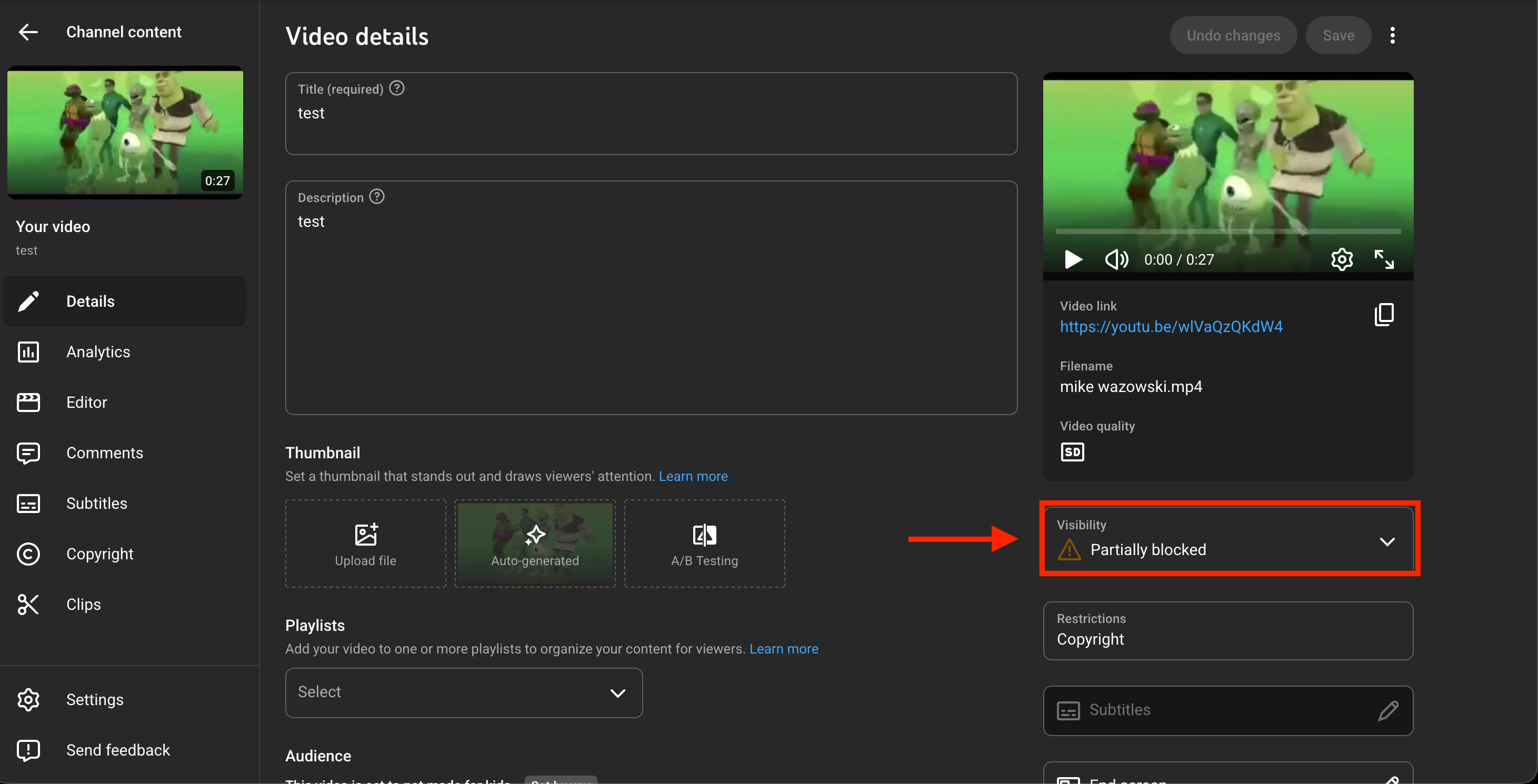
On the right hand side click Visibility.
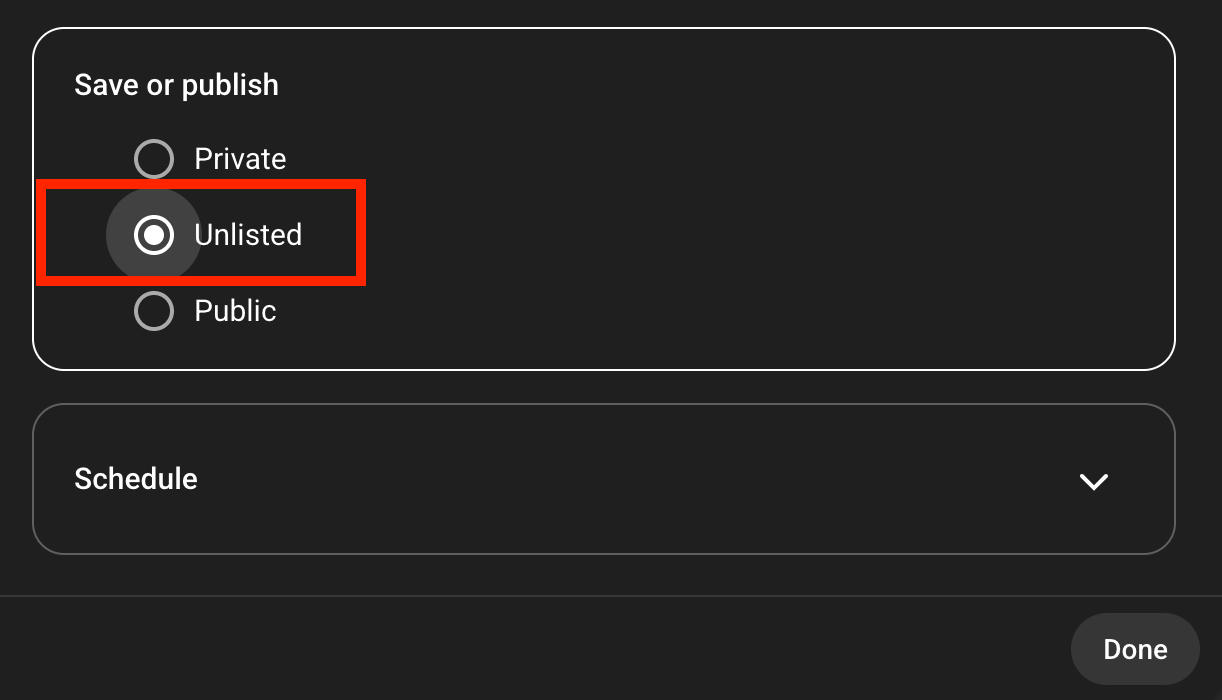
Choose Unlisted, then click Done.
When you’re ready, click Save on the top right corner.
How Do I Share An Unlisted YouTube Video Link?
If you want to distribute your unlisted video, you can do so by copying the link either from YouTube Studio or from the video page.
From YouTube Studio
Open YouTube Studio.
Click Content in the left-hand menu.
Click the three dots beneath the video you want to share.

Click Get Shareable Link.
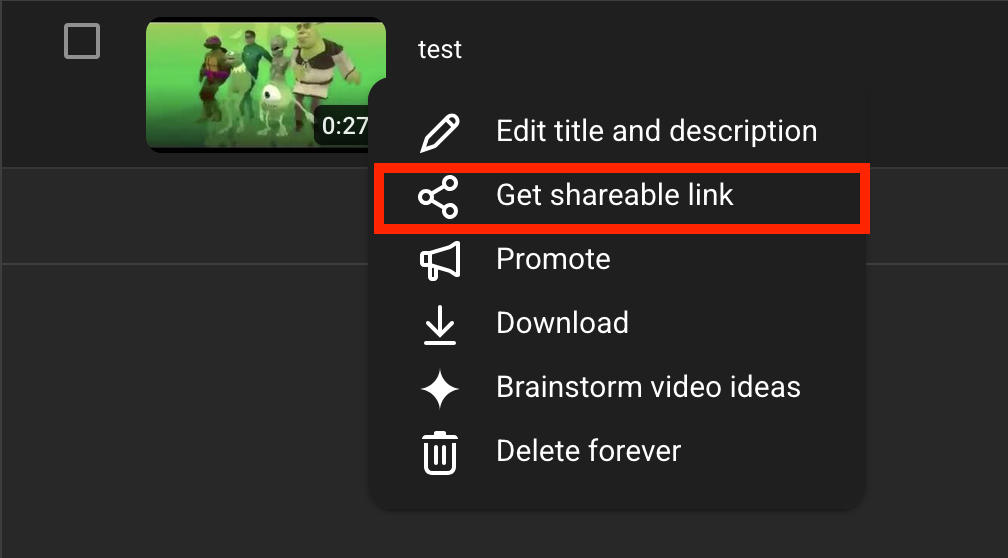
Send this link to anyone you want to grant access to the video.
From The Video Page
Visit the video page directly.
Click the Share icon on the bottom right.
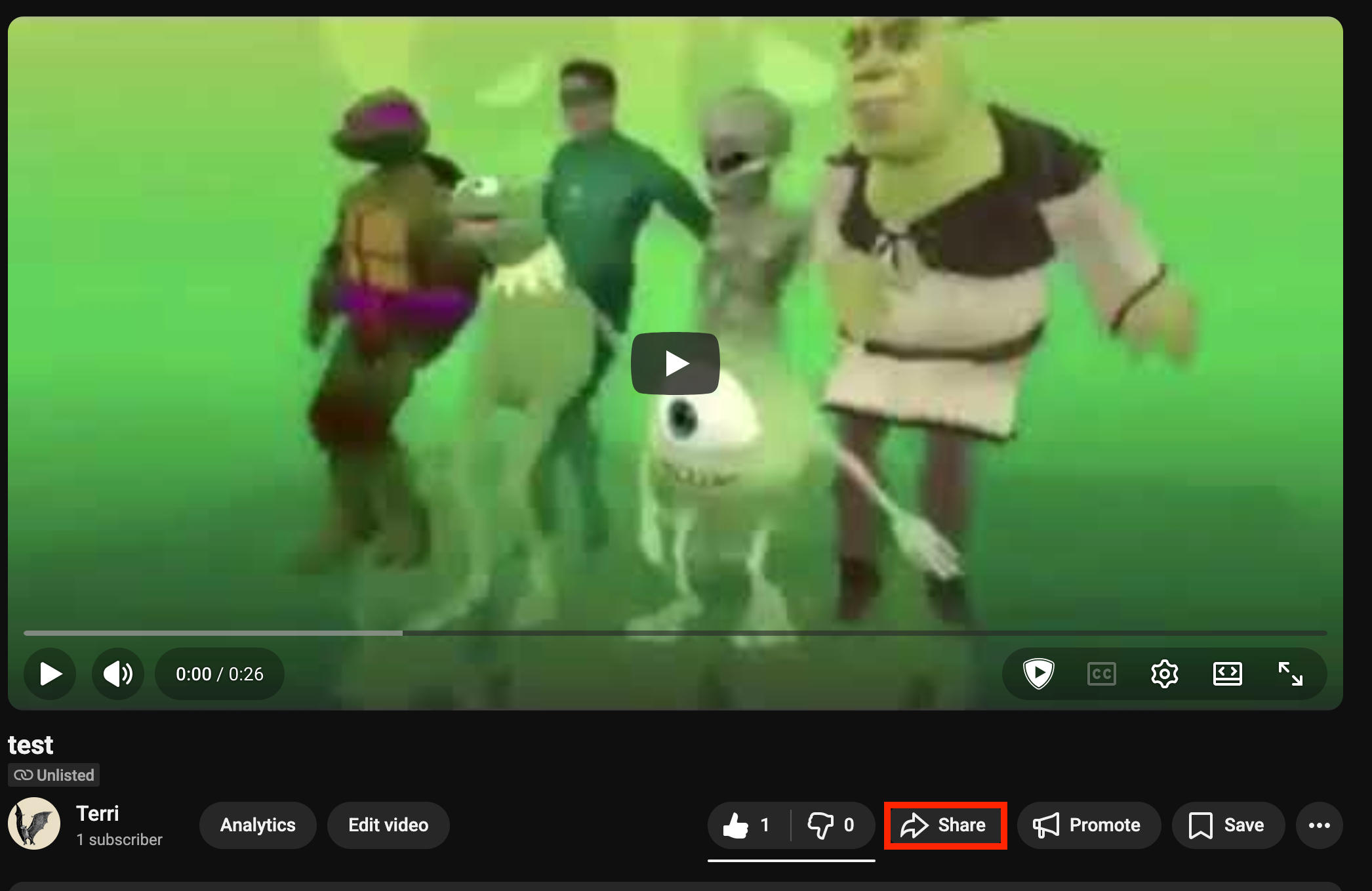
Click Copy to copy the URL to your clipboard.
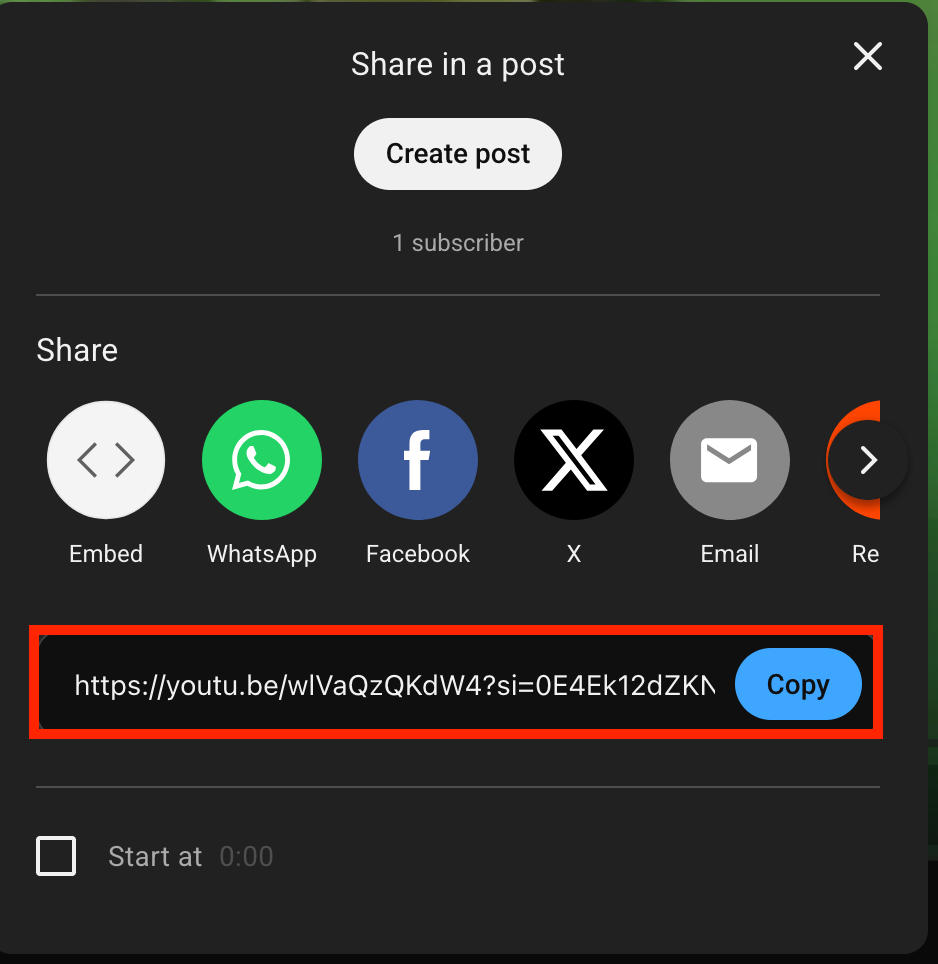
Send this link to anyone you want to grant video access to.
How Do I Embed My Unlisted YouTube Video?
Public and unlisted YouTube videos can be embedded as usual. Only private YouTube videos and videos that specifically have embedding permissions disabled will not be able to be embedded.
How To Enable Embedding On YouTube
Open YouTube Studio.
Click Content in the left-hand menu.
Click the pencil icon beneath the video you want to edit.
Scroll down and click Show More.
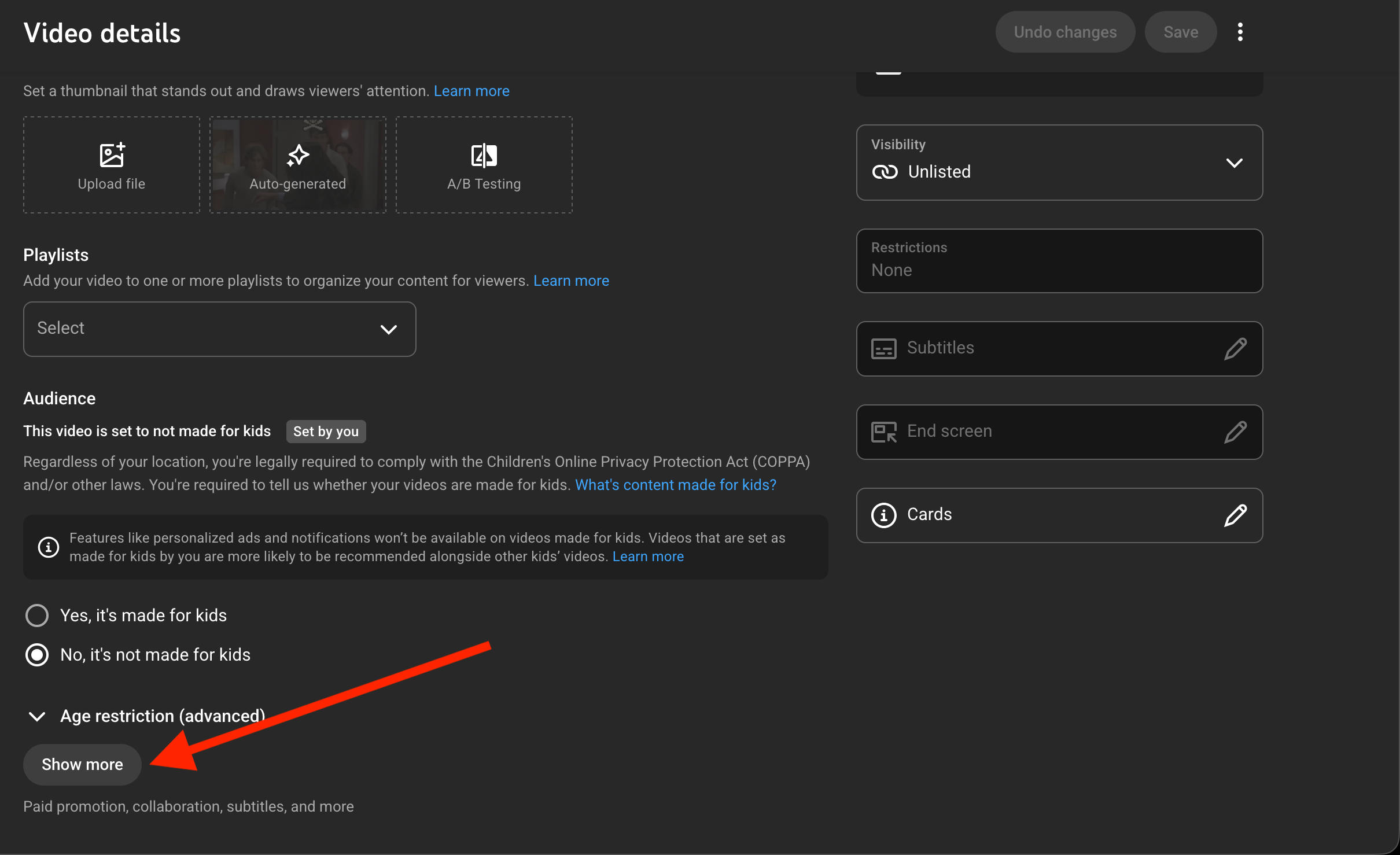
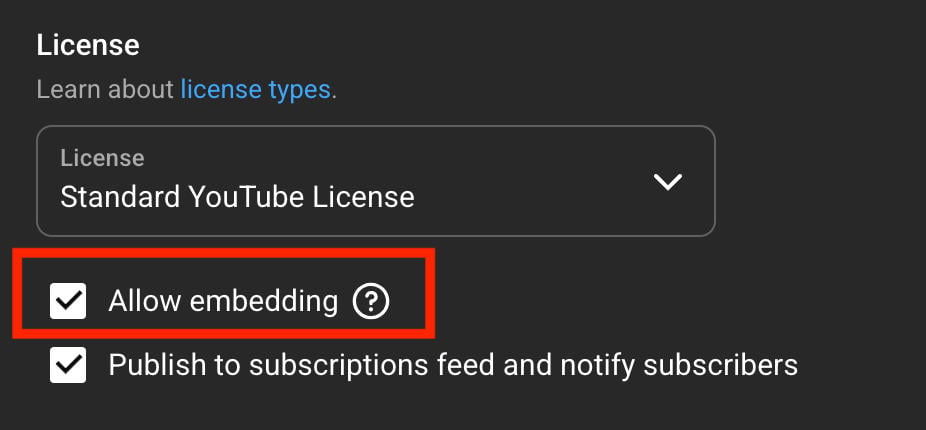
Scroll down to License and make sure that Allow Embedding is checked.
How To Create An Unlisted YouTube Playlist
Not only can individual YouTube videos be changed to unlisted, but playlists can as well.
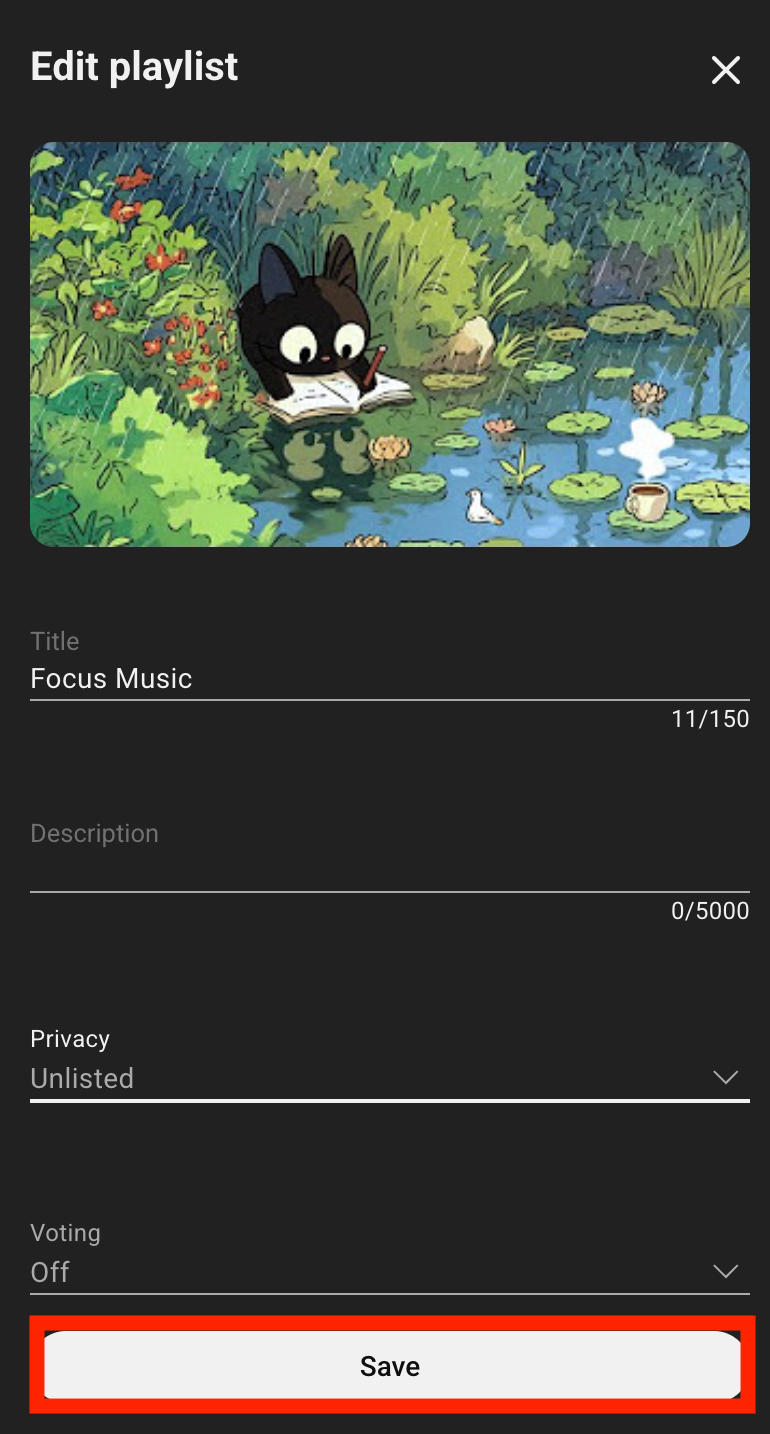
To change a YouTube playlist’s visibility settings, open the playlist page.
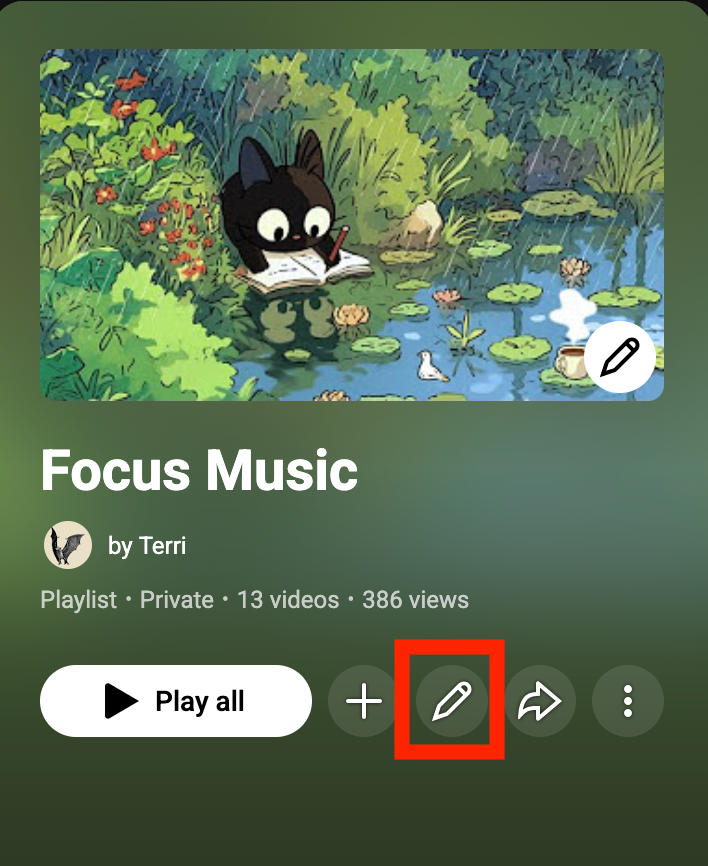
Click the pencil icon.
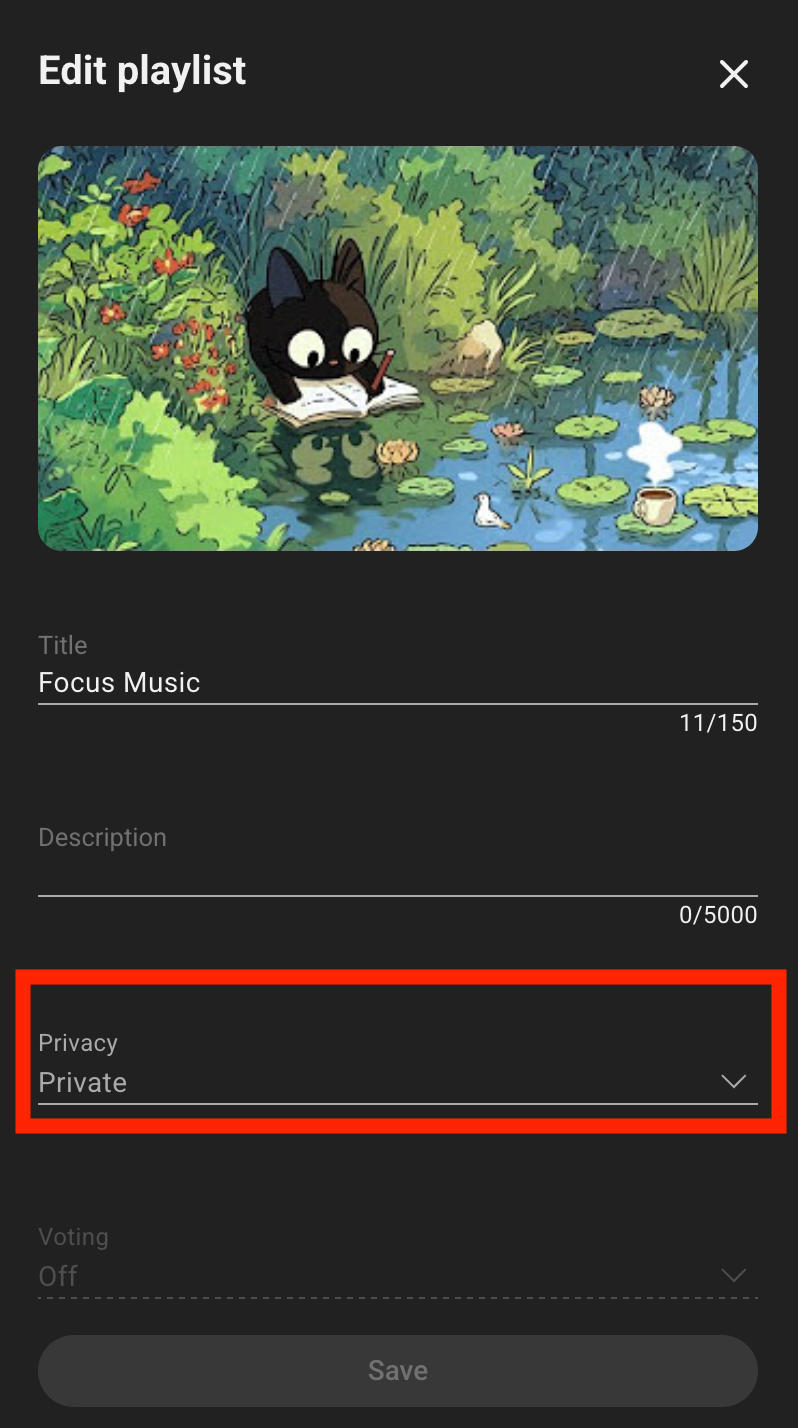
Click the drop-down menu under Privacy.
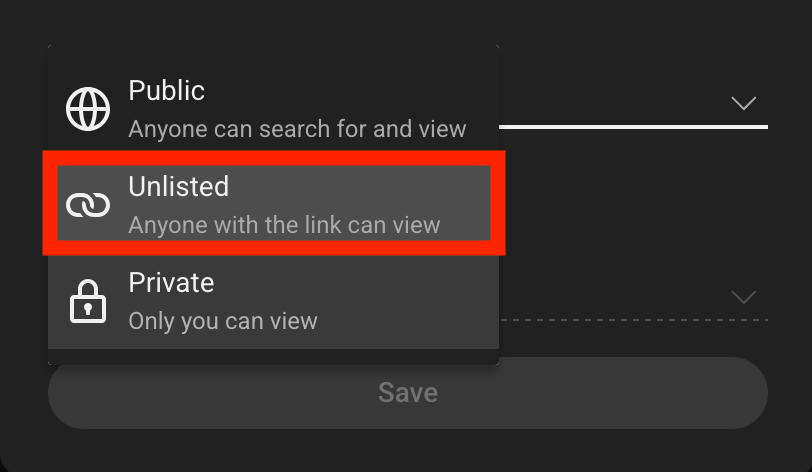
Select Unlisted.
Click Save.
How To Create An Unlisted YouTube Channel
While you can’t make an entire YouTube channel page unlisted, you can change your default upload settings so that all future videos uploaded to the channel are private or unlisted.
Open YouTube Studio.
Click Settings in the left-hand menu.
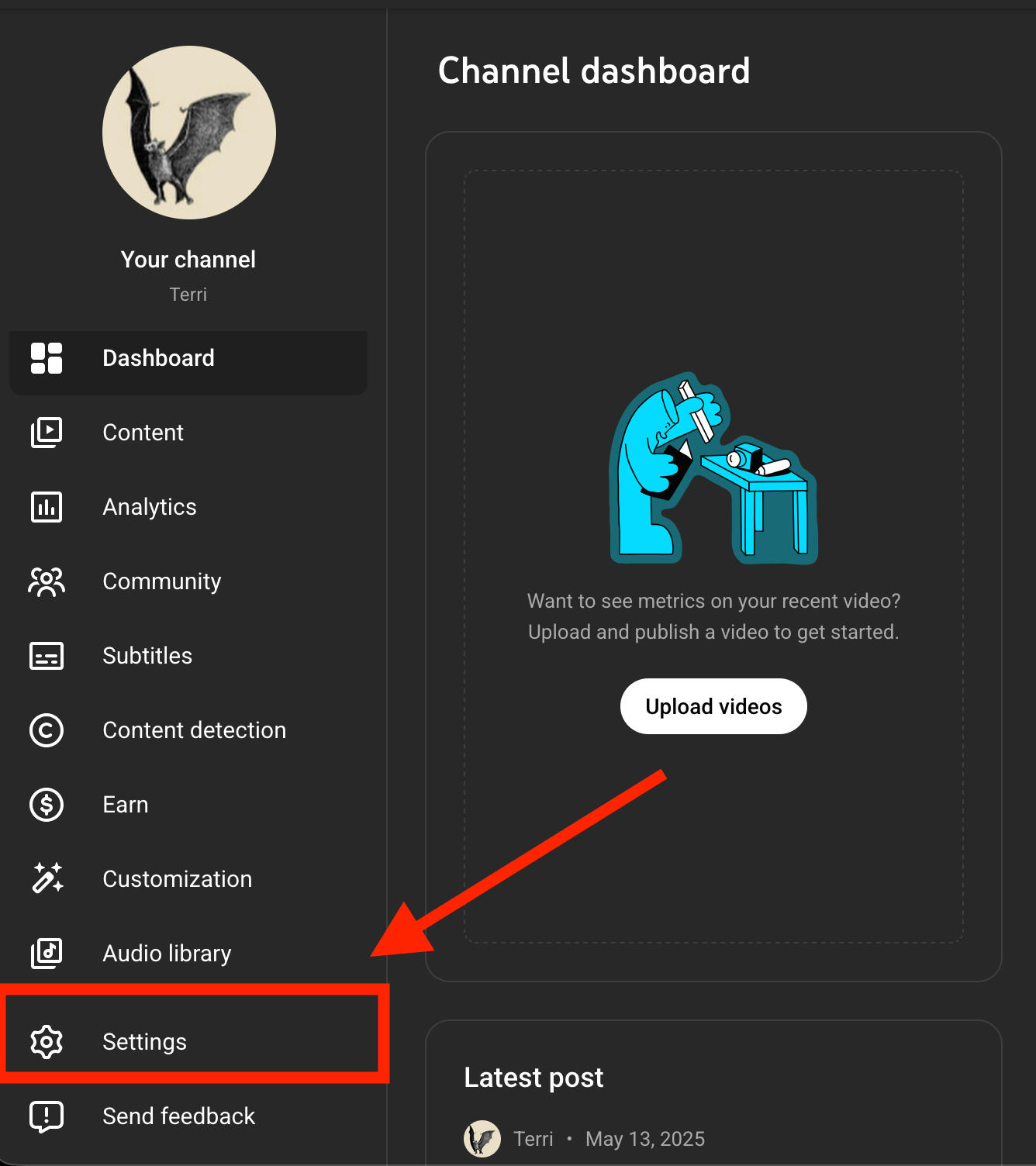
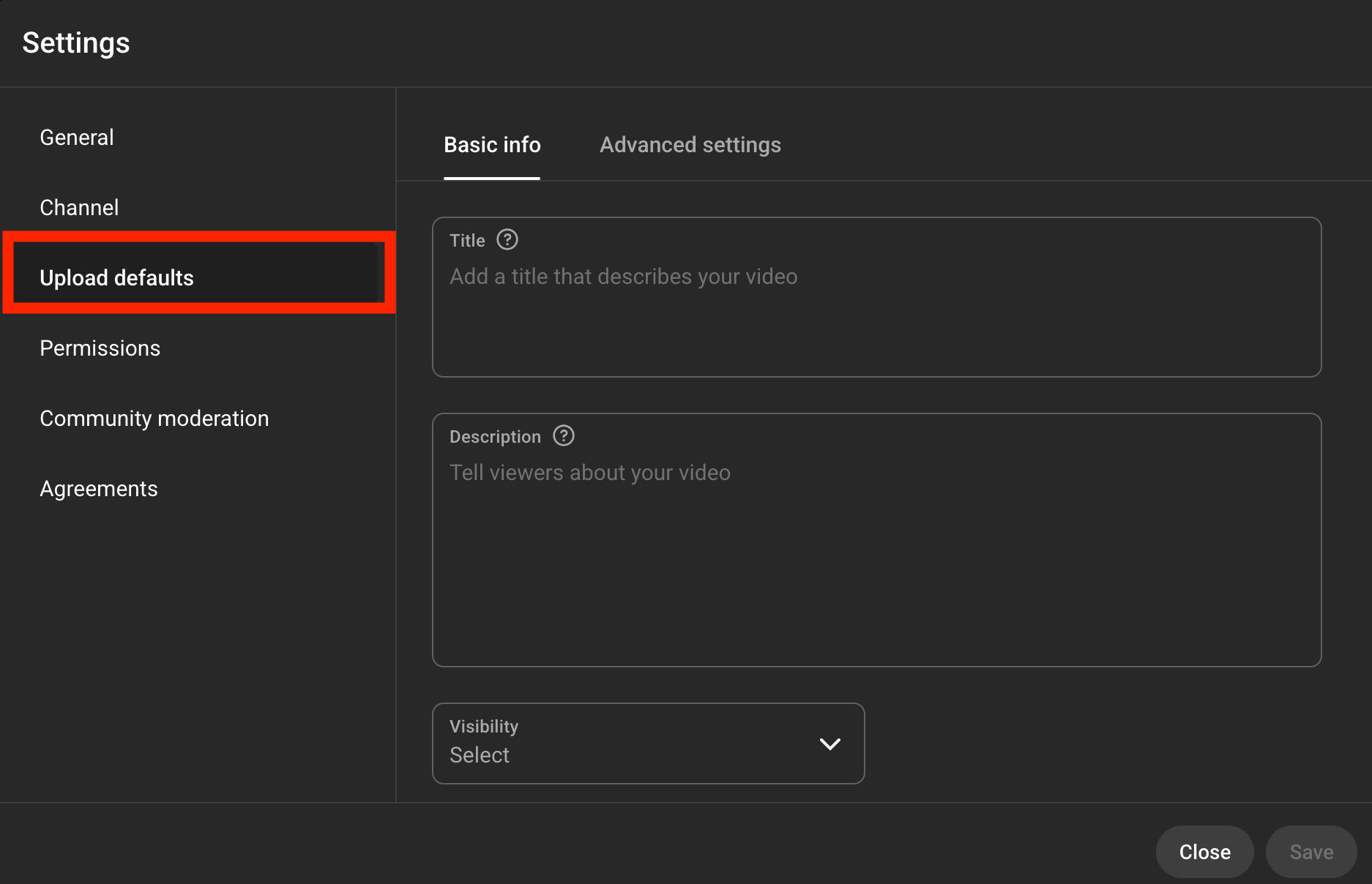
Click Upload Defaults.
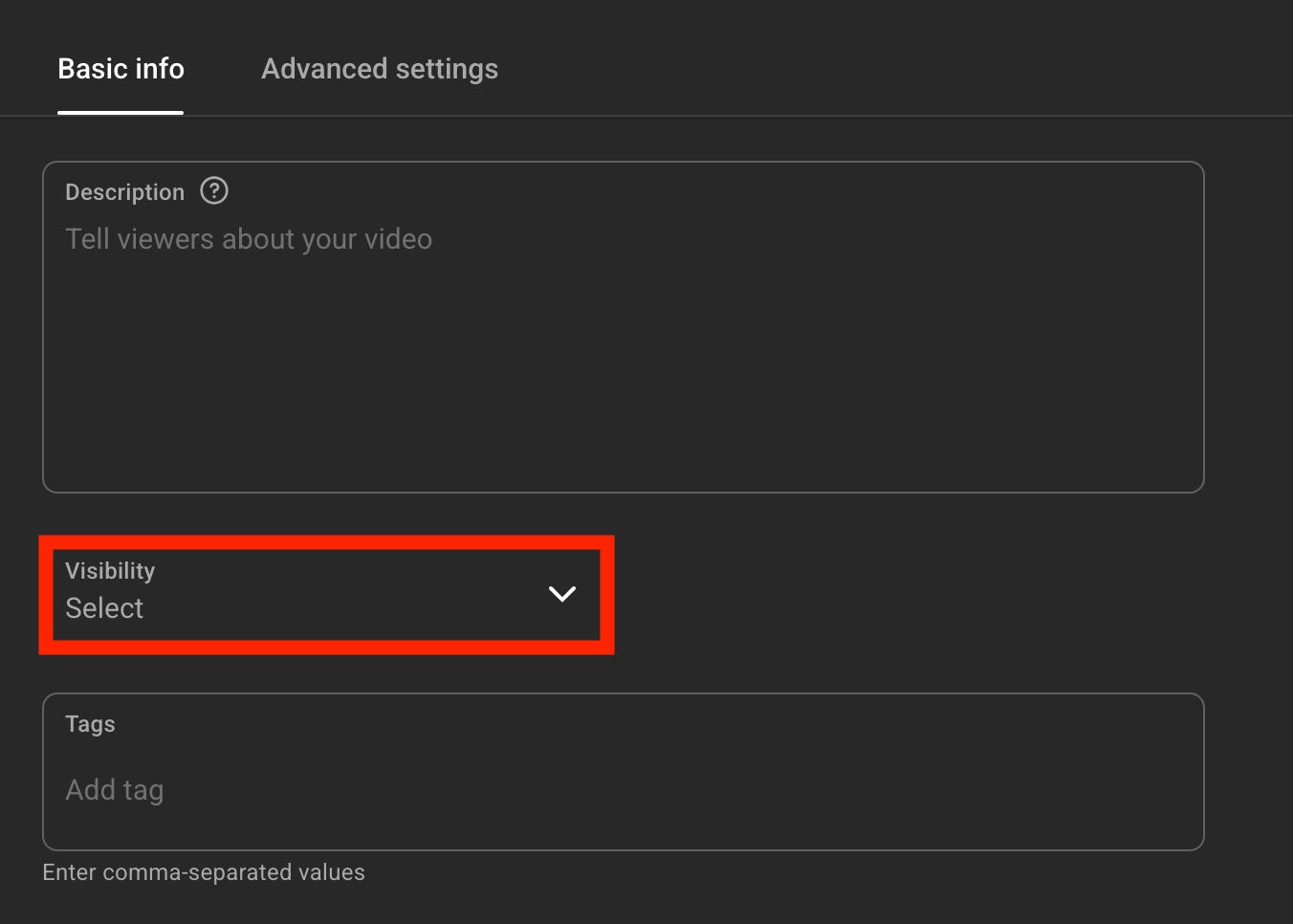
Click the Visibility drop-down menu and select Unlisted.
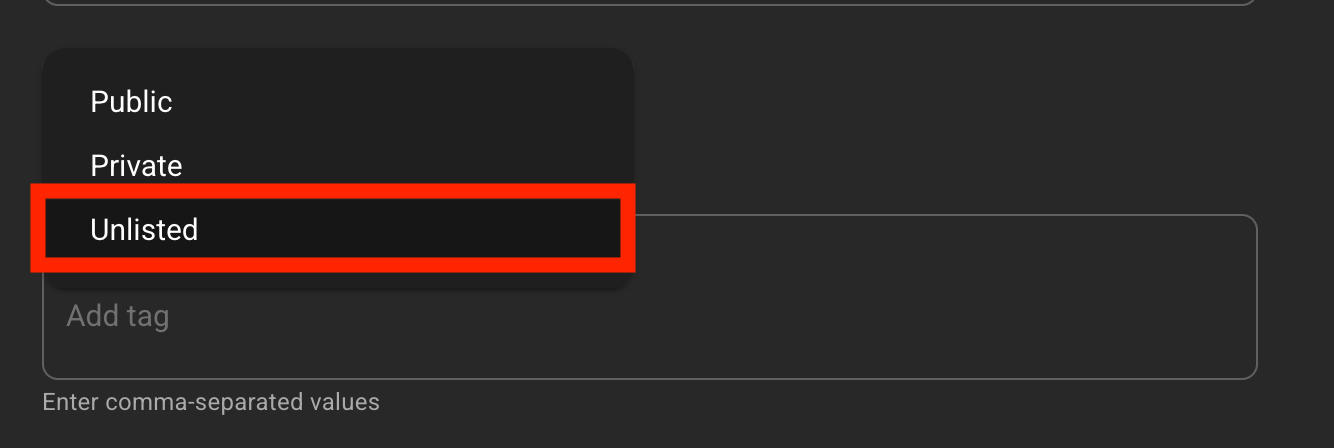
Click Save.
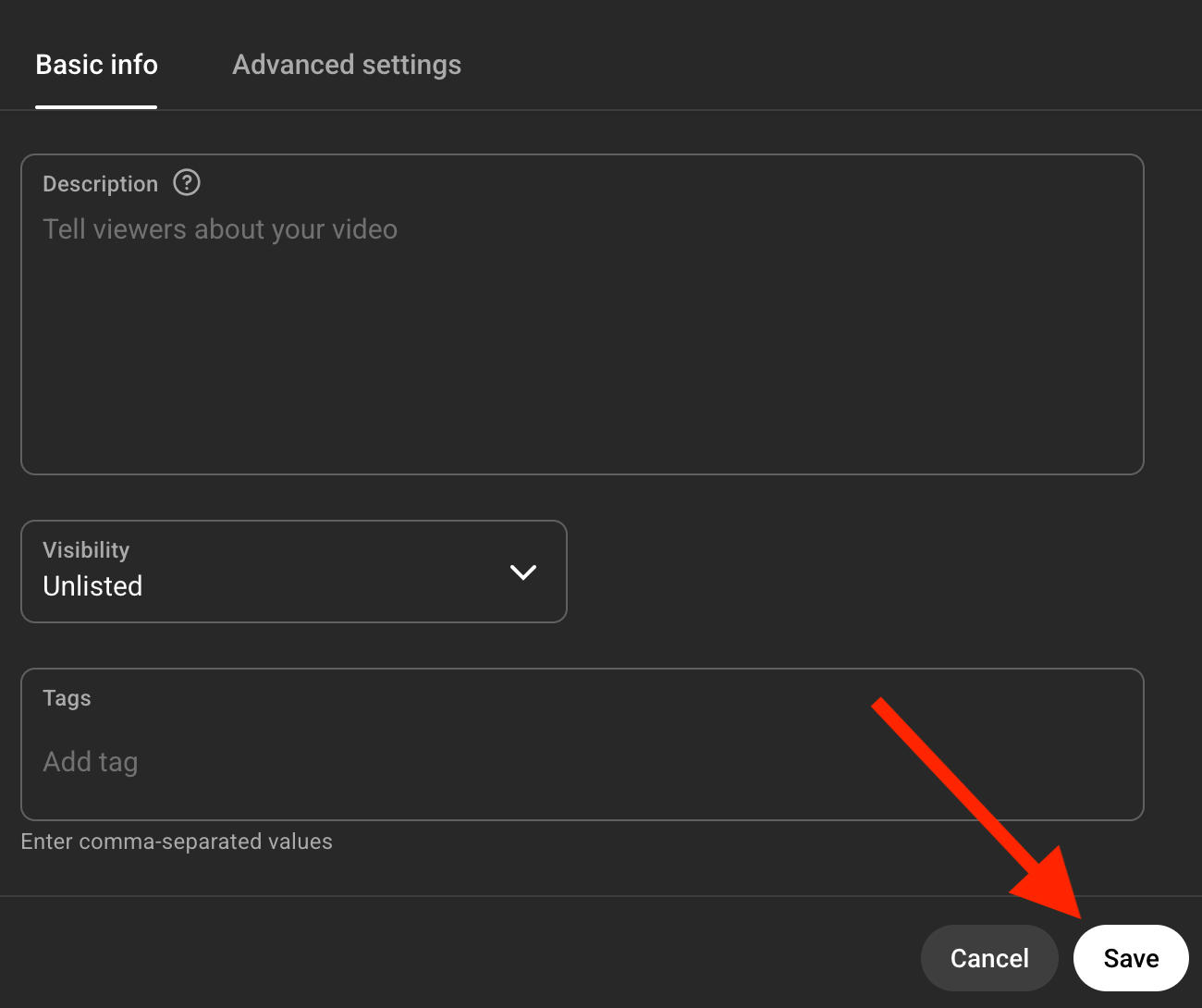
Now all videos that are uploaded will be unlisted by default.
How To Find Unlisted YouTube Videos Without Link
While there are certain sites aimed at allowing users to search for unlisted YouTube videos, there is no guarantee that you’ll be able to access a specific video unless you have the direct link to it.
Unlisted videos are semi-private. That means they’re completely invisible to YouTube users unless those users have the direct URL to that video, in which case they can watch it and distribute it to other users.
If you don’t have the link to an unlisted video, it’s nearly impossible to locate it since unlisted videos don’t show up in search results.
How To Get More Views On YouTube
If you’re changing your videos to unlisted because you’re unhappy with the number of views your receiving, don’t give up! QQTube can help you increase your view count faster than ever before, and all you need is the link to your video to get started.
It’s completely private, no passwords needed, and you’re backed by our bot-free guarantee.
That means you’ll receive real YouTube views from real YouTube viewers, all for less than 1 cent per view!
Visit QQTube.com and sign up for a free account to start growing your YouTube channel today!
Frequently Asked Questions
How to change a YouTube video from public to unlisted?
Learn how to change your video’s visibility settings here.
Are unlisted YouTube videos searchable on Google?
No, unlisted YouTube videos are not searchable anywhere unless someone with access adds it to a public playlist.
Can subscribers see unlisted YouTube videos?
No, unless they have the direct link subscribers can’t see unlisted YouTube videos. However, if you uploaded a public video and a subscriber added it to their Watch Later playlist before you made it Unlisted, sometimes they can view it from there. Additionally, if someone who has the link uploads your unlisted video to a public playlist, viewers on that playlist can see it.
Is it safe to upload unlisted videos on YouTube?
Yes, there are no risks involved when it comes to uploading unlisted videos as long as you’re careful with who you share the link to.
What are the rules for unlisted videos on YouTube?
The same rules for public videos apply to unlisted videos, including copyright law.
Does YouTube recommend unlisted videos?
No, unlisted videos are not recommended to users on the platform.
How do I upload a video to YouTube privately?
Learn how to change your video’s visibility settings here.
Is it free to upload a video to YouTube?
Yes, YouTube doesn’t charge users to upload or watch videos.
What is the 7 second rule on YouTube?
YouTube’s 7 second rule states that creators make their first impression on viewers within the first 7 seconds of the video.
How many views on YouTube do you need to make $100 a month?
Around 30k views can earn you $100, as long as you’re part of the YouTube Partner Program.
Do I need a YouTube account to post a video?
Yes, you need a YouTube account to post videos as well as to like, comment, or add videos to playlists.


