
Instagram allows users the ability to unfollow, block, and restrict specific users if they no longer want to engage with them fully.
But how do you know if you’ve been on the receiving end of one of these features?
It’s not always easy to find out, but today we’ll walk you through how to know if you are restricted on Instagram plus how to figure out if you’ve been unfollowed or blocked.
We’ll also include insight on what happens when someone restricts you on Instagram, and how you can maintain your own privacy as well.
Key Points:
What Happens When An Instagram Account Gets Restricted?
If an account is restricted on Instagram, they won’t be able to see when the user who restricted them is online and they won’t be able to tag, mention, or remix the users’ content.
Additionally, the person who restricted them won’t get notifications when the restricted user comments on their posts.
Can I Still Message Someone I Restricted?
Yes, the only difference when it comes to Instagram DMs for restricted users is that they won’t be able to see when you’re online or receive read receipts.
Along with this, their message will automatically be moved to Message Requests rather than appearing in your main inbox.
When Someone Restricts You On Instagram Can You See Their Story?
Yes, restricted users can still see Instagram Stories unless you specifically posted that Story for a certain list of friends, or if you limited them from your Story directly.
Learn how to prevent someone from seeing your Story here.
Will Someone Know If I Restrict Them On Instagram?
They won’t be notified directly about the change, but there are a few ways they might be able to guess whether or not they’ve been restricted, which we’ll get into below.
How To Know If Someone Restricted You On Instagram
To recap, if you’re restricted on Instagram, the following changes occur:
-
You won’t be able to see when the user who restricted you is online.
-
You won’t see read receipts from the user who restricted you.
-
Your messages to that user will appear in Message Requests.
-
You won’t be able to tag or mention the user who restricted you.
-
You won’t be able to remix the content of the user who restricted you.
-
The user who restricted you won’t be notified if you comment on their posts.
While Instagram doesn’t directly notify users if they’ve been restricted by someone, based on the information above you can deduce whether or not you’ve been restricted in various areas of the platform.
Profile
Restricted users can still see the profile of the person who restricted them, the only difference here is that they won’t be notified if you comment, and you won’t be able to tag or mention them.
A simple test for this would be to try tagging or mentioning them in a post or comment.
If you’ve been restricted, you may receive a message stating that this user doesn’t allow everyone to tag them.
Messages
When it comes to DMs on Instagram, restricted users won’t see read receipts or online statuses from the user who restricted them.
However, this doesn’t necessarily mean that they’ve been restricted since users can turn off read receipts and activity statuses independently of the restriction feature.
If you suspect that you’ve been restricted and you’re not seeing online statuses or read receipts, try tagging or mentioning the user as outlined above to see if you can successfully do it or if you receive an error.
Stories
General restriction won’t affect your ability to view someone’s Story, but they do have the ability to share Stories with a specific list of friends as well as limit certain users from viewing their Story.
There’s no obvious indication of whether or not someone has hidden their Story from you unless you log out of your current account and view their profile from another account.
If you see that they’ve posted a Story while logged out of your main account, it’s likely that they’ve hidden their Story from you.
Additionally, if their Highlights section disappears from their profile they may have limited you from viewing their Stories and Livestreams.
Can You Tell If Someone Muted You?
You won’t be notified if someone muted your account on Instagram, either from their newsfeed or within the DMs section.
However, if someone is regularly online and never engages with your content or messages then it could be a sign that they’re purposefully ignoring your content and have muted you.
Still, it’s not 100% guaranteed as Instagram’s feed is notorious for showing content out of chronological order and some users may simply not check their inboxes.
How To Know If Someone Unfollowed You On Instagram
The simplest way of knowing whether or not someone is following you on Instagram is to open your Followers list and search for their username.
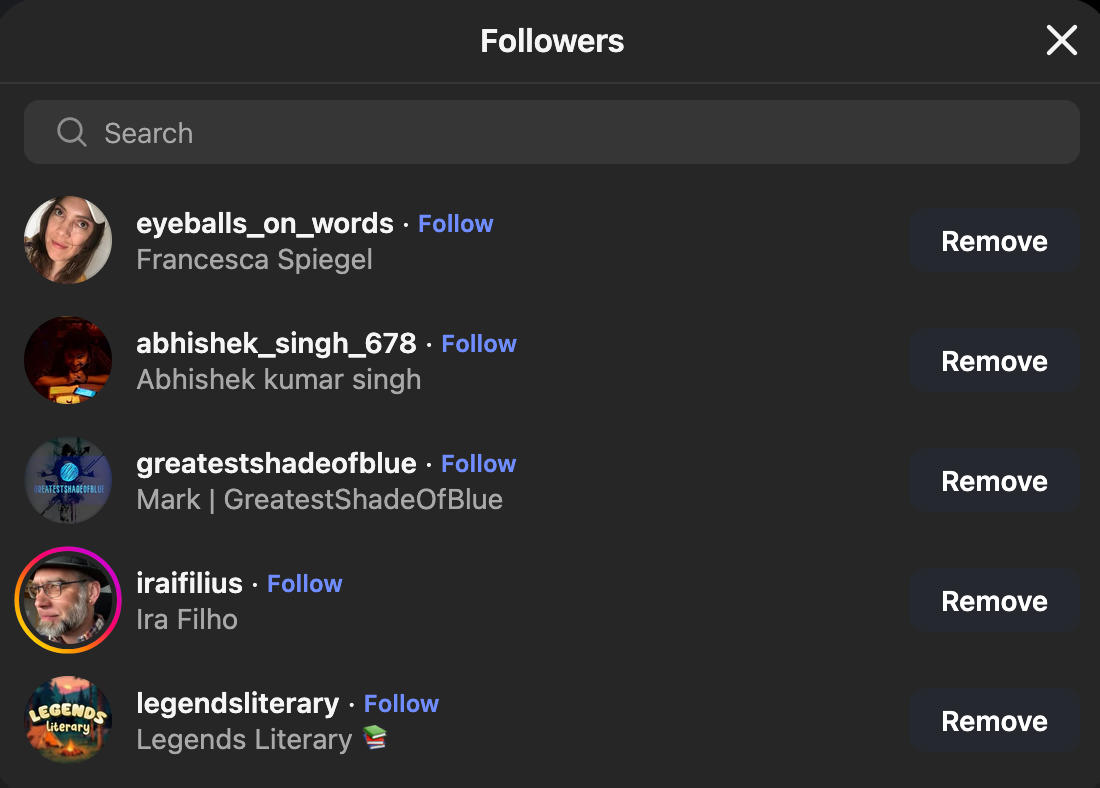
Keep in mind that users change handles occasionally, so be sure you’re searching for the most recent username.
If you really want to keep track of unfollowers, you can learn how to generate a list of your mutuals with our in-depth guide here.
Outside of checking manually, Instagram won’t notify you if someone has unfollowed you. It’s also worth nothing that third party sites that claim to provide this information should not be trusted with your personal details.
How To Know If Someone Blocked You On Instagram
Being blocked on Instagram means that someone wants to limit you from interacting with their account entirely. When you’ve been blocked, the account that has blocked you effectively no longer exists to you on the platform.
Because of this, there are a few ways to figure out whether or not you’ve been blocked.
Viewing Your Message History
If you’ve exchanged messages with the user that you suspect blocked you, open your inbox and locate the DM.
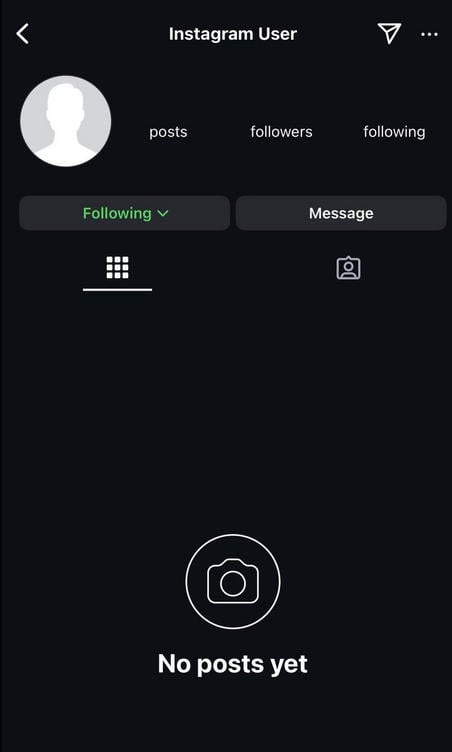
Their profile picture might appear as the grey default avatar with Instagram User as their display name.
Tap their name.
If you can see the profile but their feed is empty with a No Posts Yet message, that means they've likely blocked you.
Viewing Past Interactions
If you don’t have DMs with the person, but you know that they’ve commented on your posts in the past, locate their comment.
Tap their username to visit their profile page.
Again, if you can see the profile but their feed is empty with a No Posts Yet message, that means they've likely blocked you.
Search For The User
If you don’t have DMs or previous interactions with the user, try searching them up.
If no results appear, they may have changed their handle, deleted their account, or blocked you.
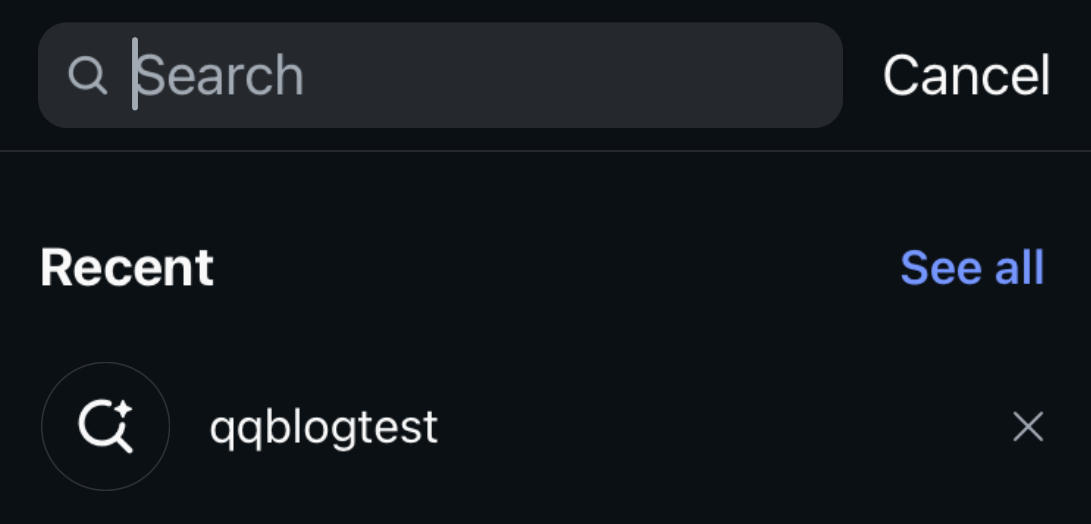
You can also browse the Followers list of someone who you know engages with them. If they don’t appear there at all, they may have blocked you.
Check While Logged Out
Finally, search for them or try to view their profile page while logged out of your main account. If you can see their profile and content using this method, then they definitely blocked you on your main account.
Instagram Privacy Tips
So far we’ve talked about how you can determine whether or not someone else has limited you from their accounts - but what if you want to do the same?
Below are a few ways you can increase your privacy on Instagram and ensure that only specific users are able to view your content and profile.
Removing Followers
The first step is to remove unwanted followers from your profile. If you’d rather not restrict or block someone, you can softblock them which just means removing them as a follower from your side.
To do this, tap the Followers list at the top of your profile.

Locate the user and tap the Remove button to the right of their name to remove them.
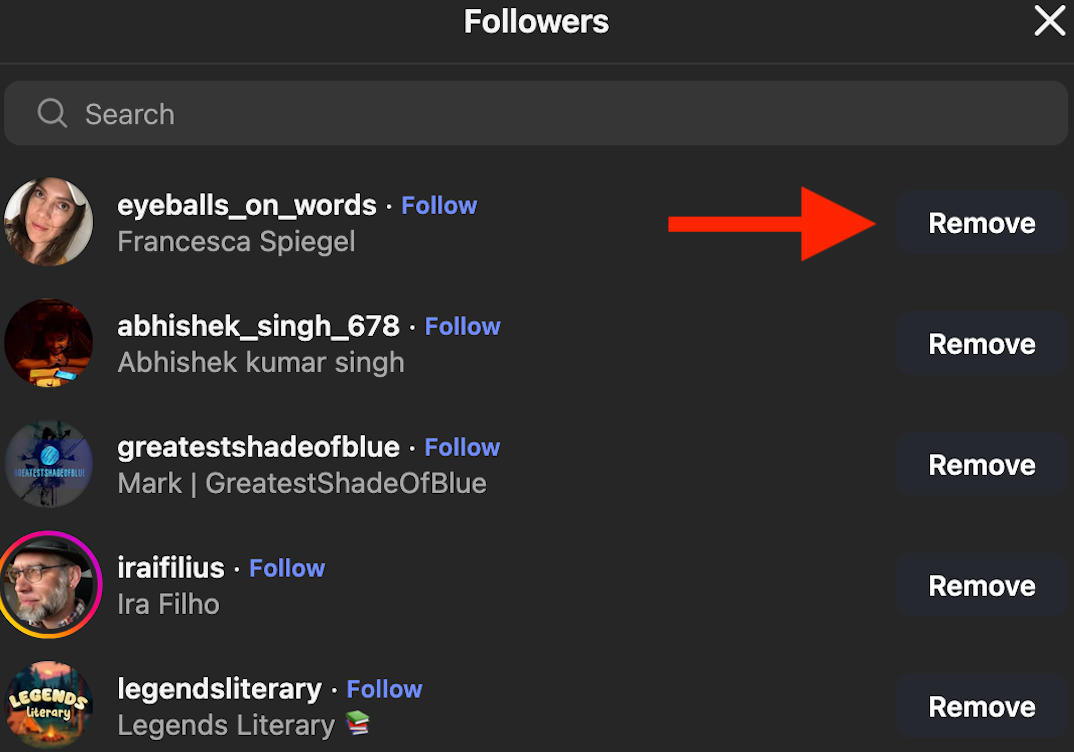
Keep in mind that they will be able to follow you again if they notice they’re not following you anymore, unless you block them.
Restricting Followers
Restricting followers is a good way to limit engagement and visibility if you’d rather not deal with the social fallout of blocking someone outright.
When you restrict someone on Instagram:
-
They won’t be able to see when you’re online.
-
They won’t see read receipts from you.
-
Their messages will appear in Message Requests.
-
They won’t be able to tag or mention you.
-
They won’t be able to remix your content.
-
You won’t be notified if they comment on your posts.
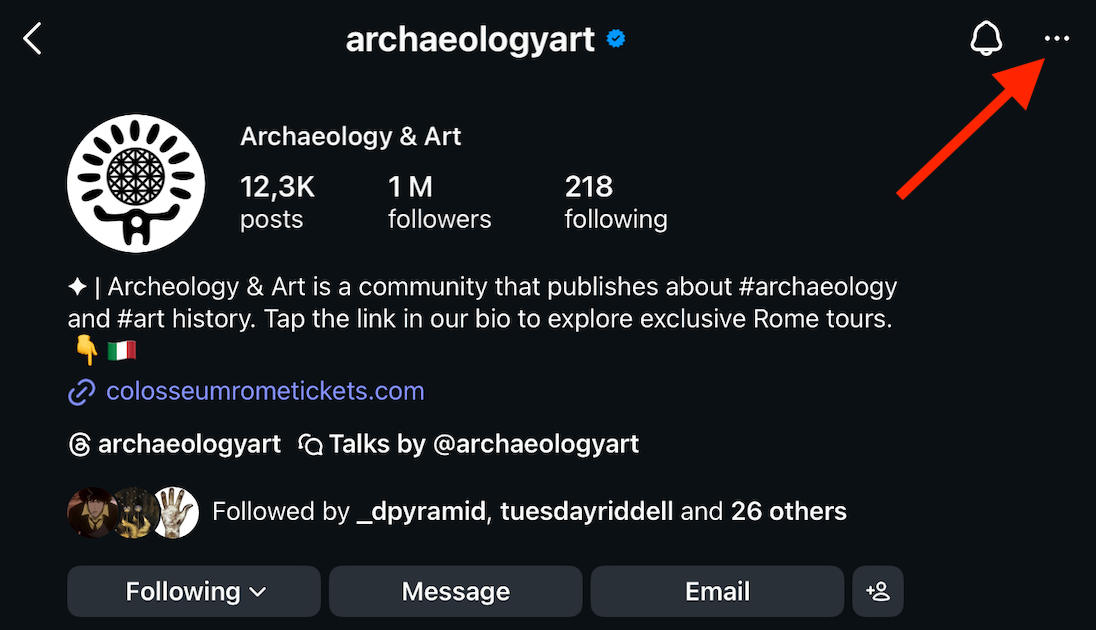
To restrict a user, open the profile you want to hide content from.
Tap the three horizontal dots on the top right corner.
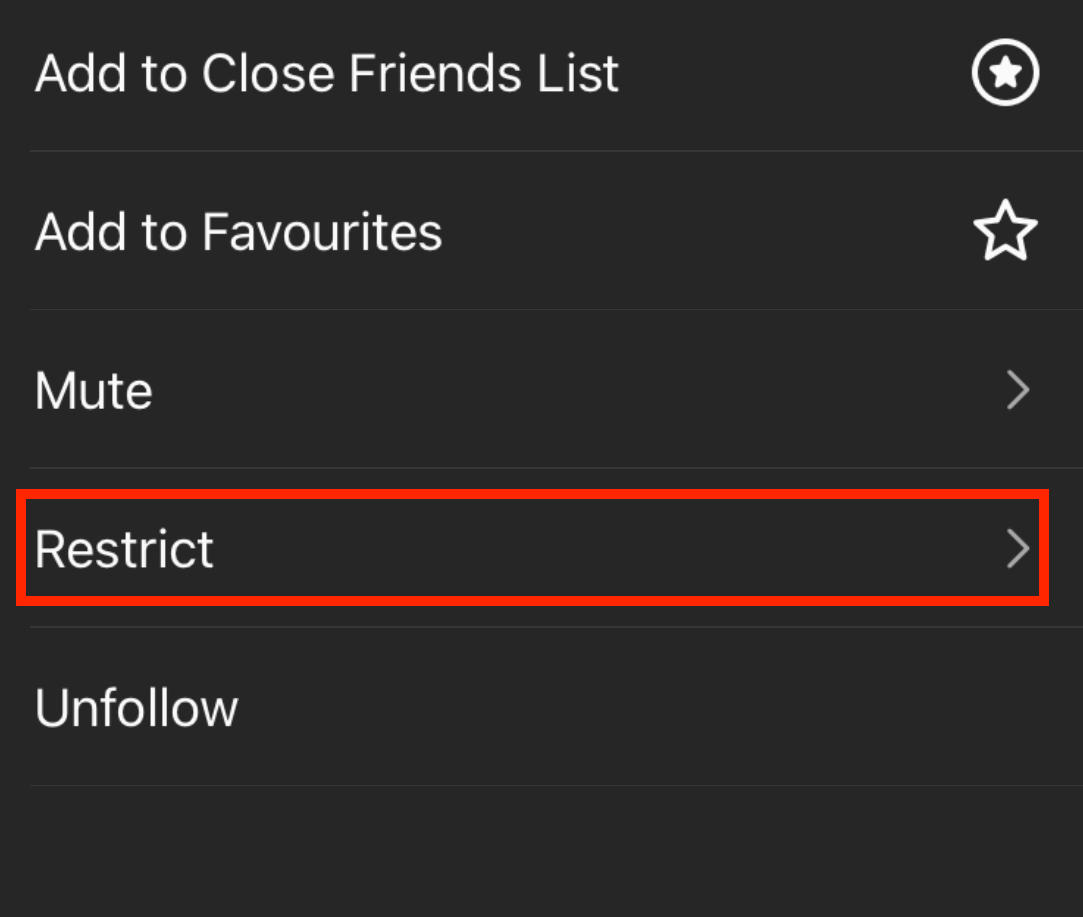
Tap Restrict.
Hide Your Story
Along with restricting someone, you can also hide your Instagram Story and Livestreams from them.
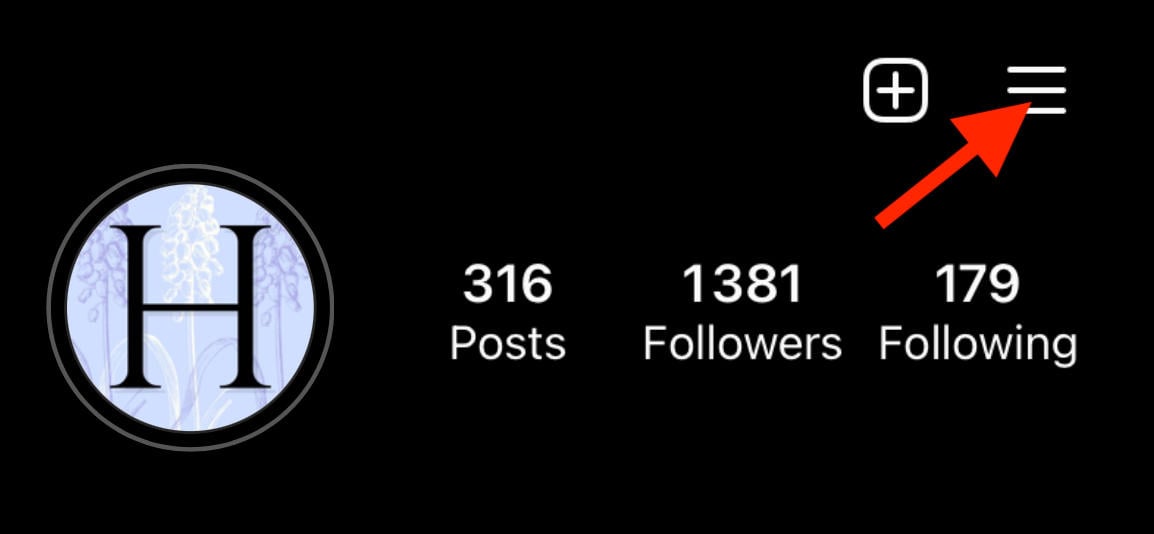
To do this, tap the three lines on the top right corner of your profile page.
Scroll down to Who Can See Your Content and tap Hide Story And Live.
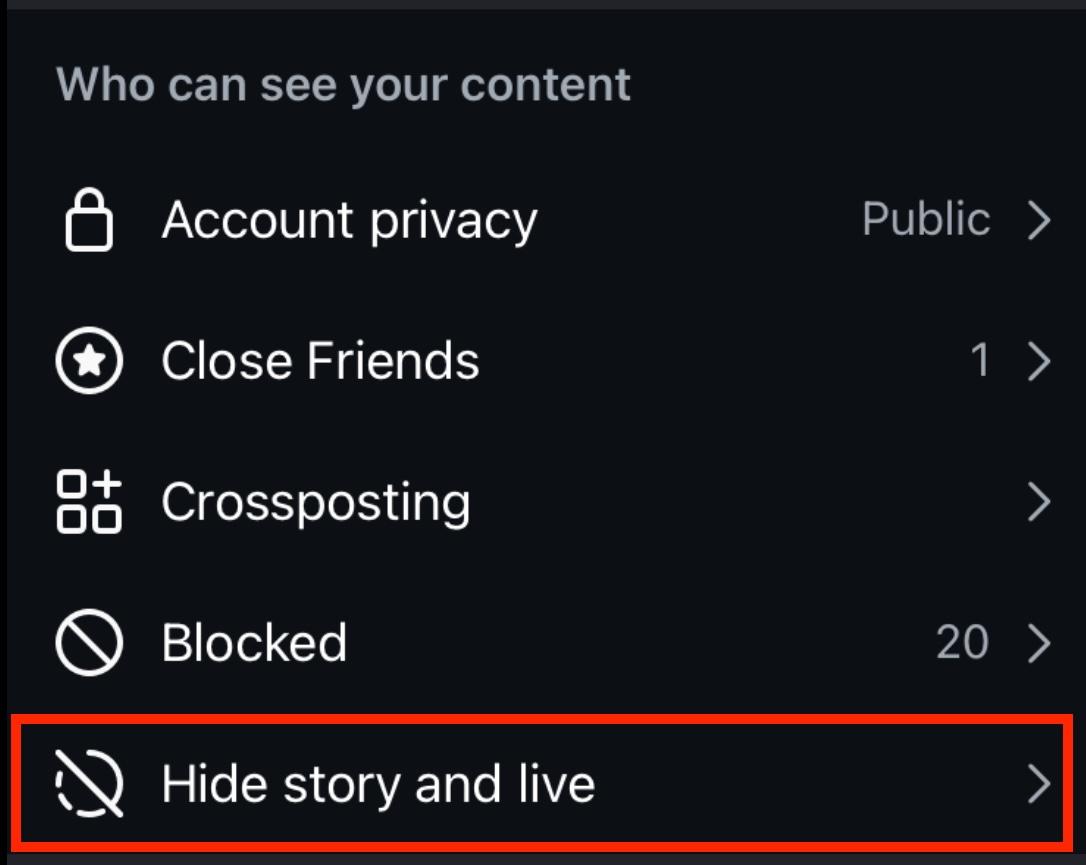
Tap Hide Story And Live From.
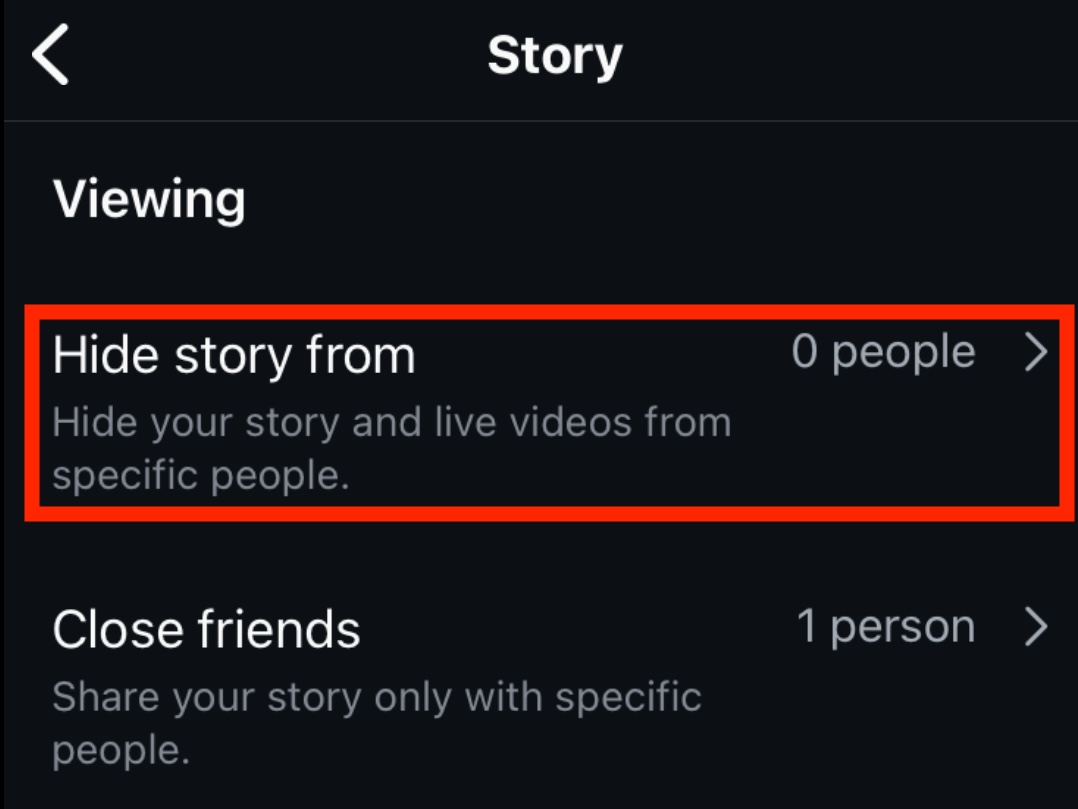
Search for the user you wish to hide your Story from and tap the circle on the right.
When you’re ready, tap Done to save your changes.
Muting Users
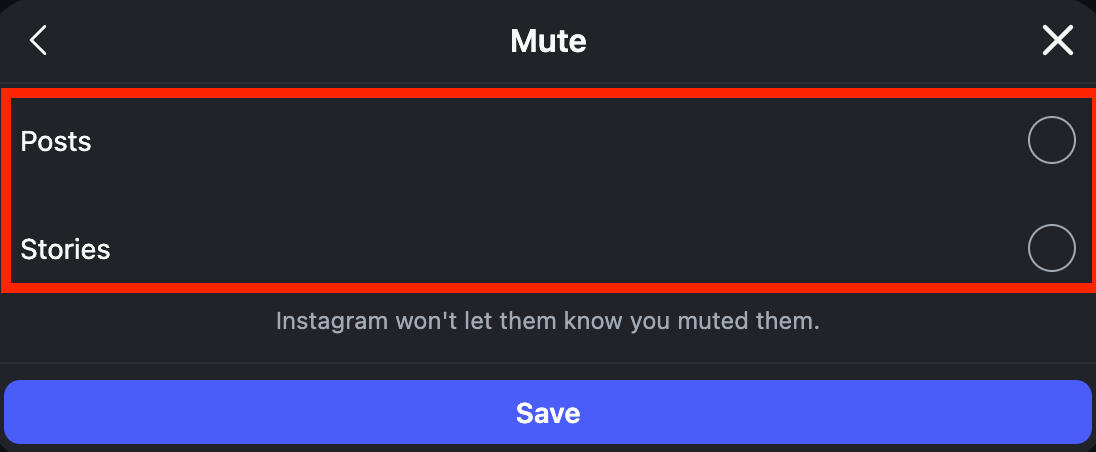
Muting users means you won’t see their Posts, Stories, or Notes (depending on which elements you choose to mute).
Additionally, you can choose to mute notifications for messages.
To mute someone’s content, visit their profile page and tap the Following button.
Tap Mute.
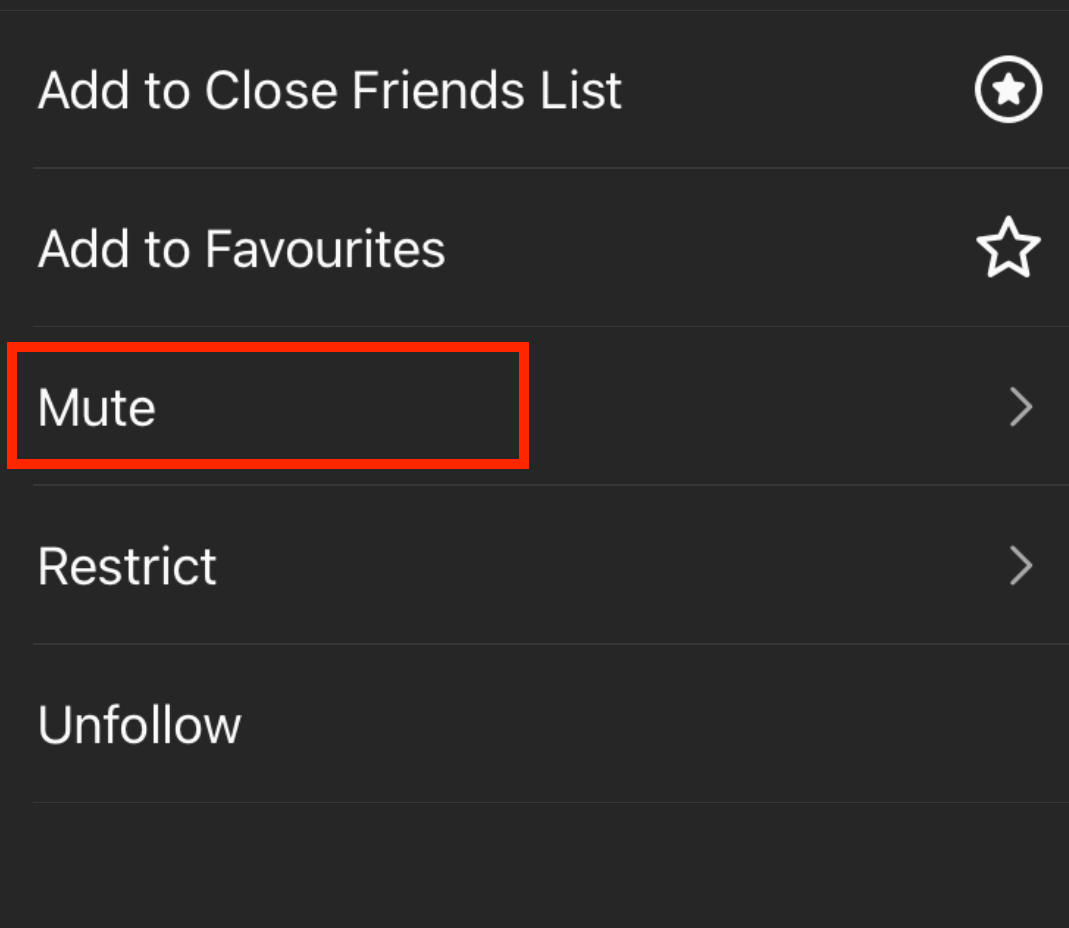
Toggle the features you wish to mute.
To mute someone’s messages, open your inbox and long-press the DM.
Tap Mute.
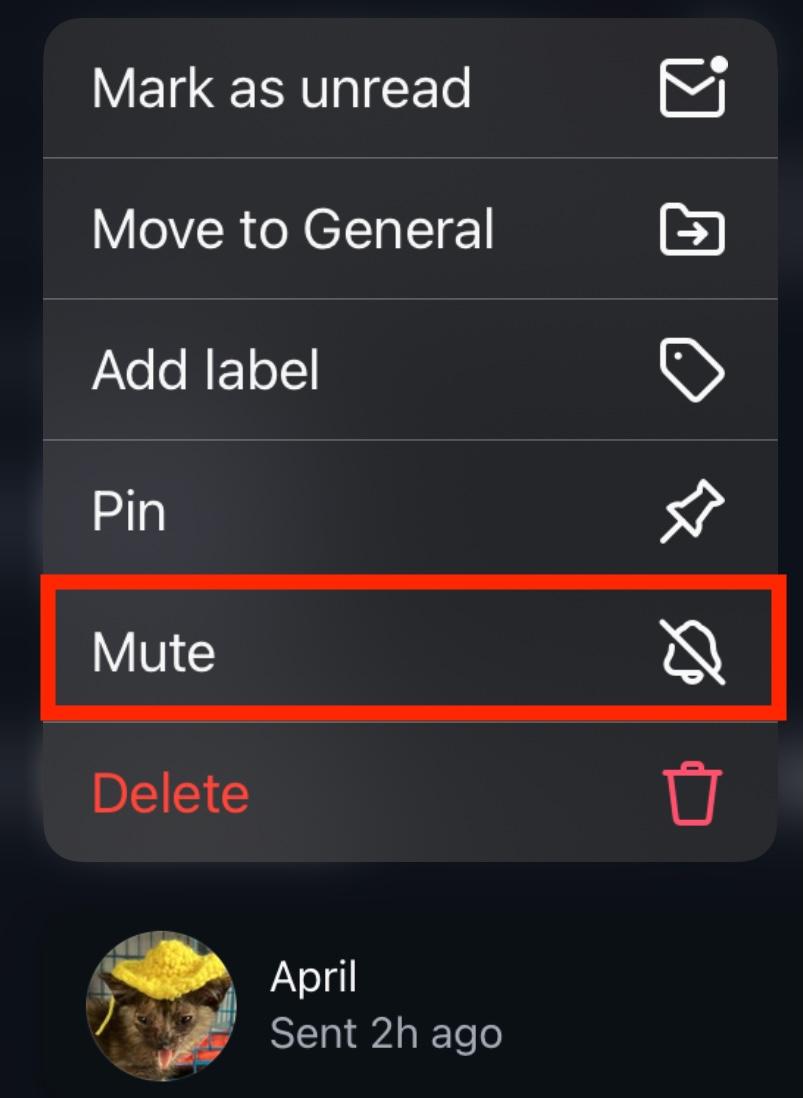
Toggle the features you wish to mute.
Blocking Users
Blocking users prevents them from seeing your profile, even if you’ve engaged on someone else’s content.
They won’t be able to message you or engage with your content in any way.
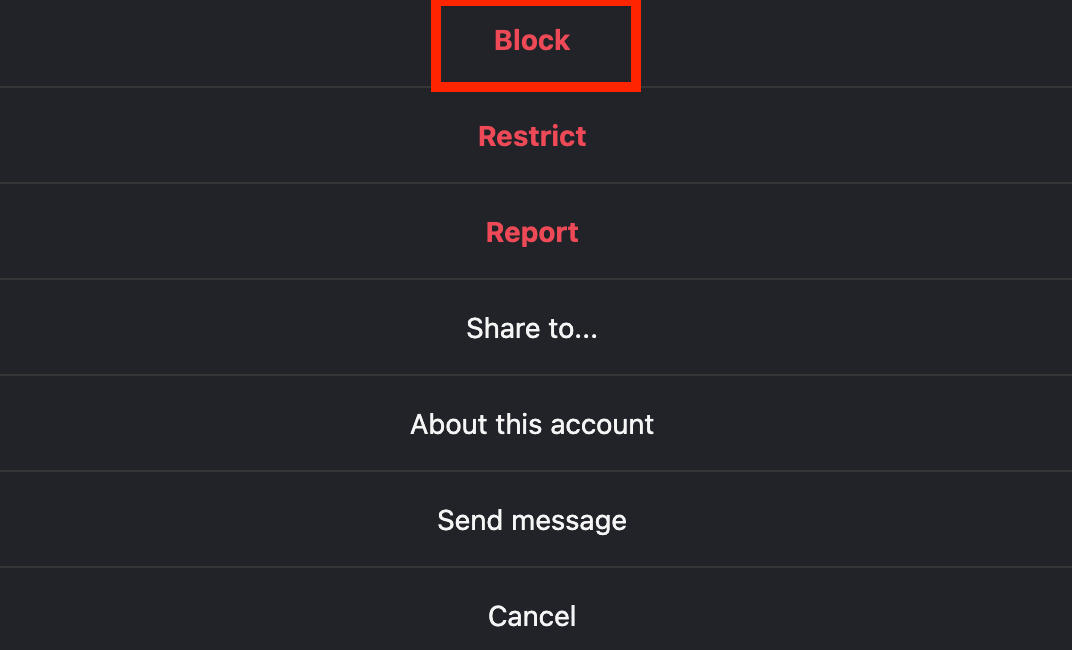
To block someone, visit their profile page and tap the three dots on the top right.
Tap Block and confirm your choice.
Managing Your Block List
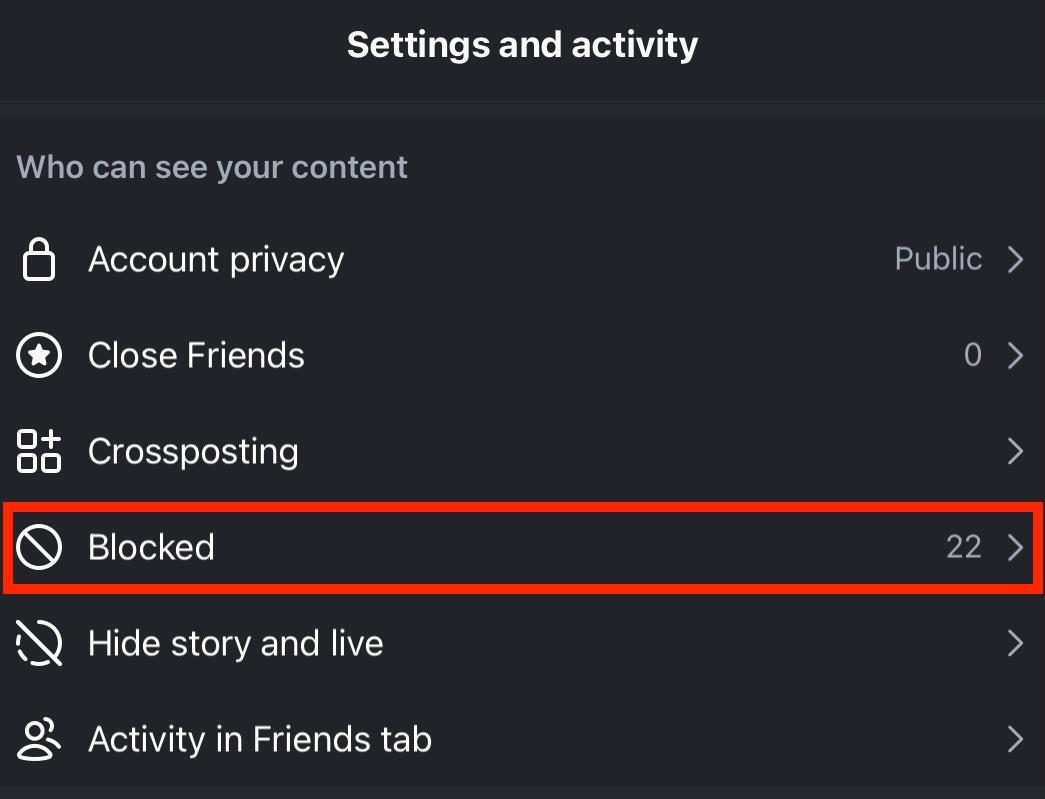
If you want to unblock someone or just see who you’ve blocked so far, tap the three lines on the top right corner of your profile page.
Scroll down to Who Can See Your Content and tap Blocked.
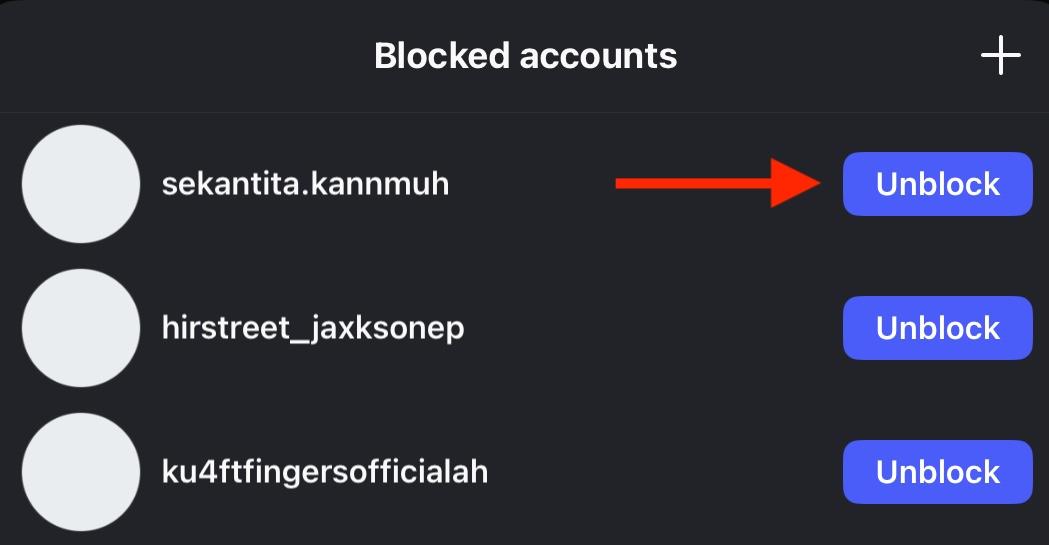
From here you’ll see your blocked accounts.
To unblock someone, tap the purple Unblock button.
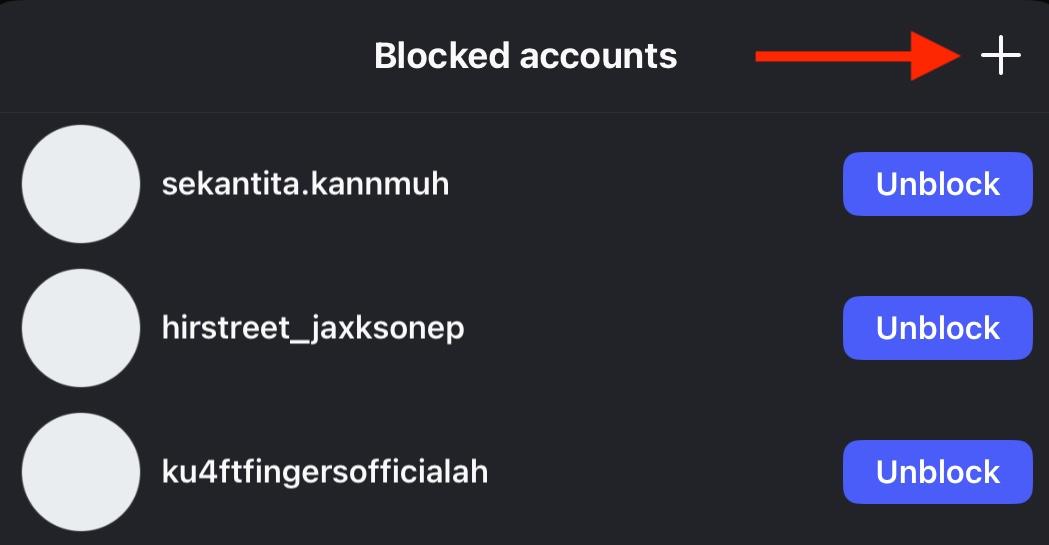
To block a new account, tap the plus sign on the top right then tap the Block button on the right.
Making Your Account Private
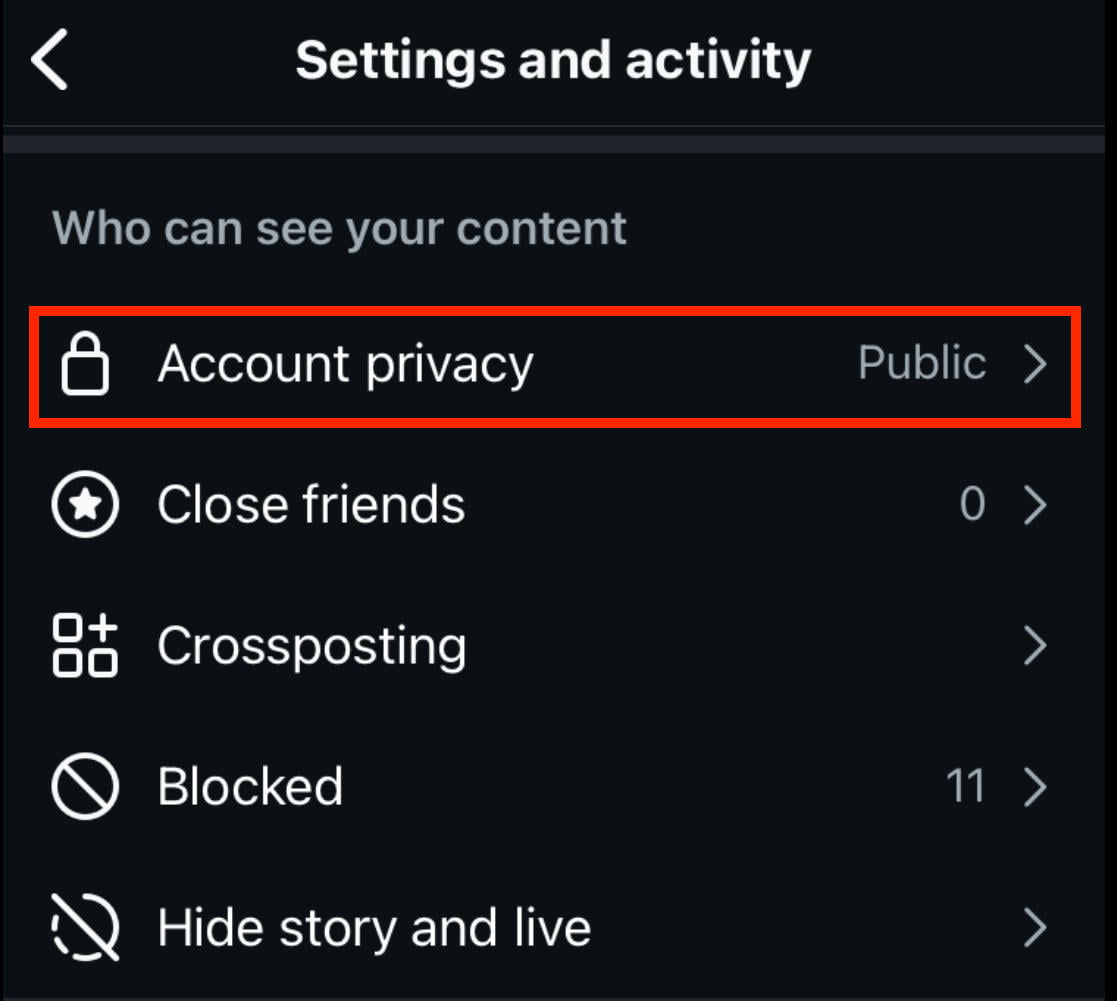
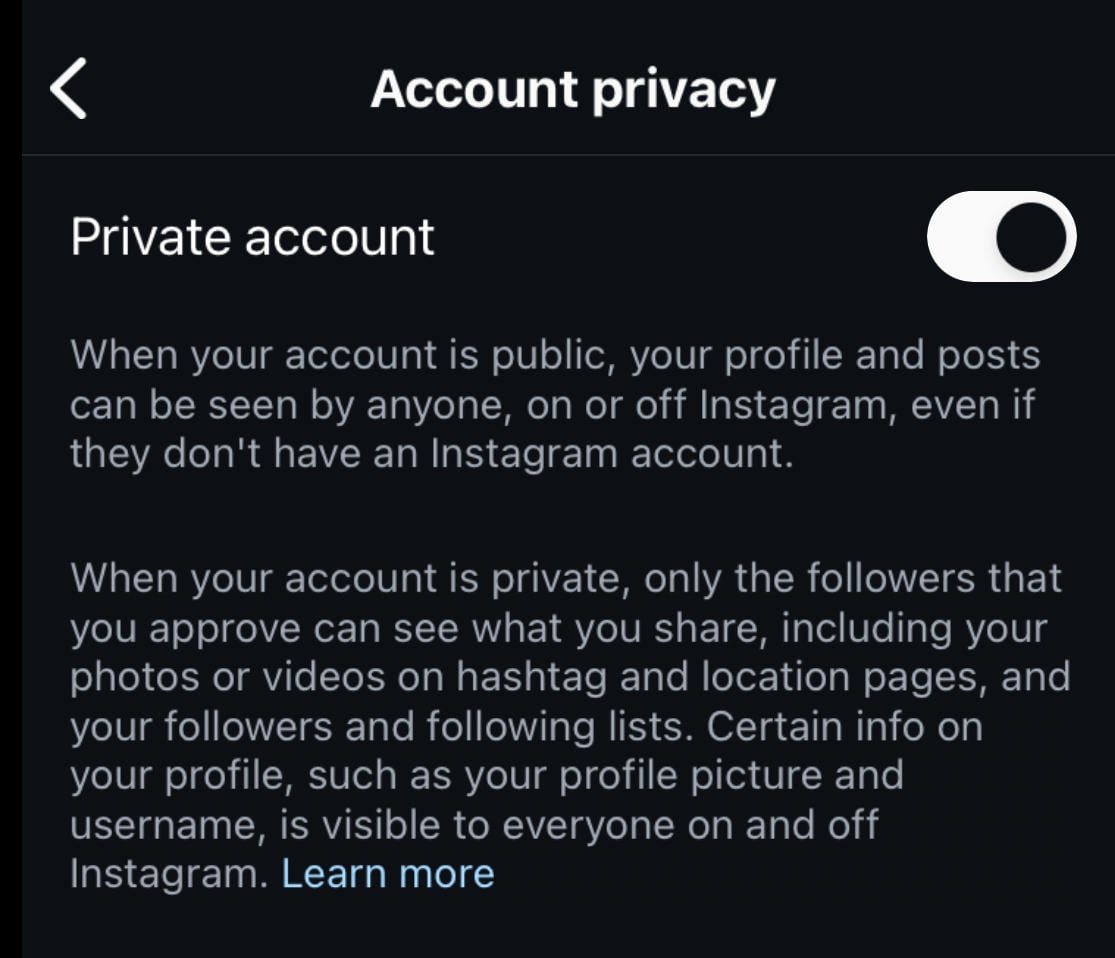
Personal Instagram accounts have the ability to make their account private, which means that only approved followers can see their content, follower lists, and Stories.
To make your account private, tap the three lines on the top right corner of your profile page.
Scroll down to Who Can See Your Content and tap Account Privacy.
Toggle Private Account ON.
Frequently Asked Questions
How to view a restricted profile on Instagram?
Restricted profiles are still visible on Instagram, unless the user has removed you as a follower and changed their account settings to Private.
How do you know if someone you restricted messaged you?
You can view messages from restricted users by tapping the Requests tab in your Instagram inbox.
What happens when someone restricts you on an Instagram DM?
Your messages will appear in the Message Requests box, and you won’t be able to see when they’re online or if they read your message.
What happens when someone restricts you on Instagram?
You won’t be able to tag them, see when they’re online, or remix their content. Read the full list of changes here.
If someone restricted me on Instagram can I still message them?
Yes, but your messages will appear as Requests instead of in their main inbox. Additionally, you won’t see when they’re online or if they read your messages.


