Tired of Instagram? Today’s guide will show you how to deactivate your Instagram account or permanently delete it in just a few clicks.
Plus, how to tell if someone else deactivated their Instagram account.
Key Points:
How To Deactivate Your Instagram Account
You can deactivate your Instagram account once a week via the Accounts Center from either the Instagram mobile app or desktop site.
On Mobile
Tap Edit Profile from your profile page.
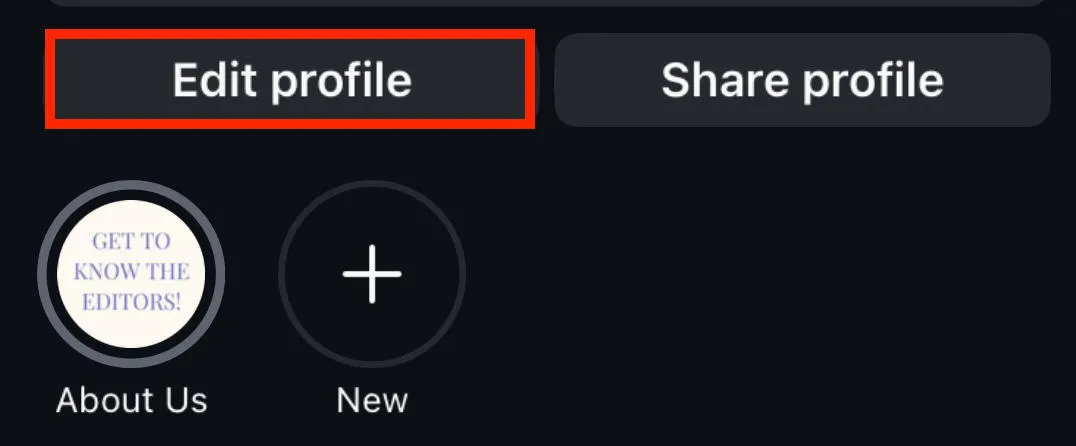
Scroll down and tap Personal Information Settings.
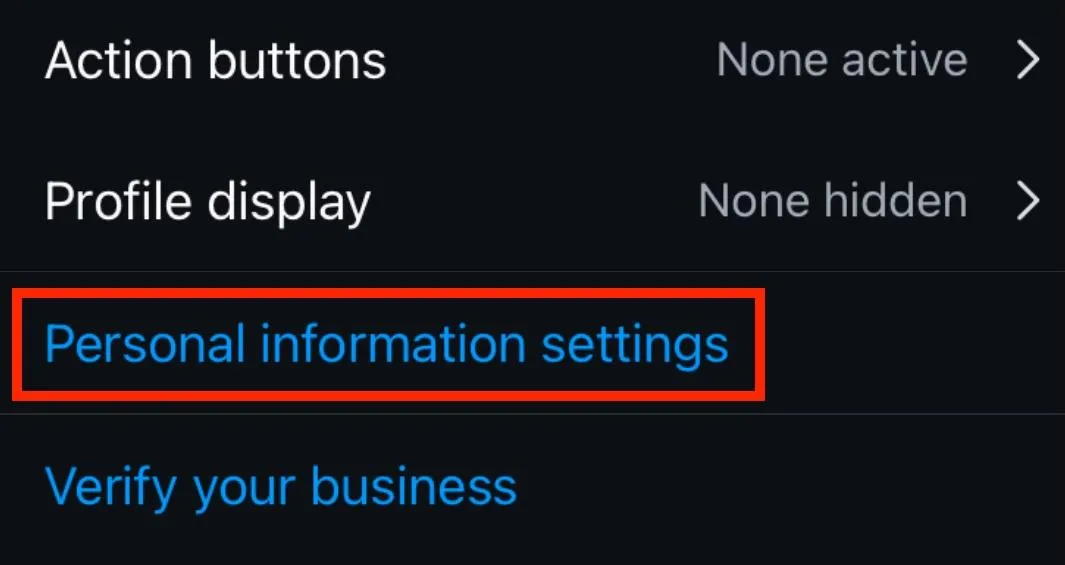
Tap Account Ownership And Control.
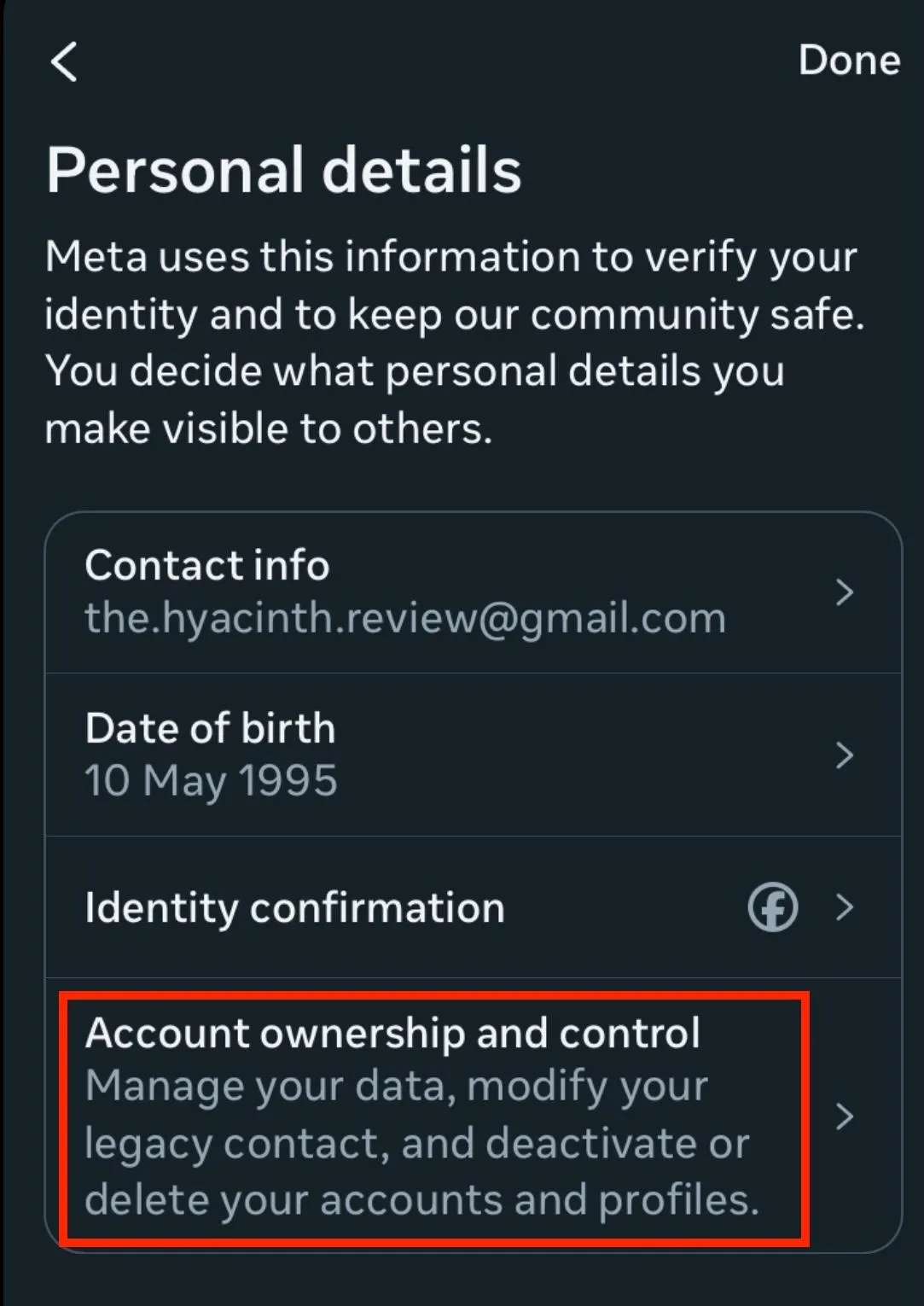
Tap Deactivation Or Deletion.
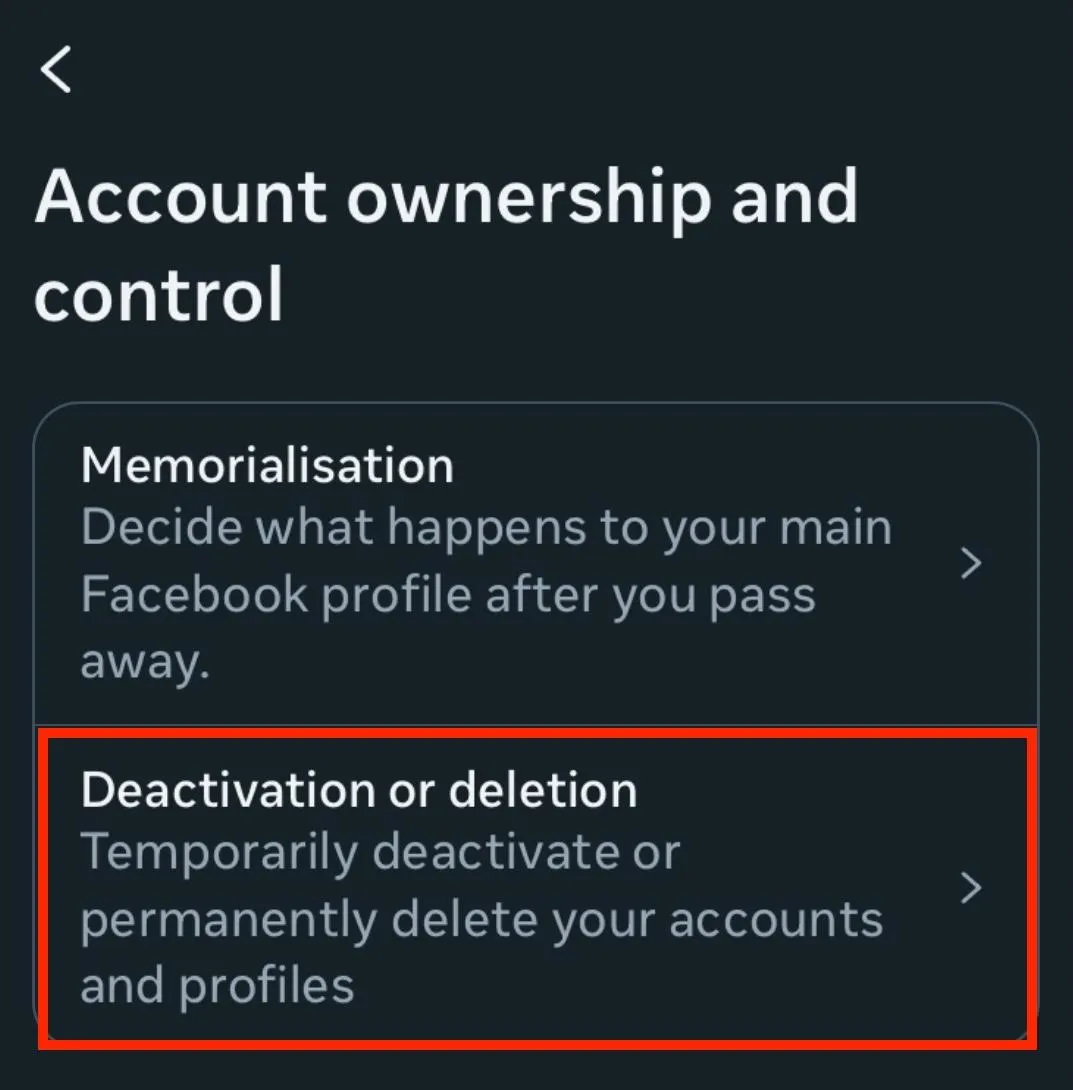
Select the account you wish to deactivate.
Choose Deactivate Account.
Follow the on-screen steps to confirm your Instagram account deactivation.
On Desktop
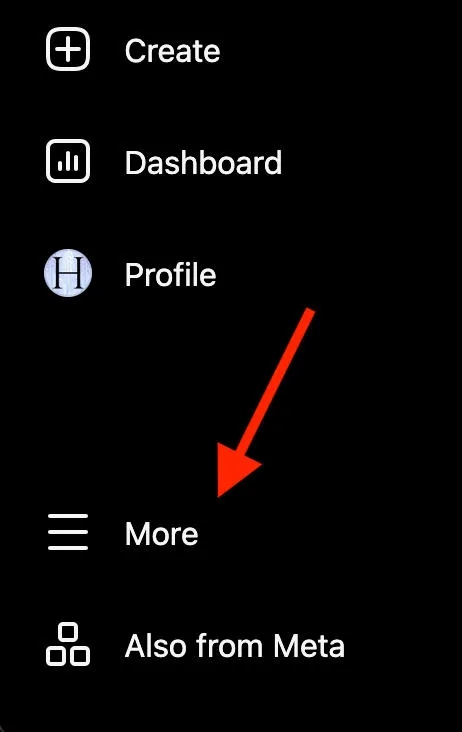
Click More on the left-hand menu.
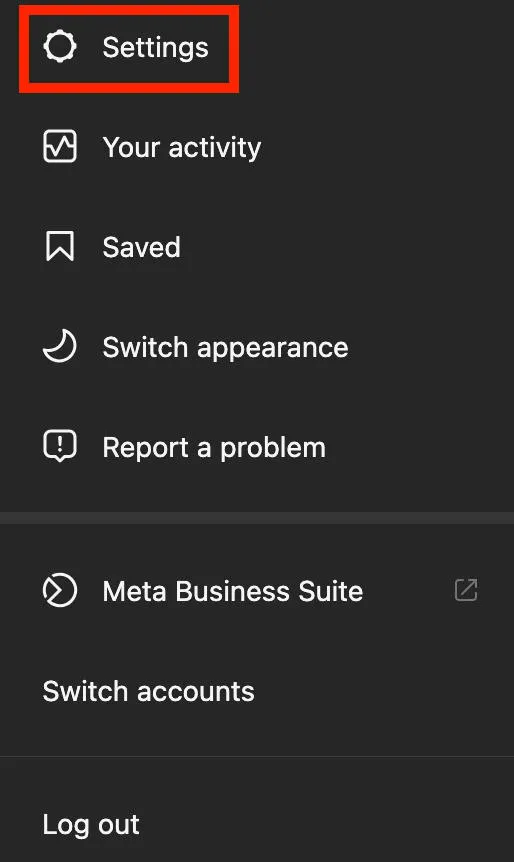
Click Settings.
Click Accounts Center.
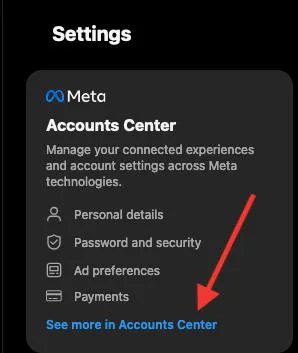
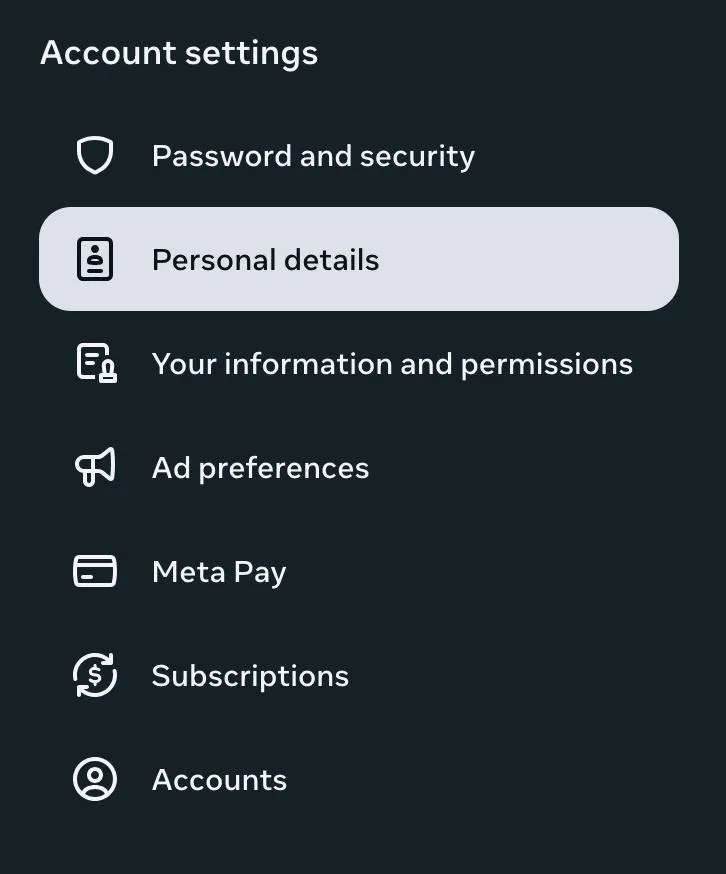
Click Personal Details.
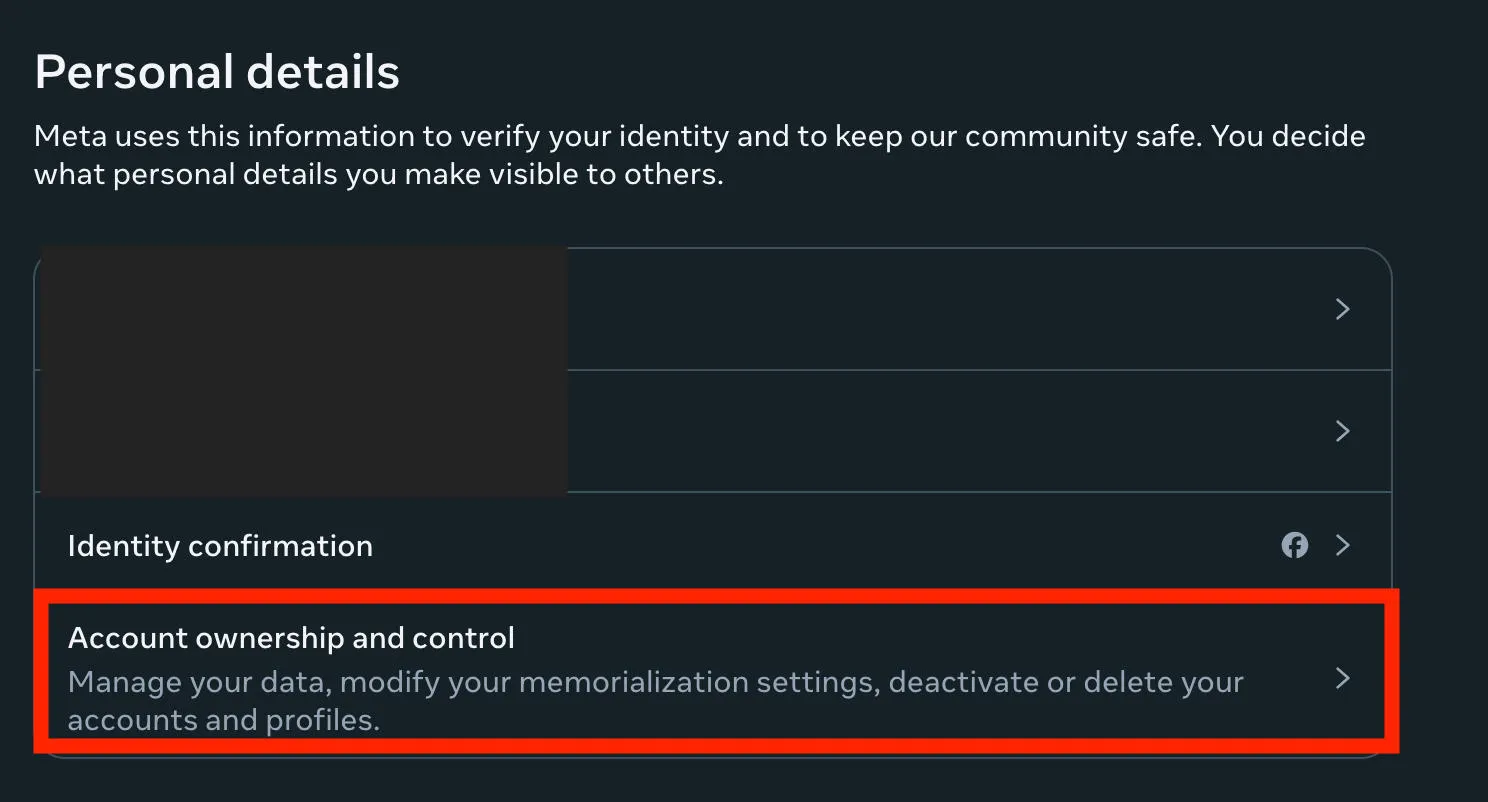
Click Account Ownership & Control.
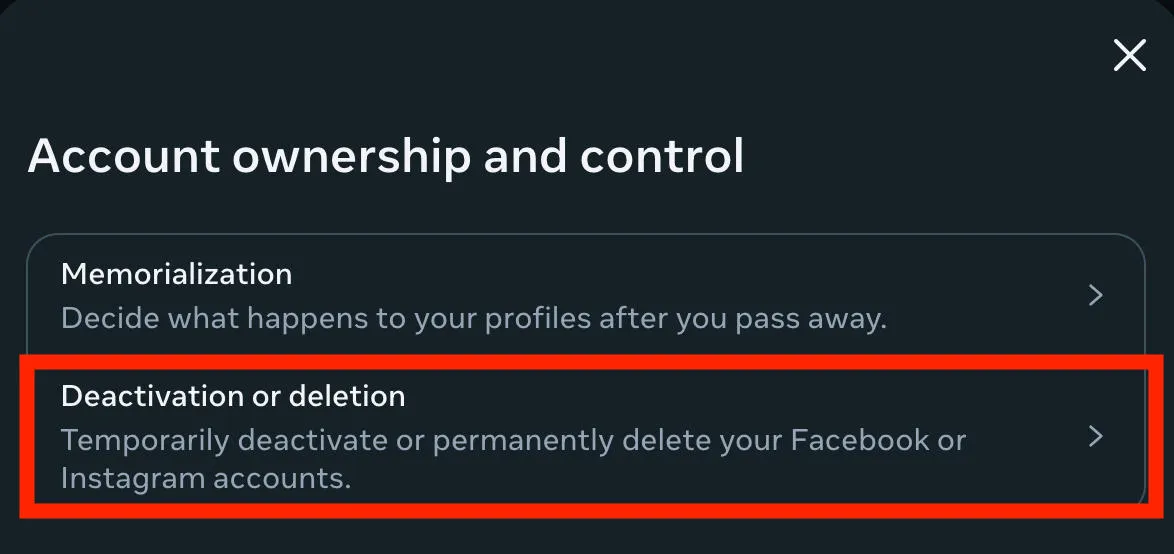
Click Deactivation Or Deletion.
Click the account you wish to deactivate.
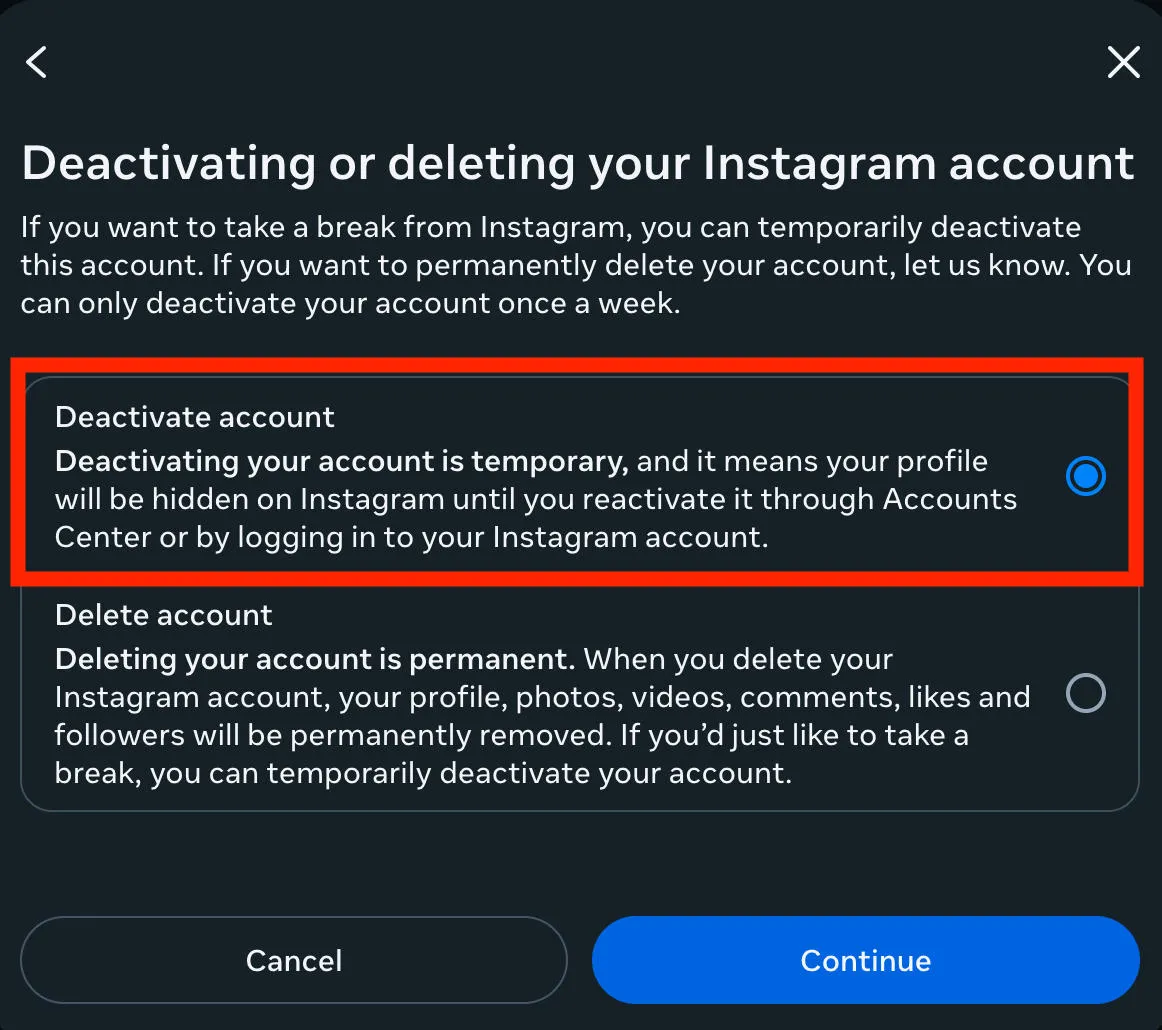
Select Deactivate Account and click Continue to complete the process.
What Happens When You Deactivate Your Account?
When you temporarily disable your Instagram account, your profile, posts, and all engagements are hidden until reactivation. Unlike account deletion, deactivation is temporary.
How Often Can I Deactivate My Instagram Account?
You can only deactivate once a week, meaning you can't deactivate and reactivate (and deactivate again) more than once within a 7 day period.
How To Reactivate Your Instagram Account
Just log back in! Logging in to your deactivated Instagram account will automatically reactivate it.
How To Delete Your Instagram Account
Just as with deactivation, you can delete your Instagram account via the Accounts Center on the Instagram mobile app or desktop site.
Deletion is permanent and cannot be reversed.
On Mobile
Tap Edit Profile from your profile page.
Scroll down and tap Personal Information Settings.
Tap Account Ownership And Control.
Tap Deactivation Or Deletion.
Select the account you wish to delete.
Choose Delete Account.
Follow the on-screen steps to confirm your account deletion request. You may need to provide personal details including your account password to fully confirm your choice.
On Desktop
Click More on the left-hand menu.
Click Settings.
Click Accounts Center.
Click Personal Details.
Click Account Ownership & Control.
Click Deactivation Or Deletion.
Click the account you wish to delete.
Select Delete Account and click Continue to complete the process.
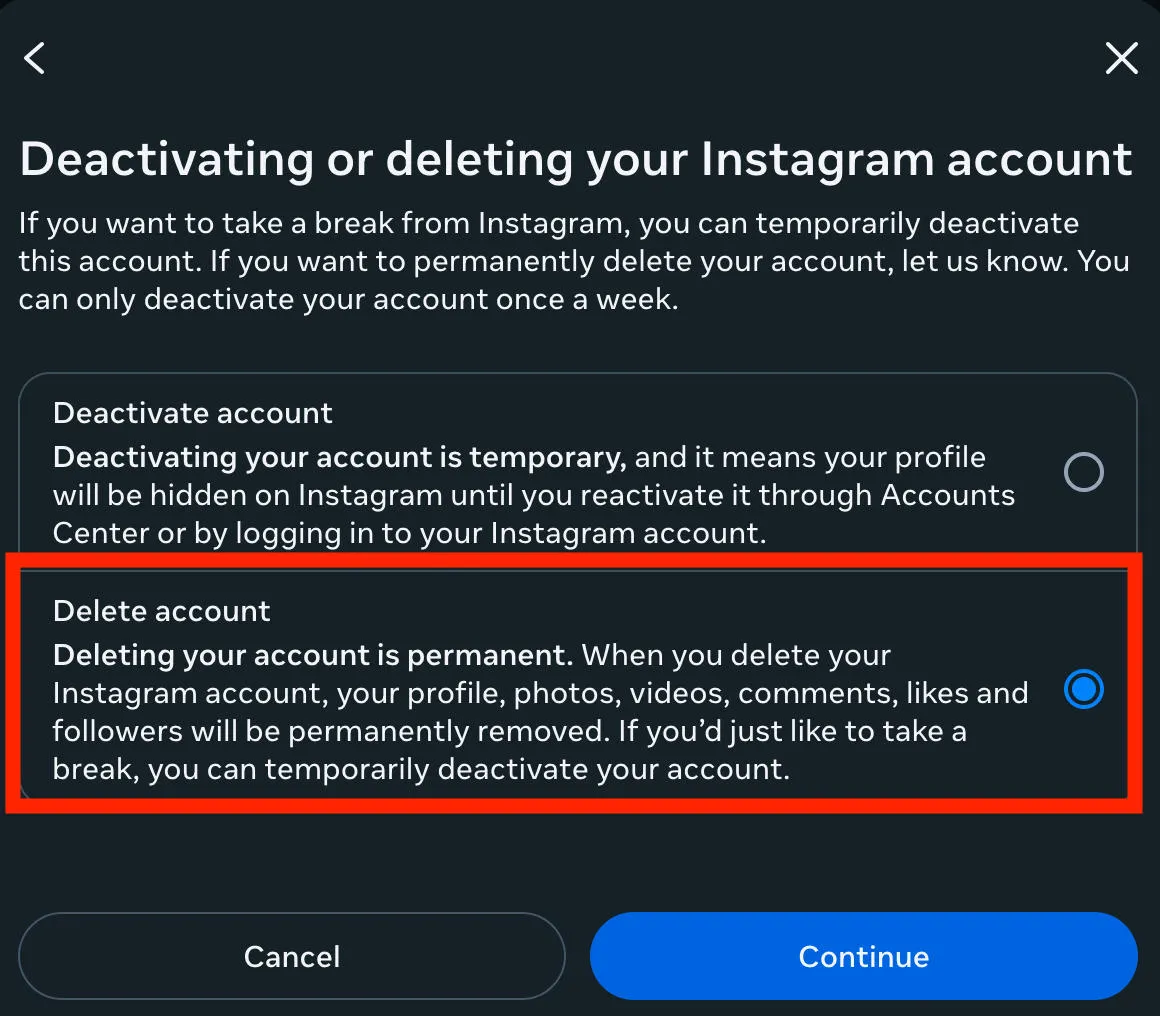
What Happens When You Delete Your Account?
When you delete Instagram accounts, all information your profile, photos, videos, and engagements will be permanently removed.
There is no way to undo the choice once you click delete account, so if you're unsure it's best to temporarily deactivate your Instagram account first before committing to the deletion process.
How To Tell If Someone Deactivated Their Instagram
Not sure if someone deactivated their account or just changed their username? Or maybe you’re worried that they blocked you?
Start by searching for their username via your current account, and while logged out. If they blocked you, you’ll be able to see their profile from a different account.
If you can’t find them, go through your previous DMs to see if you have an existing message thread with them. If you can see their profile picture and name, that means their account is still active. If you just see the default profile picture and their name shows up as Instagram User, that means they deactivated.
Frequently Asked Questions
Can I delete someone else's Instagram account?
No, you can only delete an Instagram account if you have total access to it. The only way to get another person's Instagram account taken down is to report it for violating the app's terms of service. If there is a violation, the profile will be suspended or permanently removed.
How can I tell if someone deactivated their Instagram account?
If you have a direct message history with the user in question, they might appear as the default grey profile picture instead. Otherwise there's no real way of knowing, as deactivation makes profiles unavailable in search.
Can I deactivate my Instagram account from my mobile browser?
Yes, you can access your settings menu via the Instagram iOs or Android app as well as a mobile browser or desktop browser.
Is it better to deactivate or delete?
If you're not sure whether or not you want to keep your Instagram profile, try deactivating to start. If you don't miss having your account, go ahead and delete it.
Is deactivating Instagram healthy?
Deactivating Instagram can be a healthy way to take a break from social media, without erasing all of your content.
Can people still see my profile after deactivation?
No, when your account is deactivated it's hidden from view until you manually reactivate it.


