Whether you’ve just moved countries or recently swapped your phone number, today’s guide will teach you how to change your TikTok location, mailing address, email, phone number, and more.
Key Points:
How To Change Your TikTok Location
Thanks to the precision of geo-location data, TikTok can automatically determine which region you’re in, allowing the app to curate content and suggested profiles in the correct language.
Usually it takes about 90 days for the region to officially switch to a new one, which means if you’re just traveling your region won’t swap. However, if you do want to see content in another language or from a different region you can use a VPN to switch your device’s location.
How To Change Location On TikTok With A VPN
Before you get started, you’ll need a trustworthy VPN service or proxy. There are a variety of services out there, so do your research before picking one that’s right for your budget and needs.
Once you have your VPN or proxy, here’s how you can get started.
First, make sure TikTok is completely closed on your device. If you’re accessing it from a desktop browser, close the browser entirely.
Next, open your VPN or proxy service and connect to a different region. Make sure that this region allows TikTok!
Once you’re connected, reopen TikTok on your device. If the connection was successful, you may see content appearing in a different language depending on the country you chose.
How Does TikTok Know Your Region?
TikTok gathers this information based on your geographical location and the corresponding settings on your devices.
You can adjust your TikTok location services permissions by opening the mobile app and tapping the three lines on the top right corner.
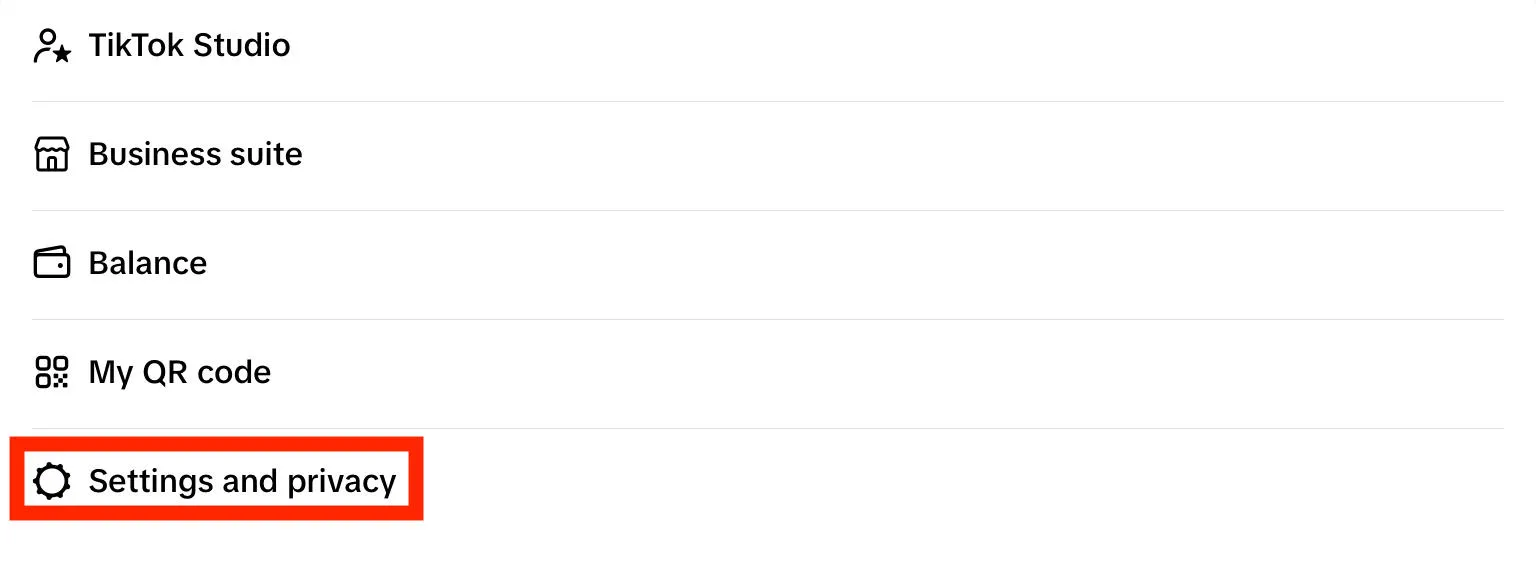
Tap Settings & Privacy.
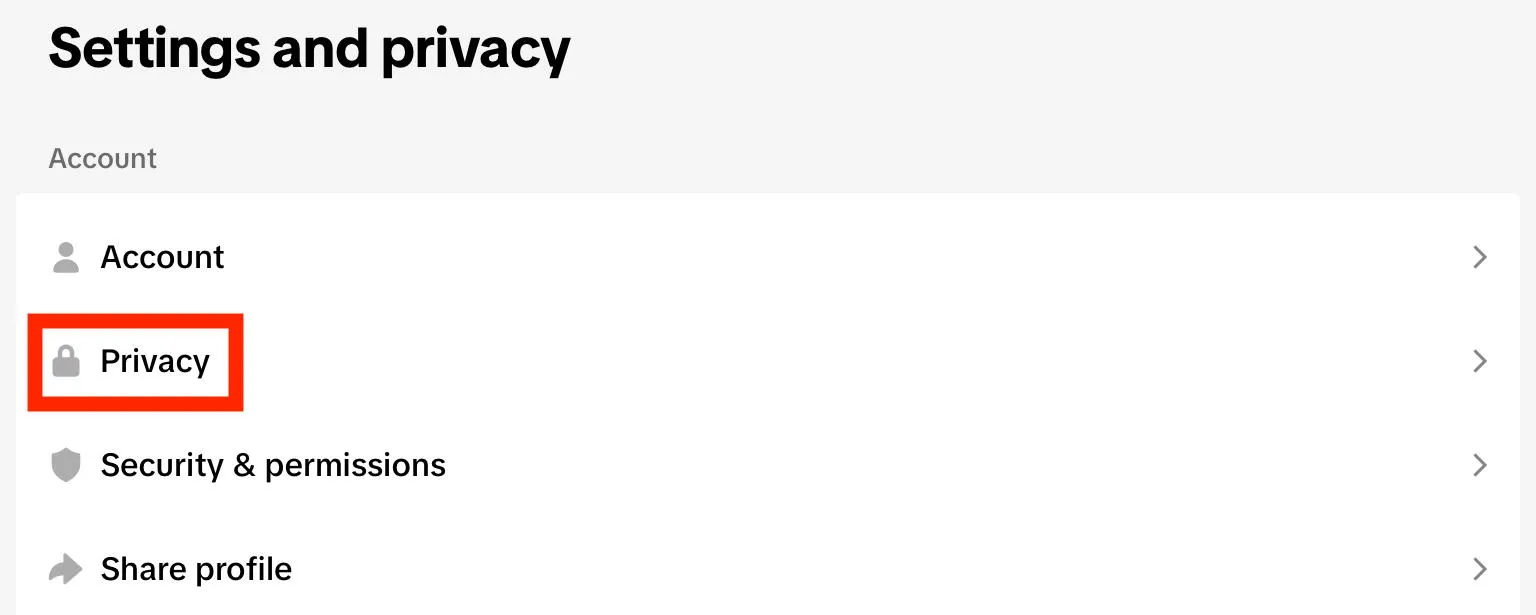
Tap Privacy.
Tap Location Services.
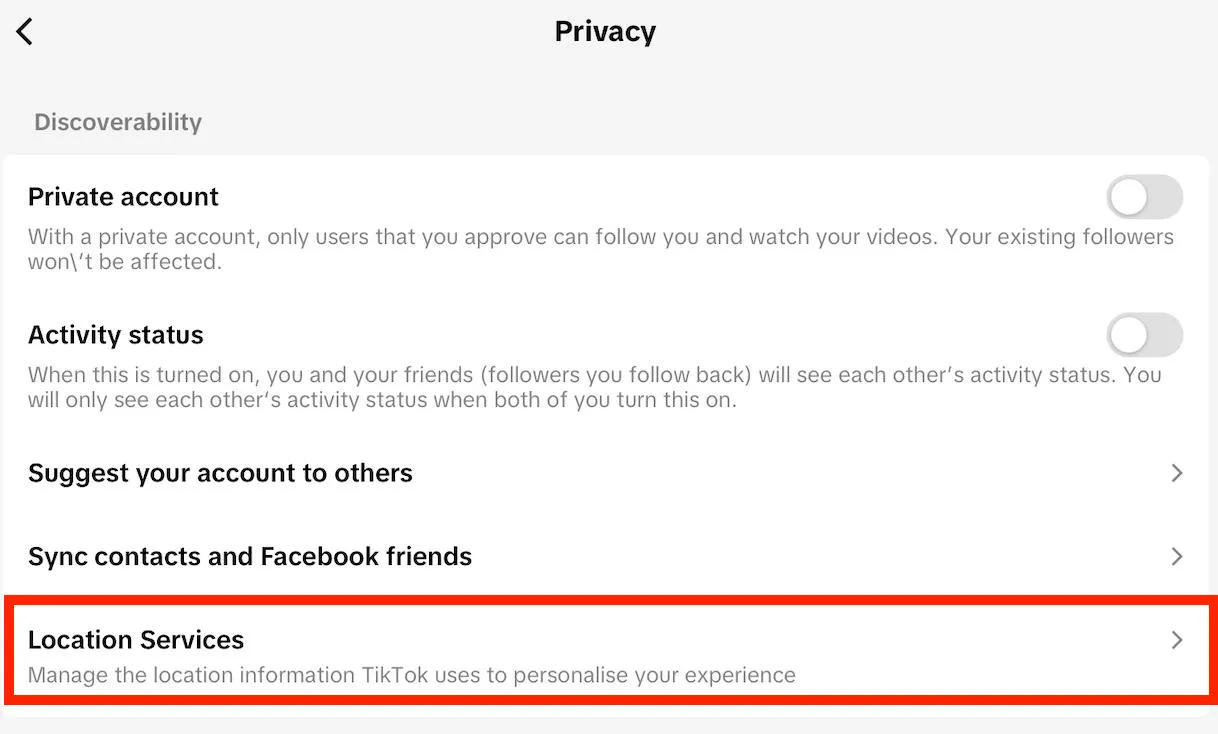
Tap Never if you prefer not to allow TikTok to know your specific location.
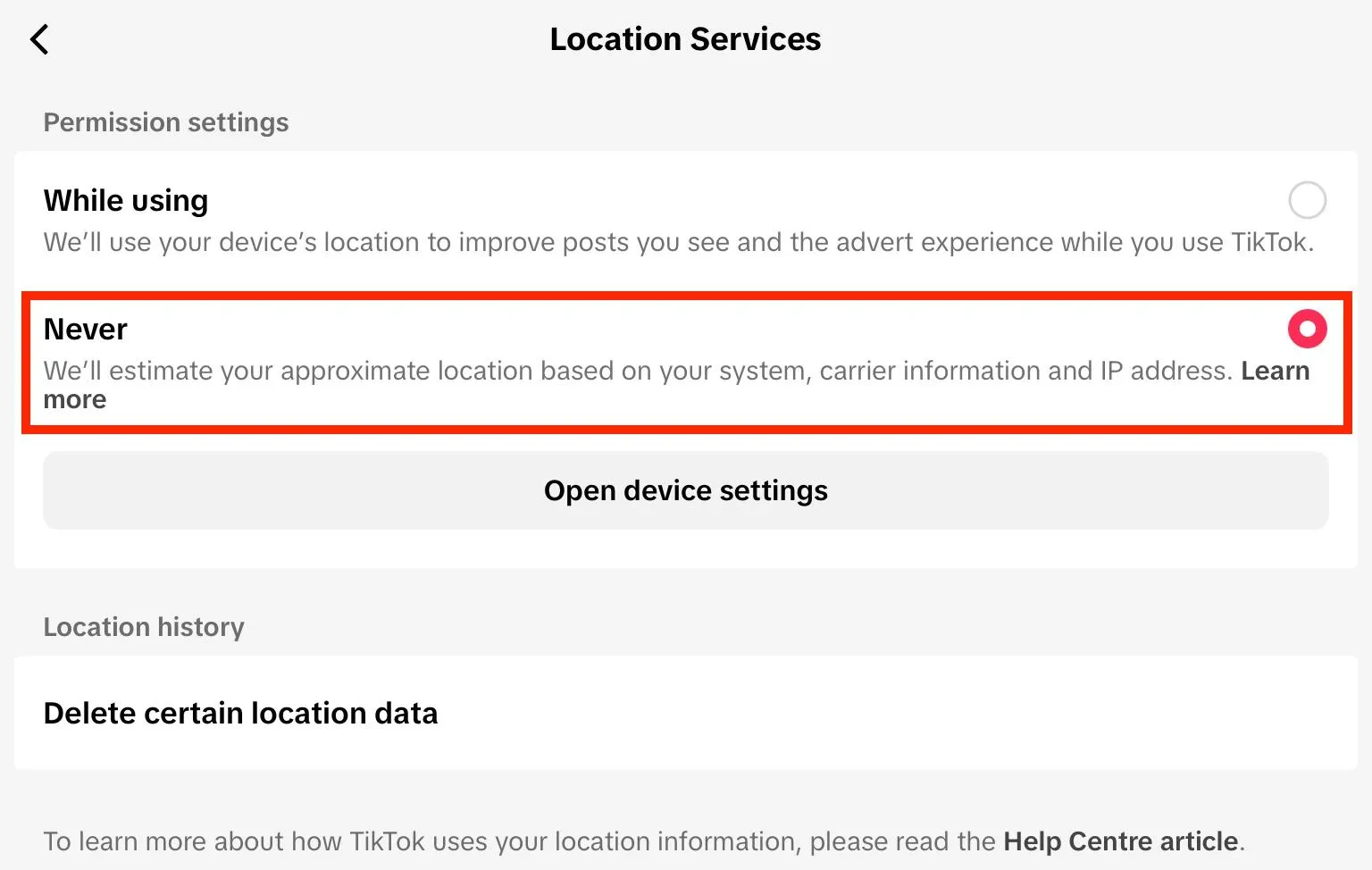
Keep in mind that the app will still be able to approximate your location based on your IP address, carrier information, and other system settings. Changing your location service permissions does not make you anonymous.
How To Get TikToks From A Specific Country?
The simplest way to view TikToks from another country is simply to find profiles based in those countries. Or, you can use a VPN to swap locations and see new content on your For You page.
How To Target Specific Locations On TikTok
If you’re based in one region but want to target users in a different location, there are a few things you should keep in mind.
First, if these users speak a different language than yours you should adjust your captions and hashtags accordingly. Make it easy for them to interact with your content and locate it in the first place.
Next, consider buying geo-targeted TikTok viewers, followers, and other forms of engagement to encourage the TikTok algorithm to recommend your content to additional users in that region.
Finally, stay up to date with cultural references, memes, and trends from that region so that you can keep up with other creators who might be physically located in that area.
How Do I Change My Target Audience Country On TikTok?
There’s nothing you need to do to change your target audience country, but it does help to change your caption or hashtag language, and maybe even invest in engagement from that country so that the algorithm adjusts accordingly.
Can You Change Your Location To Avoid A TikTok Ban?
No - your location isn’t the sole identifying feature of your TikTok account. If you violate TikTok’s terms of service in some way, your account could still be at risk for a ban.
The best course of action is to stop any spammy or rule-breaking behavior immediately and consider taking a break from the app. Most TikTok bans are temporary, ranging from 24 hours to a few weeks, so usually a brief break will return your account back to good standing.
How To Change Email On TikTok
You can change the email address associated with your TikTok account via the TikTok app. These instructions will not work on the desktop site.
From the TikTok app, tap profile.
Tap the three lines on the top right corner.
Tap Settings & Privacy.
Tap Account.
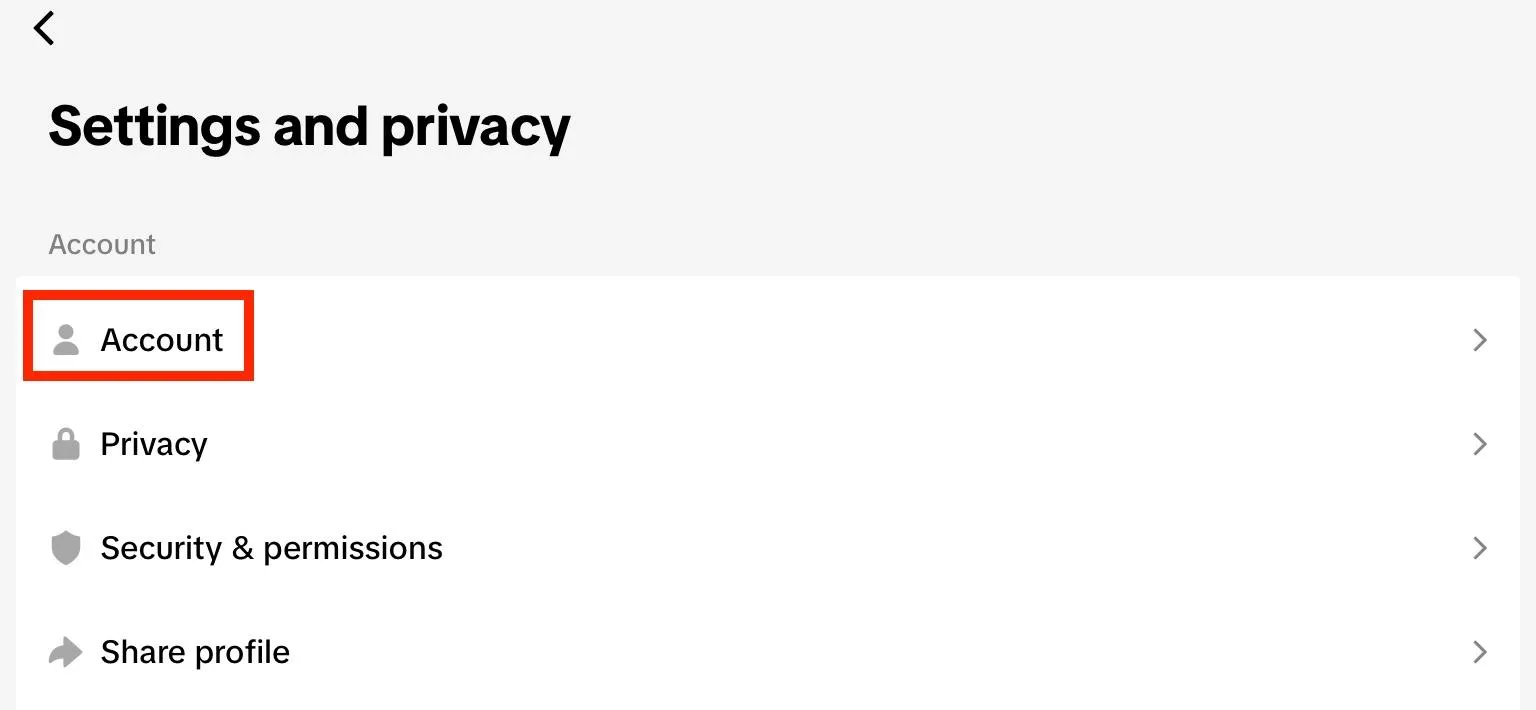
Tap Account Information.
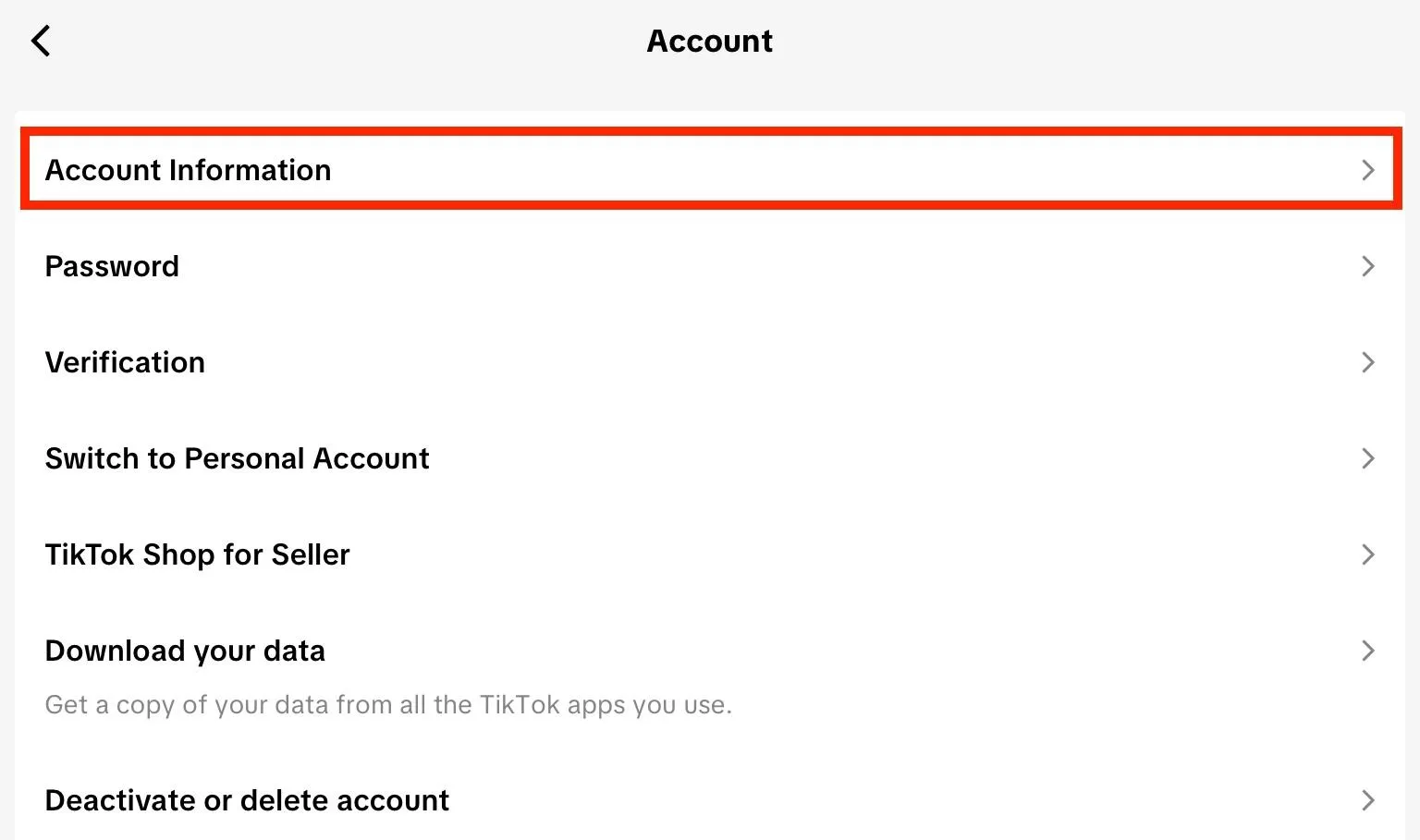
Tap Email > Change Email.
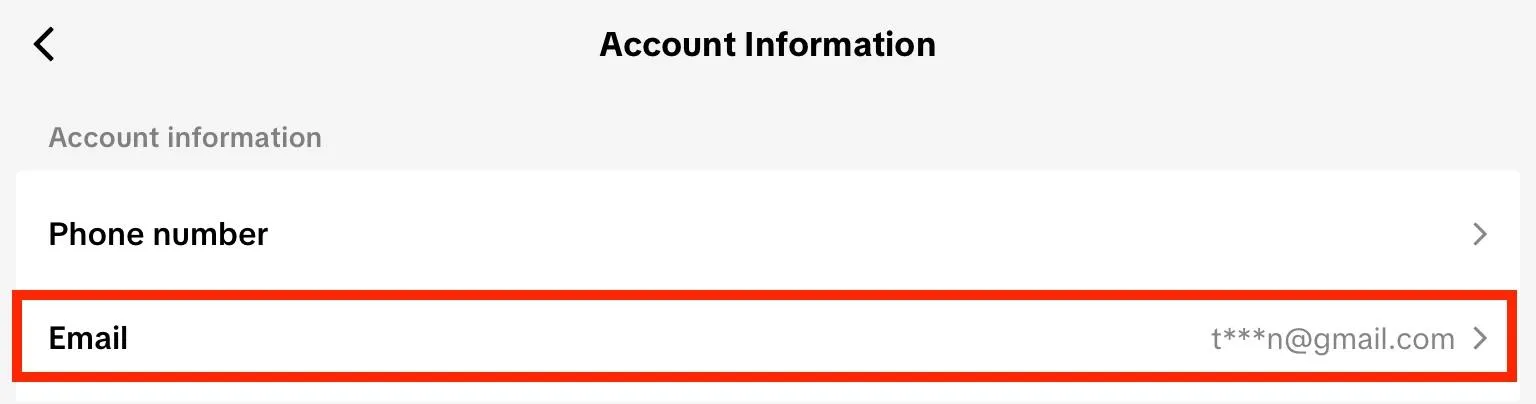
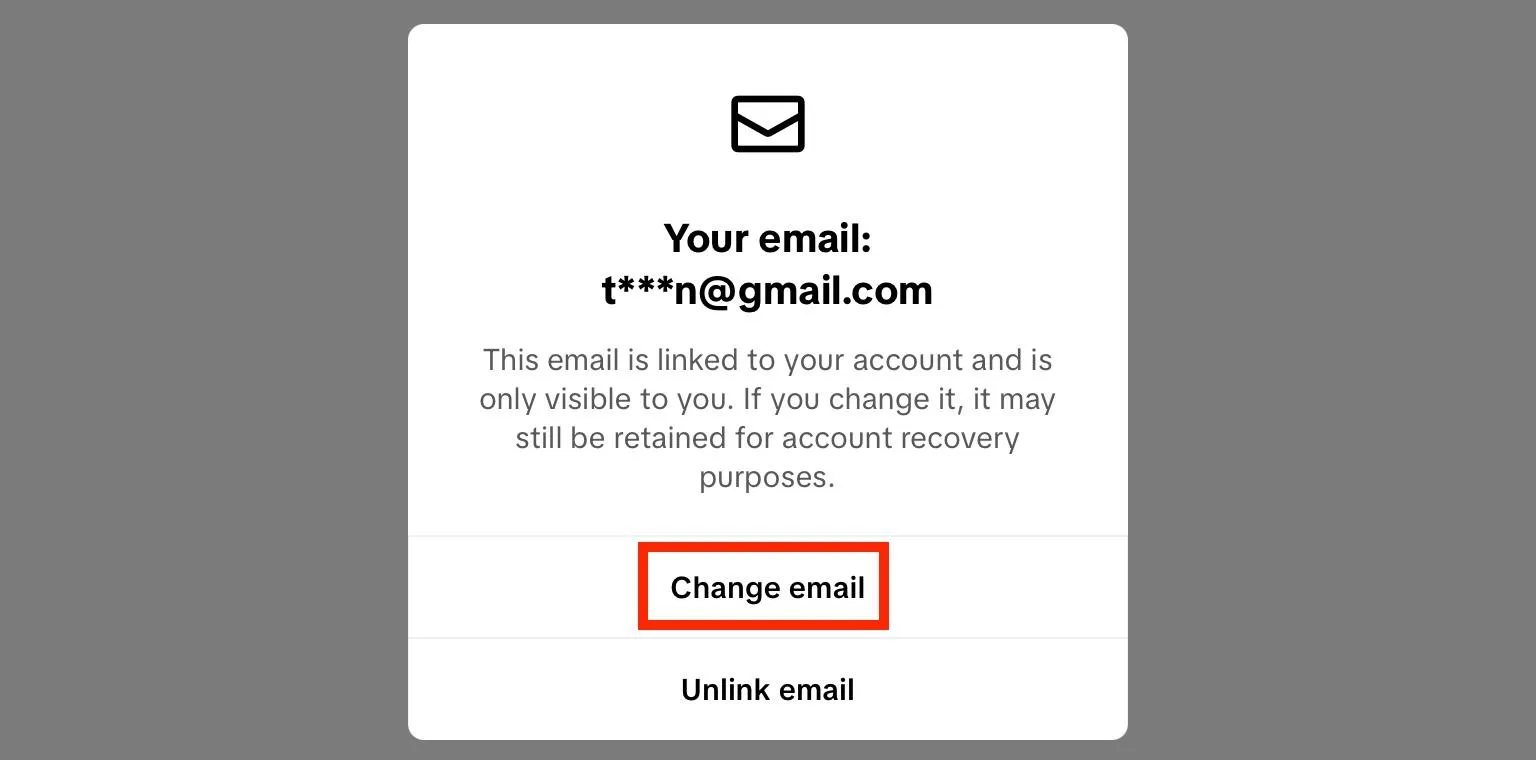
Input your new email address and confirm. For security purposes, you may need to verify with a code or confirm your password to complete the change.
Can I Unlink My Email On TikTok?
Yes, you can unlink an email from your TikTok account to use on another account while maintaining your TikTok followers (or just to remove it entirely) via the TikTok app by following the steps outlined below:
From the TikTok app, tap profile.
Tap the three lines on the top right corner.
Tap Settings & Privacy.
Tap Account.
Tap Account Information.
Tap Email > Unlink Email.
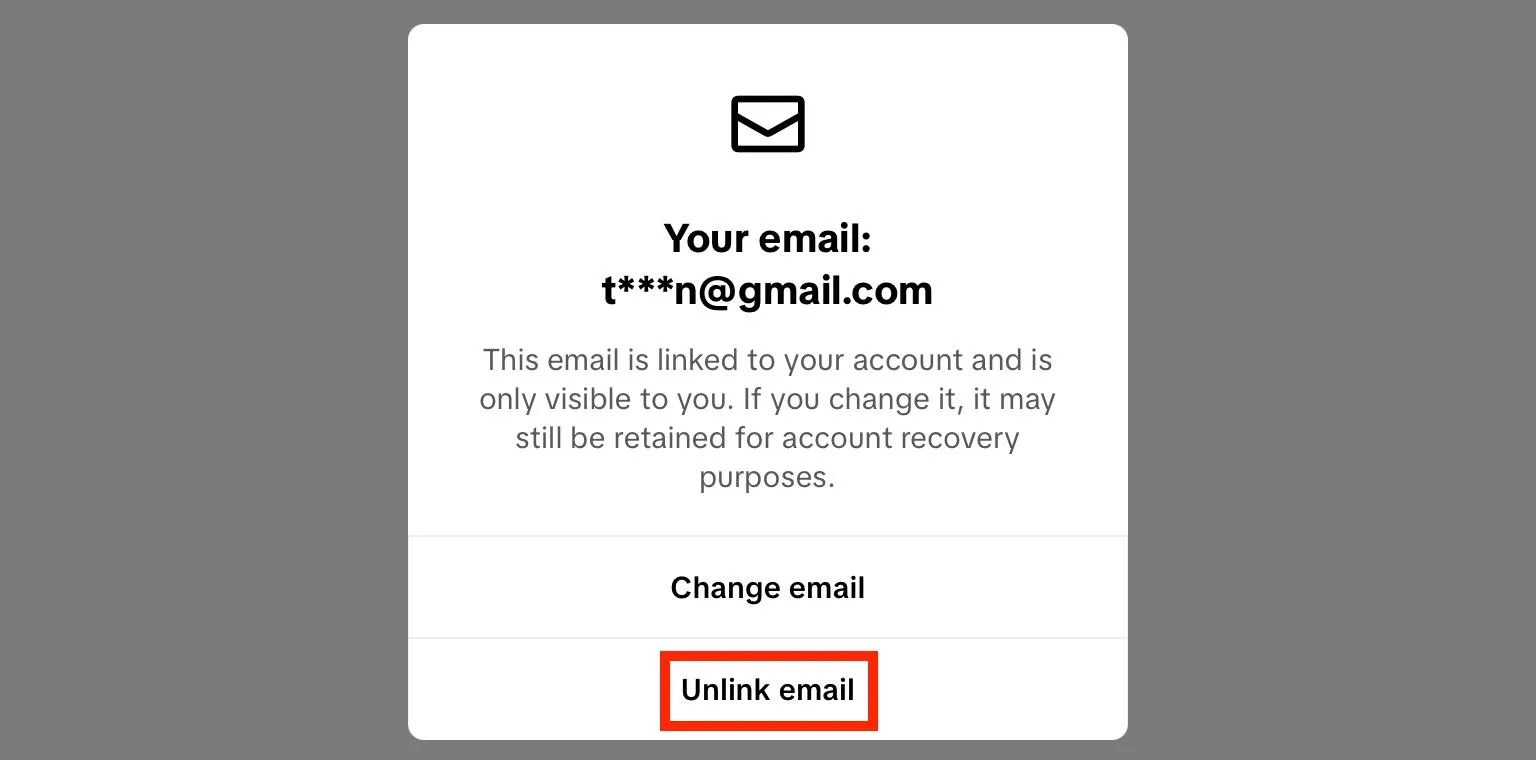
Confirm your change.
How To Change Phone Number On TikTok
You can change your phone number at any time via the TikTok app. These instructions will not work on the desktop site.
From the TikTok app, tap profile.
Tap the three lines on the top right corner.
Tap Settings & Privacy.
Tap Account.
On the next screen, tap Account Information.
Tap Phone Number > Change Phone Number.
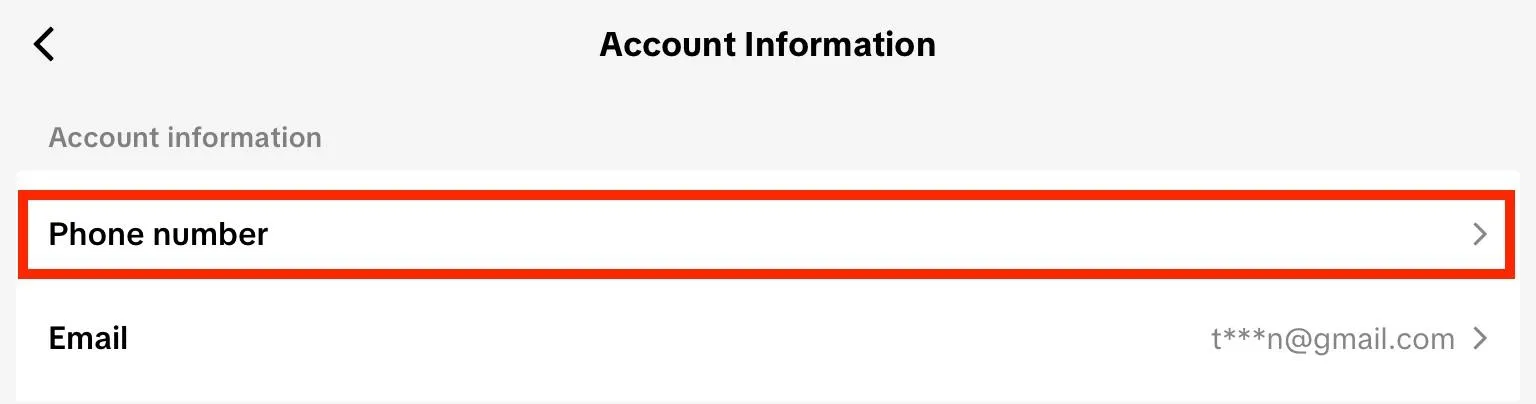
Input your new phone number and confirm. You may need to verify the new phone number using a verification code.
How Do I Change My Mailing Address On TikTok?
If you're a TikTok Shop seller, you can access your mailing address via Settings. From here you can make any changes or updates.
Visit the Seller Center here.
How To Recover An Old TikTok Account Without Email & Phone Number?
If you forgot both the email address and phone number associated with your TikTok account and can’t log in, there are a few options available to you.
Try Resetting Your Password
If you simply don't remember which email you used, you may be able to reset your password with just your username. The password reset link or verification code will be sent to the email you used to create the account in the first place. If you don't have access to the email or phone number any longer, move on to the next step.
Check For Linked Accounts
Sometimes you can log in with linked accounts such as Apple, Gmail, or Facebook. Try using one of these methods to access your account.
Contact TikTok Support
If you don't have access to any of your account login details, you can attempt to recover your account by requesting assistance from TikTok support here.
Keep in mind that to protect your account and ensure a secure login, they will need to verify your identity to confirm that you are the person who created the lost account, usually with an approved form of ID such as a driver’s license or passport. Be patient, and don't spam them!
If You Get Your Account Back...
If you do recover your account, be sure to save your login information to your device - including your password - to prevent future issues. Enhance your account's security by using a trustworthy password manager, which will allow you to sign in without having to manually enter your login details on the form each time.
If prompted, consider using two factor authentication as well.
How Do I Switch My Account On TikTok?
Managing multiple TikTok accounts? Swap between accounts by visiting your profile page, then tapping your username. You’ll see a list of available linked accounts and can choose the one you want to switch into by tapping it.
Frequently Asked Questions
Can you change the email on your TikTok account?
Yes you can! Learn how by following the steps here.
How do I change my info on TikTok?
You can change your email address, phone number, location, username, and more by following the steps outlined here.
How do I change my TikTok server location?
Learn how to change the location associated with your TikTok account here.
How to set a location in TikTok?
You set a location upon the creation of your account, or depending on where you’re currently located physically, but you can change it by following the steps outlined here.
How to change your tiktok location on iphone
Learn how here.
How to change your tiktok location on android
Learn how here.
How to change TikTok region on PC
Learn how here.
How to change TikTok region without waiting 90 days
Using a VPN is usually your best bet if you don't want to wait for TikTok's 90 day grace period to run out.
How to change location in TikTok Shop
You can change the mailing address associated with your TikTok Shop profile by following the instructions outlined here.
TikTok location option not showing
TikTok no longer has an option for users to change the region associated with their accounts. Instead, it’s done automatically based on geo-location data. Learn how to change countries here.
How do I transfer my TikTok account from one email to another?
If you're managing multiple TikTok accounts and want to swap emails, you can do so by unlinking the email of the first account and adding it to the second. Learn how to unlink an email here.
How do I take off emails from Tiktok?
You can unlink an email via the TikTok app by following the steps outlined here.
What is TikTok's email address?
You can contact TikTok directly through their contact page here, or by emailing info@tiktok.com.
How do I change my TikTok identity?
You can update your username, bio, and other profile details by tapping Edit Profile on your profile page.
Can someone see if you viewed their TikTok profile?
Only if you have profile views enabled on your own profile. In this case, you’ll also be able to see who views your own profile (as long as they also have profile views enabled). If you don’t, you’ll be anonymous when viewing someone else’s profile. However, they may know if you engage with their videos by liking or commenting, or if you follow them.


