Whether you want to adjust the overall privacy of your X account, or choose who you’re sharing specific posts with, today’s guide will teach you how to make your Twitter account public or private.
Plus, check out our selection of high-quality services that can help you increase the reach of your Twitter posts in just a few clicks!
Key Points:
How Do I See If My Twitter Account Is Public?
The simplest way to see what outside users can see when visiting your Twitter account is to view your own profile while logged out, or from a different account.
Can Anyone See My Twitter?
By default, Twitter profiles are public which means any Twitter user who stumbles across your page can view your posts, follower and following lists, and replies.
Anyone who is not logged in to Twitter will be able to see the main page of your profile including your profile picture, cover photo, bio, and first few posts. However, if they try to view any additional information they’ll be prompted to log in or create a Twitter account.
Can Anyone See My Twitter Follower List?
Only users who are logged in to their Twitter accounts can view your follower list.
However, if you make your Twitter account private/protected, then only your followers will have access to your follower and following lists.
You can learn how to make your Twitter account private here.
How Do I Find My Twitter Account Details?
You can access your account details, including your username, email address, phone number, and more by following the steps below.
Click More on the bottom left corner.
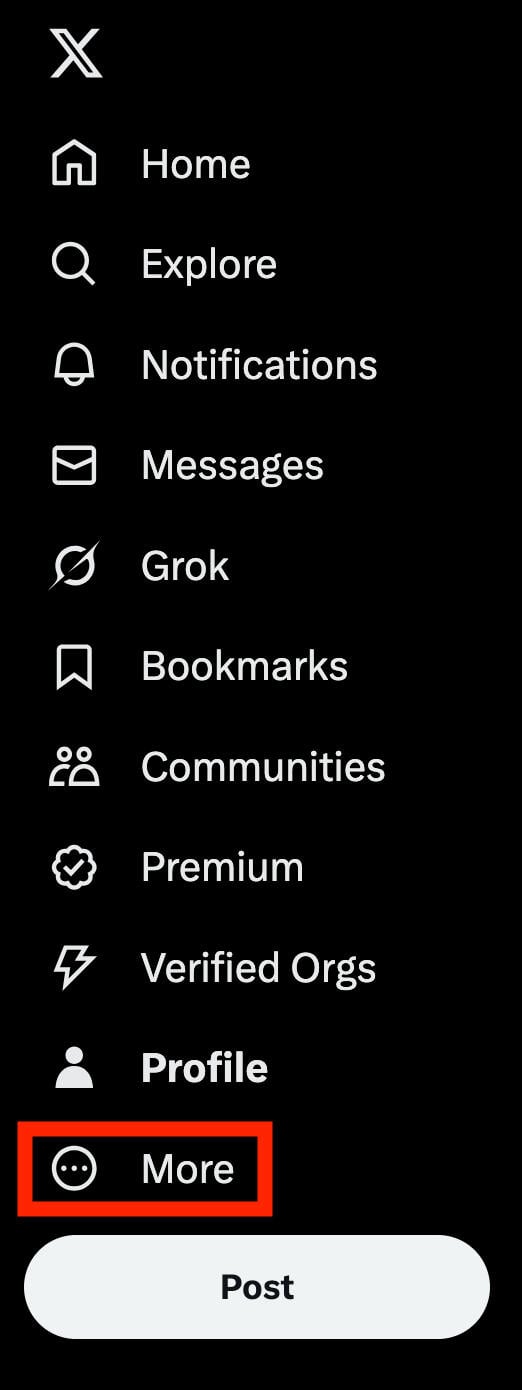
Click Settings & Privacy.
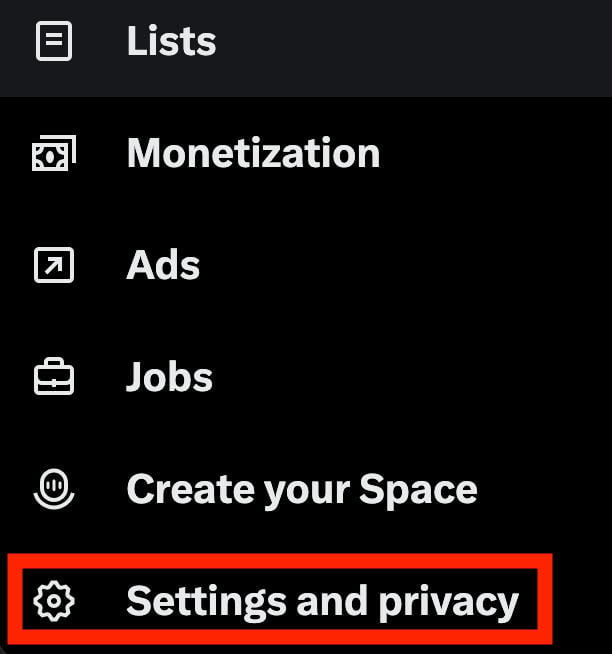
From here, click Your Account.
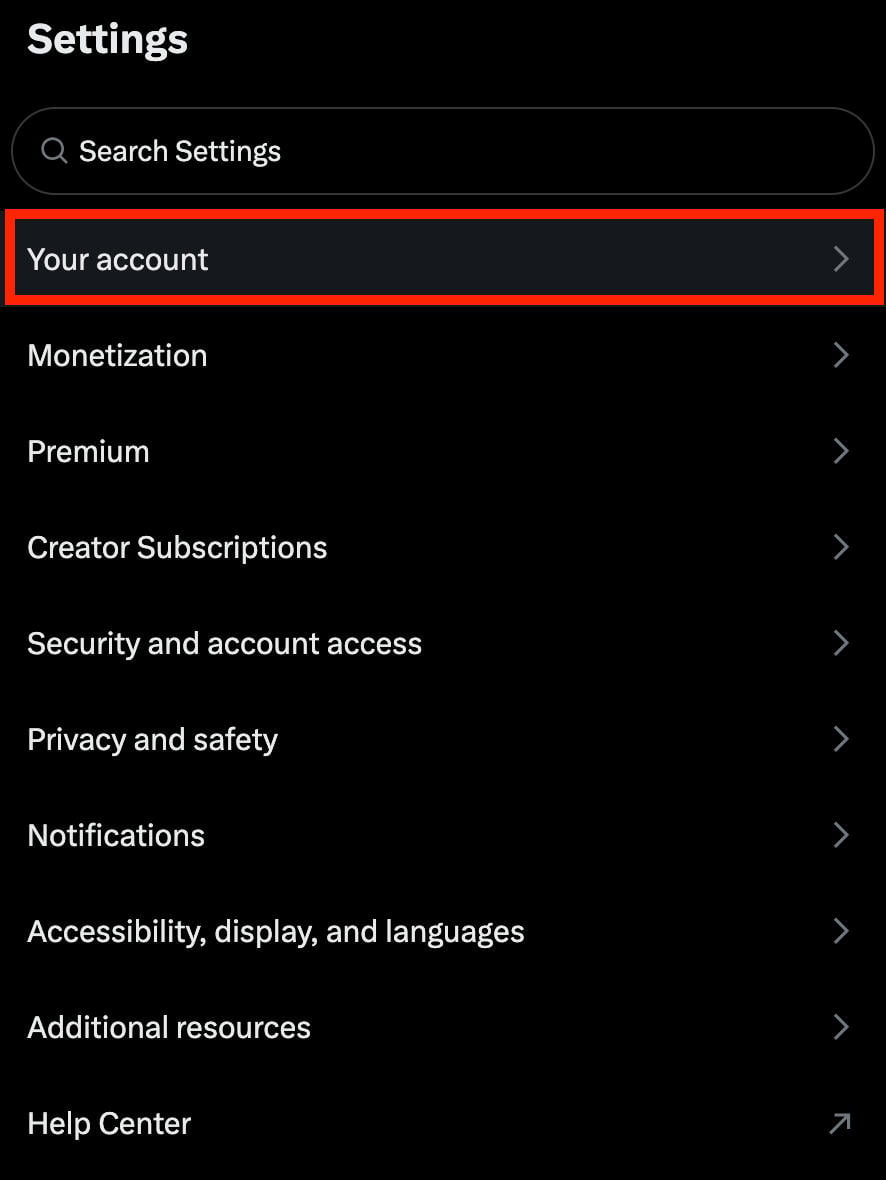
You’ll then be prompted to input your account password.
From here you’ll be able to view your full account details and make any changes.
How To Make Your X Account Public
If your Twitter account is already private, you can make it public and visible to non-followers and even non-users by following the steps below depending on your device type.
When your account is public, anyone can engage with your content and view your posts, replies, and your follower and following lists.
How To Make Twitter Account Public On Mobile
Tap your profile picture on the top left corner.
Tap Settings & Privacy.
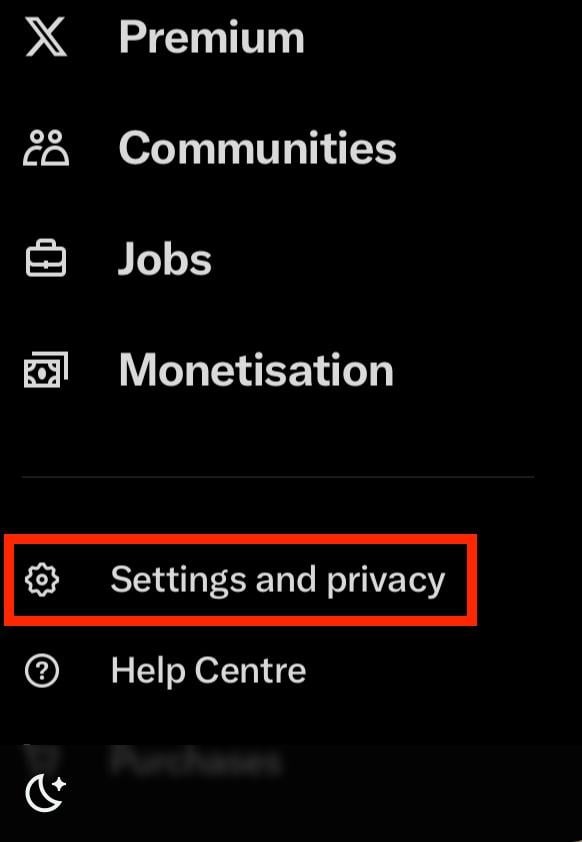
Tap Privacy & Safety.
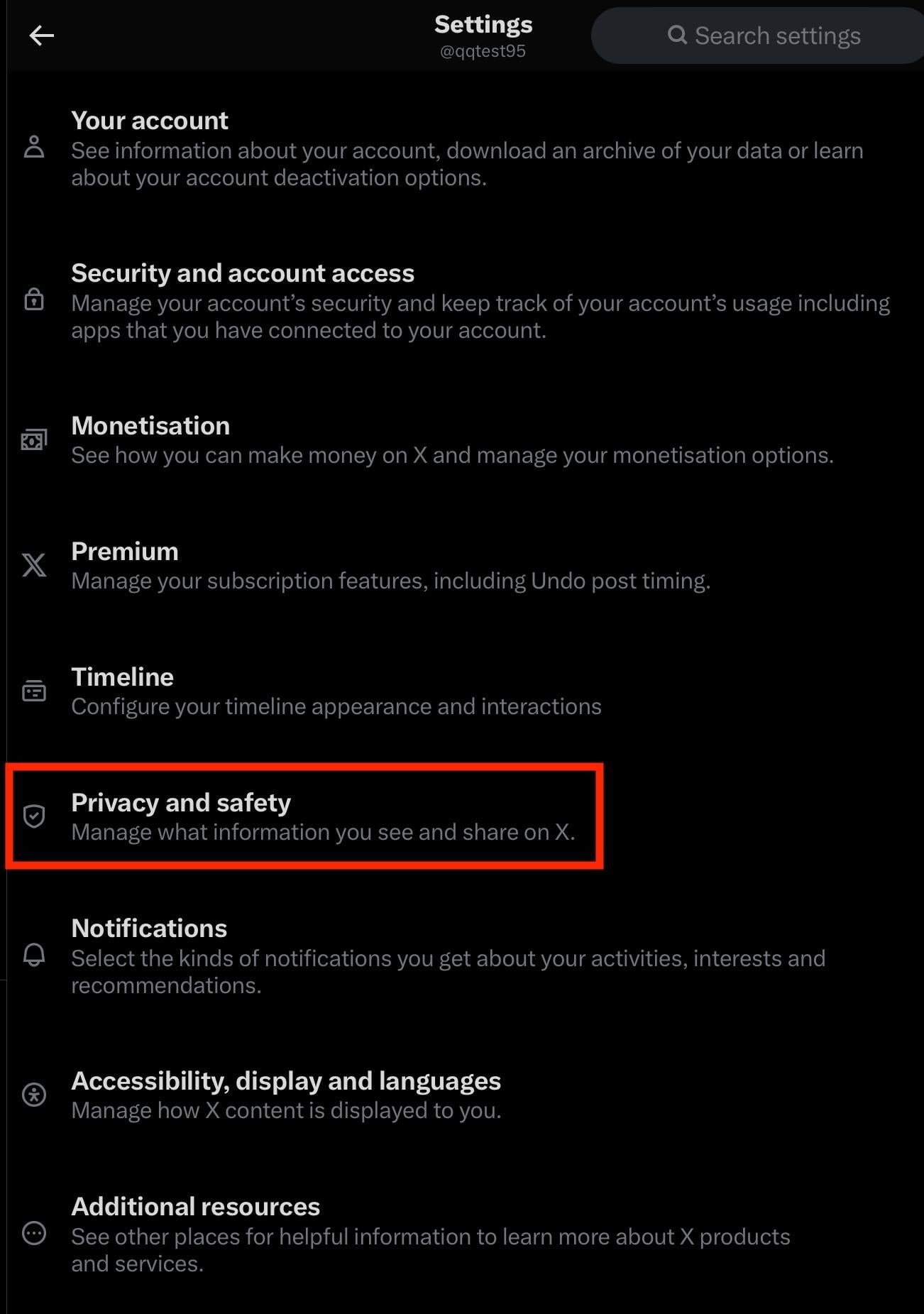
Tap Audience & Tagging.
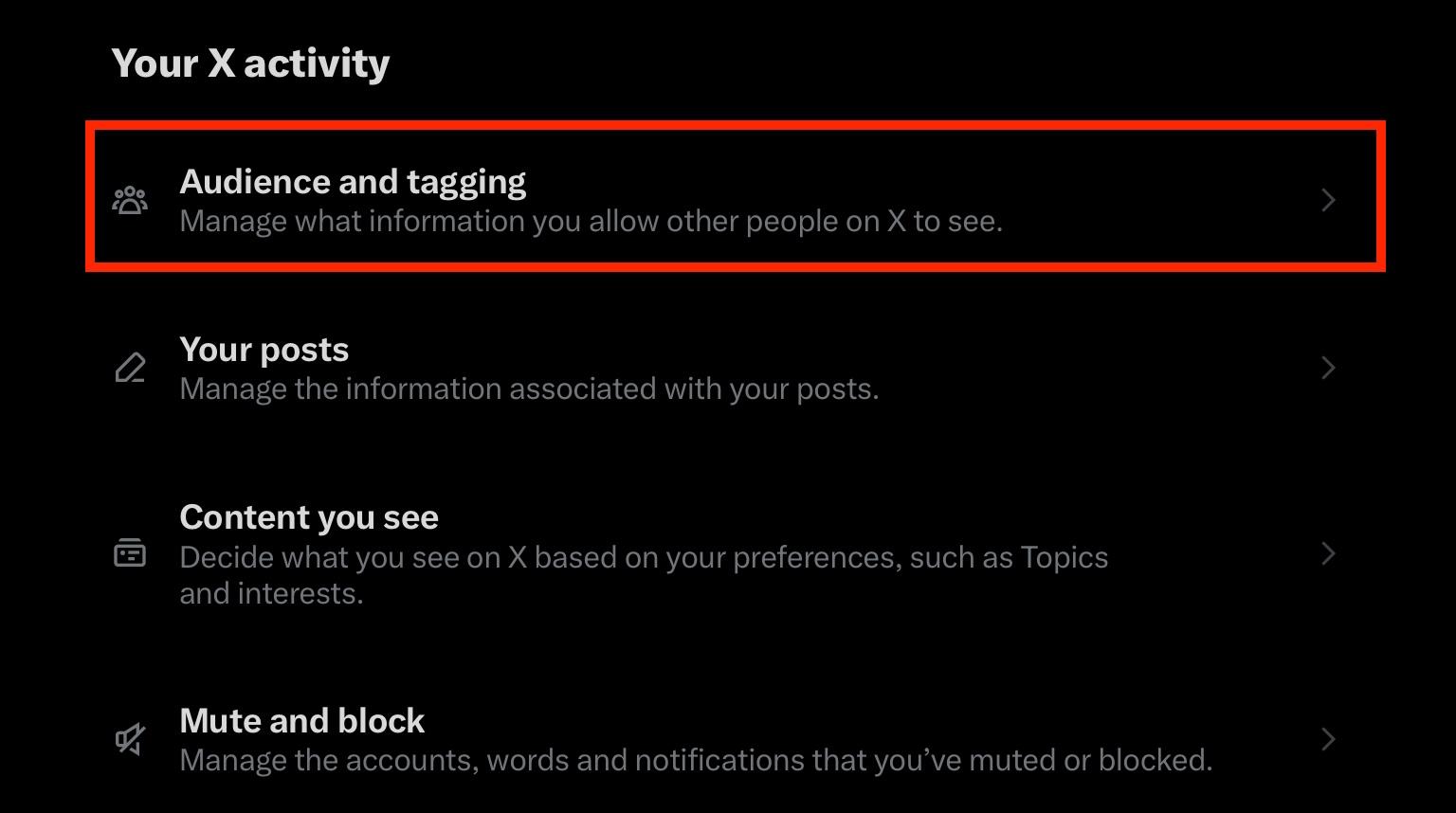
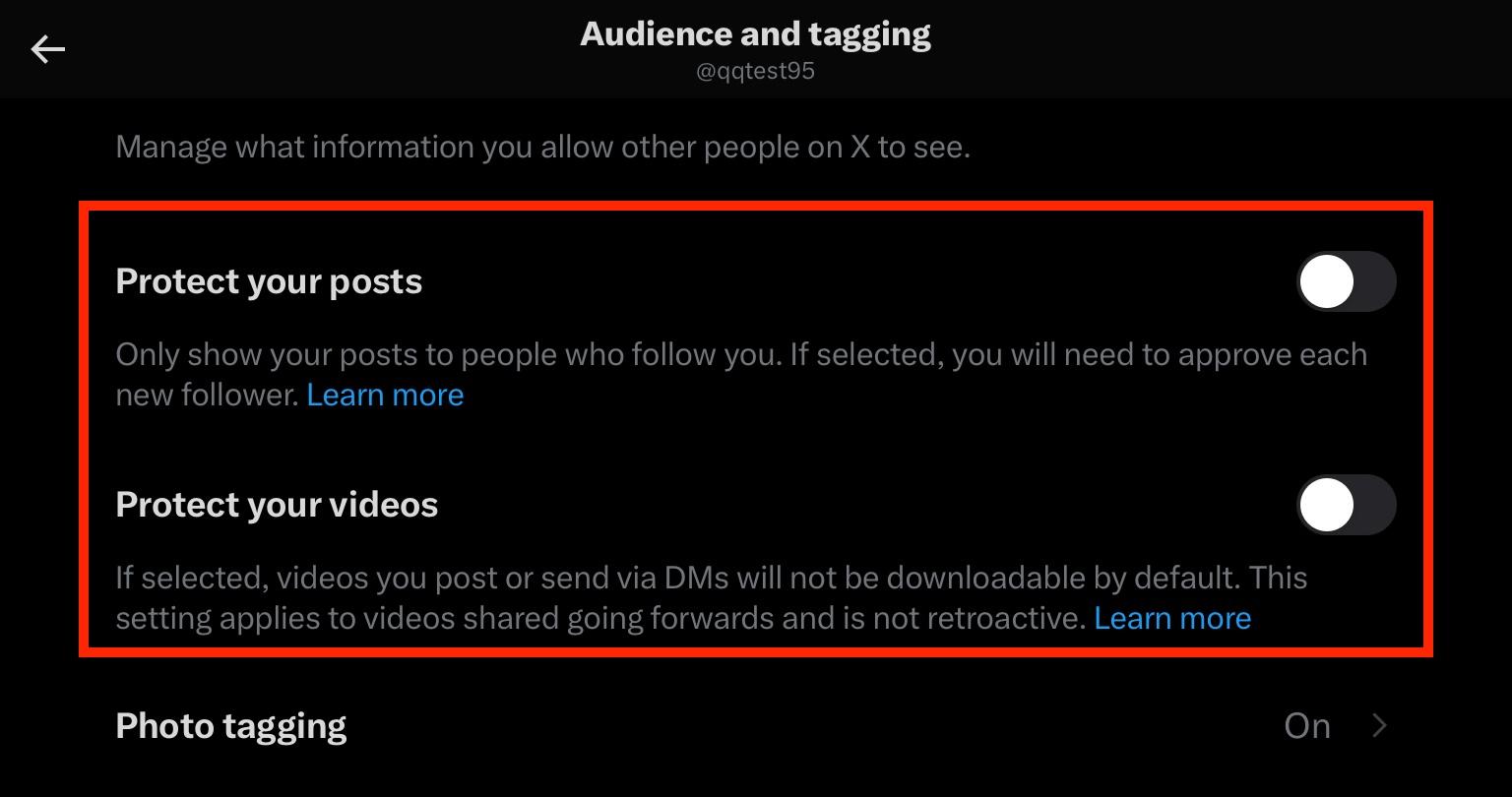
Toggle Protect Your Posts and Protect Your Videos OFF.
How To Make Twitter Account Public On Desktop
Click More on the bottom left-hand corner.
Click Settings & Privacy.
Click Privacy & Safety.
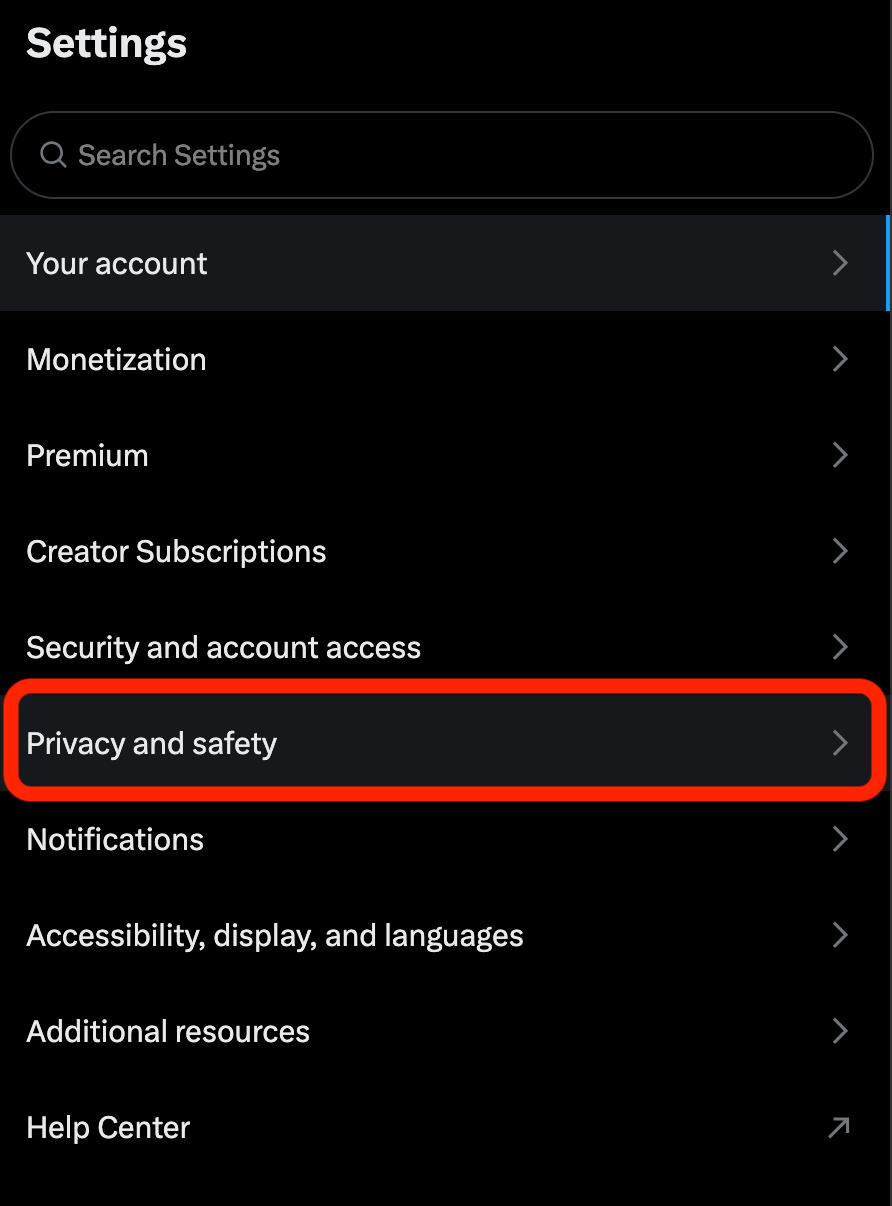
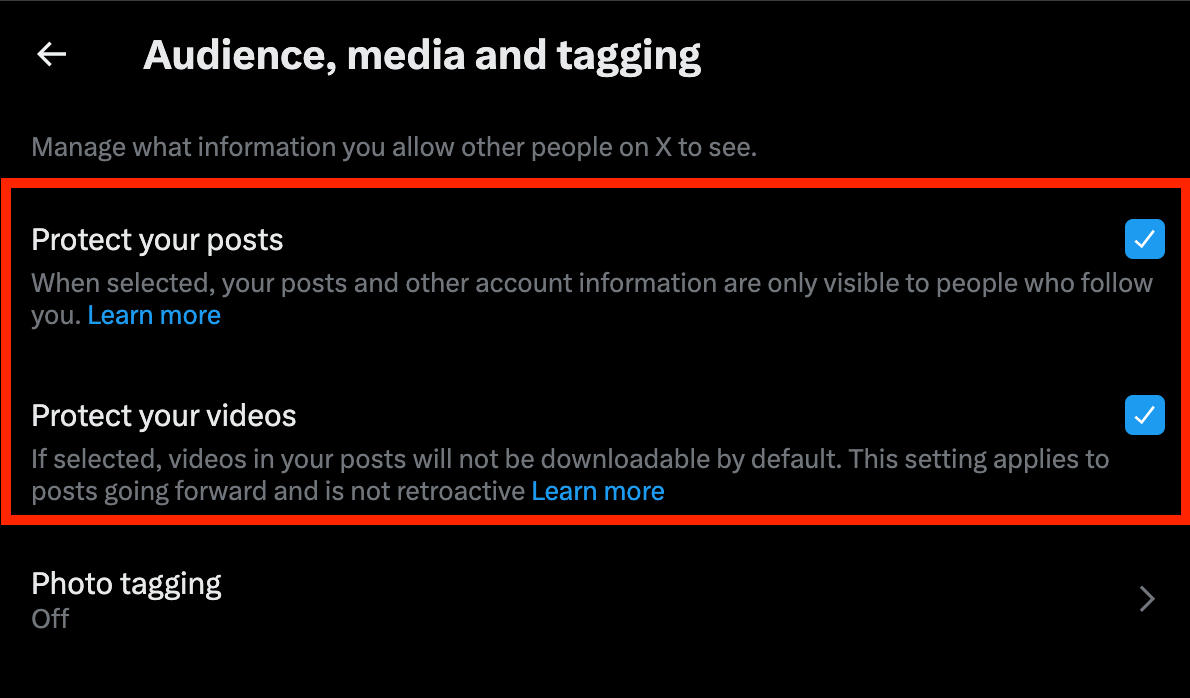
Click Audience, Media, & Tagging.
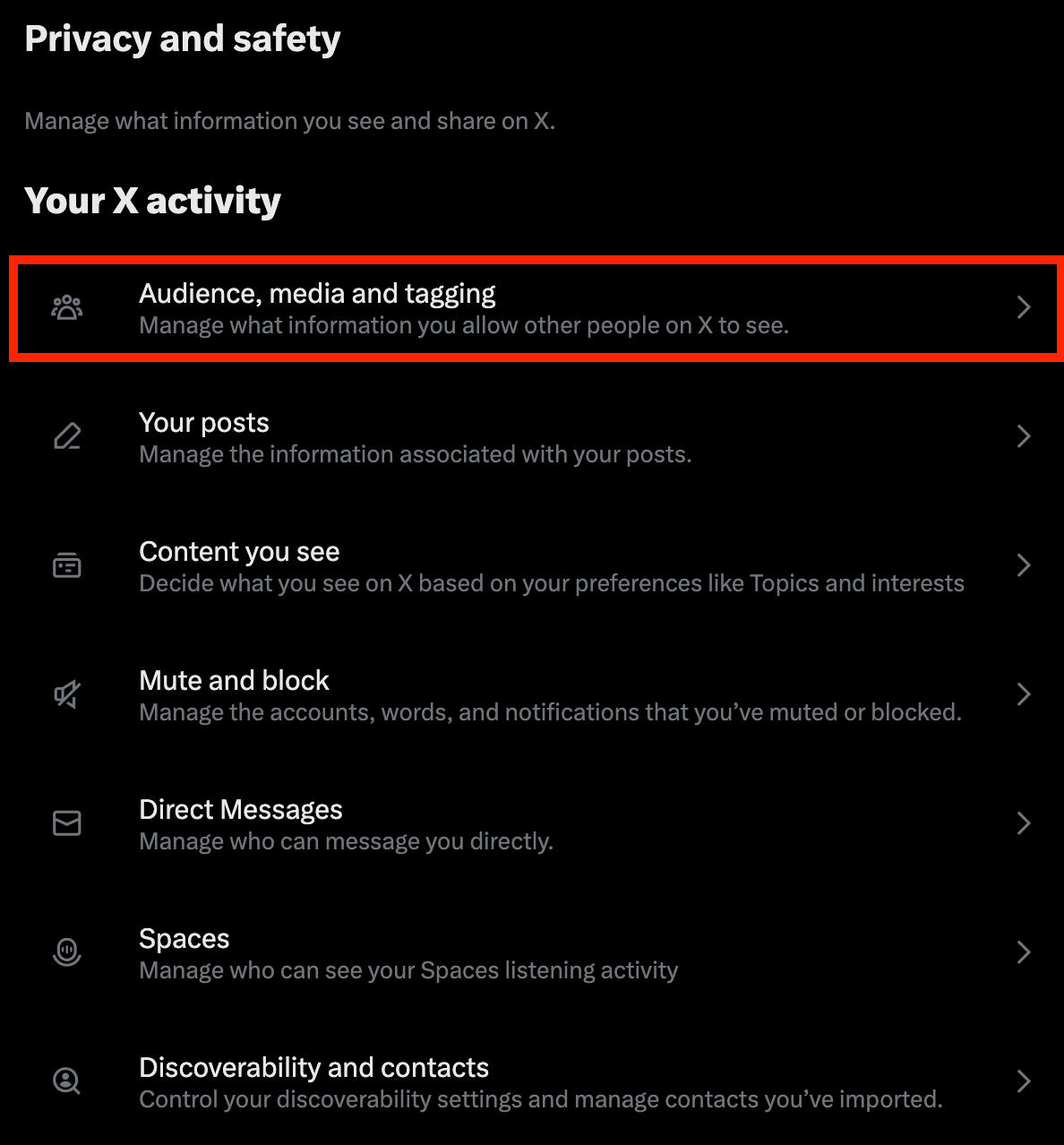
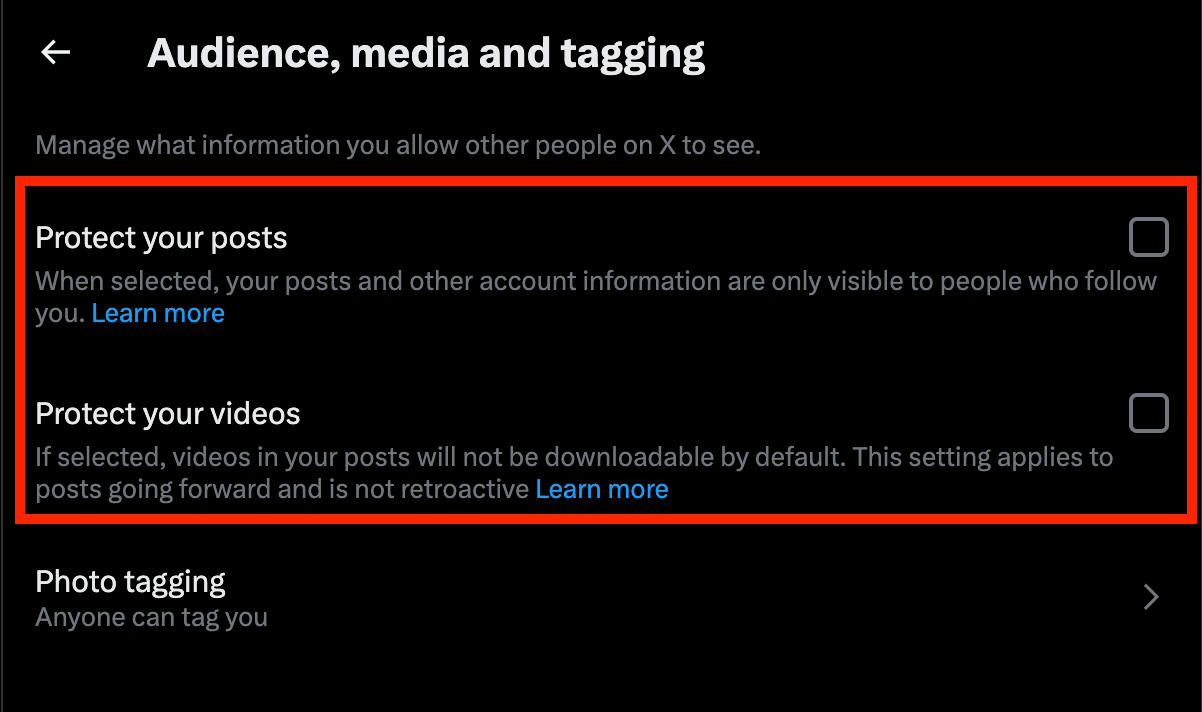
Uncheck the box to the right of Protect Your Posts as well as Protect Your Videos.
How To Make Your X Account Private
If your Twitter account is currently public, you can make it private or protected. Content on a protected account will only be visible to existing followers, and anyone who wishes to follow you will have to send a follower request, which you can then approve or deny.
This will also make your follower and following lists private to non-followers.
How To Make Twitter Account Private On iPhone
Tap your profile picture on the top left corner.
Tap Settings & Privacy.
Tap Privacy & Safety.
Tap Audience & Tagging.
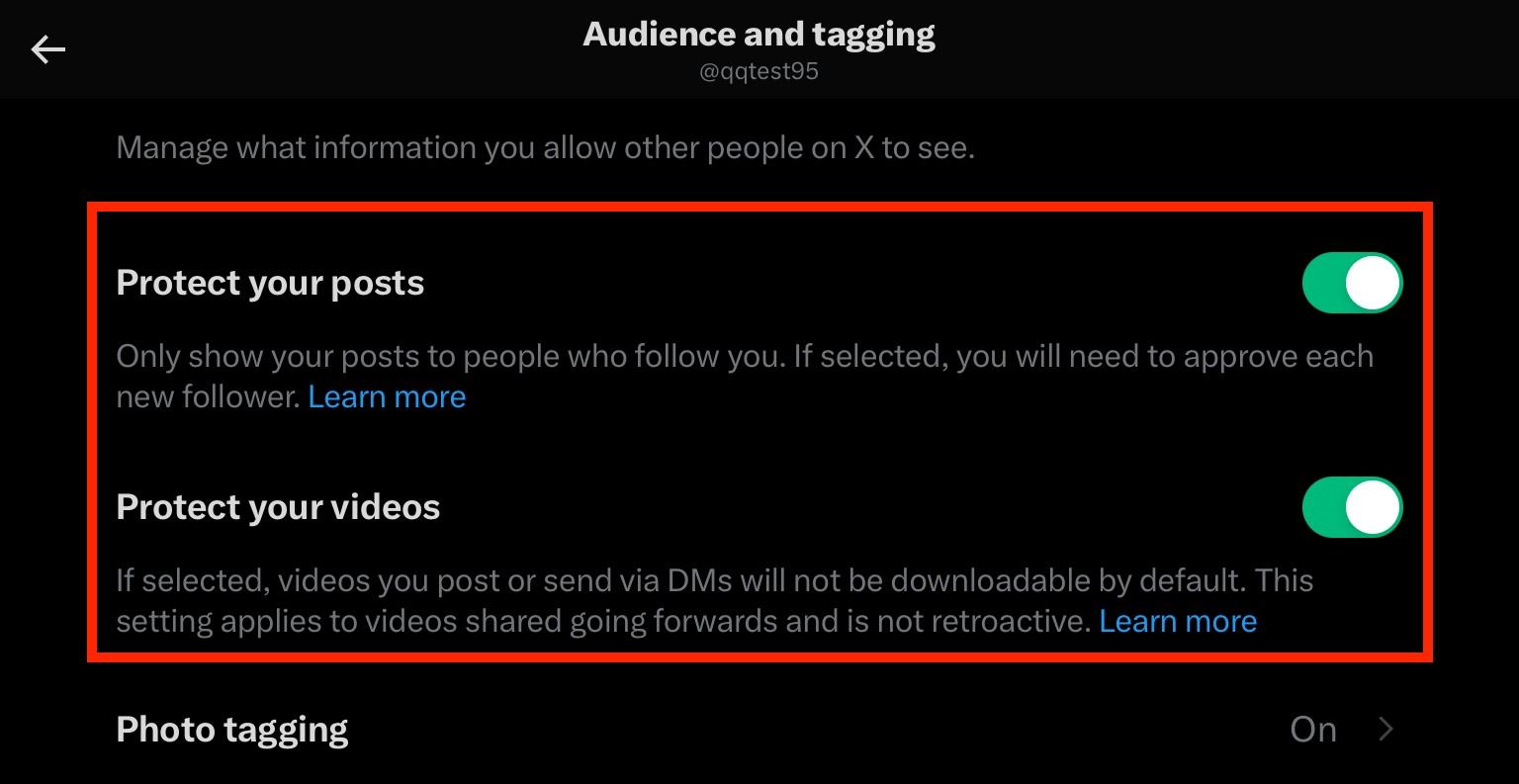
Toggle Protect Your Posts and Protect Your Videos ON.
How To Make Twitter Account Private On Desktop
Click More on the bottom left-hand corner.
Click Settings & Privacy.
Click Privacy & Safety.
Click Audience, Media, & Tagging.
Check the box to the right of Protect Your Posts as well as Protect Your Videos.
Can Non-Followers See My Likes?
Thanks to a recent update, the Likes section of your Twitter profile is completely private - even your followers don’t have access to it.
Only you can view your Likes section, by clicking the Likes tab to the right of your post feed menu.

Can I See Who Stalks My Twitter Profile?
Unlike LinkedIn, Twitter doesn’t share information on who simply views your profile. If you’re curious about who’s been browsing your content, the only way you can tell with certainty is if they engage with your content in some way.
This includes liking, commenting, or replying to your posts.
One way to tell if someone has been “stalking” your profile is if they suddenly begin engaging with very old posts, or mass-liking content on your profile without following you or otherwise engaging.
How To Track Your Followers On Twitter
You can see who has followed you on Twitter by following the steps outlined below.
Visit your profile page and click # Followers beneath your bio.
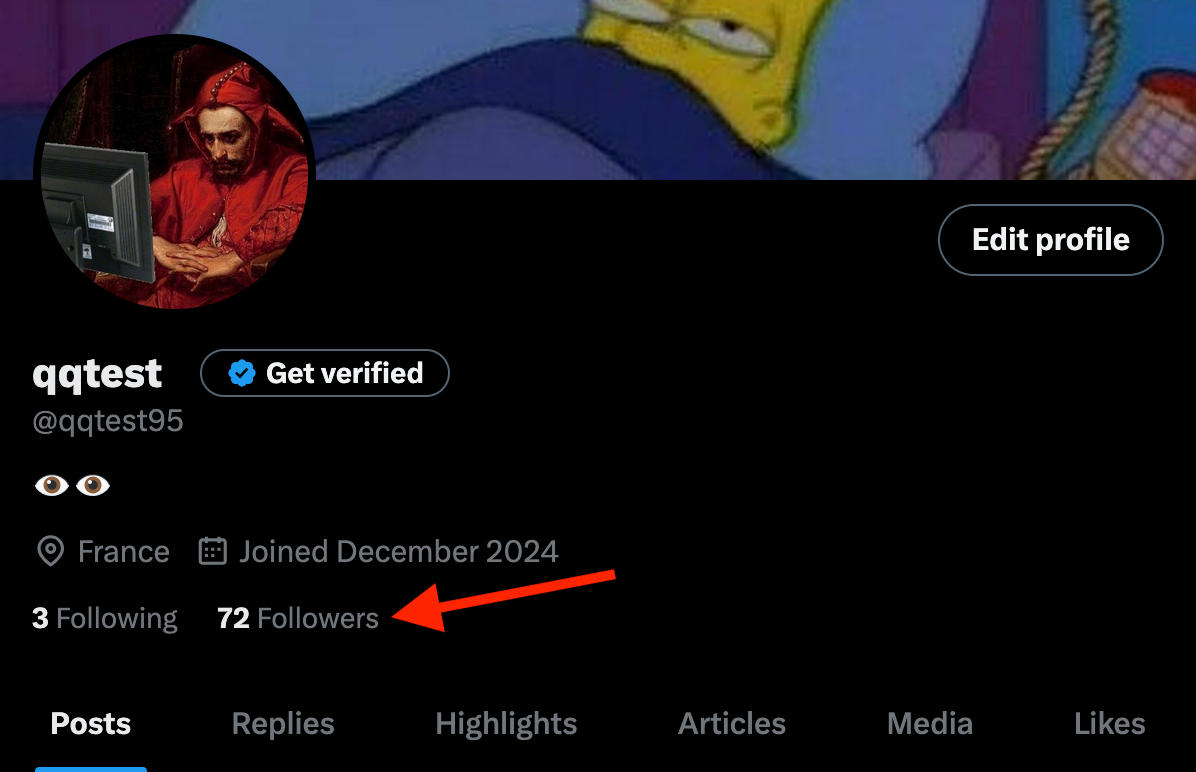
It will automatically direct you to the Verified Followers tab, so click the regular Followers tab to the right.

From here you’ll see a full list of every user who follows you.
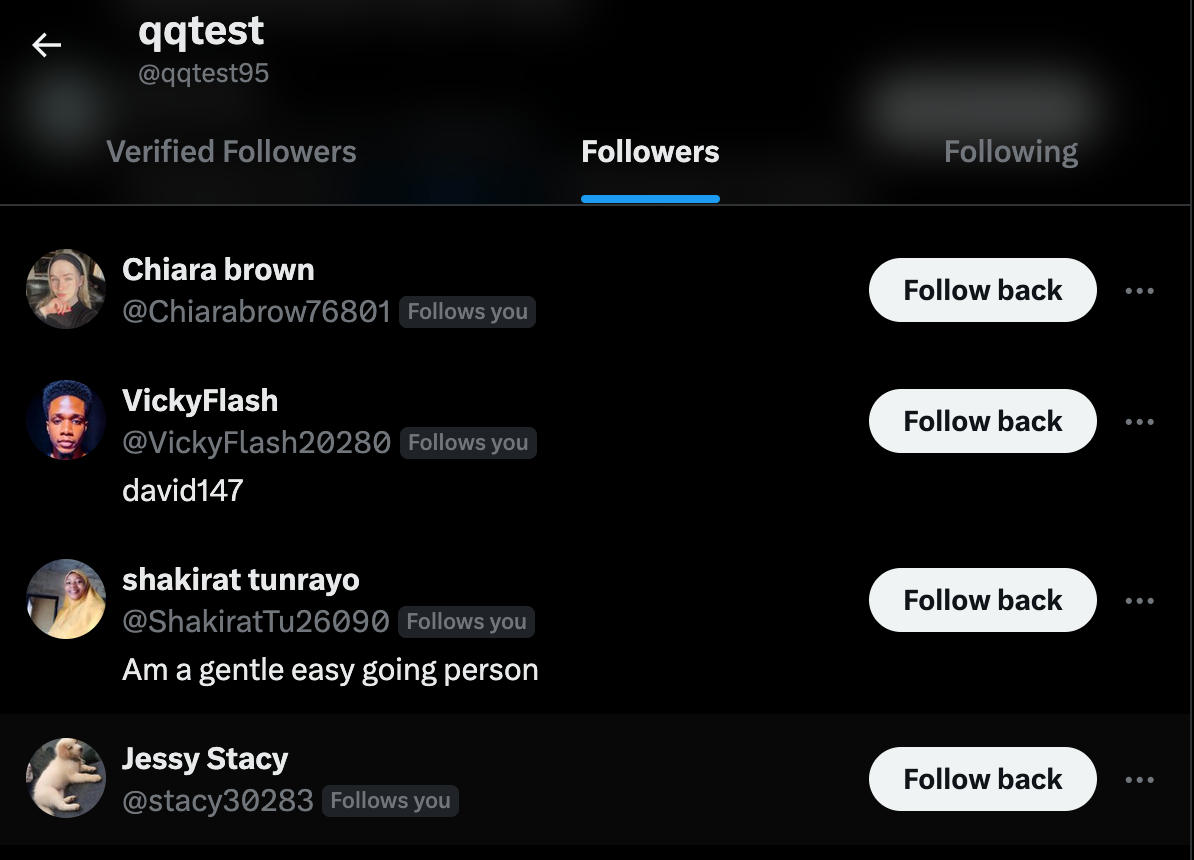
There’s no search feature for the followers list, though, so if you scroll for a while and still don’t see the user you’re looking for, your best bet is to search up their username directly.
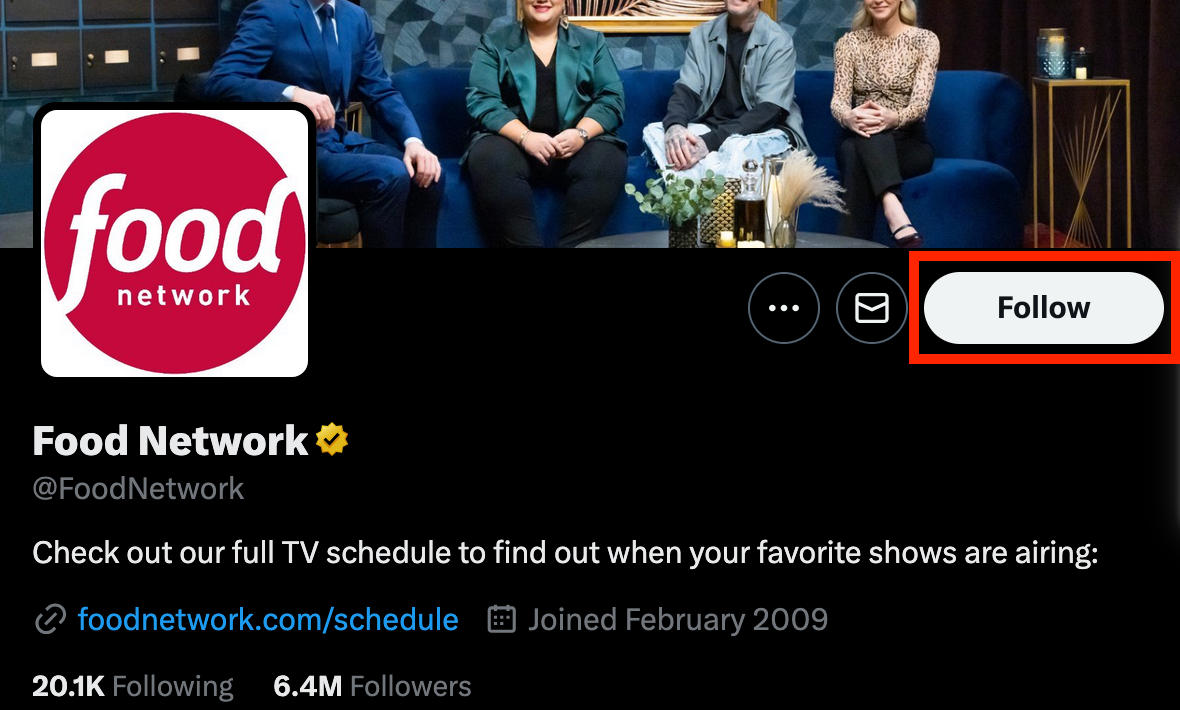
If they follow you, you’ll see a white Follow Back button on their profile.
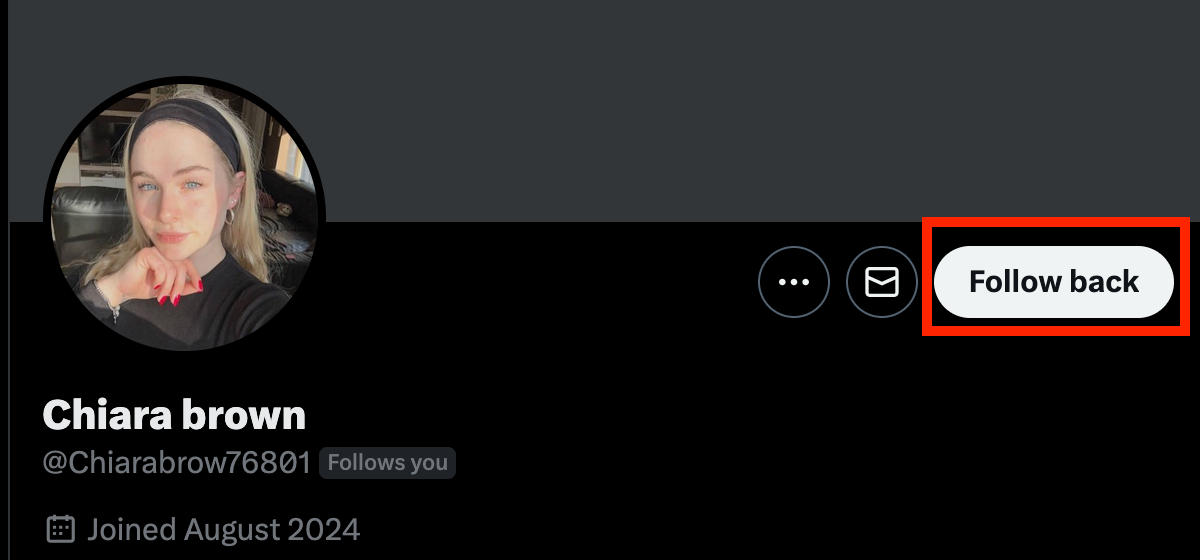
If they don’t follow you, the button will just say Follow.
How To Remove Unwanted Followers
If you spot a user that you don’t feel comfortable having access to your private Twitter profile, you can remove them. Removing followers is only possible on the desktop site - if you're using the mobile app you'll have to block them in order to remove them.
Open Twitter and visit your Twitter profile page by clicking your profile icon on the bottom left or selecting the Profile option in the left sidebar.
Click the Followers count that appears beneath your bio.
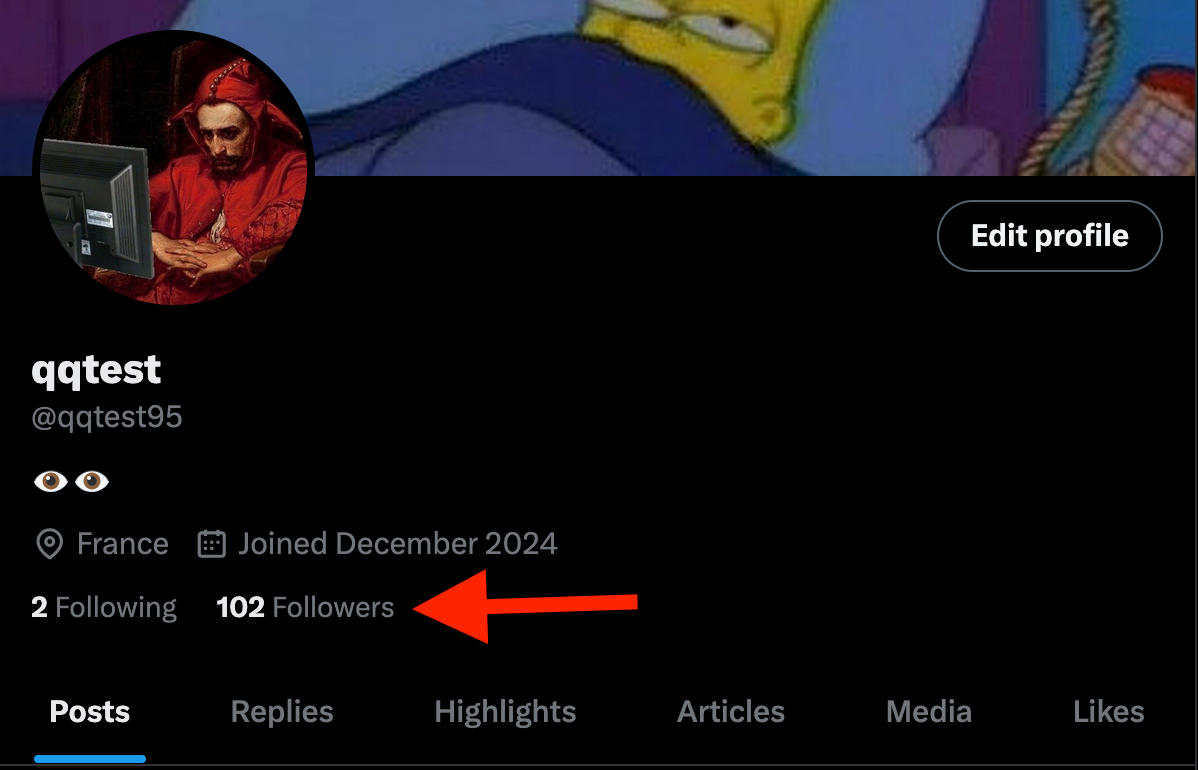
Click the Followers tab to the right of the Verified Followers tab.

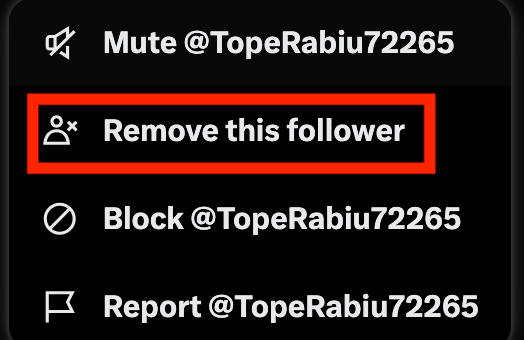
Click the three dots to the right of the user you wish to remove.

Click Remove Follower and confirm your choice.
Why Is My Visibility Limited On Twitter?
If you’ve noticed a sharp decrease in engagement, or have friends complaining about not being able to see your content, there’s a good chance that you may have been shadowbanned.
Shadowbanning means that your account is otherwise functional, but your posts, replies, and account may not be appearing in other users’ feeds or in the search results.
This could result from a variety of things, including:
-
Spammy behavior (mass posting, mass following/unfollowing, etc)
-
Posting content that violates the platform’s rules
-
Interacting with profiles that violate the platform’s rules
-
Being blocked by a large number of users
-
Not logging in for over a month
…and more
How Do You Test If You Are Shadowbanned?
The first step is to create a test account or ask a friend to help you complete this test.
From this test account, view a thread that you’ve recently replied to and see if your replies are visible.
Next, search for your username or Tweets using the search bar and the filter from:username.
If you’re unable to see your account via one or both of the above methods, you may have been shadowbanned.
You can also try using a third-party shadowban tester tool.
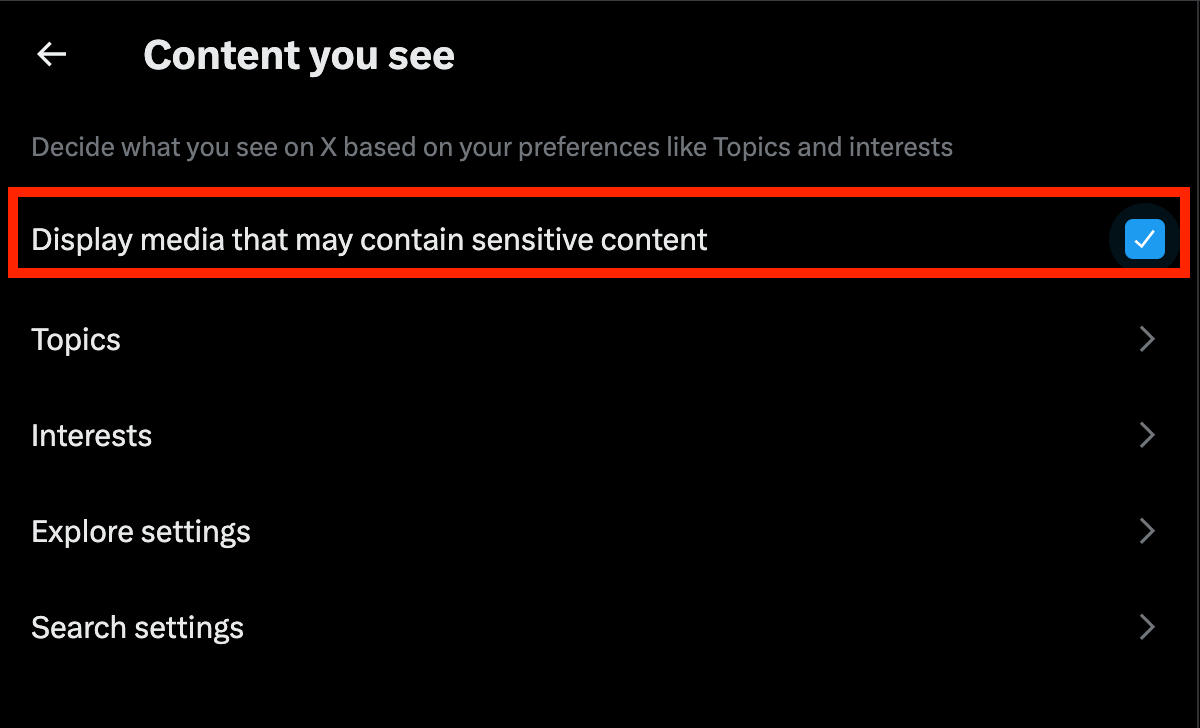
How To Change Twitter Privacy Settings To See Sensitive Content
Tired of having sensitive content filtered out when you scroll your feed? You can adjust this in your account’s settings. This setting is only visible via the desktop site.
Click More on the bottom left-hand corner.
Click Settings & Privacy.
Click Privacy & Safety.
Click Content You See.
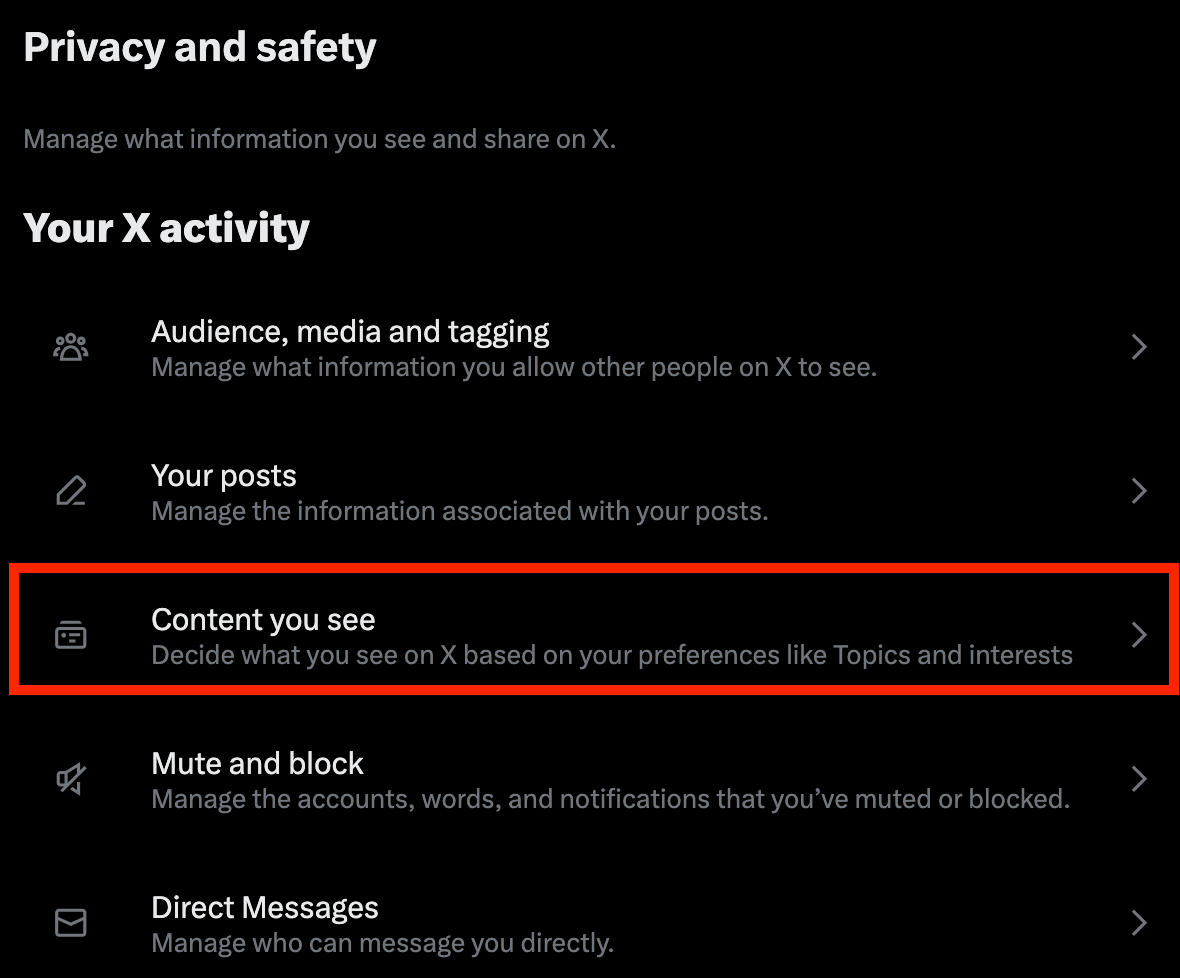
Check the box next to Display media that may contain sensitive content.
Frequently Asked Questions
How do I change my private account to a public account?
You can make your Twitter account public by following the steps outlined here depending on your device type.
What is the 4-1-1 rule on Twitter?
The 4-1-1 rule states that you should post 4 pieces of original content from others and re-Tweet 1 Tweet for every self-promoting Tweet you post.
How do I find my Twitter account settings?
You can find your Twitter account settings by selecting Settings & Privacy from the sidebar menu, then selecting Your Account.
Can you find out who stalks you on Twitter?
Unless someone has engaged with your profile in some way, it’s usually not possible to determine who is browsing your Twitter profile without interacting.
How to make X account private on Android
Follow the steps outlined here to learn how to make your X account private from the mobile app.


