Does Pinterest tell you when someone views your profile?
Yes and no.
While you can't see specifically who viewed your Pinterest profile, you can see the total number of monthly views your profile has received - plus additional metrics thanks to Pinterest analytics.
If you're concerned about the privacy of your Pinterest account, you can also adjust various settings for your profile or individual boards for full control over who can access your content.
Key Points:
- How To See Your Pinterest Viewer Count
- How To Access Pinterest Analytics
- How To Make Your Pinterest Account Private
- How To Make Your Pinterest Board Private
- How To Delete A Pinterest Board
- How To Delete A Pinterest Pin
- Frequently Asked Questions
Where To See Pinterest Monthly Viewers Count
Certain Pinterest profiles include a monthly viewers count beneath the following count. To view this, visit your profile, then click the View Profile button to see what your profile looks like to others.
The monthly viewers count will appear next to your follower count:
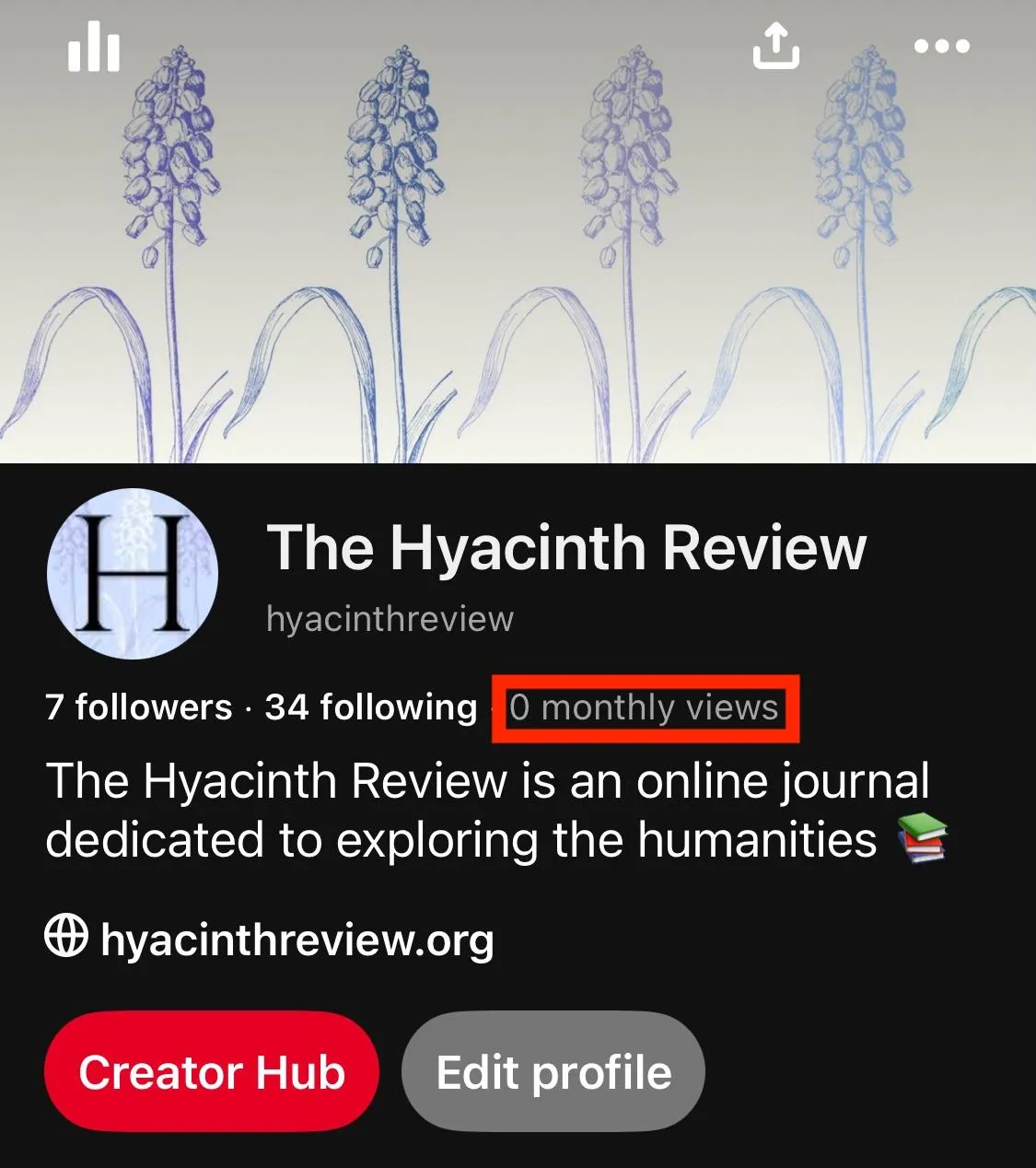
Note that you'll need to have a business account in order to see your monthly viewers count. You can learn how to switch to a business profile here.
Accessing Pinterest Analytics
If you want more insights into the engagement levels on your Pinterest account, including audience insights and demographics, you can access Pinterest analytics.
To do this, you'll need a business account.
Switch To A Business Account
On Desktop
Click your profile picture on the top right corner.
Click Convert to Business.
Follow the on screen steps.
On Mobile
Tap your profile picture on the bottom right corner, then tap it again on the top left corner.
Tap Account management.
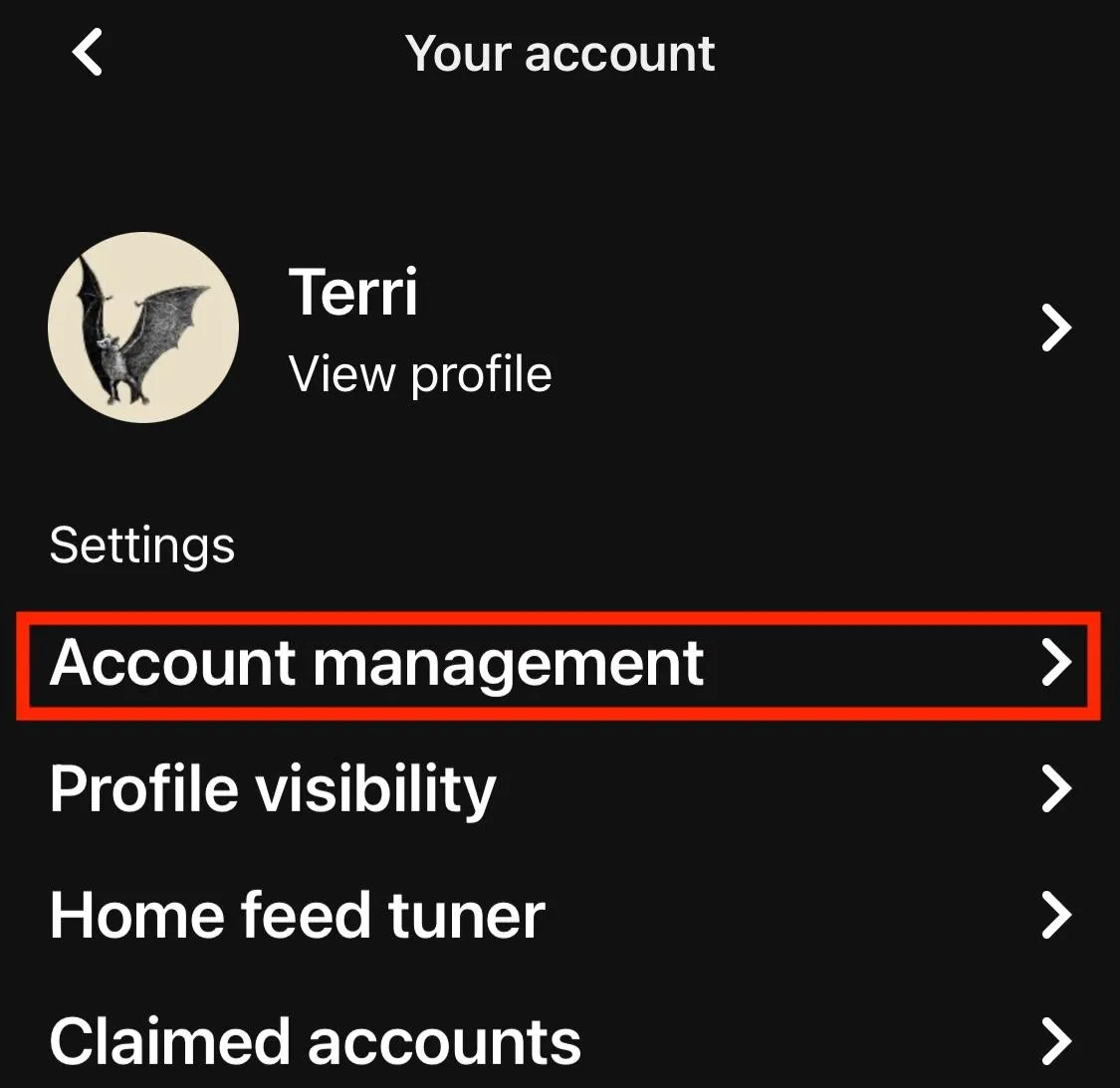
Tap Convert to a business account.
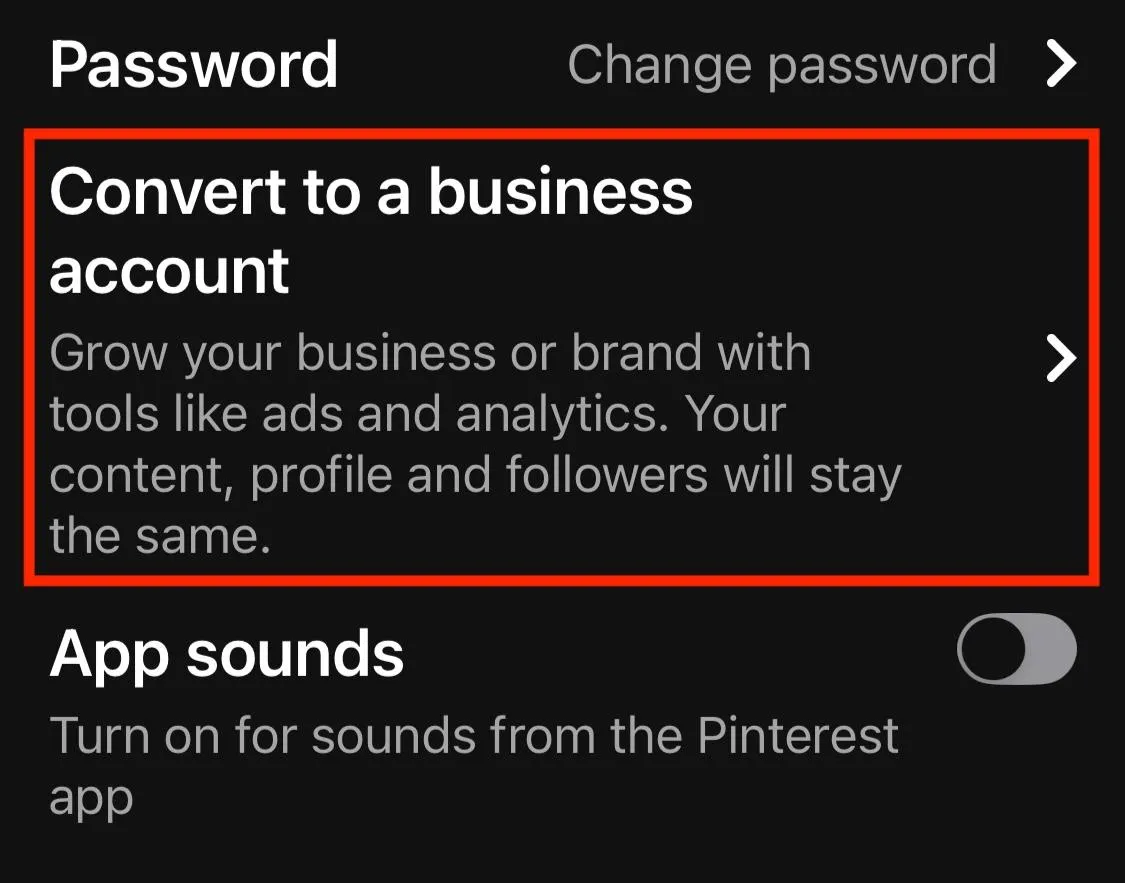
Follow the on screen steps.
Accessing Pinterest Analytics
Once you have a business account, you can access your analytics by following the steps below.
On Desktop
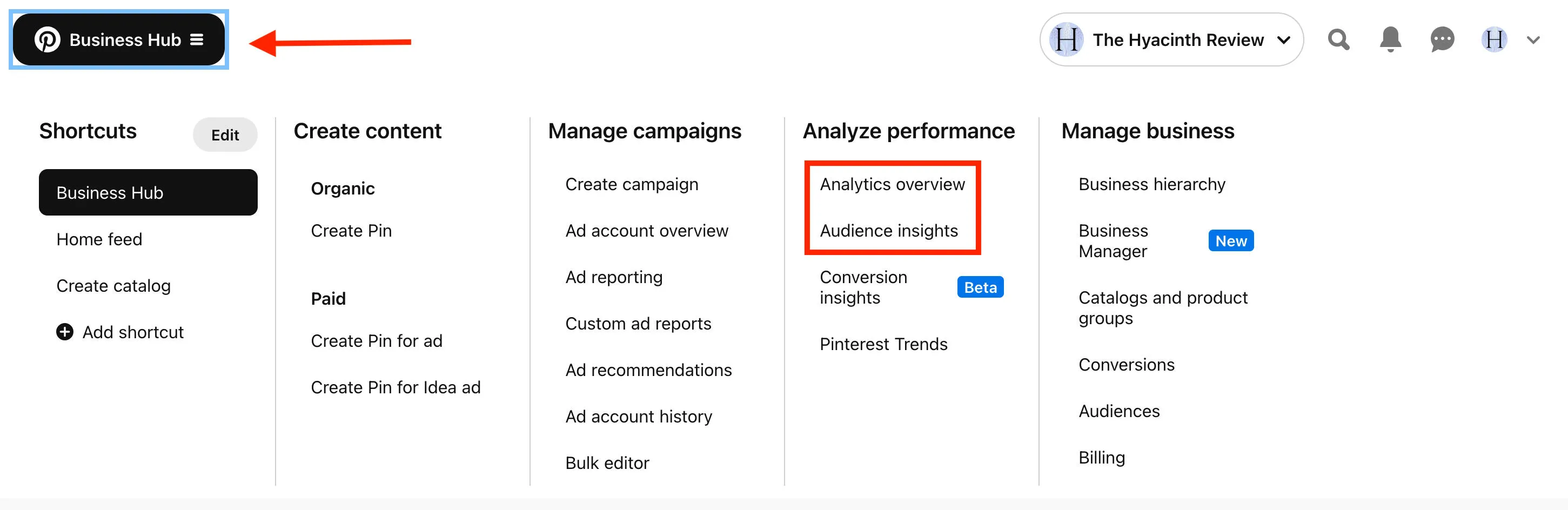
Click the Business Hub on the top left corner to open up a pop up menu.
Under Analyze Performance, click Analytics Overview or Audience Insights.
On Mobile
Tap your profile picture on the bottom right to visit your profile page.
Tap the chart icon on the top left to open the business tools menu.
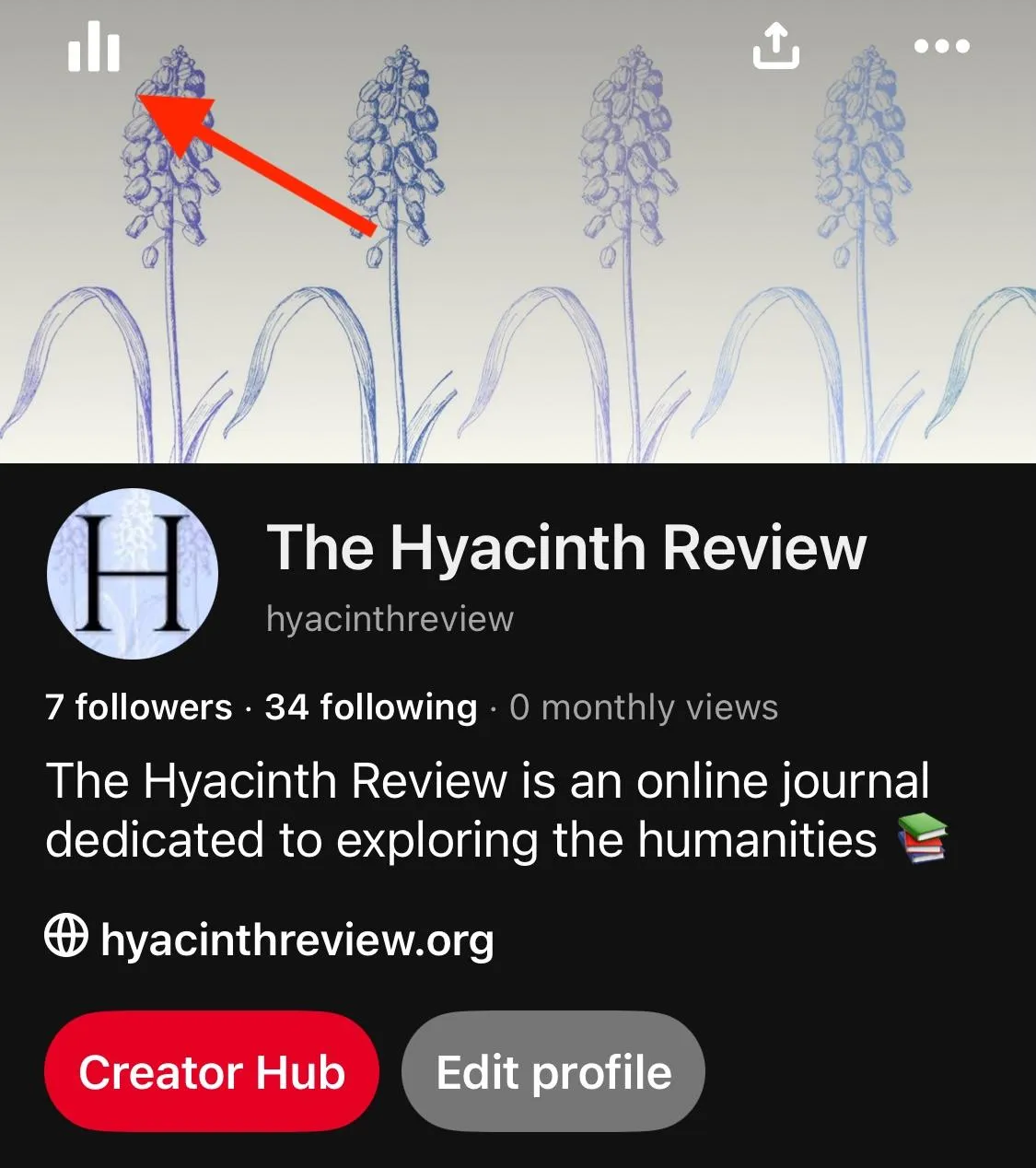
Tap Analytics or Audience Insights.
What Does Pinterest Analytics Show?
Depending on which option you selected, you can view your Analytics or Audience Insights pages. Here's what each one has to offer:
Analytics Overview
Overall performance including:
-
Impressions
-
Engagements
-
Outbound clicks
-
Saves
-
Total Audience
-
Engaged Audience
-
Top Pins
You can adjust the date range to view more specific analytics, or analytics for a certain pin you created.
Audience Insights
Here you'll find data on your total audience or engaged audience over the last 30 days. If you don't have a large enough audience you won't be able to see the full insights.
Making Your Account Private
If you don't want anyone following your profile without permission, you can make your account private via Pinterest's privacy settings.
On Desktop
Click the gear icon on the bottom left corner.
Click Settings.
Click Profile Visibility.
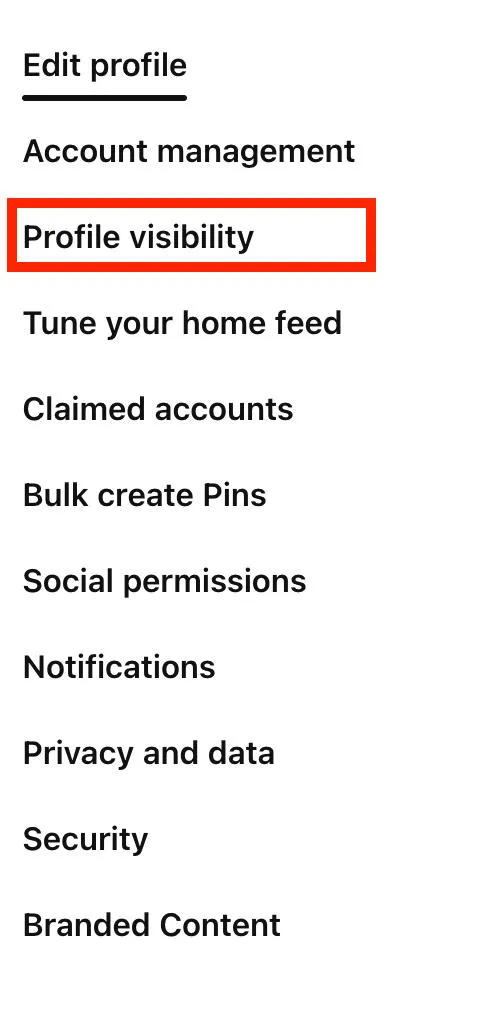
Toggle Private Profile to ON.
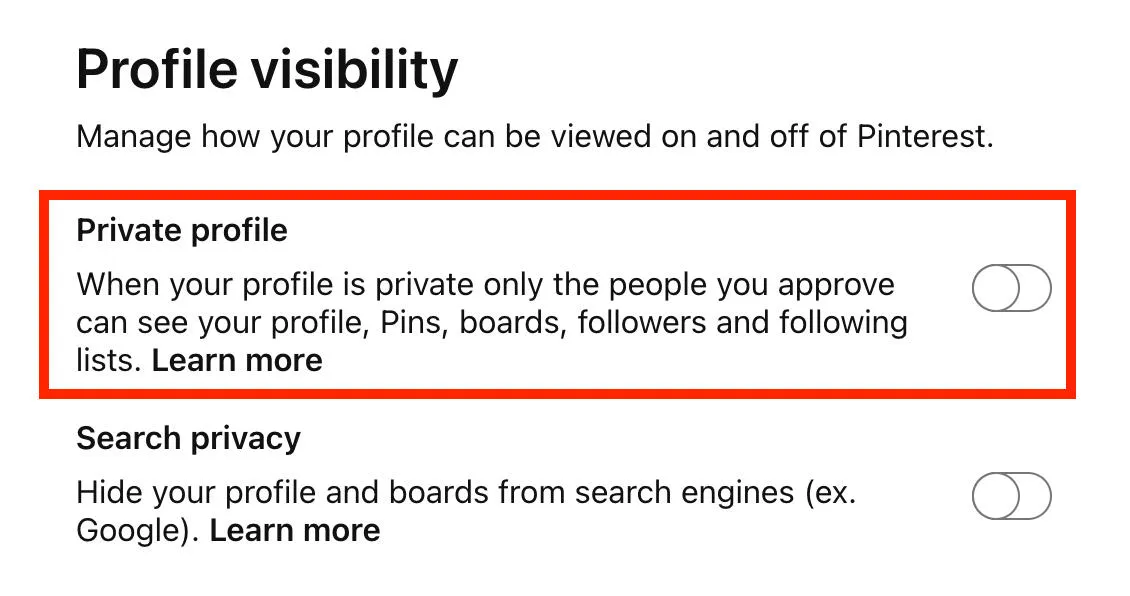
You can also hide your profile from search results by toggling Search Privacy to ON.
On Mobile
Tap your profile icon on the bottom right.
Tap your profile icon again on the top left.
Tap Profile Visibility.
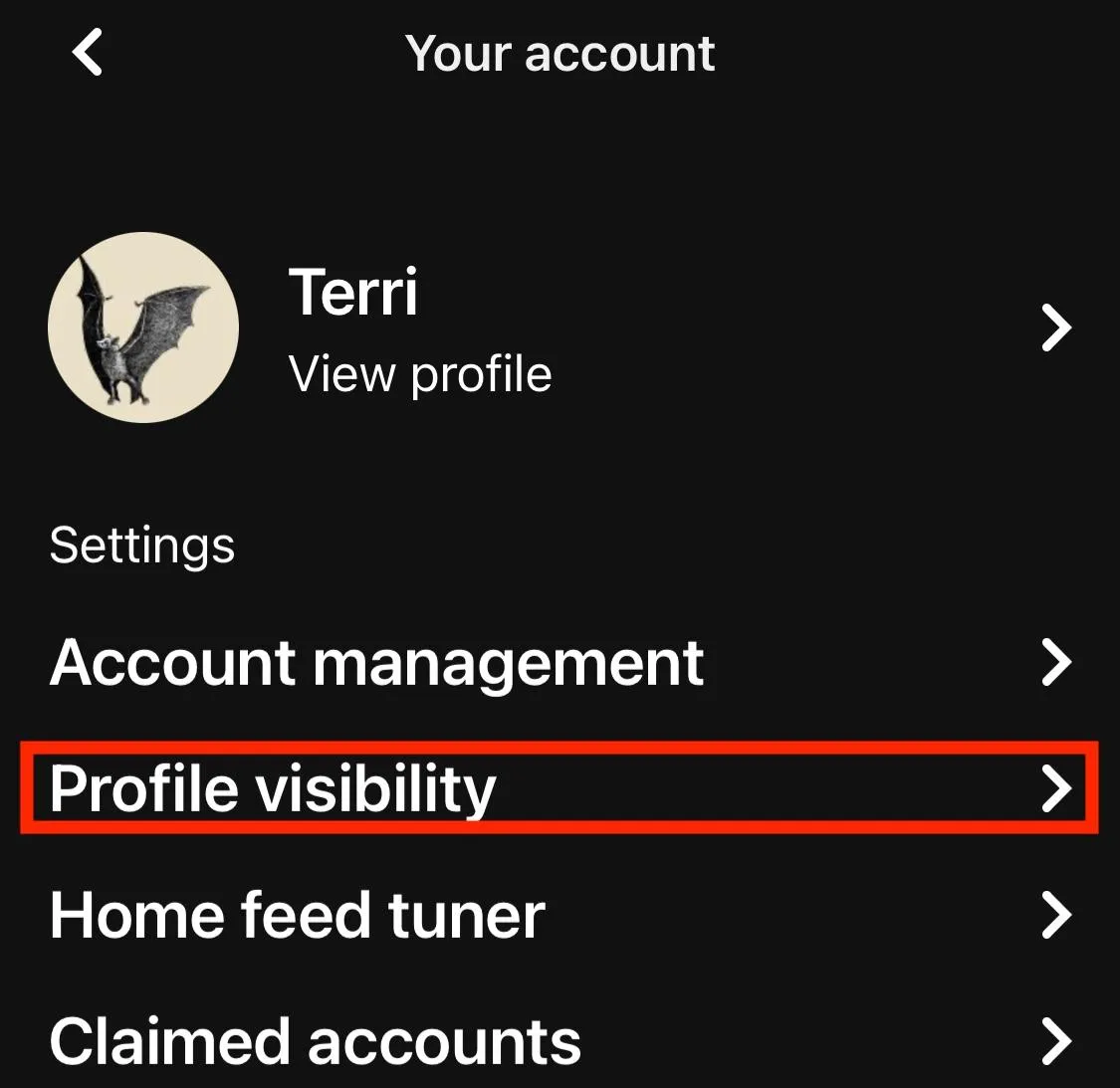
Toggle Private Profile to ON.
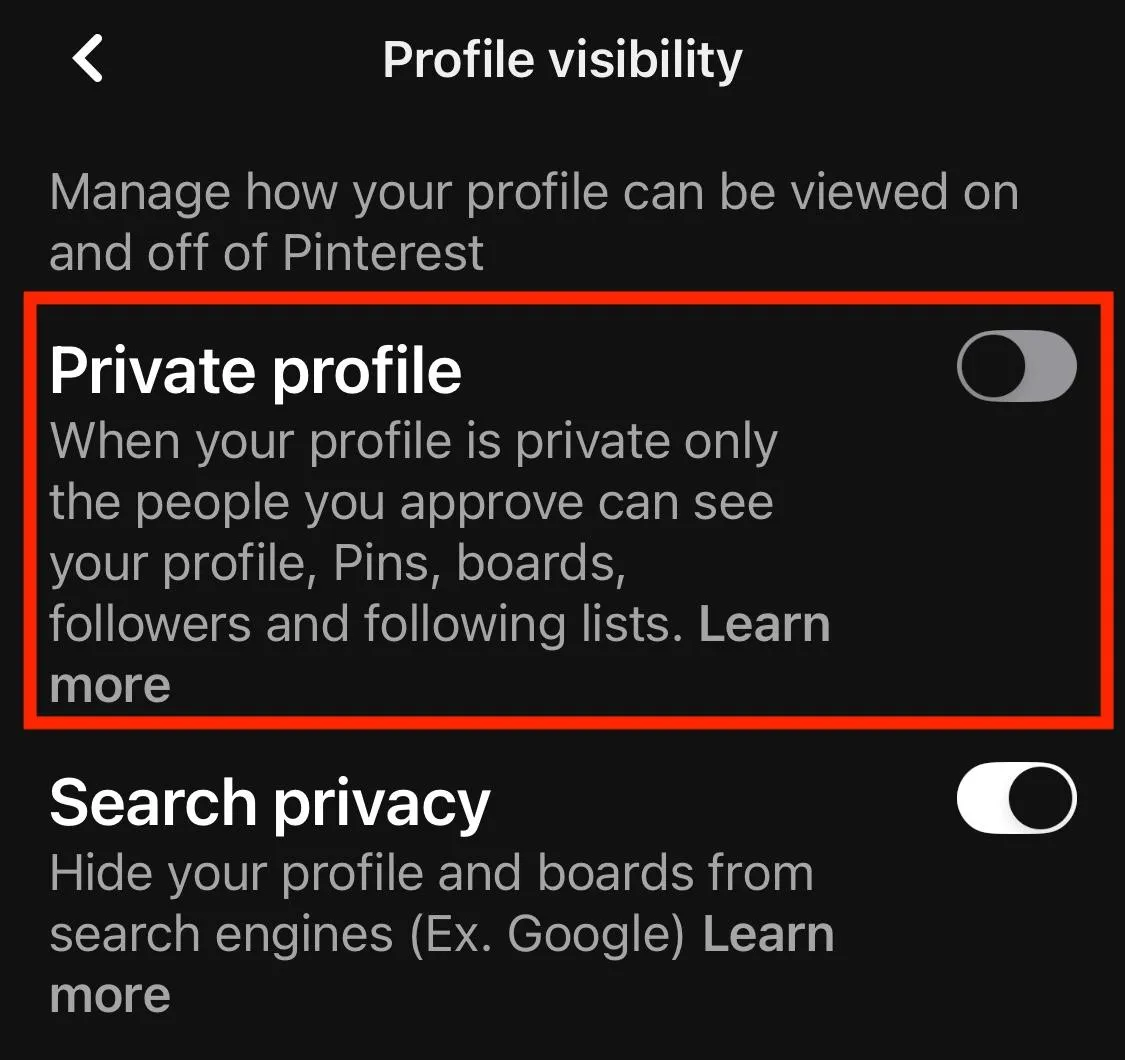
You can also hide your profile from search results by toggling Search Privacy to ON.
Making A Board Private
If you want to hide a specific board while keeping your overall profile public, you can do so.
On Desktop
Open your board.
Click the three dots on the top right corner.
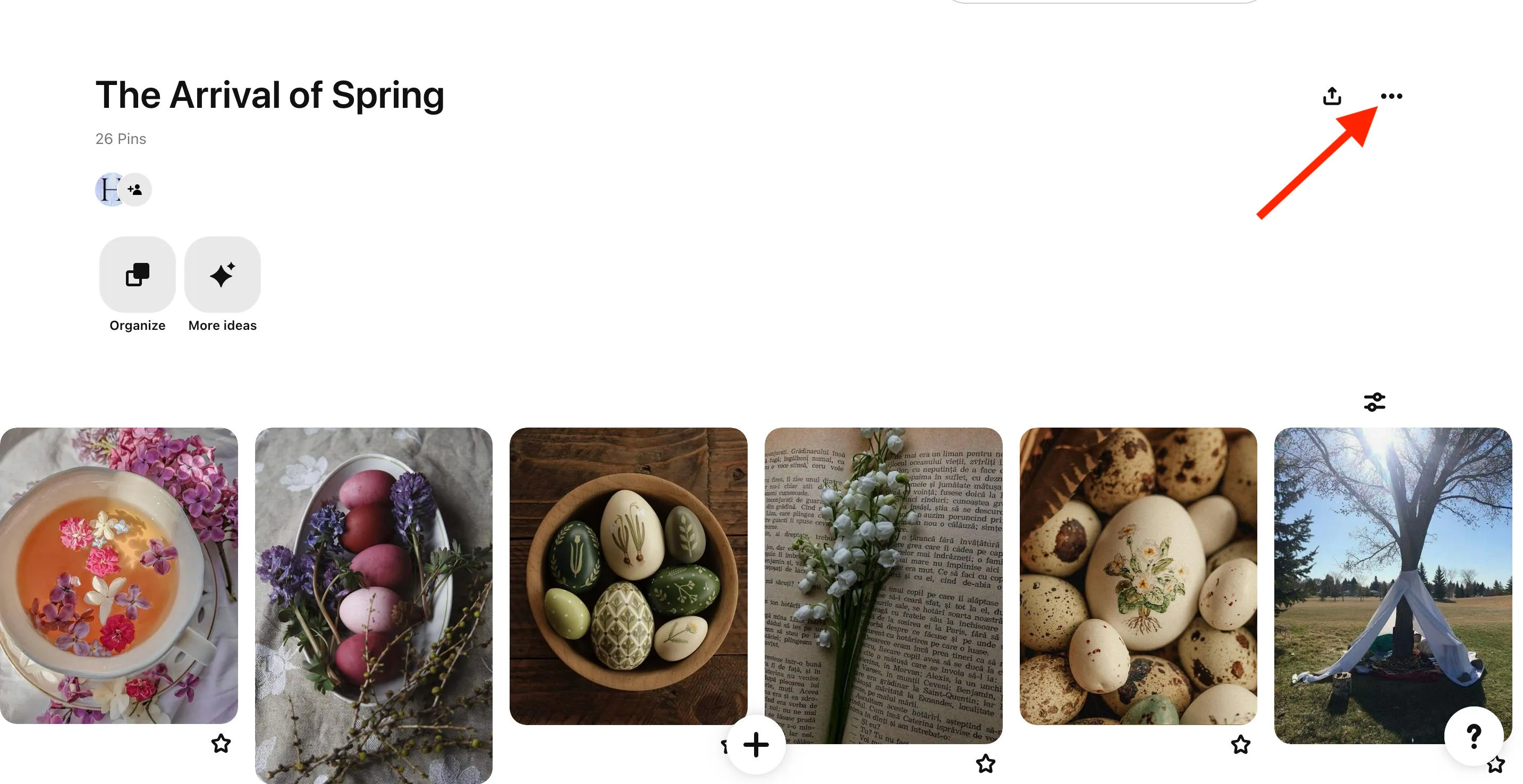
Click Edit Board.
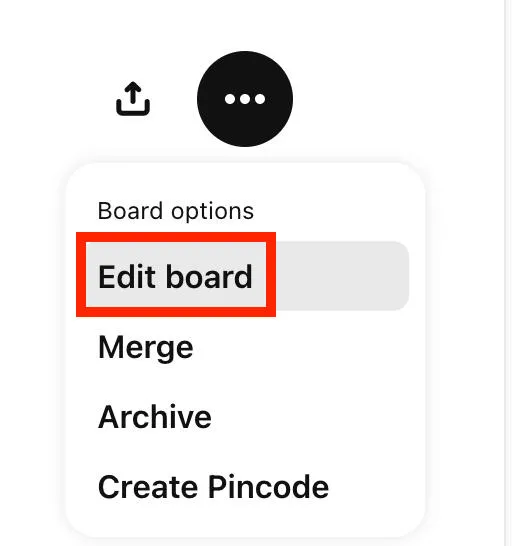
Scroll down and check the option Keep This Board Secret.
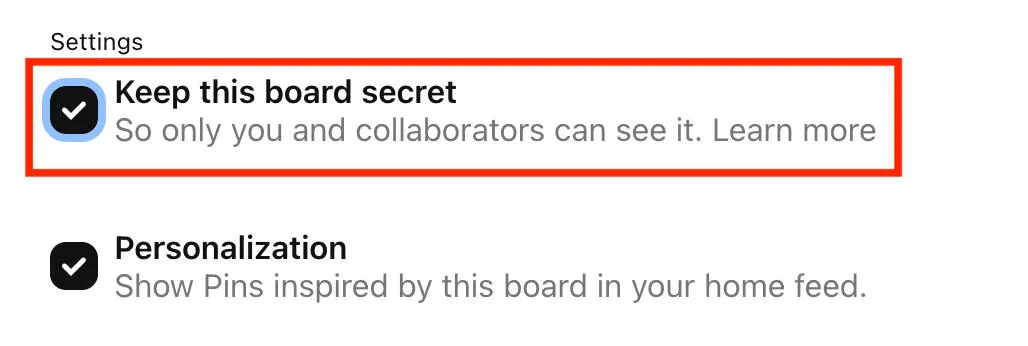
Save your changes.
On Mobile
Open your board.
Tap the three dots on the top right corner.
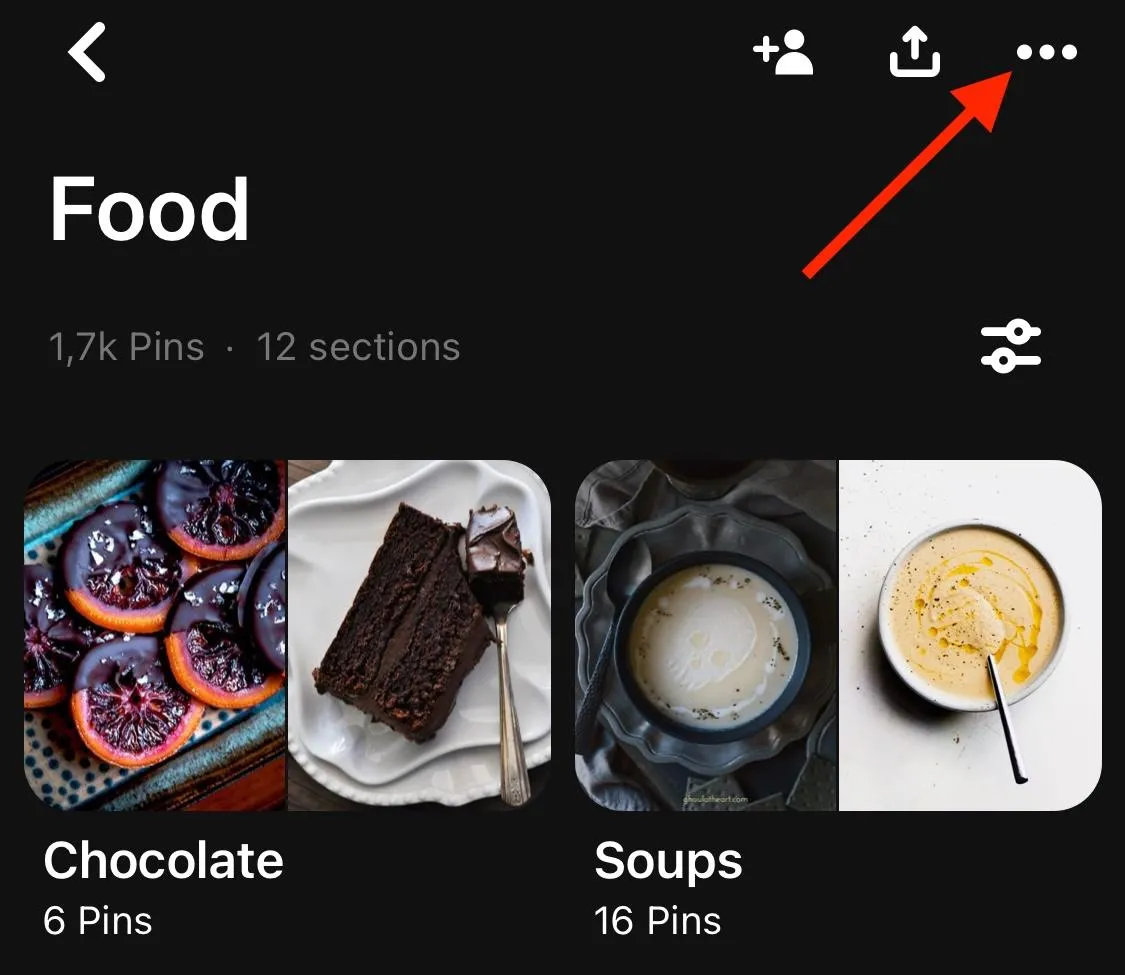
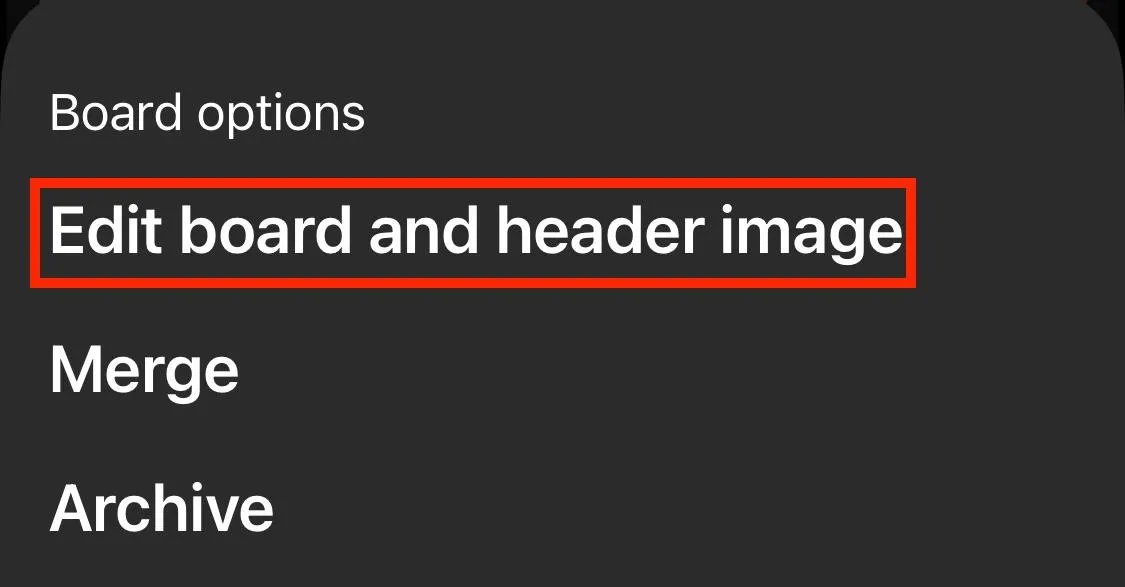
Tap Edit Board And Header Image.
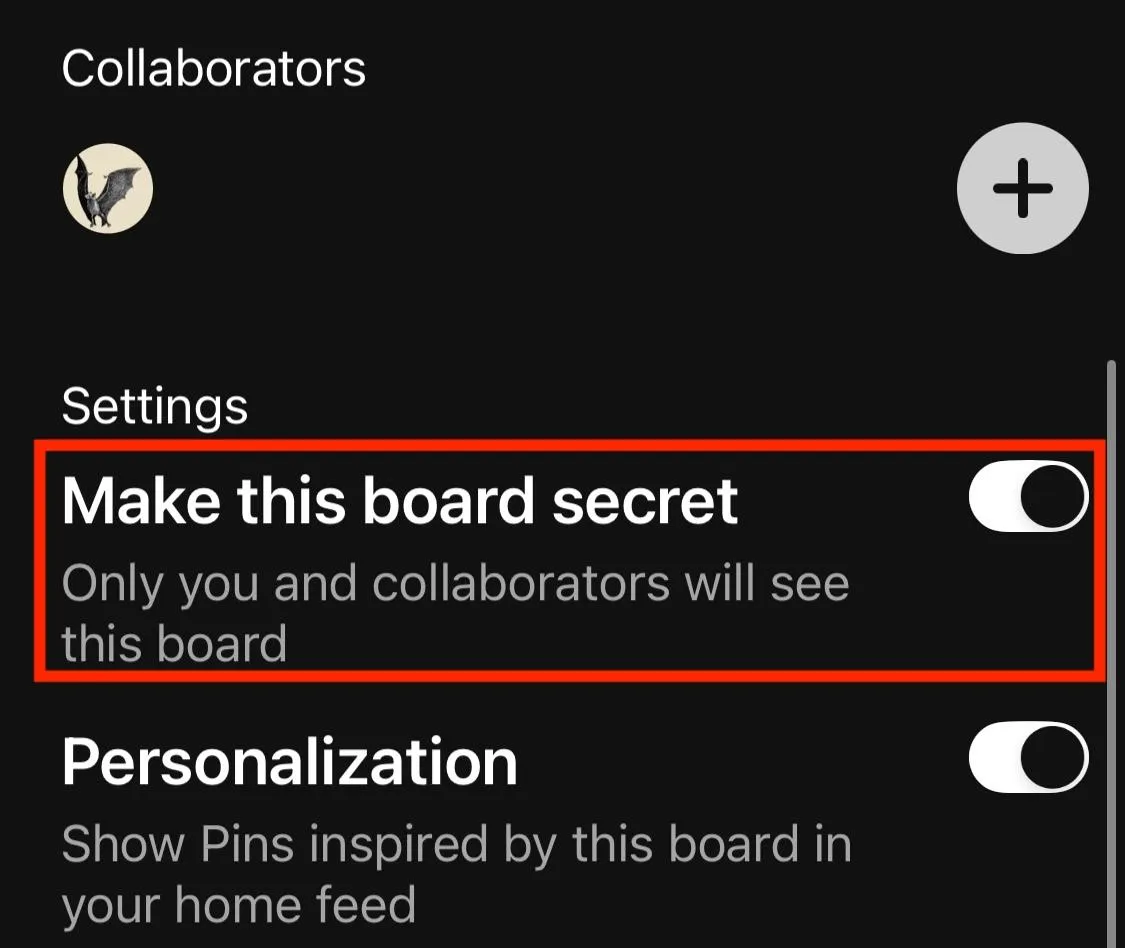
Scroll down and toggle Make This Board Secret to ON.
Delete A Pinterest Board
You can delete a board entirely and remove it from your profile by following the steps below.
On Desktop
Open your board.
Click the three dots on the top right corner.
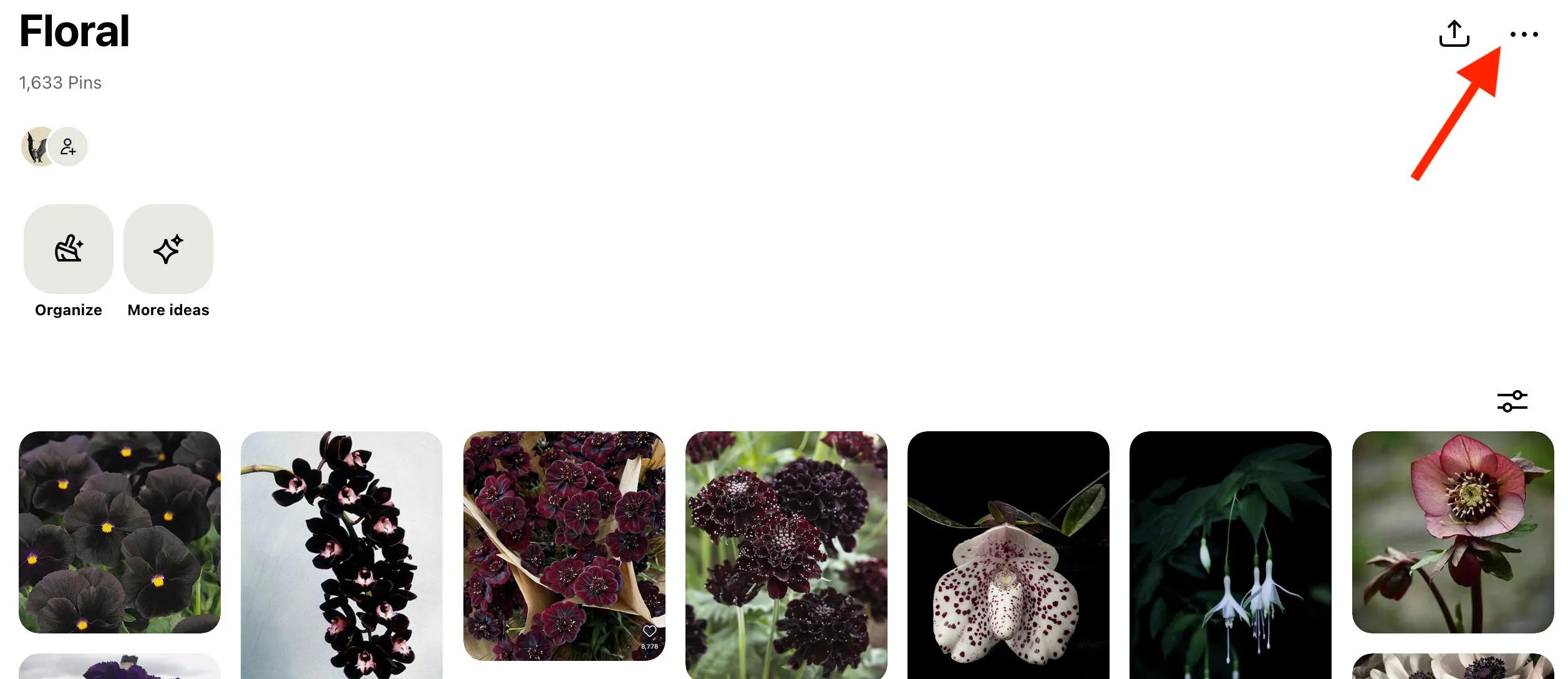
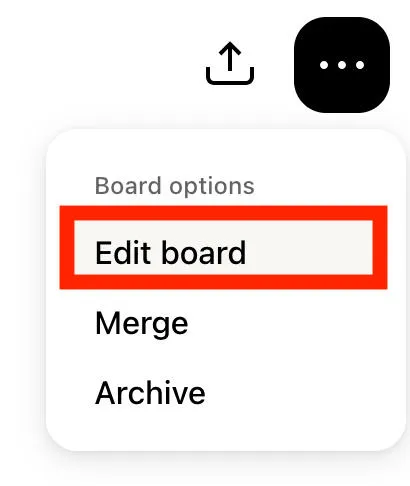
Click Edit Board.
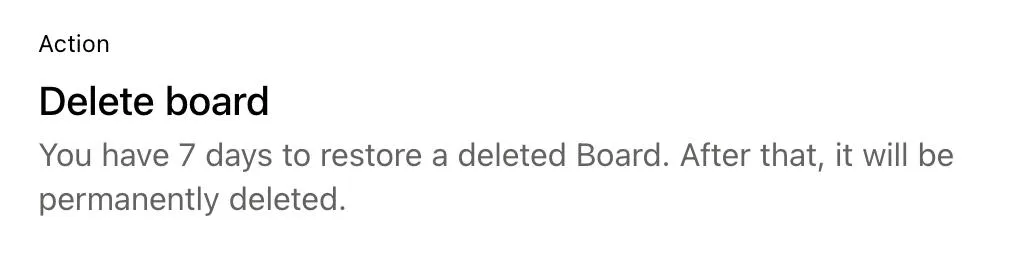
Scroll down and click Delete Board.
Save your changes.
On Mobile
Open your board.
Tap the three dots on the top right corner.
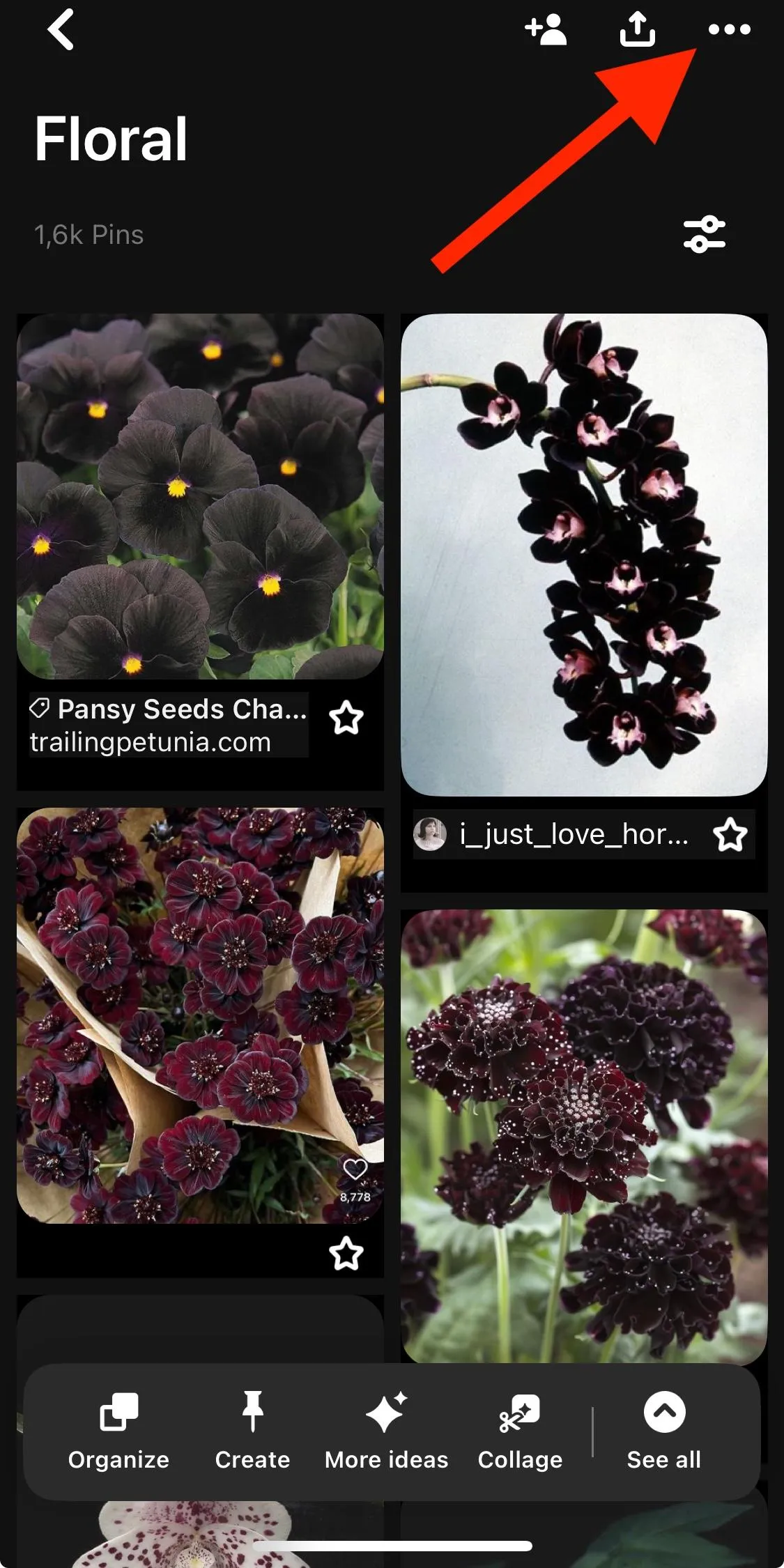
Select Edit board and header image.
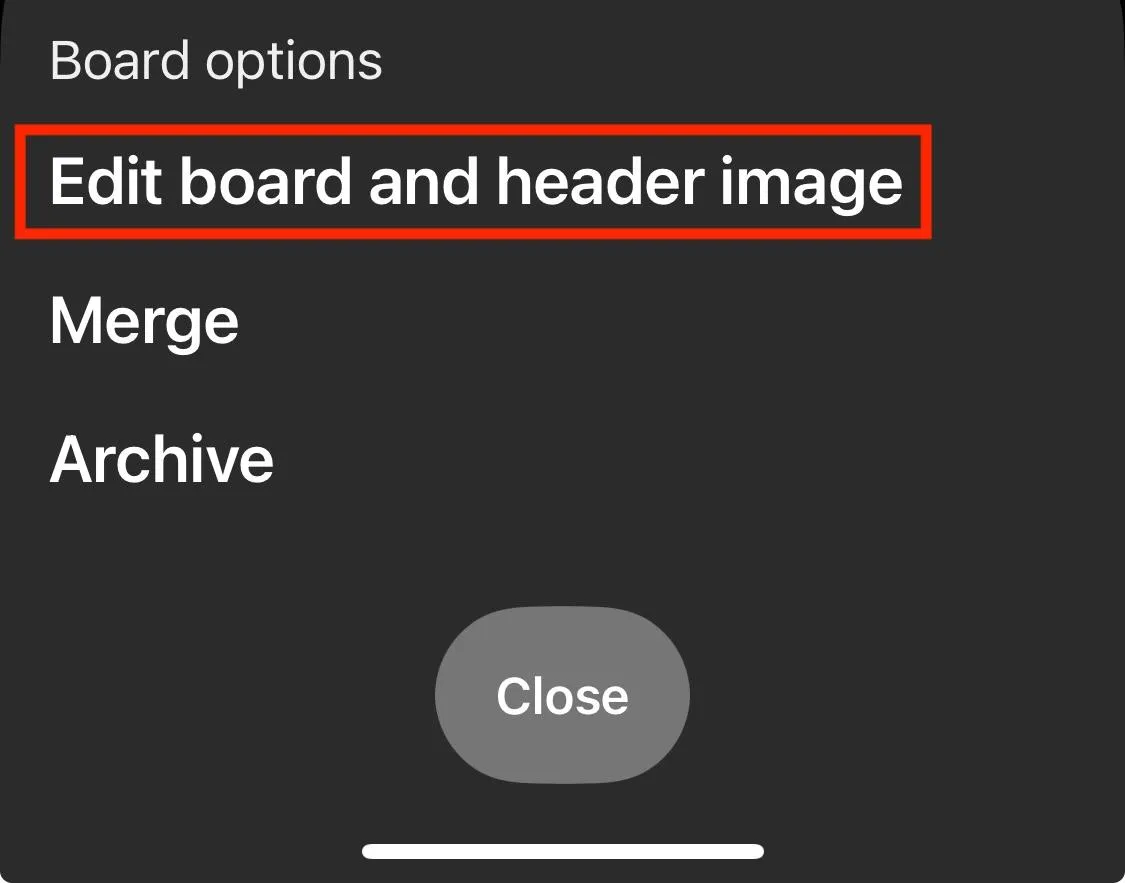
Scroll down and tap Delete Board.

Confirm your choice.
Delete A Pinterest Pin
If you no longer want a pin to appear on your profile, you can clear up your Pinterest presence by following the steps below.
On Desktop
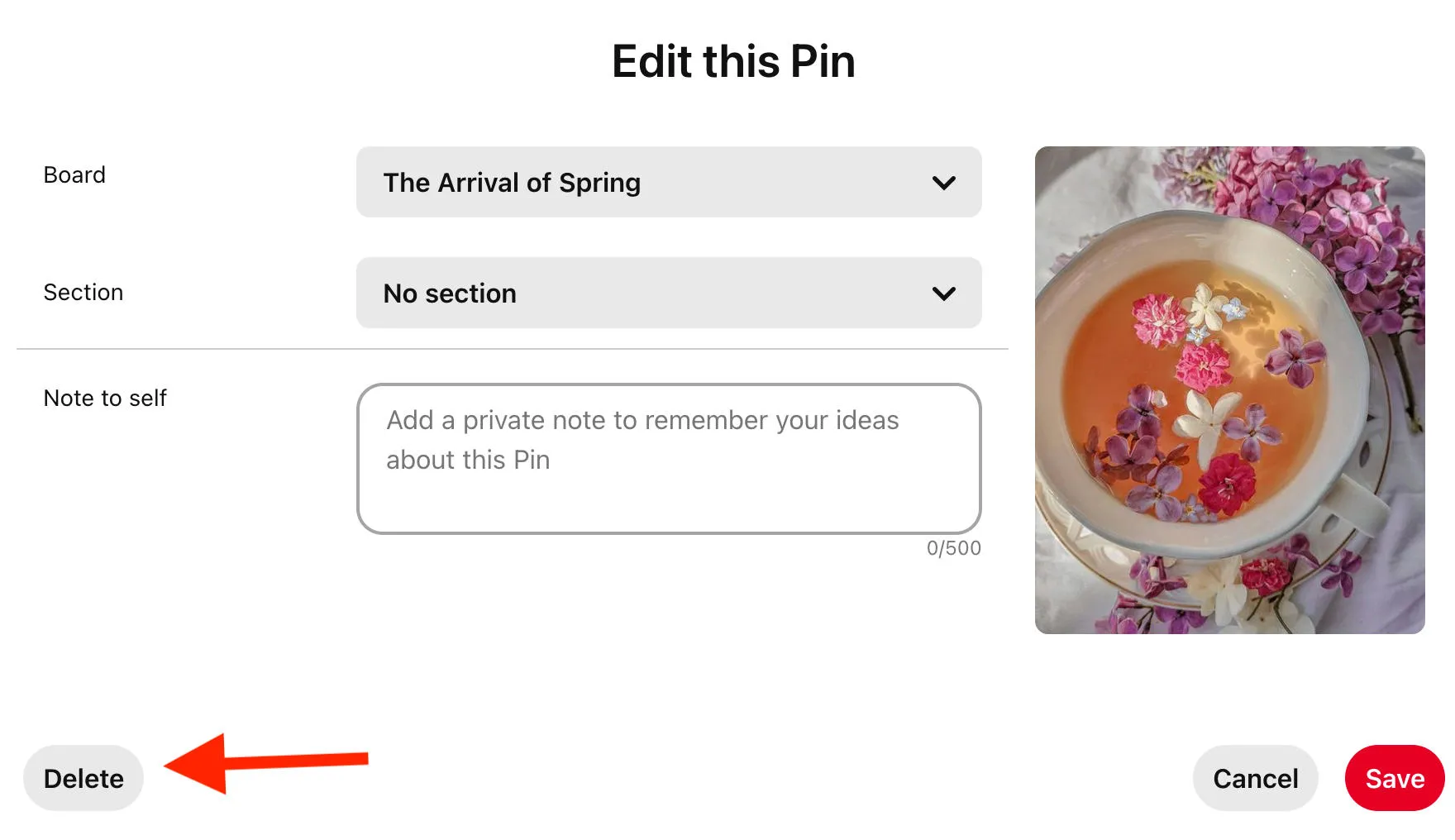
Hover over the pin and click the pencil icon to edit.

Click Delete on the bottom corner.
On Mobile
Open the pin.
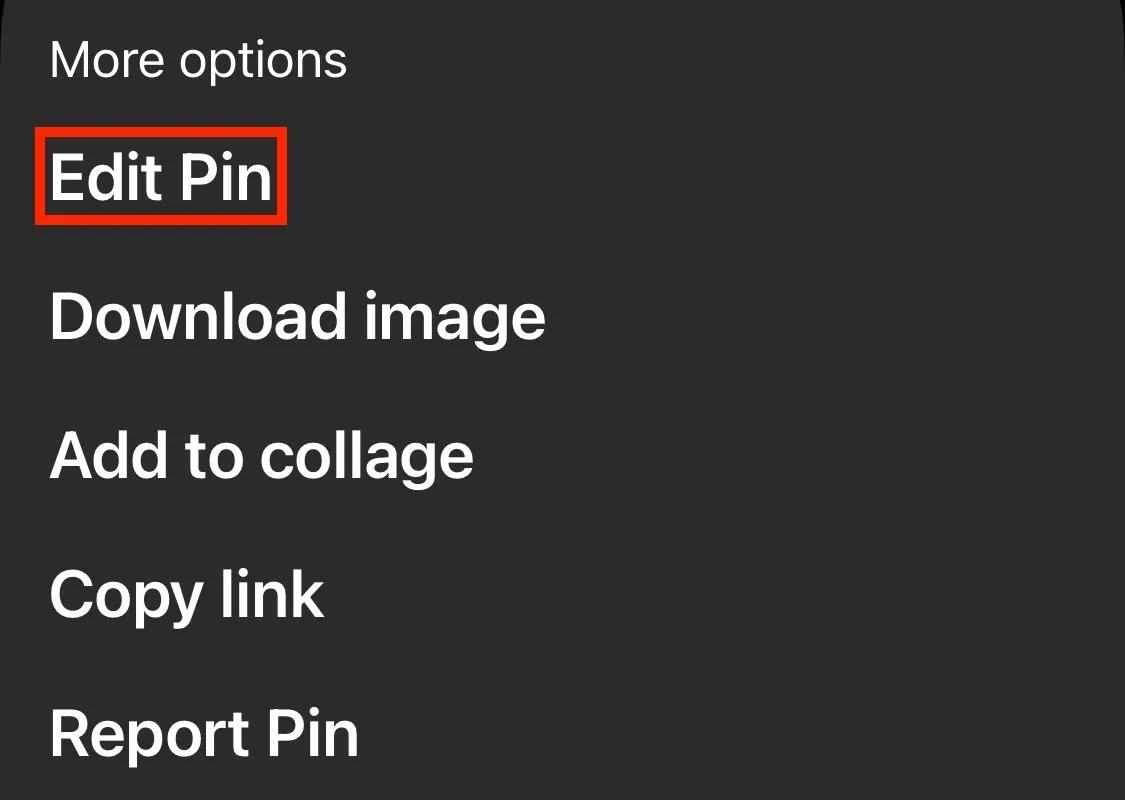
Tap the three dots on bottom.

Tap Edit Pin.
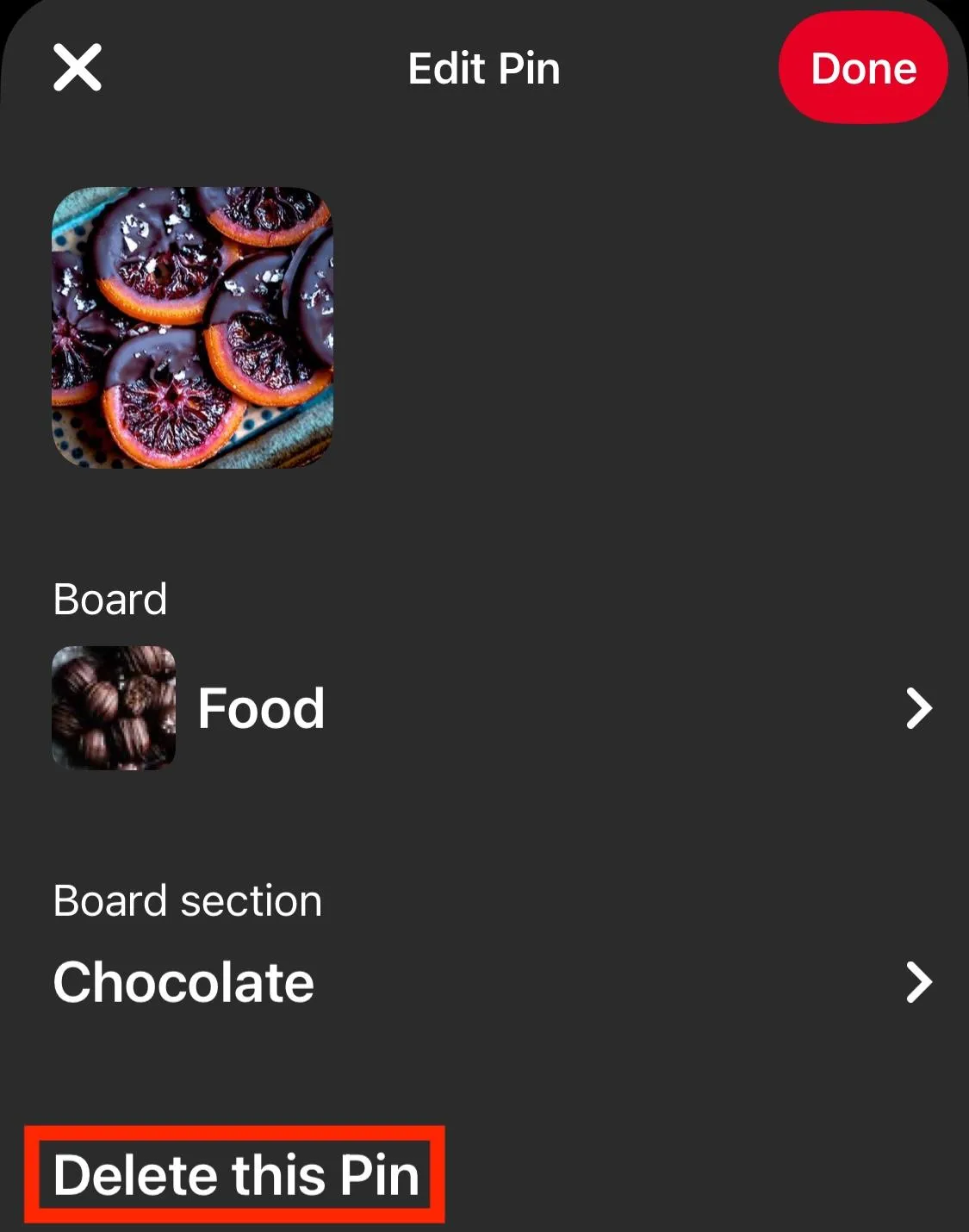
Tap Delete This Pin.
Frequently Asked Questions
Does Pinterest notify when you look at someone's profile?
No, profile views are anonymous on Pinterest.
Can I see who viewed my Pinterest profile?
No, Pinterest won't show you who viewed your profile but you can see profile view data in your Business hub.
Does Pinterest notify you when someone visits your profile?
No, profile visits are totally anonymous on Pinterest.
Is there a way to track profile visitors on Pinterest?
Pinterest Business accounts can see general analytics like impressions or total profile visits from the business hub.
Can business accounts see who checks their Pinterest profile?
No, Pinterest's business analytics will show aggregated data for audience size, interests, and engagement, but not information on specific users.
If someone clicks my pins, can I tell who they are?
No, you can see click counts and engagement stats, but not the person behind them.
Does Pinterest analytics show profile viewers or just general stats?
Pinterest analytics shows aggregate data, not specific user identities.
Are profile visits on Pinterest private?
Yes, unless someone interacts with a board or pin directly.
Can third-party tools reveal who viewed my Pinterest profile?
No legitimate tool can access that data, so it's best to avoid any third party sites claiming they can.
How can I tell if my Pinterest profile is getting more attention?
Keep an eye on your Pinterest analytics, and specifically look at impressions, followers, saves, and outbound clicks.
Why doesn’t Pinterest show who viewed your profile?
It's all about user privacy! If users could see who was viewing profiles, they'd be less likely to actually explore the platform.

https://media.qqtube.com/have%20a%20question%20banner_Gnxe1m_cU.png?updatedAt=1742482149045

