Whether you’re new to scheduling content on Instagram, or just trying to troubleshoot the feature on your app, today’s guide has everything you need to get on top of your Instagram content strategy.
Key Points:
How To Unlock The Scheduling Feature On Instagram
Only Business or Creator accounts have access to the scheduling feature on Instagram. If you’re running a personal account, you’ll need to swap account types in order to unlock the feature, as well as the ability to use Instagram Insights.
From the Instagram app, tap the three lines on the top right corner of your Instagram profile.
Scroll down to For Professionals and tap Account Type And Tools.

Tap Switch To Professional Account.
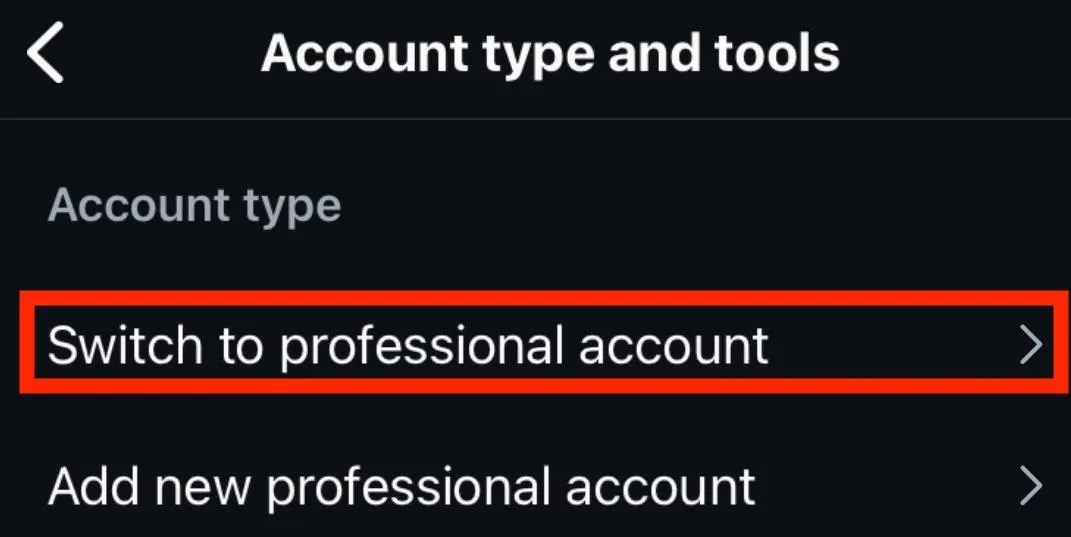
Follow the on-screen prompts depending on your account type.
Select either Creator or Business (either option will let you start scheduling posts).
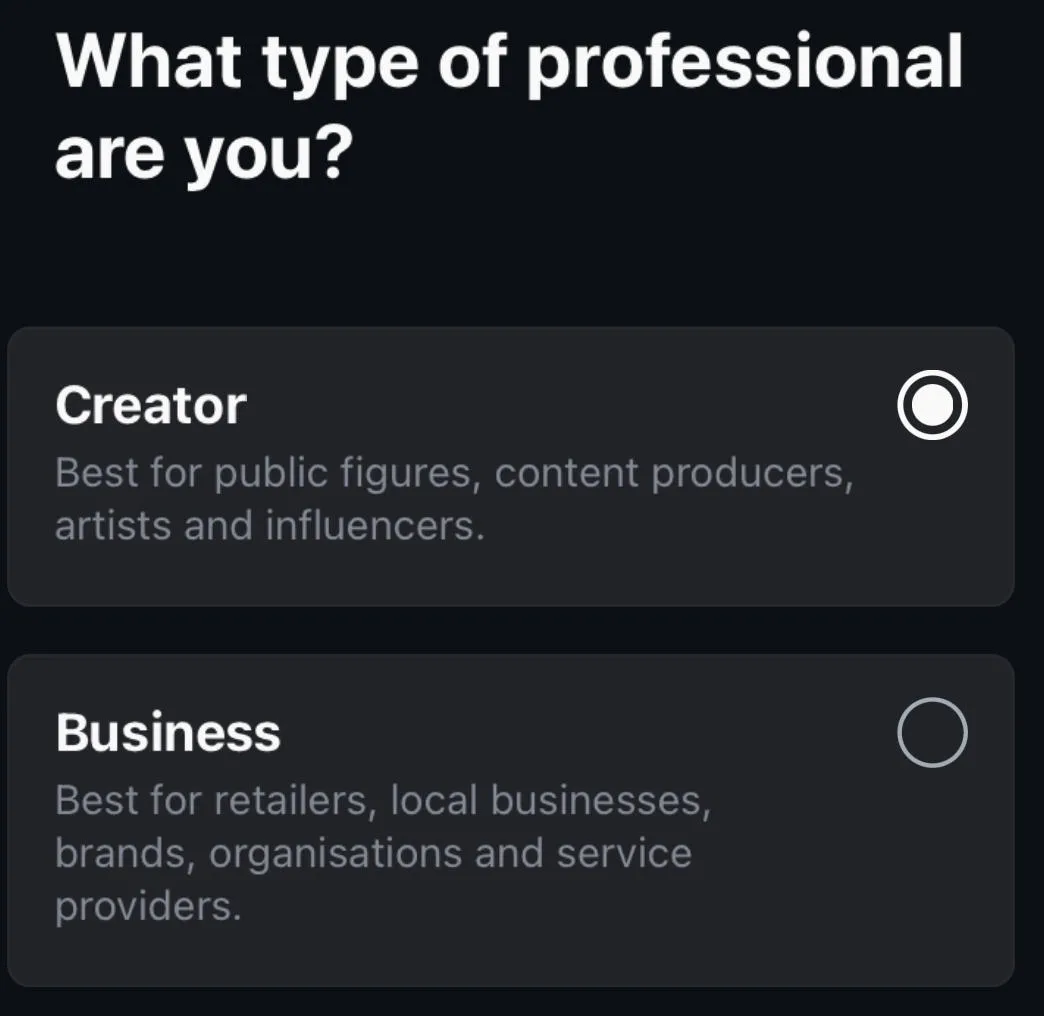
Complete the on-screen prompts to finish set up.
How To Schedule Instagram Posts On Mobile
Once you've created your post, scroll down and tap More Options.
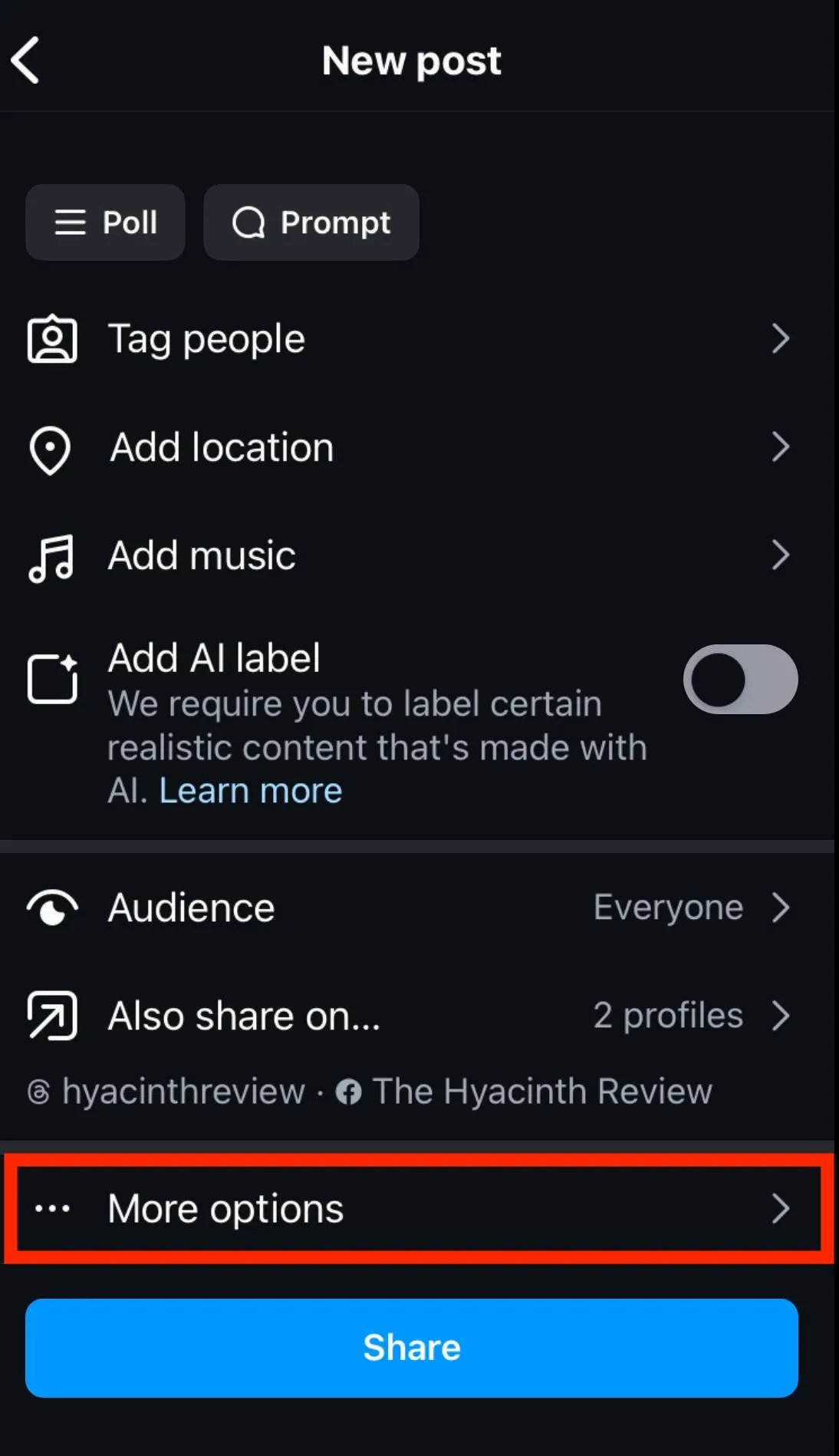
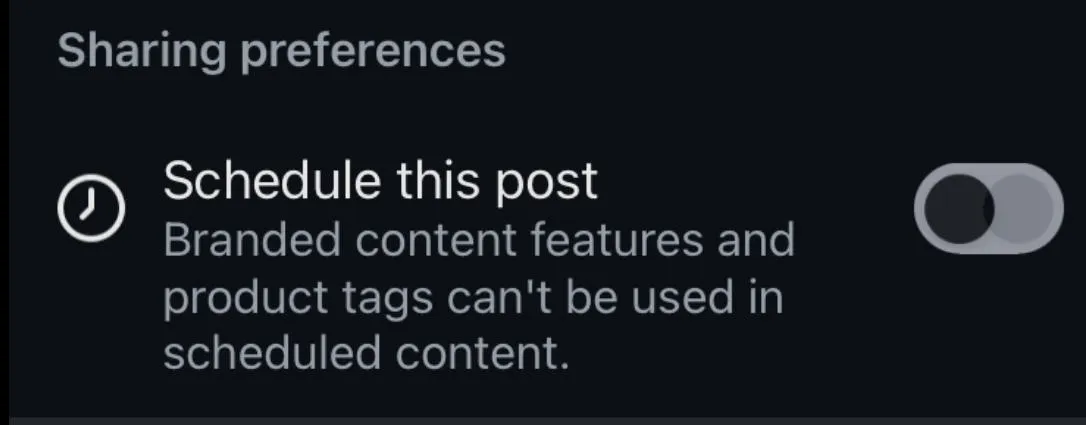
Under Sharing Preferences, tap Schedule This Post to toggle it ON.
Select the date and time you want the post to be published. You can schedule content up to 1 month in advance.
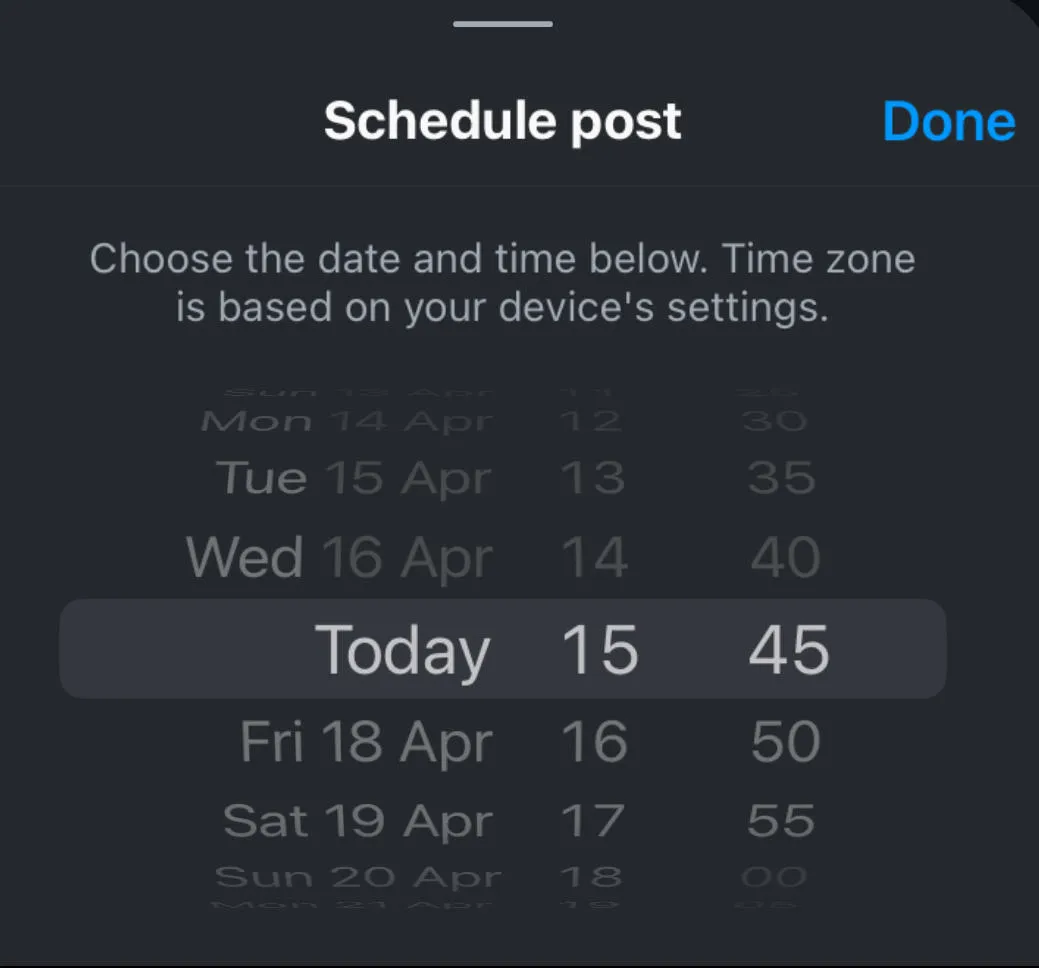
Tap Done, then return to the main post options page and hit Share.
How To Schedule Instagram Posts On Desktop
While you can't schedule Instagram posts via desktop from Instagram.com, you can use the Meta Business Suite or a 3rd party social media management platform to schedule Instagram posts from your computer.
Keep in mind that in order to use the Meta Business Suite option you'll need to link your Instagram account to a Facebook page.
How To Connect Instagram To A Facebook Page
Before you get started you will need the following:
-
A Business Instagram account or Creator account.
-
A Facebook Business page that you have admin access to
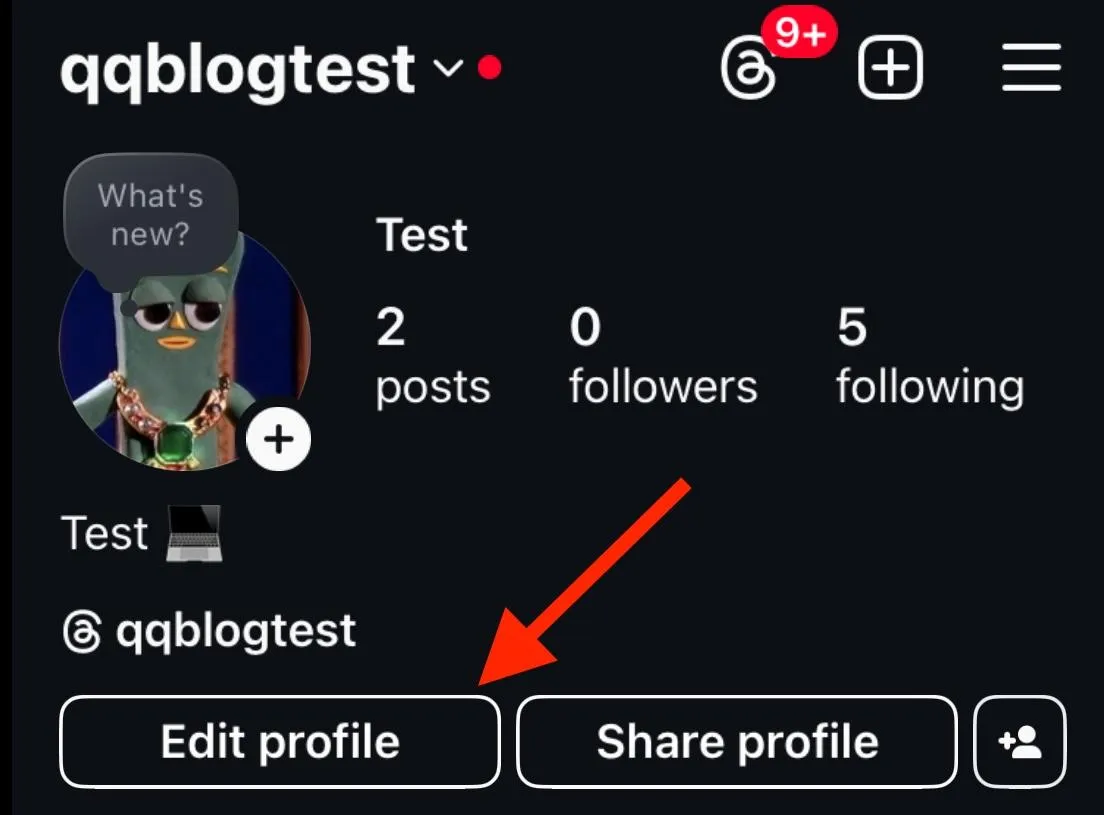
Open the Instagram app and visit your profile.
Tap Edit Profile.
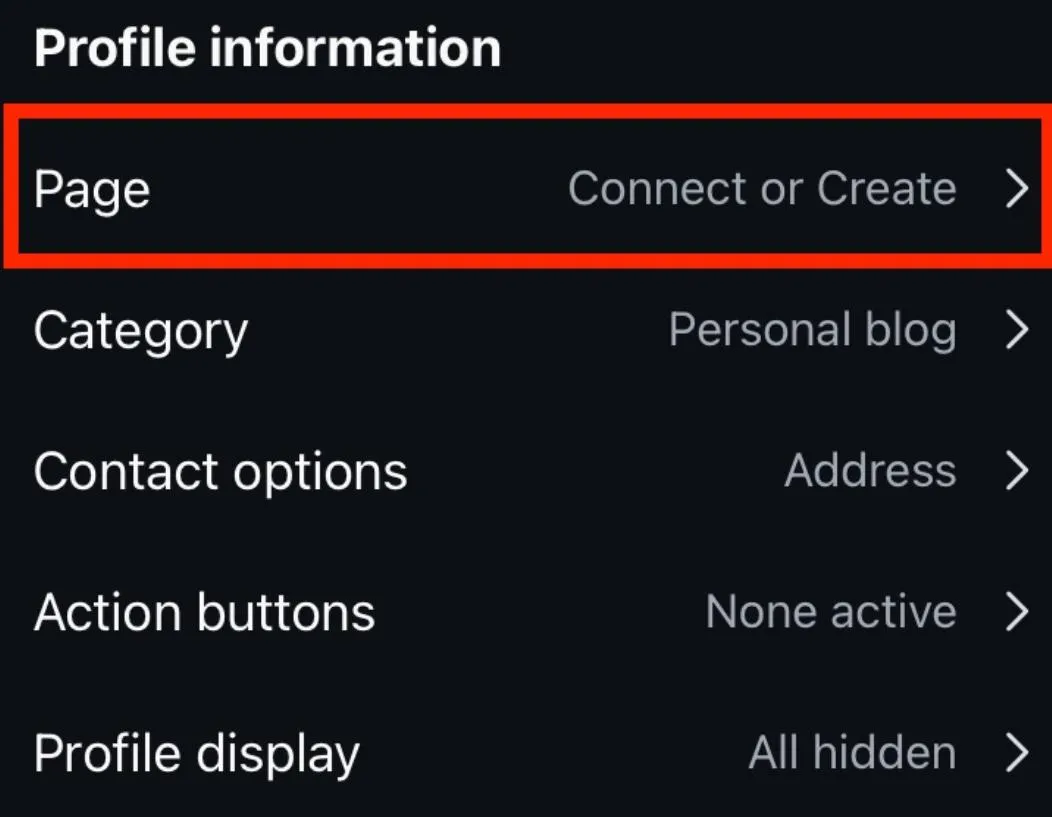
Under Public Business Information (Profile Information) tap Connect Or Create.
Tap Continue.
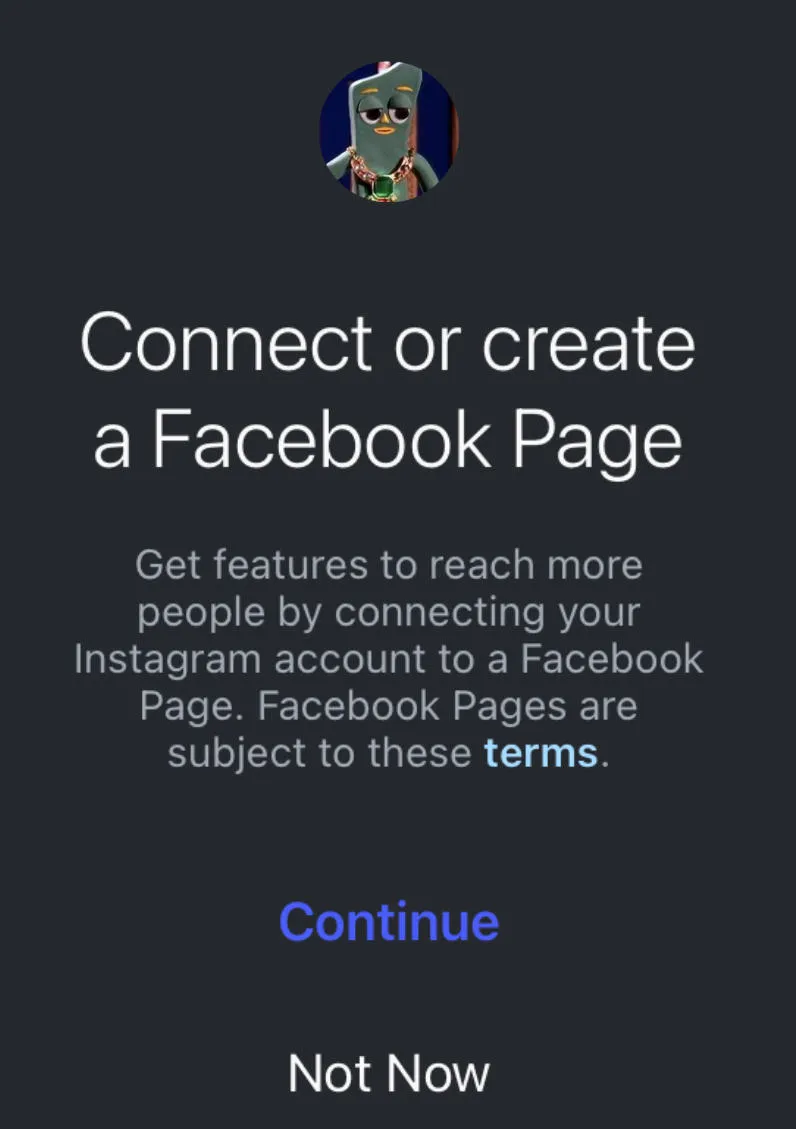
Login to Facebook and select the page you wish to link. You can also create a new Facebook page.
Tap Connect.
Tap Done.
How To Schedule Posts On Instagram Via Meta Business Suite
Open Meta Business Suite from your desktop.
Click Content or Planner.
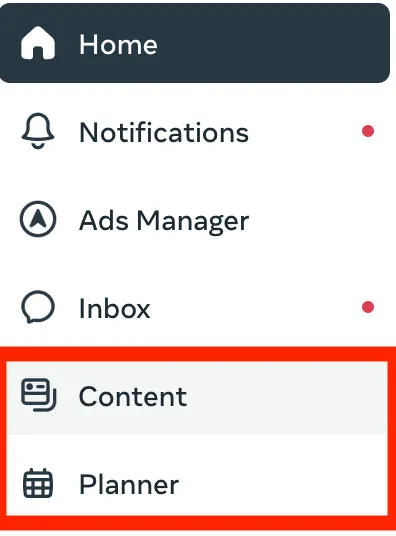
Click Create Post.

Select Instagram.
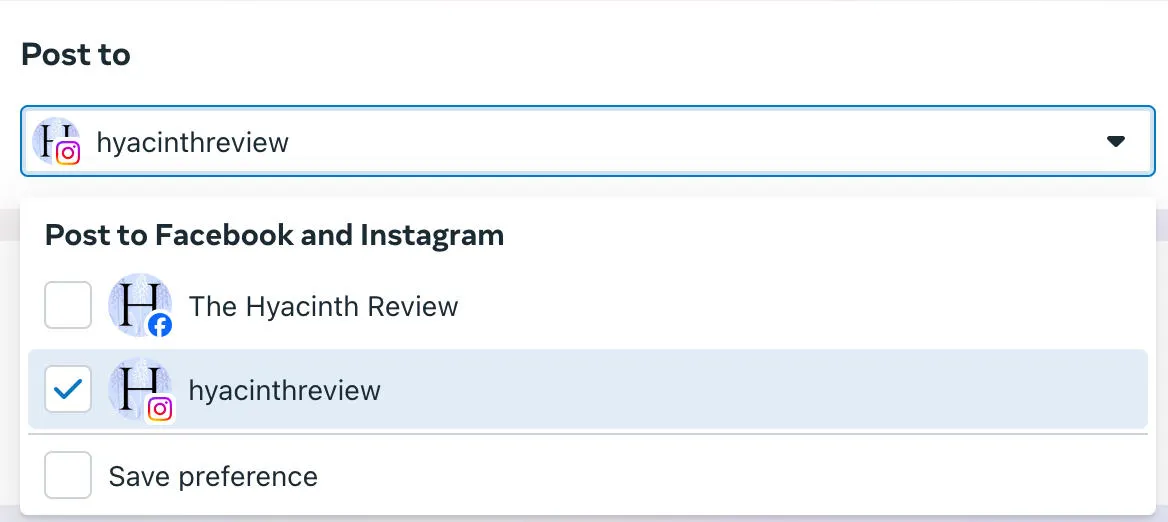
Input your content including your Instagram captions, hashtags, and alt text. For carousel posts, you can upload multiple images at once.
Toggle Schedule ON and choose the date and time.
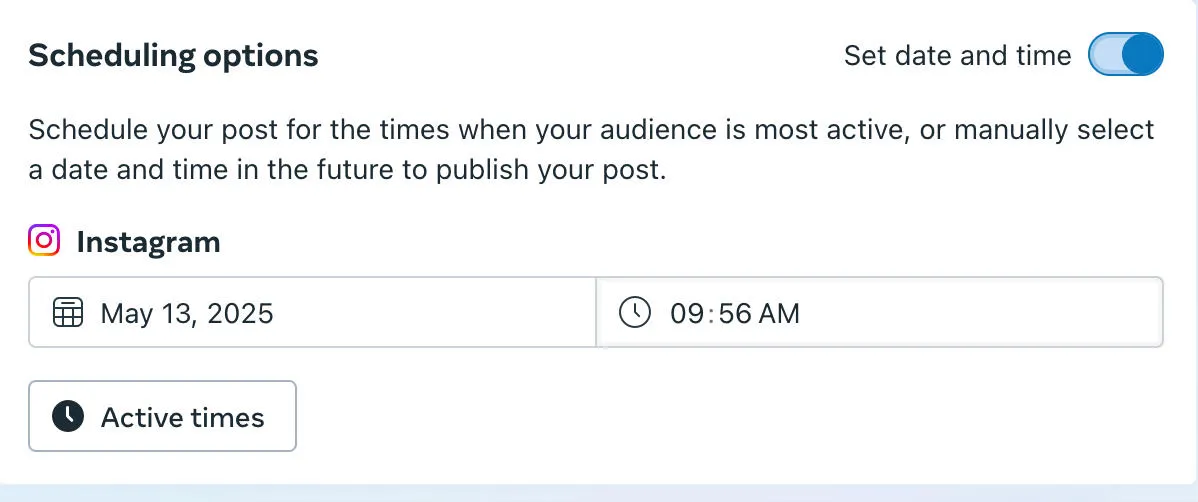
Click Schedule to publish.
Can You Schedule Instagram Stories?
You can schedule Instagram Stories via the Meta Business Suite, though not from the Instagram app directly.
To schedule Instagram Stories, follow the steps outlined here and select Create Story via the drop down menu rather than Create Post.
How Many Posts Can You Schedule On Instagram?
Users can schedule up to 25 Instagram posts per day. This limit is per account, so if you manage multiple accounts it will not affect this limit.
How Far In Advance Can You Schedule Instagram Content?
Users can schedule Instagram posts on Instagram up to 75 days in advance.
Creating An Instagram Post Schedule
Creating a consistent posting schedule for all your Instagram posts is one of the most impactful elements of Instagram success.
What Is The Best Time To Schedule Posts On Instagram?
While there are many pre-built schedules out there that can help you prepare your content calendar, the fact is that the best time to publish your Instagram posts is going to depend on a few key factors unique to your profile:
-
Your content niche
-
Your current or desired audience
-
The specific types of Instagram content you create
If you're a complete beginner, schedule posts on Instagram at consistent times that work for you. Start with 3 times a week at the same times each day.
Once you've established a schedule, or if you've been posting for a while, visit your Insights to see when your Instagram followers are the most active.
You can adjust your posting schedule to these dates and times and see if your engagement increases.
Check out our complete guide to Instagram Insights to learn more.
Where To Schedule Instagram Posts
You can schedule Instagram posts directly from the Instagram app (if you have an Instagram professional account) or via the Meta Business Suite by following the steps outlined here.
If you're a social media manager who has to manage profiles across multiple social media platforms or multiple Instagram accounts, you can use third party social media scheduling tools like Later to organize your content calendar, rather than scheduling posts directly from the Instagram app.
Troubleshooting: Why Can't I See The Instagram Scheduling Tool?
You Don’t Have The Right Account Type
Only Instagram Business accounts (or Creator accounts) can schedule social media posts. If you have a personal account you'll need to switch your personal Instagram account to one of these types in order to schedule Instagram posts in advance.
You can do so by following the steps below:
Open the Instagram app and tap the three lines on the top right corner of your Instagram profile.
Scroll down to For Professionals and tap Account Type And Tools.
Tap Switch To Professional Account.
Follow the on-screen prompts depending on your account type.
Select either Creator or Business (either option will let you start scheduling posts).
Complete the on-screen prompts to finish set up.
Your App Is Outdated
Make sure that the Instagram app is up to date. While scheduling is an older feature, sometimes Instagram experiences bugs or glitches, which newer updates resolve.
Instagram Is Experiencing Issues
Sometimes the issue is on Instagram’s side. Check out Instagram’s Downdetector page to make sure there are no widespread issues.
The Feature Isn’t Available In Your Region
While most regions have access to the Instagram scheduling feature, not every region has the same features on their app. If you’re not seeing the feature and you’ve made sure everything else is fine, this could be the culprit.
Frequently Asked Questions
Can you use the Instagram scheduler on desktop?
Yes, but not from Instagram directly. You’ll have to use Meta Business Suite, as outlined here.
Can you do 20 posts on Instagram?
Yes, you can schedule up to 25 posts at a time per account.
Does Instagram penalize you for scheduling posts?
No, there’s no penalty for scheduling posts.
Why can I only schedule 5 posts on Instagram?
Make sure you don’t have any other posts in your scheduling queue. You can only schedule up to 25 posts at a time per account, and up to 75 days in advance.
Does Instagram have a scheduling limit?
Yes, you can schedule up to 25 posts per account up to 75 days in advance.
How do people post 15 photos on Instagram?
Instagram recently increased the Carousel photo limit to 15, but some users can add up to 20 images.
Why can't I schedule Instagram posts?
Run through our troubleshooting steps here.
What is the 3 second rule on Instagram?
The 3 second rule on Instagram states that you should aim to capture your viewers’ attention within the first 3 seconds of any video post or Reel.
Why can't I schedule a post on Instagram with a professional account?
If you’ve already swapped account types, go through our troubleshooting guide here.
How do I activate a schedule post on Instagram?
Scheduled posts will automatically publish at the designated time you chose - there’s nothing you need to do to activate them.
Does Instagram not like scheduled posts?
Instagram doesn’t penalize users for scheduling posts. Just make sure you’re scheduling them at a time where your followers are most likely to see them. You can determine these times using Instagram Insights.


