
Whether you want to invite all your followers, friends, or fellow group members to an event or community, Facebook has an option for you.
Today we’ll show you how to invite all followers to a Facebook event, and how to bulk invite users to groups, events, and pages.
Plus, stick around until the end for tips on how to gain even more event attendees, group members, or page followers to help grow your audience faster than ever before.
Key Points:
How Do I Invite Everyone To A Facebook Event?
When you create an event, the first thing you want to do is invite as many people as possible.
Event hosts can directly invite up to 500 users. These users must be from the hosts’ friend list, page, or group that the event was directly created in.
Additionally you can generate an invite link and distribute it outside of the platform or within certain groups and pages to gain more invitees.
How To Invite Friends To An Event On Facebook
Inviting friends to an event is simple.
Create a regular event from the Events section.
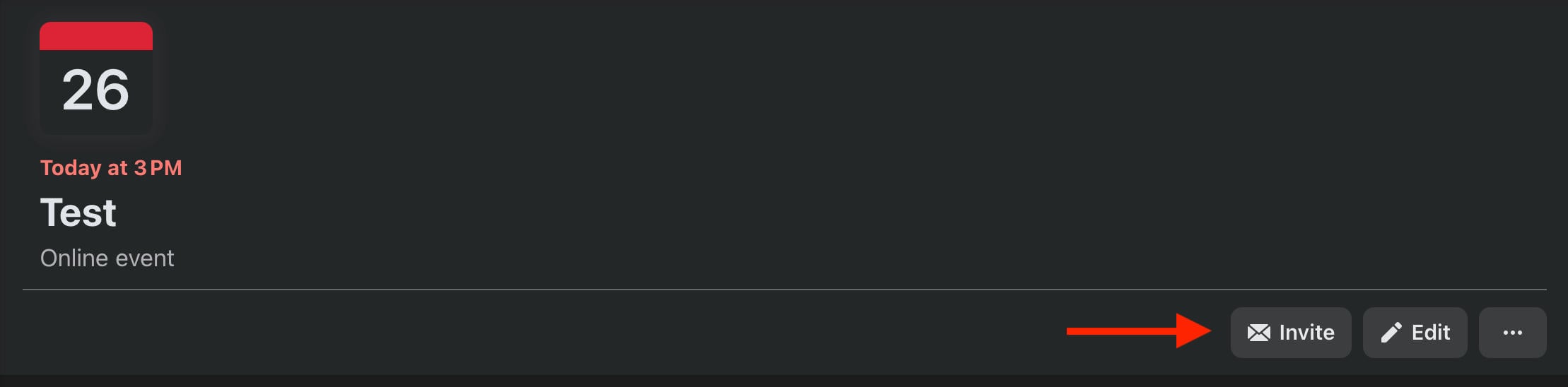
From your event page, click the Invite button on the top right.
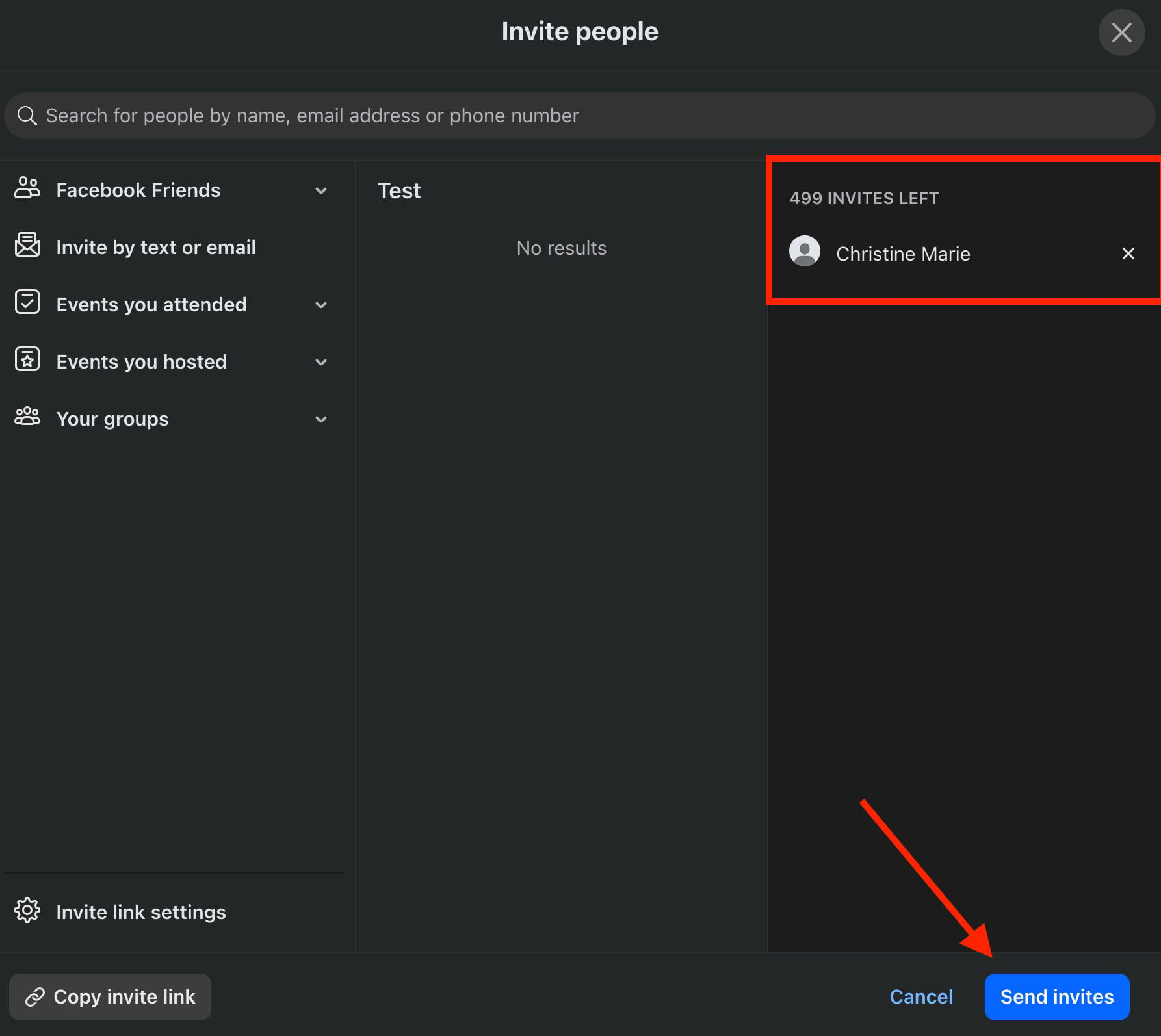
From here you’ll see a list of your friends. You can filter this based on previous events, groups you’re in, and any friends lists you’ve curated.
Select the users you wish to invite, then click Send Invites on the bottom right.
How To Invite All Followers To A Facebook Event
When it comes to inviting page followers, you have two options.
Creating A Page Event
First, you can create an event directly within the page you wish to invite followers from. This will allow you to select up to 500 followers to directly invite.
To create a page event, switch into your Facebook Page from the profile menu.
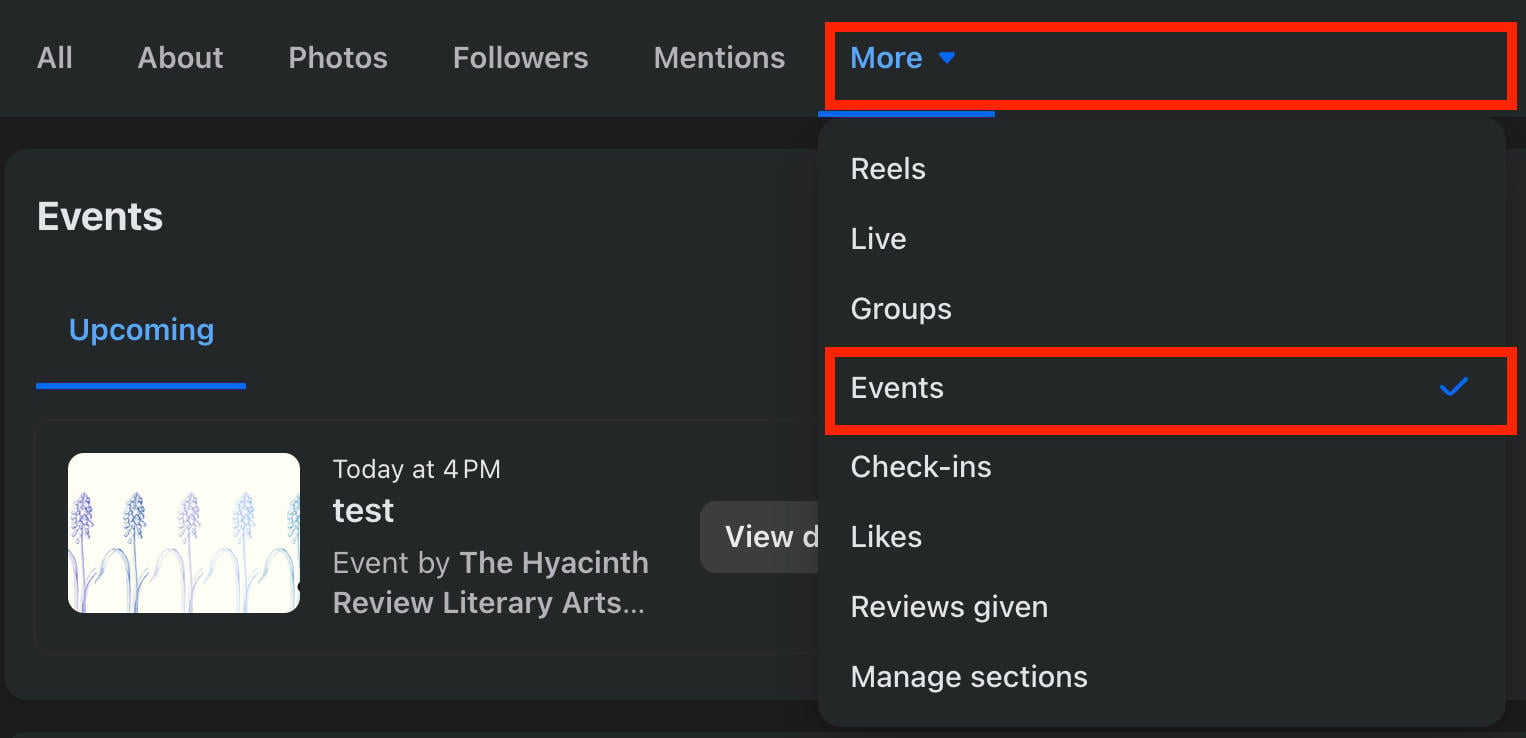
Either visit the Events page directly to create a new event, or click the More tab on your page and select Events.
From here, click Create Event.
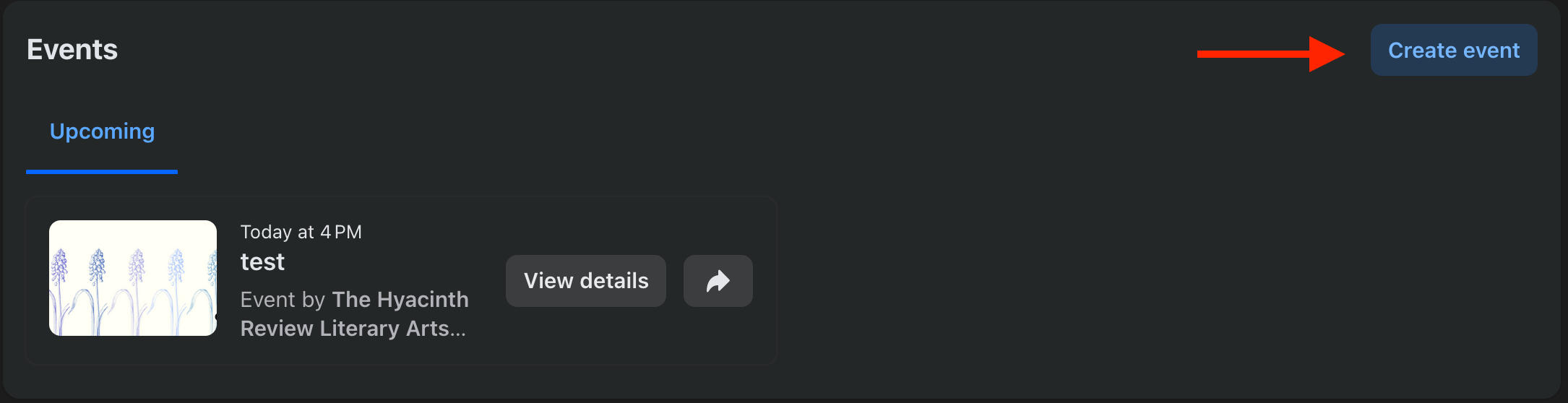
Once you’ve input the event details and completed the creation, you’ll be prompted to invite attendees.
To invite all followers, click Select All.
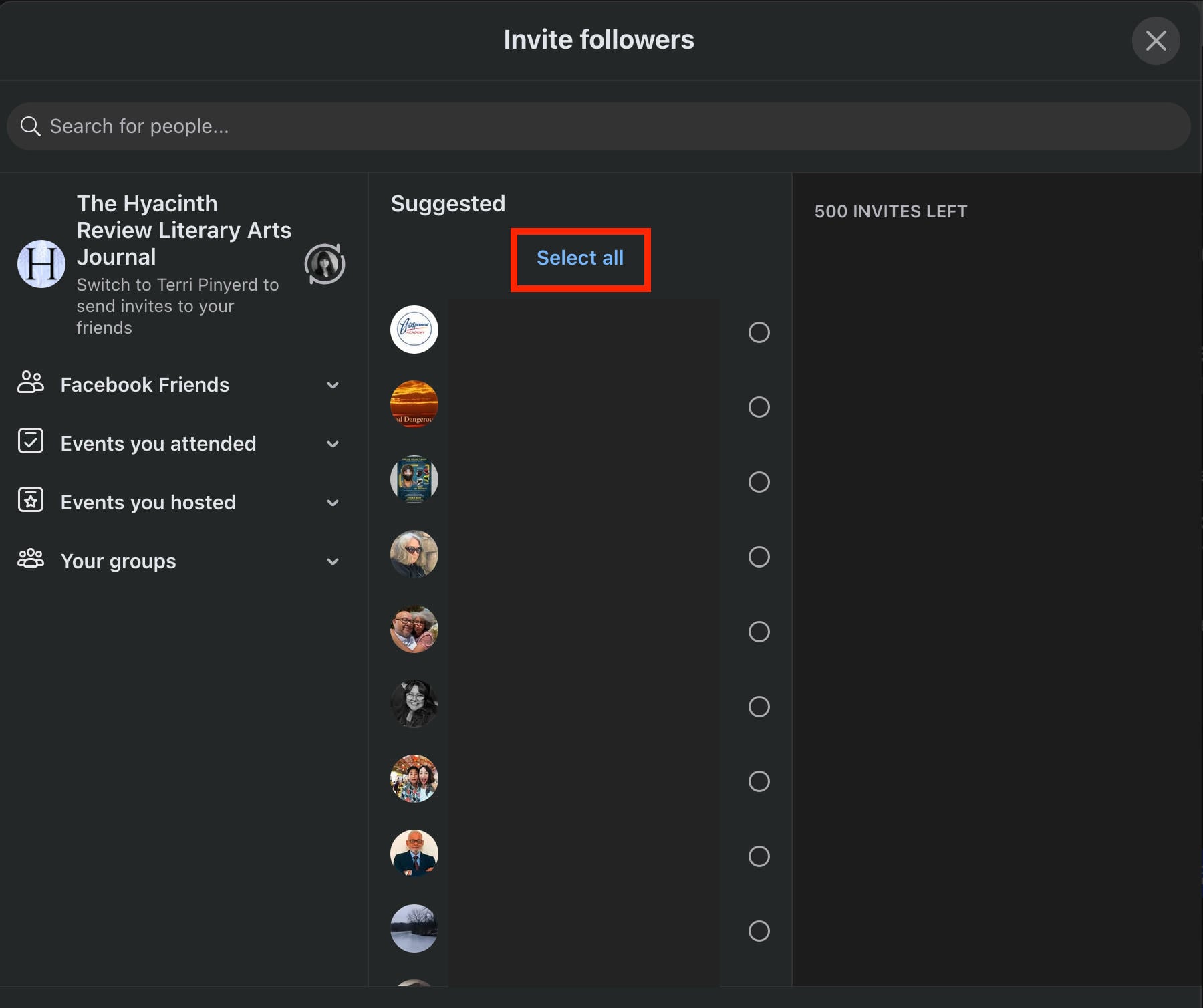
When you’re ready to send the invitations, click Send Invites on the bottom right.
Keep in mind that you can only invite up to 500 users through this method.
Sharing An Event Link
While you can only invite up to 500 users through the direct invitation method, you can still distribute an event link within Facebook or outside the platform.
This is also a good method if you’ve created an event that isn’t directly associated with your Facebook page, in which case you won’t be able to invite followers unless they’re also on your friends list.
To generate an event link, click the Invite button from the event page.
Click Invite Link Settings on the bottom left.
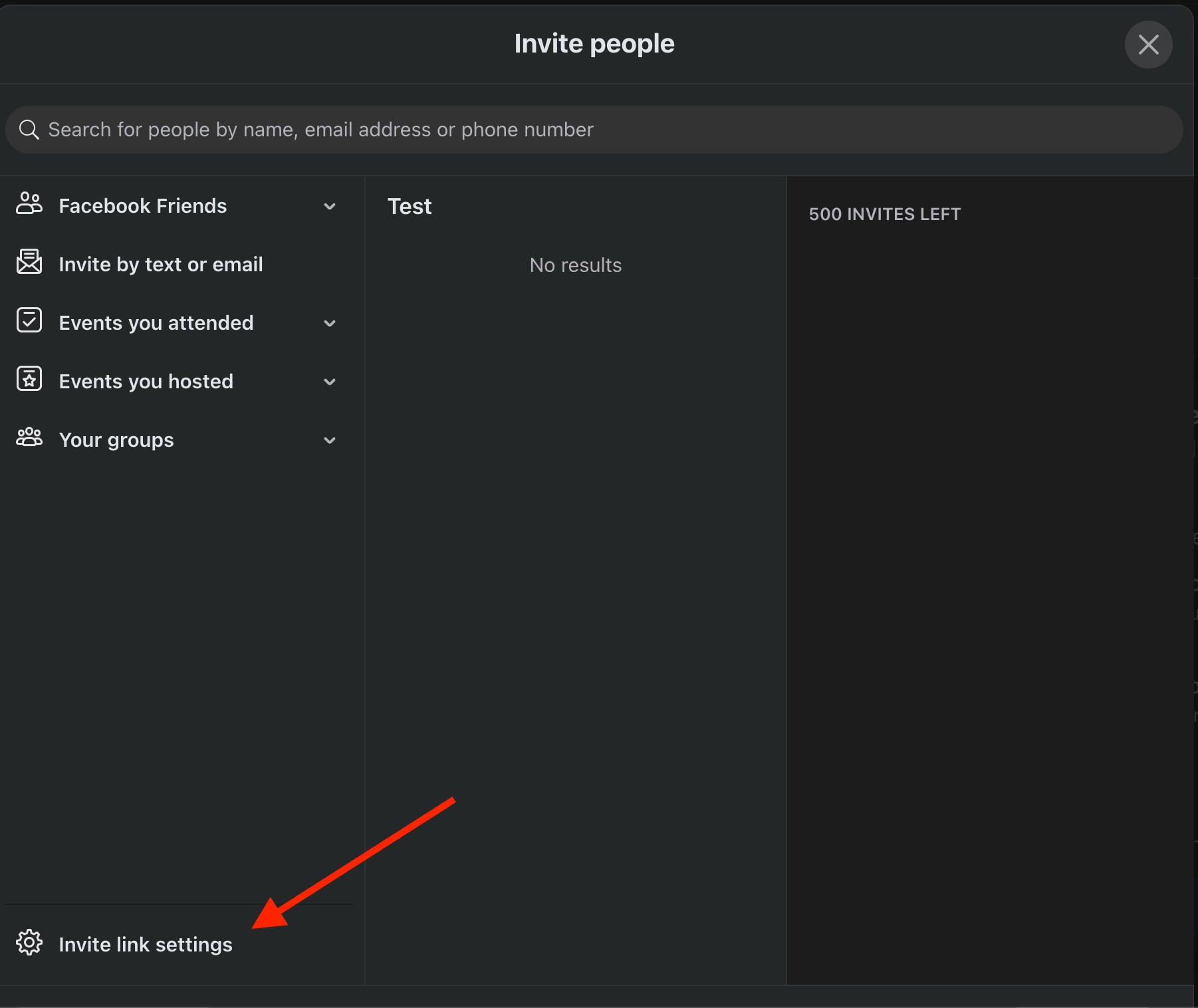
Click Copy Invite Link. It should appear in the following format: https://fb.me/1QoCpx77QDAt7JW
You can then share this in a post within your page.
Keep in mind that this link only works for 100 invitation confirmations. Once 100 people have confirmed their attendance, you’ll need to generate and distribute a new link.
How Do I Invite Group Members To An Event?
Much like Pages, you can invite group members to an event directly if you created the event specifically for that group. Otherwise, you’ll have to share the event link to group members.
Creating A Group Event
Navigate to your group and click the Events tab.
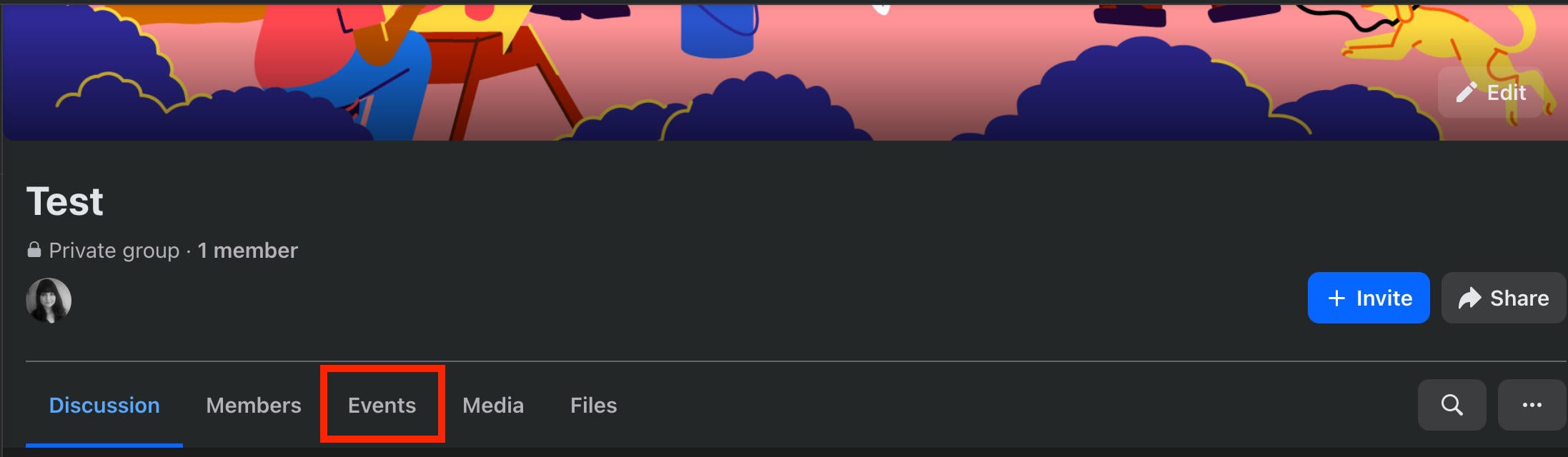
Click Create Event.
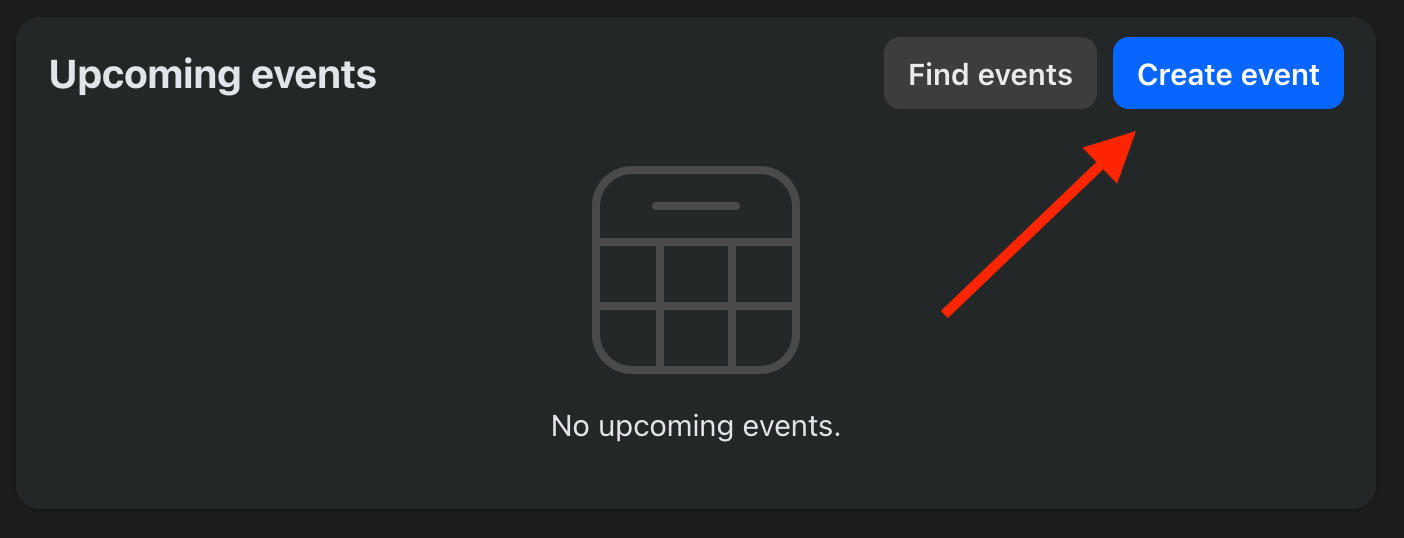
On the event details page, toggle Invite All Group Members to ON.
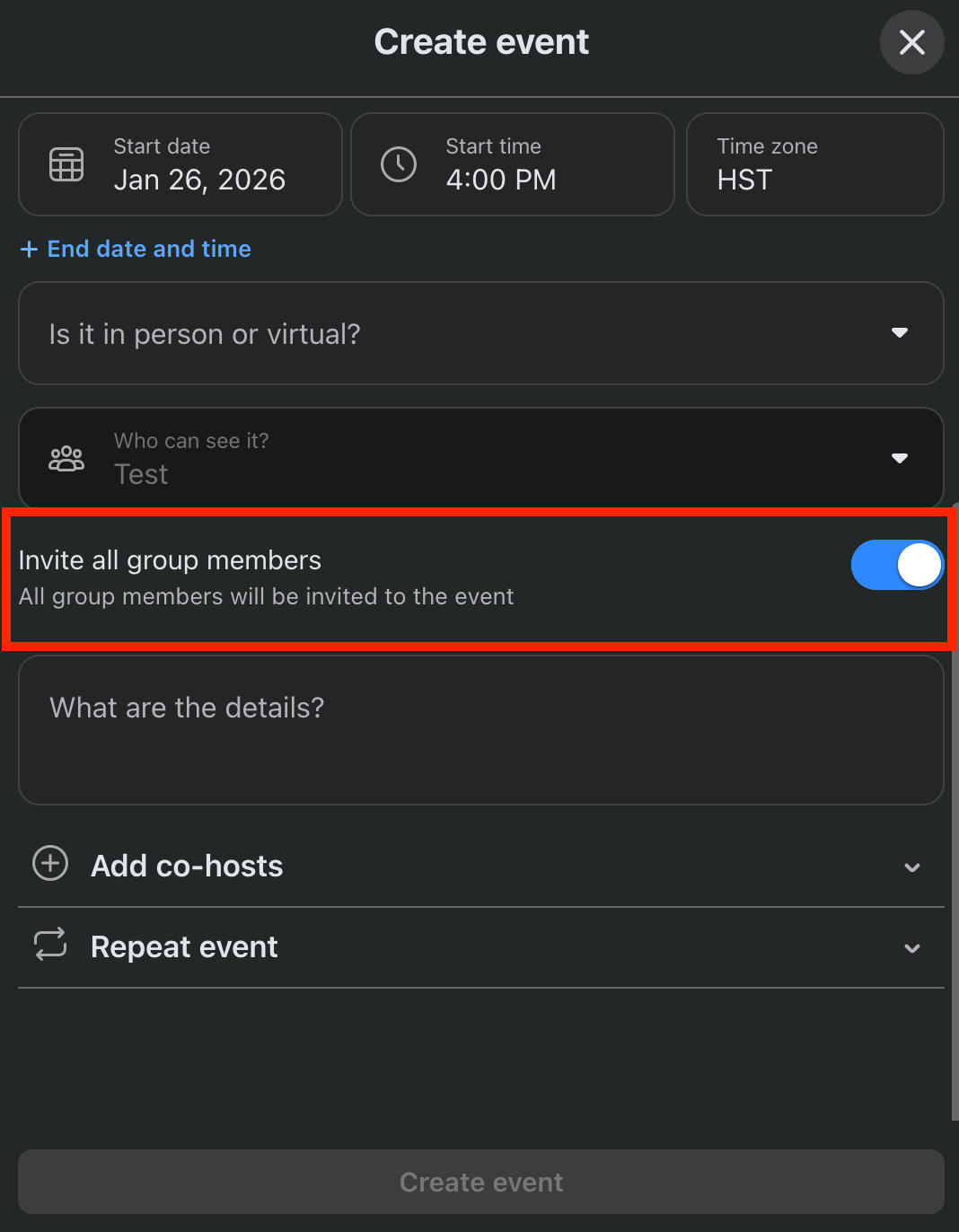
Create your event as usual.
Sharing An Event Link
You can only invite up to 500 users through the direct invitation method, but you can still distribute an event link within Facebook or outside the platform.
This is also a good method if you’ve created an event that isn’t directly associated with your Facebook group, in which case you won’t be able to invite members unless they’re also on your friends list.
To generate an event link, click the Invite button from the event page.
Click Invite Link Settings on the bottom left.
Click Copy Invite Link. It should appear in the following format: https://fb.me/1QoCpx77QDAt7JW
You can then share this in a post within your group.
Keep in mind that this link only works for 100 invitation confirmations. Once 100 people have confirmed their attendance, you’ll need to generate and distribute a new link.
Managing Facebook Events
Creating an event is one thing, but once you start inviting multiple people it can be confusing to manage an event properly.
Here are a few essential skills to have when it comes to maintaining a smooth event experience.
How Do I Notify Everyone In A Facebook Event?
It’s important to notify event attendees about any updates or last-minute changes.
While notifications for an event depend on what the user has set in their Notification Settings, if you’re the host (creator of the event) any posts you create will notify guests unless they’ve turned notifications off entirely.
Just click Add A Post and publish it as usual - anyone with notifications turned on to any level will be notified.
How To Create A Private Party Invite On Facebook
Let's say you want your event to be exclusive and not listed on the Events page for anyone to stumble across.
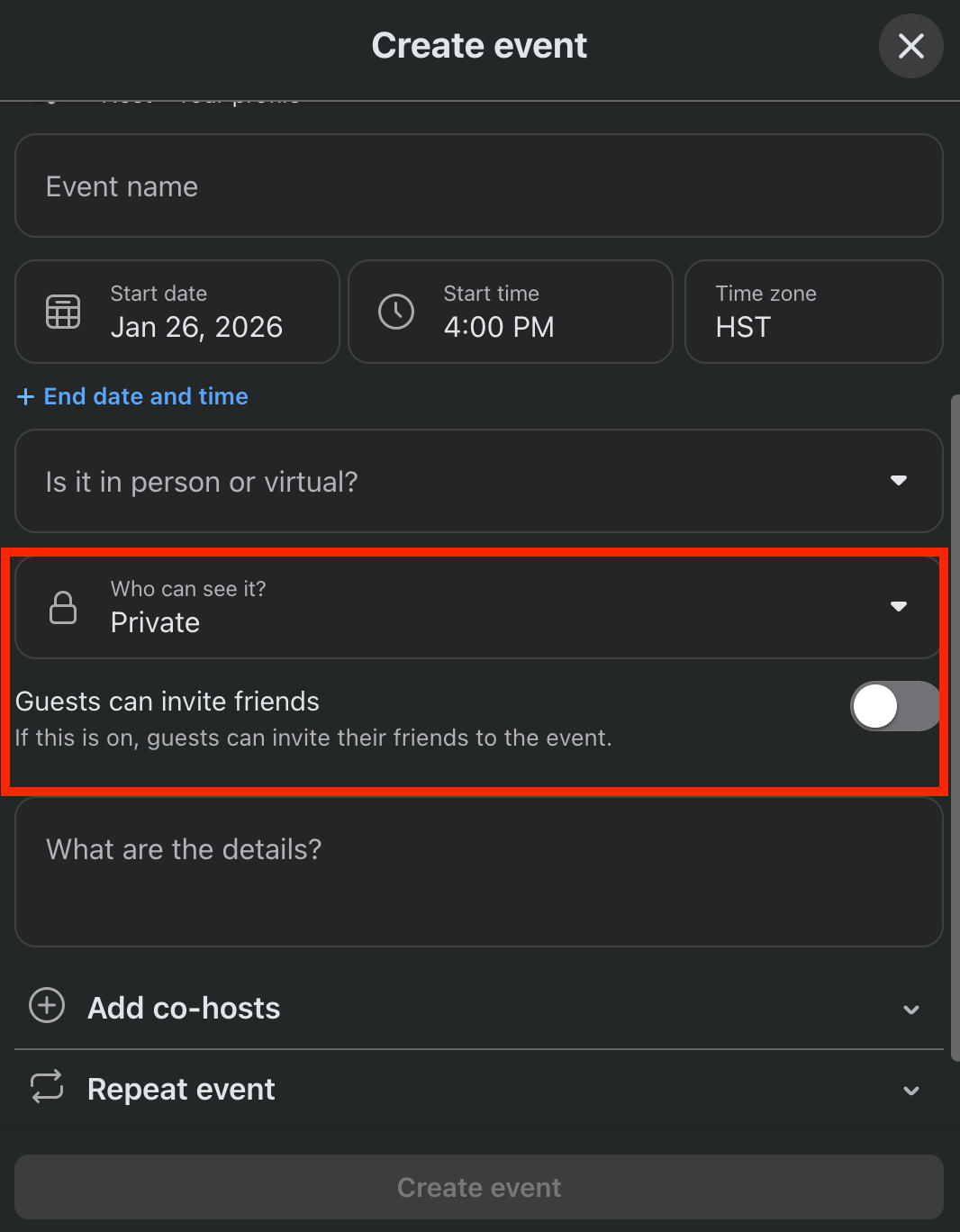
You can create a private event, and prevent guests from inviting additional users, during the creation of your event.
You will not be able to change the audience settings of an event after it’s created.
To do this, create an event.
Under Who Can See It choose Private.
Toggle Guests Can Invite Friends OFF.
Why Can't I Invite More Than 50 People To My Facebook Event?
You should be able to invite up to 500 people directly from the Invite page of your event.
You’ll see the number of invitations remaining at the top.
Keep in mind that this limitation is per person. If you have a co-host or if you allow guests to invite users, they can each invite up to 500 additional users.
Along with that, you can create and distribute an event invitation link and if your event is public it’ll be listed on the Events page for guests to browse and RSVP to.
How Do I Invite More Followers On Facebook?
If you want to invite more users to follow your Facebook page, you have a few options.
Inviting Friends
The first method is to invite friends to follow your page.
To do this, make sure you’re switched into your personal profile - not the page profile.
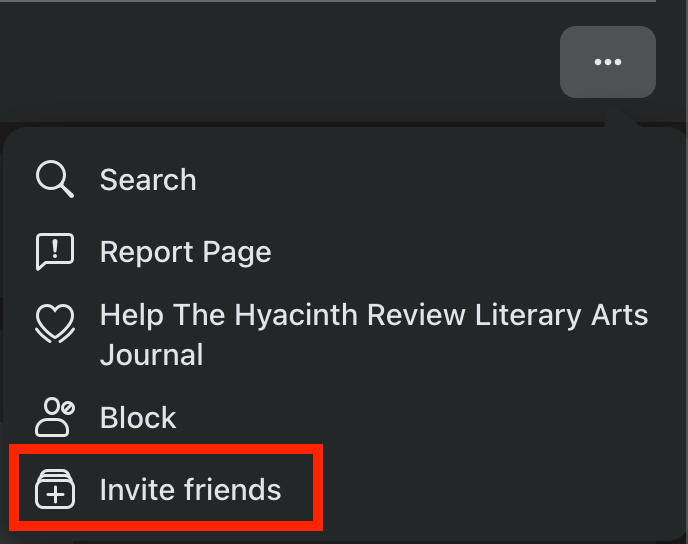
Visit the page and click the three dots on the bottom right.
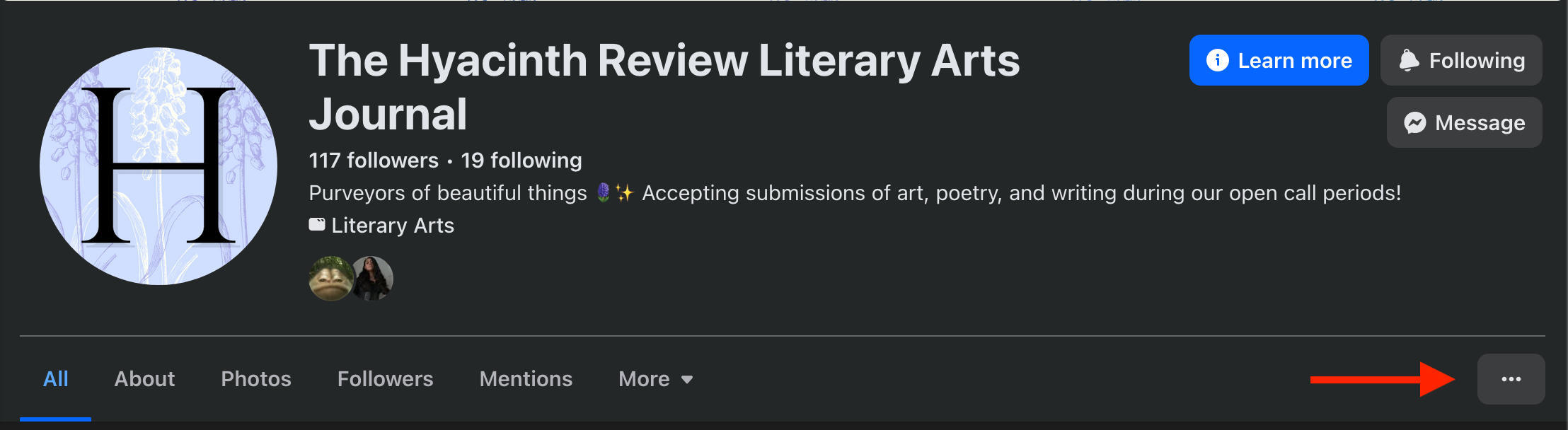
Click Invite Friends.
Select the friends you want to invite, or click Select All on the top right.
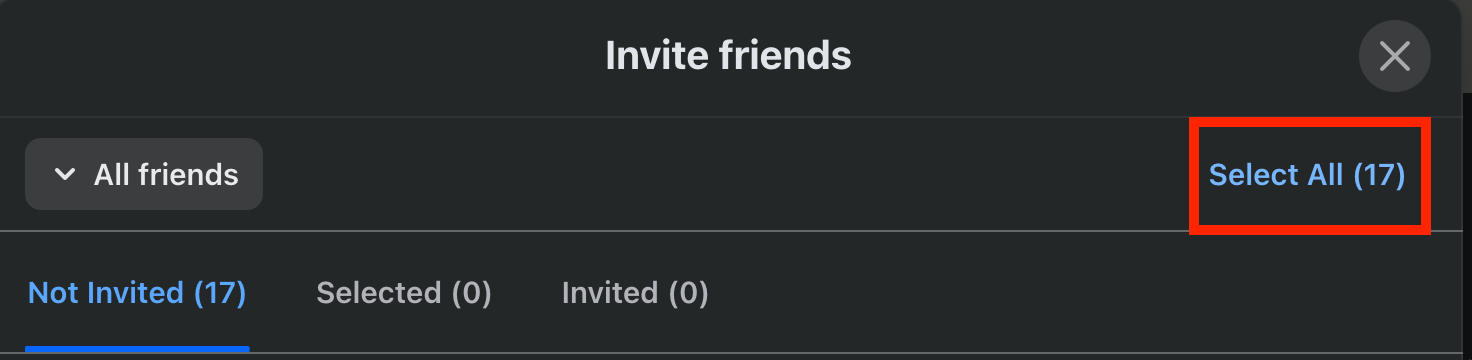
When you’re ready, click Send Invites.
Sharing Your Page Link
If you want to widen your audience even further, you can share your page link within Facebook to friends or groups, or off-platform.
To get your page link, simply visit the Facebook page and copy the URL that appears in the address bar.
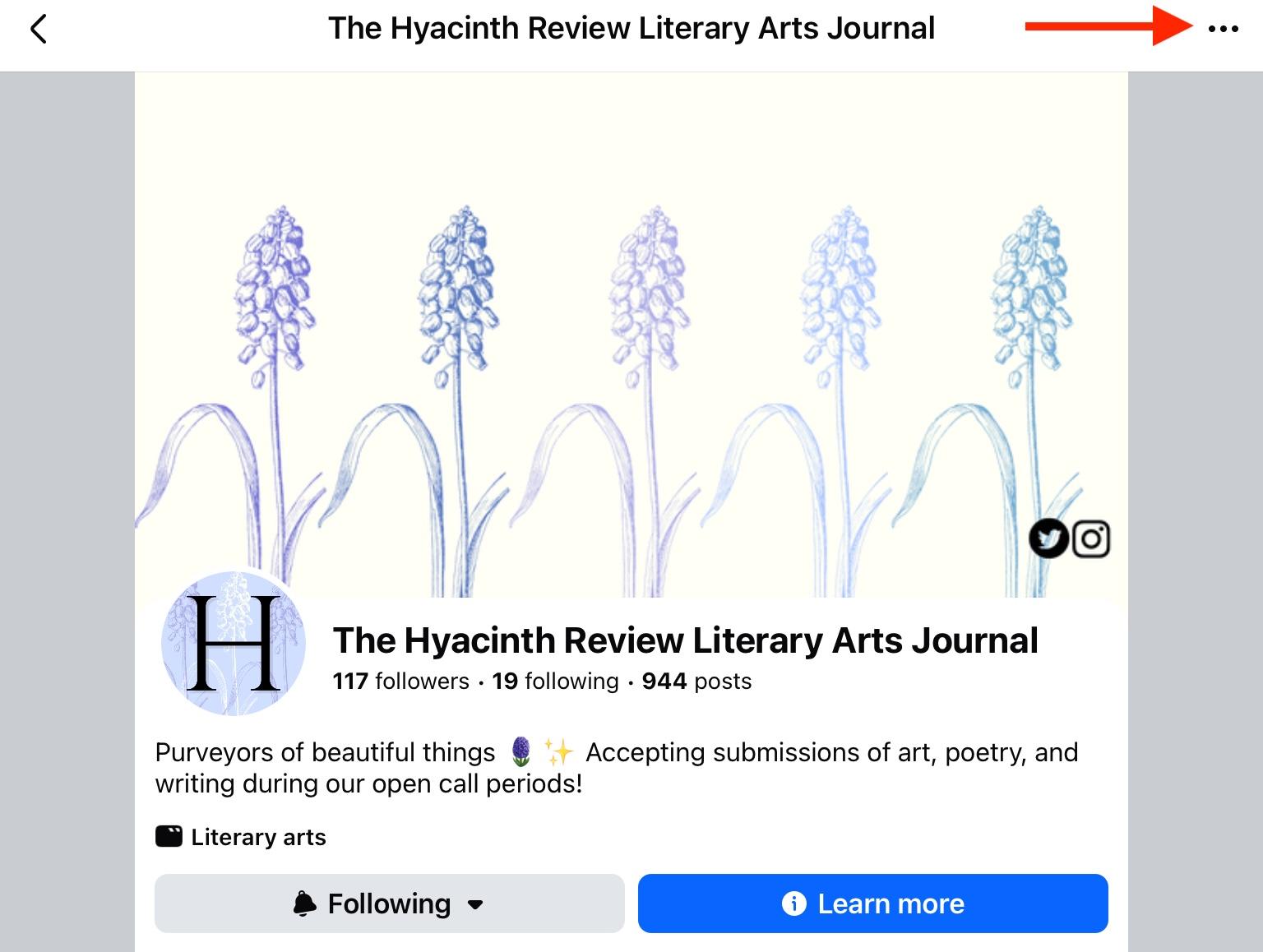
If you’re accessing Facebook from a mobile device, tap the three dots on the top right of the page.
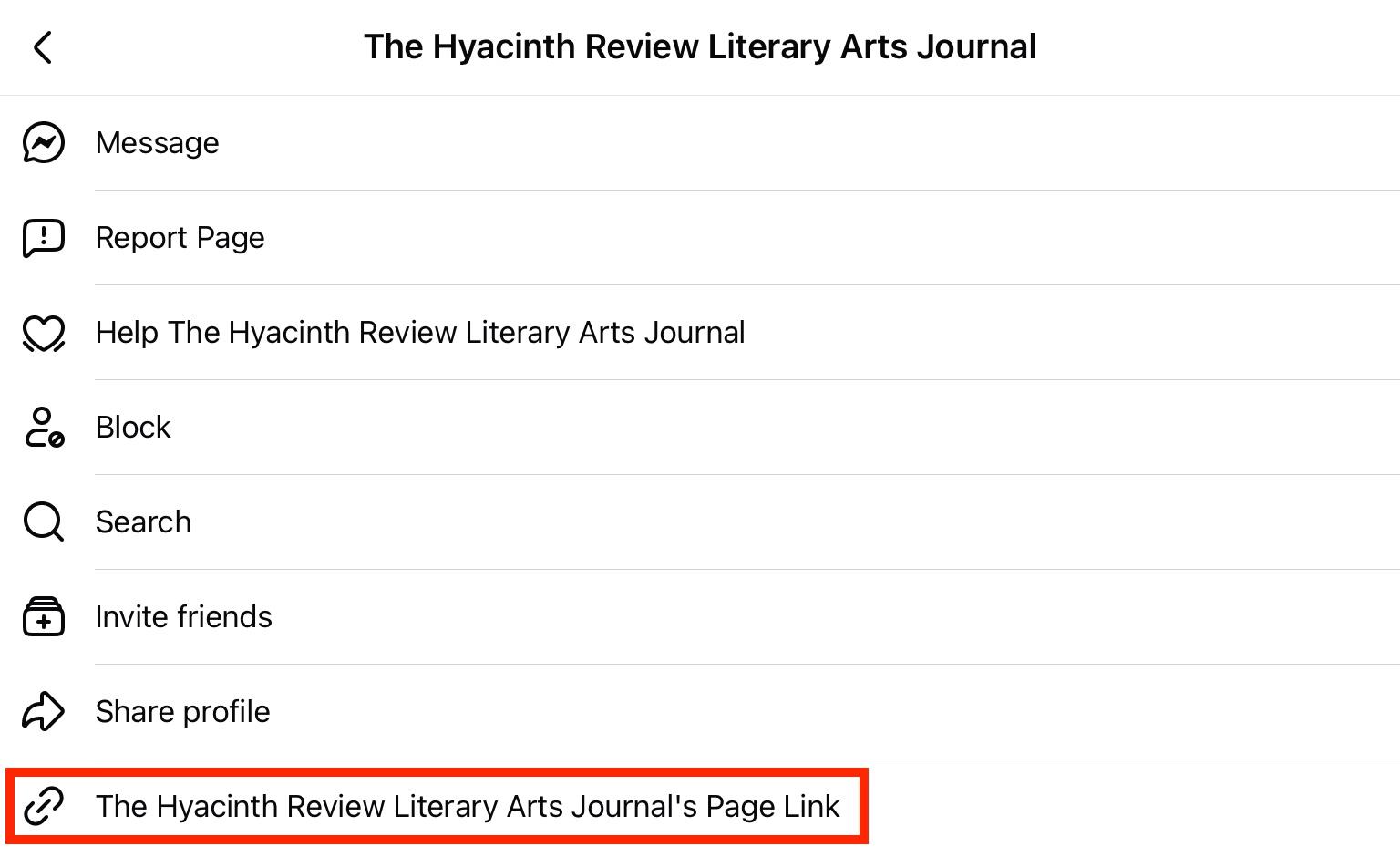
Tap [Page] Link.
Using SMM Tools
An underrated method for gaining more page followers fast is by buying Facebook followers from a social media marketplace like QQTube.
It takes less than 5 minutes to get started, there are no passwords needed, and every service is backed by real Facebook users who are active on the platform.
To get started, click the Sign Up button here and create your free account.
How Do I Invite All Followers To A Facebook Group?
If you’d like to invite all the followers of your page to join a group, the first thing you’ll need to do is create a group while switched into your Facebook page’s profile.
Click Groups on the left-hand menu and click Create Group.
Input the name and choose your privacy setting.
Make sure Invite Followers is toggled ON.
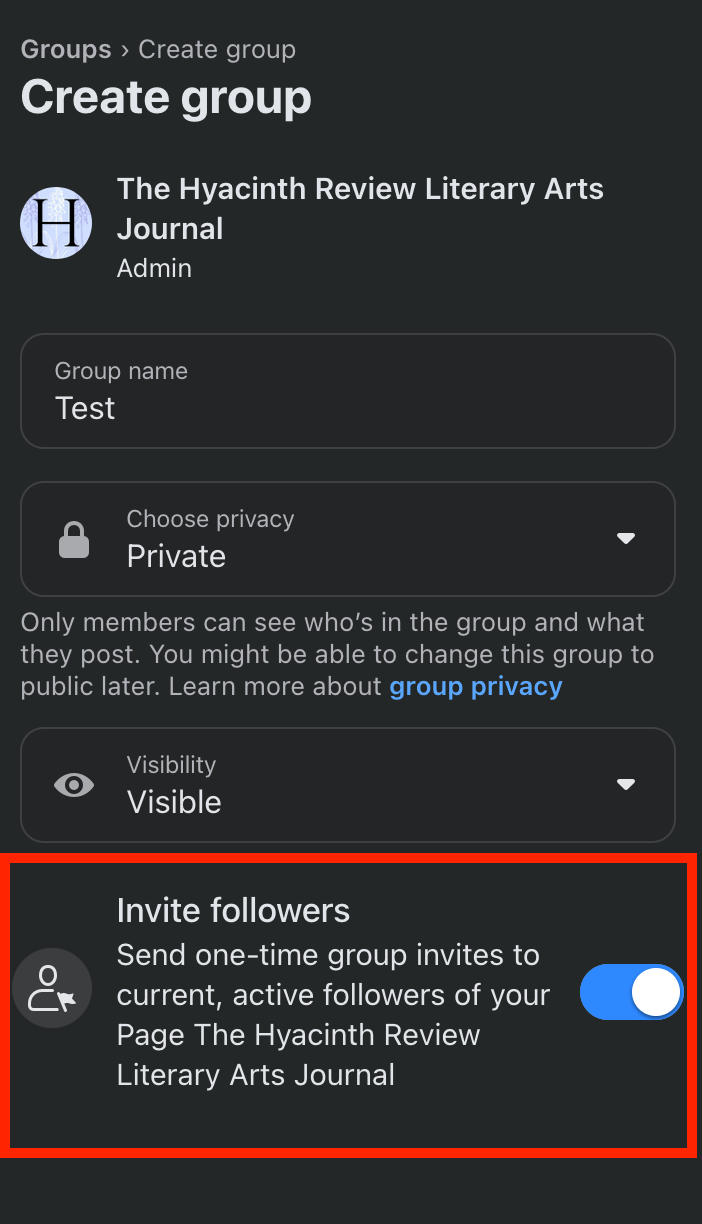
Click Create. Your followers will automatically be invited to join the group.
How To Invite All Friends On A Facebook Group In One Click
To invite all of your Facebook friends to a group in bulk, without inputting individual names, skip the invite friends section on the creation page.
Create your group as usual, then click the Invite button on the right.

Click Invite Facebook Friends.
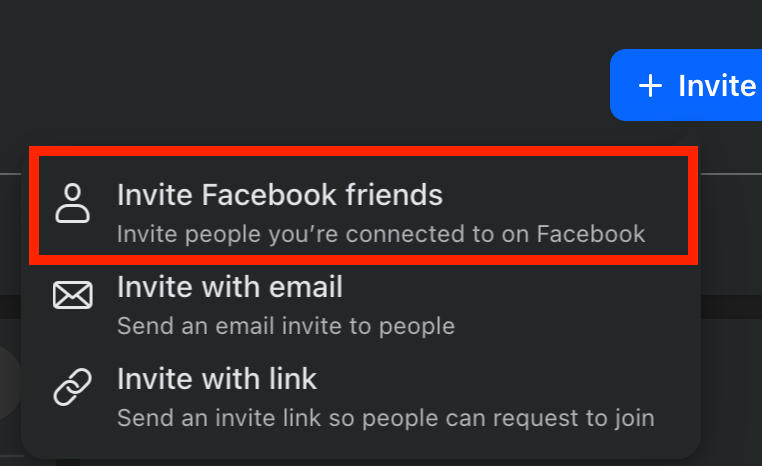
Select all of your friends. Unfortunately there’s no “select all” option but it’s still quicker than typing in names.
When you’re ready, click Send Invites.
How Do I Add Bulk Friends On Facebook?
Sending mass friend-requests on Facebook isn’t a feature, and there’s a 20 friend requests limit per day on the platform.
Additionally, you can only have up to 5,000 friends total per profile.
Sending Friend Requests
The quickest way to send friend requests is via the People You May Know or Suggested friends sections. These are both located within the Friends page on Facebook.
Click Friends in the left-hand menu or at the top of the newsfeed.
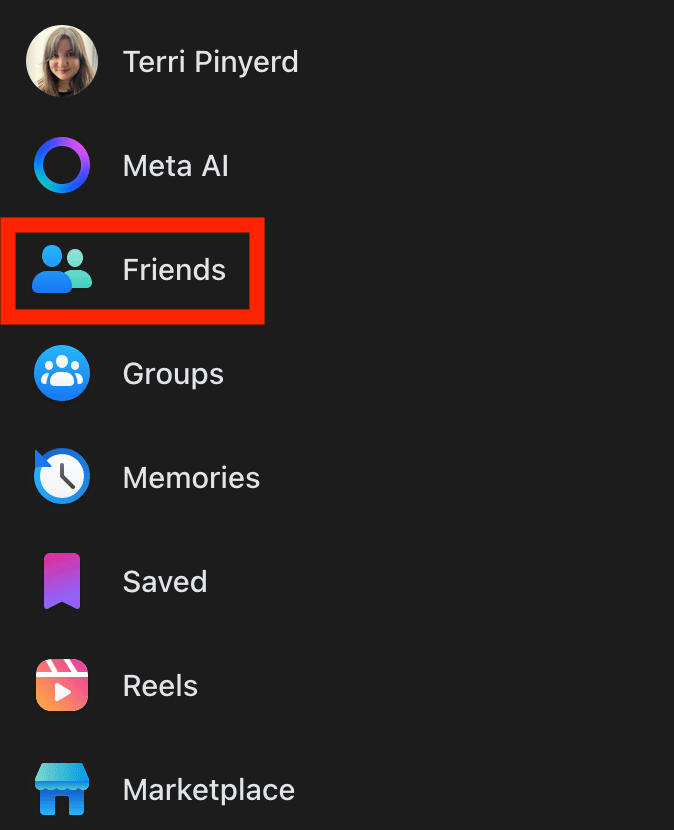
The homepage includes People You May Know, or you can click Suggestions to see additional mutual friends.
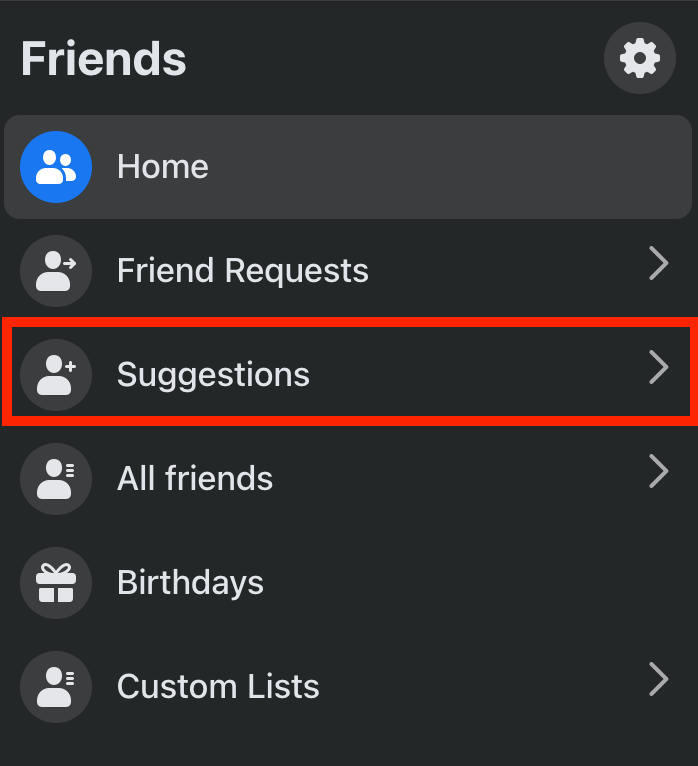
If you see someone you know or would like to connect with, click Add Friend.
Managing Friend Requests
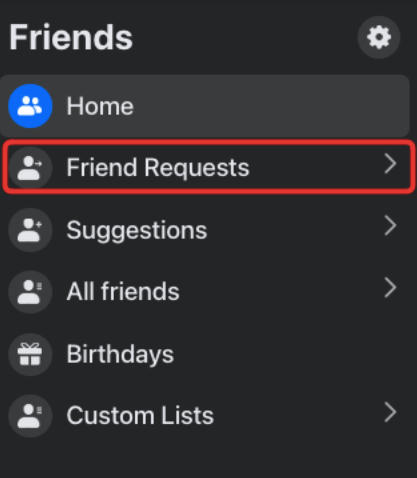
You can view and manage any pending friend requests from the Friends page on Facebook.
Click Friends in the left-hand menu.
Click Friend Requests.
Click View Sent Requests.
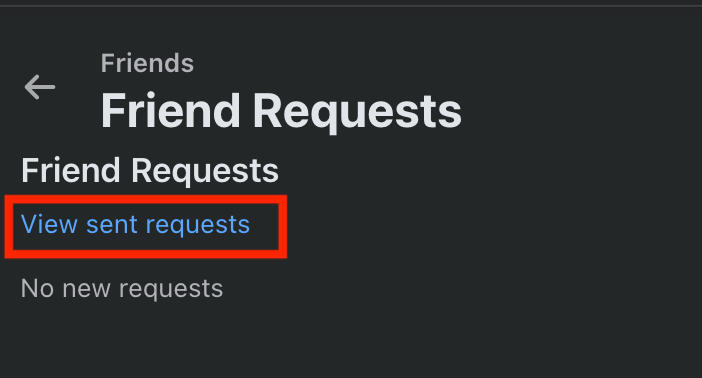
You can delete any pending requests here.
Frequently Asked Questions
How do I invite 1000 followers on Facebook?
If you have 1,000 friends on Facebook you can invite them to a page. Otherwise, you’ll need to distribute the page link to groups or individuals on Facebook or off-platform.
How to bulk invite on Facebook page?
The only way to bulk invite users to a Facebook page is if they’re on your friends list. Learn how to invite friends to follow a page here.
How do I add 5000 friends on Facebook?
5,000 friends is the total limit on Facebook, but the daily friend request limit is 20 per day. That means to reach 5,000 friends you’d have to send 20 friend requests per day for 250 days; that’s assuming every person accepted your request.
How to get 1000 followers on Facebook in 5 minutes for free?
You can get 1,000 followers on your Facebook page in less than 5 minutes with QQTube. Learn how here.
How to increase followers limit on Facebook?
There’s no followers limit on a Facebook page, but you do have a friends limit of 5,000.
How much does Facebook pay for 5000 followers?
Facebook doesn’t pay specifically for the number of followers you have. Instead, they pay users based on engagement as long as they’ve qualified for the Facebook Partner Monetization program.


