
Did you know that YouTube is the internet’s second largest search engine after Google?
With so many users searching for content, it’s important to ensure that your videos are being found by the right audience. That’s where YouTube SEO comes in, specifically video tags.
Today you’ll learn how to find tags for YouTube with step by step instructions on how to find tags from your competitors, how to optimize your content for search, plus tips on how to get more engagement fast.
Key Points:
Do I Need To Put Tags In My YouTube Video?
While it’s not mandatory to put tags in a video in order to publish it, skipping out on this feature can do more harm than good.
Tags are used by YouTube’s search algorithm as a way to determine what topics your video touches on, in order to recommend your video to the right viewers.
Additionally, using a tag will ensure that your video appears on that dedicated tag page. For example, if you use #cooking on your video, a viewer can click #cooking on someone else’s video and see your content appear on the page, making it more likely to be seen by a wider audience.
Without tags, both the YouTube search algorithm and viewers will have a harder time finding and engaging with your videos.
Where Are YouTube Tags Located?
Usually YouTube tags are located to the right of the video time stamp in the description box:
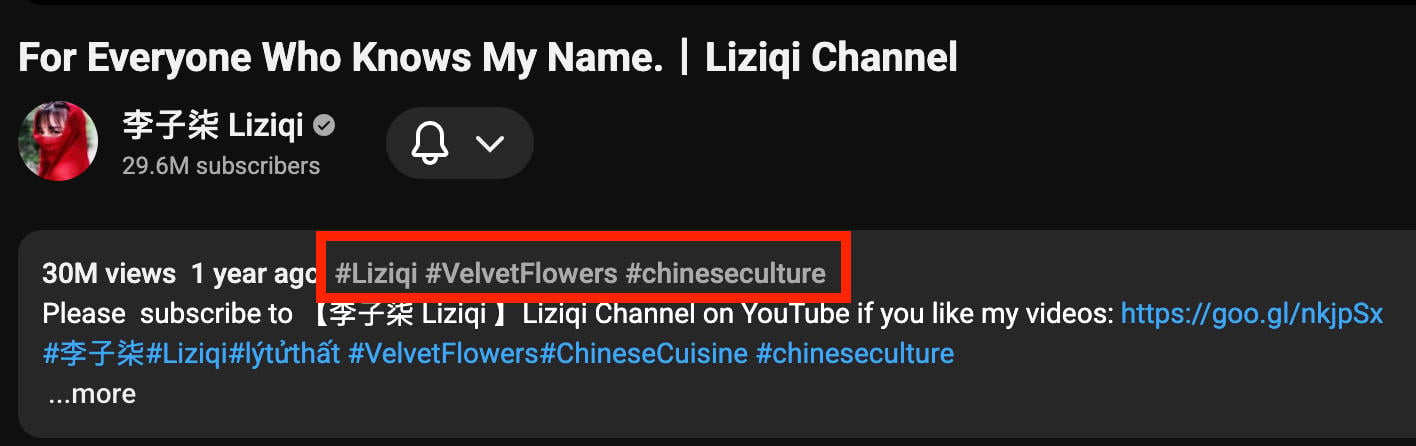
However, sometimes they’re hidden so you’ll have to use our workaround to see what your competition is using (don’t worry, it takes less than a minute).
How To Find Good YouTube Tags
Finding effective YouTube tags isn’t as difficult as it may seem. All it takes is a bit of research and some help from free online tools.
Study The Competition
Your first step should always be studying your competition. Browse channels and videos within your niche; these should be videos that you expect your target audience to also be interested in.
Visit the video of your choice. Right click the page and select View Page Source.
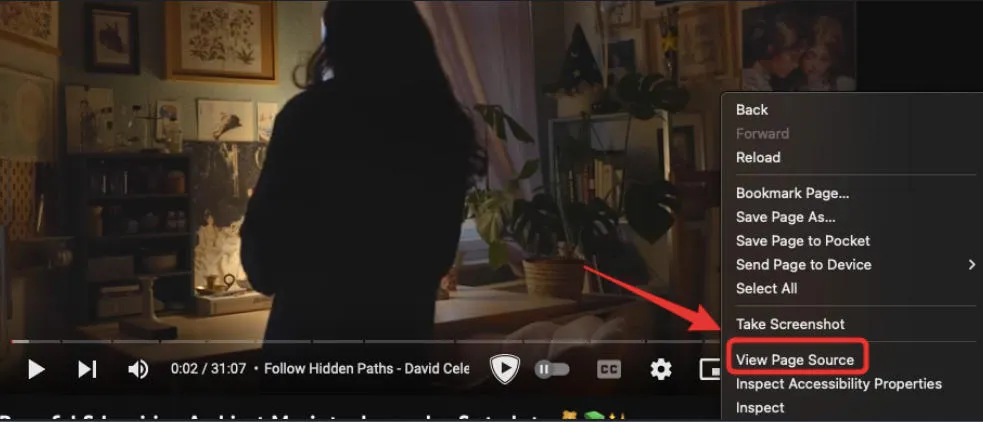
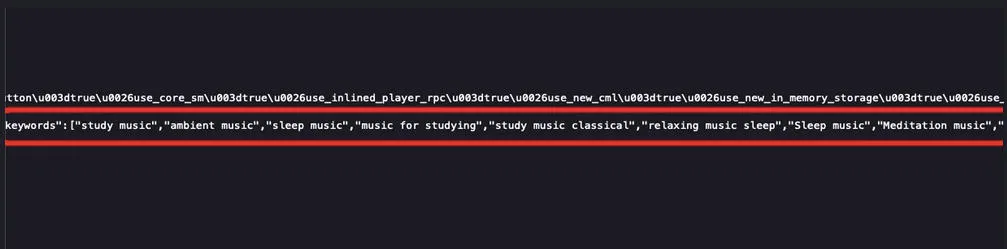
Use the Find function (Ctrl + F or COMMAND + F). Search for 'keywords' and hit enter.

You will then be able to see the tags listed in the meta keywords section.
Search For Keywords
Next, it’s time to search for general keywords that viewers are looking up. You can use a free keyword search tool for this, but the simplest and most effective way is simply to use YouTube’s own search bar.
Start by typing in a word or phrase relevant to your video’s topic in the search bar. Don’t hit enter just yet - wait a moment for popular search terms to generate.
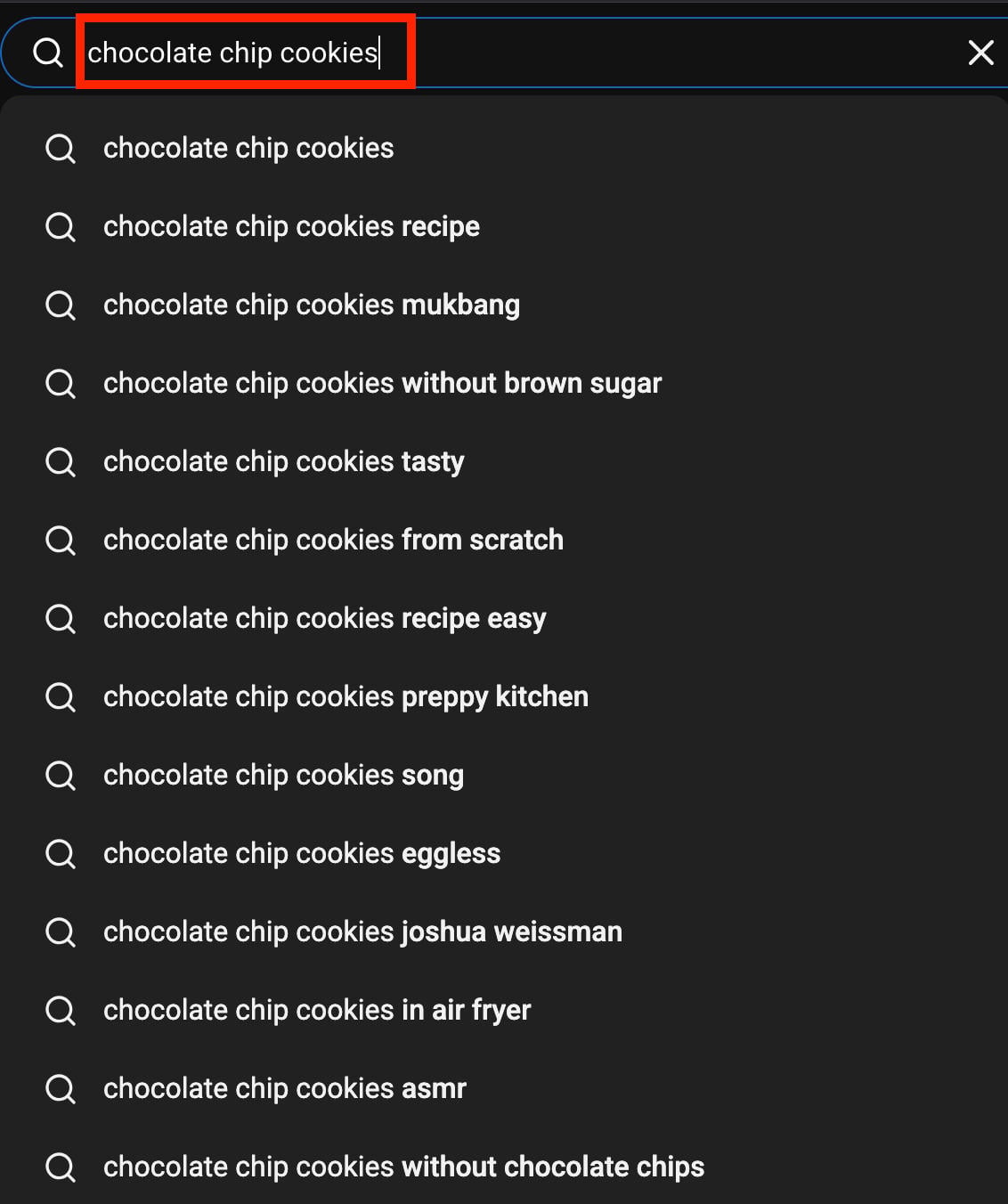
Take note of any keywords that apply to your existing video, but don’t disregard any extras! Save them for future content ideas or terms to include in other areas, like your video title or description.
YouTube Video Tag Generators
There are countless free YouTube tag generators out there, so if you’re not sure where to begin you can start here.
Just input the title of your video, and the generator will provide a list of recommended tags.
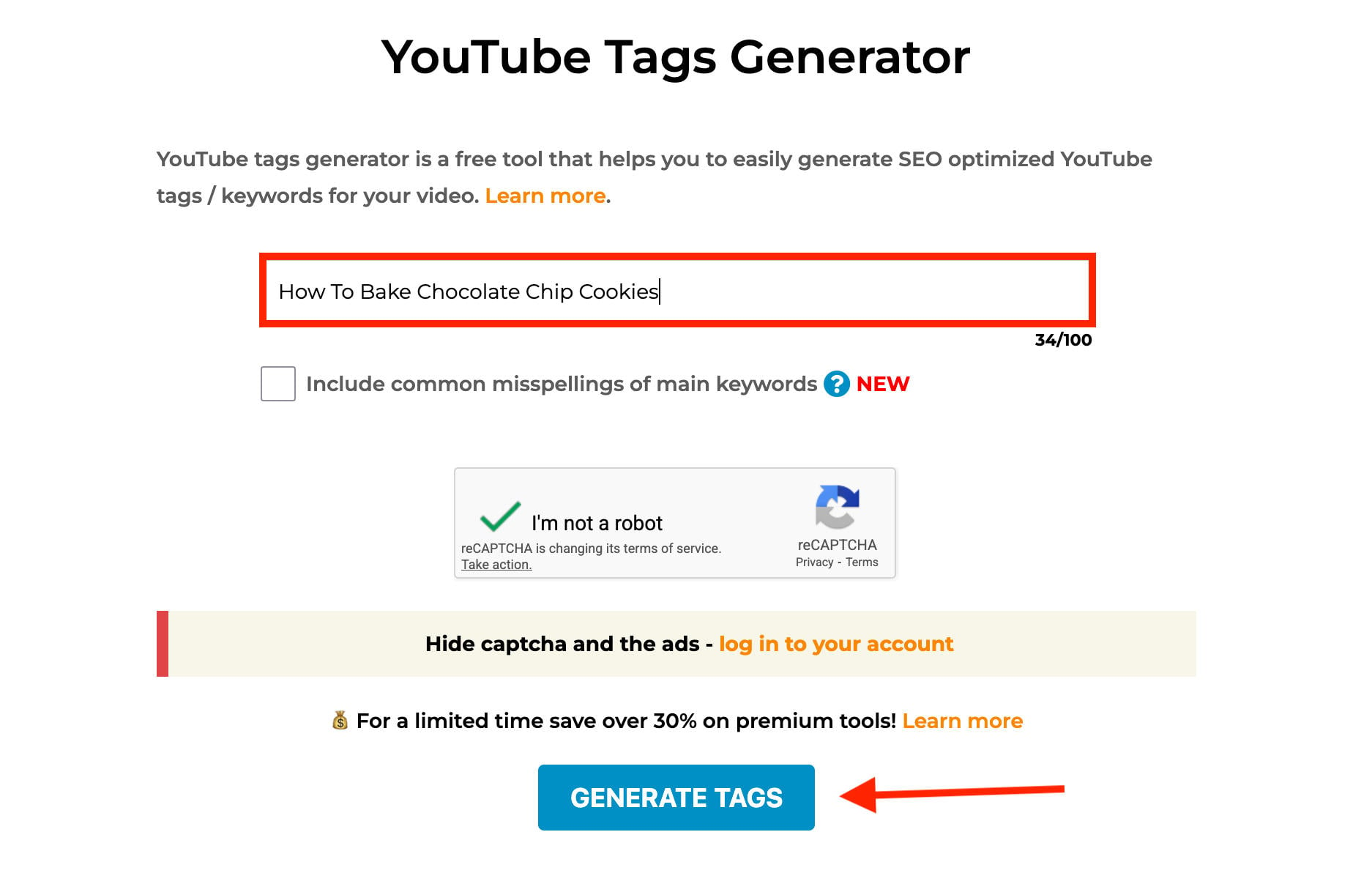
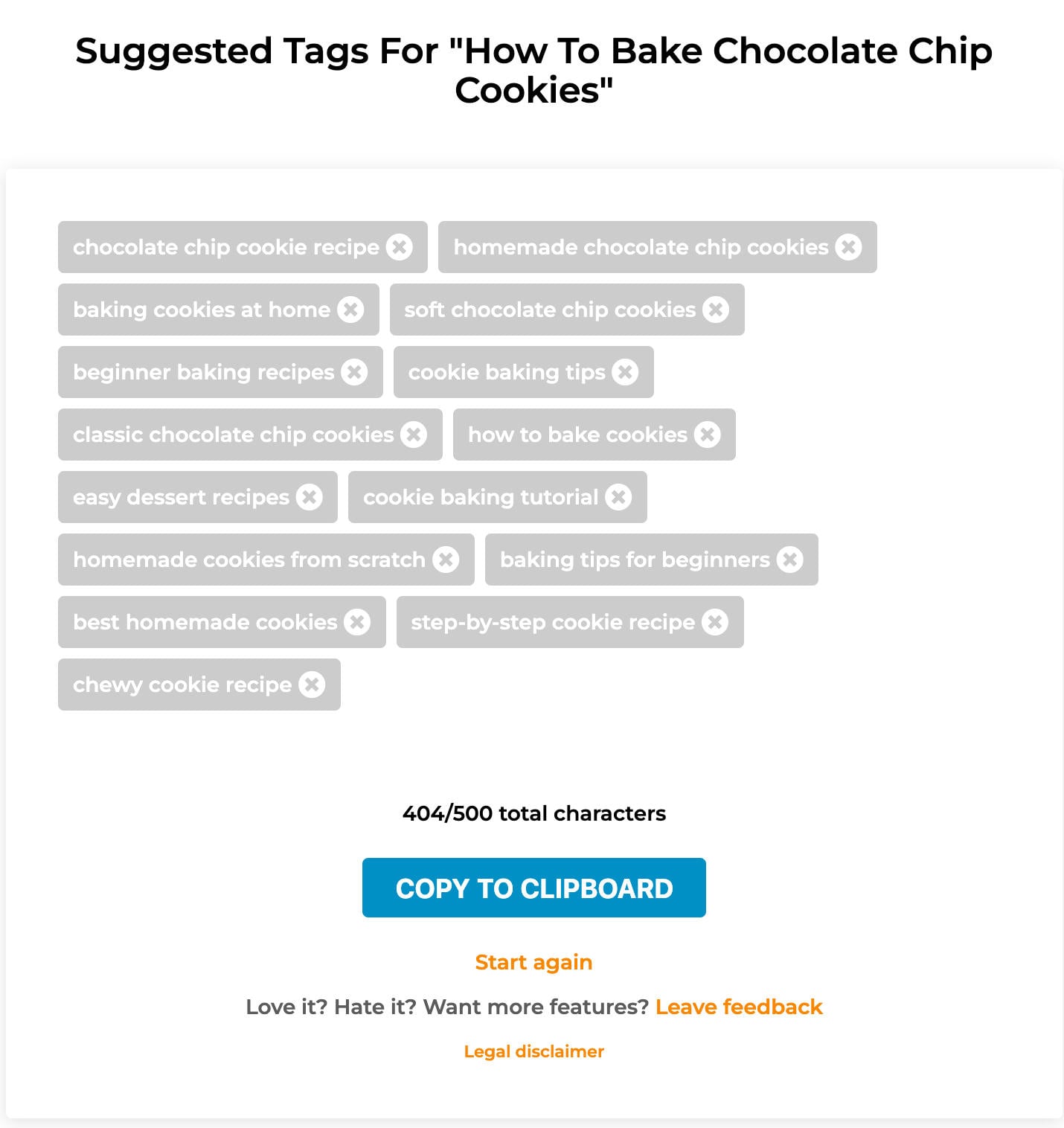
If you do go this route, you should still study your competition and search up keywords within YouTube’s search bar rather than relying solely on a generator.
How To Add Tags To A YouTube Video
The tag section isn’t immediately obvious, but it is there regardless of your channel status.
To add tags to a new or existing video, open the Video Details page via YouTube Studio.
Scroll down and click Show More.
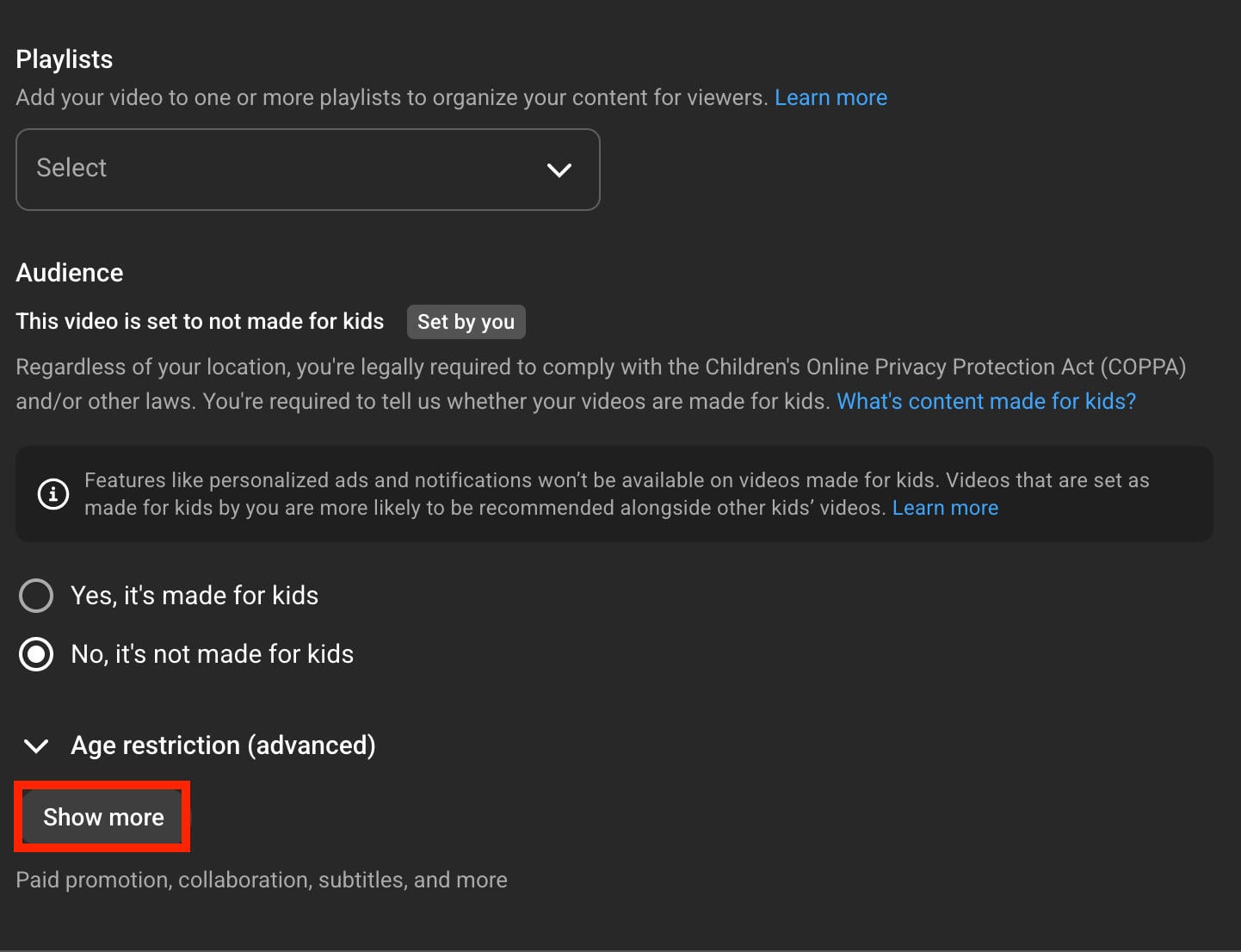
Scroll down to Tags.
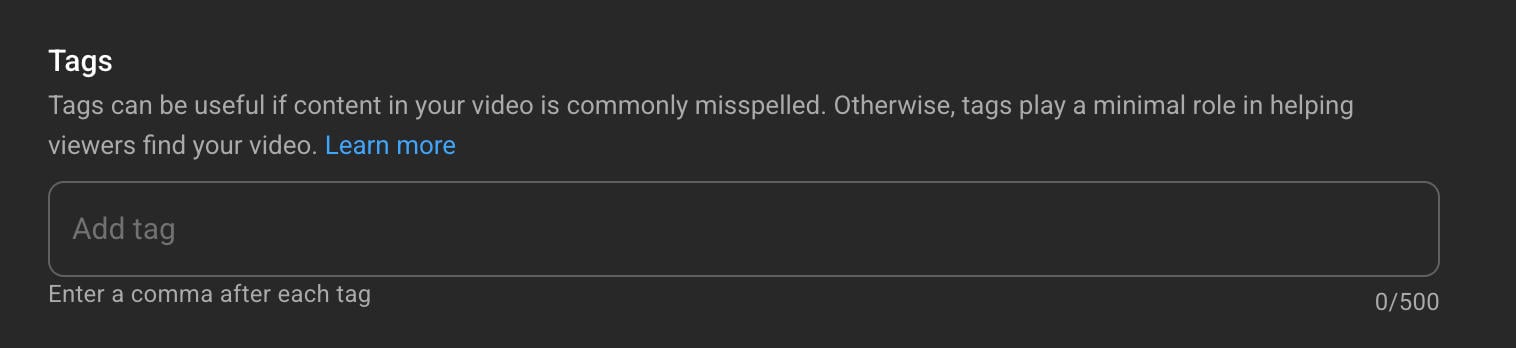
Type in your tags here, separating each one with a comma. You do not need to add the # symbol before the tag.
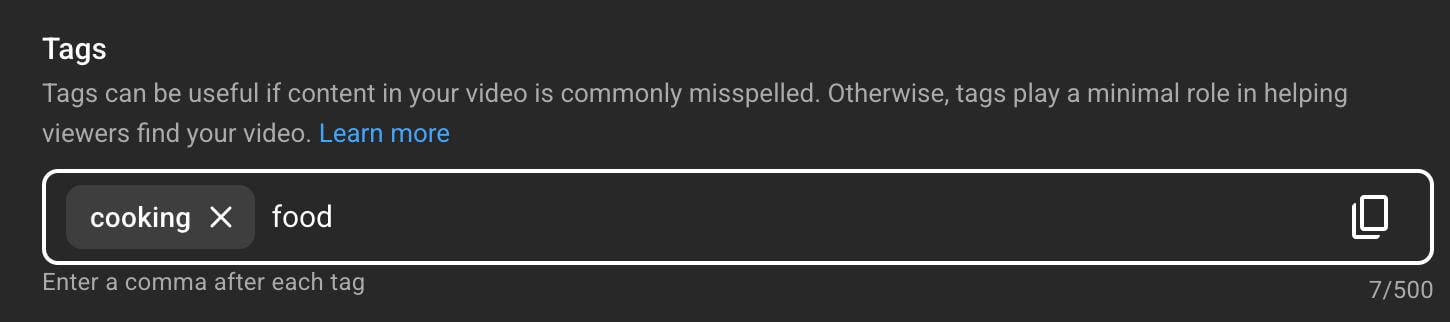
There is a total 500 character limit for tags, which means you can add as many tags as you like as long as they all add up to less than 500 characters.
Common YouTube Tag Mistakes
So now you have all the tags you could ever need, and you know exactly how to add them to your video.
Before you go crazy inputting a hundred tags per video, make sure you’re not making one of these common mistakes.
Not Using Tags At All
As we touched upon earlier, not using tags at all is a big mistake. Not only does it prevent your individual video from being recommended to other users, but it can negatively impact your channel as a whole.
When in doubt, use a few keywords that directly apply to your content. Something is better than nothing!
Being Too Vague
With that in mind, try not to use keywords that are too vague or general.
For example, if your video is a cooking tutorial, #cooking might not be ideal. Instead, narrow it down further by cuisine or dish: #mexicancooking or #tamalrecipe is much more specific and likely to be relevant to viewers.
Being Too Specific
While being too vague is a big no-no, so is being too specific. There’s a fine line between the two, but don’t get overwhelmed.
Just think about what someone looking for your video might be searching for if they didn’t know exactly what your video was about.
Here’s an example:
-
Too Vague: #baking
-
Too Specific: #grandmaschocolatechipcookierecipe
-
Ideal: #chocolatechipcookies
Not Studying Your Competition
Ignoring what your competition is doing is only going to harm you in the long run. After all, they’re your competition for a reason!
Take a few minutes to see what hashtags they’re using, what their titles and thumbnails look like, and how they format their descriptions.
You don’t have to copy them entirely - in fact, you shouldn’t - but knowing what works can help you form your own style without shooting in the dark.
Not Knowing Your Audience
Your audience is key to your success on YouTube and any other platform.
Use YouTube analytics to learn more about your audience, where they come from, and what other types of videos they watch.
You can also use our guide on YouTube traffic sources to determine where your viewers are coming from, so you can make the most of those sources moving forward.
Using Too Many Tags
There’s such a thing as too much of a good thing, even when it comes to YouTube tags. YouTube’s tag section has a total 500 character limit, but that doesn’t mean you need to max it out.
Use only the most relevant keywords that your video needs, rather than inputting anything that could possibly apply to it.
3-10 keywords is a solid range to start with.
YouTube SEO Tips
YouTube SEO doesn’t stop at tags; you should also be paying attention to the way you format your titles, video descriptions, and even your thumbnails.
Thumbnails
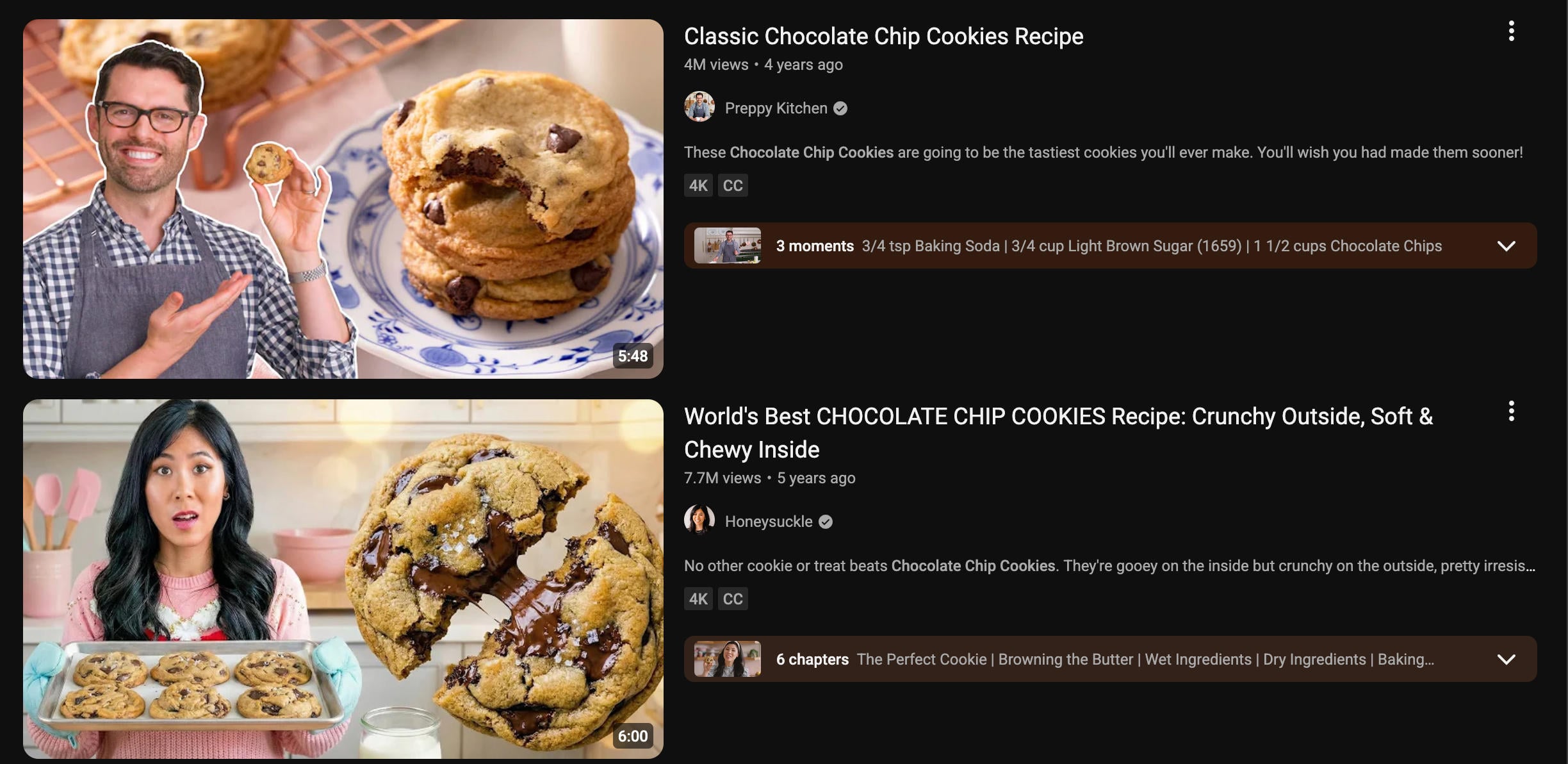
Your video thumbnails should be clear, concise, and relevant to your topic without outright repeating the title text.
Thumbnails with people in them are more likely to be clicked, as are thumbnails that include easy to read text that elaborates on the video topic.
The best way to perfect this is to browse similar content and see what the most-viewed videos in your niche are doing with their thumbnails. You can use a free tool like Canva to help create thumbnails using pre-made templates.
Video Titles
YouTube video titles allow for up to 100 characters, but only the first 70 characters will appear in the search results.
Just like with tags and thumbnails, take a look at what others in your niche are titling their videos. Don’t just copy them, though - use their format as a jumping off point and take notes when it comes to formatting, capitalization, emoji usage, and overall tone.
For example, if you look at the search results for the term 'chocolate chip cookies', you'll notice that words like "best", "perfect", "easy", and "quick" appear often in the most-viewed videos.
Avoiding clickbait is also important; entice your viewer without outright lying about the content of your video.
Video Descriptions
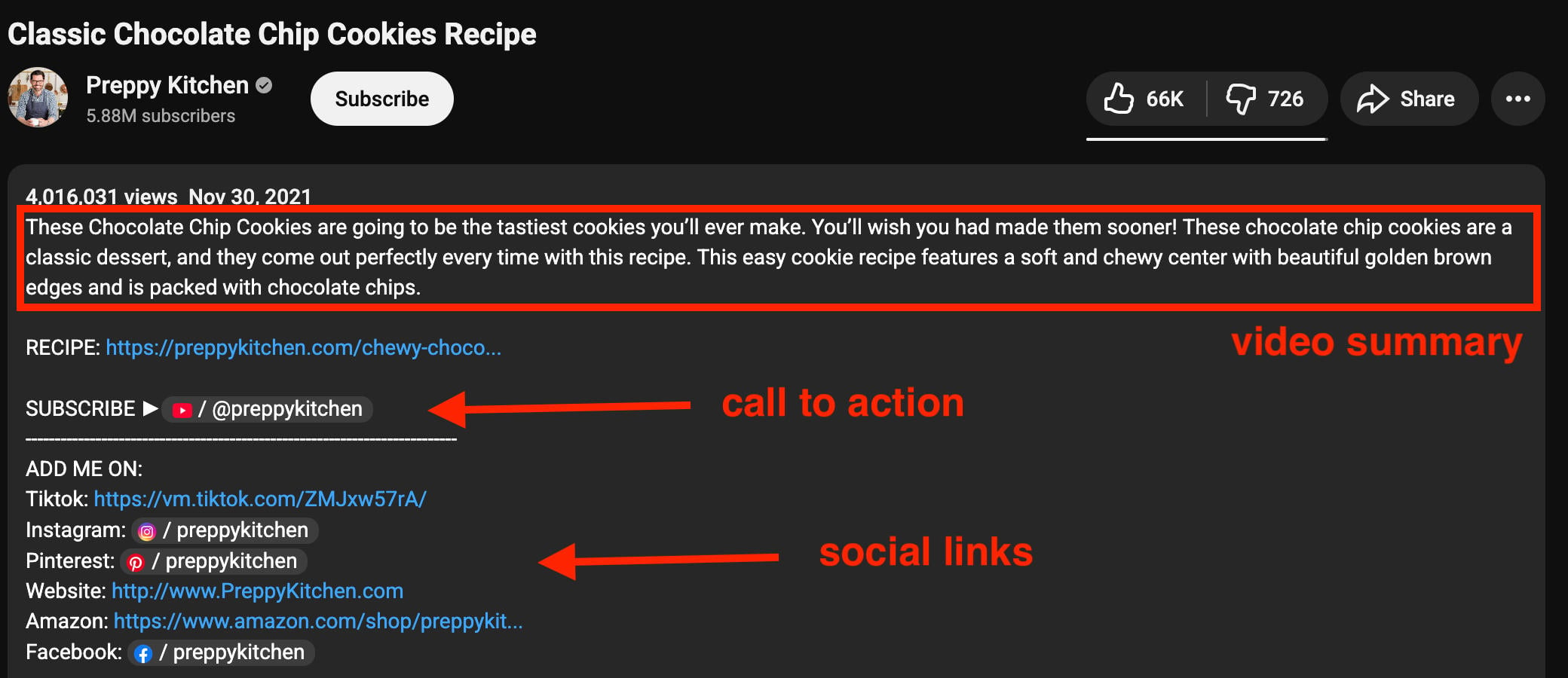
YouTube video descriptions have a 5,000 character limit. Within descriptions you can (and should) include:
-
A brief summary of the video
-
Links to your social profiles
-
Links to similar videos on your channel
-
Contact information (where relevant)
-
FAQs
-
Timestamps
Your description is where you can promote your other profiles, products, or sites while adding extra value for your viewers, so take advantage of it!
YouTube Channel SEO
SEO applies to your overall channel, too.
This includes your:
-
Channel name and handle
-
Channel description
-
Channel links
-
Cover photo
-
Community tab posts
Make sure each of these elements is relevant, concise, easy to understand, and updated regularly.
How To Get More YouTube Views (Fast)
The endgame for most YouTubers is more viewers, but how do you get views when you’re just starting out and YouTube isn’t recommending your content yet?
Sharing Your Videos
Start by sharing your videos anywhere and everywhere you have a platform. This includes your social media profiles, relevant forums like Reddit, within your website or blog posts, and even mentioning it to friends and family.
Word of mouth is a highly underrated method for gaining those early numbers, which can help you snowball engagement over time.
Buying YouTube Views & Engagement
Smart YouTubers know that growing your view count early on can help you get recommended and appear in more places on the platform, without having to wait months or years.
You can buy YouTube views using just your video link (no passwords needed!), with verified providers through QQTube’s online marketplace. And with a bot-free guarantee, you can rest easy knowing your views are all backed by real YouTube users.
Engaging With Your Competition
You’re competing with other YouTubers, but that doesn’t mean you should ignore them! If someone is creating videos that your target audience loves, engaging with those videos can help you be seen early on by a guaranteed audience.
Comment something thoughtful, whether it’s on their video or a community post on their channel. Even engaging on their social media profiles can help other viewers find you - every bit counts!
Frequently Asked Questions
What are popular YouTube tags for views?
That depends on the specific video. There are no one-size-fits all tags for YouTube, and you shouldn’t just drop in popular hashtags that don’t apply to your video. Learn how to find popular tags for your specific video here.
How to find keywords for YouTube videos?
There are multiple ways to find relevant YouTube video keywords. Learn more here.
Can I see the tags on a YouTube video?
Yes! Learn how to see the tags on any YouTube video here.
How to generate tags for YouTube?
There are free YouTube video tag generators, but you should start by searching up terms within YouTube itself to see what other viewers are looking for.


