Want to leverage your following and start earning from your Instagram profile?
Today’s guide will show you how to set up an Instagram Shop, plus best practices for maximum earnings.
Key Points:
How Many Followers Do You Need For An Instagram Shop?
There’s currently no minimum follower requirement for Instagram Shop. Instead, you must meet several eligibility criteria including having an Instagram Business Account.
Eligibility Requirements
In order to set up an Instagram Shop your account must meet the following requirements:
-
Have a Commerce Manager account (set one up here)
-
Have an Instagram Business account (learn how to switch below)
-
Be located in a supported region.
-
Agree to Instagram’s merchant policies.
How To Set Up A Business Account
If you’re currently using a personal or Creator Instagram account, you’ll need to swap to a Business account.
Tap the three lines on the top right corner of your Instagram profile.
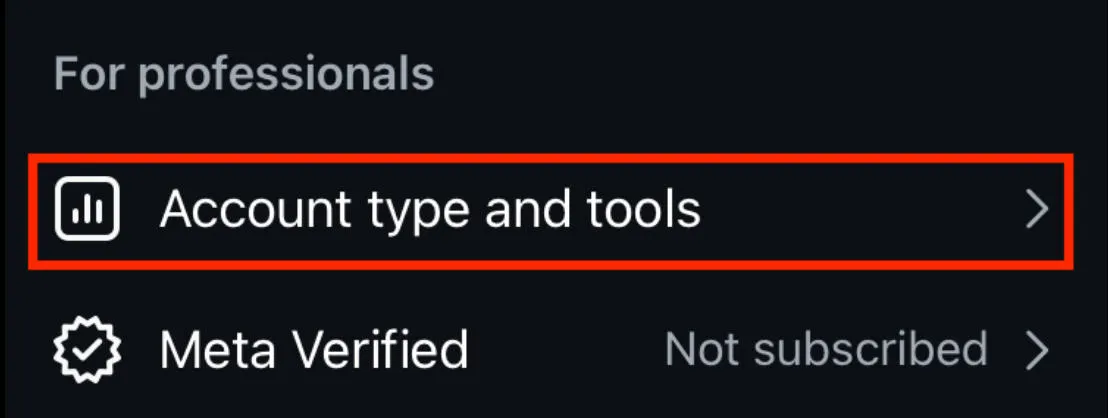
Scroll down to For Professionals and tap Account Type And Tools.
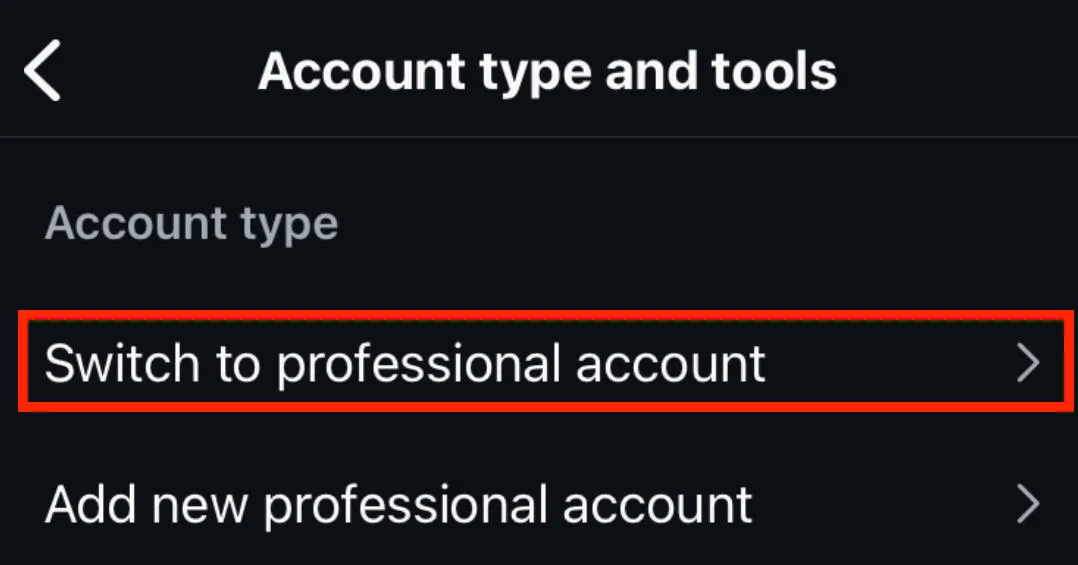
Tap Switch To Professional Account.
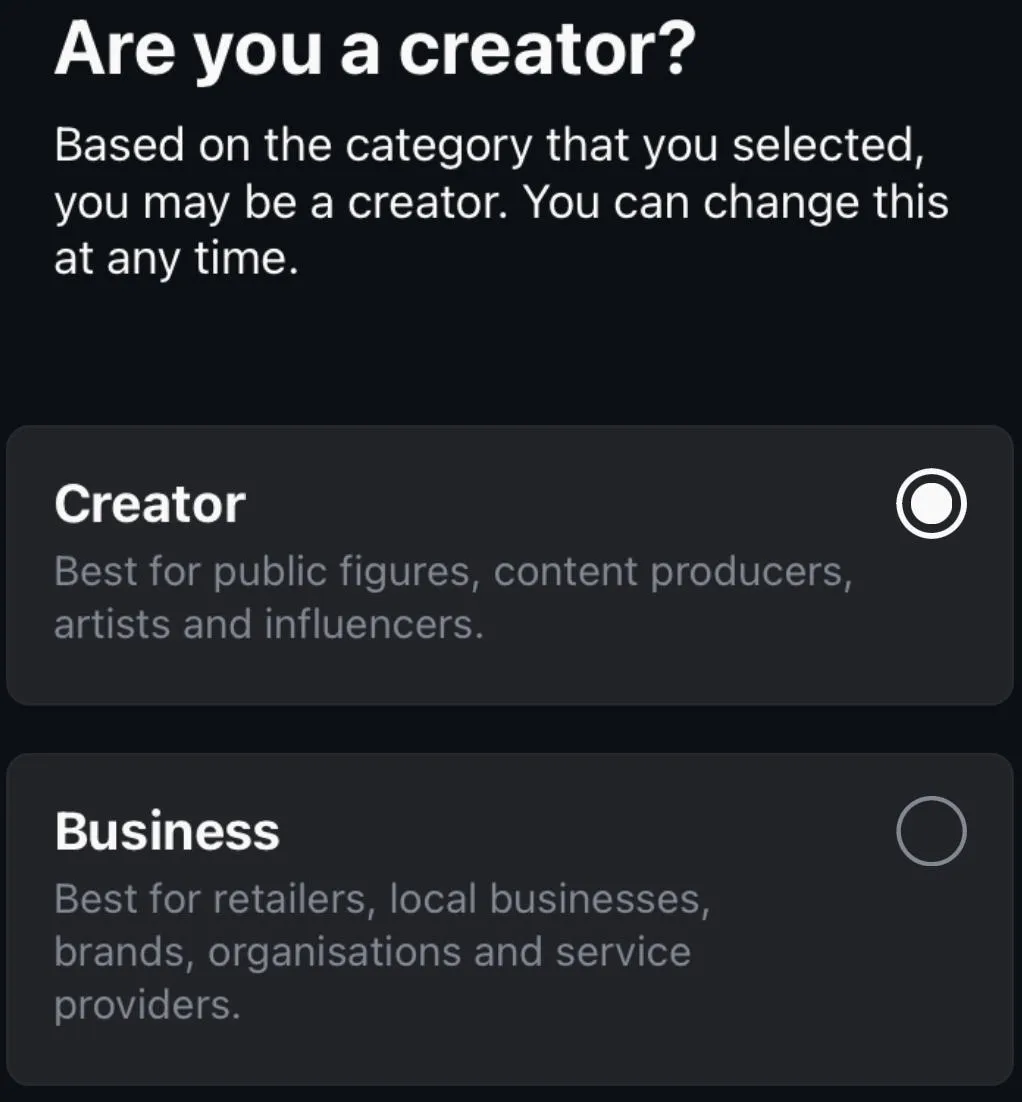
Follow the on-screen prompts depending on your account type.
Select Business.
Complete the on-screen prompts to finish set up.
Using Commerce Manager
Once you’ve set up your Commerce Manager account, it can take up to 4 weeks for Facebook to verify your shop.
After verification is successful, you should see a green checkmark indicating that the review is complete and you can begin creating your product catalog.
How To Create A Product Catalog
From the Commerce Manager, click View Details.
You’ll then be prompted to sync your catalogs, add product variants, set up your shipping profile, and add a checkout URL.
How Do I Enable The Shopping Feature On Instagram?
Once you’ve swapped to a Business account and set up your shop via the Commerce Manager, you’ll need to link your Facebook page to your Instagram account, create your catalog and connect it to Instagram.
How To Link Your Facebook Page To Instagram
To link your Instagram account, navigate to the Facebook page you wish to link.
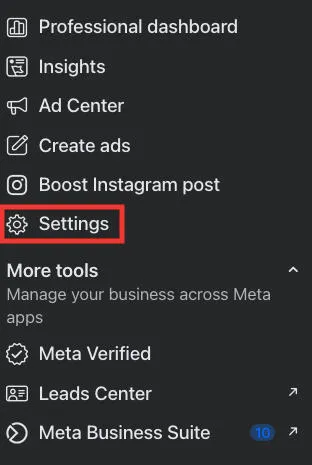
Click Settings from the left-hand menu.
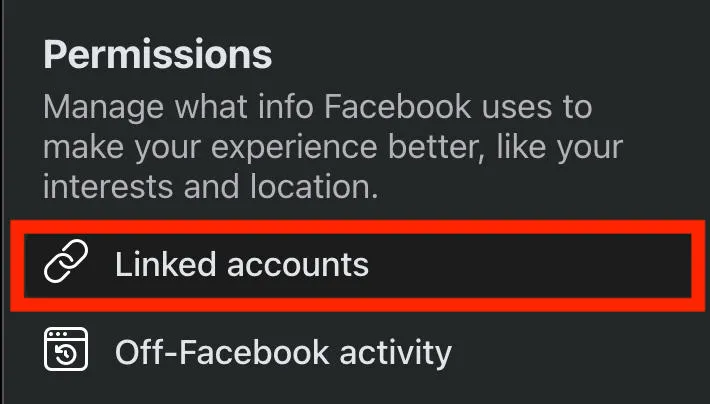
Scroll down to Permissions and click Linked Accounts.
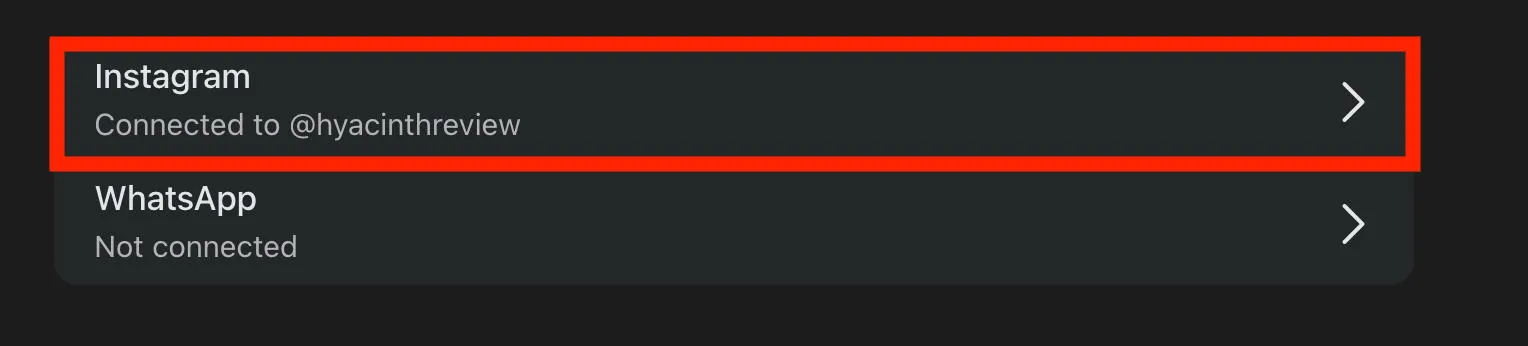
Click Instagram and follow the on-screen prompts to link your accounts.
How To Create Your Catalog
If you haven’t already, you can create your shop catalog via the Meta Business Suite.
To do this, visit Meta Business Suite here.
From the left-hand menu click All Tools.
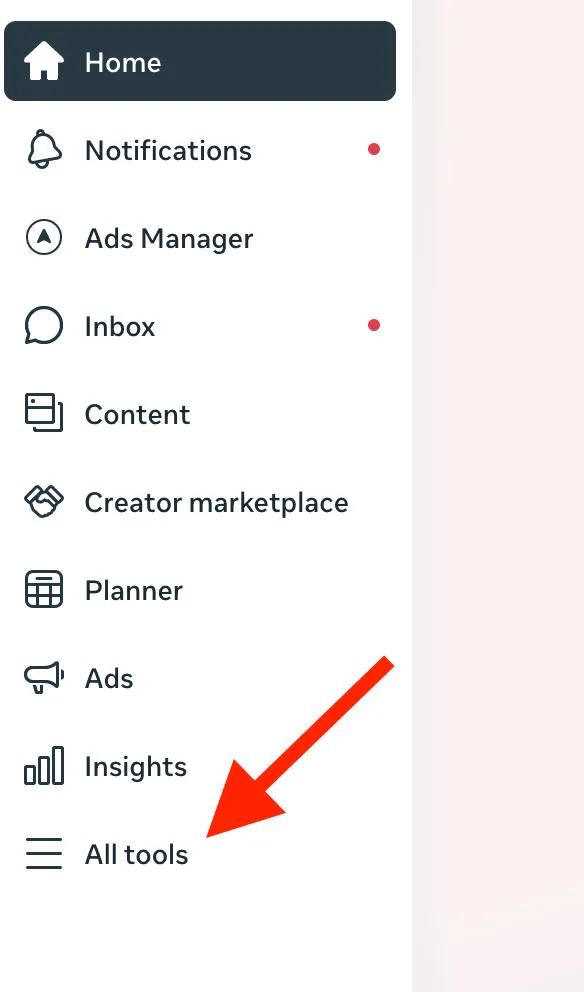
Scroll down to Sell Products And Services and click Commerce Manager.
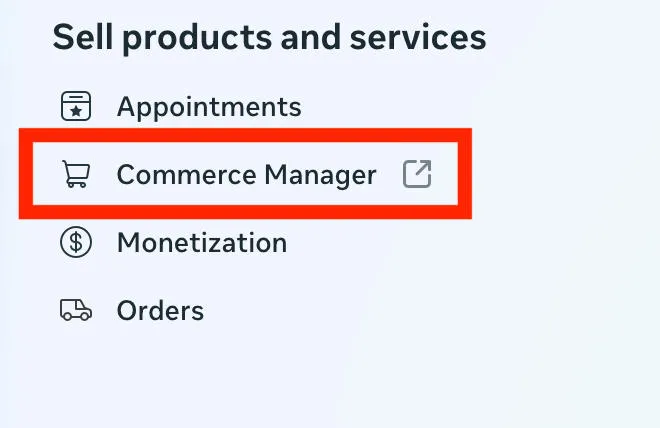
You’ll be redirected to a new page. Click Add Products to start creating your shop catalog.
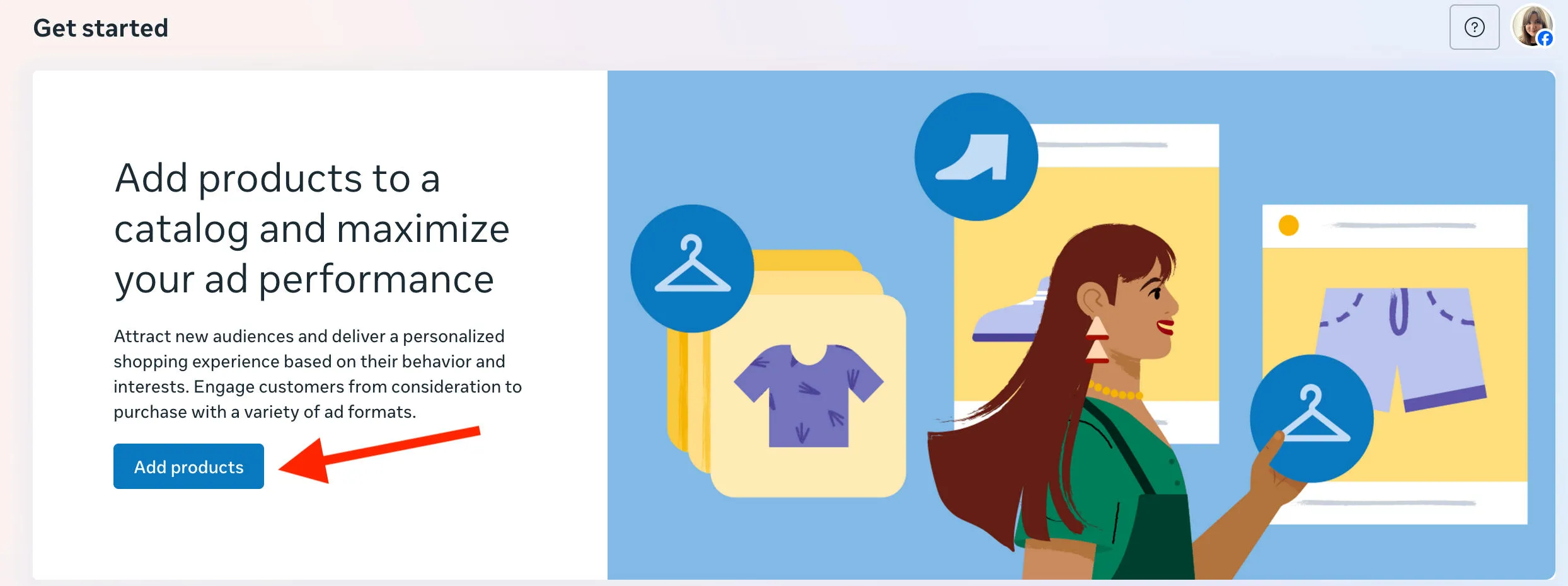
How To Connect Your Catalog To Instagram
Once your Facebook Page is linked to your Instagram account, and you’ve published your shop via Commerce Manager, you’ll receive a notification on Instagram that you’ve been approved.
To connect your catalog to Instagram, you can follow the steps below:
-
Tap the three lines on top right corner of your profile page.
-
Tap Settings & Privacy.
-
Tap Business.
-
Tap Shop.
-
Choose the product catalog you want to link then tap Done.
How Do I Add A Shop Button To My IG Profile?
To add an action button on your Instagram profile, open Instagram on the mobile app. This will not work via the desktop site.
Tap Edit Profile.
Scroll down and tap Action Buttons.
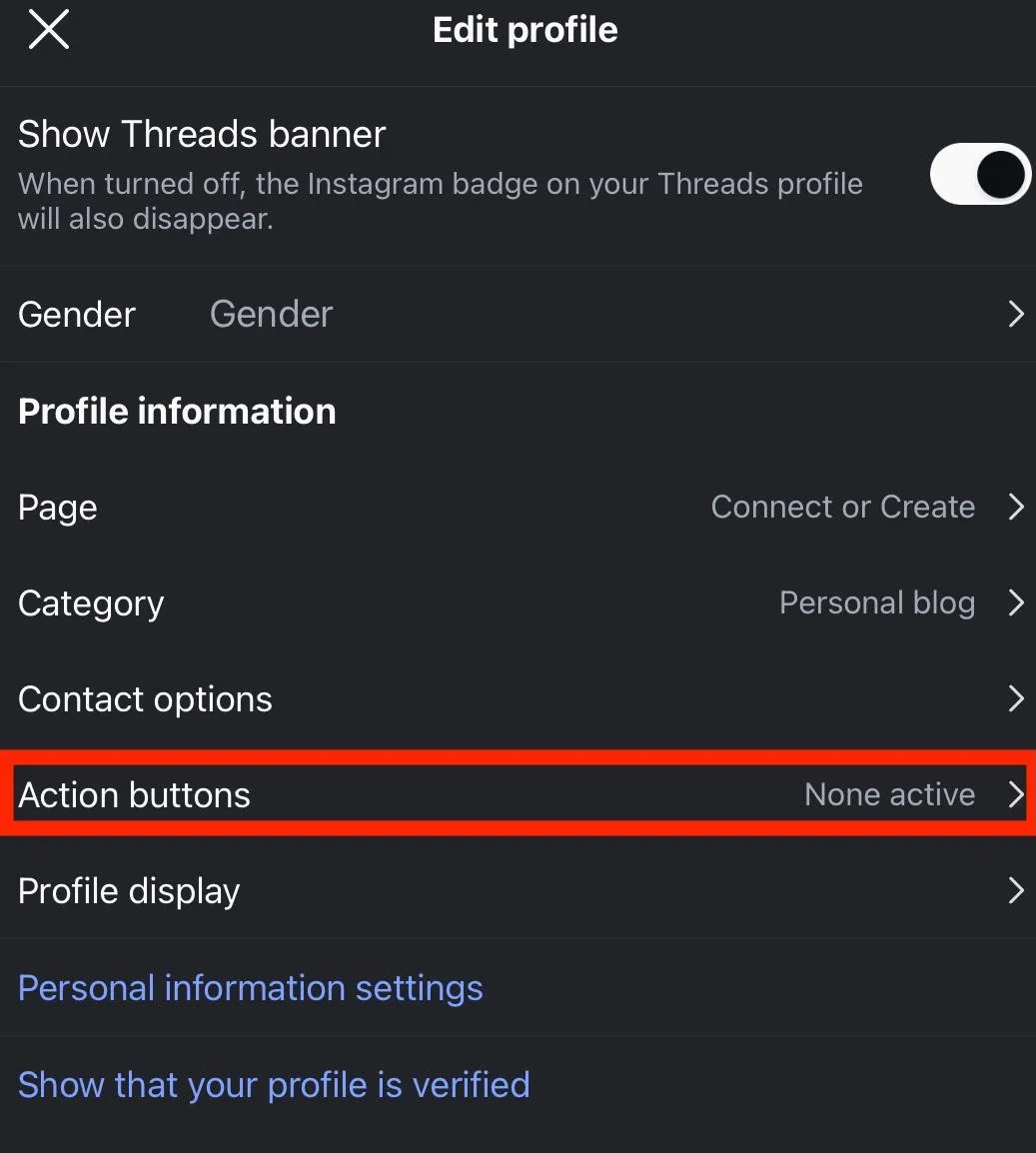
Select the button of your choice and tap Done.
Optimizing Your Instagram Shop
Like any Instagram profile, your Shop should be optimized to not only attract potential customers but to keep them engaged enough to scroll through your catalog and ideally make a purchase.
Here are few basic elements to keep in mind when setting up your Instagram Shop. You can adjust all of these settings by clicking Optimize Shop from your Commerce Manager account.
Personalize Your Layout
You can adjust your settings so that each customer sees a personalized layout based on their shopping preferences and history.
This is a great way to increase the chances that users will make a purchase, because they’ll see exactly what they want, front and center.
Include Customer Ratings & Reviews
Users are more likely to make a purchase when they see reviews and ratings from other customers. With Commerce Manager you can display ratings and reviews from your website or other review aggregators, like TrustPilot.
Highlight Special Offers
This is an automatic feature that crawls your site to detect any ads or special offers you’re promoting, to ensure customers get the best deal.
Use High-Quality Images
You’re required to include at least one image per product that accurately represents the specific item for sale.
However, using 4 or more images is recommended for best results. Try to include shots from various angles, with a simple backdrop that has no text overlay.
Here are a few things to keep in mind:
-
JPEG and PNG are the only file types supported for product images.
-
Each image can be 8MB maximum.
-
Images must be at least 500 x 500 (1024 x 1024 is recommended)
Troubleshooting Instagram Shop
Having trouble setting up Instagram Shop? Below are a few common issues and some steps you can take to resolve them.
Why Can't I Add A Shop To Instagram?
To add a shop on Instagram you must:
-
Have an Instagram Business account.
-
Have linked a Facebook Page to your Instagram account.
-
Have your shop approved by Meta.
-
Be located in a supported region.
If you haven’t met one of the above requirements, you won’t be able to set up your shop.
Why Is The Shop Tab Not Showing Up On Instagram?
You have to manually integrate the Shop tab after your shop has been approved via the Meta Business Suite.
To add an action button on your Instagram profile, open Instagram on the mobile app. This will not work via the desktop site.
Tap Edit Profile.
Scroll down and tap Action Buttons.
Select the button of your choice and tap Done.
Why Am I Not Eligible For Instagram Shopping?
To add a shop on Instagram you must:
-
Have an Instagram Business account.
-
Have linked a Facebook Page to your Instagram account.
-
Have your shop approved by Meta.
-
Be located in a supported region.
If you haven’t met one of the above requirements, you won’t be able to set up your shop.
Why Is My Instagram Shop Hidden?
You can manage the visibility of your Instagram Shop via Commerce Manager by following the steps outlined below:
-
Open Commerce Manager here.
-
Click your shop.
-
In the left-hand menu click Settings > Business Assets.
-
Under Sales Channels, locate your shop and select your visibility setting from the drop-down menu.
How To Earn More From Instagram Shop
So you’ve set up your Instagram shop but you’re not earning as much as you thought you would. What now?
Below are a few areas to focus on, and hopefully with a few tweaks you’ll increase your product listing reach and start gaining loyal customers.
Instagram SEO
In many ways, Instagram is a mini search-engine and just like a regular website it’s important to optimize your Instagram Shop for search.
When creating product listings, be sure to include keywords in your product title and description. If you're not sure which keywords to use, start by typing in the first word of your product in Instagram's search bar. You'll then see additional search suggestions pop up based on that word - try to include some of the top searches.
You should also try to use optimized hashtags when promoting products in your regular posts. Stick to using hashtags that have between 1k-500k posts, to avoid being drowned out by super-popular content.
Using High-Quality Images
We already went over the importance of high-quality images when creating your catalog, but it bears repeating.
Make sure your images are at least 500x500, crisp and well-lit, on a plain background, and that you include at least 4 images per product from various angles.
Increasing Your Content Reach
If all else fails, consider buying Instagram engagement for your posts. That way, when you promote your products you can ensure that you’re reaching the widest possible audience and potentially even reaching the Explore page, which could lead to more sales!
Frequently Asked Questions
How to get shop to show up on Instagram profile?
Once you’ve linked your Instagram Business account to your Facebook Page and published your shop via Commerce Manager, you can link your shop by following the steps outlined here.
How to make a shop visible?
You can set up a shop on an Instagram Business profile by linking it to a Facebook Page and publishing your shop via Commerce Manager. Then you can link your shop by following the steps outlined here.
How do I get my Instagram shop back?
If you’ve had your Instagram shop suspended due to a violation of Instagram’s merchant agreement, all you can do is file a direct appeal to Instagram. Alternatively, you can create a new shop account and start from scratch - but keep in mind that depending on the nature of your ban this may be in violation of Instagram’s terms.


