
Unlike Instagram and TikTok, Facebook is centered around building a list of friends - people that you personally know and want to stay in touch with.
So how many friends can you have on Facebook?
Because of the personal nature of the friends list, Facebook currently limits users to 5,000 friends per profile.
However, there are a few ways to get around this and build your network even further.
Today we’ll dive into Facebook’s daily and overall friends limit, how to grow past this, how to manage your friends list, and how to increase engagement without lifting a finger.
Let’s get started!
Key Points:
Why Does Facebook Limit Your Friends?
Facebook was originally created for individuals to build their personal networks and share updates with friends and family. Because of this, the current limit of 5,000 friends was put into place.
Simply put, Facebook believes that any user who has a network larger than 5,000 friends is likely a public figure and as such should opt for managing a page rather than a personal profile.
What Is The Highest Number Of Friends On Facebook?
Currently the limit is set at 5,000 friends per profile.
What Happens After 5,000 Friends On Facebook?
After you’ve accrued 5,000 friends on your profile, anyone who wishes to stay up to date with your posts will have to follow you instead of send a friend request.
When it comes to followers, there doesn’t seem to be a hard limit however, each individual user can only follow up to 5,000 people. That shouldn’t affect the number of followers you gain, though.
How Many Friends Can I Add On Facebook Per Day?
There’s no limit to the number of friends you can gain per day, but there is a limit of how many requests you can send within a 24 hour period.
That means if you reach the request limit every day for a week, and suddenly everyone accepts you on the final day, you won’t be limited to how many new friends you can gain.
Is There A Limit On Facebook Friend Requests Per Day?
Facebook has a 20 friend request per day limit for most accounts. Trying to send requests past this will most likely result in an error message or, in extreme cases, a temporary account restriction.
It’s not recommended to repeatedly try to get around this limit, as Facebook considers mass friend requests spammy behavior, along with mass-following and mass-engagement in the form of reactions, comments, and shares.
How Do I Remove The Friend Request Limit On Facebook?
The only way to get around the friend request limit is to delete any pending friend requests you just sent.
To access your pending friend requests, open Facebook on the desktop site.
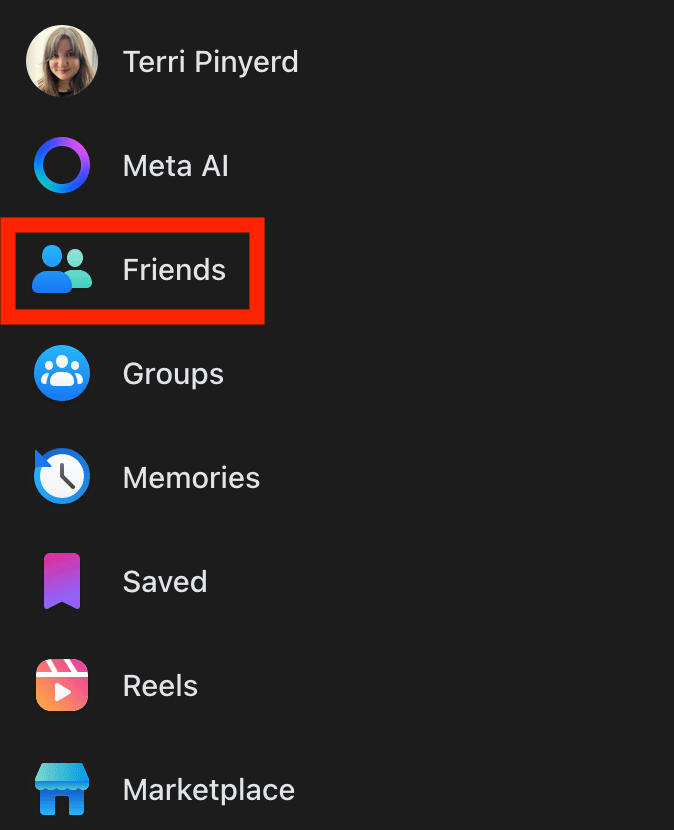
Click Friends in the left-hand menu.
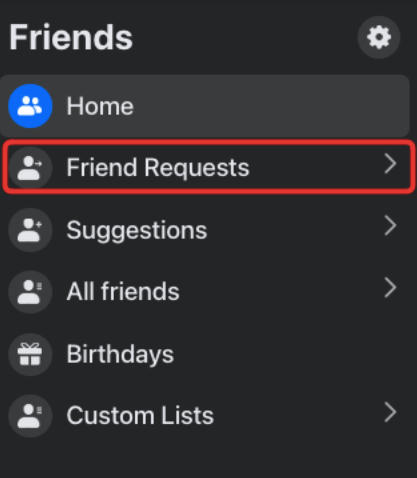
Click Friend Requests.
Click View Sent Requests.
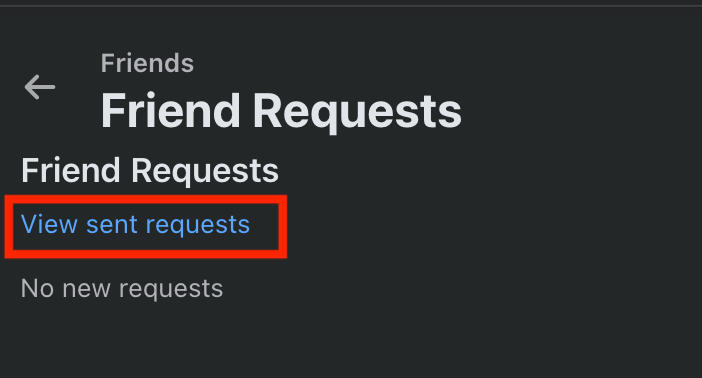
You can delete any pending requests here.
How Do I Increase The Number Of Friends On Facebook?
If you’re looking to grow your Facebook friends list, there are a few things you can do to build your network without bumping into any errors.
Use The People You May Know List
Facebook wants you to grow your list, which is why they implemented the People You May Know section as a way to help you find mutual friends.
Usually this list appears at the top of your newsfeed or profile page, but if you’re not seeing it there you can find it in the Friends section.
Click Friends in the left-hand menu or at the top of the newsfeed.
The homepage includes People You May Know, or you can click Suggestions to see additional mutual friends.
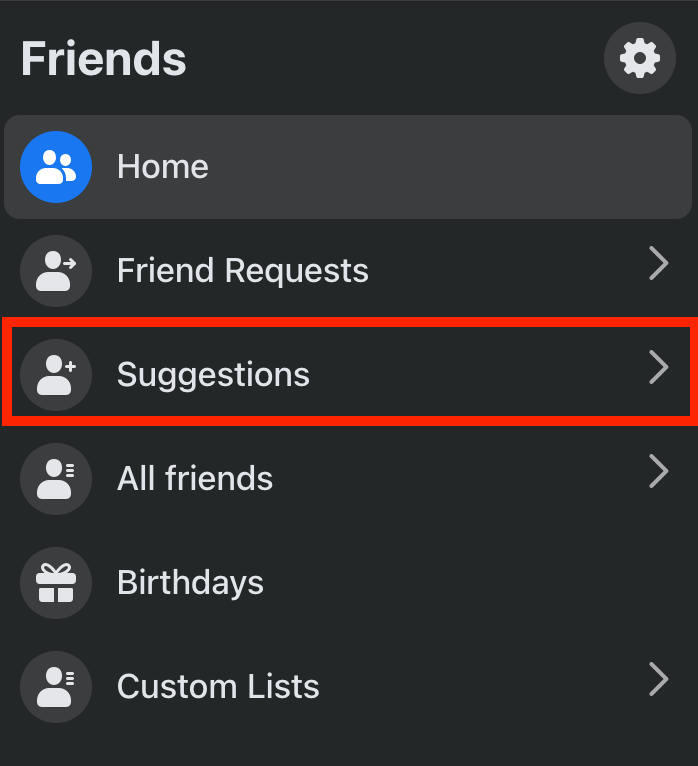
If you see someone you know or would like to connect with, click Add Friend.
Join Groups
Another way to make friends outside of your own network is to join Facebook groups for your own interests and hobbies.
Groups are a great way to meet people with similar passions, and the good news is that there are thousands of available groups to join.
To find groups, open the Facebook homepage.
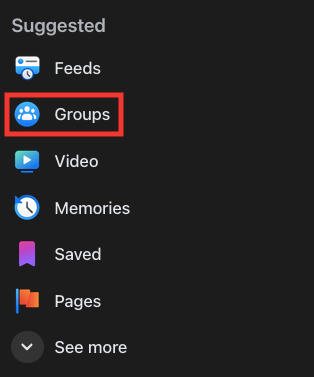
Click Groups on the left-hand menu.
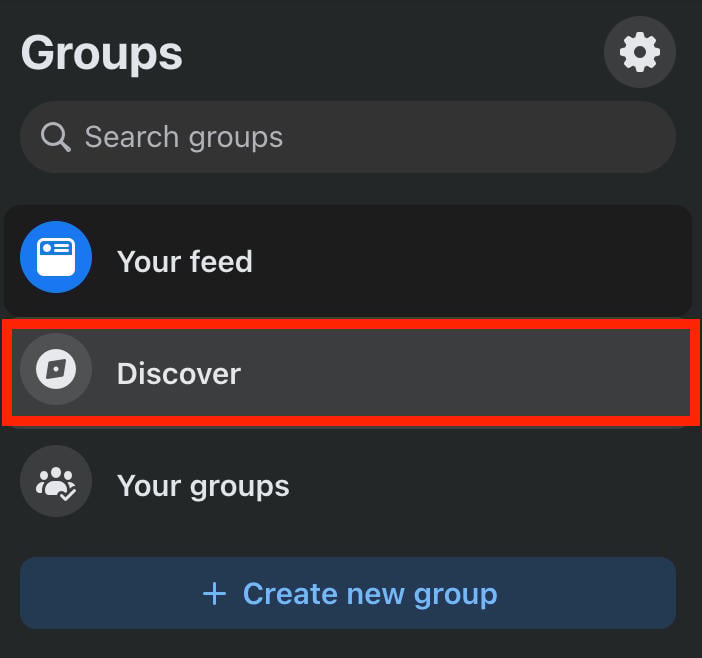
Click Discover.
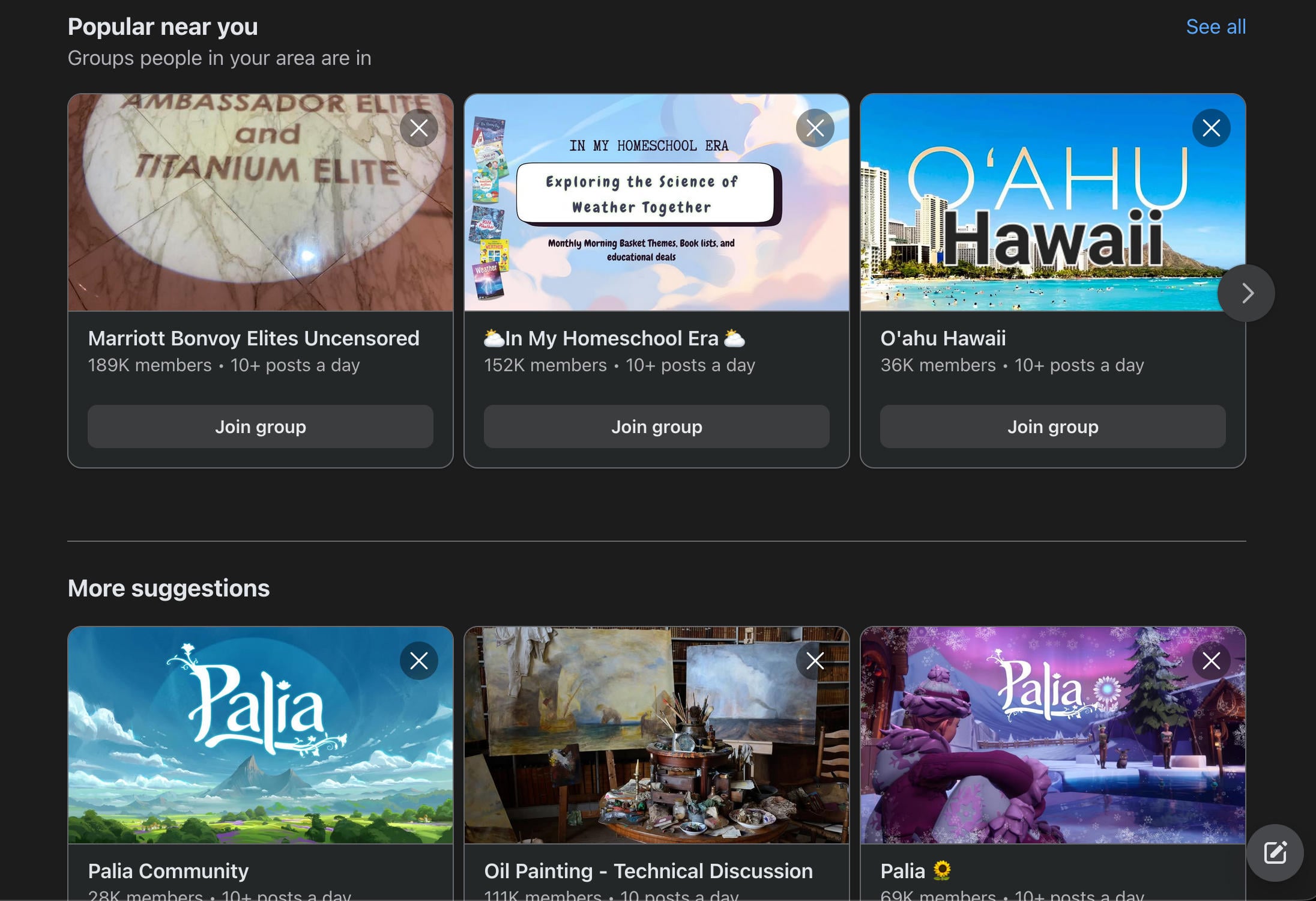
You’ll be shown a selection of popular groups based on your local area, plus suggestions based on your existing interests and what your friends are into.
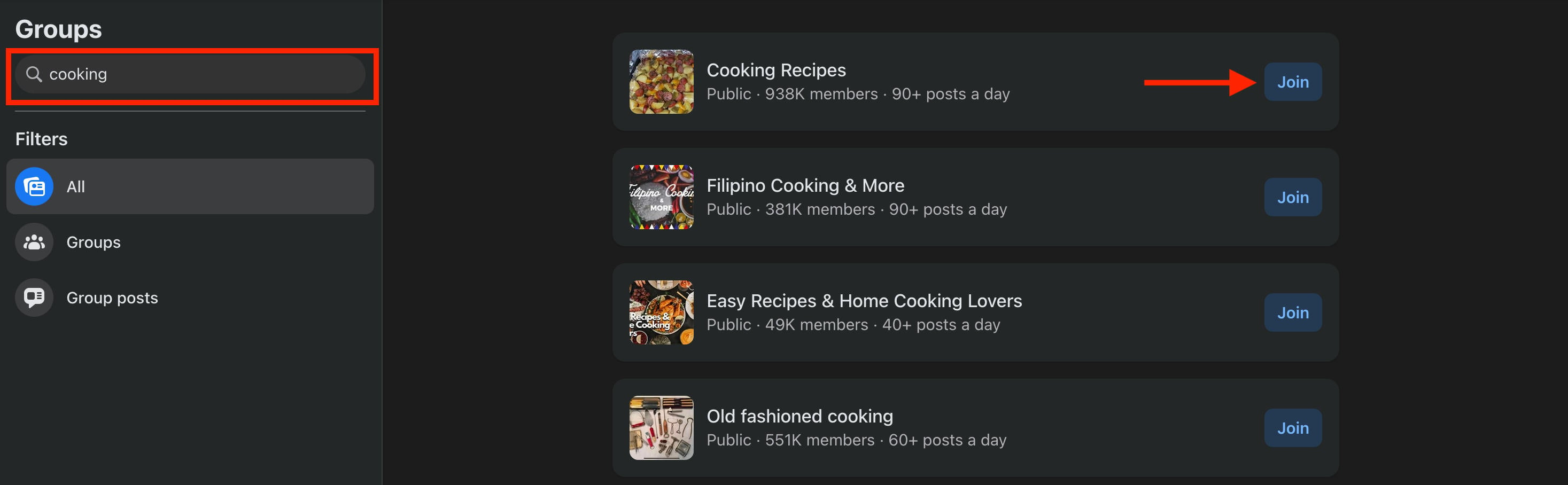
You can search groups based on key word on the top left.
If you see a group you like, click Join.
In some cases you may be prompted to answer a few short questions or agree to the group’s rules. Complete the steps to send your group request.
Once you’re accepted you’ll receive a notification and will be able to participate in group discussions, interact with members, and more.
How Do I Increase The FB Friends Limit?
The only way to get around the 5,000 friends limit is to allow users to follow your profile after you’ve reached the limit.
How Do I Convert My Facebook Friends To Followers?
You can’t necessarily turn friends into followers, but friends will follow your profile by default unless they opt to manually unfollow you.
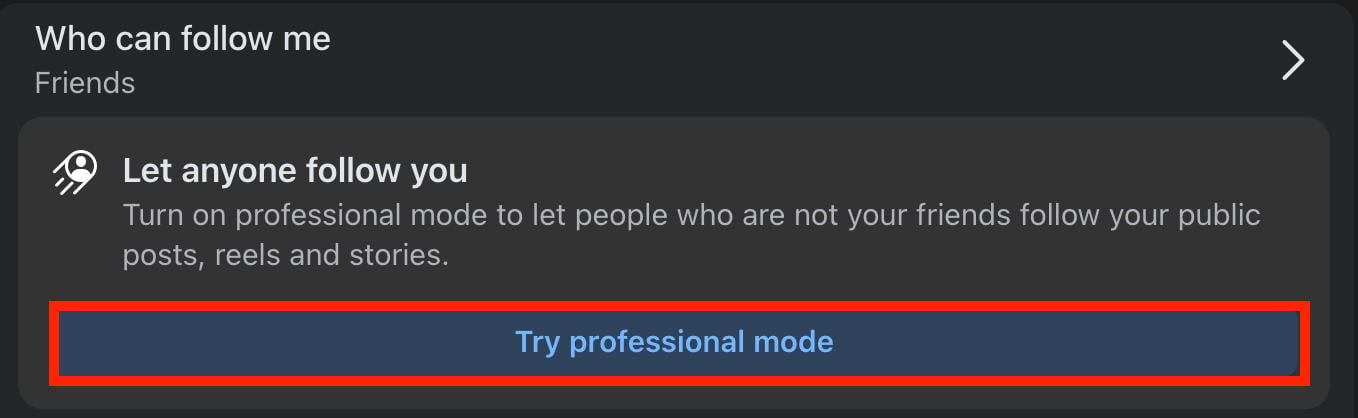
However, you can enable professional mode on your profile to allow additional users to follow you. Here’s how:
Click your profile picture and go to Settings & Privacy > Settings.
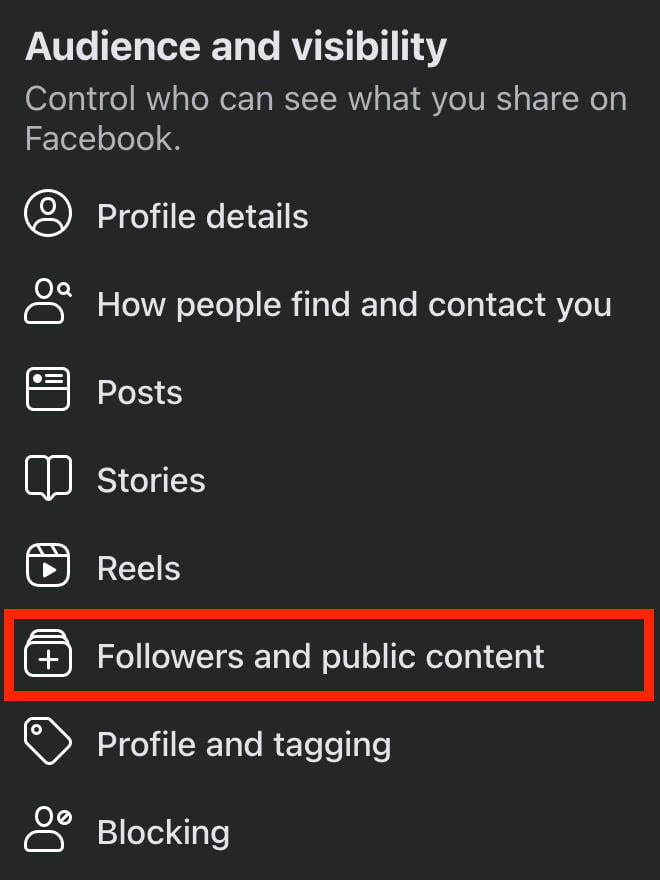
Under Audience & Visibility click Followers And Public Content.
Click Try Professional Mode and follow the on-screen steps to conver your profile.
How To Manage Your Friends List On Facebook
Whether you’re close to reaching the 5,000 friend limit or just want to curate your list, there are a few ways to keep things streamlined and ensure that only the right people have access to your content.
How To Unfriend Users
Go to your profile page and click Friends.
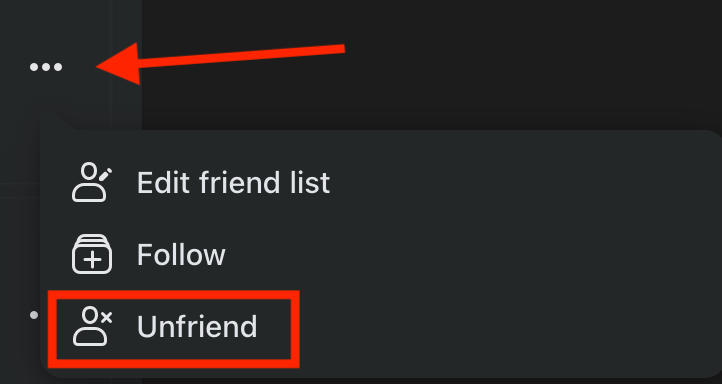
Click the three dots to the right of the user you want to remove.
Click Unfriend.
How To Block Users
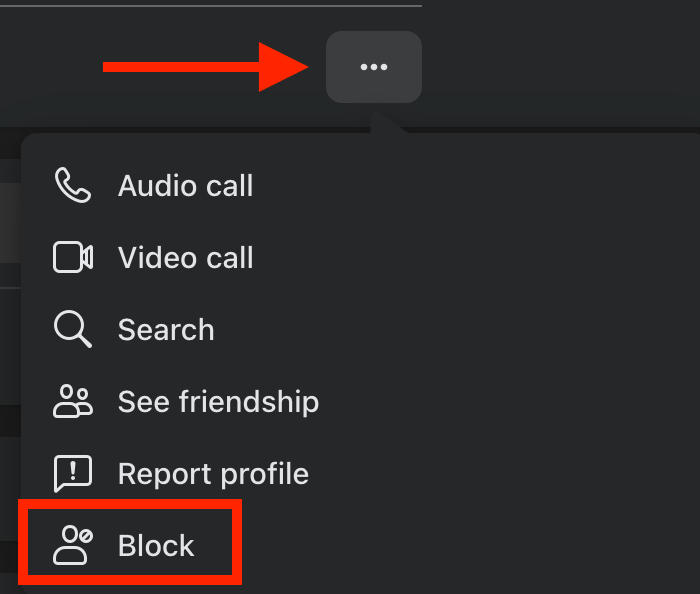
If you want to block a user, visit their profile page and click the three dots on the top right.
Click Block and confirm your choice.
How To Create A Close Friends List
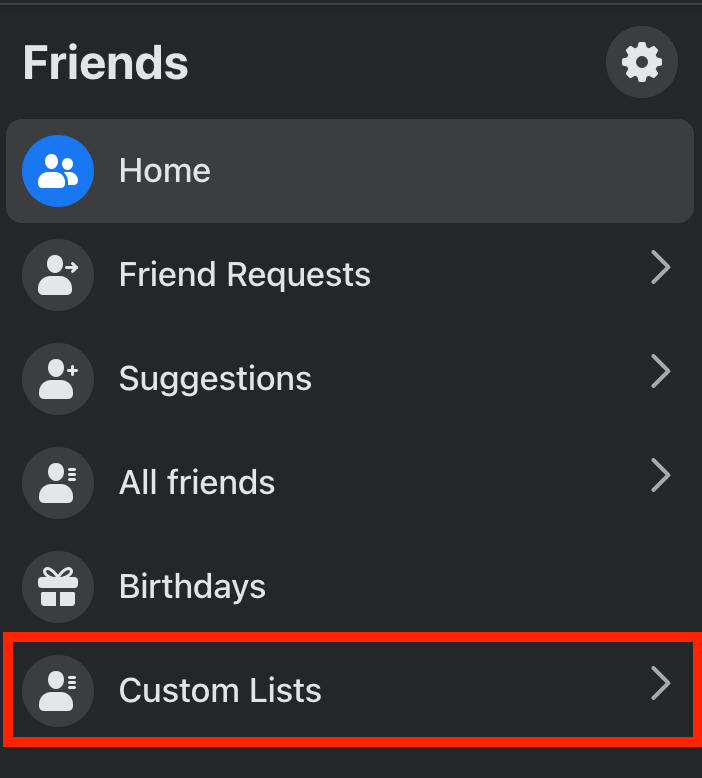
To create your Close Friends list, click the Friends menu icon from the top of the newsfeed or in the left-hand menu.

From here, click Custom Lists.
Click Close Friends.
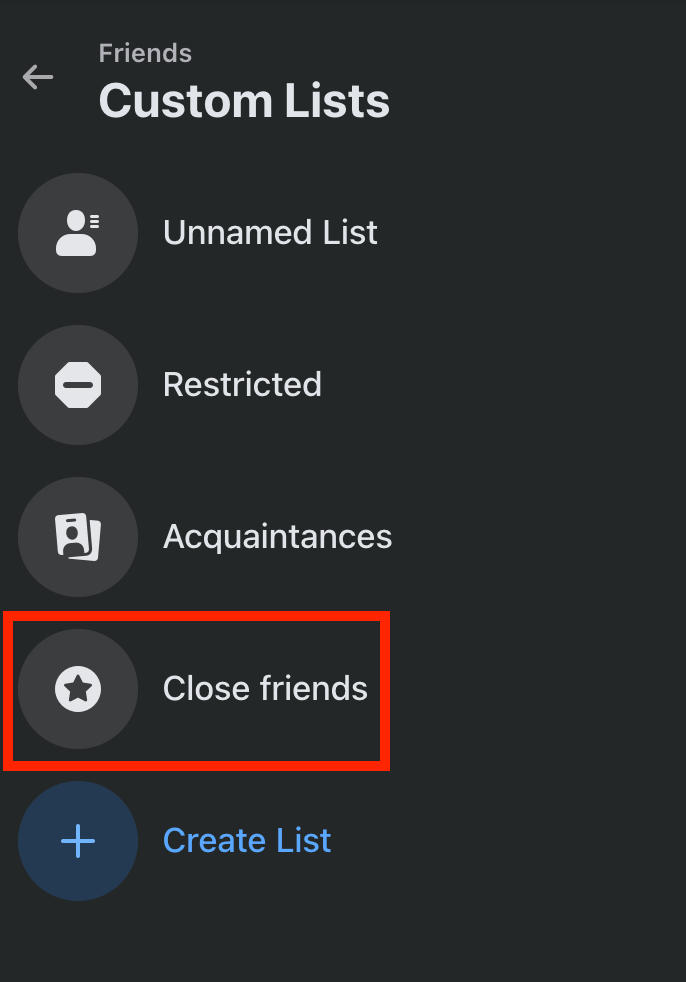
Click Add Friends if you haven’t added anyone yet, or Manage to edit the list.

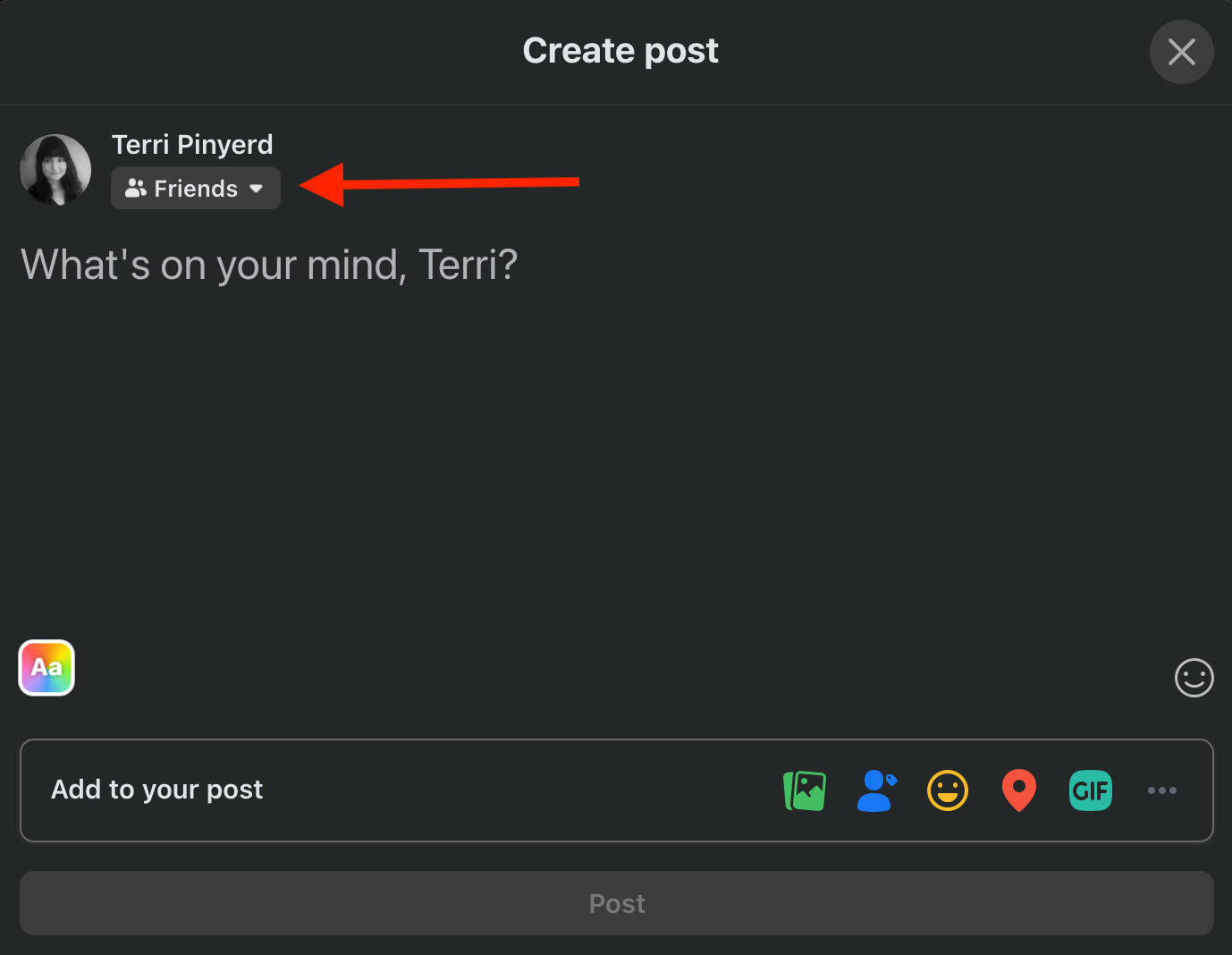
The next time you create a post, click Friends beneath your name.
Scroll down and click Close Friends.
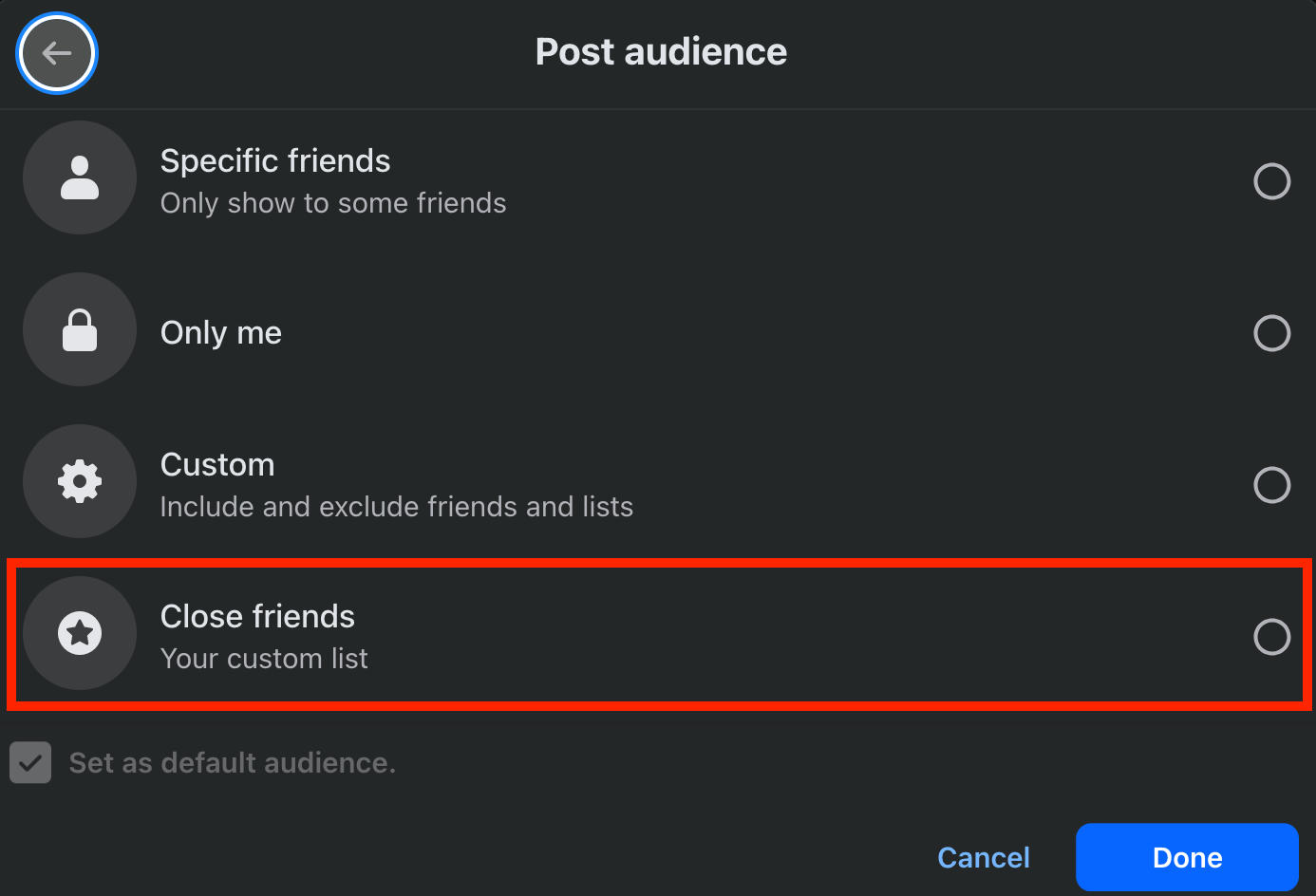
NOTE: The Close Friends option won’t appear in post audience settings until you’ve added users to the list. Users will not be notified when they’re added or removed from your Close Friends list.
How To Poke On Facebook
Remember Facebook's poke feature back in the day? It still exists!
To poke a friend, visit Facebook’s Poke page directly here, or click the search bar.
Search poke.
Click Pokes - it should be the first result.
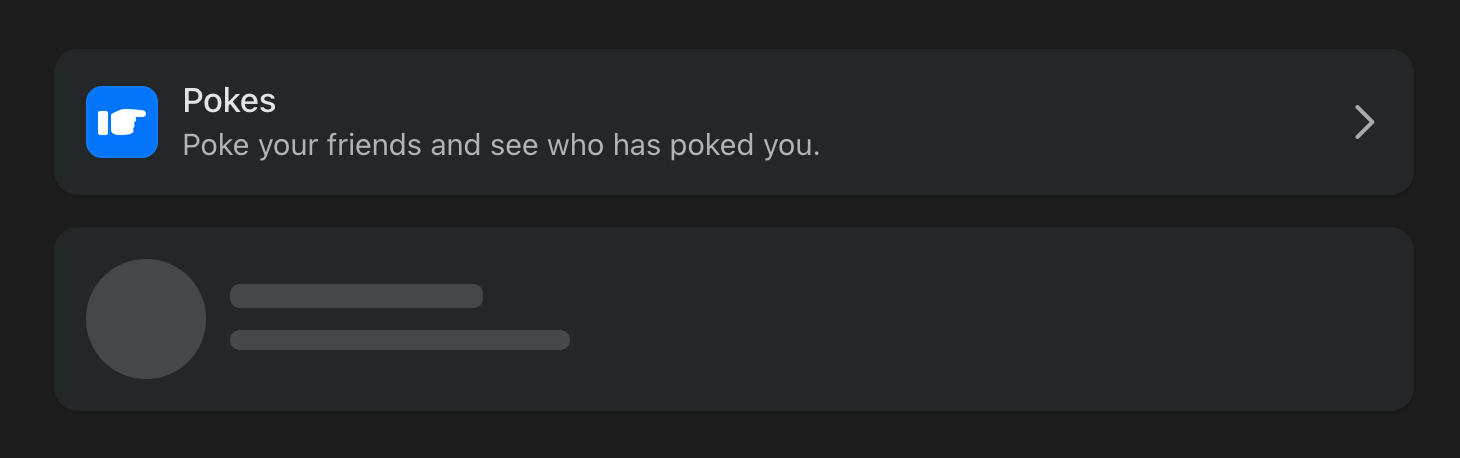
From here you’ll be able to view the Poke page.
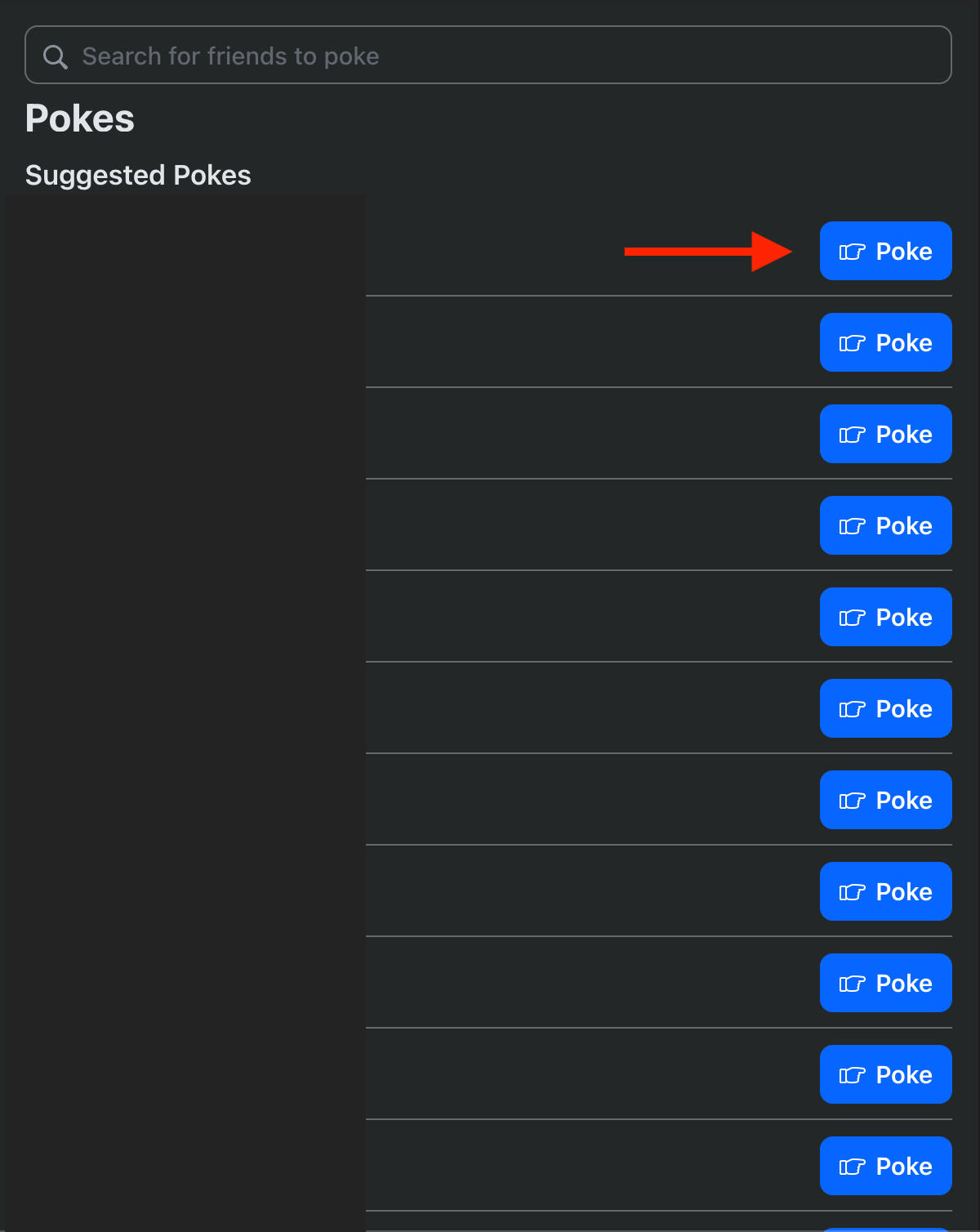
Search for a friend to poke or choose from the suggested friends list.
Click Poke to the right of the friend you want to poke.
How To View Upcoming Birthdays
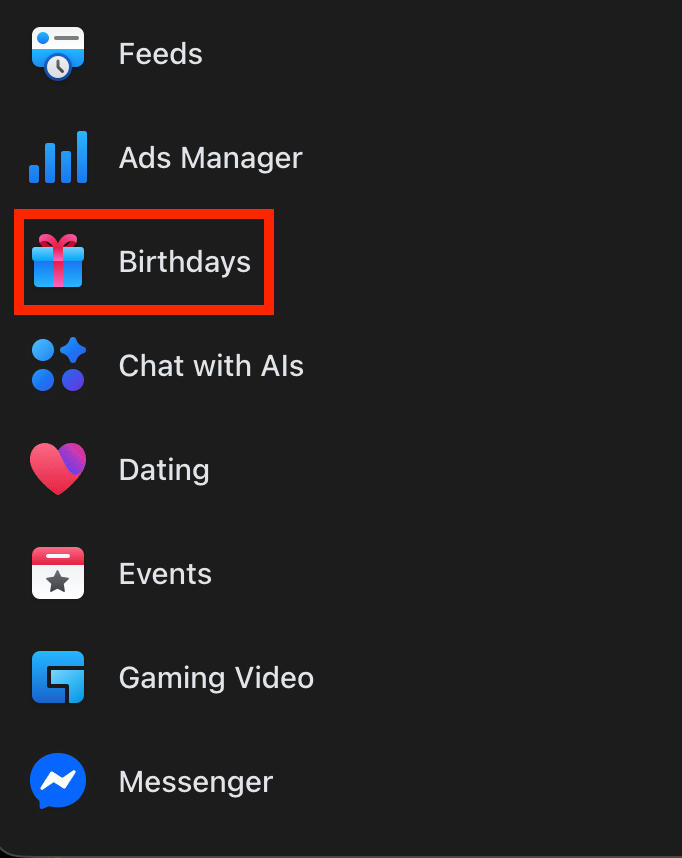
In the left sidebar menu, click Birthdays (you might have to click See More to find the option).
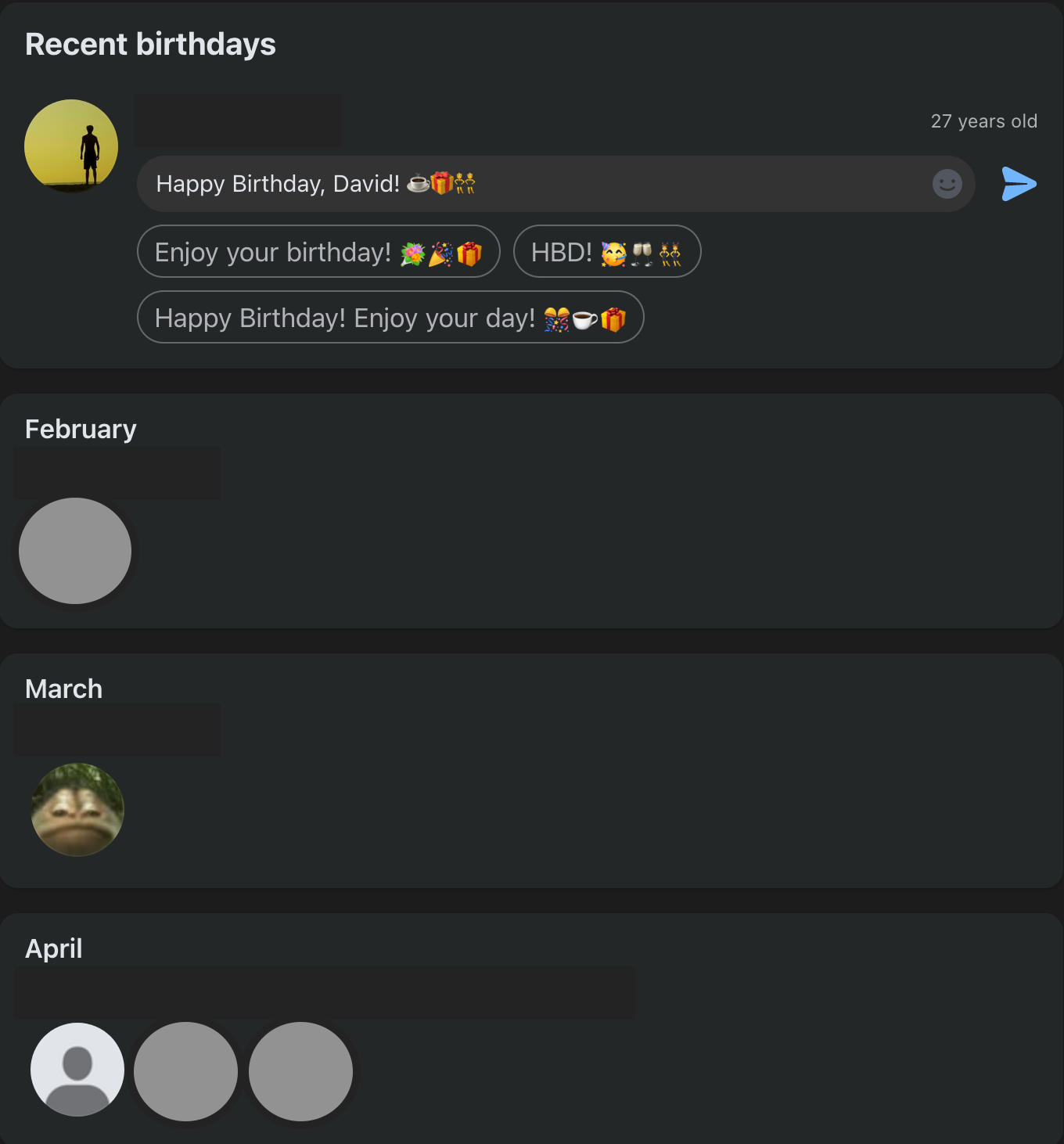
You will see the full list of all birthdays in chronological order, starting with the current month.
How To Adjust Your Post Audience
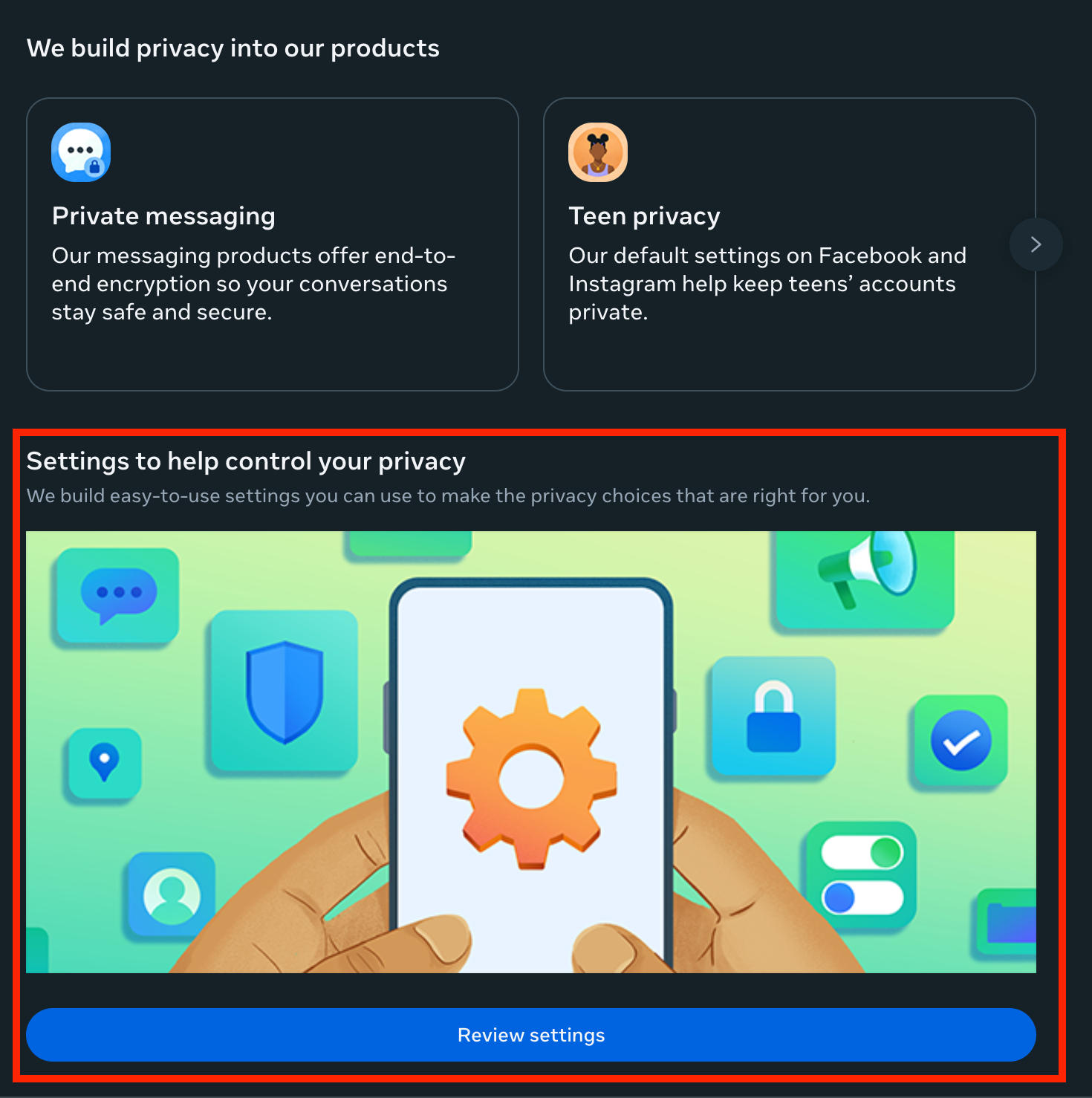
Go to Settings & Privacy > Privacy Center.
Scroll down and click Review Settings.
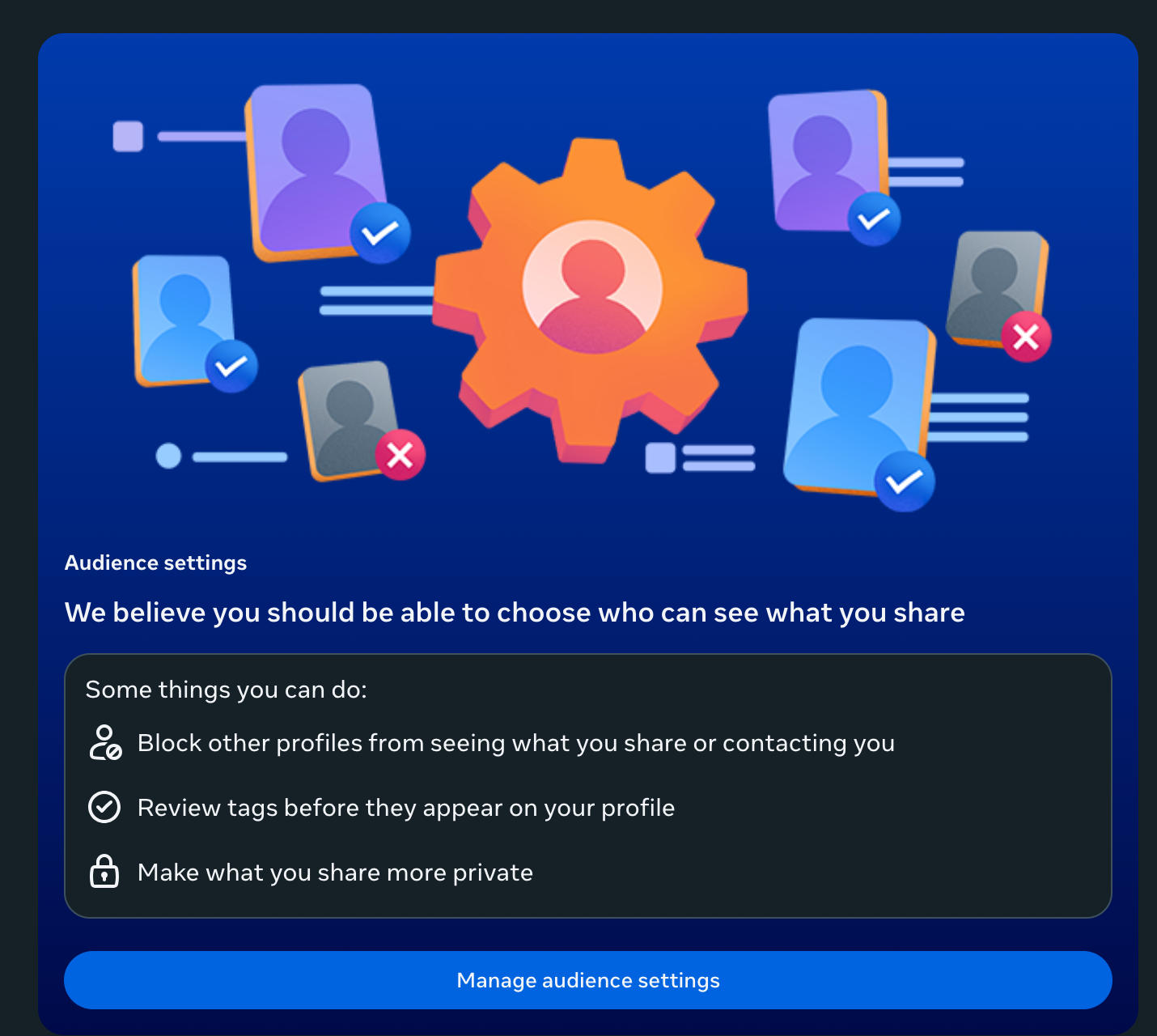
Scroll down and click Manage Audience Settings.
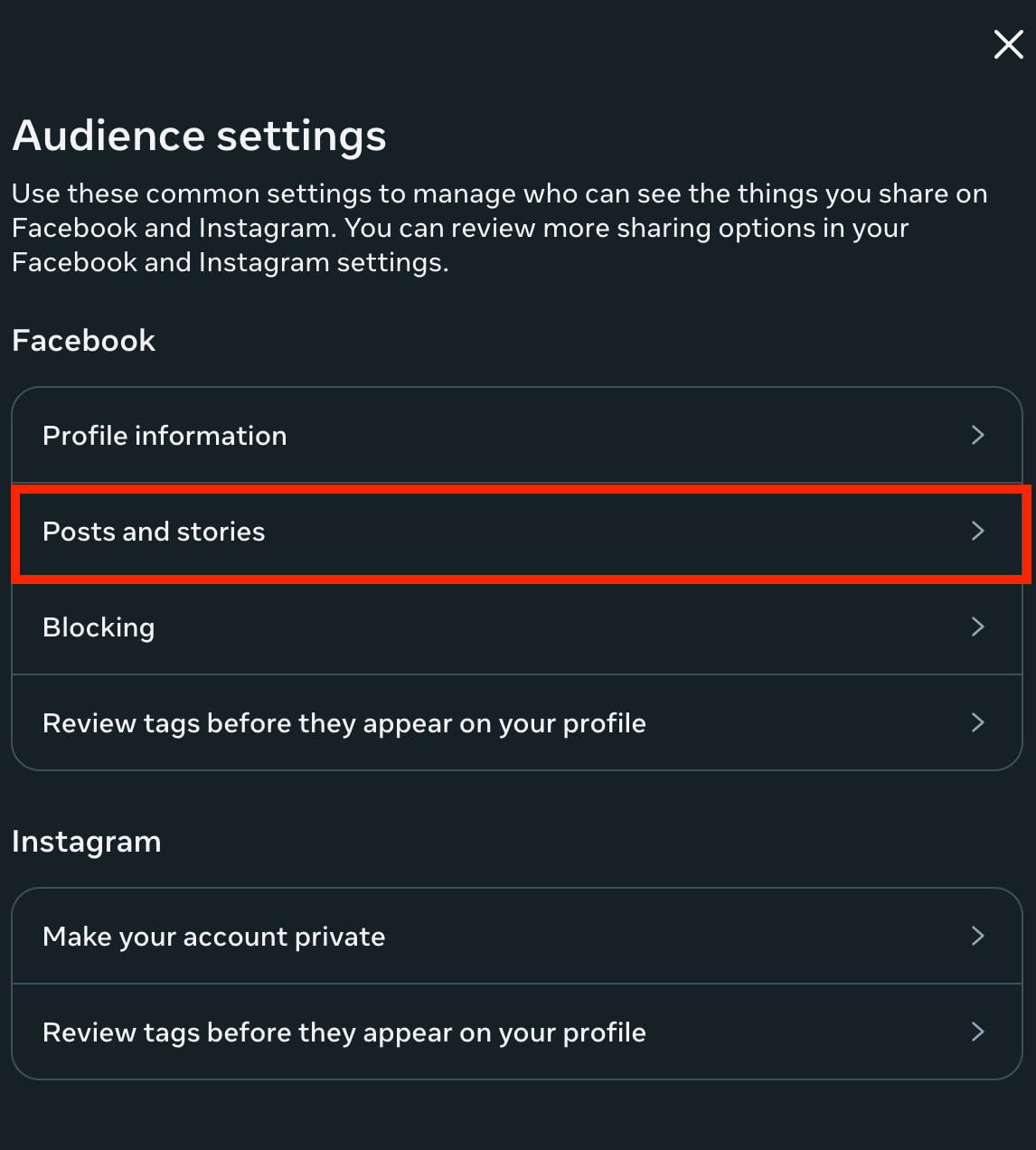
Click Posts & Stories.
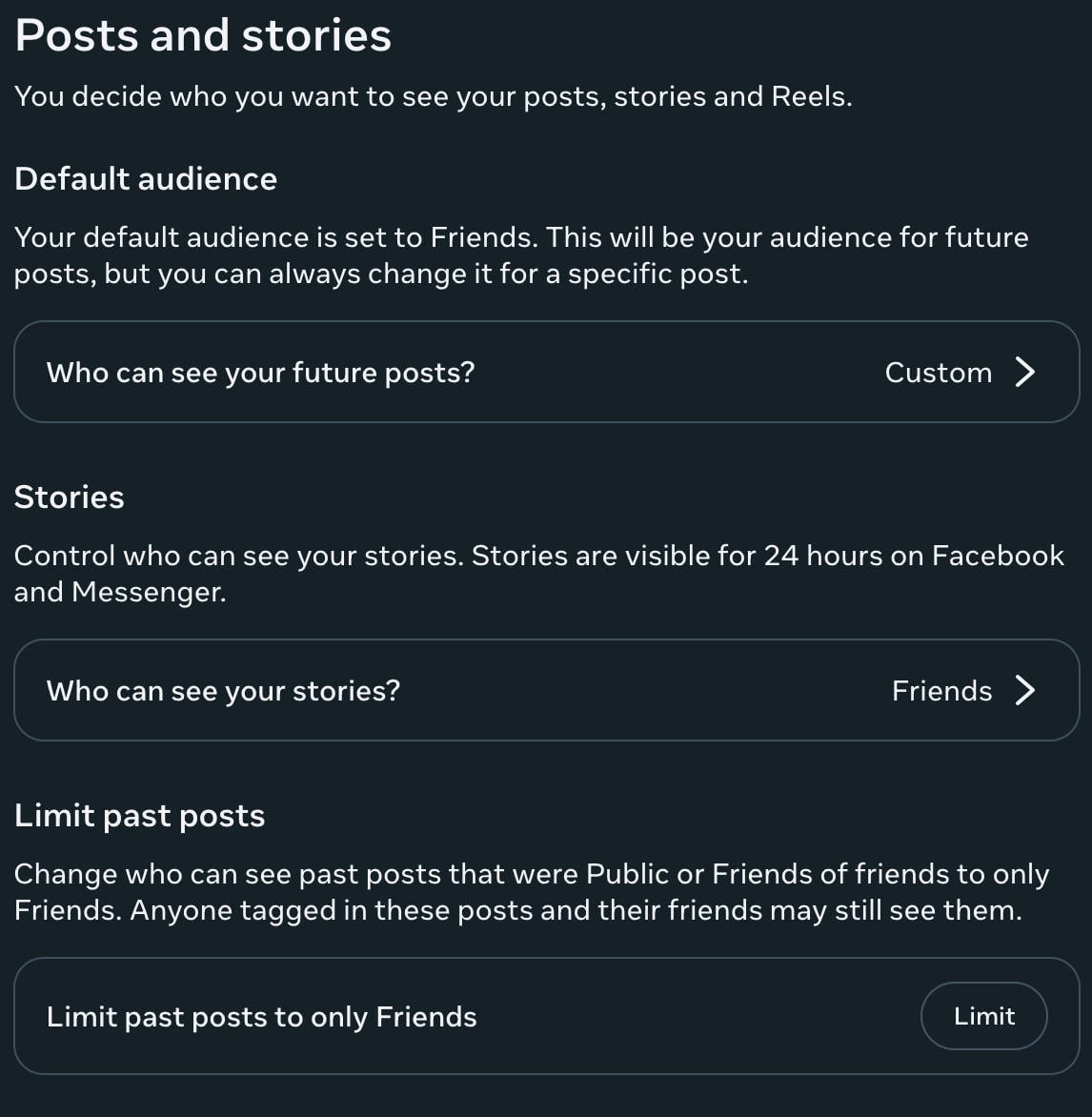
Under Default Audience and Stories, choose Friends.
Under Limit Past Posts, choose Limit.
Are Paid Facebook Followers Worth It?
Gaining followers on a page or profile can be a great way to grow your personal brand or business online, but it’s not easy when you’re just starting out.
Because of this, many users opt for buying Facebook followers from online providers and SMM marketplaces like QQTube.
The Benefits Of Buying Facebook Followers
Like any social media platform, Facebook has an algorithm that focuses on providing users with content recommendations based on the perceived value it can bring them.
This value is measured by the overall level of engagement the content is receiving, or the number of followers a page or profile has.
Because of this, content that’s already popular gets pushed to more users which of course means that new pages and fresh content continues to stay hidden at the bottom of an endless feed.
As a way around this, savvy social media managers buy Facebook followers and other forms of engagement to boost profiles, pages, and posts with real followers and likes from active Facebook users.
By doing this, the content appears more popular by both the Facebook algorithm and by users who are browsing their feeds, making it more likely that they’ll engage with the content and follow the page.
All of this results in increased organic engagement, and the best part is that it’s a fraction of the cost of Facebook ads and traditional social media marketing approaches.
How To Buy Facebook Followers
If you’re interesting in buying Facebook followers or engagement on your latest posts, look no further than QQTube!
It takes less than 5 minutes to get started, there are no passwords needed, and every service is backed by real Facebook users who are active on the platform.
To get started, click the Sign Up button here and create your free account.

Once you’re logged in, click Go To Account.
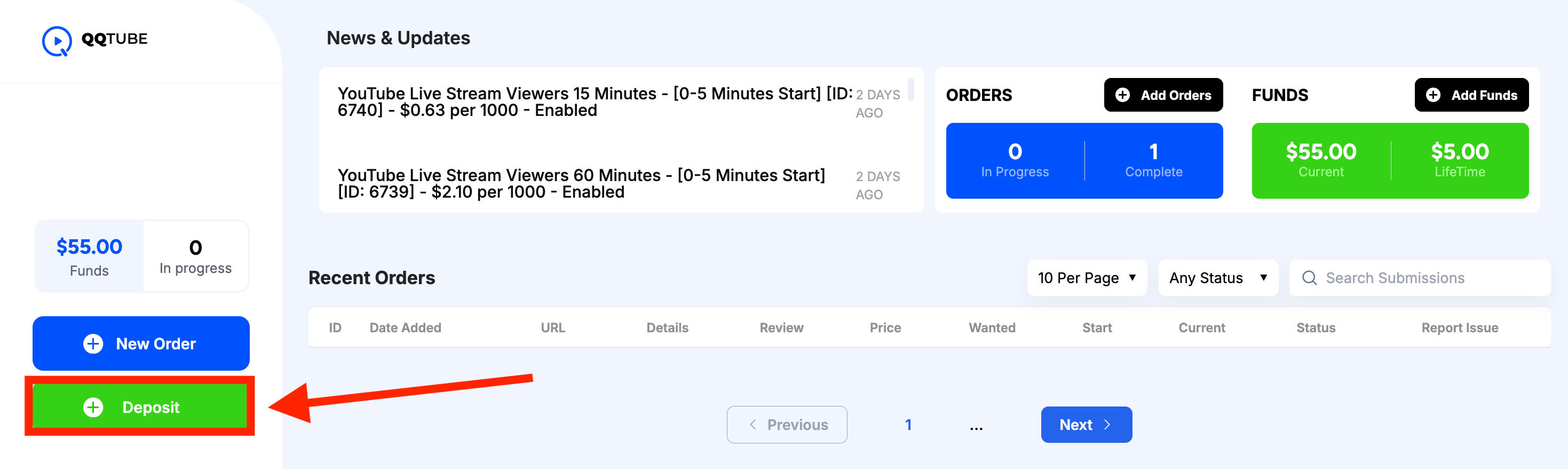
From your customer dashboard, click Deposit to add funds to your account.
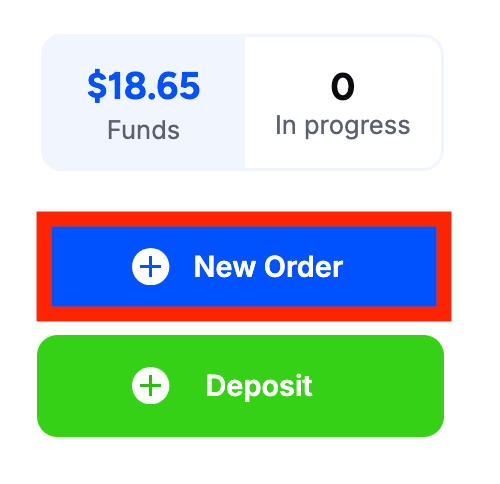
Then click New Order.
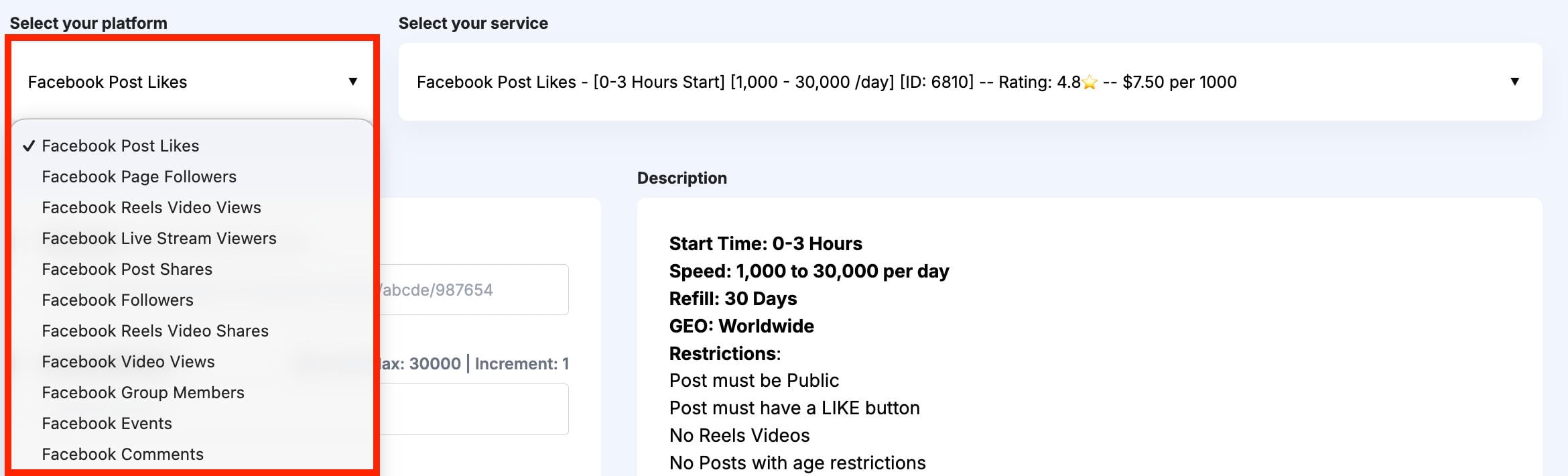
In the first drop-down menu, select the Facebook service of your choice. We offer Facebook page followers, group members, post likes, comments, shares, and much more!
In the second drop-down menu, select the specific service you wish to browse.

You can compare services by customer review, start time, delivery speed, price, and more.
The service description box will provide additional information about each service.
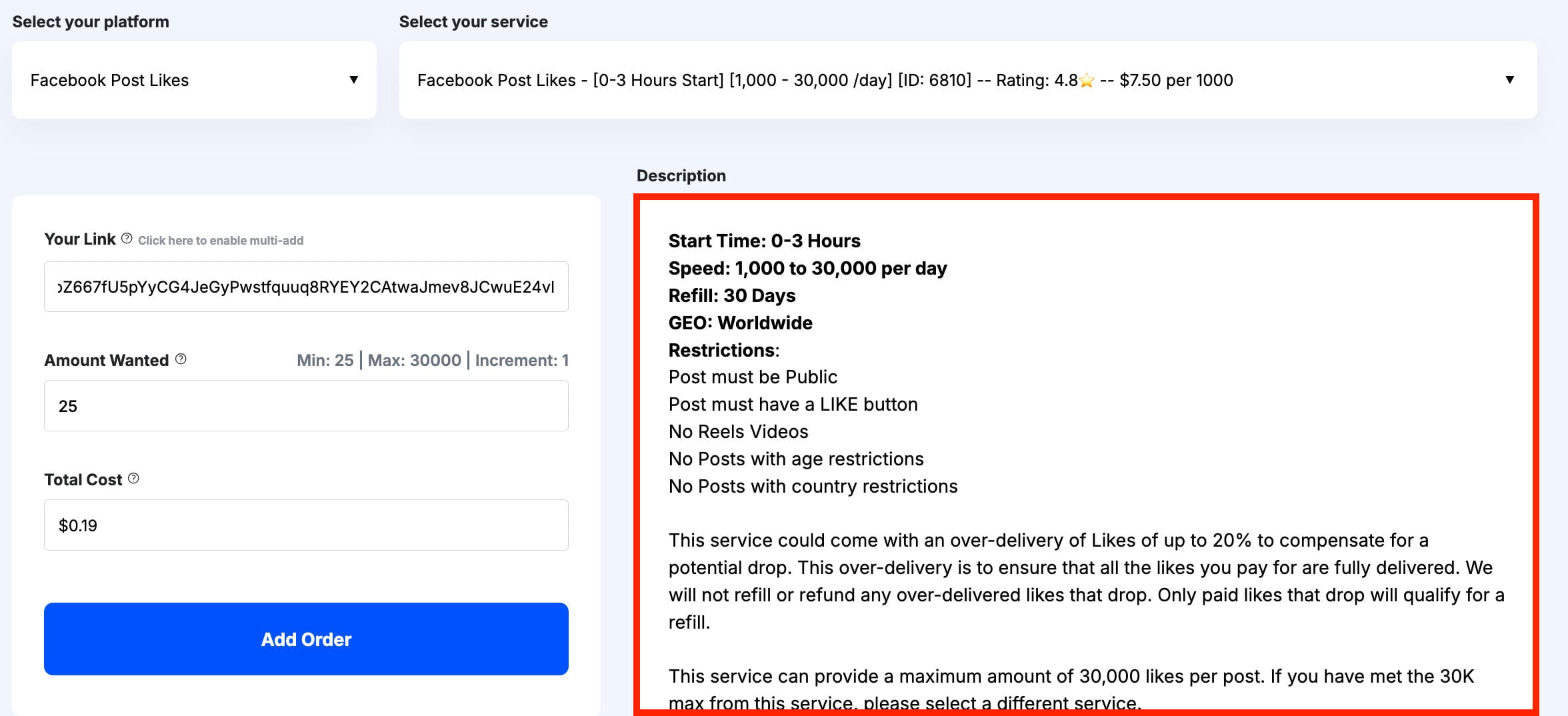
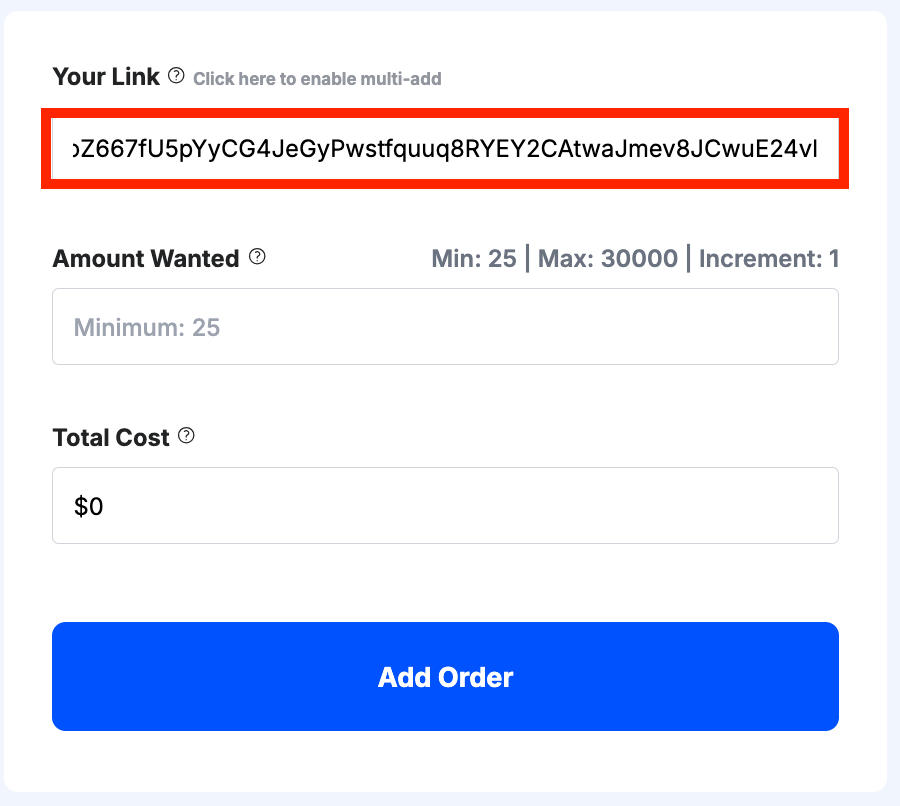
When you’re ready, input the link to your Facebook page, group, or post in the URL box.
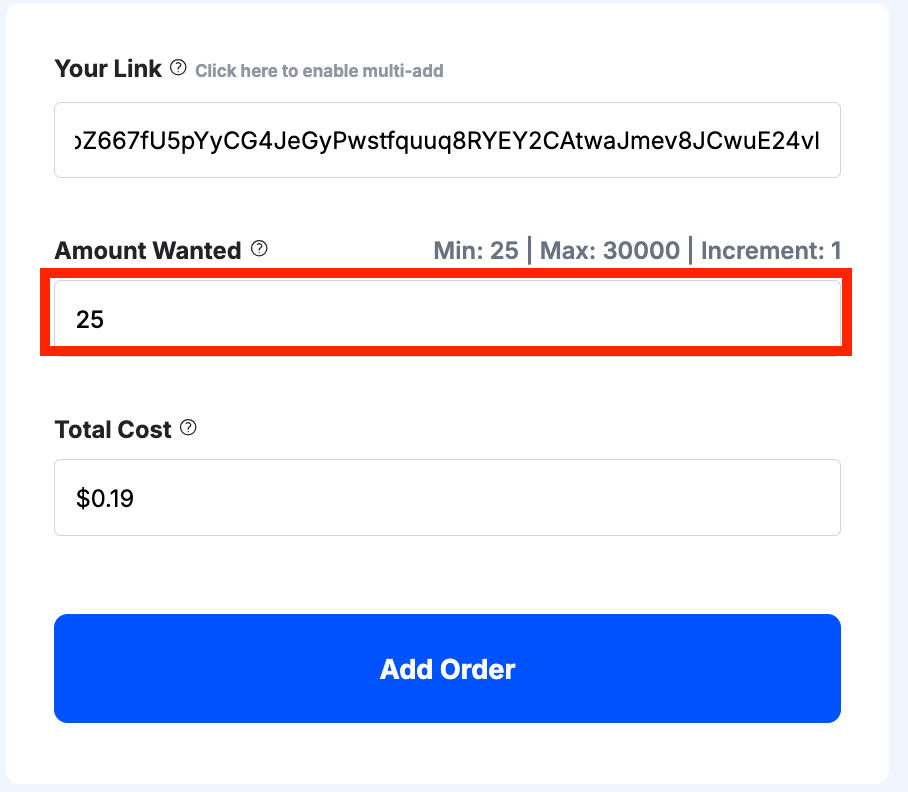
Then input the desired quantity of engagement.
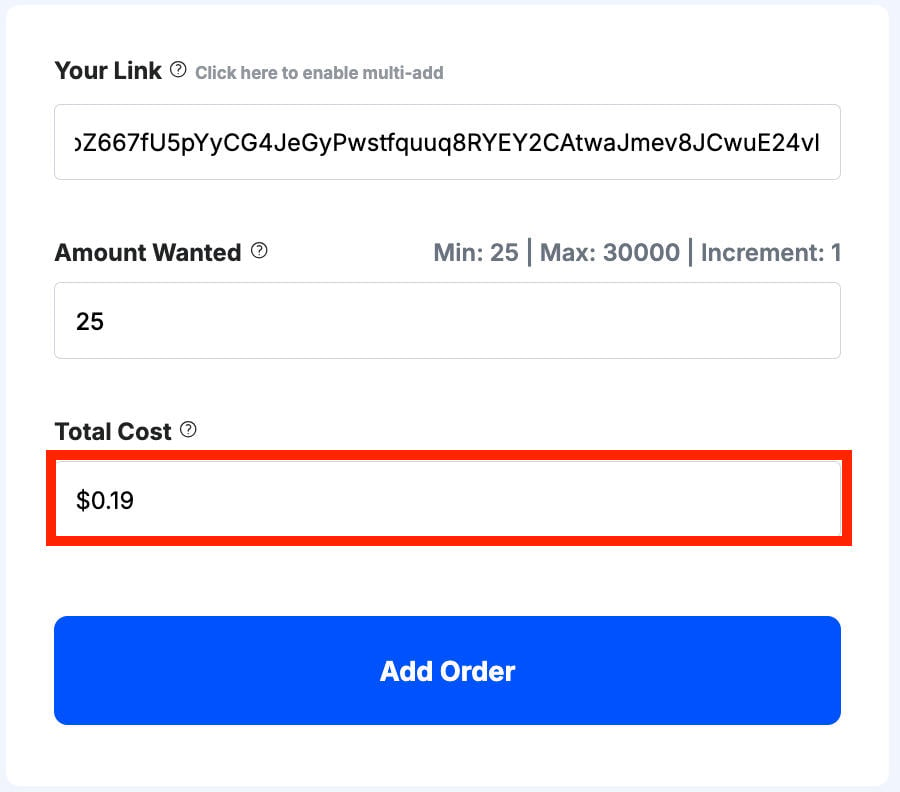
Your price will be automatically calculated for you before you submit your order.
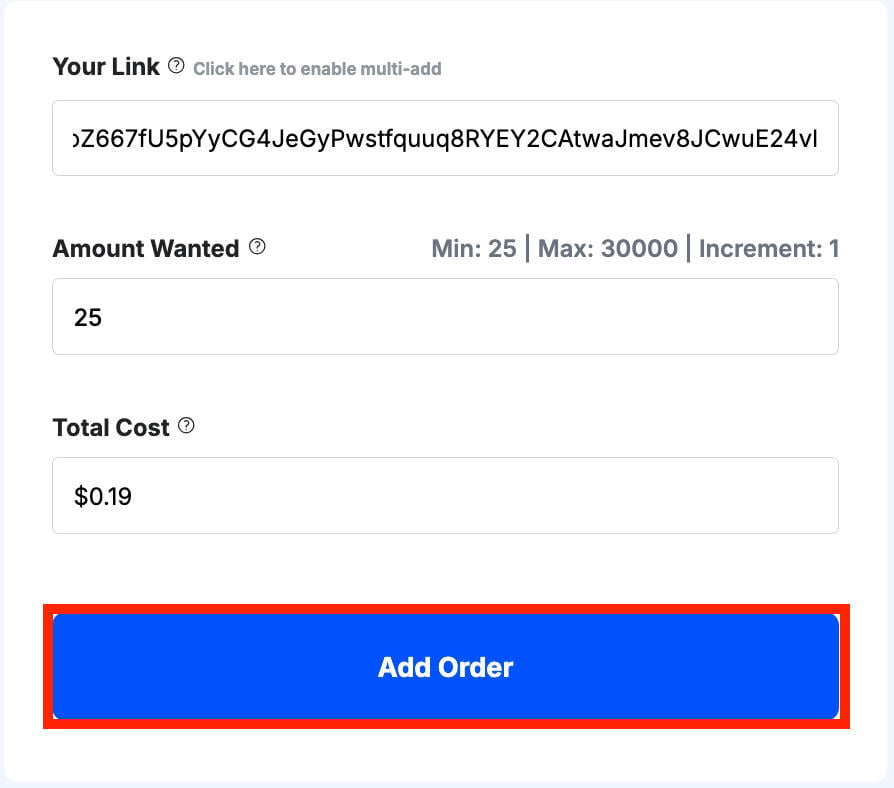
Once you’re satisfied with the order information, click Add Order.
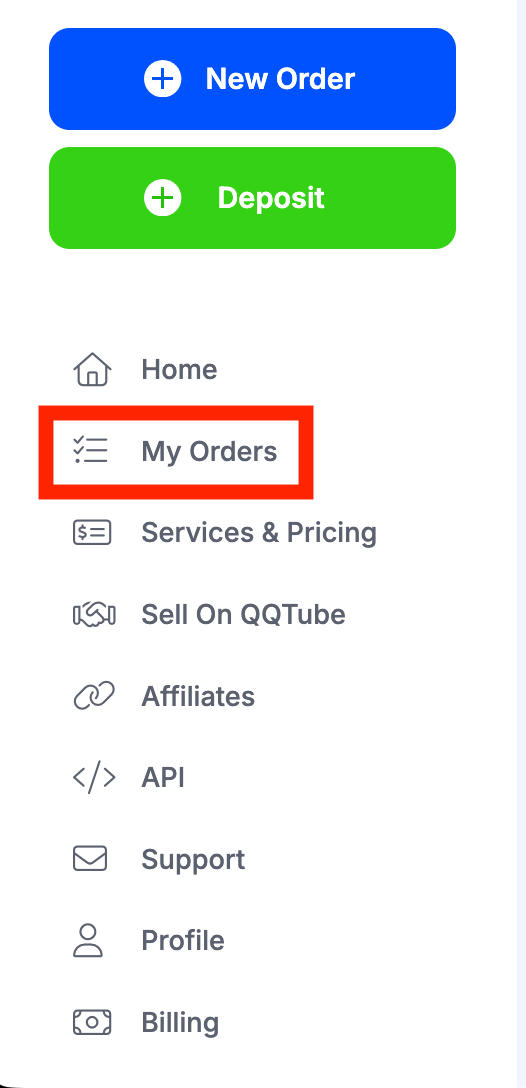
You can monitor and manage your full order history from your dashboard by clicking My Orders in the left-hand menu.
Frequently Asked Questions
How do I remove the Facebook limit?
The only way to work around the Facebook friend limit is to open your profile to followers, or delete existing friends.
How do I change my Facebook friend limit?
You can either allow followers on your profile or delete excess friends.
Why can't I have more than 5000 friends on Facebook?
Facebook believes that users with more than 5,000 friends are likely public figures in some way, which is why they added the Page feature. However, you can turn on professional mode which allows additional users to follow you outside of the 5,000 friend limit.
How many friends can you have on Facebook professional mode?
Professional mode doesn’t increase the friend limit, which is set at 5,000, but it does allow additional users to follow your profile.
How many friends can you have on Facebook messenger?
Facebook messenger doesn’t have a unique friend limit, it’s still 5,000 per account. But you can still chat with additional users who aren’t your friends, with no limit.
How many friends can you have on the Facebook app?
Facebook’s friend limit is 5,000.
Has the Facebook 5,000 friend limit been removed?
No, Facebook’s friend limit is still set at 5,000 friends.
How many friends can you have on Instagram?
Instagram doesn’t allow users to follow more than 7,500 people but there’s currently no limit to how many followers you can have.
How to increase Facebook friends limit?
The only way around this is to turn on professional mode. Learn how to do that here.


